
Kinsta Review 2026: Premium Managed WordPress Hosting From $35 a Month, What It Includes, and the Fine Print Behind the Free Month
Kinsta sells one thing on kinsta.com now: managed hosting for WordPress. As of Oct 26, 2026, the entry plan costs $35 a month or $350 a year, the first month is free on four starter plans, and every plan includes Cloudflare protection, a CDN, daily backups, staging and free migrations. What the price does not tell you: you pay for usage above the plan by the visit or by the gigabyte, email hosting is not included, cancelling deletes your sites for good, the platform is being moved from Google Cloud to Oracle Cloud, and the uptime guarantee in Kinsta’s standard contract is 99.9%; the 99.99% on the pricing page is an “up to” figure that needs a higher guarantee written into your order form.

Every Kinsta link in this review goes straight to kinsta.com, its help center or its legal pages.
| Made by | Kinsta Inc., founded in 2013, Los Angeles dateline; also runs Sevalla for app, database and static hosting |
| What it is | Managed WordPress hosting with isolated containers, Cloudflare, a CDN, staging, backups and the MyKinsta dashboard |
| Plans | Single $35 to $375; WP 2 to WP 40 $70 to $450; Agency from $340; Enterprise from $500 a month |
| Billing | Monthly, or annual for the price of 10 months; usage above the plan billed as overage |
| Best for | Businesses and agencies whose WordPress sites earn money and need support, staging and predictable operations |
Kinsta is a good place to park a WordPress site that earns money. It is an expensive place to park one that does not.
$35 a month buys one site, 10GB of storage and either 20GB of server traffic or 35,000 visits.
That is the whole entry plan, and it frames everything else. Kinsta does not compete with $3 shared hosting. It competes with WP Engine, Rocket.net, Pressable and Cloudways: hosts that charge more because they run the server, the cache, the firewall and the backups for you and answer the chat at 3 a.m. On paper, Kinsta’s version of that is complete. Every site runs in its own container, traffic goes through Cloudflare with a managed firewall, backups run daily, staging is one click, migrations are free and unlimited, and the help center writes down the billing rules, overage maths and support limits in unusual detail.
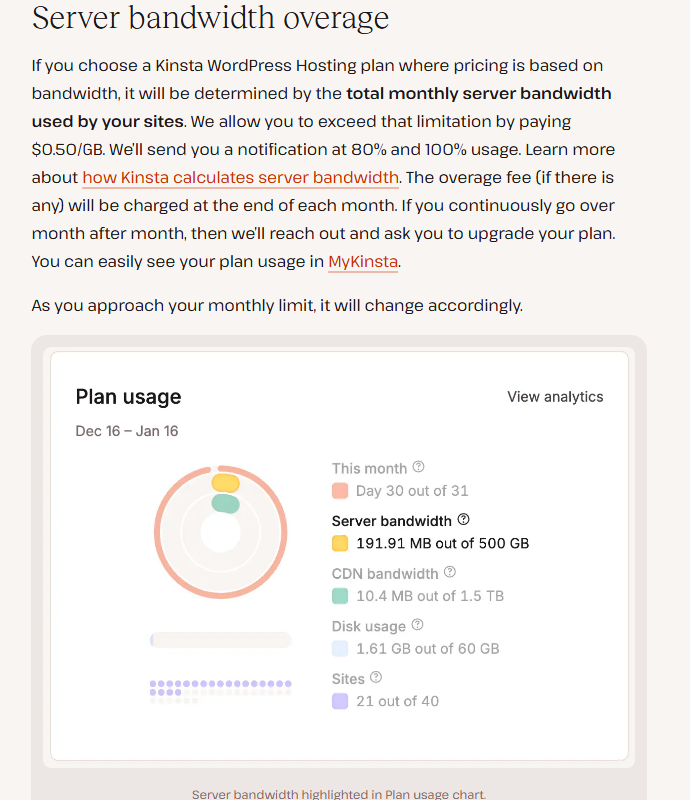
The catch is not the headline price, which has stayed at $35 a month since at least June 2024. The catch is the meter. Each plan includes a fixed amount of visits or server bandwidth, plus storage and CDN traffic, and anything above that is billed: $0.50 per 1,000 visits, $0.50 per GB of server bandwidth, $2 per GB of storage a month. Bot traffic Kinsta cannot confidently identify can count toward that usage. If the overage reaches the price of your plan (or $500, whichever is less), Kinsta may require immediate payment or an upgrade before your renewal date. None of this is hidden; all of it is in the help center. But you need to read it before you pick between a visits plan and a bandwidth plan.
Three more things are worth knowing before you sign up. Kinsta does not host email, so you will need Google Workspace, Microsoft 365 or similar. When you cancel, Kinsta deletes your sites, staging environments and DNS zone permanently at the end of the billing period, and moving your site away is outside the scope of its support. And in 2026 Kinsta is moving its WordPress platform from Google Cloud to Oracle Cloud Infrastructure; you cannot opt out, your IP address will change, and some data center regions are no longer offered.
One dashboard, one container per site, Cloudflare in front, and a plan that sets the meters.
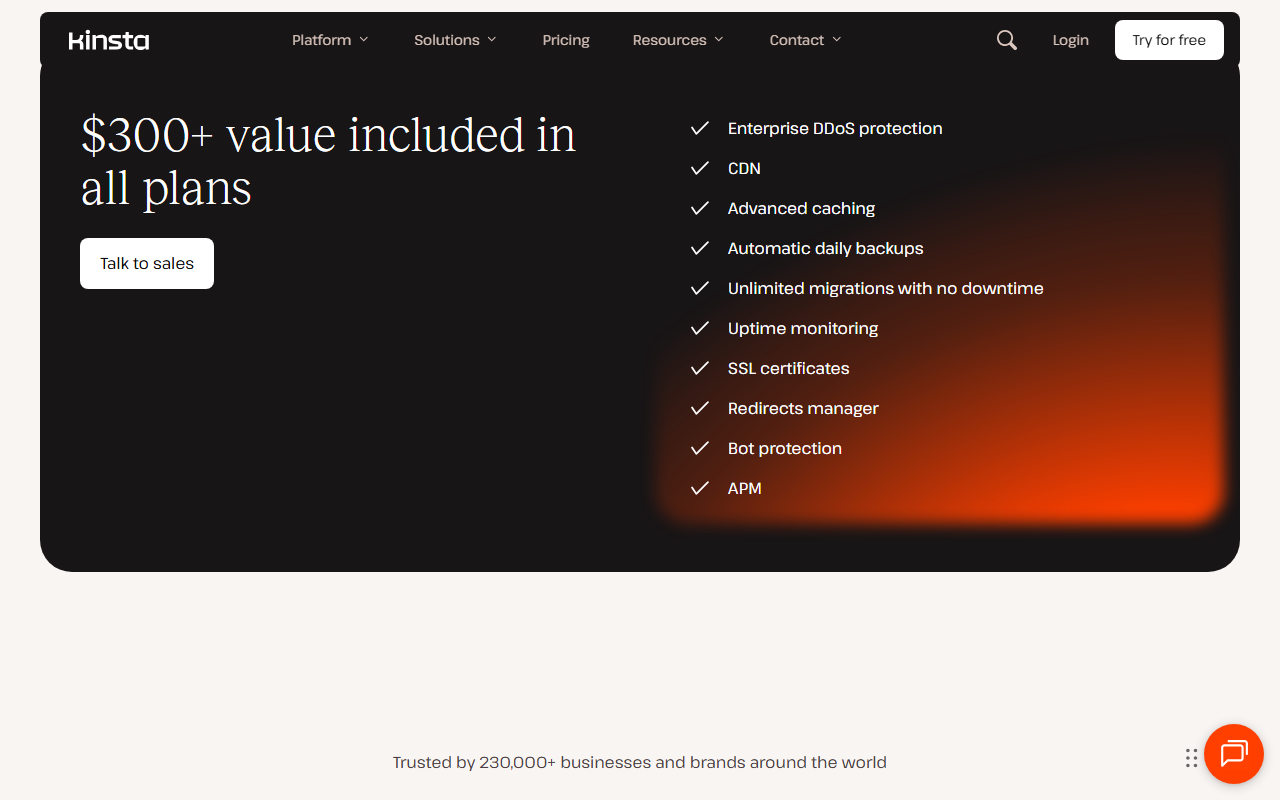
Kinsta’s product is a hosting platform plus a dashboard. You manage everything in MyKinsta: sites, staging environments, backups, domains and DNS, caching, PHP settings, users and plan usage. Underneath, each WordPress site gets an isolated container with its own Linux, NGINX, PHP and MySQL, which Kinsta’s help center says has access to 12 CPUs and 8 GB of RAM by default on standard plans. In front of it sit Cloudflare’s firewall and DDoS protection, Kinsta’s CDN and an edge cache for HTML pages, all included on every plan. Your plan decides how many WordPress installs you get and how much traffic, storage and CDN bandwidth is included before overage fees start.

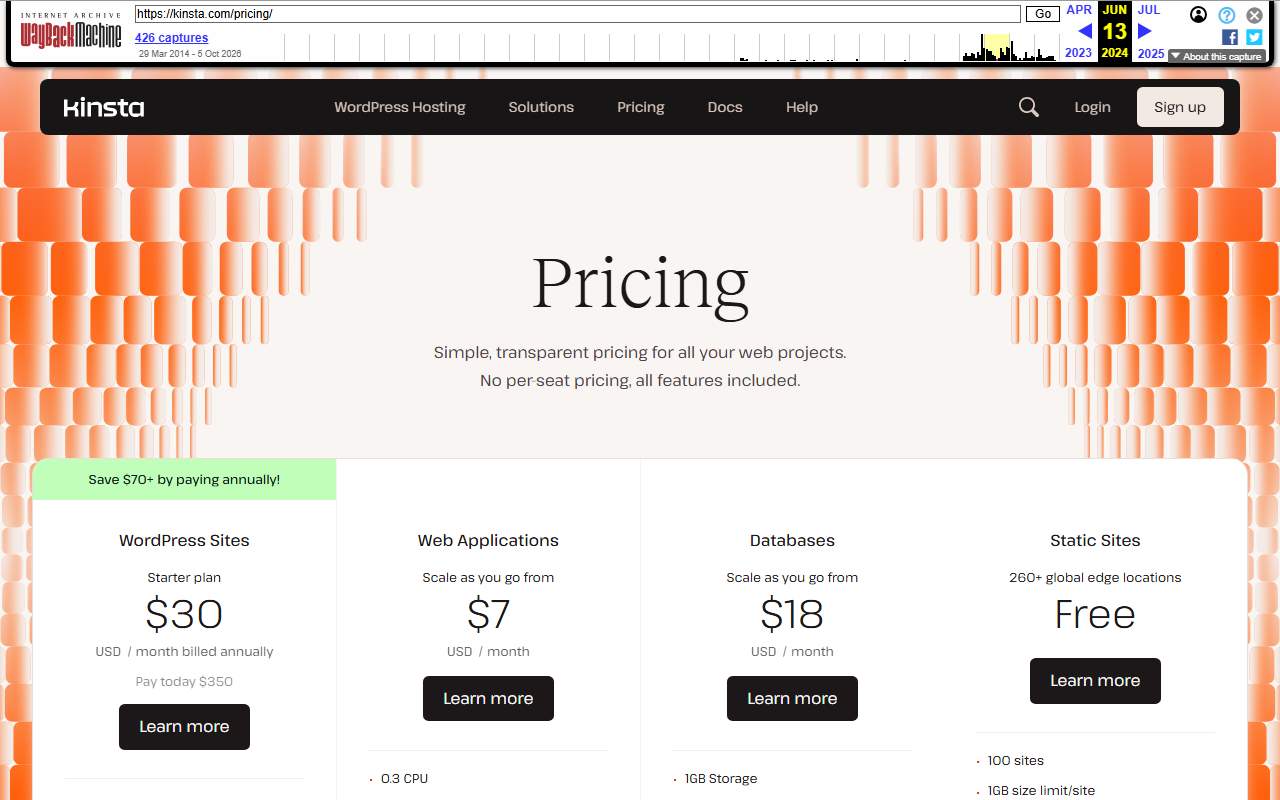
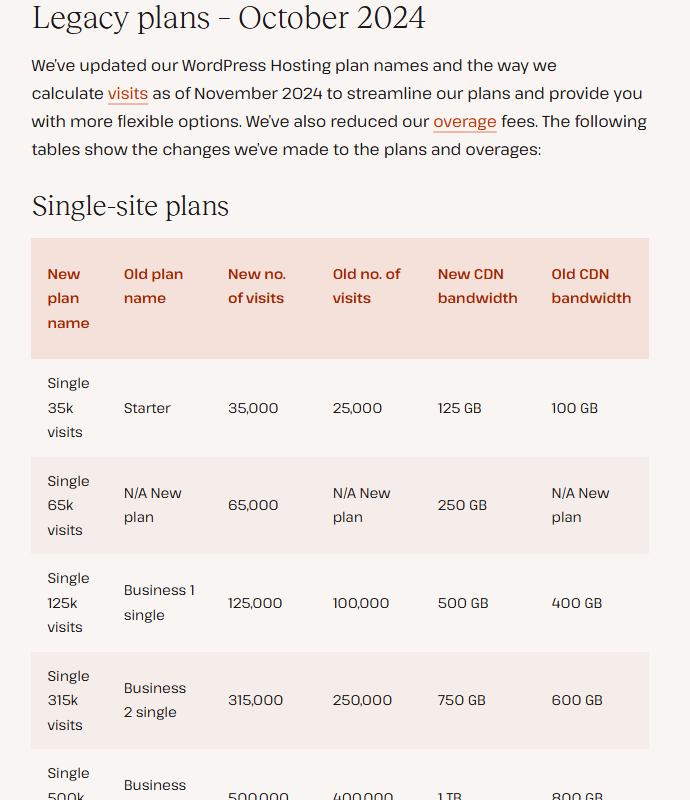
Same $35 entry price for over two years, new plan names, a second billing model and a second line-up in test.
Kinsta’s pricing page has no change log, so the record below comes from Internet Archive copies of kinsta.com/pricing and from Kinsta’s own changelog and help center. The headline price did not move. What changed is what $35 buys and how usage is measured.
| Date | What Kinsta’s pages show | What it meant |
|---|---|---|
| Jun 13, 2024 | Starter $35 a month or $350 a year, 25,000 visits, 10GB; app, database and static hosting on the same page | Visits were the only meter for WordPress plans |
| Nov 2024 | Plans renamed (Starter became Single 35k, Pro became WP 2); visit limits raised; overage fees halved | 35,000 visits for the same $35; $0.50 instead of $1 per 1,000 extra visits |
| Dec 6, 2024 | First month free on Single 35k and WP 2 | “Pay $0 today” appears on the pricing page |
| Nov 2, 2025 | Bandwidth plans added: Single 20GB at $35, WP 2 bandwidth at $70 | Choose to be billed on visits or on server bandwidth |
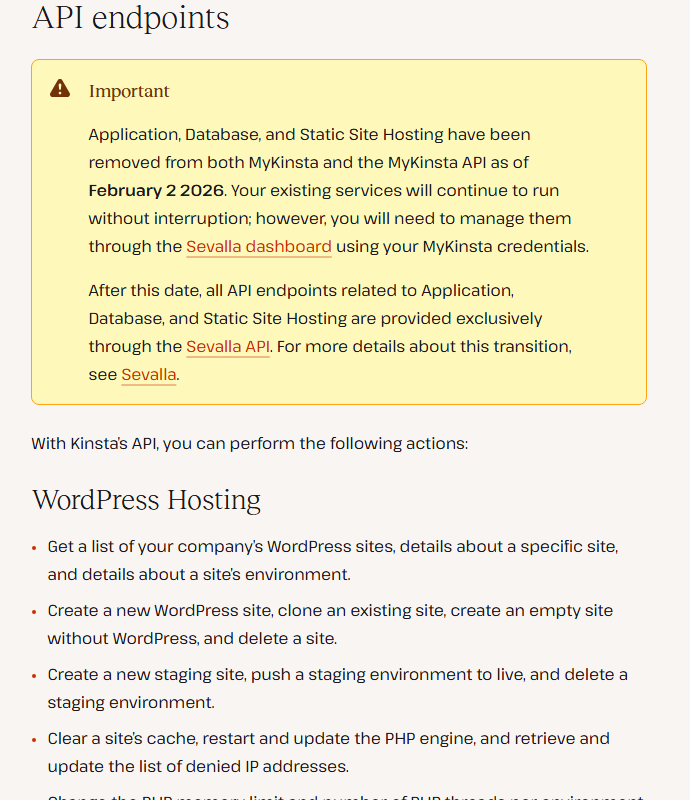
| Feb 2, 2026 | Application, database and static hosting removed from MyKinsta and the Kinsta API | Those products now live under Kinsta’s separate Sevalla brand |
| Jan 28, 2026 | Trade press reports Kinsta’s move from Google Cloud to Oracle Cloud | Kinsta had run on Google Cloud since 2016 |
| Apr 1, 2026 | Help center page on the upgrade to Oracle Cloud Infrastructure, last updated this day | Sites move off Google Cloud; IPs and some regions change |
| Sep 15, 2026 | Pricing page carries a second line-up, Launch $35 to Lead $299 | Shown to some visitors only; the standard view still lists Single and WP plans |

A premium WordPress specialist that says it has 230,000+ customers. Every number on that list is Kinsta’s own.
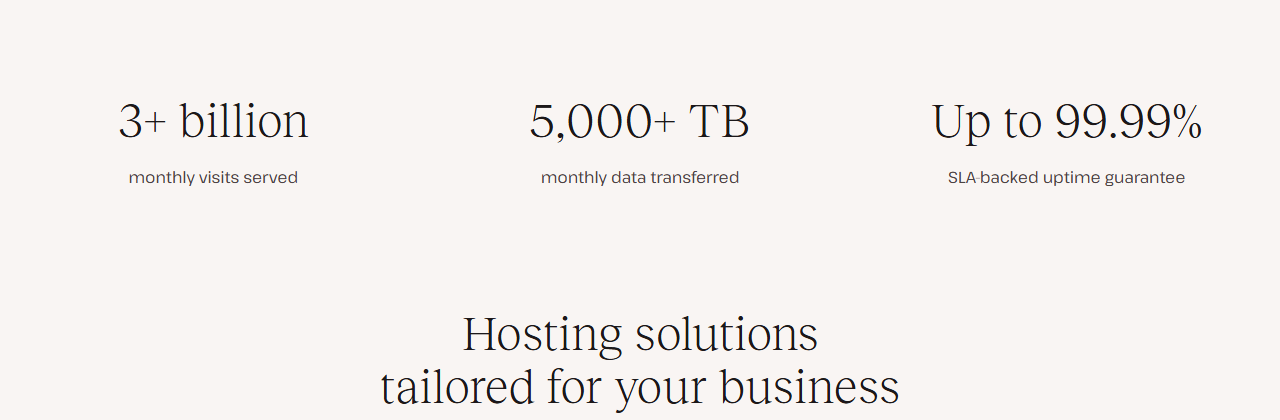
Kinsta was founded in 2013. Its March 31, 2026 press release, republished on its blog, describes a record year: more than 60 percent customer growth, 65,000 new sites in 12 months and a customer base of over 230,000 across 128 countries. None of that is audited or published in a filing, and the units differ from page to page: customers, “businesses and brands”, sites and monthly visits are four different things. Read the table as Kinsta’s self-description, not as market share.
| Signal | Kinsta’s figure | What it measures |
|---|---|---|
| Customers | 230,000+ “businesses and brands”, 128 countries | Vendor count; method not published |
| Growth | 60%+ customers year over year; 65,000 new sites in 12 months | Press release, Mar 31, 2026; sites are not customers |
| Traffic served | “3+ billion” or “4 Billion+” monthly visits | Counts traffic to all hosted sites, not users; two pages, two numbers |
| Data centers | 30 (help center, home) or 29 (why-us page) | Locations you can pick for a new site |
| G2 | 4.8 stars, 1,600+ reviews; #1 web hosting, G2 2026 Best Software Awards | Shown by Kinsta; not read on G2 itself |
| Support | 24/7, 8 languages, 40+ support engineers, 98% satisfaction | Kinsta’s home page; the why-us page says 97% |
One number is worth a closer look. In June 2024, Kinsta’s pricing page said “Trusted by 25,000+ growing businesses”. In October 2025 the same line read 140,000+ “businesses and brands”, and since at least September 2026 it reads 230,000+. Kinsta does not explain the change in wording or what is counted. The jump from 140,000 to 230,000 matches the 60% growth in the press release; the jump from 25,000 to 140,000 in about 16 months is larger than anything Kinsta has described, and we would treat the figure as marketing until Kinsta defines it.



Independent evidence is thin. What exists praises support and moves away from WP Engine, and grumbles about price.
Kinsta leans on G2: its pages show 4.8 stars from 1,600+ reviews and a 2026 “Best Software” badge. We have not reviewed Kinsta’s listings on G2, Capterra or TrustRadius directly, so G2’s figures appear here only as Kinsta states them. There is no Kinsta app in the US App Store or on Google Play, so there is no app-store rating to check either. That leaves Hacker News, where 127 comments contain the word “kinsta”. Most of them link Kinsta’s statistics articles (PHP and browser market share) rather than talk about its hosting. Six comments do, and they are below with their dates. Six comments over three years is an anecdote, not a sample.
“we left for Kinsta for low hundreds per month and have had nothing but performance improvements and great support”
An agency moving a client off WP Engine during the WP Engine and WordPress.org dispute.
“Been much happier with Kinsta.”
Same dispute, after a complaint about WP Engine’s agency program.
“kinsta.com (for scaling & multi-sites)”
Listed as a favourite WordPress host.
“At a previous company we were paying over $400/month on average for managed Wordpress through Kinsta.”
A cost data point, not a complaint.
“Bluehost, Kinsta, WPEngine, GoDaddy etc, are marketing companies that sell webhosting, and they have very healthy margins. They compete on ads, not on price.”
An opinion on hosting margins, not a customer report.
“Kinsta pages went down because of cloudflare taking our company’s marketing site with it for a good 5-10 minutes.”
Written during a Cloudflare outage; every Kinsta site sits behind Cloudflare.
| Source | Evidence available | Status on Oct 26, 2026 |
|---|---|---|
| Hacker News | 127 comments with the word; 6 about the hosting | Used, quoted with dates and item numbers |
| G2 | 4.8 stars, 1,600+ reviews (as Kinsta shows it) | Not reviewed on G2; vendor-stated only |
| Capterra, TrustRadius | Nothing | Not reviewed; not used |
| App stores | Nothing | No Kinsta app in the US App Store or Google Play |
| Kinsta’s own testimonials | Named customer quotes on the home, pricing and why-us pages | Not counted as independent |
The pattern, such as it is: people who praise Kinsta mention support and the relief of leaving another managed host, and people who doubt it mention price. Two of the positive comments come from the autumn 2024 dispute between WP Engine and WordPress.org, when many agencies were shopping for a new host, so they say as much about WP Engine at that moment as about Kinsta.
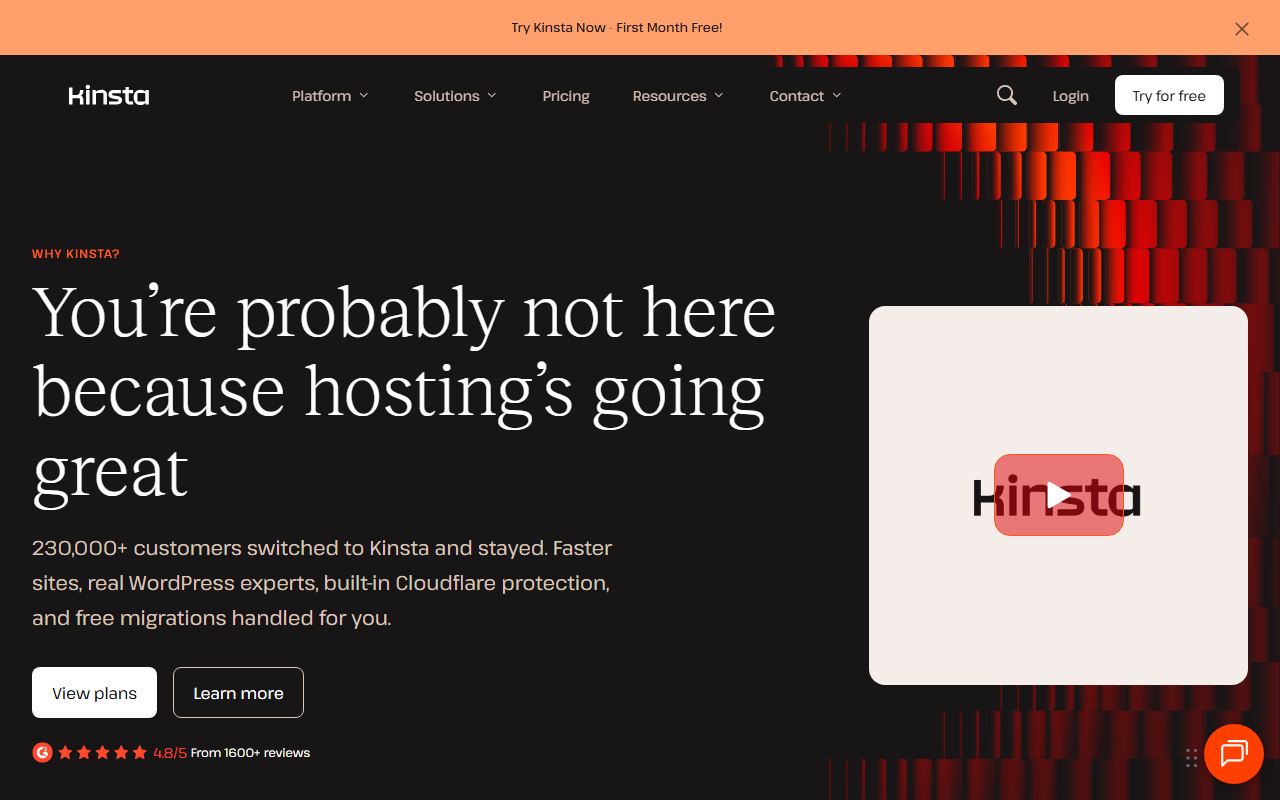
Single-site plans from $35, multi-site plans from $70, agencies from $340 and Enterprise from $500 a month.
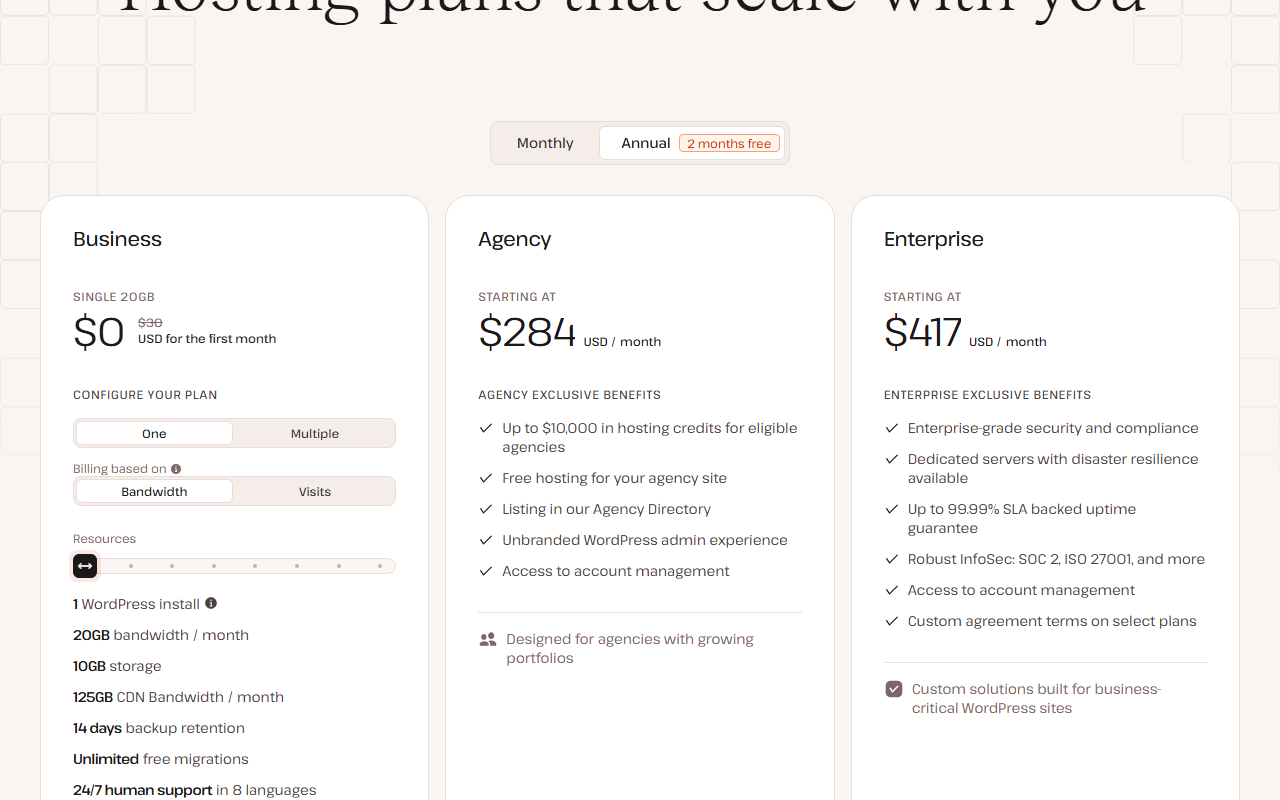
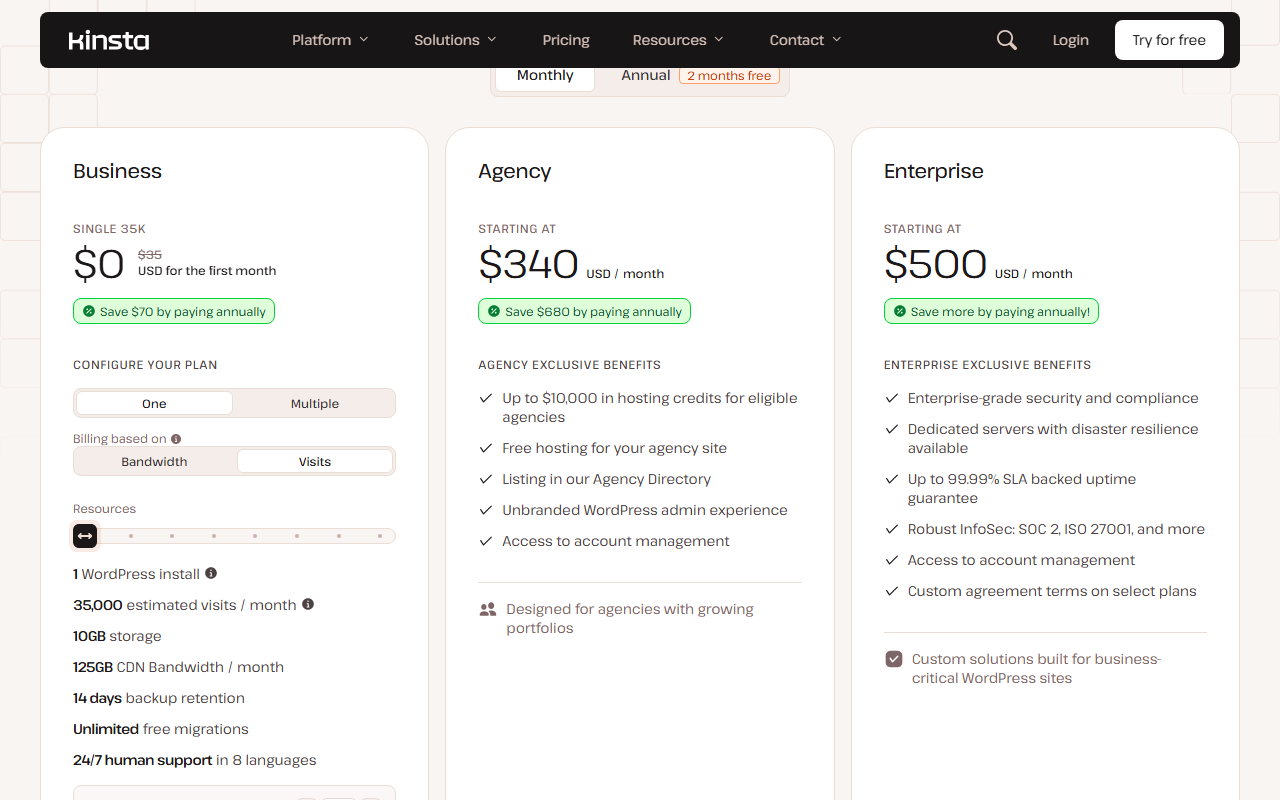
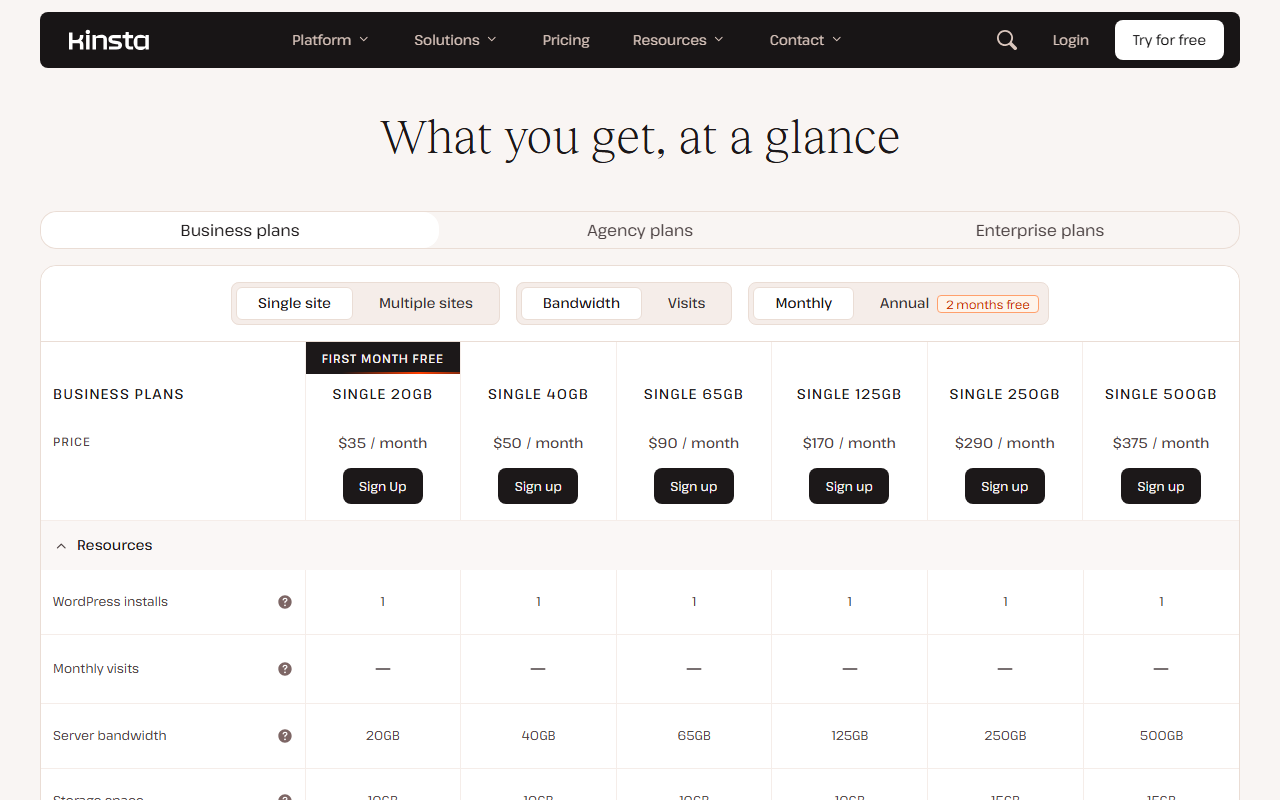
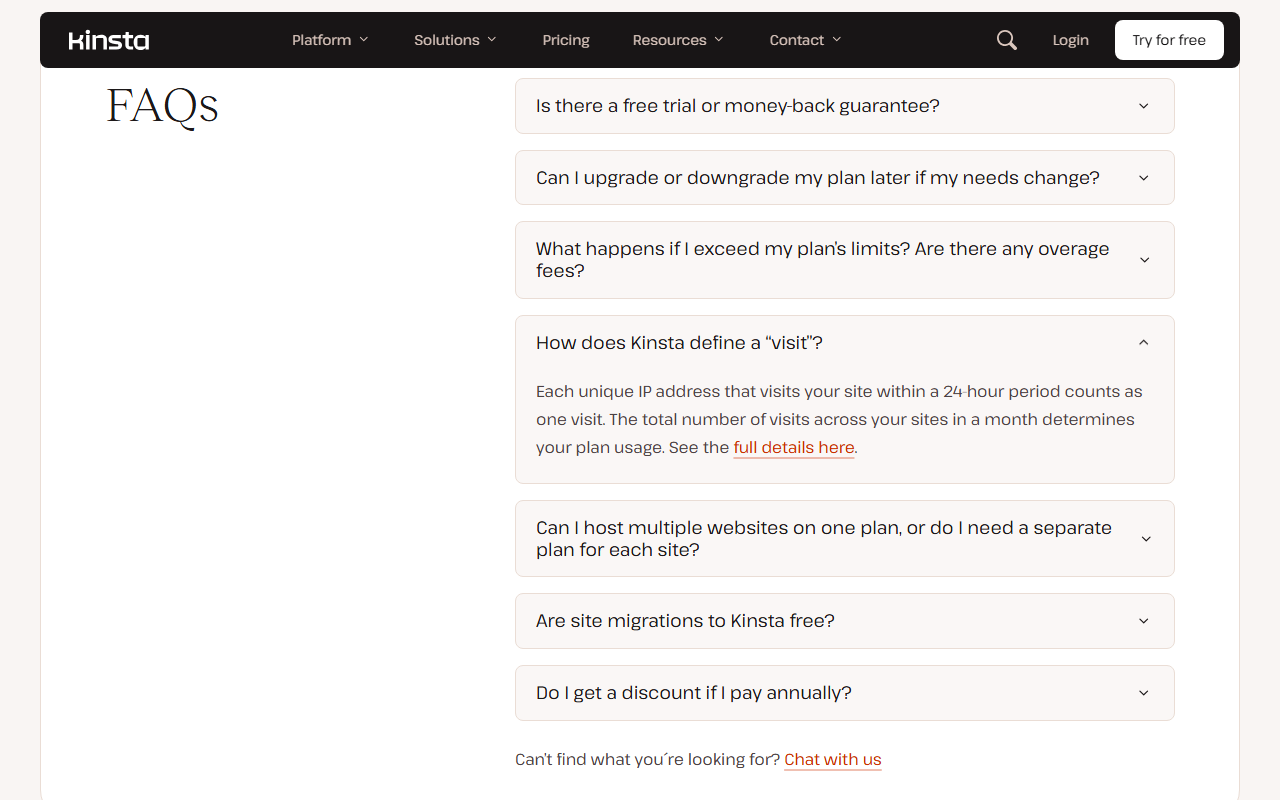
Kinsta’s pricing page shows prices in US dollars, excluding tax, and opens on annual billing, where the first plan reads $30 a month; on monthly billing it is $35. Annual billing costs 10 months’ price for 12 months. For each plan size you choose how usage is metered: by visits (one visit is one unique IP address in 24 hours) or by server bandwidth (data sent from Kinsta’s servers, not counting the CDN or edge cache). Both versions cost the same at each size. The first month is free on Single 20GB, Single 35k and WP 2, with a card on file: the page says “Pay $0 today, $35 after the first month”.
Single 20GB or Single 35k
a month, or $350 a year. First month free.
- 1 WordPress install
- 20GB server bandwidth or 35,000 visits
- 10GB storage, 125GB CDN
- 14-day backups; no multisite
WP 2
a month, or $700 a year. First month free.
- 2 WordPress installs
- 40GB bandwidth or 70,000 visits
- 20GB storage, 250GB CDN
- Multisite allowed
WP 10
a month, or $2,250 a year.
- 10 WordPress installs
- 125GB bandwidth or 315,000 visits
- 40GB storage, 750GB CDN
- Account manager
Agency 20 or Enterprise
Agency 20 $340, Agency 40 $450, Agency 60 $675 a month; Enterprise from $500.
- 20 to 60 installs on Agency plans
- 30-day backups
- Enterprise: dedicated servers, custom agreement terms
Swipe sideways to see the whole table.
| Plan | Monthly | Annual | Sites | Visits or bandwidth | Storage | CDN |
|---|---|---|---|---|---|---|
| Single 20GB / 35k | $35 | $350 | 1 | 20GB or 35,000 | 10GB | 125GB |
| Single 40GB / 65k | $50 | $500 | 1 | 40GB or 65,000 | 10GB | 250GB |
| Single 65GB / 125k | $90 | $900 | 1 | 65GB or 125,000 | 10GB | 500GB |
| Single 125GB / 315k | $170 | $1,700 | 1 | 125GB or 315,000 | 10GB | 750GB |
| Single 250GB / 500k | $290 | $2,900 | 1 | 250GB or 500,000 | 15GB | 1,000GB |
| Single 500GB / 750k | $375 | $3,750 | 1 | 500GB or 750,000 | 15GB | 1,500GB |
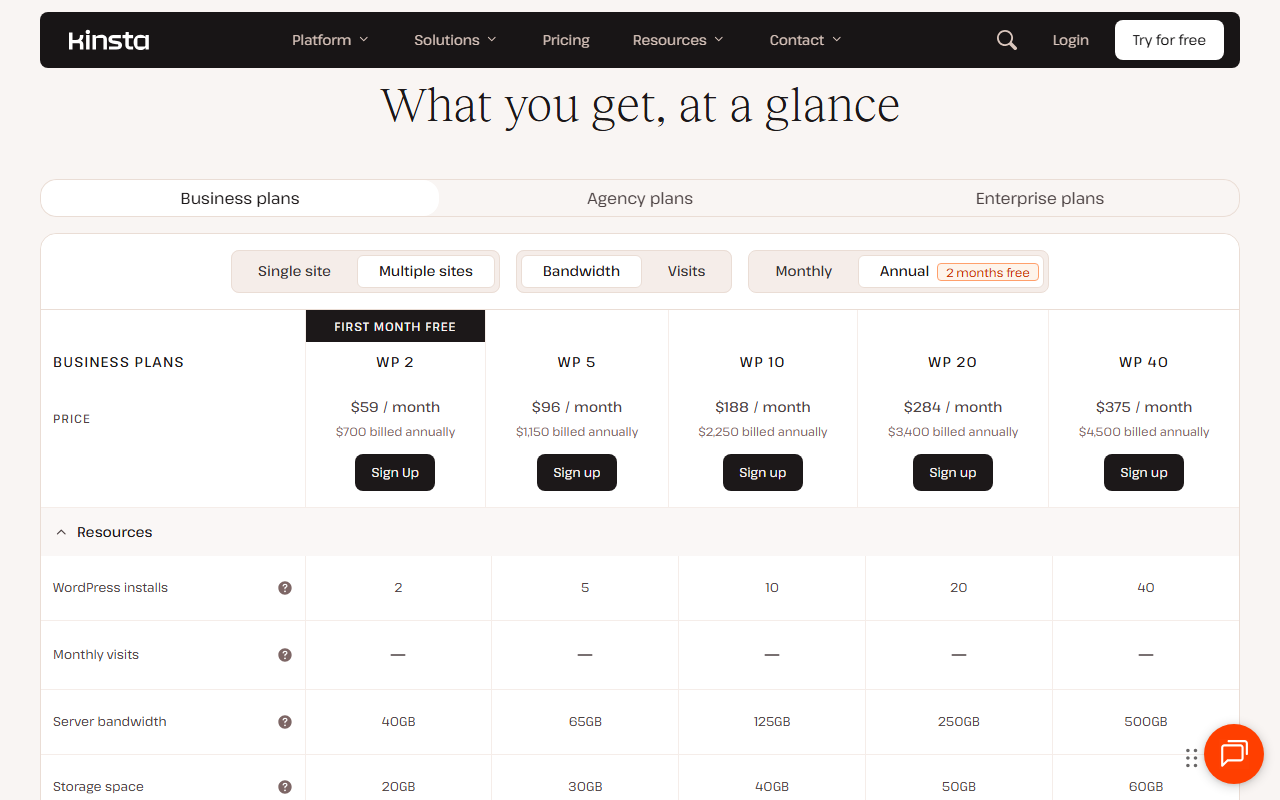
| WP 2 | $70 | $700 | 2 | 40GB or 70,000 | 20GB | 250GB |
| WP 5 | $115 | $1,150 | 5 | 65GB or 125,000 | 30GB | 500GB |
| WP 10 | $225 | $2,250 | 10 | 125GB or 315,000 | 40GB | 750GB |
| WP 20 | $340 | $3,400 | 20 | 250GB or 500,000 | 50GB | 1,000GB |
| WP 40 | $450 | $4,500 | 40 | 500GB or 750,000 | 60GB | 1,500GB |
| Agency 20 / 40 / 60 | $340 / $450 / $675 | $3,400 / $4,500 / $6,750 | 20 / 40 / 60 | 250 to 750GB or 500,000 to 1,250,000 | 50 to 150GB | 1,000 to 2,500GB |

Add-ons that change the bill
The plan price covers hosting. Several things many sites need are priced per site, per month, on top. These are Kinsta’s list prices on Oct 26, 2026.
| Add-on | Price | Who needs it |
|---|---|---|
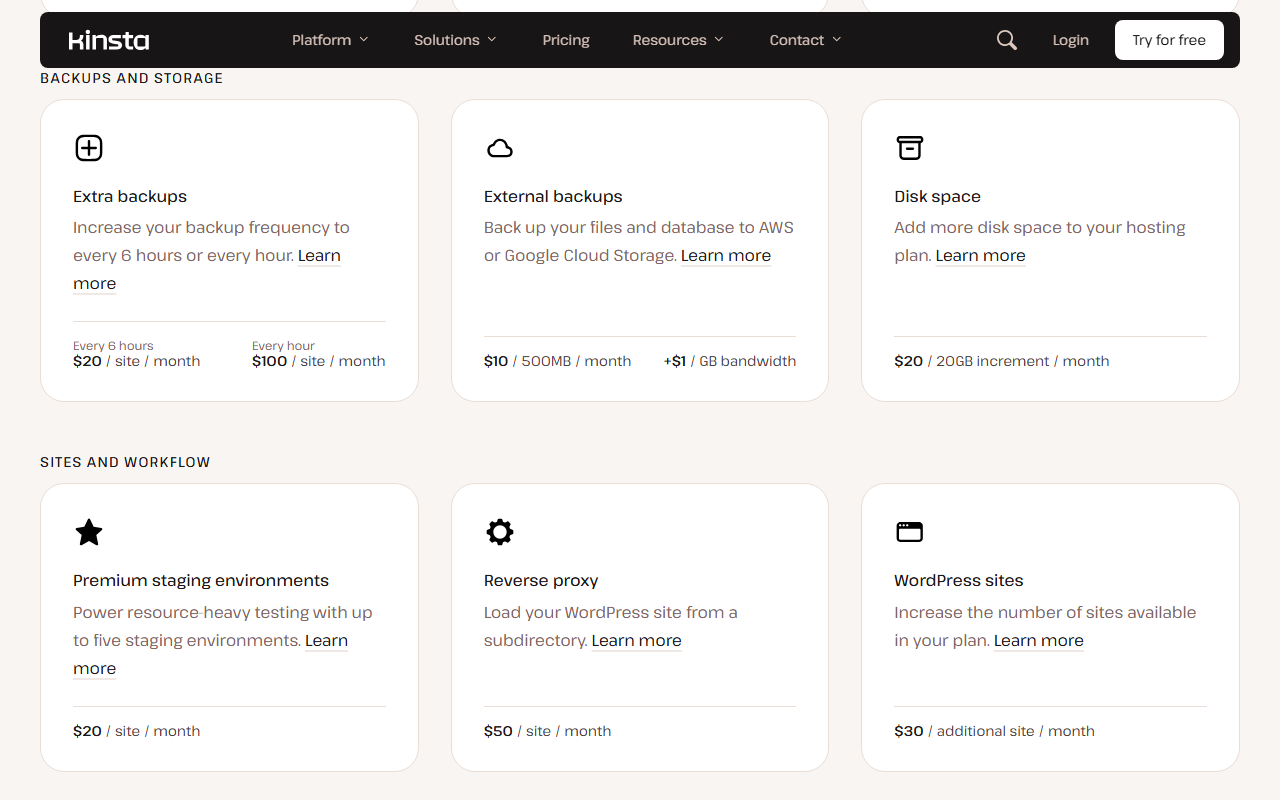
| Kinsta Automatic Updates | from $3 per site a month | Anyone who will not update plugins by hand |
| Extra WordPress site | $30 a month | One site more than your plan allows |
| Disk space | $20 per 20GB a month | Media-heavy sites on 10GB plans |
| 6-hour or hourly backups | $20 or $100 per site a month | Shops and membership sites |
| Premium staging | $20 per site a month | Heavy testing beyond the free staging site |
| Redis object cache | $100 per site a month | Busy WooCommerce or membership sites |
| PHP performance | $10 per 500MB a month | Sites that run out of PHP threads |
| Reverse proxy | $50 per site a month | WordPress in a subdirectory |
| Dedicated virtual server | from $300 a month | High-traffic or compliance-bound sites |

The second line-up some visitors see
Since a date between Sep 5 and Sep 15, 2026, Kinsta’s pricing page also carries a different set of six plans, Launch to Lead, that Kinsta appears to be testing with part of its visitors; the standard view on Oct 26, 2026 still showed the Single and WP plans above. Kinsta’s help center already lists Launch among the plans with a free first month. These plans include both an estimated visit figure and a bandwidth allowance, and for multi-site use they cost less than the standard plans of the same size. If you see them, compare carefully; if you do not, you can ask Kinsta’s sales team whether they apply to you.
Swipe sideways to see the whole table.
| Test plan | Monthly | Annual | Sites | Est. visits | Bandwidth | Standard plan, same sites |
|---|---|---|---|---|---|---|
| Launch | $35 | $350 | 1 | 75,000 | 15GB | Single, $35 |
| Launch Plus | $59 | $590 | 1 | 125,000 | 25GB | Single 125k, $90 |
| Build | $69 | $690 | 2 | 200,000 | 40GB | WP 2, $70 |
| Expand | $99 | $990 | 5 | 350,000 | 65GB | WP 5, $115 |
| Scale | $169 | $1,690 | 10 | 650,000 | 125GB | WP 10, $225 |
| Lead | $299 | $2,990 | 20 | 1,500,000 | 275GB | WP 20, $340 |

Per site, Kinsta gets cheap only at 20 sites and up; per visit, a little overage costs the same as upgrading.
Two calculations matter more than the headline price. The first is the cost per site, because most Kinsta customers with more than one site end up on a WP or Agency plan. The second is what happens when a site outgrows its plan, because Kinsta keeps the site online and bills the difference.
The per-site math shows why Kinsta is popular with agencies and expensive for everyone else. A two-site owner pays the same $35 per site as a one-site owner. Only at WP 20 does a site cost less than $20 a month, and the 20 sites still share 250GB of server bandwidth or 500,000 visits between them. An agency with eight small sites has two routes: WP 10 at $225, or WP 5 plus three extra sites at $30 each, which is $205 but keeps WP 5’s smaller traffic and storage pool (125,000 visits or 65GB, and 30GB of disk) for all eight.
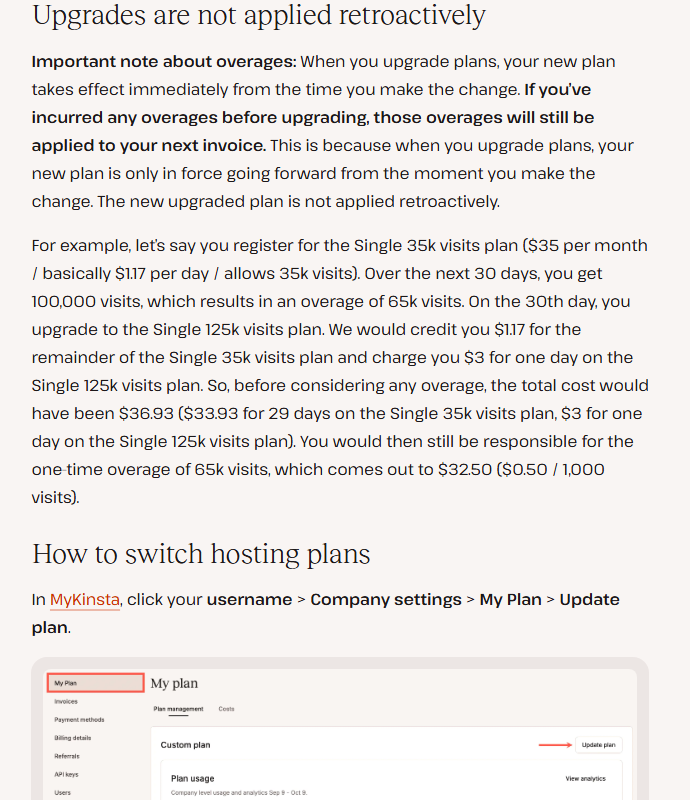
Kinsta’s overage rate is exactly the price step between its two smallest single-site plans: $15 for 30,000 more visits is $0.50 per 1,000. So a site that drifts to 60,000 visits on Single 35k pays $47.50 that month, less than the $50 of Single 65k, and at 65,000 the two cost the same. That makes occasional spikes cheap. The limit is the extreme overage rule: once the overage on Single 35k reaches $35, at about 105,000 visits, Kinsta may ask for immediate payment or an upgrade. The bandwidth plans work the same way at $0.50 per GB; on Single 20GB, 40GB in a month costs $45, and Kinsta says it will ask you to upgrade if you go over “month after month”. One more rule: upgrading does not wipe out overage you have already run up. Kinsta’s own example is a Single 35k site that reaches 100,000 visits and upgrades on day 30; it still pays the one-time overage of $32.50.
| Scenario | First 12 months | How |
|---|---|---|
| Single 35k, monthly | $385 | Month 1 free, then 11 payments of $35 |
| Single 35k, annual | $350 for 13 months | “Pay $0 today”, $350 after the free month |
| WP 2, annual | $700 for 13 months | $29.17 a site a month over 12 months |
| 8 sites, WP 10 monthly | $2,700 | $225 x 12, no free month |
| 8 sites, WP 5 + 3 site add-ons | $2,460 | $205 x 12; smaller shared pool |
| Automatic updates on 8 sites | $288 a year | $3 x 8 x 12, on top of the plan |
Free month, refunds, renewals, overages, cancellation and testing: the exact rules.
Kinsta’s rules are written down clearly, which is to its credit. They are also strict in a few places that matter more than the plan price. Here they are in Kinsta’s own words, with where each one lives.
Swipe sideways to see the whole table.
| Topic | Kinsta’s rule, quoted | Source | What it means for you | Risk |
|---|---|---|---|---|
| Free month | “Pay $0 today, $35 after the first month” | Pricing page | A card is needed; billing starts in month two | Low |
| Free month usage | “Overages are still applicable during your first free month.” | Help center, plans | A traffic spike in the trial is billed | Medium |
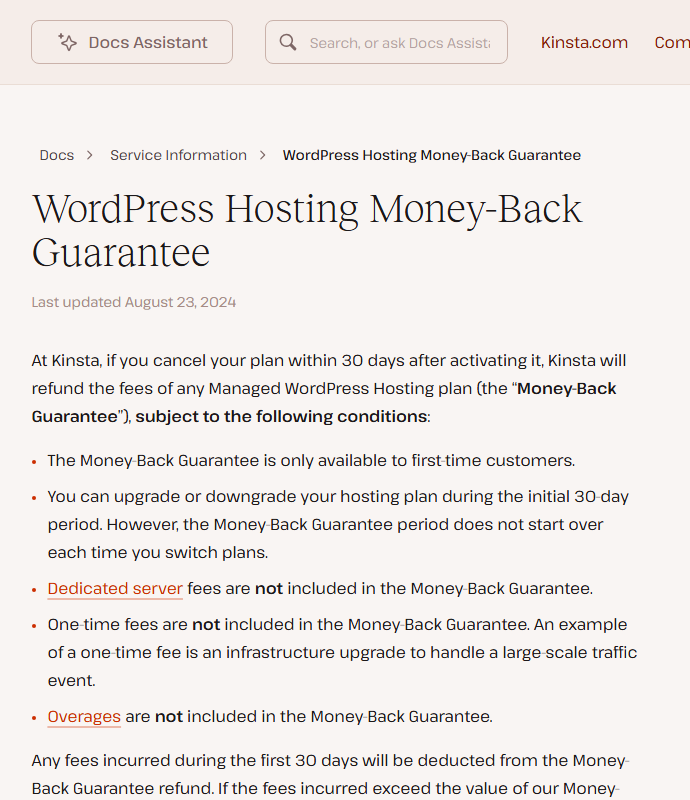
| Refund | “The Money-Back Guarantee is only available to first-time customers.” | Help center, money-back | 30 days, starting after the free month; overages, one-time fees and dedicated servers excluded | Medium |
| Fees | “Fees are non-refundable, except as expressly stated otherwise in the Agreement.” | Terms 3a | Outside the guarantee, no money back | Medium |
| Renewal | “charge your payment method at the standard Fee” | Terms 3 | Promotions and trials renew at full price automatically | Low |
| Extreme overage | “An extreme overage occurs when the amount of your overage is as large or larger than the cost of your hosting plan, or $500, whichever is less.” | Help center, overages | Kinsta may require payment or an upgrade early, and may limit access | High |
| Credits | “Credits have no intrinsic or cash value, are not redeemable for cash, and are non-refundable.” | Help center, plans | Downgrade credits only reduce future invoices | Low |
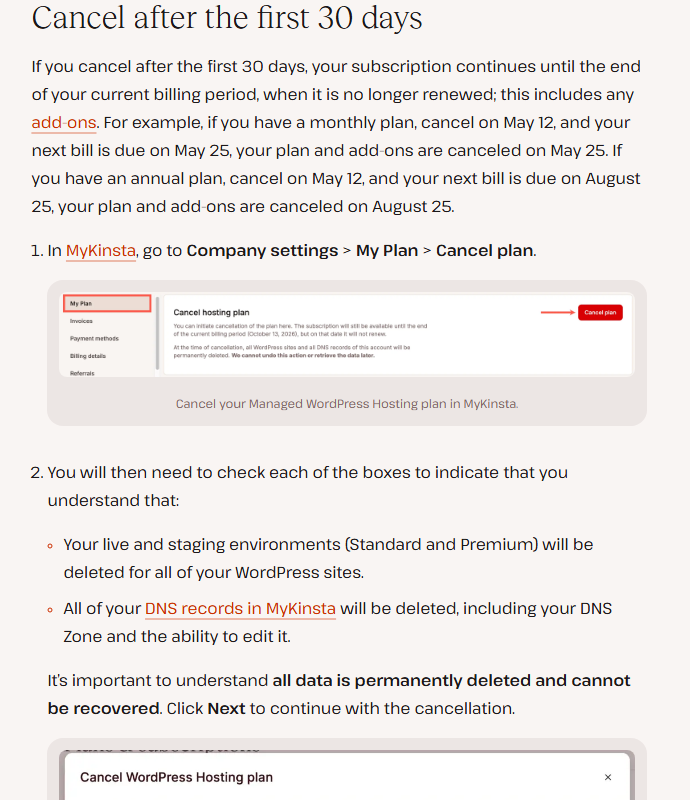
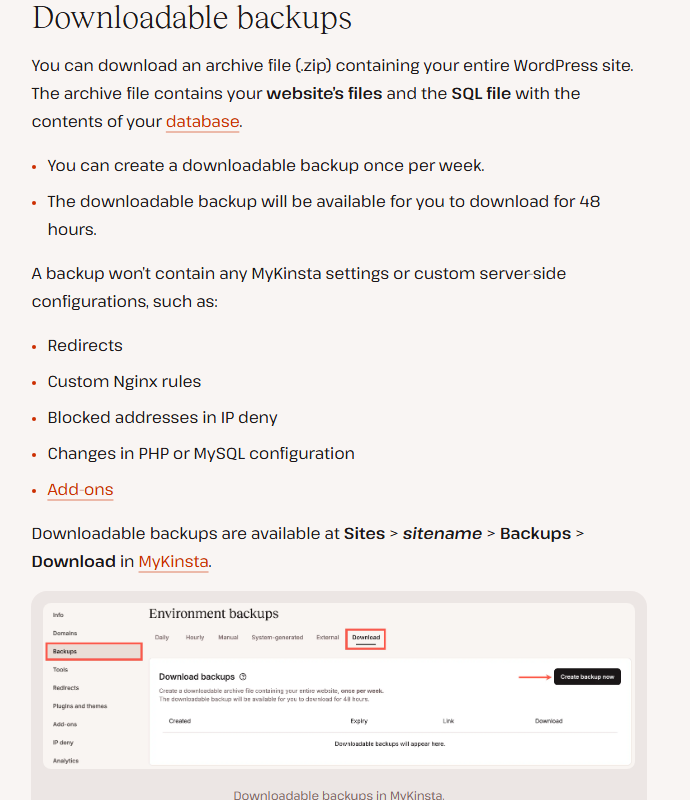
| Cancelling | “all data is permanently deleted and cannot be recovered” | Help center, cancel plan | Download your backup before the period ends | High |
| Leaving | “Migrating your site away from Kinsta to another host.” | Help center, scope of support | Listed as outside support’s scope | Medium |
| Load tests | “Load testing in any form is prohibited, except on dedicated servers.” | Terms 6 | You cannot stress-test a launch on a normal plan | Medium |
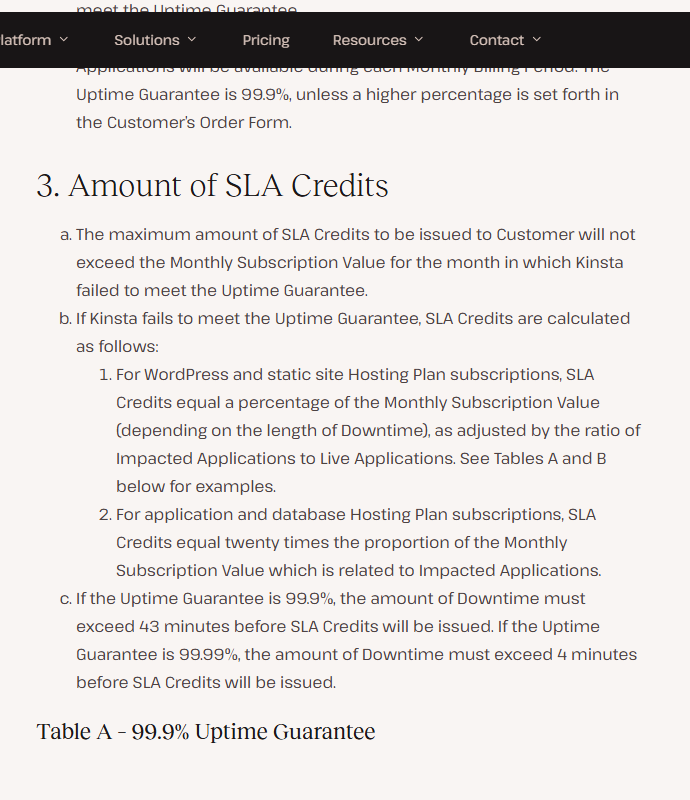
| Uptime | “The Uptime Guarantee is 99.9%, unless a higher percentage is set forth in the Customer’s Order Form.” | SLA 2 | Credits from 5% (43 to 59 minutes of downtime) to 20% (180 to 239 minutes), requested by chat within 30 days | Low |




Ten places where two Kinsta pages give different answers.
None of these is a scandal. Together they show that Kinsta’s marketing pages, help center and contracts are updated at different speeds, and that the contract is the one to trust when they differ.
| Topic | One page says | Another page says |
|---|---|---|
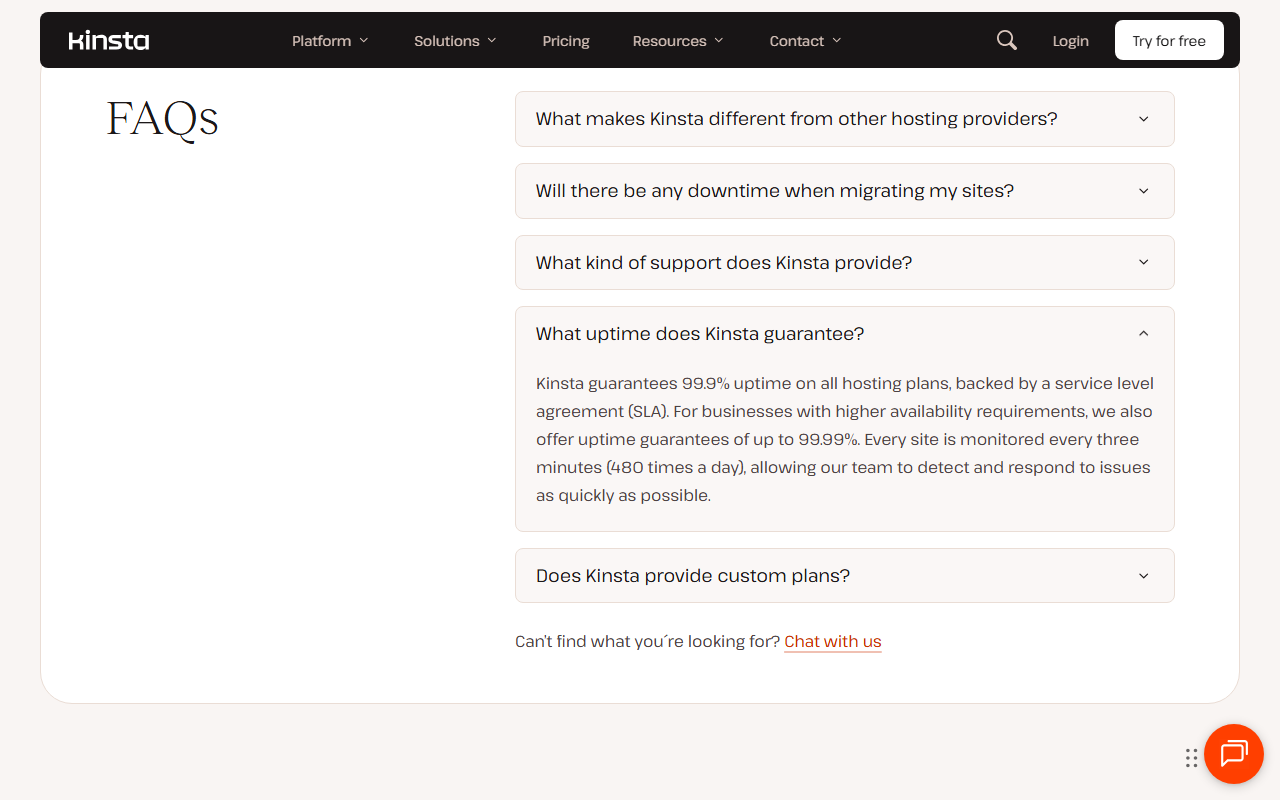
| Uptime | “Up to 99.99% uptime SLA” on every plan (pricing table) | “Kinsta guarantees 99.9% uptime on all hosting plans” (why-us FAQ); 99.9% unless the order form says more (SLA) |
| Data centers | 30 (home page, help center) | 29 (why-us page) |
| Traffic served | 3+ billion monthly visits (home) | 4 Billion+ monthly visits (why-us) |
| Support languages | 8 (pricing, home, why-us, press release) | “in ten languages” (press page) |
| Satisfaction | 98% (home) | 97% (why-us FAQ) |
| G2 reviews | 1,600+ (pricing, add-ons, why-us) | “Based on 1,500+ G2 reviews” and “1,380+ businesses rated us #1 on G2” (why-us) |
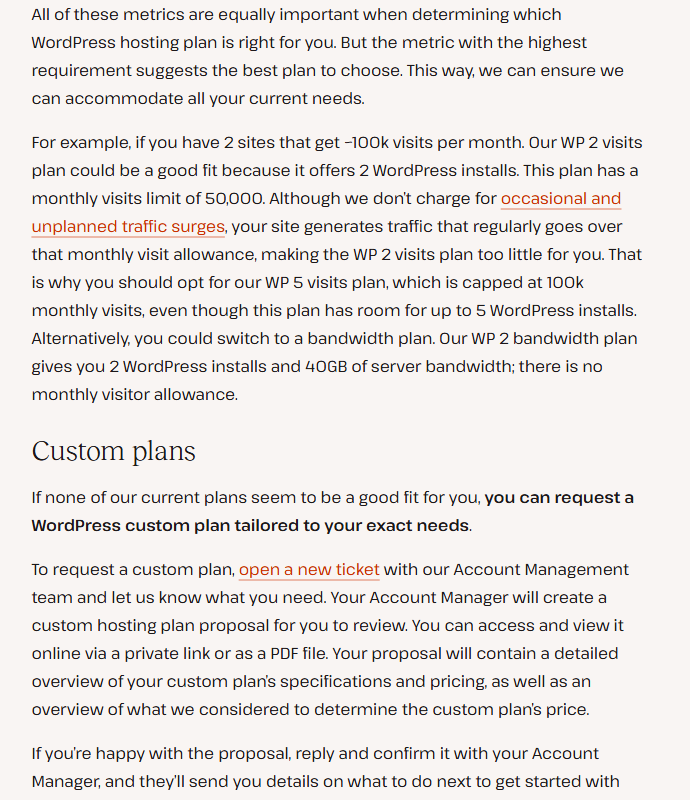
| WP 2 and WP 5 visits | 70,000 and 125,000 (pricing) | “monthly visits limit of 50,000” and “capped at 100k” (plans help page example) |
| Cloud provider | Oracle Cloud Infrastructure (infrastructure upgrades help page) | “30 publicly available global data center locations, all that are available on the Google Cloud platform” (Google Cloud alternative page) |
| External backups | $10 per 500MB a month plus $1 per GB (pricing) | “$2 per month for each site plus $1/GB for external bandwidth” (add-ons page) |
| Automatic updates | “31-day free trial”, from $3 per site (add-ons, pricing) | “free for the first month and only $3 per environment per month thereafter” (scope of support) |

Answer five questions.
Containers, Cloudflare and caching on every plan, and a cloud move you cannot opt out of.
The core of what you buy is the platform underneath WordPress. Kinsta’s help center describes it plainly: each site runs in its own Linux container with NGINX, PHP and MySQL, and the software for each site is not shared, even between your own sites. Traffic passes through Cloudflare first, which provides the firewall and layer 3, 4 and 7 DDoS protection; Kinsta adds brute-force blocking on the WordPress login page. Kinsta’s CDN and edge cache, both powered by Cloudflare and included free, serve static files and cached HTML from Cloudflare’s network. Kinsta says edge caching cut page delivery time by more than 50% on average in its own tests; that is Kinsta’s claim, not a JAVIS measurement.
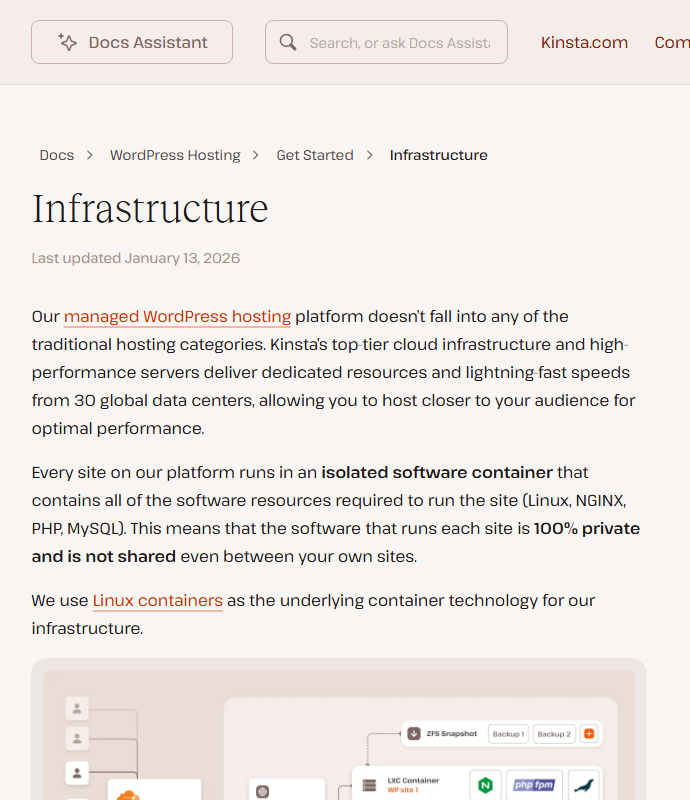
The move from Google Cloud to Oracle Cloud
Kinsta ran on Google Cloud from 2016 and was known for it, and its own Google Cloud comparison page still reads that way. In 2026 that changed. Kinsta’s help center page on infrastructure upgrades, last updated Apr 1, 2026, says “our new infrastructure is powered by Oracle Cloud Infrastructure (OCI), which uses different data center locations than our previous Google Cloud setup”. Existing sites are moved in Kinsta’s 2 a.m. to 5 a.m. maintenance window with one to two weeks’ notice; the page says most sites are offline for less than a minute. Your IP address changes, your SFTP and SSH host and port change, your region may be moved to the nearest Oracle location, and on opting out it is blunt: “No, it isn’t possible to opt out of infrastructure upgrades.”
For most sites this is invisible. It matters if your site whitelists its own IP address somewhere (a payment gateway, an API partner, a firewall), if you rely on a specific Google Cloud region for data residency, or if you have a reverse proxy; Kinsta asks those customers to contact support when the notice arrives. Oracle America now appears on Kinsta’s subprocessor list next to Google, both described as “Customer’s Choice” for the data center location.

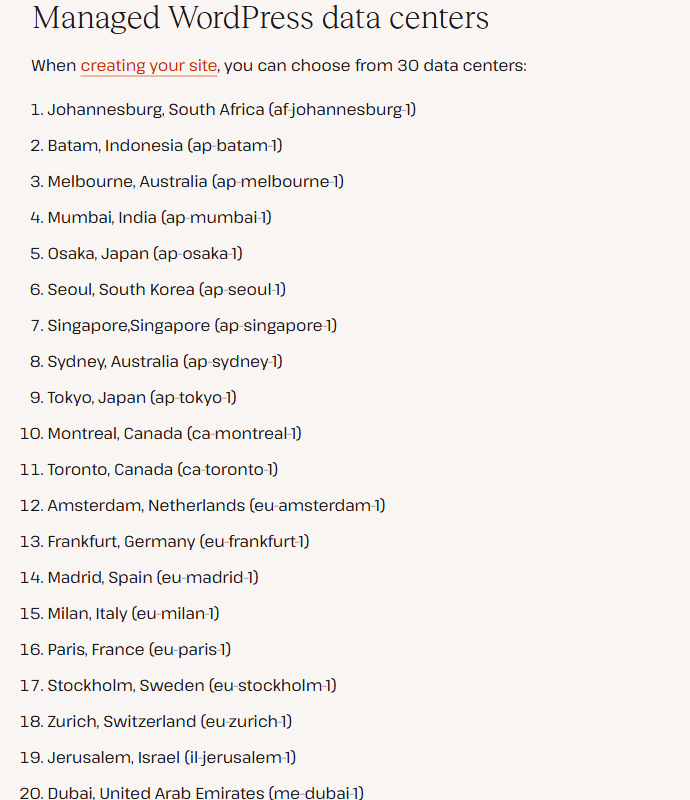

From an old host to a protected live site, in five steps.
Kinsta’s day-to-day value is in the workflow around WordPress rather than in raw speed. This is the path its help center and product pages describe, from signing up to running the site.
The official walkthrough below is a short MyKinsta tour from Kinsta’s YouTube channel aimed at agencies. According to its description, it covers the dashboard features from this workflow: SSH and GitHub deployments, one-click staging, automatic daily backups, Cloudflare protection and the REST API.

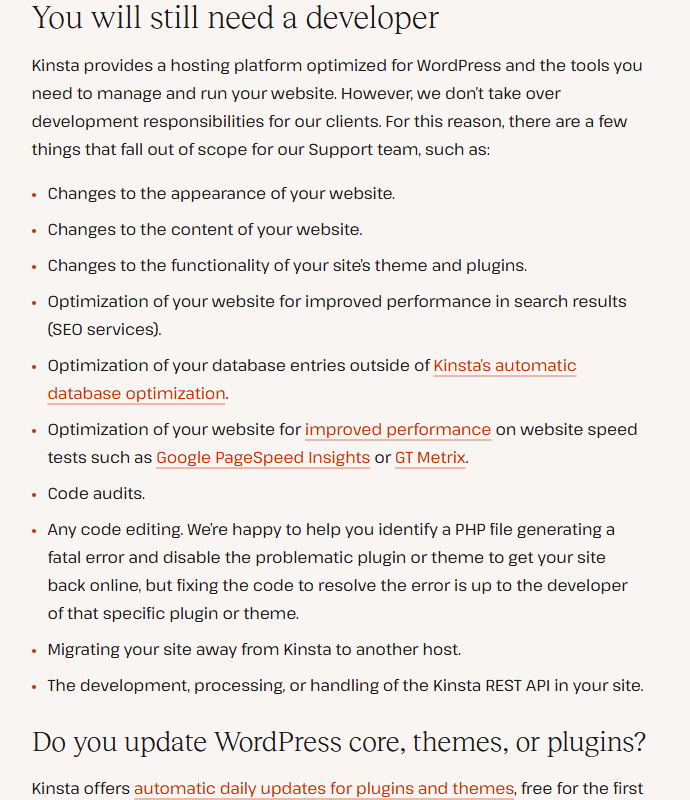

Kinsta’s meters were built for humans. In 2026 a growing share of the traffic is not.
This is the part of Kinsta that changed most in the last year, and it explains the bandwidth plans. Kinsta’s own 2026 research page cites TollBit’s finding that about 1 in 31 web visits is now an AI bot, up from about 1 in 200 at the start of 2025, and reports that it analysed more than 10 billion requests on its infrastructure. Kinsta excludes traffic it can confidently identify as bots from your plan usage. The gap is the traffic it cannot: its bot protection help page says such requests “may still count toward usage if the requests successfully reach your site”.
| What happens | Visits plan | Bandwidth plan |
|---|---|---|
| Page served from CDN or edge cache | Still counts as a visit | Not counted |
| Same person, several pages, one day | One visit (one IP per 24 hours) | Bytes for every uncached file |
| Identified bots and crawlers | Not counted | Not counted |
| Unidentified automated traffic | Can count | Can count |
| Staging environments | Not counted | Not stated for current plans; counted on legacy bandwidth plans |
| Overage price | $0.50 per 1,000 visits | $0.50 per GB |
| What you can do about it | Little: visits are visitors | Cache more, compress media, block crawlers |
The practical rule: if your site serves lots of cacheable pages to many different people (a content site, a marketing site), a bandwidth plan rewards good caching, because cached pages cost nothing against the limit. If your site is small but busy with logged-in users who bypass the cache (a membership site, a shop at checkout), visits are easier to predict. Kinsta lets you switch between the two.
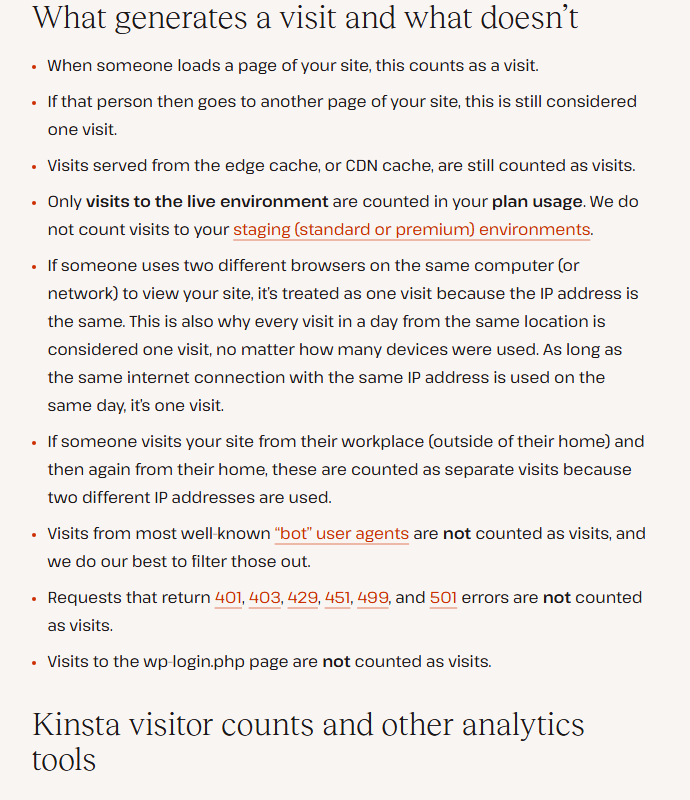
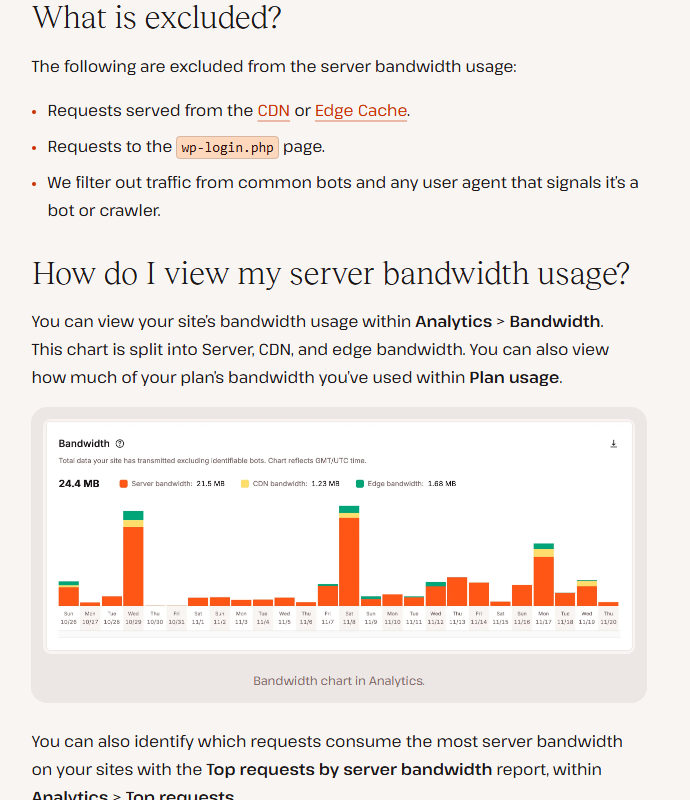
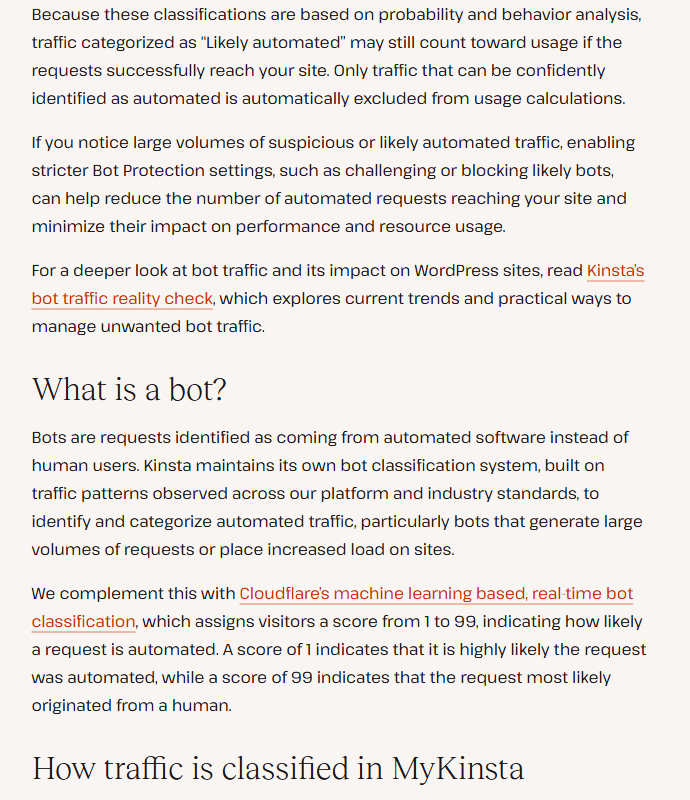
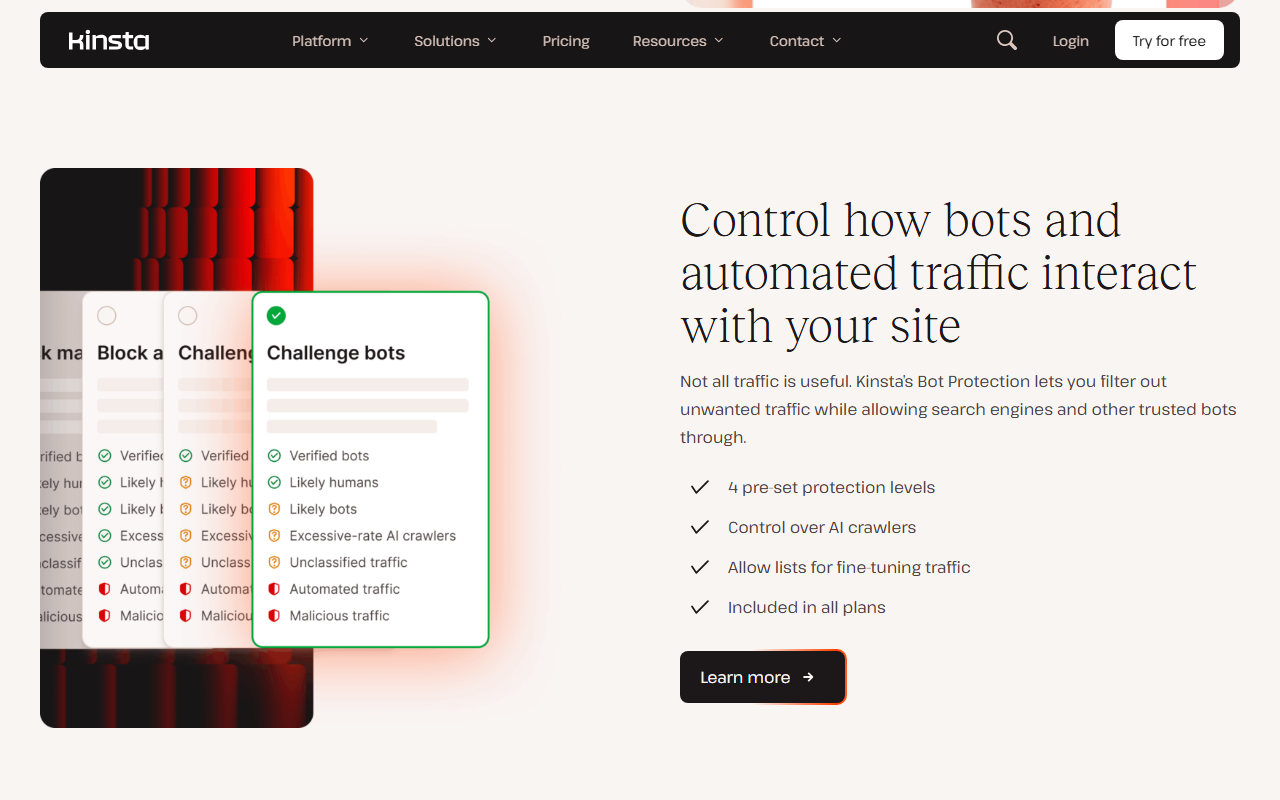

Kinsta’s June 2026 webinar on the same research is long (about 44 minutes) but useful if you run a content site: according to its description, it covers why AI crawler behaviour has changed, how bot traffic affects different site types, and the trade-offs between blocking, allowing and managing crawlers.
A REST API still marked public beta, no official MCP server, and a tutorial for building your own.
Developers and agencies can script most of MyKinsta through the Kinsta API: list, create, clone and delete sites; create and push staging environments; clear caches; restart PHP and change PHP threads and memory; manage domains, DNS records, backups, logs and, since Oct 21, 2026, company users and permissions. API keys are created in MyKinsta by owners, administrators or developers, with an expiry you choose. The help center still says “Kinsta’s API is a new feature currently in public beta.”
There is no official Kinsta MCP server in its documentation as of Oct 26, 2026, while Pressable (“Pressable MCP”) and Rocket.net (hosting “Built for Claude, Gemini, ChatGPT, and MCP-native workflows”) now advertise it on their sites. Kinsta’s answer so far is a blog tutorial (updated May 20, 2026) that walks through building your own MCP server on the Kinsta API so an assistant such as Claude can list sites, clear caches or trigger plugin updates. If you go that way, our guides to Claude MCP connectors and setting up Claude Code cover the client side; create the key from the least-privileged role that works and give it an expiry, because the API can delete sites.
One structural change is worth knowing if you used Kinsta for more than WordPress. Since Feb 2, 2026, application, database and static site hosting are gone from MyKinsta and the Kinsta API and run under Sevalla, a separate Kinsta brand with its own dashboard and API. Your MyKinsta login works there, but it is now two products.
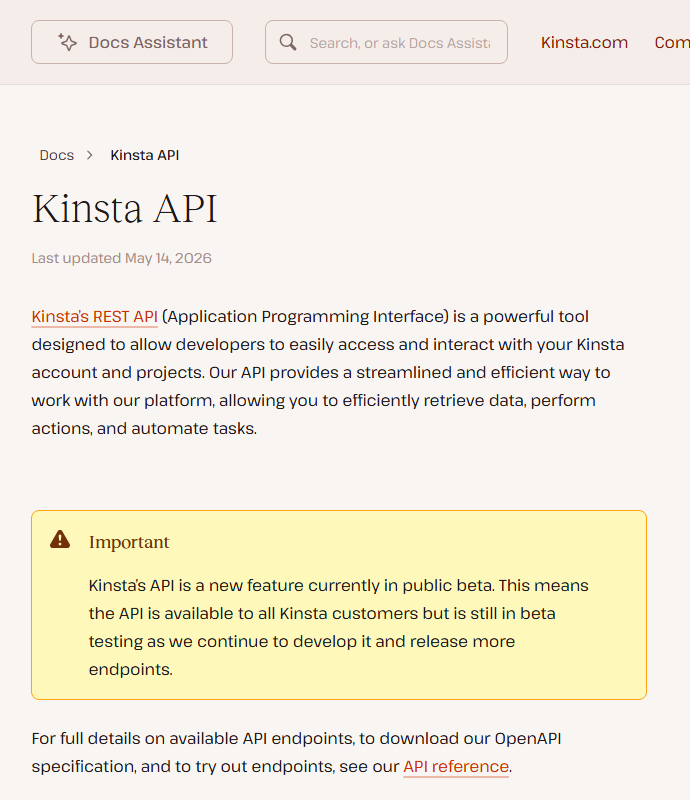

SOC 2 Type II and ISO 27001, Patchstack on every site, a conditional hack-fix pledge, and AI vendors on the subprocessor list.
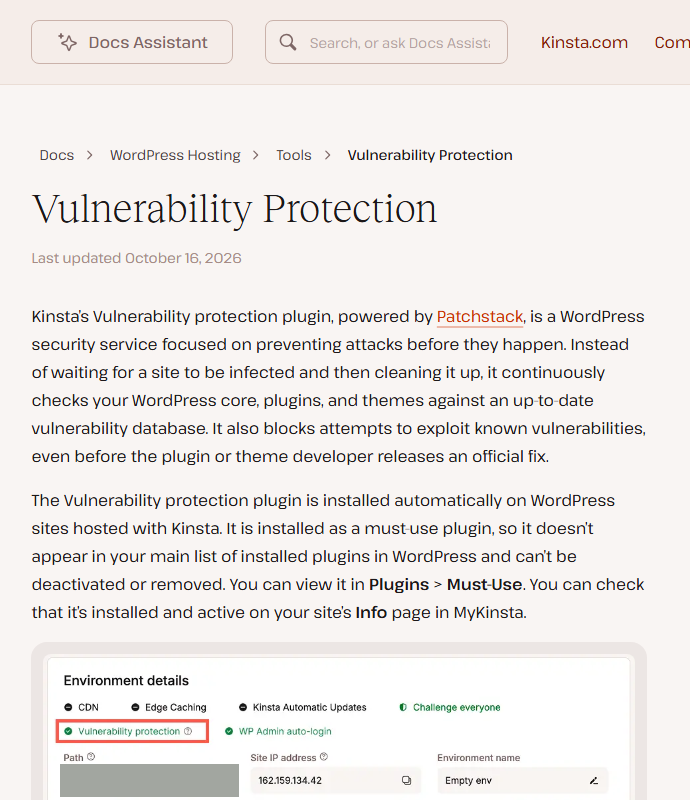
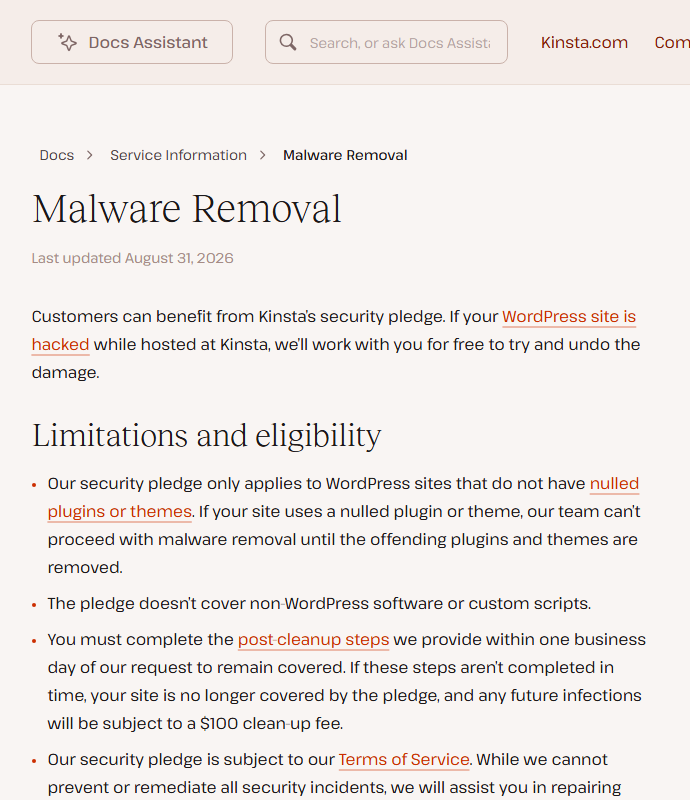
Kinsta’s security story has three layers. At the edge, Cloudflare’s firewall and DDoS protection plus Kinsta’s bot protection levels. On the site, an isolated container and, since an Oct 9, 2026 update, Patchstack-powered Vulnerability Protection installed as a must-use plugin you cannot switch off, which blocks known exploits even before a plugin author ships a fix. On the account, unlimited users with roles, two-factor authentication and SAML single sign-on. Kinsta holds a SOC 2 Type II report, audited by BARR Advisory and available under NDA, and states ISO 27001 certification.
| Control | What Kinsta states | The condition |
|---|---|---|
| Hack clean-up | Free malware removal while hosted at Kinsta | Not for nulled plugins or themes or non-WordPress code; finish the post-cleanup steps within one business day or later infections cost $100 |
| Vulnerability Protection | Patchstack virtual patching on every site | Does not update plugins for you; does not log logins |
| Backups | Daily, 14 days on entry plans, 30 days on Agency | Downloadable copy once a week, available for 48 hours |
| Plugins | Banned list for performance and security | “Generally speaking, we don’t allow caching, backup, or related posts plugins.” |
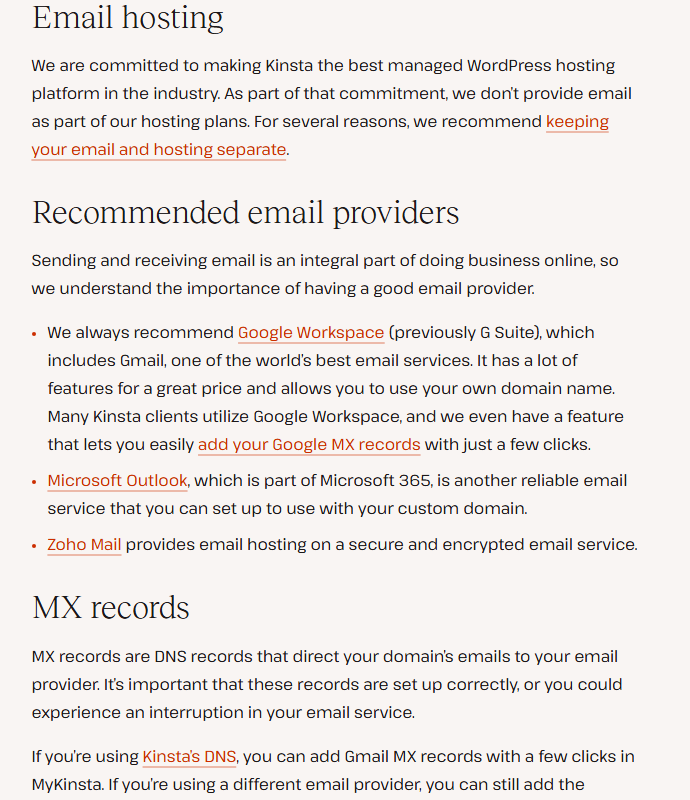
| Transactional email from WordPress via MailChannels | “we don’t provide email as part of our hosting plans” | |
| Data location | You choose the data center | Visitor IP analytics processed in the United States |
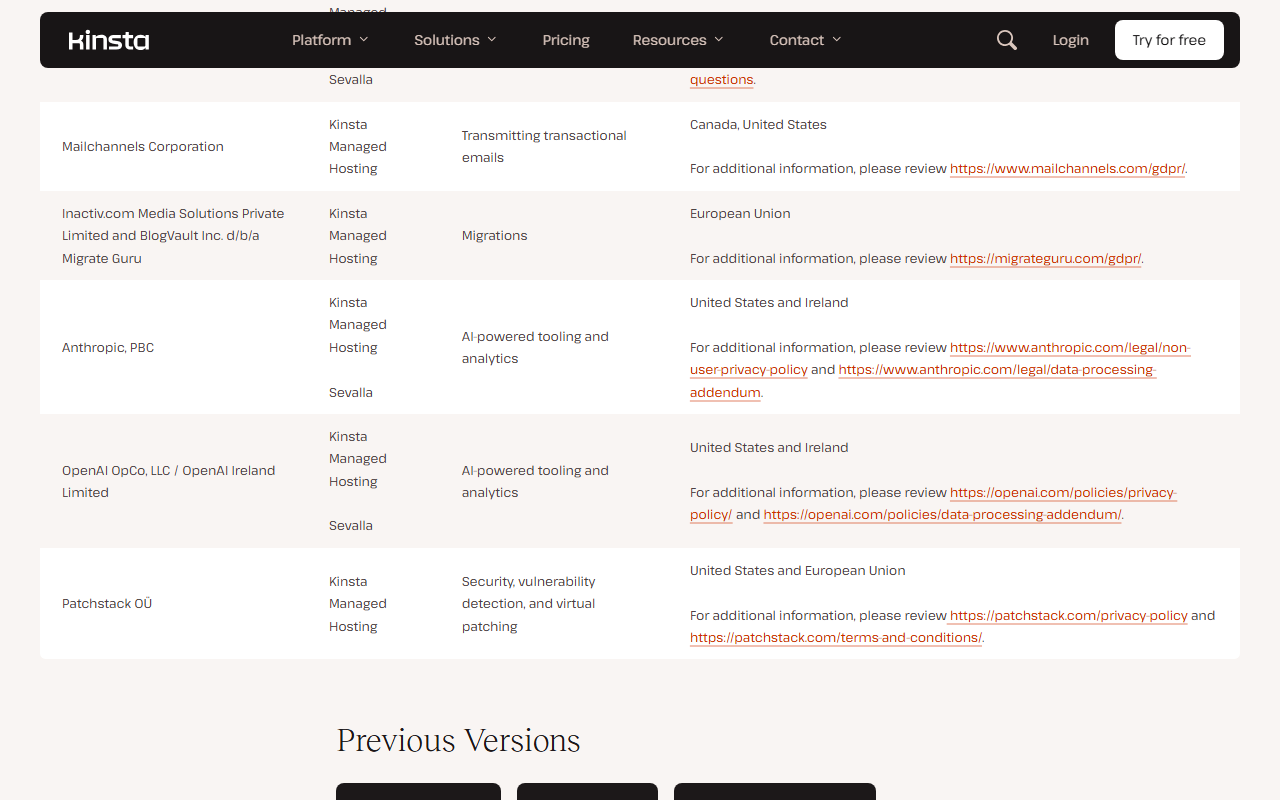
| AI vendors | Anthropic and OpenAI listed as subprocessors | For “AI-powered tooling and analytics”, United States and Ireland |
The subprocessor line deserves a sentence. Kinsta’s Sep 23, 2026 list names Anthropic and OpenAI for “AI-powered tooling and analytics” for both Kinsta and Sevalla, without saying which customer data reaches them. If your site handles regulated data, ask Kinsta which features send what to those providers before you sign the data processing addendum.


Work pattern, fit and likely plan.
| If you are | Fit | Likely plan |
|---|---|---|
| A business whose WordPress site brings in leads or sales | Strong: support, staging, backups and Cloudflare without running a server | Single 35k or 20GB, $35 |
| A WooCommerce shop with logged-in customers | Good, but budget for Redis ($100) or hourly backups ($100) if busy | WP 2 or Single 65k, $50 to $70 |
| An agency with 10 to 60 client sites | Strong: per-site cost falls to $11.25 to $23, API and roles | WP 10 to Agency 60, $225 to $675 |
| A content site with heavy crawler traffic | Good on a bandwidth plan with caching tuned | Single 40GB or 65GB, $50 to $90 |
| A hobby blog or a first website | Weak: you pay for operations you do not need | Shared hosting instead |
| A developer who wants root access or non-WordPress apps | Weak on Kinsta; Sevalla or a cloud VM fits better | Not a Kinsta WordPress plan |
| A team that needs email and hosting on one bill | Weak: no mailboxes | Add Google Workspace or similar |
Eight real drawbacks.
- Same $35 entry price since at least June 2024, with more included over time
- Cloudflare firewall, CDN and edge cache on every plan
- One container per site; staging and daily backups included
- Free, unlimited migrations by Kinsta’s team
- Billing rules, overages and support limits written down in detail
- Per-site price drops sharply on multi-site plans
- Usage is metered and overage is billed; unidentified bots can count
- Extreme overage lets Kinsta demand payment or an upgrade early
- No email hosting
- Cancelling deletes everything; one downloadable backup a week
- Forced move to Oracle Cloud: new IPs, some regions gone
- Contract uptime is 99.9% unless you negotiate more
- No load testing on normal plans; banned plugin list
- API still in public beta; no official MCP server
- The meter. At $0.50 per 1,000 visits or per GB, occasional overage is cheap, but a crawler storm or a viral post on the wrong plan can double a small bill, and Kinsta’s extreme overage rule then allows it to act before renewal.
- Price for small sites. $35 a month for one site with 10GB of storage is two to three times what shared hosts charge on renewal ($10.99 to $17.99 at Hostinger and SiteGround on Oct 26, 2026). You are paying for operations and support, not for more resources.
- No email. Kinsta sends WordPress’s transactional email but hosts no mailboxes.
- Leaving is on you. Cancellation deletes sites, staging and DNS for good, migrating away is outside support’s scope, and the downloadable backup is limited to once a week.
- The Oracle move. It is mandatory, changes IP addresses and SSH details, can change your region, and Kinsta’s marketing pages have not all caught up.
- Uptime wording. “Up to 99.99%” on the pricing page; 99.9% in the standard SLA, with credits capped at one month’s fee.
- Platform rules. Load testing is banned except on dedicated servers, and caching, full-backup and some image or video plugins are blocked.
- Thin independent evidence. G2’s rating is known here only as Kinsta presents it, and the few Hacker News comments are years apart.
WP Engine, Rocket.net, Pressable, SiteGround and Hostinger, priced on the same day.
Every price below comes from the competitor’s own pricing page on Oct 26, 2026, in US dollars. They are not like-for-like: managed hosts meter visits, bandwidth or both, and shared hosts sell first-term prices that renew higher. Read the limits column before the price column.
Swipe sideways to see the whole table.
| Need | Host and entry plan | Price | Limits | JAVIS review |
|---|---|---|---|---|
| Managed WordPress, the reference | Kinsta Single 20GB / 35k | $35 a month or $350 a year; first month free | 1 site, 20GB bandwidth or 35,000 visits, 10GB storage | This page |
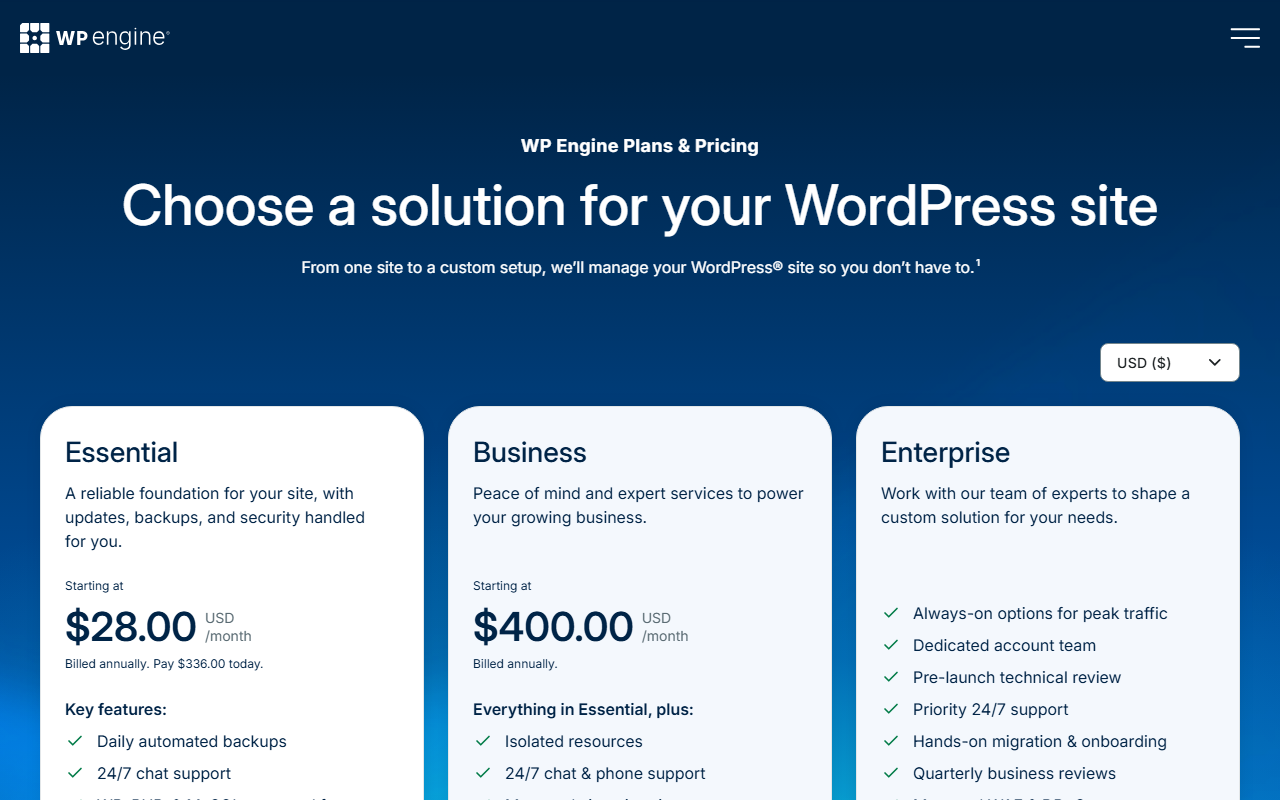
| The closest rival on brand and agencies | WP Engine Essential | from $28 a month billed annually ($336) | 25,000 to 400,000 visits, 10 to 50GB, 75GB bandwidth | Not yet |
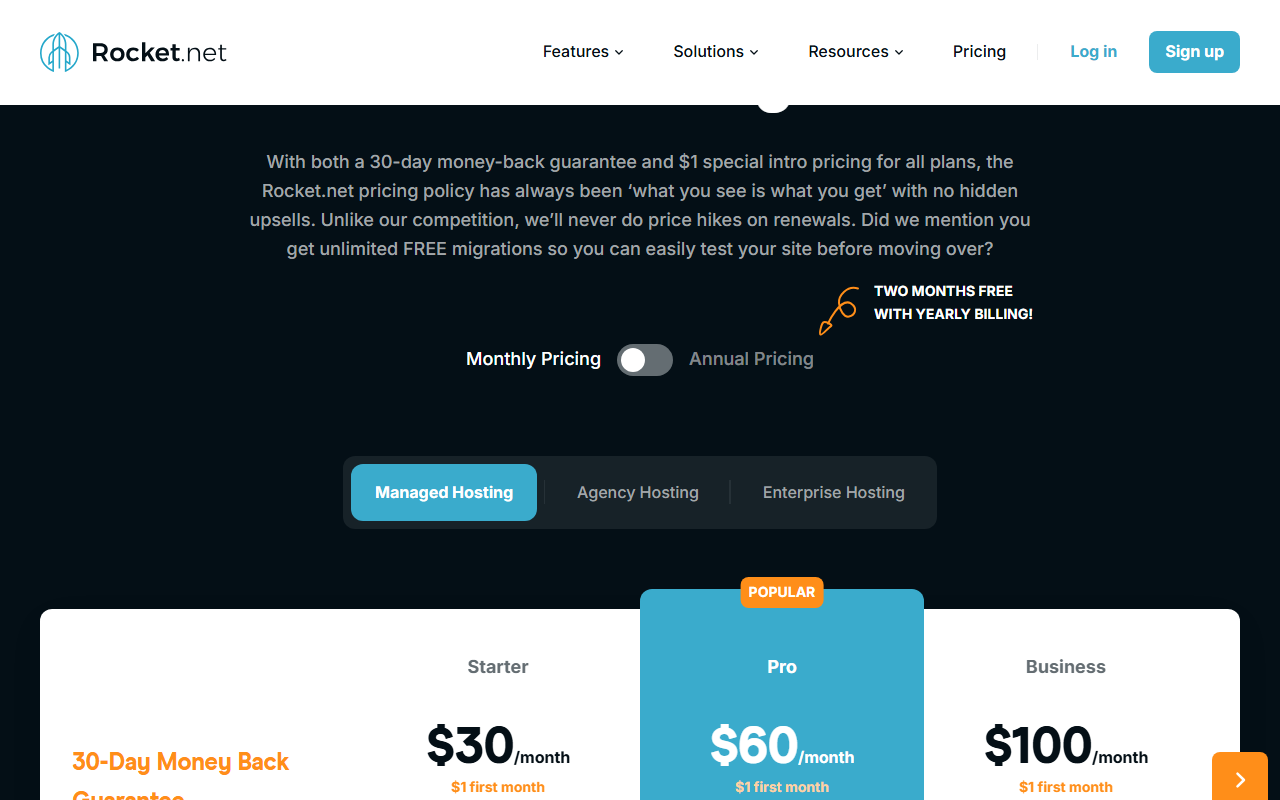
| Unmetered visitors | Rocket.net Starter | $30 a month, $1 first month | 1 site, visitors unmetered, 10GB, 50GB bandwidth | Not yet |
| Cheapest managed entry | Pressable Signature 1 | $20.83 a month, billed $250 a year | 1 site, up to 30,000 visits, 20GB | Not yet |
| Budget with email | SiteGround StartUp | $2.99 a month, renews $17.99; 12 months prepaid | 1 site, “unlimited traffic”, 10GB, email included | Not yet |
| Budget, several sites | Hostinger Premium | $2.49 a month for 48 months, renews $10.99 | 3 sites, 20GB, weekly backups | Hostinger review |
| Budget, cPanel | FastComet | See the review | Shared hosting | FastComet review |
| Leaving WordPress | Webflow | See the review | Hosted site builder, not WordPress | Webflow review |
The short version: WP Engine and Rocket.net are the like-for-like comparisons. WP Engine’s Essential plan is a little cheaper on annual billing and lists visits as an estimated range; Rocket.net lists visitors as unmetered (bandwidth is still capped), which is the most direct counter in this table to Kinsta’s visits meter if bots are your worry. Pressable is the cheapest managed entry in this table but caps visits lower. SiteGround and Hostinger are a different class of product, worth it when budget matters more than hands-off operations.


This review has no affiliate links.
Every Kinsta link here goes straight to kinsta.com, its pricing page, its Terms of Service or its help center, without tracking parameters. The score, the drawbacks and the alternatives would be the same either way.
How this review was put together: Kinsta’s pricing page in both billing modes with its comparison table, add-ons and FAQ; help center articles on plans, overages, the money-back guarantee, cancellation, counting visits, bandwidth, bot protection, backups, banned plugins, email, scope of support, infrastructure, infrastructure upgrades, data centers, vulnerability protection, malware removal, SOC 2, Sevalla and the Kinsta API; the Terms of Service, SLA and subprocessor list; product, security, add-on, why-us, press and research pages; the changelog and two official Kinsta videos; Internet Archive copies of the pricing page from Jun 13, 2024 to Oct 5, 2026; Hacker News; and the WP Engine, Rocket.net, Pressable, SiteGround and Hostinger pricing pages, as of Oct 26, 2026. This review is not hands-on tested: no Kinsta account, no trial, no migration, no speed or uptime measurement and no support contact, so nothing here describes Kinsta’s performance or support from our own use. Screenshots show public pages only.
Other hosts, other ways to build a site, and the tools to run it with AI.
Each card opens a published JAVIS review, routed by where you are.

Questions people ask before moving to Kinsta
How much does Kinsta cost in 2026?
Per kinsta.com/pricing on Oct 26, 2026: single-site plans from $35 a month ($350 a year) to $375; multi-site plans WP 2 to WP 40 from $70 to $450; Agency plans from $340; Enterprise from $500 a month. Prices are in US dollars and exclude tax. Annual billing costs 10 months’ price.
Is there a free trial or a free plan?
There is no free plan. New customers get the first month free on Single 35k, Single 20GB, WP 2 and, where shown, Launch, with a card on file, and a 30-day money-back guarantee that starts after the free month. Overages still apply during the free month.
Should I pick a visits plan or a bandwidth plan?
Both cost the same at each size. Visits count unique IP addresses per day, including pages served from cache; bandwidth counts only data sent from Kinsta’s servers, so good caching keeps it low. Sites with heavy bot or crawler traffic and lots of cacheable pages usually fit bandwidth better; you can switch later.
Does Kinsta include email?
No. Kinsta sends WordPress transactional email through MailChannels but does not host mailboxes. It recommends Google Workspace, Microsoft 365 or Zoho Mail.
What uptime does Kinsta guarantee?
The SLA guarantees 99.9% unless your order form sets a higher figure; marketing pages say “up to 99.99%”. Credits range from 5% to 20% of the monthly fee in Kinsta’s example table, and you must request them by chat within 30 days.
Is Kinsta still on Google Cloud?
It is moving to Oracle Cloud Infrastructure. Kinsta’s help center says the upgrade cannot be opted out of, changes your site’s IP address and SFTP and SSH details, and may move your site to the nearest Oracle region.
What happens to my sites if I cancel?
Within the first 30 days, cancellation takes effect immediately and fees are refunded subject to the money-back conditions. After that the plan runs to the end of the billing period, then live and staging sites and DNS records are permanently deleted. Download a backup first; you can create one downloadable backup per week.
Where this came from, and when.
Every price, limit, rule and rating in this review comes from the pages below, as of Oct 26, 2026 unless another date is given. Expand for the full list, the scoring method and what the review does not cover.
Show sources, scoring method and scope
Pricing: kinsta.com/pricing in annual and monthly billing, with the single-site, multi-site, agency and enterprise comparison tables, add-ons and FAQ (US dollars, excluding tax); Internet Archive copies of kinsta.com/pricing from Jun 13 and Dec 6, 2024; Jun 18, Oct 1 and Nov 2, 2025; Jan 13, Mar 3, Apr 11, May 11, Jun 10, Sep 1, Sep 5, Sep 15, Sep 26 and Oct 5, 2026.
Help center (kinsta.com/docs): WordPress Hosting Plans (Feb 24, 2026); Overages (Mar 9, 2026); Money-Back Guarantee (Aug 23, 2024); Cancel WordPress Plan (Feb 19, 2026); Counting Visits (Oct 27, 2025); Calculating Server Bandwidth (Mar 9, 2026); Bot Protection; Backups; Banned and Incompatible Plugins (Jun 3, 2026); Email; Scope of Support (Feb 19, 2026); Infrastructure (Jan 13, 2026); Infrastructure Upgrades (Apr 1, 2026); Data Center Locations (Feb 2, 2026); Vulnerability Protection (Oct 16, 2026); Malware Removal (Aug 31, 2026); SOC 2; Sevalla (Feb 19, 2026); Kinsta API (May 14, 2026).
Legal: Terms of Service and Service Level Agreement (both Sep 25, 2025); Subprocessor List (Sep 23, 2026); Privacy Policy; Data Processing Addendum.
Product and company: kinsta.com home, why-us, about-us, press, MyKinsta, security, performance, add-ons, automatic updates, edge caching, Cloudflare integration, APM, Google Cloud alternative and AI and bot traffic pages; Kinsta changelog; Kinsta blog posts of Mar 31, 2026 (record year) and May 20, 2026 (MCP server tutorial); webhosting.today, Jan 28, 2026, on the Oracle Cloud move.
Video: two official videos from the @Kinsta YouTube channel linked in the kinsta.com footer: 3AK73Gdl7qs (How Kinsta helps agencies scale with AI, Jun 24, 2026) and sDplxBJuHv0 (Bot Traffic Reality Check Webinar, Jun 24, 2026).
Independent evidence: Hacker News comments 41726992, 41673883, 39873499, 38708192, 47998661 and 38113684. G2 figures appear only as Kinsta states them.
Competitors: wpengine.com/plans, rocket.net/pricing, pressable.com/pricing, siteground.com/wordpress-hosting.htm and hostinger.com/wordpress-hosting, Oct 26, 2026.
Images: screenshots of public pages taken on Oct 26, 2026 at 1280 by 800 pixels, some cropped to the text column; archived pages show the Internet Archive’s toolbar. Photos of people, a sample site path and review-site badge rows are masked or cropped. JAVIS charts and diagrams are labelled as such and computed from the figures above. Related cards use JAVIS’s own featured images.
JAVIS Fit Score (68/100): an editorial composite scored out of 20 on five criteria. Price clarity 13: every price, overage rate and add-on is published and the entry price has been stable for over two years, but there are two billing models, a second line-up in test and several pages that disagree. Capability 17: isolated containers, Cloudflare firewall, CDN and edge cache, staging, daily backups, free migrations, Patchstack protection, bot controls, APM and an API, held back by the absence of email and the API’s beta status. Independent evidence 9: six Hacker News comments over three years and vendor-stated G2 figures. Terms, data and security 15: SOC 2 Type II and ISO 27001, a written malware pledge, a clear SLA and subprocessor list, against permanent deletion on cancellation, a load-testing ban, a mandatory infrastructure move and AI vendors listed as subprocessors. Cost and fit 14: strong value for agencies and revenue sites, weak for small personal sites, with overage risk on both meters. It is judgment, not a measurement.
What this review does not cover: site speed, uptime and support quality from our own use; Enterprise and custom-plan prices; prices and taxes outside the US dollar list; Sevalla’s products; and whether the Launch to Lead plans will replace the standard line-up.