
WordPress.com Review 2026: Hosted WordPress With a Real Free Plan, Plugins From the Cheapest Paid Tier, and Renewal Prices to Read Closely
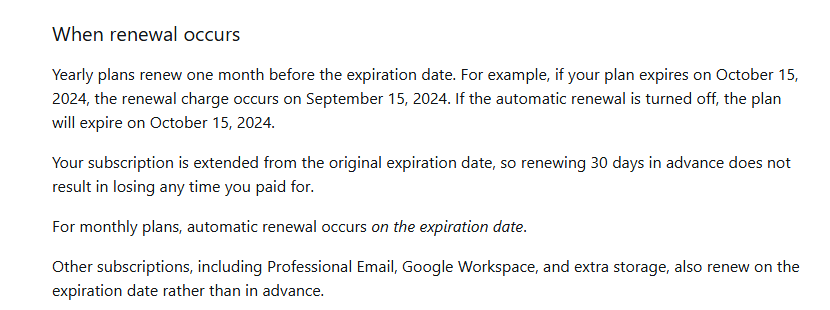
WordPress.com is Automattic’s hosted version of WordPress: you get the same open-source software that powers self-hosted sites, with hosting, updates, security and backups run for you. There is a free plan with no expiration date, and four paid plans for single sites: Personal, Premium, Business and Commerce, from $4 to $45 a month billed yearly in the first year, as listed on Oct 27, 2026. Since a WordPress.com post dated Apr 2, 2026, every paid plan can install plugins, which used to require Business at $25 a month billed yearly. Two things deserve a careful read before you pay: the yearly price on each card renews higher ($4 becomes $5 a month on Personal, $25 becomes $28 on Business), and the refund window for a yearly renewal closes about two weeks before the plan would have expired, because yearly plans renew a month early.
Every WordPress.com link in this review goes straight to wordpress.com, its support guides, its blog or its Terms of Service.
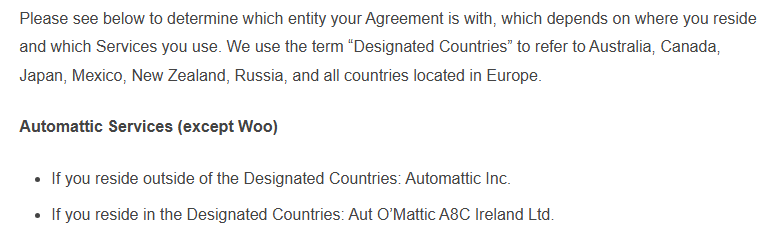
| Made by | Automattic Inc.; customers in Europe, Australia, Canada, Japan, Mexico, New Zealand and Russia contract with Aut O’Mattic A8C Ireland Ltd. |
| What it is | Managed hosting for WordPress sites, with a free tier on a .wordpress.com address and paid plans with a custom domain |
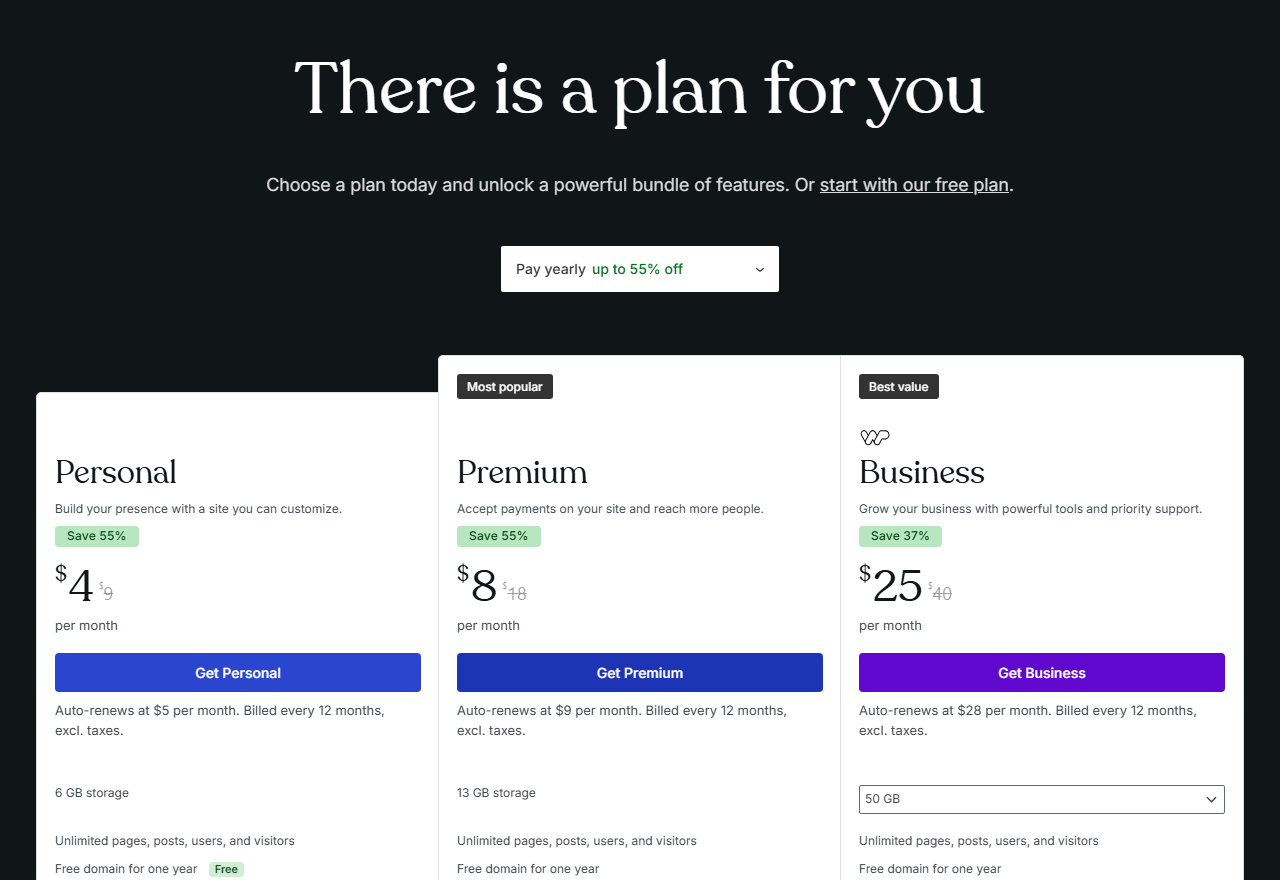
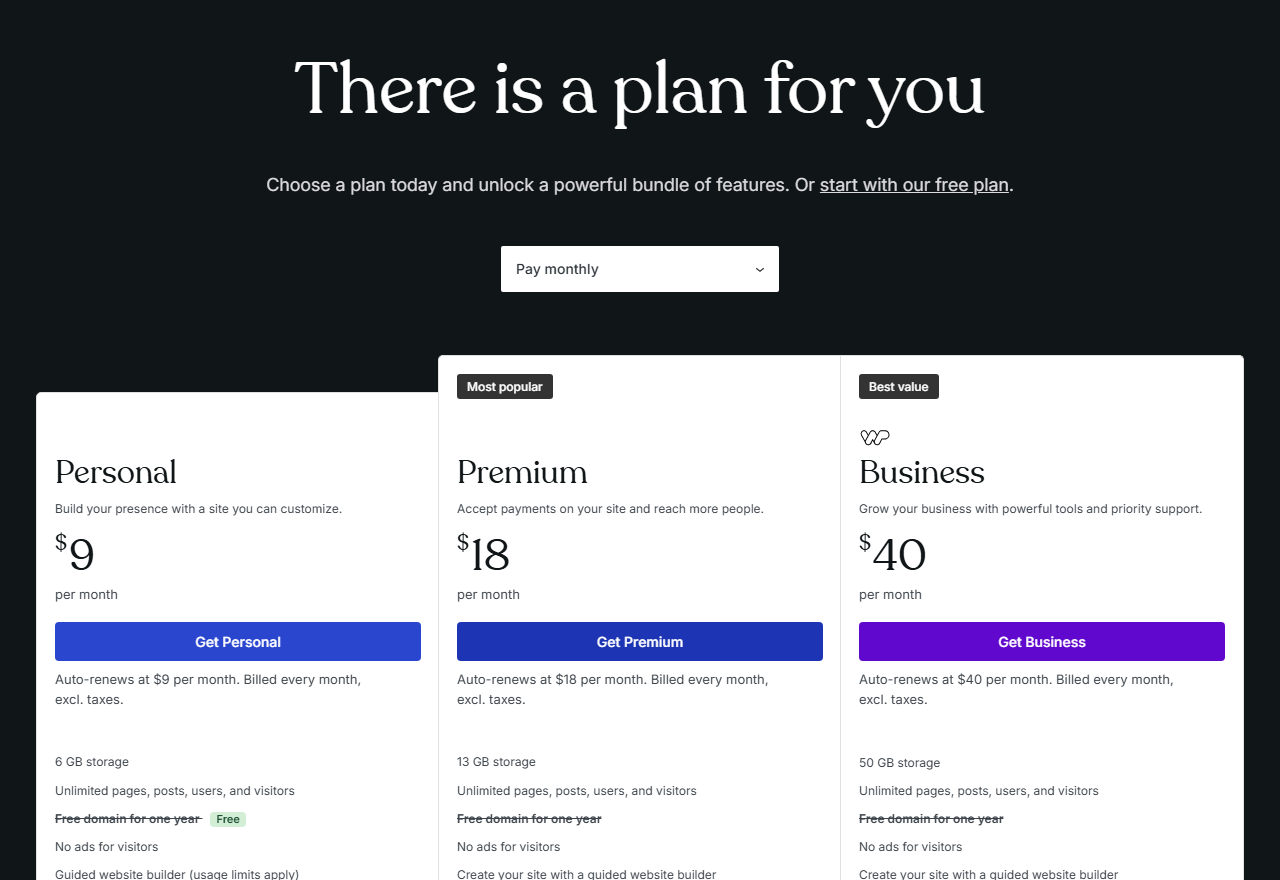
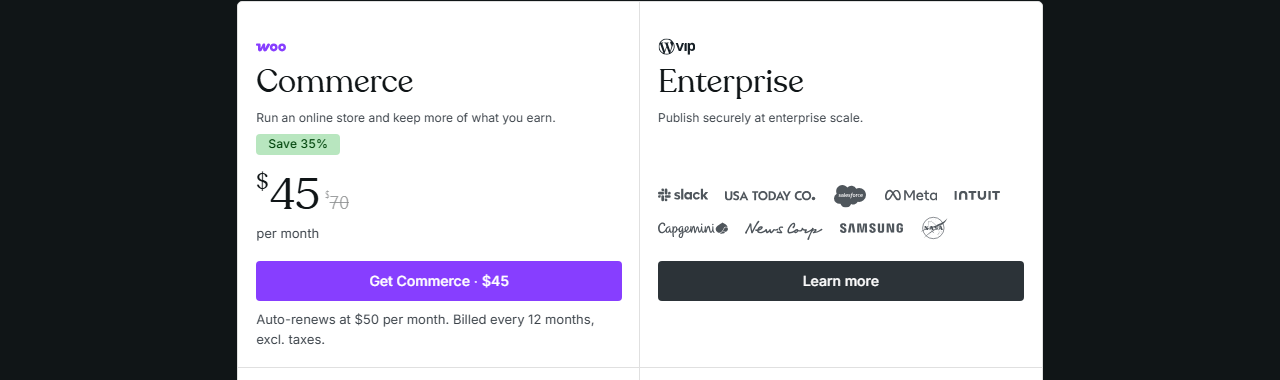
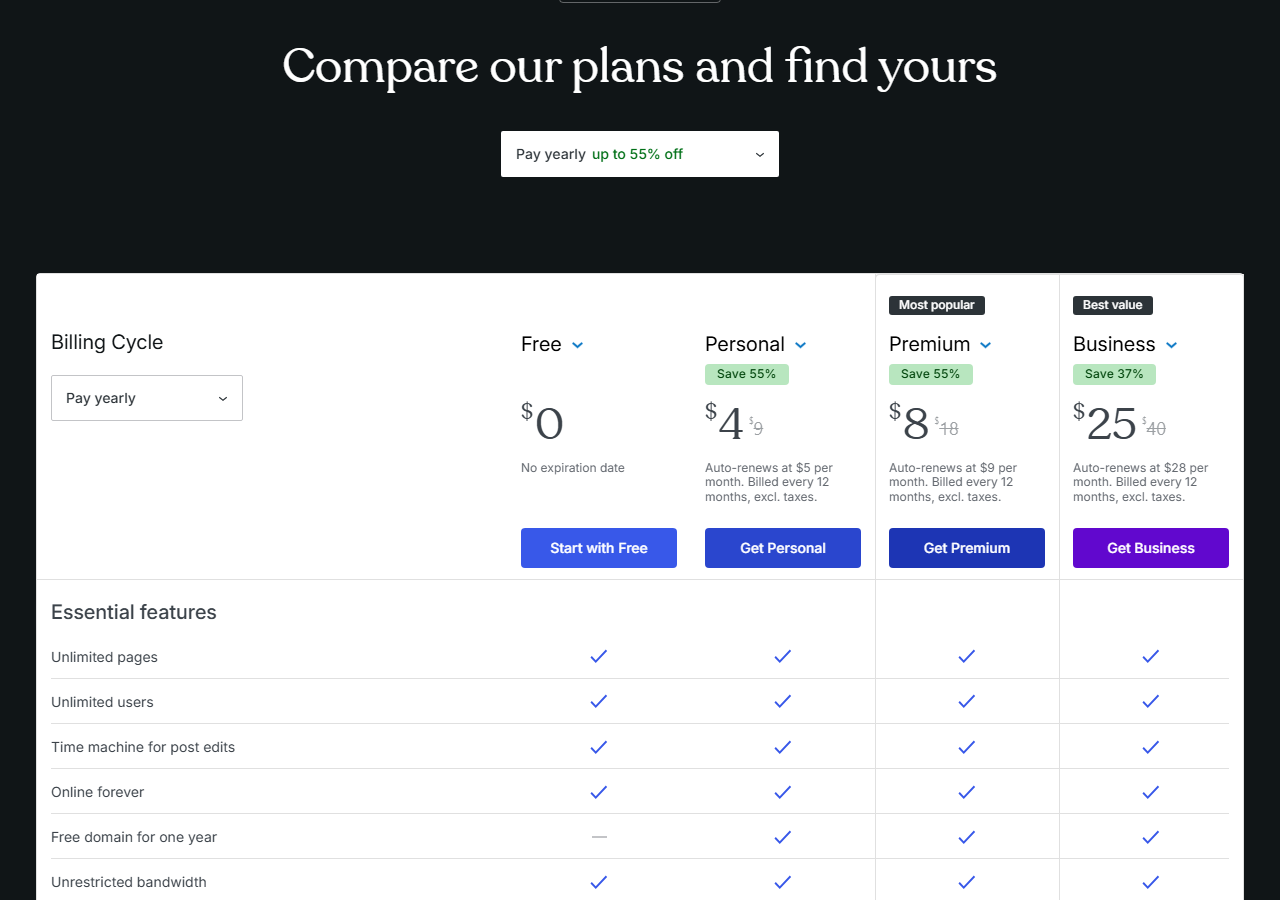
| Plans | Free; Personal $4, Premium $8, Business $25, Commerce $45 a month billed yearly; renew at $5, $9, $28 and $50 |
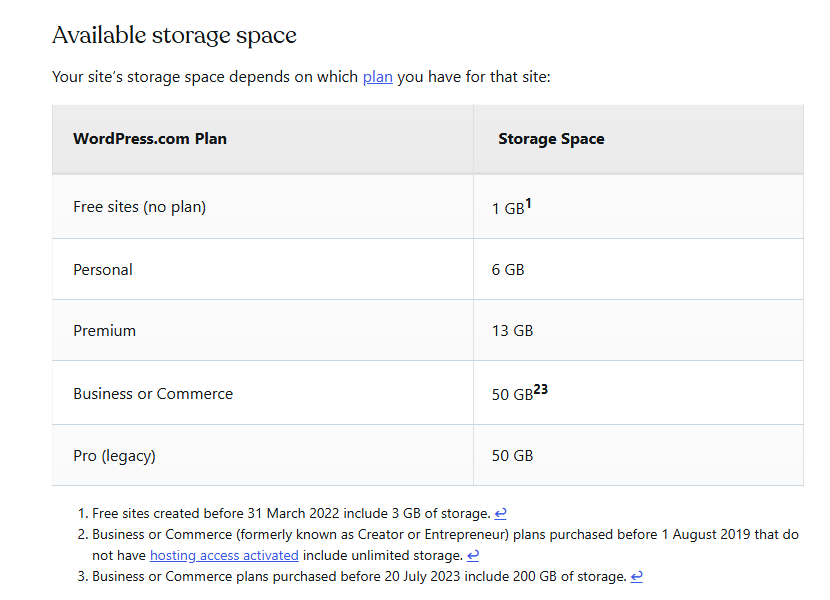
| Storage | 1 GB free, 6 GB, 13 GB, then 50 GB on Business and Commerce |
| Best for | Bloggers, writers, non-profits and small businesses who want WordPress without running a server |
The easiest way to run real WordPress without a server, as long as you budget for the renewal price.
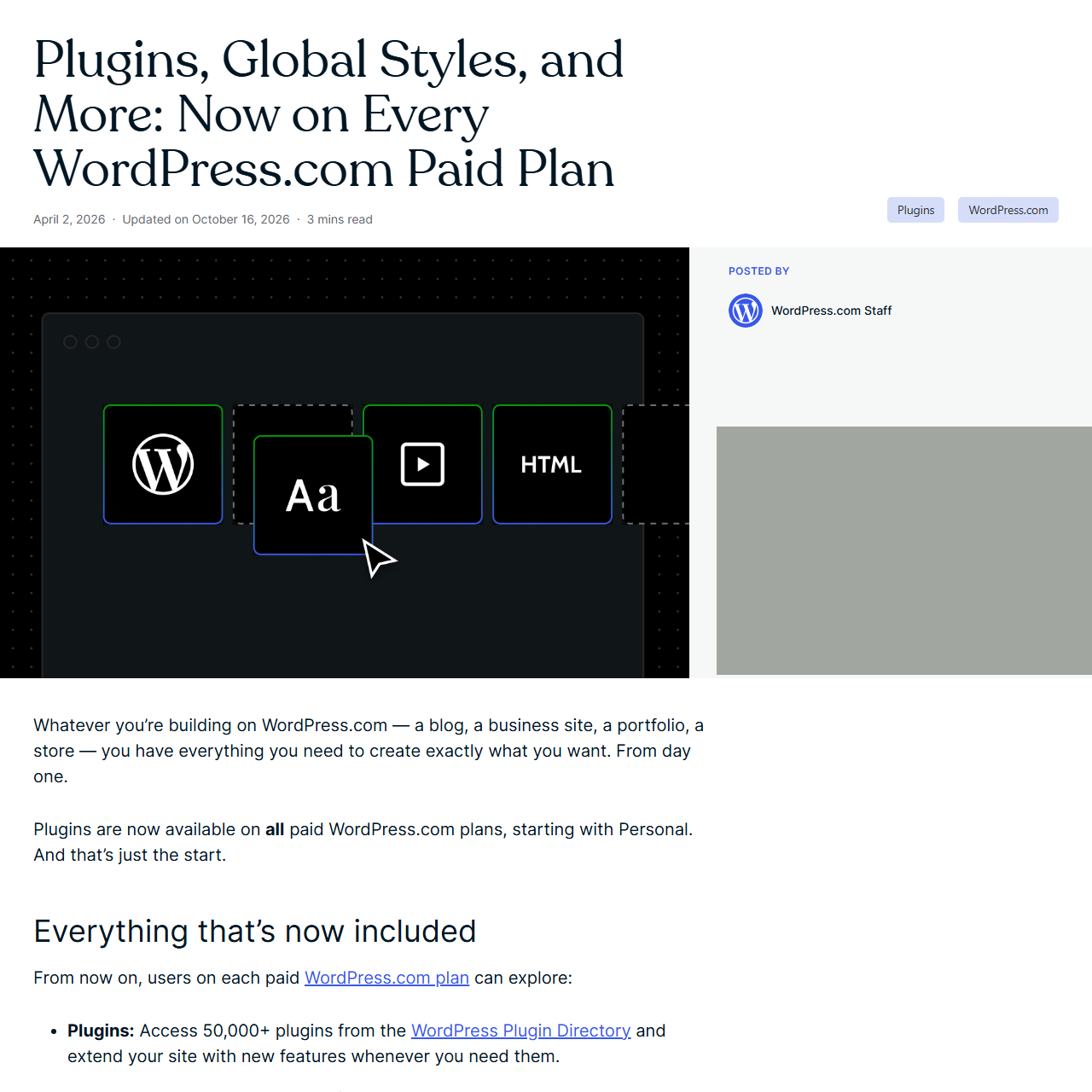
“Plugins are now available on all paid WordPress.com plans, starting with Personal.”
That line, from a WordPress.com post dated Apr 2, 2026, changes the old advice about this service. For years the honest answer to anyone choosing between WordPress.com and self-hosted WordPress was that WordPress.com locked plugins behind the Business plan, $25 a month billed yearly. Today the Personal plan, $4 a month billed yearly in the first year, can install plugins and upload themes, and WordPress.com still handles hosting, WordPress updates, SSL, a firewall, daily malware scans and spam filtering. For a blog, a newsletter, a portfolio or a small business site, that is a lot of WordPress for the money, with no server to maintain.
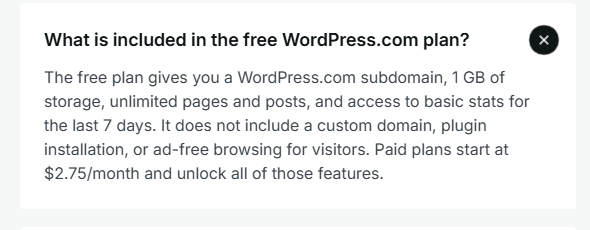
The free plan is real too: it has no expiration date, includes hosting on a .wordpress.com address and 1 GB of storage, and shows WordPress.com ads to your visitors. What it cannot do is use a custom domain, install plugins or get human support; free sites get community forums and help guides.
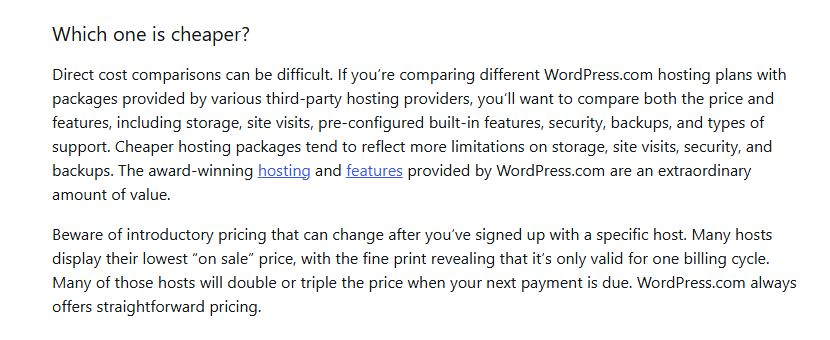
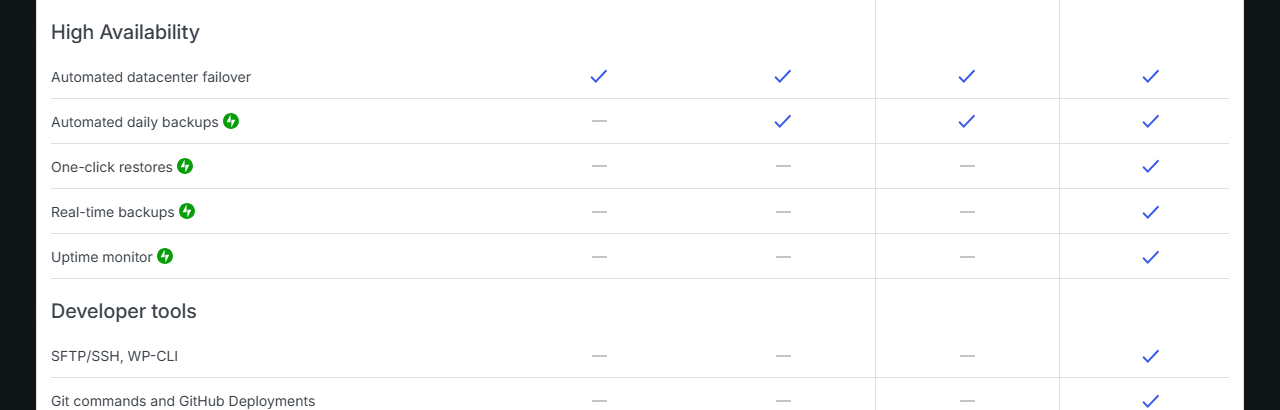
Three things keep the score at 74. First, renewal prices: each yearly price on the pricing page renews higher, by 25% on Personal ($48 then $60 a year) and 12% on Business ($300 then $336), while WordPress.com’s own comparison guide says “WordPress.com always offers straightforward pricing.” Second, timing: yearly plans renew one month before they expire, refunds close 14 days after that charge, and the Terms say you must cancel at least a month before the end of an annual subscription. Third, limits that self-hosting does not have: developer tools such as SFTP, SSH, WP-CLI, staging and backup restores are Business and Commerce features, a short list of plugins is blocked, and payments you collect carry a WordPress.com fee of 2% to 10% on every plan except Commerce.
The same WordPress software, with the server, updates and security handled for you.
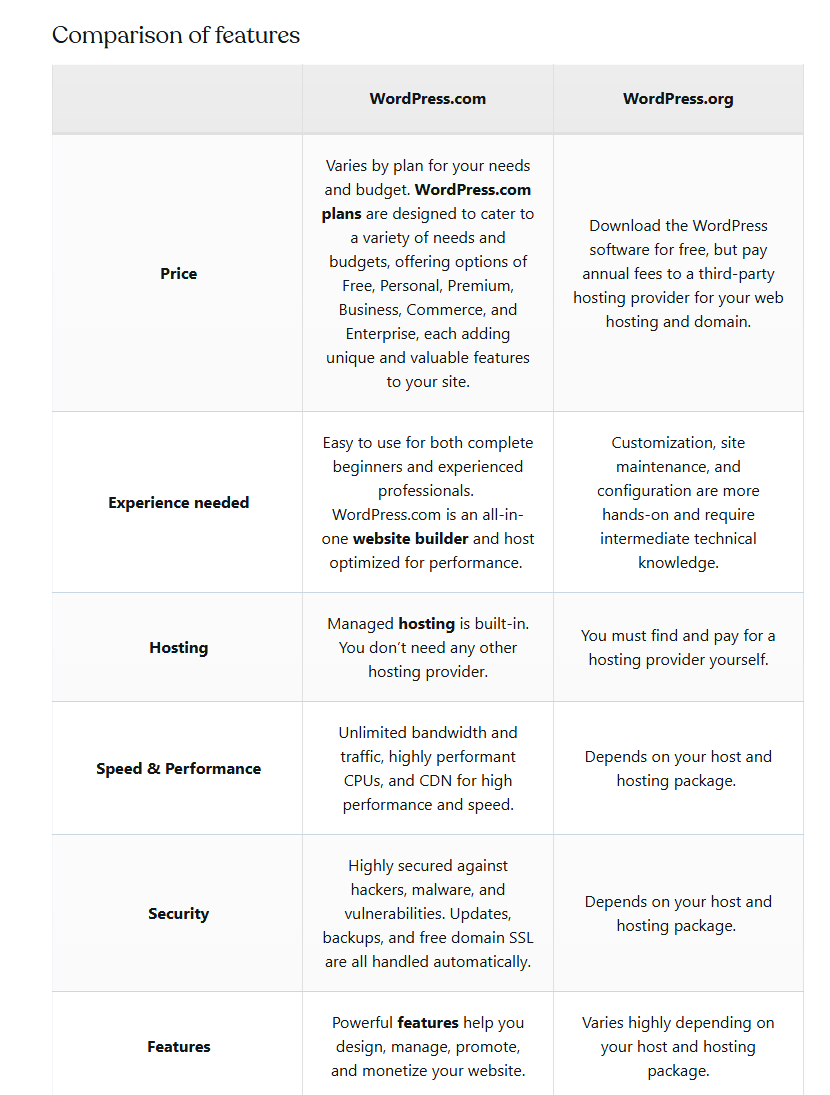
WordPress.com’s own comparison guide says both run on the same WordPress software and that the main difference is hosting. WordPress.org is where you download the free, open-source software and install it on a host you pay for and manage. WordPress.com is a commercial service owned by Automattic that runs that software for you. You sign up, pick a plan and build; WordPress.com updates WordPress, serves every site over HTTPS, runs a web application firewall and scans every site daily for malware.
The plans are a ladder. Free gets you a site on a .wordpress.com address with ads. Personal adds a custom domain (free for the first year on yearly and longer plans), removes ads and, since April 2026, allows plugins and theme uploads. Premium adds ways to earn (ads, payments with a lower fee), Google Analytics and SEO controls. Business adds the developer and hosting tools that self-hosted WordPress users expect, such as SFTP, SSH, WP-CLI, staging sites and one-click restores. Commerce adds WooCommerce store features and drops WordPress.com’s cut of payments to 0%. Each paid plan covers one site.
Plans renamed twice since 2022, plugins opened to every paid plan in 2026, and AI agents everywhere.
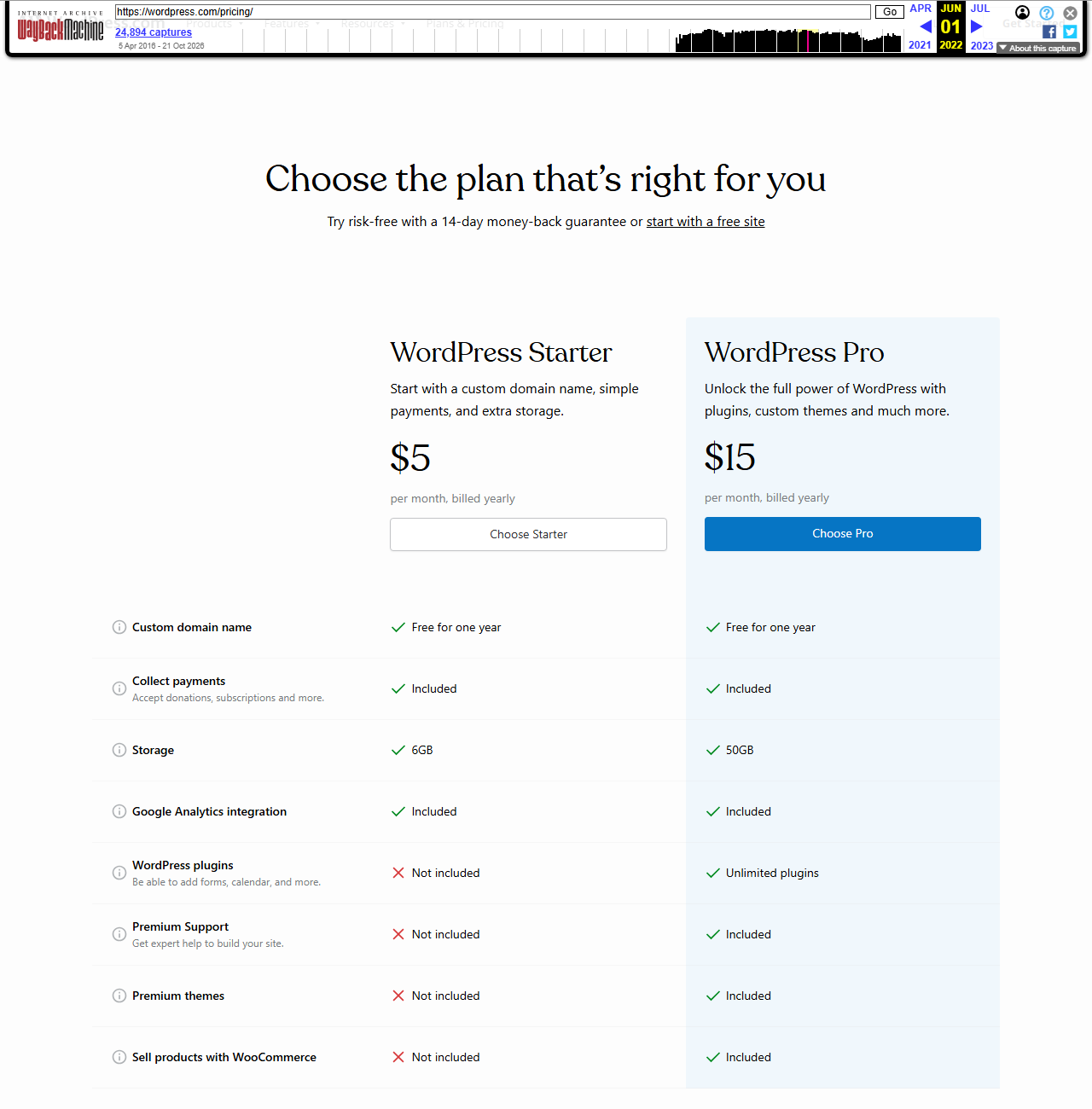
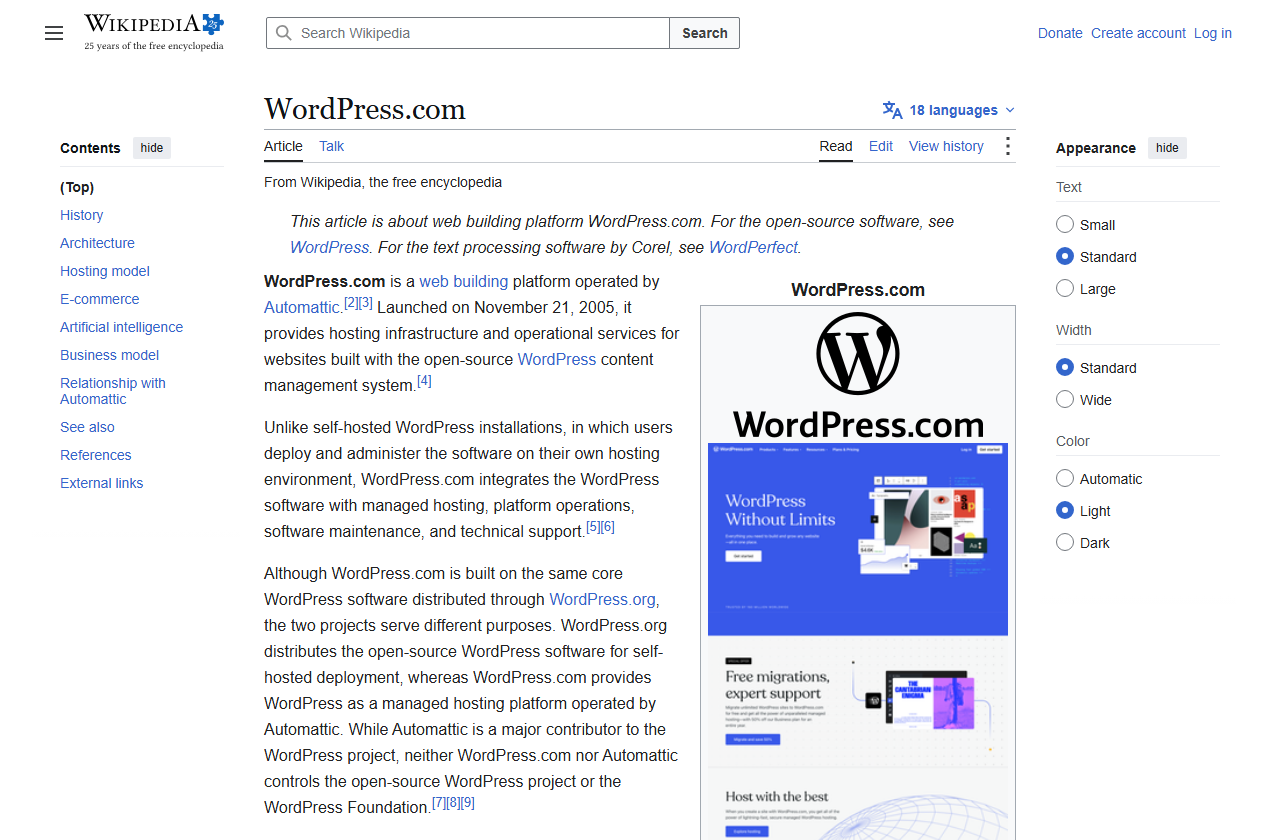
WordPress.com launched publicly on Nov 21, 2005, according to Wikipedia. Its plan list has moved more than its prices in the last four years. The Internet Archive’s copies of the pricing page, with WordPress.com’s blog and support guides, show the main steps.
| Date | What the record shows |
|---|---|
| Jun 1, 2022 | Only two paid plans on the pricing page: WordPress Starter at $5 and WordPress Pro at $15 a month billed yearly; plugins only on Pro |
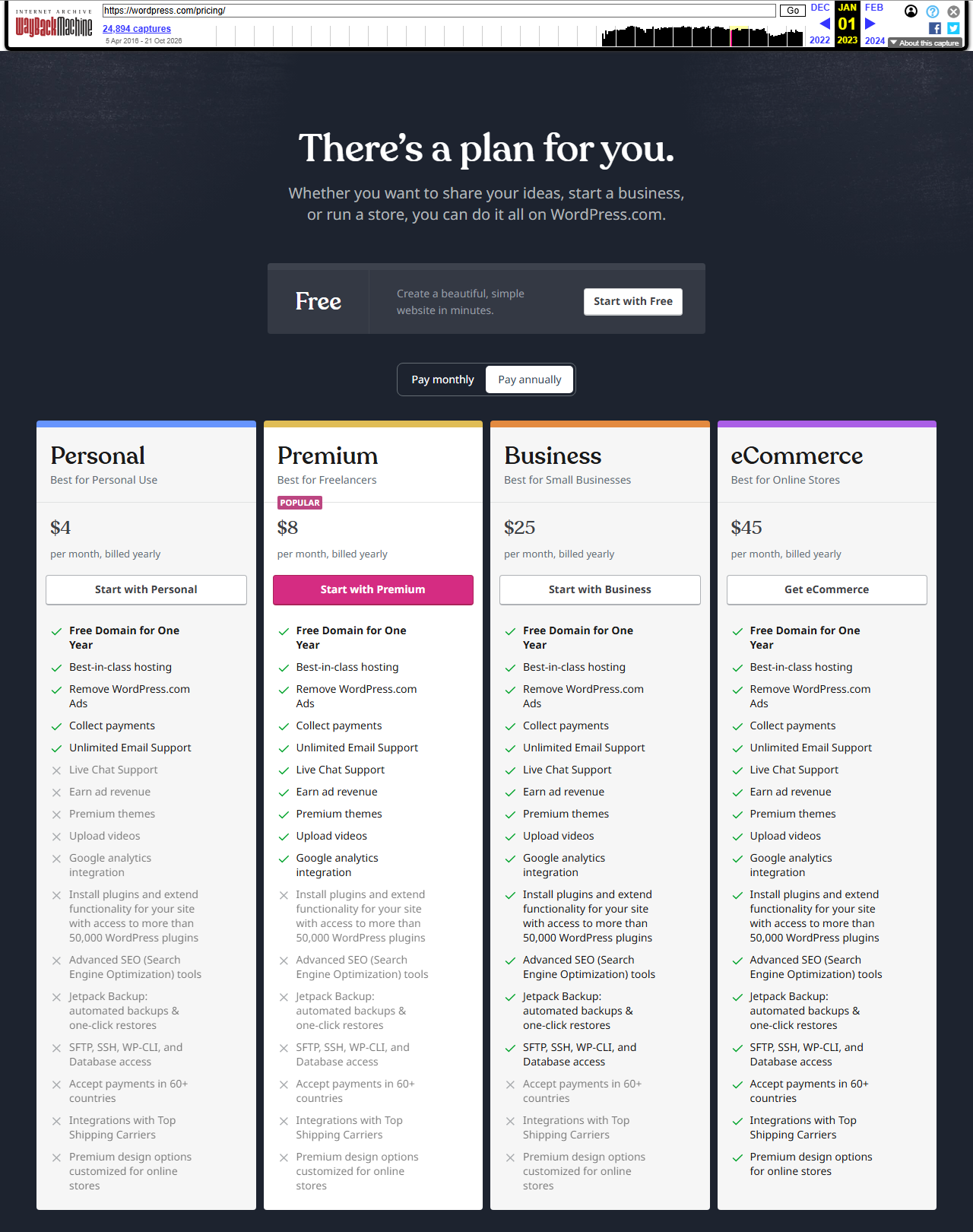
| Jan 1, 2023 | Personal $4, Premium $8, Business $25 and eCommerce $45 a month billed yearly; plugins only on Business and eCommerce |
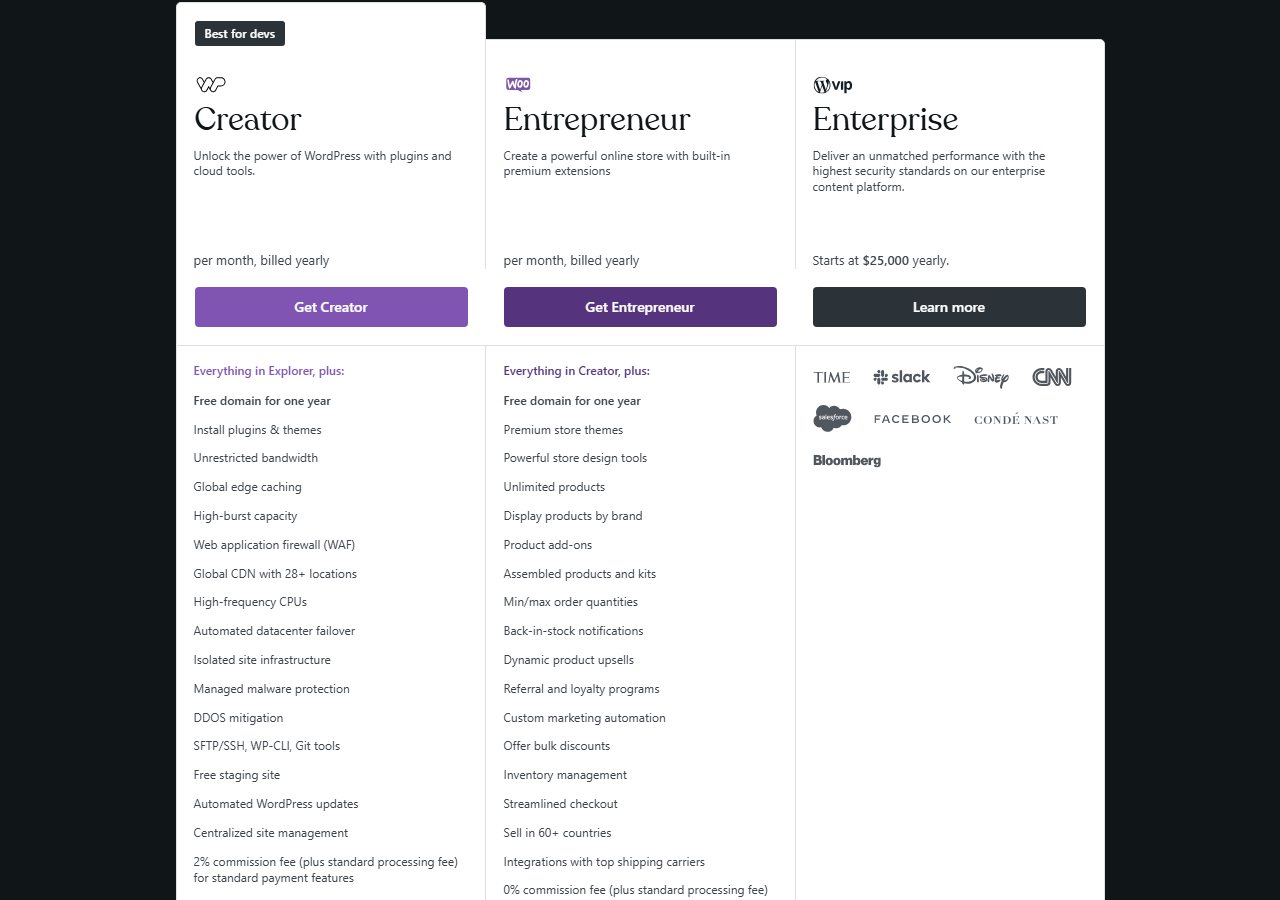
| Jan 1, 2024 | Plans shown as Free, Starter, Explorer, Creator and Entrepreneur; plugins on Creator and above |
| Jan 1, 2025 | Back to Personal, Premium, Business and Commerce at today’s first-year prices ($4, $8, $25, $45) |
| Aug 12 to 25, 2025 | Two-week offer: plugins on new Personal and Premium plans, then “plugin access returns to WordPress.com Business and Commerce plans only” |
| Apr 2, 2026 | Blog post: plugins, Global Styles, font uploads and custom CSS on every paid plan |
| Apr 7, 2026 | Essential Plugin supply-chain attack: WordPress.org closes 31 plugins; WordPress.com cleans more than 2,200 hosted sites (section 13) |
| Aug 17, 2026 | Free Student Plan for classes, renewing at $2 a month after year one |
| Oct 6, 2026 | Terms of Service last updated |
| Oct 21, 2026 | WordPress.com says hosted sites are protected against two critical PHP vulnerabilities fixed that day |
Prices themselves have been steady. Personal has been $4 a month billed yearly in every Internet Archive copy we compared from Jan 1, 2023 to Oct 1, 2026, and Business $25. What changed is what each tier includes, and the renewal line now printed under each price.
The best-known host for the most used website software, though nobody publishes its own share.
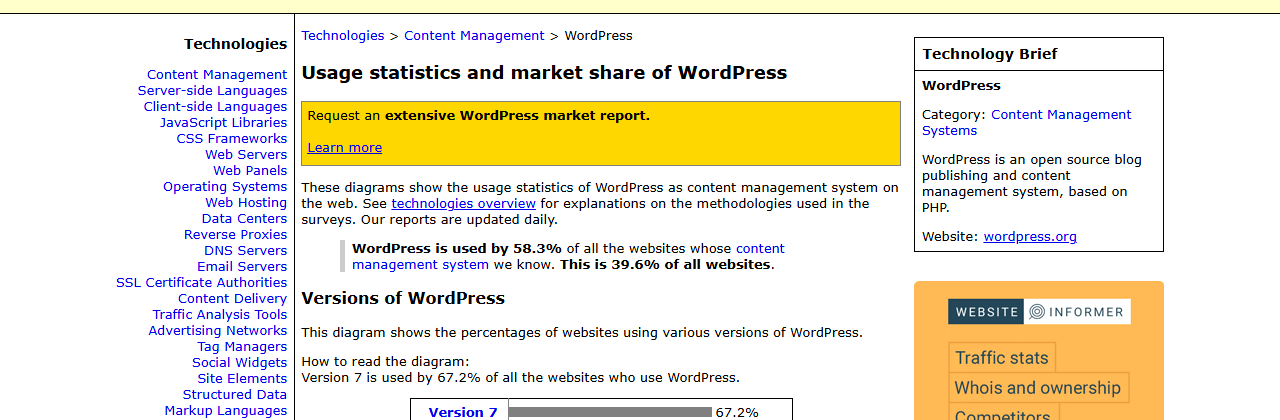
W3Techs, which surveys the technology behind websites, reported on Oct 26, 2026 that WordPress runs 39.6% of all websites and 58.3% of sites whose content management system it can identify. That count covers self-hosted WordPress and WordPress.com together; we found no open, independent figure for how many sites run on WordPress.com itself, and WordPress.com’s pages do not give one. Its plan guide instead says WordPress “powers more than 42% of the internet”, a higher figure than W3Techs’ current one.
The position that matters for buyers is different: WordPress.com sells WordPress by the site, with hosting included, against hosts that sell server space you install WordPress on, and against closed site builders. Section 18 prices both kinds.
People who stop maintaining servers like it; developers find the walls.
There is no WordPress.com rating on WordPress.org, and we do not use Trustpilot, G2 or Capterra here. The most useful open record we found is Hacker News, where WordPress.com comes up in discussions about blogging and about Automattic’s 2024 dispute with WP Engine. The comments below date from 2024 and 2025, before plugins opened to all paid plans in April 2026.
“I never deploy, never have to upgrade, never have to troubleshoot issues.”
A developer who uses WordPress.com as a non-technical writer, posting three or more times a week.
“typically these kind of providers low-ball the first year”
Said of other WordPress hosts, while praising WordPress.com’s prompt updates. Section 07 shows WordPress.com now renews higher too.
“Some stuff that should be easy is just ridiculously difficult, like pulling logs programmatically.”
From someone who has hosted custom themes and plugins on the higher plan.
The pattern is consistent. Non-technical owners and the people who set up sites for them value not having to patch anything: one 2025 commenter said a self-hosted company blog “has been a headache as no team has the interest or time to keep it updated.” Developers and agencies complain about control: plugin access (now fixed for paid plans), logs, and, in one 2024 comment, that “there has been issues for years when trying to move away and transfer __your__ domain to another provider.” WordPress.com’s own transfer guide says moving a domain out takes five to seven days and is not possible for 60 days after a registration or transfer.
| Theme | What commenters say | Where it stands on Oct 27, 2026 |
|---|---|---|
| No maintenance | Updates, security and uptime are handled | Still the main selling point (section 13) |
| Plugins | Required the $300-a-year Business plan | On every paid plan since Apr 2, 2026 |
| Developer access | Logs and server access are hard | SFTP, SSH, WP-CLI, logs on Business and Commerce only |
| Price | Cheaper than hosts that discount year one | Yearly prices now renew 11% to 25% higher |
| Leaving | Domain transfers felt slow | 5 to 7 days; 60-day lock after a transfer |
WordPress.com reports one figure about its support: its Support Assistant, an AI helper that answers first, hands “Roughly one in four conversations” to a person, according to a post of Aug 19, 2026. That is the company’s number, not an independent one. Note also that one commenter in these threads disclosed working for Automattic; we did not use that comment as a user view.
Free, then four paid plans, each cheaper per month the longer you commit, and each renewing higher.
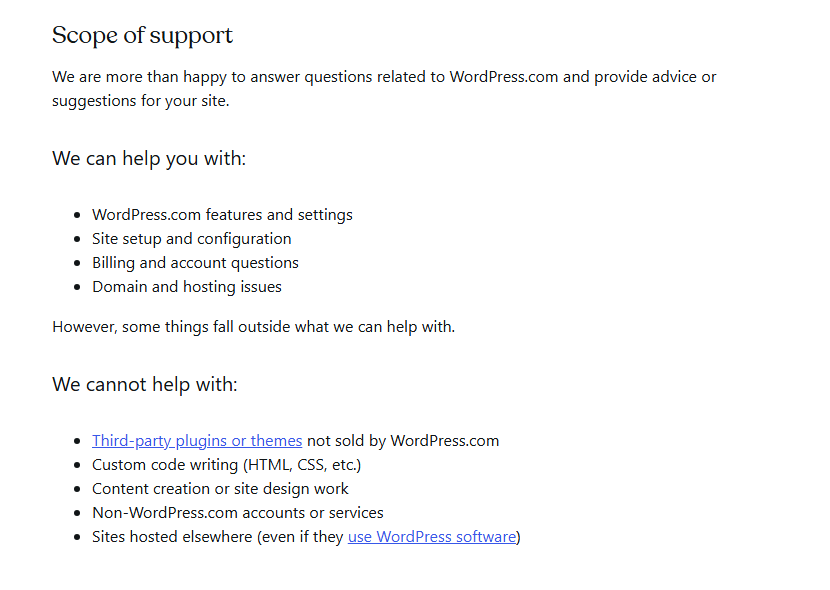
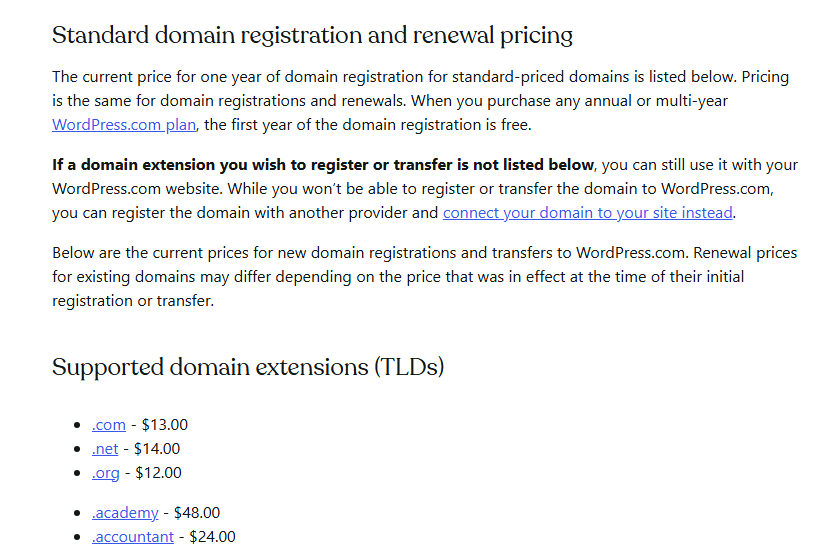
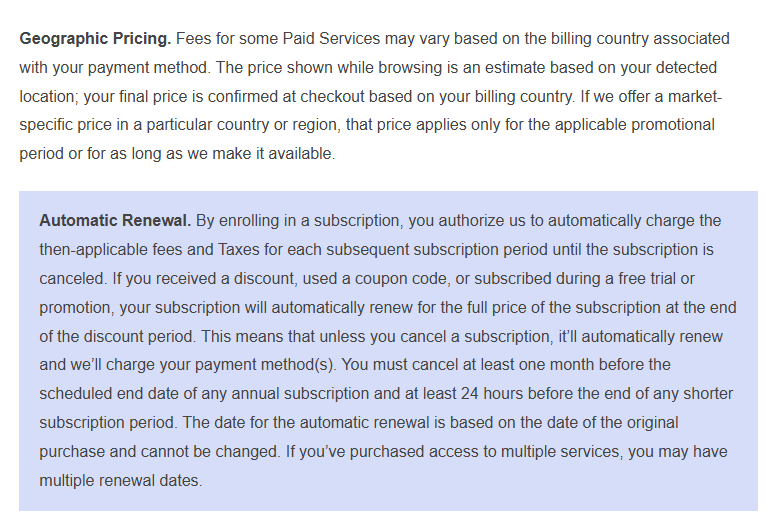
All prices below are in US dollars per month before tax, from wordpress.com/pricing on Oct 27, 2026. The page lets you pay monthly, yearly, every two years or every three years. Yearly and longer plans include a free domain for the first year; monthly plans do not. The Terms of Service add that “your final price is confirmed at checkout based on your billing country”, so a buyer outside the US may see different figures.
a month billed yearly ($48), renews at $5 ($60 a year)
- Custom domain, no ads
- Plugins and theme uploads
- 6 GB storage
- 8% fee on payments
a month billed yearly ($96), renews at $9 ($108 a year)
- Earn with ads (WordAds)
- Google Analytics, SEO tools
- Video uploads, 13 GB
- 4% fee on payments
a month billed yearly ($300), renews at $28 ($336 a year)
- SFTP, SSH, WP-CLI, GitHub
- Staging and backup restores
- 50 GB, priority 24/7 support
- 2% fee on payments
a month billed yearly ($540), renews at $50 ($600 a year)
- WooCommerce extensions built in
- Everything in Business
- 50 GB storage
- 0% WordPress.com fee
Swipe sideways to see the whole table.
| Plan | Monthly billing | Yearly | Every 2 years | Every 3 years | Renews at (yearly / 2-year / 3-year) |
|---|---|---|---|---|---|
| Free | $0 | $0 | $0 | $0 | no expiration date |
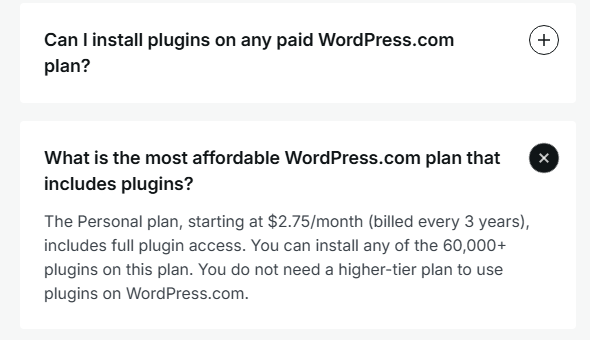
| Personal | $9 | $4 | $3.25 | $2.75 | $5 / $4 / $3.50 |
| Premium | $18 | $8 | $6.50 | $5.50 | $9 / $7.25 / $6.33 |
| Business | $40 | $25 | $20 | $17.50 | $28 / $21 / $19 |
| Commerce | $70 | $45 | $36 | $31.50 | $50 / $40 / $35 |
The 100-Year Plan. WordPress.com also sells a one-off plan for US$38,000: the Business plan plus a domain held for a century, with a 120-day refund window, aimed at families, organisations and institutions that want a site to outlive their budget cycles. Its support guide is candid that a lot may change in a hundred years and says Automattic will try to find another host, or refund part of the price, if it cannot keep the promise.

Three years cost more than the headline suggests, but far less than most managed WordPress hosting.
Here is what a site costs over three years at the prices listed on Oct 27, 2026, before tax, if you pay yearly and keep auto-renew on. The last column is the price if you pay for three years at once; the next three-year term renews at $3.50, $6.33, $19 and $35 a month ($126, $227.88, $684 and $1,260).
Swipe sideways to see the whole table.
| Plan | Year 1 | Year 2 | Year 3 | Three-year total | Three-year term, paid once |
|---|---|---|---|---|---|
| Personal | $48 | $60 | $60 | $168 | $99 |
| Premium | $96 | $108 | $108 | $312 | $198 |
| Business | $300 | $336 | $336 | $972 | $630 |
| Commerce | $540 | $600 | $600 | $1,740 | $1,134 |
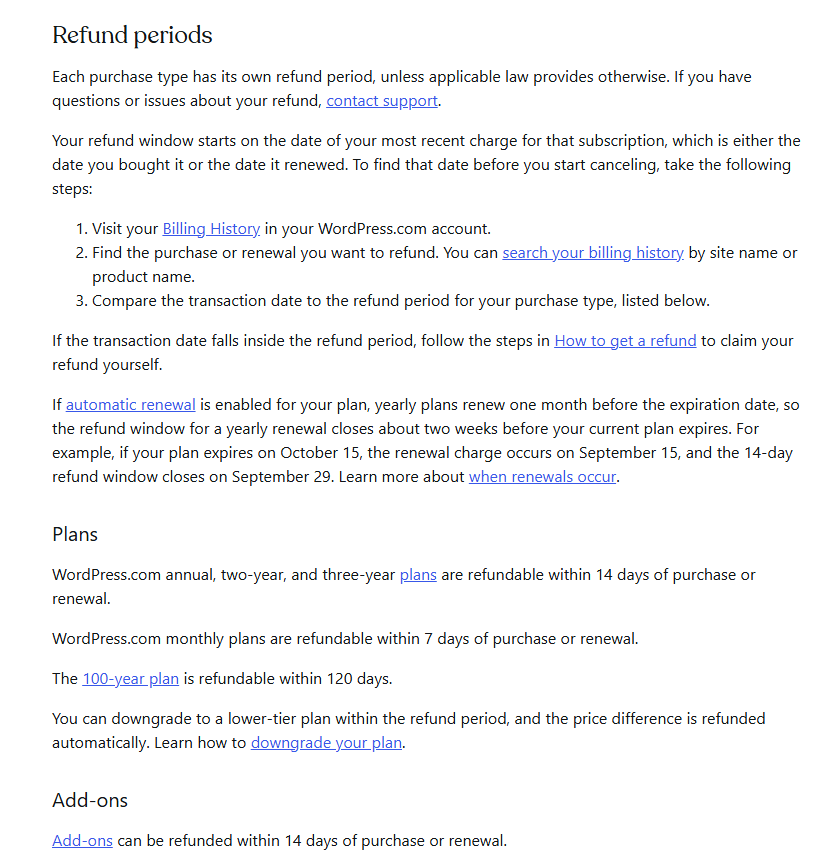
Paying for three years up front is the cheapest route by a wide margin: Personal for $99 instead of $168, Business for $630 instead of $972. It renews higher too, but still below the yearly renewal: Personal’s next three years cost $126, against $180 on yearly renewals. The trade-off is refunds. Multi-year plans share the 14-day refund window, and WordPress.com’s refund guide says “Refunds are not prorated.”, so a three-year plan you abandon in month two is money gone.
Three real-world setups
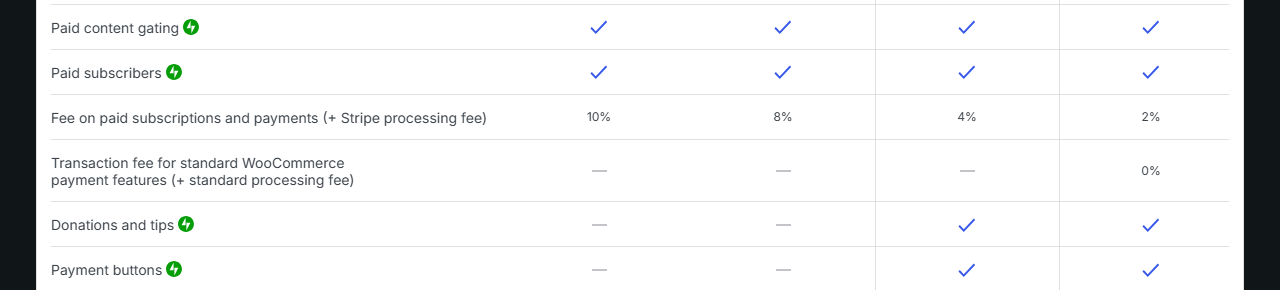
| Plan | WordPress.com fee on payments | On $5,000 a year |
|---|---|---|
| Free | 10% | $500 |
| Personal | 8% | $400 |
| Premium | 4% | $200 |
| Business | 2% | $100 |
| Commerce | 0% | $0 |

Answer five questions.
Same software and you own your content either way; the difference is who runs the server and what you may change.
Self-hosted WordPress means downloading the free software from WordPress.org and installing it on a host you pay for. You get full control: any plugin, any theme, your own PHP settings, server access, your own backups. You also get the work: updates, security, backups and spam are your job or your host’s. WordPress.com’s guide is candid about the trade: with self-hosting “You also can make changes to the PHP environment.”, and complex custom code “may or may not be possible on WordPress.com.”
| Question | WordPress.com | Self-hosted WordPress.org |
|---|---|---|
| Software cost | Included in the plan | Free download |
| Hosting | Included, managed by Automattic | Bought separately from a host |
| Free option | Yes, with ads and a .wordpress.com address | No; hosting always costs something |
| Plugins | Every paid plan; a short list is blocked | Any plugin |
| Custom themes | Upload on every paid plan | Any theme |
| Server access | SFTP, SSH, WP-CLI on Business and Commerce | Depends on the host |
| PHP settings | Fixed: PHP 8.3 or 8.4, 512 MB memory | Yours to change, within the host’s limits |
| Updates and security | WordPress, SSL, firewall and malware scans handled | Your job or your host’s |
| Backups | Daily from Personal; one-click restores from Business | Your job or your host’s |
| Support | Forums on Free; humans on paid plans | WordPress.org forums and your host |
| Content ownership | “you retain all ownership rights” | Yours |
| Moving away | Export content; domain transfer 5 to 7 days | Move files and database yourself |
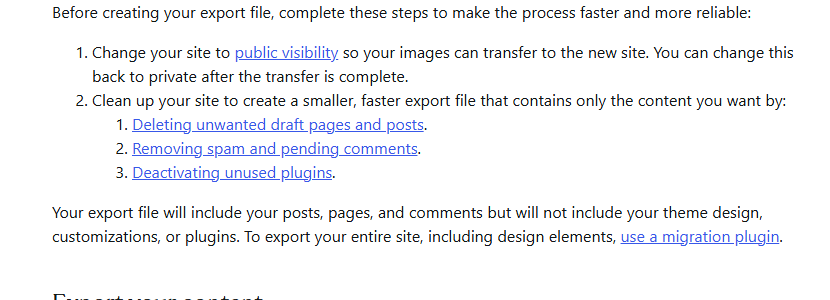
Leaving later. WordPress.com’s export tool produces a standard WordPress file with posts, pages and comments, and the guide is clear that it “will not include your theme design, customizations, or plugins”. Media are copied from the old site during import, so it must stay public until the move is done. Business and Commerce sites can download a full backup instead. Our Hostinger review covers what a typical self-hosted plan costs and renews at.
Plugins from Personal up, a blocked list, and server tools from Business up.
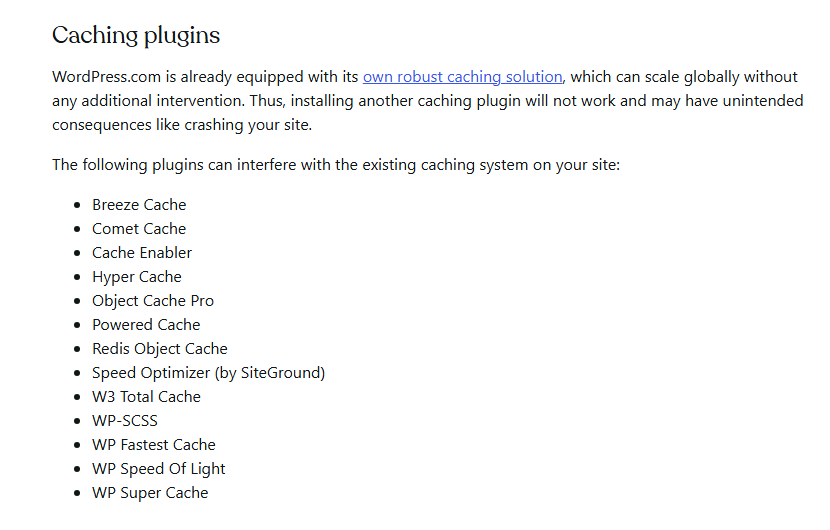
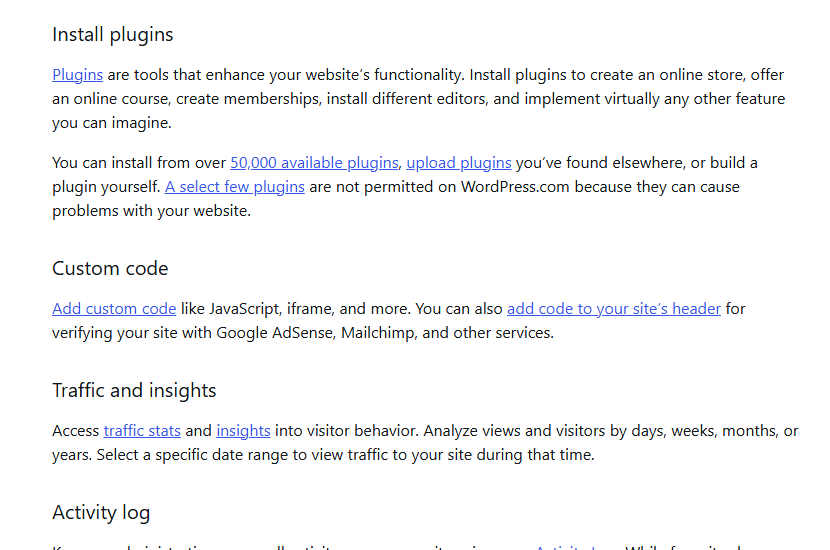
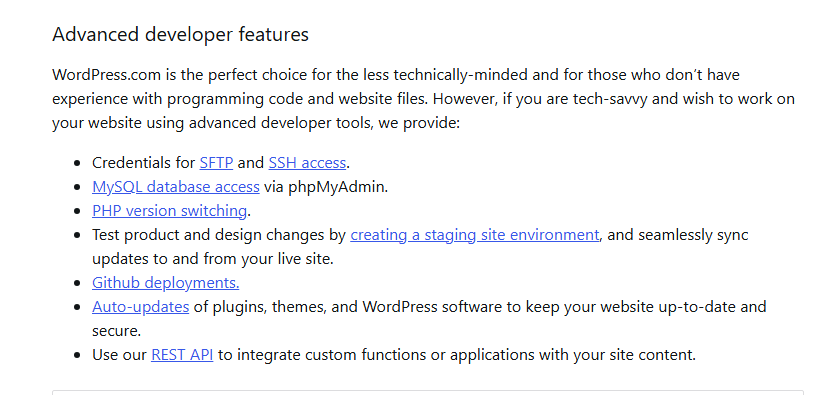
Since April 2026, Personal, Premium, Business and Commerce can all install plugins from the WordPress.org directory, upload plugins found elsewhere and upload any WordPress theme. Free sites cannot. WordPress.com also blocks a set of plugins outright: if you upload one, it installs but cannot be activated. The blocked groups are caching plugins (WP Super Cache, W3 Total Cache, WP Fastest Cache and others), some backup and cloning plugins, database-heavy statistics plugins, file managers and reset tools, mass-mailing plugins and automatic content scrapers. WordPress.com’s reasoning is that it already provides caching and backups and that these plugins strain shared infrastructure.
Swipe sideways to see the whole table.
| Feature | Free | Personal | Premium | Business | Commerce |
|---|---|---|---|---|---|
| Install plugins, upload themes | No | Yes | Yes | Yes | Yes |
| Premium themes | No | Yes | Yes | Yes | Yes, plus store themes |
| Storage | 1 GB | 6 GB | 13 GB | 50 GB | 50 GB |
| Google Analytics, SEO tools | No | No | Yes | Yes | Yes |
| Earn with ads (WordAds) | No | No | Yes | Yes | Yes |
| SFTP, SSH, WP-CLI, GitHub | No | No | No | Yes | Yes |
| Staging site | No | No | No | Yes | Yes |
| Automated daily backups | No | Yes | Yes | Yes | Yes |
| One-click restores, real-time backups, uptime monitor | No | No | No | Yes | Yes |
| Human support | No | Yes | Yes, faster | 24/7 priority | 24/7 priority |
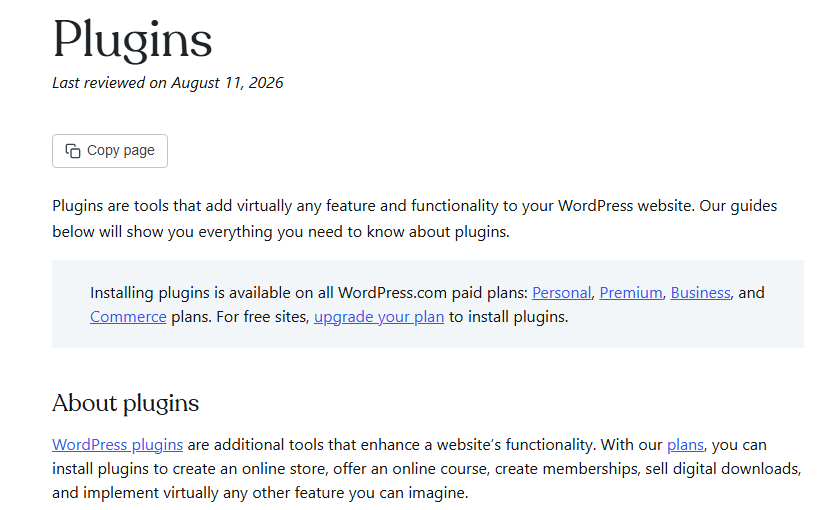
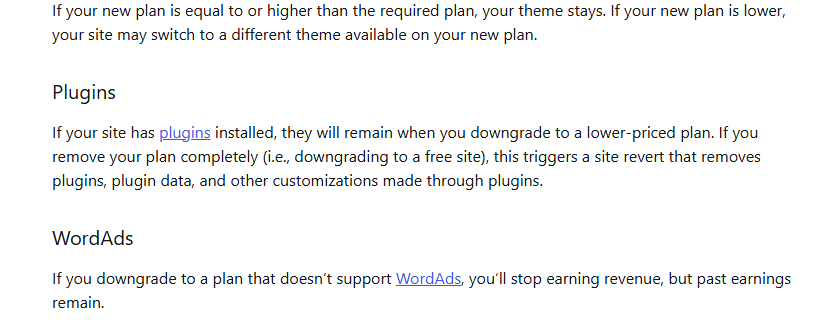
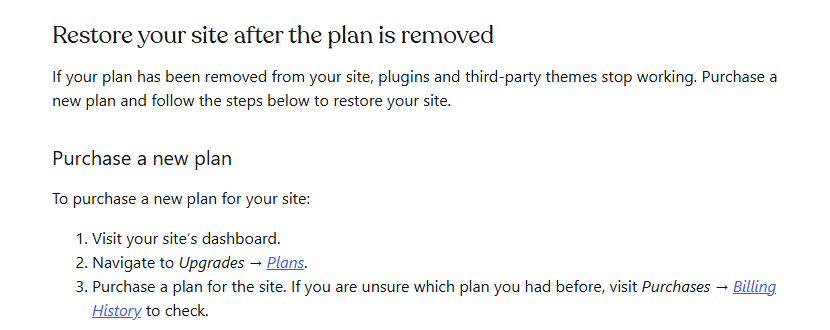
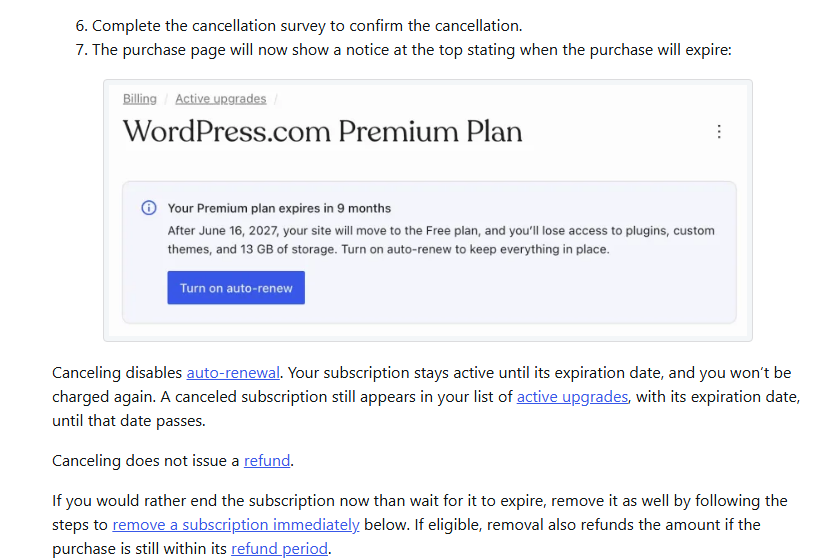
One consequence is easy to miss. If a paid plan lapses or you remove it, plugins and third-party themes stop working and the site is made private; removing a plan completely “triggers a site revert that removes plugins, plugin data, and other customizations made through plugins.” Content stays. A WordPress.com changelog of Aug 14, 2026 says the purchase page now warns at 60 days and in the final week before expiry.
An AI site builder and assistant inside, and MCP access for ChatGPT, Claude and others from outside.
WordPress.com now leans on AI in three places. The AI website builder, which WordPress.com calls the WordPress Agent in its current guide, builds a site from a chat; the guide says building a site this way is available on all paid plans. The built-in AI assistant writes and edits inside WordPress; the comparison table limits it to 20 requests on Free and says usage limits apply on Personal and Premium. And WordPress.com runs an MCP connection (Model Context Protocol) so outside agents such as ChatGPT, Claude or Cursor can read and change your site after you allow it; its support guides now end with example prompts for agents, from listing inactive plugins to turning off auto-renewal “after checking with you first”.

The AI terms are short and put responsibility on you. Section 8 of the Terms says you own your AI input and output “to the extent permitted by law”, and “you must review all Output before using or publishing it.” If you connect an outside agent, treat it like a new administrator: our guide to Claude’s MCP connectors explains what such a connection can do and how to limit it.
Six steps, and the two that people skip.
Strong managed security, a recent plugin supply-chain clean-up, and an opt-out for AI training you should know about.
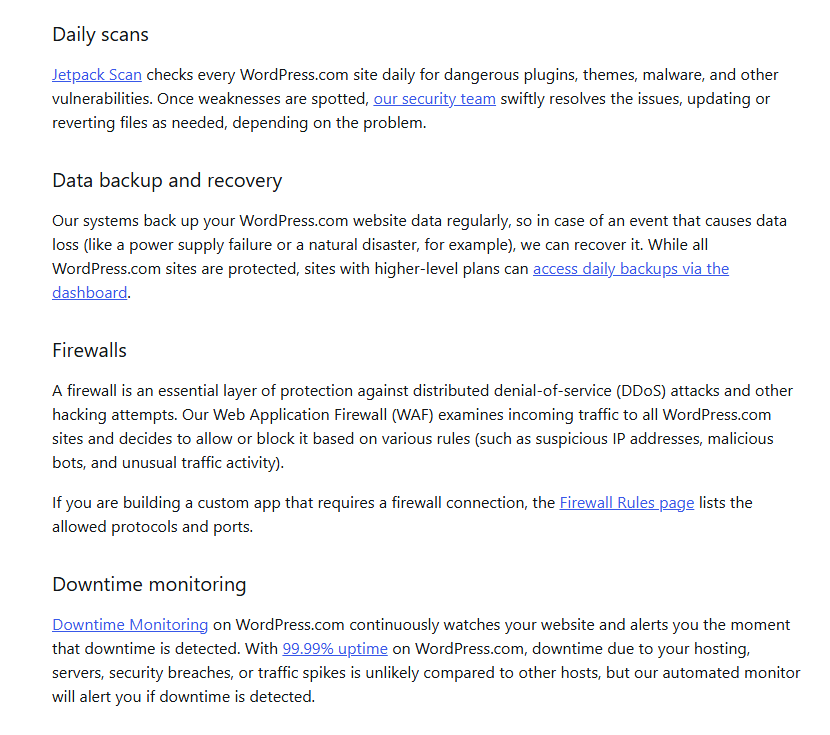
What WordPress.com does for every site. Its security guide lists automatic WordPress updates, SSL on every site including custom domains (“we do not offer the option to disable it”), a daily Jetpack Scan of every site for malware and vulnerable plugins, a web application firewall, brute-force and DDoS protection, downtime monitoring and a bug bounty on HackerOne. It cites “99.99% uptime”, a figure no independent source in this review measures. It also says WordPress.com sites do not need a separate security plugin and that “some security plugins will interfere with the built-in security processes”.
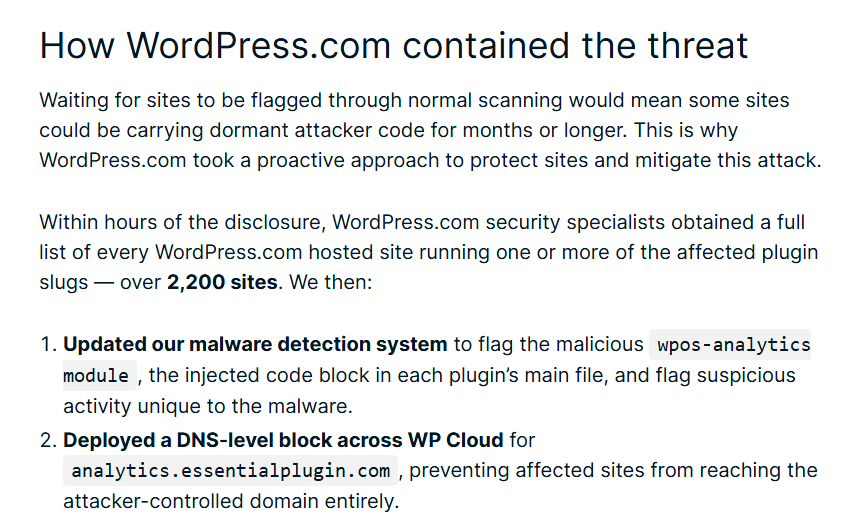
The Essential Plugin attack, April 2026. WordPress.com’s security post of May 21, 2026 describes a supply-chain attack on more than 30 plugins from one developer, bought by a new owner who added a hidden backdoor that was switched on in early April 2026. WordPress.org closed all 31 plugins on Apr 7, 2026. WordPress.com says it found “over 2,200 sites” it hosts running affected plugins, blocked the attacker’s domain at the network level and removed the malicious code from those sites. It is the clearest public example of what managed hosting adds now that every paid plan can install plugins: the same open plugin ecosystem, with a host that can clean up at scale.
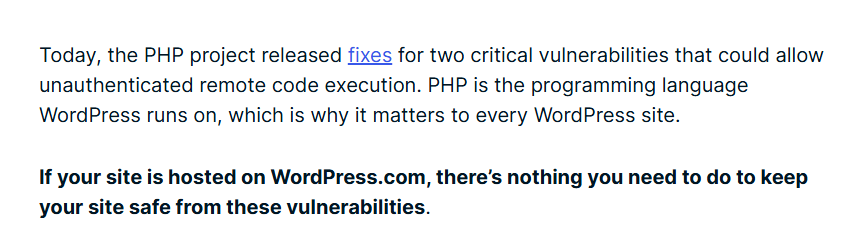
PHP vulnerabilities, October 2026. On Oct 21, 2026 WordPress.com said that, after the PHP project fixed two critical remote-code-execution flaws that day, “If your site is hosted on WordPress.com, there’s nothing you need to do to keep your site safe from these vulnerabilities”. A self-hosted site depends on its host or owner applying the PHP update.
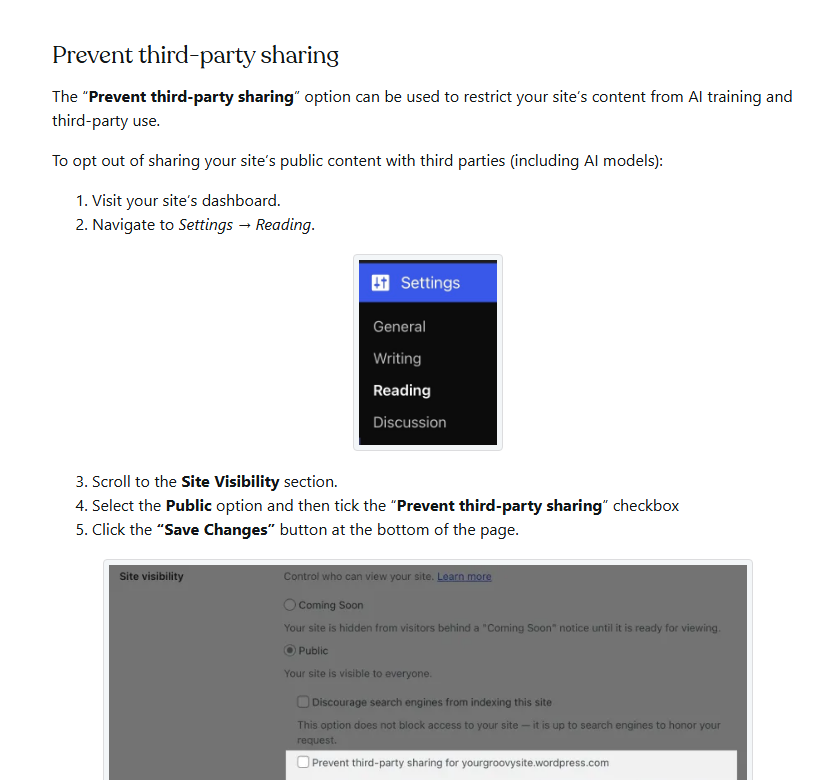
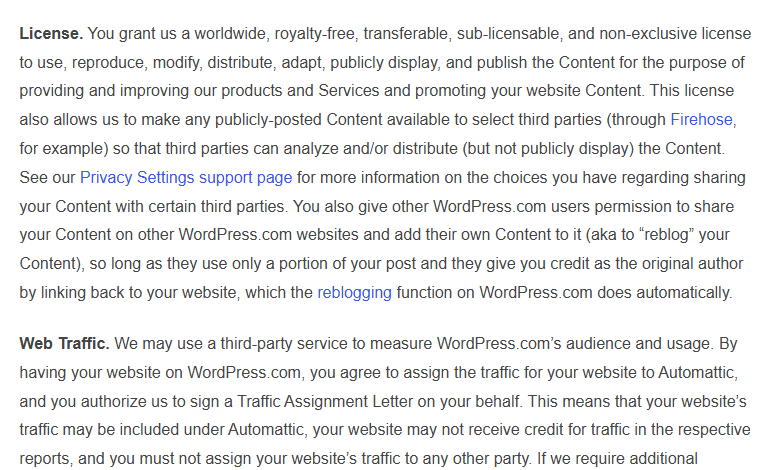
Your content and AI training. This is the point we would want every WordPress.com user to know. The Terms give Automattic a licence to your content that “also allows us to make any publicly-posted Content available to select third parties”, for example through its Firehose feed. WordPress.com’s privacy-settings guide says it works with partners who license content, “including companies and researchers”, and offers a “Prevent third-party sharing” setting under Settings, Reading. Ticking it excludes the site’s public content from those partners, including AI model training, and adds known AI crawlers to the site’s robots.txt, though, as the guide says, it is up to AI platforms to honor that. The setting is per site.
| Question | Answer from WordPress.com’s pages |
|---|---|
| Who owns my content? | You do; Automattic gets a licence to host, share and promote it |
| Is my public content shared for AI training? | It can be, through licensing partners, unless you tick Prevent third-party sharing |
| Can I turn off HTTPS? | No; every site is served over SSL |
| Do I need a security plugin? | WordPress.com says no, and some interfere |
| Who measures my traffic? | Your site’s traffic is assigned to Automattic in third-party audience reports |
| What if I delete my account? | Restorable for 30 days, then data is purged |
Renewals a month early, refunds that are not prorated, and a contract under California law.
The rules below come from WordPress.com’s Terms of Service (last updated Oct 6, 2026), its refund, renewal and domain guides, as read on Oct 27, 2026.
| Topic | What WordPress.com says |
|---|---|
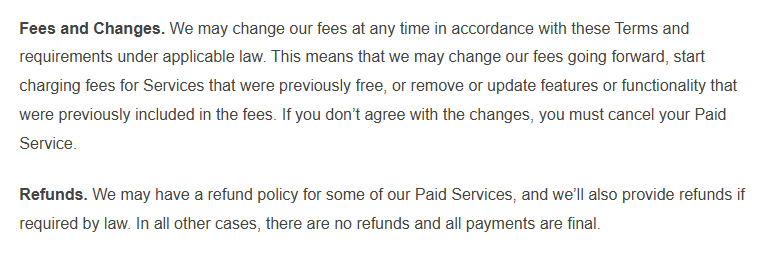
| Renewal | “If you subscribed during a promotion, used a coupon code, or received a discount, your subscription will automatically renew for the full subscription price at the end of the discount period.” |
| Cancel by | “You must cancel at least one month before the scheduled end date of any annual subscription and at least 24 hours before the end of any shorter subscription period.” |
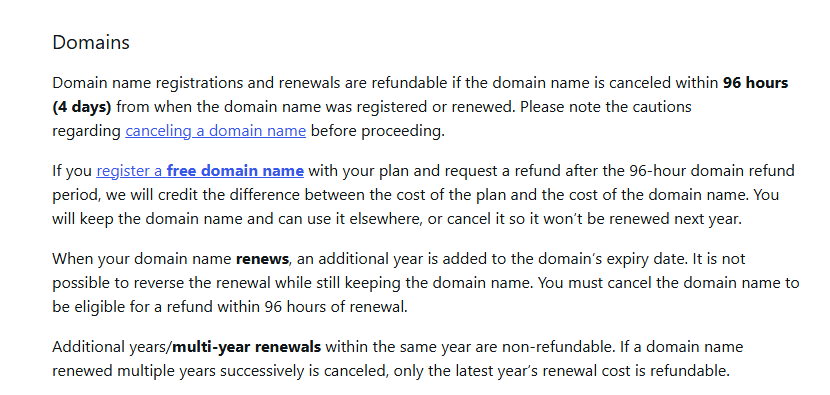
| Refund windows | Yearly, two-year and three-year plans 14 days; monthly 7 days; 100-Year Plan 120 days; domains 96 hours. “Refunds are not prorated.” |
| Everything else | “In all other cases, there are no refunds and all payments are final.” |
| Free domain | Refund a plan after 96 hours and keep the domain: the domain’s cost is deducted from the refund |
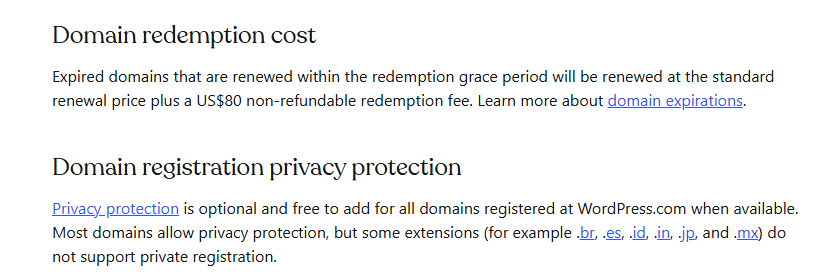
| Expired domain | Redemption costs the renewal price plus a US$80 non-refundable fee |
| Price changes | Automattic may raise fees, charge for free services or remove included features; your remedy is to cancel |
| Prices by country | “your final price is confirmed at checkout based on your billing country.” |
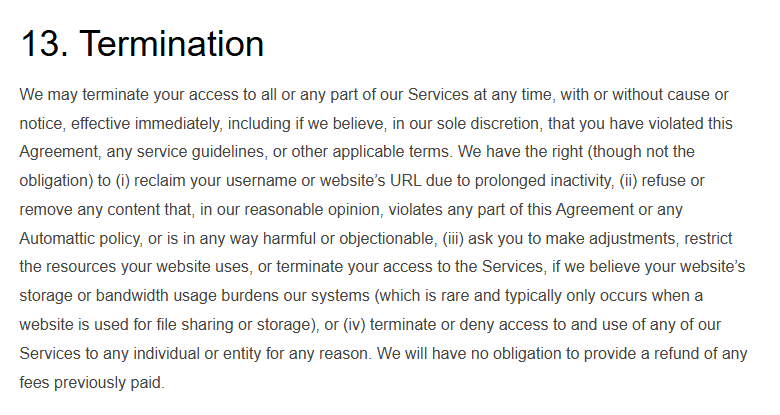
| Termination | Automattic may end access “at any time, with or without cause or notice”, with no obligation to refund |
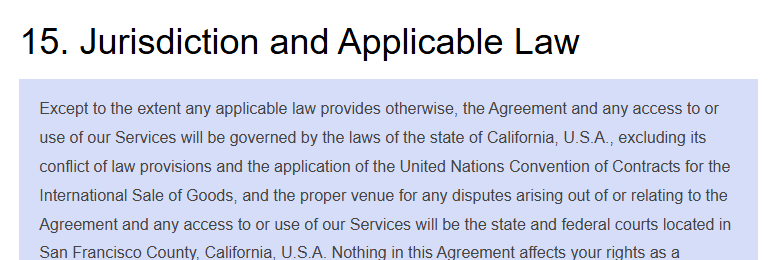
| Law and courts | California law; courts in San Francisco County, except mandatory consumer protections where you live |
| Europe | 14-day right of withdrawal for European users, with exceptions for digital content |
Seven places where two WordPress.com pages say different things.
None of these changes the verdict alone, but each is worth asking WordPress.com about before you rely on it.
| Topic | One page says | Another page says |
|---|---|---|
| Pricing | Comparison guide: “WordPress.com always offers straightforward pricing”, warning that other hosts raise prices at renewal | Pricing page: every yearly price renews higher, $4 to $5, $8 to $9, $25 to $28, $45 to $50 a month |
| Downtime monitoring | Security guide: “Downtime Monitoring on WordPress.com continuously watches your website”, with no plan named | Pricing table: Uptime monitor ticked only from Business |
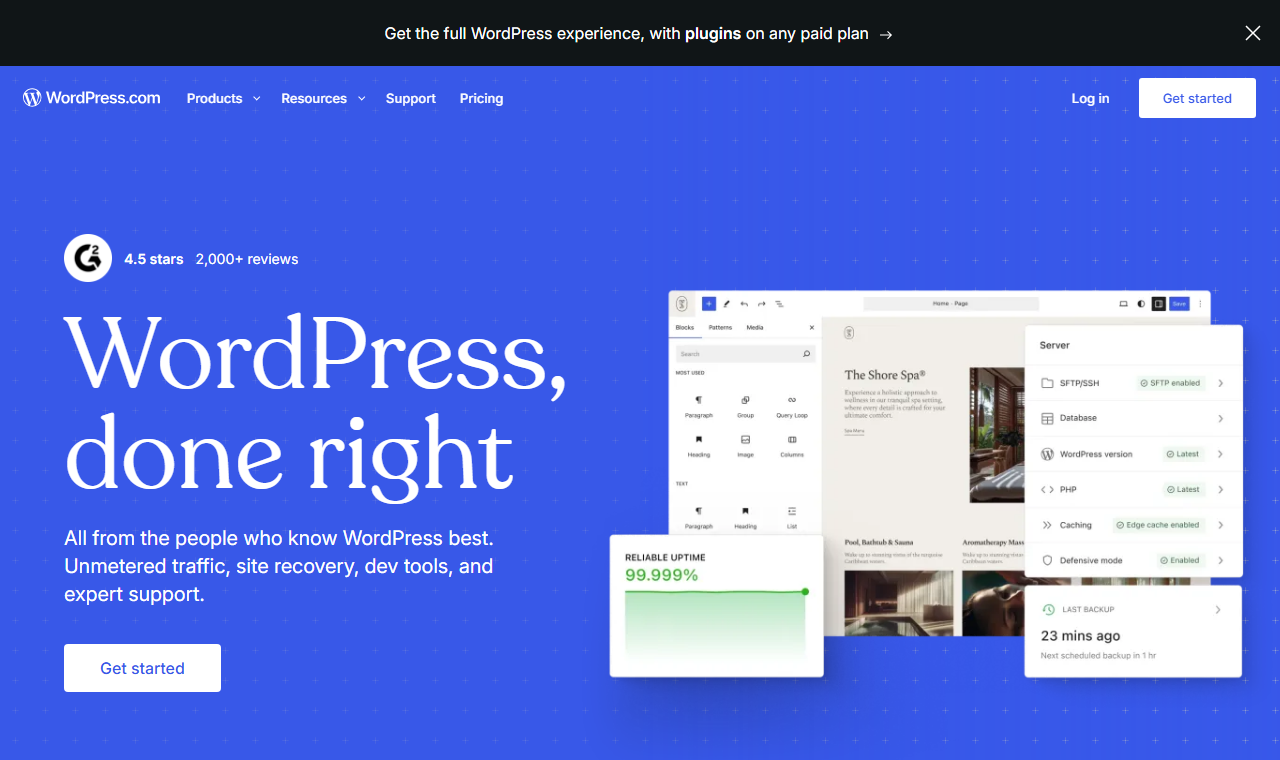
| Uptime figure | Security guide: “99.99% uptime” | Home page illustration: 99.999% reliable uptime |
| Malware scanning | Personal plan guide: Jetpack Scan is included in the plan | Downgrade guide: moving down from Business or Commerce loses Jetpack Scan |
| Number of plugins | Pricing FAQ: “over 60,000 plugins” | Plugin guide and Apr 2, 2026 post: over 50,000 / 50,000+ |
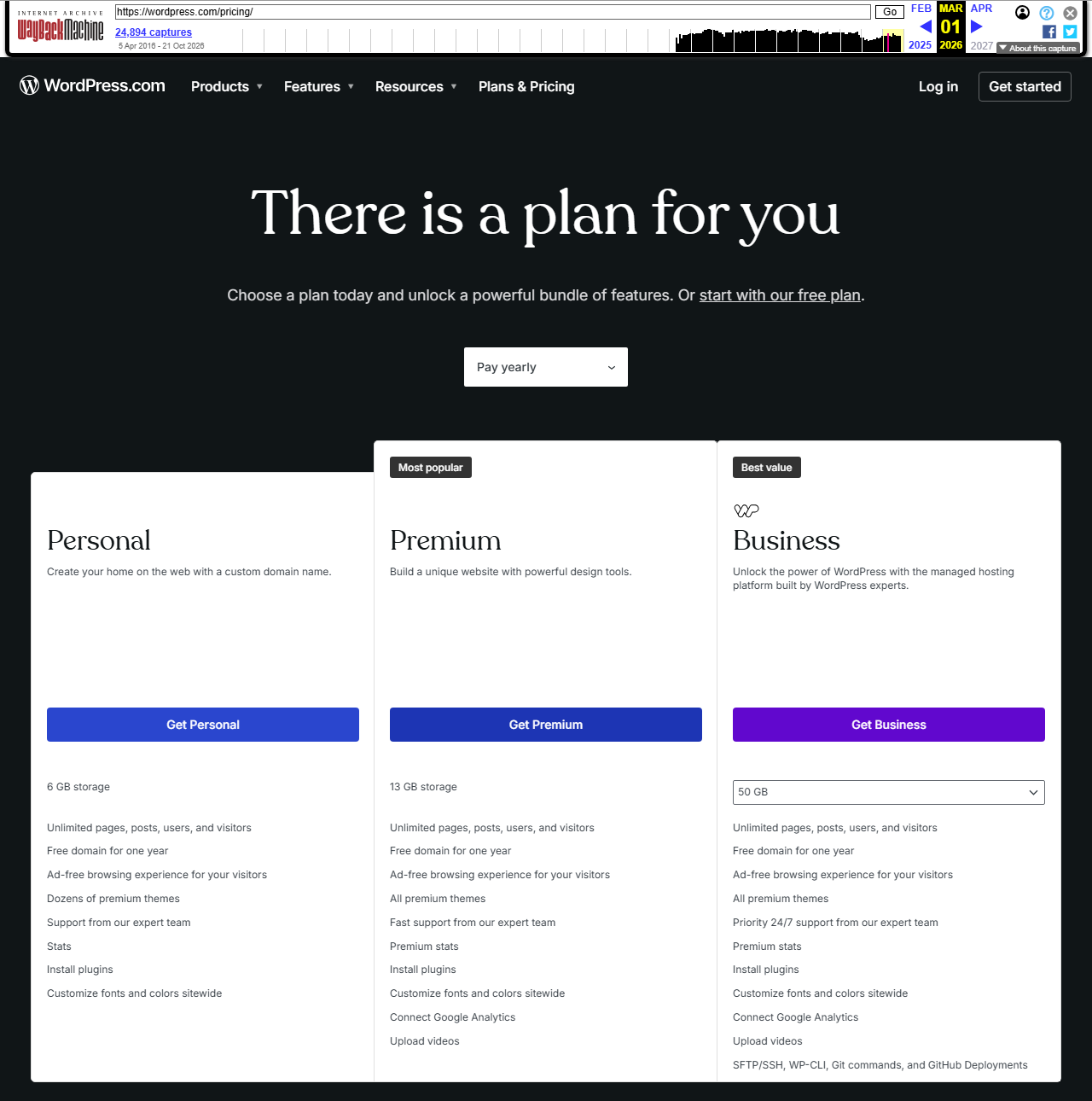
| When plugins arrived | Blog post dated Apr 2, 2026 | Internet Archive copy of the pricing page from Mar 1, 2026 already lists Install plugins on Personal |
| WordPress share | Plan guide: more than 42% of the internet | W3Techs, Oct 26, 2026: 39.6% of all websites |

Writers, non-profits and small businesses who want WordPress without the upkeep.
| Who | Fit | Likely plan |
|---|---|---|
| Hobby blogger, ads acceptable | Strong: free forever, upgrade later | Free |
| Blogger or portfolio on own domain | Strong: plugins now included | Personal |
| Newsletter writer with paid subscribers | Good; fee falls as you move up | Premium or Business |
| Non-profit with volunteer editors | Strong: no server to maintain | Personal or Premium |
| Small business with a developer | Good: SSH, staging, restores | Business |
| Store owner who wants it managed | Good, 0% WordPress.com fee | Commerce |
| Developer needing custom PHP or blocked plugins | Weak | Self-hosted WordPress |
| Agency with many client sites | Weak per site: each site needs its own plan | Self-hosted or a multi-site host |
Seven things to weigh before you pay.
- A free plan with no expiration date
- Plugins and theme uploads from $4 a month
- Updates, SSL, firewall and malware scans handled
- Public clean-up of the April 2026 plugin attack
- 14-day refunds on yearly and longer plans
- An opt-out from third-party and AI sharing
- Yearly prices renew 11% to 25% higher
- Renewal charged a month early
- Refunds not prorated
- 2% to 10% fee on payments below Commerce
- Developer tools and restores only from Business
- Blocked plugins and fixed PHP settings
- Human support only on paid plans, no phone
- Renewal step-up. $48 becomes $60 a year on Personal; $300 becomes $336 on Business. The renewal line is printed on each card, in small type.
- Early renewal. Yearly plans are charged one month before expiry, and the Terms ask you to cancel a month ahead.
- No prorated refunds. Outside the 14-day or 7-day window you keep what you paid for, but get nothing back.
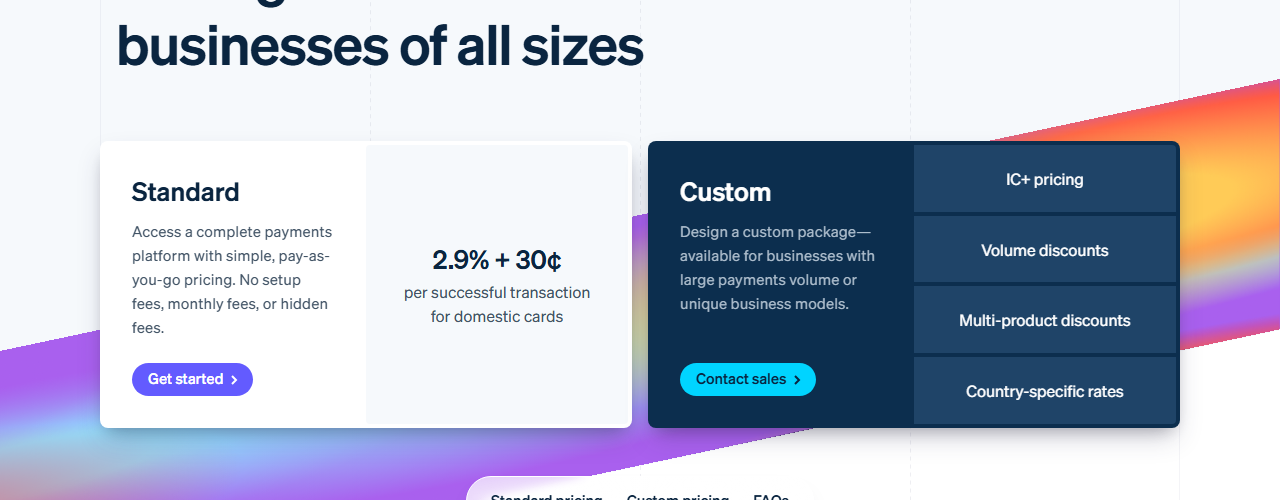
- Payment fees. Selling or taking donations below Commerce costs 2% to 8% to WordPress.com plus Stripe’s fee, and 10% if your plan expires.
- The Business wall. SFTP, SSH, staging and backup restores start at $300 a year.
- Platform limits. Caching, backup, file-manager and some database-heavy plugins are blocked; PHP settings are fixed.
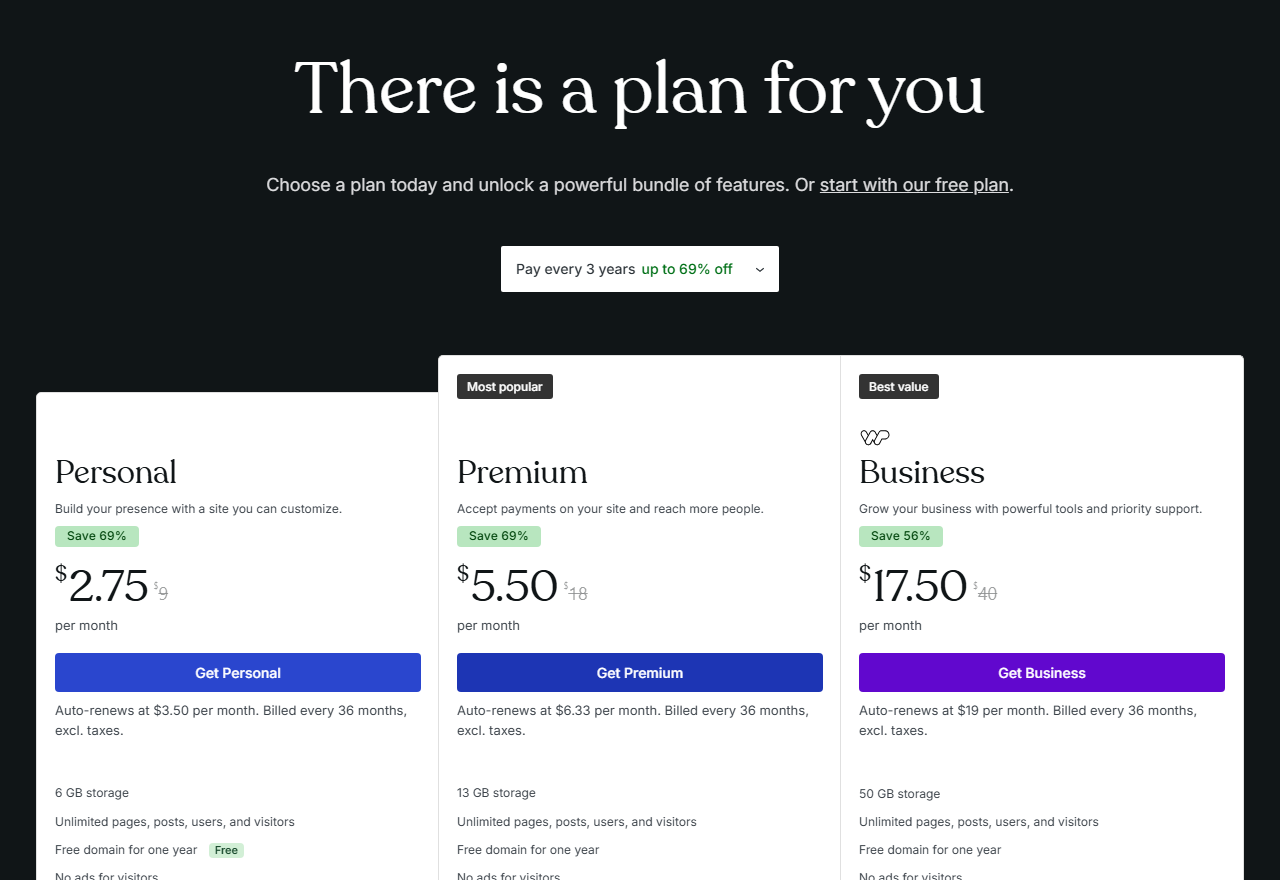
- Support scope. Free sites get forums only; paid support excludes third-party plugins and themes, and there is no phone line.
Self-hosted WordPress on a cheap host, or a publishing platform with no WordPress at all.
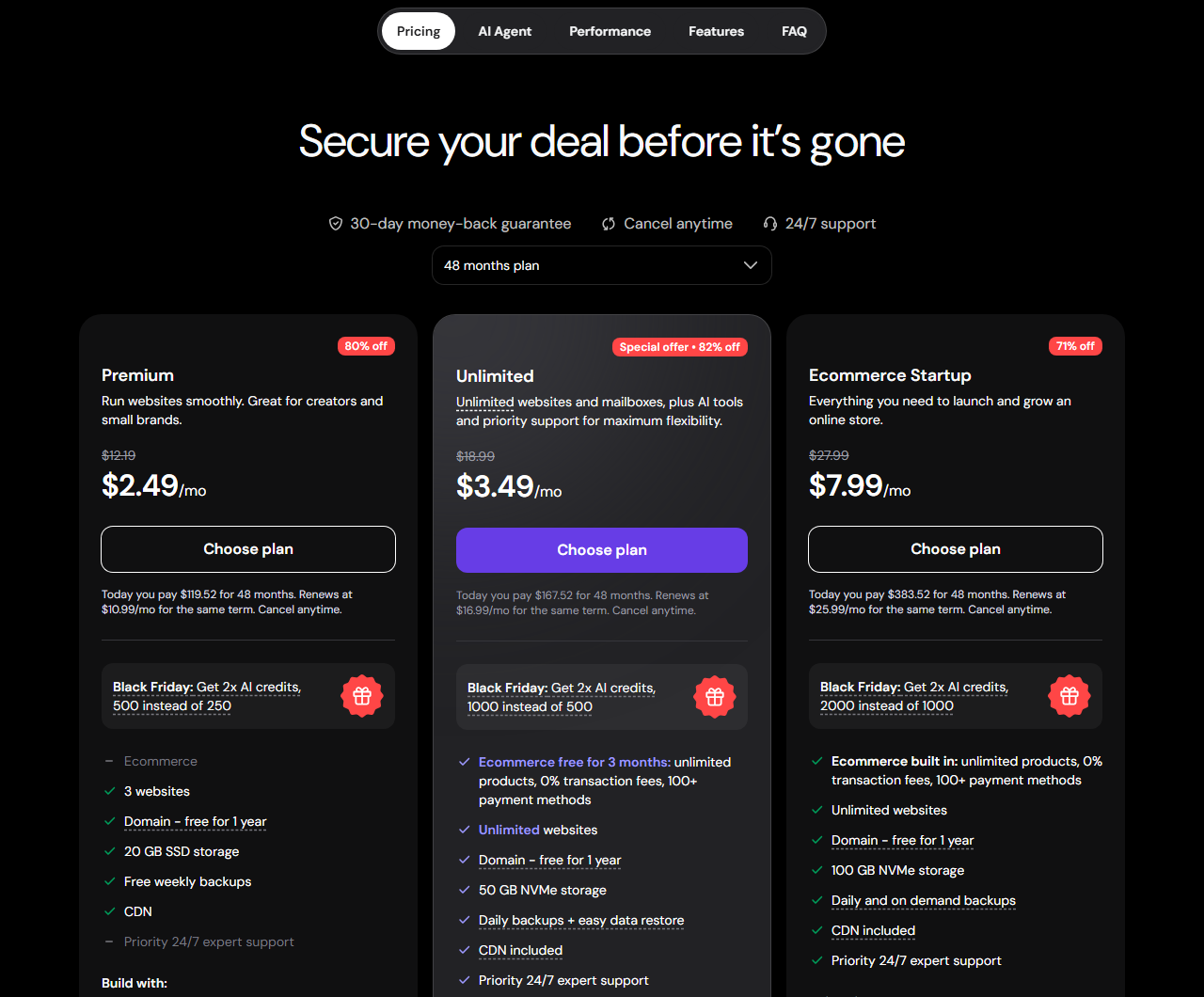
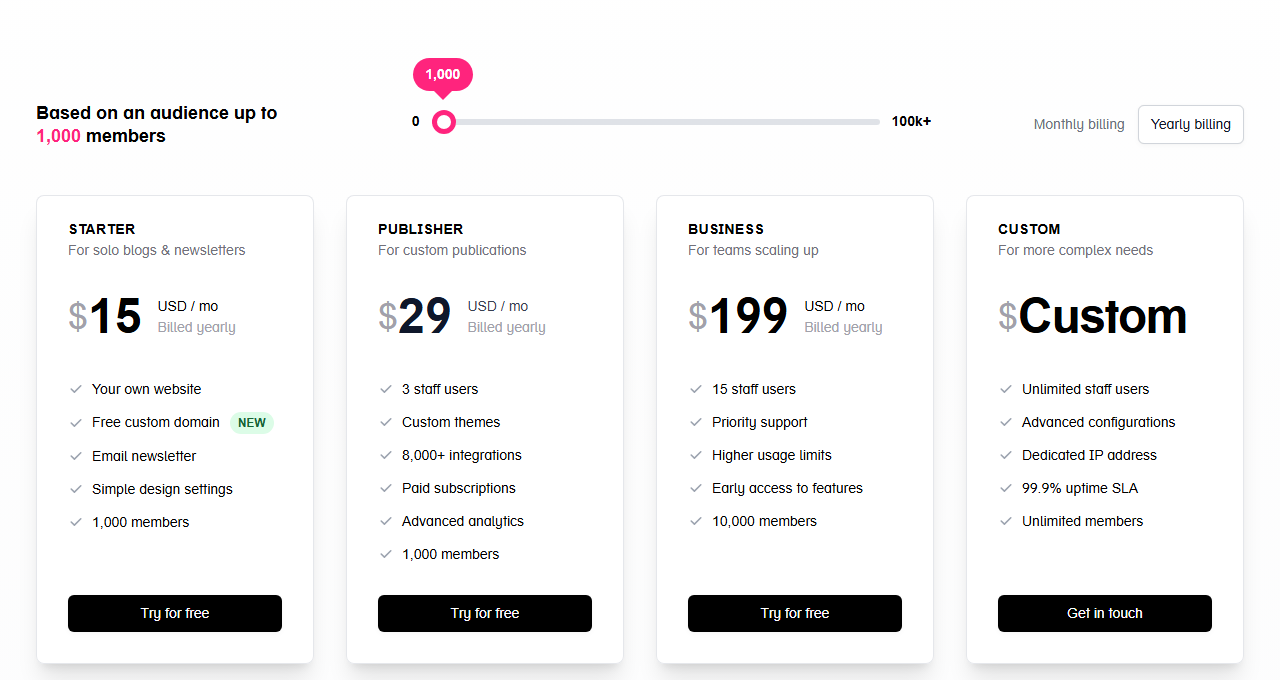
All prices from each vendor’s own page on Oct 27, 2026, in US dollars before tax. The plans are not like-for-like: Hostinger’s plan covers several sites but leaves WordPress upkeep to you; Ghost is a different, newsletter-first platform. Wix and Squarespace are not priced here: on Oct 27, 2026 their pages showed prices in other currencies rather than US dollars.
Swipe sideways to see the whole table.
| Need | Service and plan | First term | Renews at | What you get |
|---|---|---|---|---|
| Managed WordPress, one site | WordPress.com Personal | $48 a year | $60 a year | Hosting, updates, security, plugins; 6 GB |
| Managed WordPress with server tools | WordPress.com Business | $300 a year | $336 a year | SSH, staging, restores; 50 GB |
| Cheapest self-hosted start | Hostinger Premium | $119.52 for 48 months | $10.99 a month | 3 websites, 20 GB, weekly backups |
| Newsletter-first publication | Ghost(Pro) Publisher | $29 a month, yearly | not stated | Custom themes, paid subscriptions, 1,000 members; no payment fees per Ghost |
For a design-led site without WordPress, our Webflow review covers the main closed builder for designers; for another budget host, see our FastComet review; and if the newsletter matters more than the website, our beehiiv review covers a newsletter-first platform. WordPress.com’s case against all of them is the free tier, managed security that can clean up plugin attacks across thousands of sites, and the fact that you can take your WordPress content to any host later.
This review has no affiliate links.
Every WordPress.com link here goes straight to wordpress.com, its pricing page, its support guides, its blog or its Terms of Service, without tracking parameters. The score, the drawbacks and the alternatives would be the same either way.
How this review was put together: WordPress.com’s pricing page (including the renewal lines shown in the browser), the 100-Year Plan page, about 50 support guides on plans, billing, refunds, renewals, domains, plugins, themes, security, privacy, export and support, nine blog posts from Aug 12, 2025 to Oct 21, 2026, and the Terms of Service of Oct 6, 2026; Internet Archive copies of the pricing page from Jun 1, 2022 to Oct 1, 2026; Wikipedia; W3Techs; Stripe’s pricing page; WordPress.org; Hacker News comments; and the Hostinger and Ghost pricing pages, as of Oct 27, 2026. This is not a hands-on test: no account, no purchase, no site and no support contact. Screenshots show public pages only.
Hosts, site builders and the AI connectors that now reach into WordPress.
Each card opens a published JAVIS review.

Questions people ask before signing up or paying
Is WordPress.com free?
Yes. The Free plan has no expiration date and includes hosting on a .wordpress.com address, 1 GB of storage, unlimited pages and posts and basic stats for the last 7 days. Visitors see WordPress.com ads, and you cannot use a custom domain or install plugins.
How much does WordPress.com cost in 2026?
Per wordpress.com/pricing on Oct 27, 2026, billed yearly: Personal $4 a month ($48), Premium $8 ($96), Business $25 ($300) and Commerce $45 ($540) in the first year, renewing at $5, $9, $28 and $50 a month. Monthly billing costs $9, $18, $40 and $70; three-year billing $2.75, $5.50, $17.50 and $31.50 a month. Prices exclude tax and can vary by billing country.
Can I install plugins on WordPress.com?
On any paid plan, from Personal up, since WordPress.com’s post of Apr 2, 2026. Free sites cannot, and a short list of caching, backup, file-manager and database-heavy plugins is blocked on every plan.
What is the difference between WordPress.com and WordPress.org?
Both run the same WordPress software. WordPress.org gives you the free software to install on a host you pay for and manage; WordPress.com is Automattic’s service that hosts and maintains it for you, with a free tier and plan-based limits.
Can I get a refund?
Yearly, two-year and three-year plans within 14 days of purchase or renewal, monthly plans within 7 days, domains within 96 hours, the 100-Year Plan within 120 days. Refunds are not prorated. You must cancel and then remove the plan to get the money back.
Does WordPress.com use my content for AI training?
WordPress.com says it works with partners who license public content, and offers a Prevent third-party sharing setting (Settings, Reading) that excludes your site’s public content from those partners, including AI model training.
What happens if my paid plan expires?
Your content stays, but the site moves to the free tier: ads return, plugins and third-party themes stop working, the .wordpress.com address becomes primary, and the payments fee rises to 10%. WordPress.com sets the site to private so you can restore it.
Where this came from, and when.
Every price, limit, rule and figure in this review comes from the pages below, as of Oct 27, 2026 unless another date is given. Expand for the full list, the scoring method and what the review does not cover.
Show sources, scoring method and scope
Pricing: wordpress.com/pricing (cards in the Pay yearly, Pay monthly and Pay every 3 years views, comparison table and FAQ) and wordpress.com/100-year; Internet Archive copies of wordpress.com/pricing from Jun 1, 2022, Jan 1, 2023, Jan 1, 2024, Jan 1, 2025, Jan 1, Mar 1, May 1 and Oct 1, 2026.
Support guides (wordpress.com/support), as read on Oct 27, 2026: refunds; automatic renewal; cancel a purchase; downgrade; choose a plan; Personal, Premium, Business and Commerce plan guides; 100-Year Plan; storage; add-ons; tax; right of withdrawal; plugins; install a plugin; incompatible plugins; themes; custom themes; WordPress.com vs WordPress.org; free domain; domain pricing; domain expiration; domain transfer; domain privacy; HTTPS; security; site visibility and third-party sharing; ads; WordAds; payments and paid newsletters; export; restore; restore after a plan expires; staging; SFTP; PHP environment; site monitoring; data centers; support options; AI support; AI website builder; account closure.
Blog (wordpress.com/blog): Aug 12, 2025 (limited-time plugin offer); Oct 7, 2025 (MCP); Apr 2, 2026 (plugins on every paid plan); May 21, 2026 (Essential Plugin attack); Aug 14, 2026 (renewal warnings); Aug 17, 2026 (Student Plan); Aug 19, 2026 (Support Assistant); Oct 15, 2026 (WordPress Agent); Oct 21, 2026 (PHP vulnerabilities).
Legal and company: Terms of Service, last updated Oct 6, 2026 (sections 1, 5, 7, 8, 10, 13 and 15 read closely). Automattic’s full privacy policy was not reviewed.
Independent evidence: Wikipedia (WordPress.com); W3Techs WordPress usage report (Oct 26, 2026); Stripe US pricing; WordPress.org hosting page; seven Hacker News comments from Sep 2024 to Sep 2025. Trustpilot, G2, Capterra and Reddit are not used.
Video: two official videos from the WordPress.com YouTube channel @wordpressdotcom, embedded in its support guides: Fy5kYatNPic (WordPress.com vs WordPress.org) and OX8iS653ngw (billing and payments).
Competitors: hostinger.com/wordpress-hosting and ghost.org/pricing, Oct 27, 2026. Wix and Squarespace showed local-currency prices to our connection and are not priced.
Images: screenshots of public pages taken on Oct 27, 2026 at 1280 pixels wide; archived pages show the Internet Archive’s toolbar. A blog author’s name is covered with a grey box; testimonial photos on archived pages are cropped out. JAVIS charts and diagrams are labelled as such and computed from the figures above. Related cards use JAVIS’s own featured images.
JAVIS Fit Score (74/100): an editorial composite scored out of 20 on five criteria. Price clarity 13: every card prints its renewal price and the refund guide is detailed, but every yearly price renews 11% to 25% higher while a WordPress.com guide promises “straightforward pricing”, renewals come a month early, and the renewal line sits in small type under each price. Capability 16: real WordPress with plugins and theme uploads from Personal, managed security, AI tools and MCP access; server tools, restores and staging only from Business, blocked plugins and fixed PHP settings. Independent evidence 12: W3Techs and Wikipedia confirm the context, Hacker News gives a consistent but small user picture, and there is no independent count of WordPress.com sites or measure of its speed or support. Terms, data and security 15: strong managed security with a public record of cleaning up a plugin attack across more than 2,200 sites, content ownership and an AI-sharing opt-out, against a broad content licence, traffic assignment, termination without cause and no prorated refunds. Cost and fit 18: a real free tier and $48 a year for a plugin-capable WordPress site with hosting is good value for most bloggers and small organisations. It is judgment, not a measurement.
What this review does not cover: site speed and uptime from our own tests, support response times, the checkout flow and taxes, Enterprise (WordPress VIP) pricing, Pressable and Jetpack products beyond what the plans include, and Automattic’s full privacy policy.