
Mistral Le Chat Review 2026: It Is Now Called Vibe, Costs $14.99 on Pro, and Trains on Your Chats Unless You Opt Out
Le Chat no longer exists under that name. Since May 28, 2026 Mistral sells one product called Vibe: a chat assistant for work, plus a coding agent, under one licence, with your Le Chat history carried over. On Oct 3, 2026 that means a free tier, Pro at $14.99 a month, Team at $24.99 per user, EU hosting by default, and a help-center page that says your prompts are used for training unless you switch it off. This review checks what is true today against Mistral's own pricing page, news posts and help center, adds what users say on Trustpilot, the app stores and Hacker News, and is direct about where the quality gap, the data defaults and a recent coding-agent security flaw cost trust.
| Ownership | Independent French company; €3B Series D led by Samsung, Sep 8, 2026 |
| Free tier | Yes, limited messages and searches, no fixed API-credit amount listed |
| Cheapest paid plan | $14.99/mo Pro ($5.99 for verified students) |
| Data default | Training on unless you opt out; Enterprise is opted out |
| Store ratings | iOS 4.76 (1,309), Google Play 4.31 (47,018) |
Le Chat grew up into Vibe, and the pitch is now "European, open-weight, cheaper than the big names". That pitch is fair on price and on where your data sits. It is weaker on raw quality and on training defaults.
"If you want a capable assistant that is hosted in the EU, costs $14.99 and comes with a real coding agent, Vibe is easy to try. If you were counting on a privacy-first default or frontier-level answers every time, read the data and quality sections before you pay."
Here is my honest read. Vibe has two jobs. The first is the old Le Chat job: chat, web search, deep research, image generation, Canvas documents, voice, and a library of your files. The second is newer: "Work mode", an agent that plans a multi-step task, asks for your sign-off, then works across connected tools, and "Code mode", which launches remote coding agents that open pull requests. Mistral itself says Chat mode will be sunset, with your Le Chat history kept inside Work mode. The surprises are commercial and legal rather than technical. Pro is cheap at $14.99. The help center says your input and output are used for training by default unless you opt out, and a September 2026 Hacker News thread (498 points) included a Team customer alleging that Team accounts had been documented as opted out until days earlier. This is an editorial review built on Mistral's pricing page, news, help center and docs as of Oct 3, 2026, plus app-store, Trustpilot and Hacker News data. I did not run a controlled hands-on test.
One product with three surfaces: chat and work on web and mobile, code in the browser, the IDE and the terminal.
Mistral's product page defines it plainly: Vibe "combines an AI chat assistant (Vibe for work, formerly Le Chat) and an AI coding agent (Vibe for code) in a single product for individuals, teams, and enterprises." Its FAQ answers the obvious question directly: "Le Chat is now Vibe. All your conversations, settings, and plans carry over." Both app stores kept the old name in the title: the iOS listing reads "Vibe by Mistral (ex-Le Chat)".

Swipe sideways to read the full diagram.
Ownership and scale: Mistral announced a €3 billion Series D on Sep 8, 2026 at a post-money valuation of "more than €21 billion", led by Samsung Electronics with EQT's Scaleup Europe Fund and PSG Equity, and says it supports "125+ global enterprises" in 20 countries. Those are company statements. For the neighbouring consumer assistants, JAVIS's ChatGPT review and Gemini review cover the bigger incumbents.
A well-funded European challenger with solid store ratings and a much smaller footprint than the market leaders.
US Play Store page, Oct 13, 2026 (aggregate rating 4.314). Ratings are not users, and downloads are installs, not active users.
US App Store listing, as of Oct 13, 2026 (the store page shows 4.8, rounded). Ratings are not users.
Mistral announcement, Sep 8, 2026. Valuation is a funding-round figure, not revenue or user count.
mistralai/mistral-vibe repository, Oct 13, 2026. Stars measure interest, not usage.
| Date | Event | Source |
|---|---|---|
| 2024-02 | Le Chat launches as Mistral's chat front end | Hacker News item 39521226 (71 points) |
| 2025-02-05 | iOS app first released | Apple App Store listing, first release |
| 2025-05-07 | Le Chat Enterprise announced, can run on premises | Hacker News item 43916098 (508 points) |
| 2026-05-22 | Mistral Medium 3.5 and remote coding agents; Work mode preview in Le Chat | mistral.ai/news/vibe-remote-agents-mistral-medium-3-5 |
| 2026-05-28 | Le Chat becomes Vibe; Code mode and VS Code extension | mistral.ai/news/vibe-agent |
| 2026-09-01 to 09-03 | Help-center pages updated on training defaults and opt-out | help.mistral.ai (page dates) |
| 2026-09-08 | €3B Series D, Samsung leads | mistral.ai/news |
| 2026-09-12 | Vibe CLI 2.25.4 fixes the originally reported permission-bypass paths; 2.25.5, 2.25.7 and 2.25.8 add further hardening | SecMate blog |
| 2026-09-16 | Mozilla partnership: Firefox Smart Window runs on Mistral models | mistral.ai/news/mistral-x-mozilla |
My summary of market position: strong momentum in Europe and with developers who want open weights, but not a leader by usage. The metrics above are mostly vendor or store-side. I did not find an audited monthly-active-user figure, so none is quoted. Mistral Medium 3.5 itself is open-weight under a "modified MIT license" and, per Mistral, runs self-hosted on as few as four GPUs, which is a real differentiator against closed rivals such as ChatGPT and Claude.
Fans like the price, the European angle and the coding agent. Critics point to quality gaps, usage limits and data defaults.
Reviewers wrote "Worst LLM I've ever used... a chronic liar" (Sep 16, 2026), that it "can't even compute an average" (Jun 8), that support "doesn't respond" (Feb 2026), and that a failed second card led to API access being blocked. One reviewer called it fine for coding help (Aug 7). The split above averages to about 2.41, which matches the displayed 2.4. Billing and quality complainers are over-represented on review sites, so weigh the pattern more than the score.
Positive: "I use Claude with Kiro at work and at home Mistral stuff with pro subscription for coding and research. I don't see a fundamental difference between them" (Jul 4). Another on the free tier: "Not as good as ChatGPT free tier but sufficient for 90% of my uses" (Apr 27). Another commenter who uses Le Chat as a default search engine noted "the high latency" (May 25).
Frustrations: a Pro subscriber hit the monthly limit, then "burned through another €40 in one evening" on pay-as-you-go (May 23); another wrote the quality gap versus frontier labs "is growing too big to ignore" (May 29); one commenter alleged Pro stopped working after a missed payment while billing continued (Apr 27, single unverified account). The Sep 2 thread on training defaults drew 498 points.
Free, then $14.99 for Pro and $24.99 per user for Team. Enterprise is a sales call.
Free
Limited messages, web searches and coding sessions, on web and mobile.
- Image generation included
- Mistral Studio access (the pricing page lists no fixed API-credit amount for Free as of Oct 13, 2026)
- 100+ connectors listed
- Task scheduling up to 5
Pro
More messages and searches, all-day coding, chat and email support.
- Up to 6x free messages, 5x web searches, 40x images (page)
- Libraries up to 15GB; unlimited scheduling
- $15/mo in API credits
- Student rate $5.99/mo
- Flash answers 150/day
Team
Shared workspace with admin controls. Minimum $50 a month.
- Up to 30GB storage per user
- Domain verification and data export
- Flash answers 200/day
- Admins can disable training org-wide (help center)
Enterprise
Private deployments, custom models, agents and workflows.
- SAML SSO, audit logs, admin API
- White label, self-hosted or on-premises options
- Opted out of training by default
| Plan | Price (USD) | Key usage and data terms (pricing page and help center) | Who it suits |
|---|---|---|---|
| Free | $0 | Limited messages and searches; no fixed API-credit amount listed on the pricing page (Oct 13, 2026); model training: opt-out | Trying it |
| Pro | $14.99/mo | Expanded limits; $15/mo API credits; extend with pay-as-you-go at API rate; training: opt-out | Solo users and developers |
| Pro (verified student) | $5.99/mo | Education plan: faster responses, spreadsheets and slides, $25.5/mo API credits (Pro shows $15); max 12 months, for verified students at accredited higher-education institutions who have not used Vibe or Le Chat before | Students |
| Team | $24.99 per user/mo, $50/mo minimum | 30GB per user; admins can disable training for the whole org; flash answers 200/day | Small teams |
| Enterprise | Custom | Opted out of training by default; audit logs; SAML SSO; private deployments | Regulated or large organisations |
Two practical points. First, usage limits are described as multiples of the free tier, not as numbers, and the pricing page gives no absolute numbers, only multiples of Free ("Up to 6x free" messages, "Up to 5x free" web searches); its FAQ says only that Pro has "higher ceilings compared to Free". You only learn your ceiling by hitting it. A commenter on Hacker News hit a Pro monthly limit and spent roughly €40 on pay-as-you-go in one evening. Second, pay-as-you-go credits are charged "at API rate", so heavy coding sessions can cost more than the plan price suggests. Check live pricing
Decide by where your data must live, how much you will use it, and how good an answer you need every time.
Vibe is built for that. The help center says data is hosted in the EU by default, with an optional US endpoint. Start on Free.
Check the training toggle on day one. Free, Pro and Team are opt-out per Mistral; Enterprise is opted out by default.
Compare with ChatGPT, Claude and Gemini on your own tasks. Several users here say Mistral trails.
The Vibe CLI is open source and Pro includes all-day coding, but read the security note in the Security section before running it on untrusted repos.
Verified students can get Pro for $5.99 a month for up to 12 months.
Free is usable, though "limited". DeepSeek and Gemini have free tiers users describe as more generous.
You describe an outcome, Vibe plans it, asks for your sign-off, then works across your connected tools and hands you a document.
Mistral's May 28 post describes Work mode this way: it "maps out a plan and gets your sign-off before it starts, then works across your connectors to carry the task through." Every tool call and reasoning chain is "expandable to its inputs and outputs". Today's Work mode does five things per the post: enterprise knowledge search across Google Workspace, Outlook, SharePoint, Slack and GitHub; structured data analysis from spreadsheets or databases, with charts rendered in the conversation; document synthesis through Canvas (briefs, RFP responses, board decks); scheduled tasks on a daily, weekly or monthly cadence; and reusable skills. The classic Le Chat features are still there: web search, deep research, image generation, voice input powered by Voxtral, and project folders (up to 1,000 per the pricing page).
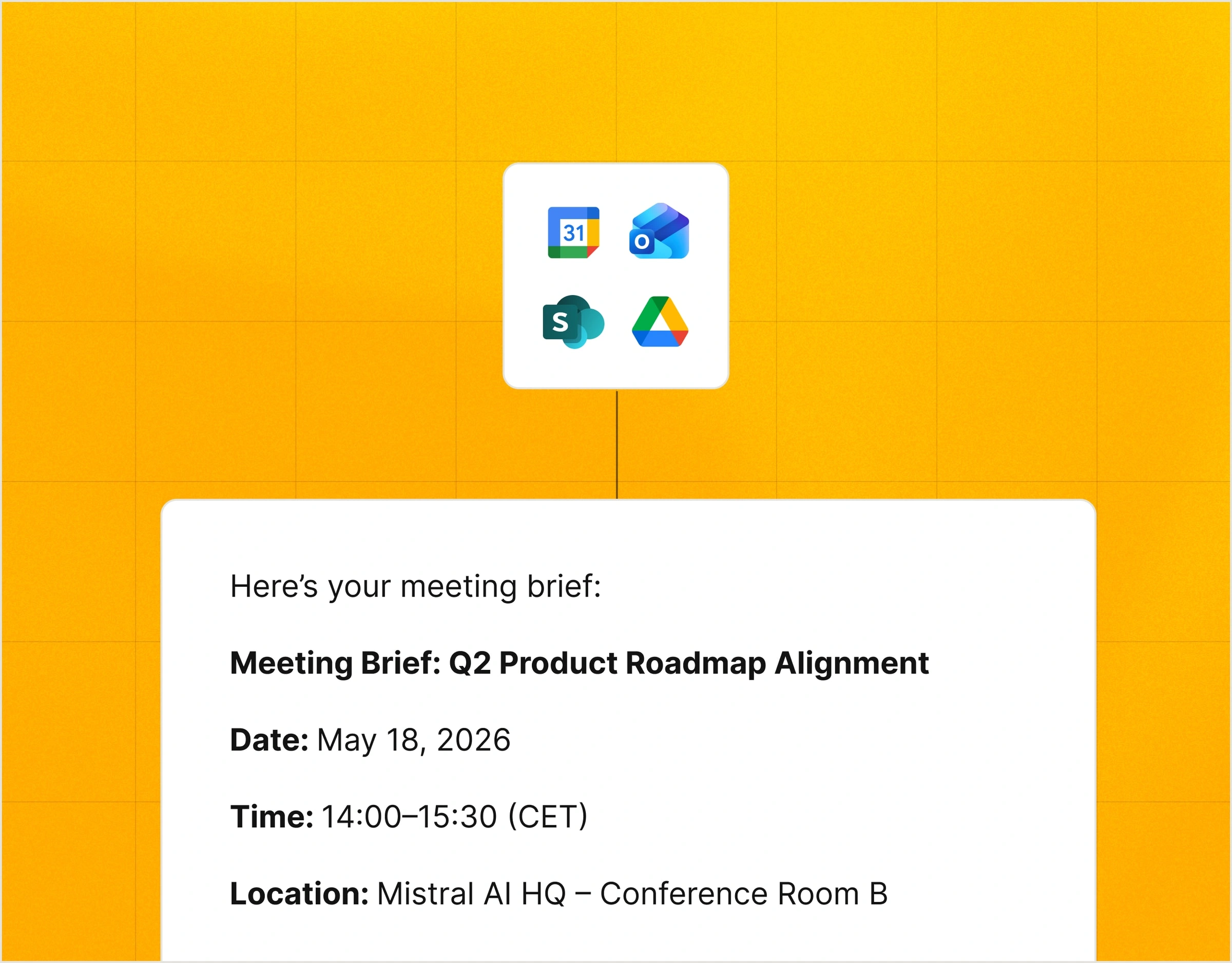
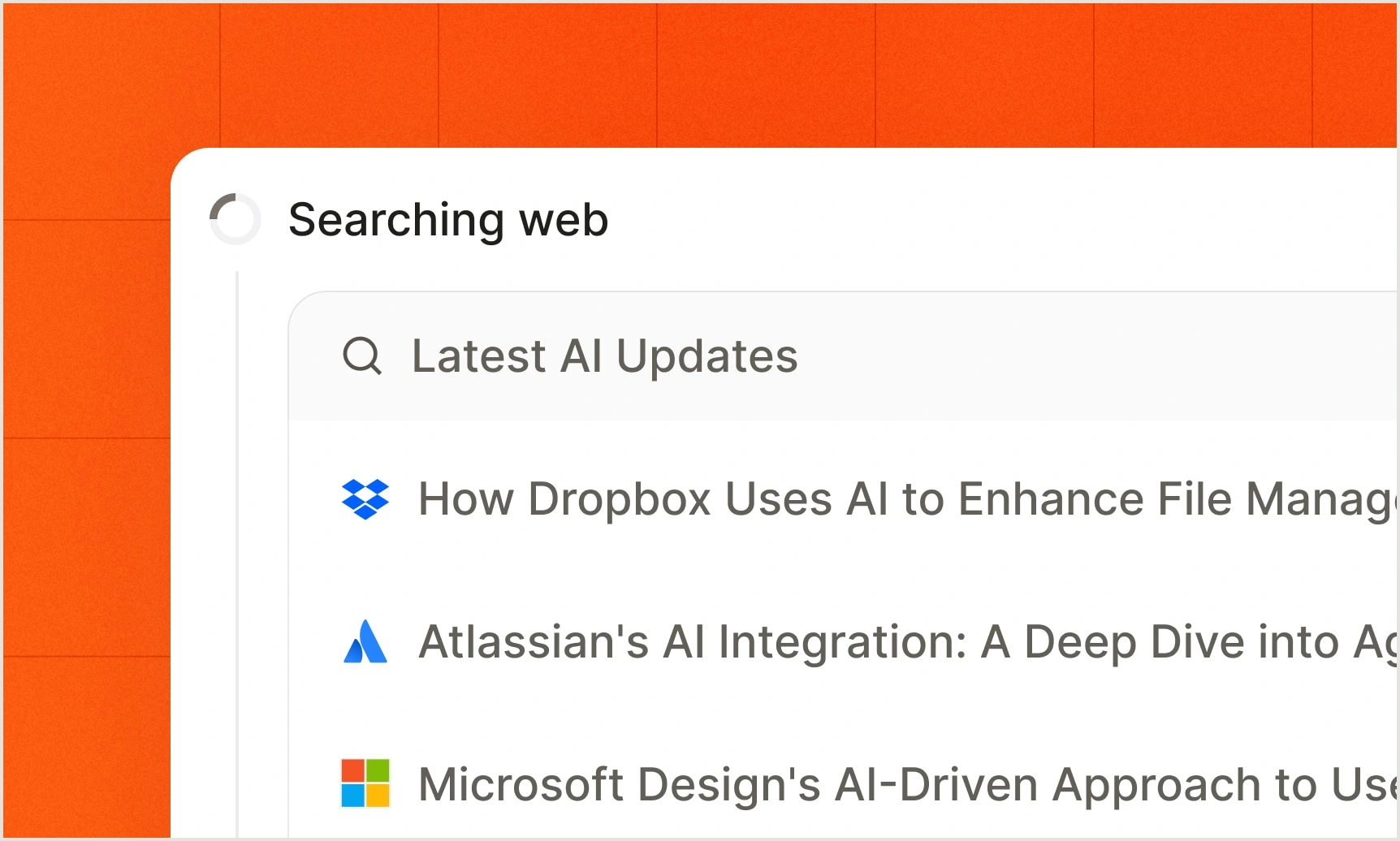
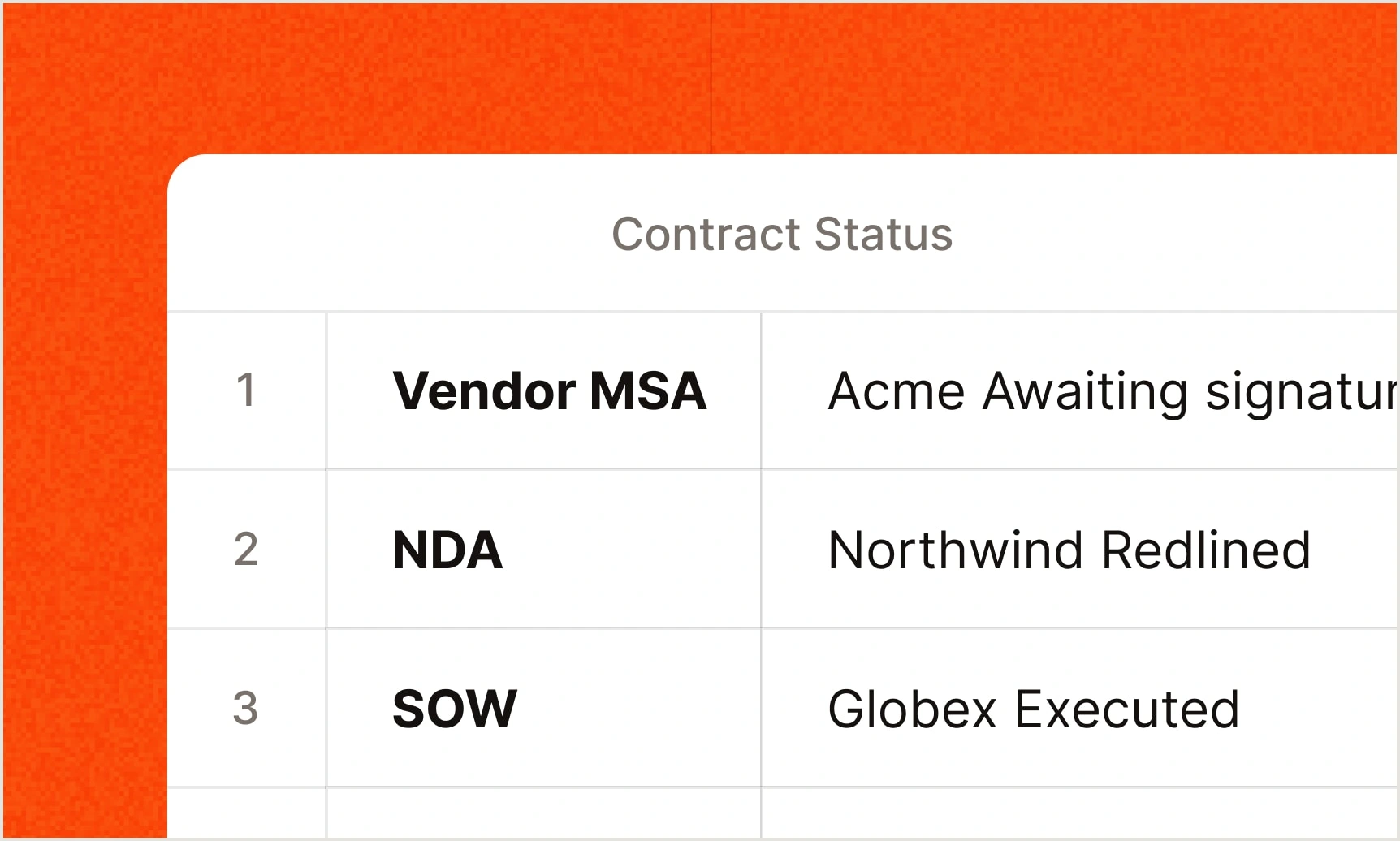
Mistral's own overview of the product this review is about, the clearest primary-source picture of Work mode.
Published on Mistral's official YouTube channel (@MistralAIOfficial), the channel linked from mistral.ai. A vendor demo, so it shows the best case.
Brief it, approve the plan, let it work, review the output, then decide what is sent.
Swipe sideways to read the full diagram.
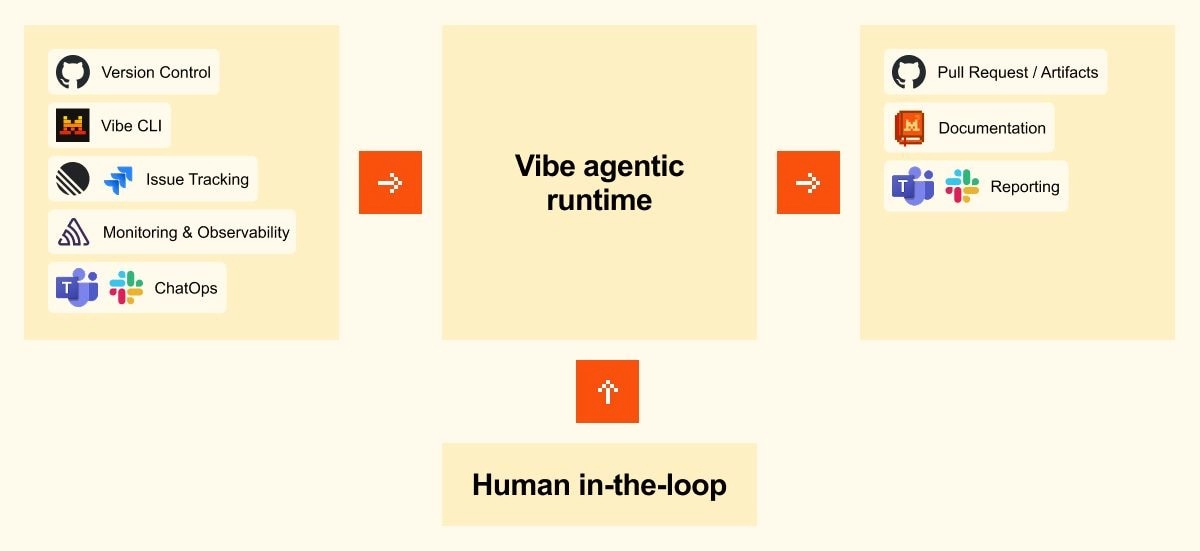
Three habits matter. First, read the plan before you approve it, because the plan is the cheapest place to catch a wrong assumption. Second, expand the tool calls for anything you will forward, since Mistral itself makes that possible. Third, treat Mistral's own sample outputs with care: the image below is a vendor illustration. Mistral's remote-agent post shows the same human-in-the-loop idea for code, with the agent running in an isolated sandbox and a person reviewing the pull request.
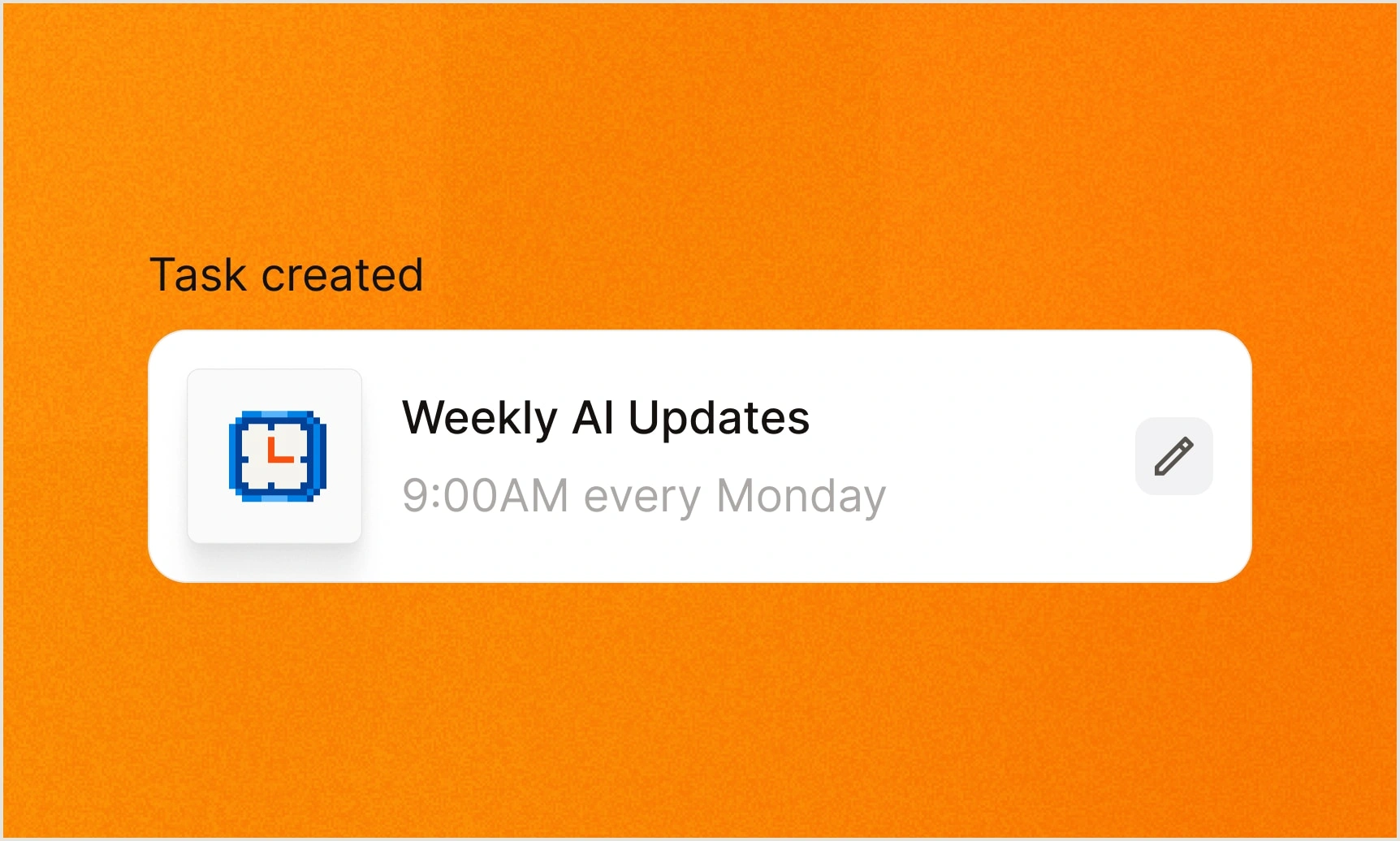
Scheduled tasks, reusable skills and cloud coding sessions are the "do it while I am away" half.
Scheduling lets you "set a prompt to run once or on a daily, weekly, or monthly cadence", with a notification when a run finishes; Free allows up to 5 scheduled tasks, Pro and Team list no scheduling cap. Skills package instructions and scripts into repeatable tasks "via open standards". On the coding side, Code mode runs sessions in isolated sandboxes that "can run in parallel, can persist while your machine is off", with Slack triggers announced as "coming in June". The CLI adds hooks, remote agents, and /teleport to move a live session between your terminal and the cloud.
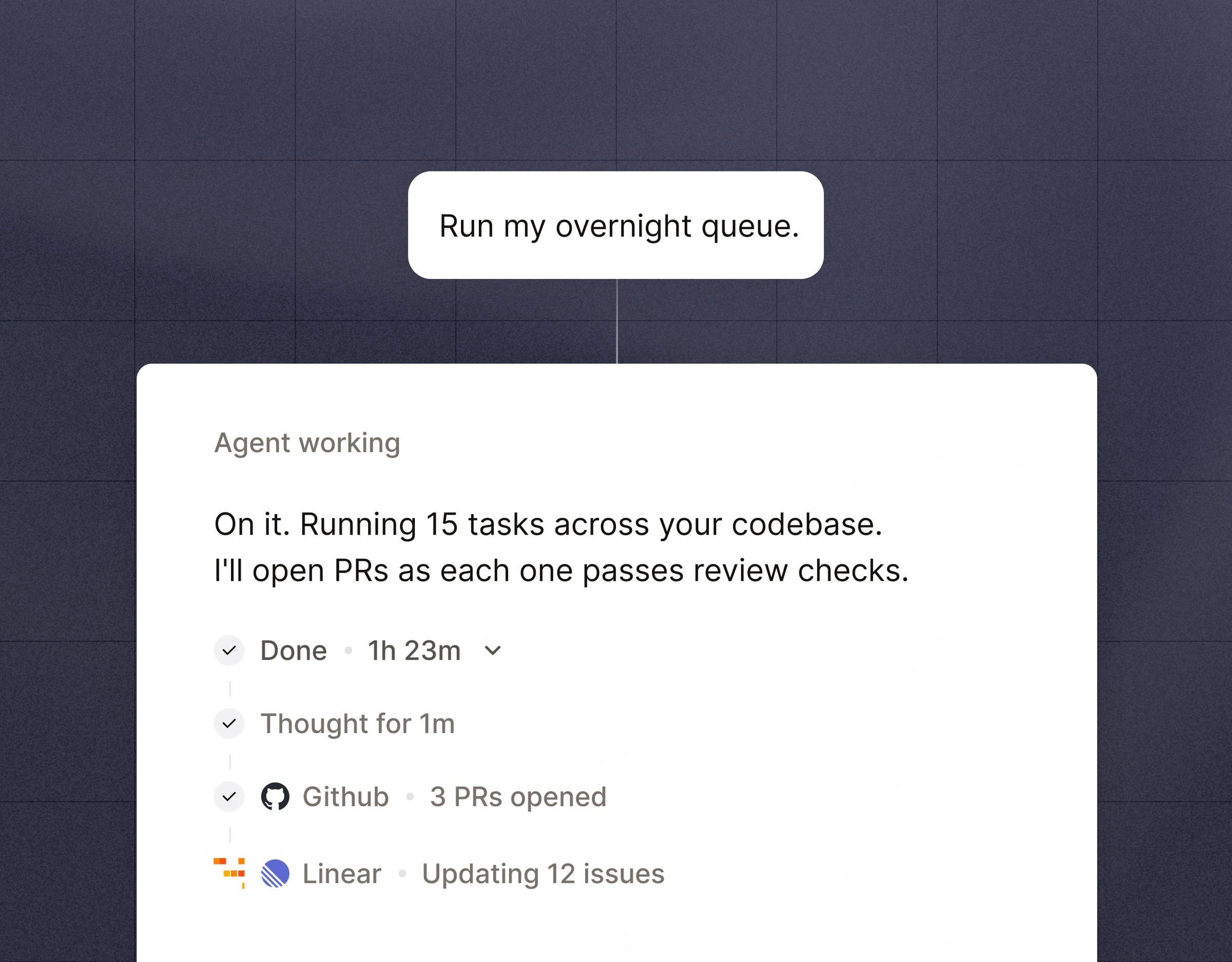
Mistral's own walkthrough of skills and scheduling, the two features that turn Vibe from a chat box into a recurring worker.
Published on Mistral's official YouTube channel (@MistralAIOfficial). Vendor demo.
Mistral's own demonstration of remote coding sessions in the browser, the feature the coding section above describes.
Published on Mistral's official YouTube channel (@MistralAIOfficial). Vendor demo, best case.
100+ connectors on the product page, custom MCP servers in beta, and admin controls added in June.
The Vibe page says it connects to "100+ tools including email, calendar, Slack, GitHub, Jira, and more through connectors and full MCP compatibility". Mistral's June 24 engineering post says there are "over 60 pre-built connectors" with custom MCP for the rest, plus admin controls per workspace, scoped API keys, multi-account connectors and a Connectors Debugger. That is a real discrepancy between 100+ and 60+, so check the live directory. On the pricing page connectors are marked beta, as are custom MCP connectors. If MCP is new to you, JAVIS's Claude MCP and Connectors guide explains the idea.

| Integration path | What it does | Status as read |
|---|---|---|
| Pre-built connectors | Search, summarize and act across email, calendar, Slack, Drive, SharePoint, Linear, Jira and more | Product page says 100+; June engineering post says 60+; marked beta on the pricing page |
| Custom MCP connectors | Connect to any remote MCP server | Beta (pricing page) |
| Admin controls | Per-workspace or org access, scoped API keys, multi-account connectors, debugger | Announced Jun 24, 2026 |
| Coding integrations | GitHub, GitLab, Jira, Linear, Sentry, Slack or Teams for reporting | Per May 22 and May 28 posts |
| Browser | Firefox Smart Window runs on Mistral models in France and North America | Mozilla partnership, Sep 16, 2026 |
The paid consumer plans include API credits, and the API prices undercut most frontier models on paper.
| What you are doing | What you pay / hit |
|---|---|
| Using the chat app | Free, Pro $14.99, Team $24.99 per user; usage limits described as multiples of Free |
| Mistral Large via API | $0.5 per million input tokens and $1.5 per million output (pricing page FAQ) |
| Mistral Medium 3.5 via API | $1.5 per million input and $7.5 per million output (May 22 post) |
| Z.ai GLM 5.3 hosted by Mistral | $1.4 input, $0.14 cached input, $4.4 output per million tokens (docs, Sep 15, 2026); 1M context |
| Batch and caching | Batch reduces price by 50 percent; cached input tokens cut input cost by up to 90 percent |
| Running past plan limits | Extend with pay-as-you-go credits "at API rate" |
| Included API credits | Not listed for Free as of Oct 13, 2026; $15 a month on Pro, $25.5 on the Education plan (pricing page) |
| Self-hosting | Medium 3.5 open weights under a modified MIT licence; "as few as four GPUs" per Mistral. Older open models are Apache 2.0 for research and individual use; commercial deployments need a Mistral licence |
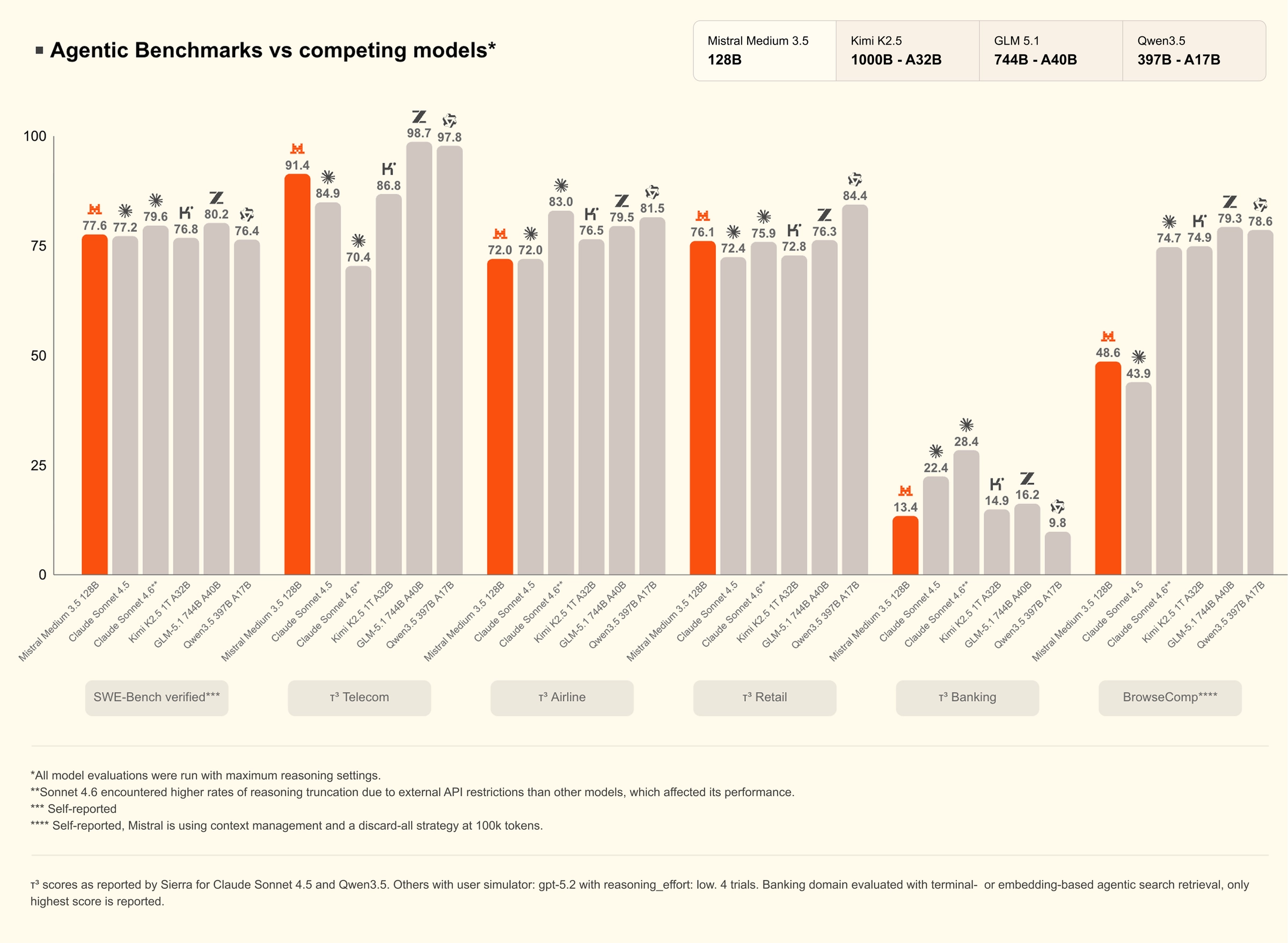
My read: for developers the story is open weights and low token prices, and the Pro plan's $15 monthly API credits make experimenting cheap. For a casual chat user, none of this matters. The caveat from users is that model quality, not price, is the limiting factor, so a cheap token is only good value if the answer is good enough for your task.
SOC 2 Type II and EU hosting on one side; training on by default and a coding-agent flaw on the other.
| Topic | What Mistral says / what was reported |
|---|---|
| Certifications | Help center: "complies with both SOC 2 Type II and ISO 27001/27701", reports on request via the Trust Center (vendor statement; I did not see the reports) |
| Where data is stored | By default in the European Union; optional US API endpoint; temporary transfers outside the EU to subprocessors listed in the Trust Center, under Standard Contractual Clauses |
| Training on your data | Help center (Sep 1 and Sep 3, 2026): Vibe input and output are used for training by default unless you opt out; Enterprise is opted out by default; Team admins can disable it org-wide |
| Feedback | Using thumbs up or down with a comment authorizes use of your rating, input and output even if you opted out |
| Ads | Mistral says it does not use conversation content for marketing or advertising |
| Minimum age | At least 13; minors need parental or guardian permission |
| Retention | Account identity data kept 5 years after the contract ends; invoices 10 years; technical data one rolling year |
| Output accuracy audit | NewsGuard (Apr 28, 2026): on 10 false Iran-war claims, 30 prompts per language, the free app repeated falsehoods in 15 of 30 English responses and 17 of 30 French ones; Mistral did not respond, per NewsGuard |
| Coding agent flaw | SecMate and HiddenLayer reported a shell-permission bypass in Vibe CLI versions up to 2.25.3 (SecMate tested 2.25.0; the CVE ranges start as early as 1.3.4); 2.25.4 (Sep 12, 2026) fixed the original paths; SecMate advises 2.25.8 or later |
Swipe sideways to read the full diagram.
The timeline matters here. On Sep 2, 2026 a Hacker News post of the opt-out page reached 498 points. A commenter who ran an organisation on Team said training had been switched on by default for Team, with no central admin switch for a period (one commenter's account), and that the help pages briefly conflicted. Mistral's help page now says Team admins can disable training for the entire organisation (page dated Sep 3). I could not independently confirm what the product did on each day, so treat the commenter's account as an allegation and check your admin panel. On the coding side, SecMate's write-up says the agent's command parser trusted a reduced view of a shell command, then ran the original string; exploitation needs hostile repository content plus a crafted tool call. Updating the CLI and keeping approvals on are the practical fixes.
Best for EU-minded individuals, developers and small teams who want value and open weights, not the absolute top model.
| Situation | Why Vibe fits | Likely plan |
|---|---|---|
| Developer who wants an open-source terminal coding agent | Vibe CLI is Apache-2.0 and Pro includes all-day coding; Free has limited sessions | Free, then Pro |
| European individual who prefers EU-hosted AI | Default EU hosting; open-weight models | Pro, with training turned off |
| Student | Pro at $5.99 for verified students for up to 12 months | Pro (student) |
| Small team wanting shared admin controls | Team has admin controls, domain verification, data export, org-wide training switch | Team |
| Knowledge worker who wants inbox, calendar and document drafting in one agent | Work mode with connectors, Canvas and scheduling | Pro |
| Regulated enterprise needing on-premises or private cloud | Enterprise supports custom deployments, SSO and audit logs | Enterprise |
| Someone who needs the strongest reasoning on every prompt | Several users report a gap to frontier models; test on your own tasks first | Compare ChatGPT, Claude or Gemini first |
Seven real gaps, not manufactured ones.
Free, Pro and Team data can be used for training unless you opt out, and one Hacker News commenter alleges the Team controls changed in late August 2026. The toggle also differs between Vibe and the API.
Hacker News commenters and Trustpilot reviewers describe weaker answers, and NewsGuard found frequent repetition of false claims in its test.
Plans are described as multiples of Free ("up to 6x"), with no published ceiling, so you cannot predict yours. One commenter spent about €40 of pay-as-you-go in an evening.
Le Chat became Vibe in May 2026, Chat mode is to be sunset, and some users report a shift toward hosted GLM models, which is unconfirmed. Docs and screenshots can lag.
SecMate says Vibe CLI versions up to 2.25.3 could execute commands without the expected prompt; 2.25.4 shipped Sep 12 and SecMate advises 2.25.8 or later. Keep it updated and avoid untrusted repos.
Trustpilot shows 2.4 over 105 reviews with support and billing complaints. A small, self-selected sample, but consistent.
100+ on the product page, 60+ in a June post, and connectors are still beta on the pricing page.
Also: Mistral Medium 3.5 was in "public preview" at launch, Work mode was labelled Preview in May, and Slack triggers for coding agents were announced as "coming in June".
Vibe is best as a value, EU-hosted assistant. Others win on peak quality, search depth or free generosity.
| If you mostly need... | Compare Vibe with... |
|---|---|
| The most widely used assistant and the biggest plan ladder | ChatGPT review (JAVIS review) |
| Careful writing and a strong coding agent | Claude review |
| A generous free tier and Google integration | Gemini review |
| Open weights and a very cheap API | DeepSeek review |
| Real-time X data and companions | Grok review |
| Cited search answers | Perplexity review |
| Understanding MCP before you wire connectors | Claude MCP and Connectors guide |
Swipe sideways to see every column.
| Entry paid point (as of Oct 3, 2026) | Vibe (Le Chat) | ChatGPT (per JAVIS review) | Gemini (per JAVIS review) | Grok (per JAVIS review) | Perplexity (per JAVIS review) |
|---|---|---|---|---|---|
| Cheapest paid plan | Pro $14.99/mo | Go $8; Plus $20 | AI Plus $4.99; AI Pro $19.99 | SuperGrok Lite $10 | Pro $20 |
| Free option | Yes, limited | Free (with ads per review) | Free | Free | Free |
| Top consumer tier | Team $24.99/user | Pro up to $500 | AI Ultra $99.99 or $199.99 | Heavy $300 | Max $200 |
No affiliate relationship shapes this review.
JAVIS has not established a publisher affiliate program with Mistral. Every call to action in this article points to the official product. If that changes, the review's facts, limitations and alternatives will not.
Go to the official page.
Open Vibe (Le Chat)Read the alternative that matches your real question.
Choose the next articleMistral Vibe sits between the big assistants and the open-weight world.
Each card below opens a JAVIS review.


Questions people are actually searching right now
Is Mistral Le Chat still a thing?
The name is retired. Since May 28, 2026 Le Chat is Vibe: Mistral's FAQ says "Le Chat is now Vibe. All your conversations, settings, and plans carry over." The iOS app is listed as "Vibe by Mistral (ex-Le Chat)".
Is Le Chat (Vibe) free?
Yes. The Free plan includes limited messages, web searches and coding sessions, basic image generation and Mistral Studio access; the pricing page lists no fixed API-credit amount for Free. As of Oct 13, 2026 on mistral.ai/pricing.
How much does Vibe Pro cost?
$14.99 a month excluding taxes. Verified students can pay $5.99 a month for up to 12 months. Team is $24.99 per user per month with a $50 monthly minimum.
Does Mistral train on my chats?
By default yes for Vibe accounts below Enterprise, unless you opt out in settings or the admin panel, per the help center (Sep 1 and Sep 3, 2026). Enterprise is opted out by default and Team admins can disable it for the organization. The API has its own, separate toggle.
Where is my data stored?
By default in the European Union, with an optional US endpoint and some temporary transfers to subprocessors listed in Mistral's Trust Center.
Is the Vibe CLI safe?
It is open source under Apache-2.0. SecMate reported shell permission-bypass flaws in Vibe CLI versions up to 2.25.3 (it tested 2.25.0). Version 2.25.4 (Sep 12, 2026) fixed the paths in the original reports; SecMate writes that those entries "do not cover subsequently identified permission-bypass paths" and that 2.25.5, 2.25.7 and 2.25.8 added further hardening. Its advice: "Upgrade to Mistral Vibe 2.25.8 or later", restart active sessions and check with vibe --version. Keep approvals on.
What model does Vibe use?
Mistral announced Medium 3.5 as the default model on May 22, 2026, and it hosts Z.ai's GLM 5.3 as a third-party model (docs, Sep 15, 2026). Some users report GLM is now the default in the CLI; That is not confirmed in the docs.
What are the best Le Chat alternatives?
ChatGPT, Claude and Gemini for peak quality, DeepSeek for open weights, Perplexity for cited search. See the alternatives table.
Where this came from, and when it was checked.
Pricing and plans: mistral.ai/pricing, including its FAQ (Oct 3, 2026); mistral.ai/news/vibe-agent for the plan summary.
Product: mistral.ai/products/vibe (formerly /products/le-chat, redirected), mistral.ai/news/vibe-agent (May 28, 2026), vibe-remote-agents-mistral-medium-3-5 (May 22), more-control-over-connectors (Jun 24), mistral-x-mozilla (Sep 16), docs.mistral.ai GLM 5.3 page (Sep 15).
Security and data: help.mistral.ai articles on training, opt-out, SOC 2 and ISO, children, retention, data location, ads (dated Aug 12 to Sep 3, 2026); SecMate blog (Sep 23-24, 2026); NewsGuard report (Apr 28, 2026).
Market: Apple App Store, US storefront (4.76, 1,309 ratings, Oct 13, 2026; the store page rounds this to 4.8); Google Play US storefront (4.31, 47,018 ratings, 1M+ downloads, Oct 13, 2026); GitHub (mistralai/mistral-vibe); Mistral funding announcement (Sep 8, 2026); Hacker News.
Real users: Trustpilot mistral.ai (2.4, 105 reviews, split 22/10/6/11/51 percent for 5 to 1 stars, computed average 2.41); Hacker News comments (2026).
Alternatives and prices: the JAVIS review of each tool.
Official videos: youtube.com/watch?v=y4TuBNXxRq0, 3D8T5vDDLYM and AWXwY_ig4Uc, all from Mistral's official channel.
Research method: facts come from official pages, help centers, docs and app-store pages, each dated above.
JAVIS Fit Score (68/100): editorial composite, not a benchmark: price and plan clarity (good), EU hosting and open-weight models (strong), breadth of Work and Code surfaces (good), quality versus frontier rivals (weak, per users), training-by-default and the Team documentation change (weak), usage-limit transparency (weak), third-party security and accuracy findings (mixed). Weighted by judgement; no hands-on test was run.