
Krisp Review 2026: Noise Cancellation Plus a Bot-Free AI Note Taker
Krisp started as on-device noise cancellation and is now an AI meeting assistant: it removes background noise and echo for both sides of a call, records and transcribes meetings in any calling app without a bot, writes notes and action items, and can soften accents in real time. Paid plans cost $16 or $30 per user a month, or half that billed yearly, after a 7-day trial with no card. The trade-offs are in the fine print: Krisp's help center says payments are not refundable, a yearly plan cannot be switched back to monthly, and the app does not run on Linux. This review checks Krisp's pricing page, help center and terms as of Oct 4, 2026.
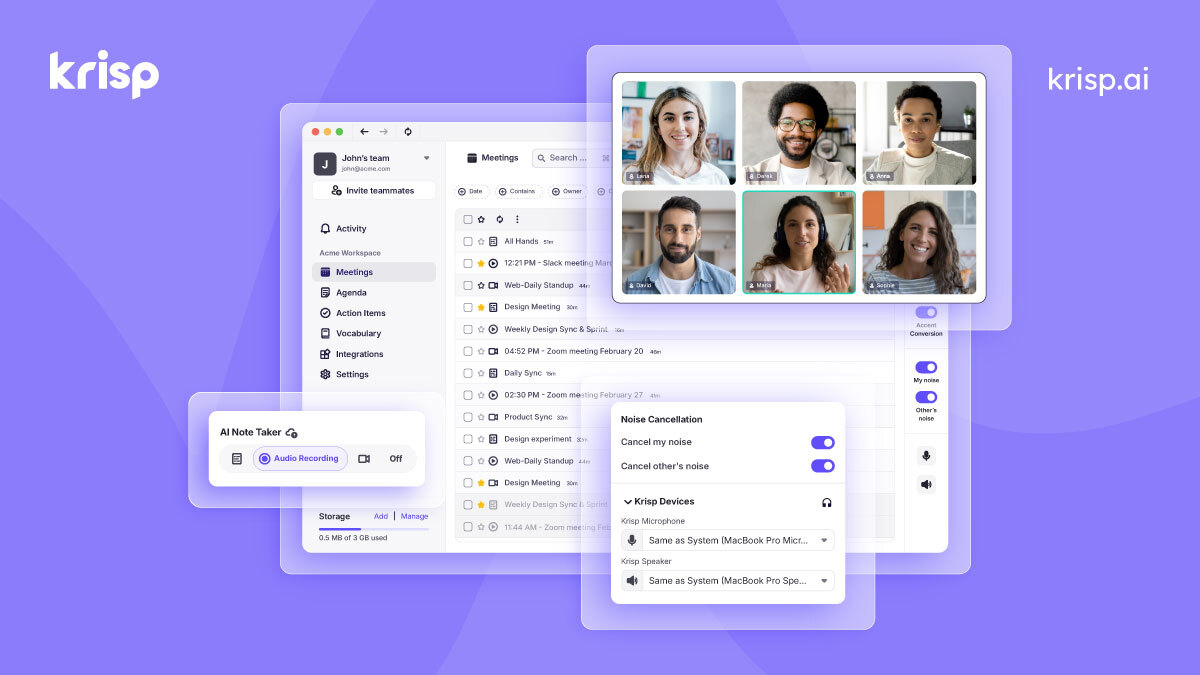
| Made by | Krisp Technologies, Inc. |
| Platforms | Mac, Windows; iOS and Android note-taker apps |
| Trial | 7 days, no credit card |
| Cheapest paid | $16/user/mo Core, or $8 billed yearly |
| Trustpilot | 2.9 from 413 reviews |
Still one of the best ways to sound clear on any call. As a note taker it is good, not the best, and the billing rules are strict.
"Buy Krisp if noisy calls or accents get in the way of your meetings; the notes come along for the ride. If you only want meeting notes, compare dedicated note takers first, and only choose yearly billing once you are sure."
Here is how I read it. Krisp's core strength is audio: noise, background voices and echo are removed locally on your device for both you and the people you hear, in whatever calling app you use. On top, the AI Note Taker records without a bot (a bot is optional), transcribes in 16 languages, summarizes and lists action items, and now exposes your meetings to AI tools through MCP. Accent Conversion turns accented English into US English in real time, within daily limits on Core. The weak spots: Trustpilot reviews complain about renewals, refunds and an app that is hard to remove, Krisp's help center says payments are not refundable, and one Hacker News user found the AI notes hard to turn off for people who bought it only for noise cancellation. This is an editorial review based on Krisp's official pricing page, help center and terms (as of Oct 4, 2026) and public user reviews; it is not a hands-on test.
A virtual microphone and speaker that clean your audio, plus an AI note taker on top.
Krisp installs on Mac or Windows and appears in your calling app as "Krisp Microphone" and "Krisp Speaker". Audio passes through it, so Zoom, Teams, Google Meet, Slack Huddles and other apps get the cleaned sound. The same app can record and transcribe the meeting, then produce notes, action items and an AI chat over your meeting history.

Map built from Krisp's pricing page and help center, Oct 4, 2026.
A voice-AI specialist competing with pure note takers on their own turf.
"Krisp AI Meeting Note Taker", Oct 4, 2026.
100K+ downloads, US storefront, Oct 4, 2026.
26 reviews in the last 12 months.
As stated on Krisp's pricing page; not checked on G2.
| Option | Built around | Trade-off |
|---|---|---|
| Krisp | Audio quality first, notes second | Desktop app required for noise cancellation |
| Bot-based note takers | Notes, search and sharing | A visible bot joins the meeting |
| Built-in app features | Noise suppression in Zoom or Teams, OS voice modes | Usually only cleans your own side |
| Noise-cancelling headsets | Hardware | Cannot clean the other side's noise |
Users like the audio; complaints center on billing, removal and support.
One reviewer who forgot to cancel a yearly plan said Krisp refunded it a week after renewal even though its terms are clear that it does not have to (Jun 22). Another said meetings are easier to follow with background sounds filtered (Dec 17, 2025). A third praised a support agent's responsiveness (Nov 25, 2025).
One user said the app kept starting at boot after repeated uninstalls (Sep 19). Another said Krisp turned on auto-renew without notice and refused a refund (Jun 25). Others reported a paid subscription ending three weeks early with slow support (May 19), and transcripts and AI chat getting worse after an update (Jun 3).
A developer who pipes Krisp transcripts into Claude said its speech recognition mangles colleague, customer and product names (Jun 9, 2026). Another said Krisp added an AI note taker that is hard to turn off when most people bought it for noise cancellation (Dec 16, 2025). A third liked its native Mac experience and Discord support over other note takers (Jun 1, 2025).
Two self-serve plans per seat, half price when billed yearly.
Free trial
7 days, no credit card.
- Unlimited transcription and noise cancellation
- Unlimited recording and AI notes
- Limited accent conversion
Core
$8/user/mo billed annually.
- Unlimited AI note taker and noise cancellation
- Accent Conversion 1 hour a day
- MCP, integrations, webhooks; 10 GB storage
Advanced
$15/user/mo billed annually.
- More Accent Conversion (see table)
- Salesforce, ConnectWise, team webhooks
- Manager view, admin controls; 60 GB storage
Enterprise
Talk to sales.
- SSO and SCIM, unlimited storage
- On-device private transcription and recordings
- HIPAA compliance, account manager
Swipe the table sideways to see every column.
| Detail | Trial | Core | Advanced | Enterprise |
|---|---|---|---|---|
| Price, monthly | $0 for 7 days | $16 | $30 | Custom |
| Price, billed yearly | $8/mo | $15/mo | Custom | |
| Accent Conversion | Limited | 1 hour/day, listener and speaker combined | Listener unlimited; speaker 4 hours/day | Custom |
| Storage per seat | 10 GB | 60 GB | Unlimited | |
| Storage add-ons | 20 GB to 2 TB | 200 GB to 2 TB | ||
| CRM | Integrations and webhooks | + Salesforce, ConnectWise |
| Check you can do | Result (our calculation) |
|---|---|
| Core, yearly vs monthly | $96 vs $192 a year per seat: 50% off |
| Advanced, yearly vs monthly | $180 vs $360 a year per seat |
| Team of 5 on Advanced, yearly | $900 a year |
| Adding a seat mid-cycle | Charged pro rata for the days left |
| Removing a seat mid-cycle | No refund; applies from the next cycle |
| Over 50 members | Volume discounts on request |
Decide by whether audio or notes is your real problem.
Core covers unlimited noise cancellation.
Advanced for unlimited listener-side conversion.
Compare dedicated note takers first.
The mobile app records and transcribes them.
Enterprise for HIPAA and on-device transcription.
Not supported yet.
Both directions, any calling app, processed on your device.
Krisp removes background noise, background voices and echo from your microphone and from what you hear, so you can mute a colleague's barking dog as well as your own. Krisp's help center says noise cancellation runs locally: call audio is not sent to or stored on its servers, though it stores analytics events. Noise cancellation is included in every plan, and you can turn off the Meeting Assistant if you only want clean audio, per the pricing FAQ. It needs the desktop app; the mobile app does not support noise cancellation yet.
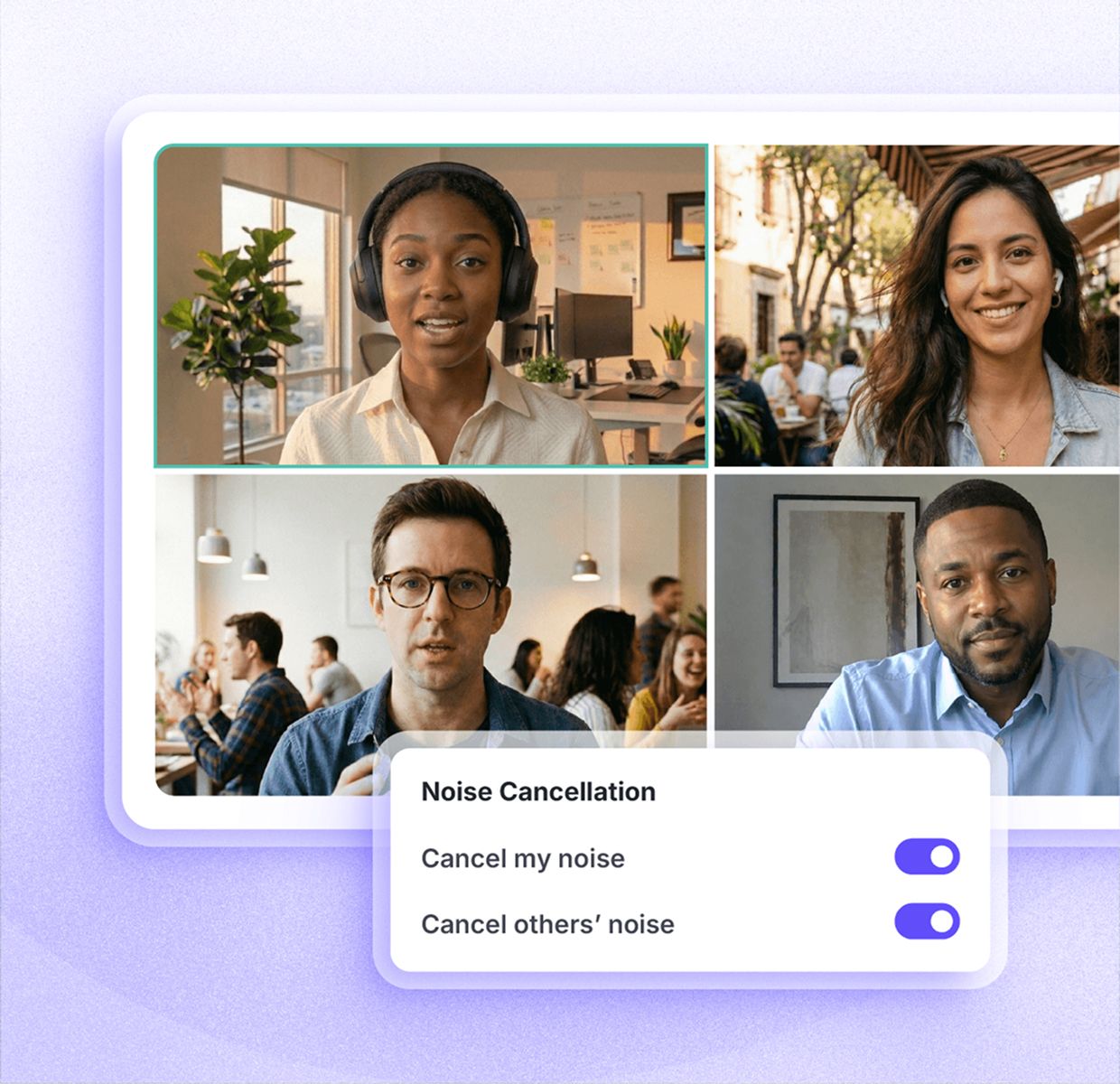
Krisp's short overview of noise cancellation, accent conversion and AI meeting notes. Published Sep 22, 2026.
From the official Krisp YouTube channel (youtube.com/@krisphq). Vendor video, so it shows the best case.
- Cleans both sides of the call.
- Works across calling apps through a virtual mic and speaker.
- Audio processing stays on your device.
- CPU load on older machines; a 3-star reviewer called it resource-intensive.
- Built-in OS or headset noise reduction may be enough for some.
- Pick Krisp Microphone and Speaker in each app.
Pick a recording mode, talk, review the notes.

Recordings need at least 30 seconds and split every 4 hours, per the help center. For multilingual meetings Krisp advises Audio Recording mode, so a poor transcript can be regenerated. Signup requires a Google or Outlook calendar by default; Krisp says sales can set up a zero-permission option.
Bot-free by default, a bot when you want video, and MCP for your AI tools.
Krisp records from your device without a bot joining. If you want video recording or cannot attend, you can send the Krisp Bot to Zoom, Google Meet or Teams; the host must admit it, and once removed it cannot rejoin that meeting. Switching to the bot mid-meeting discards the earlier local transcript. Krisp MCP, on Core and Advanced, lets Claude Code, Cursor, VS Code, ChatGPT and other clients search meetings, read transcripts and summaries, and manage action items through OAuth.

| Krisp MCP can | Detail |
|---|---|
| Search meetings | By topic, attendees, tags, folder, speaker, duration or date |
| Read content | Transcripts, summaries, key points, action items |
| Manage action items | Filter by assignee or status; mark complete |
| Fix speakers | Replace "Speaker 1" labels with real names |
| Import recordings | Upload audio or video files for transcription |
| Connection | Streamable HTTP at mcp.krisp.ai; OAuth 2.0 with PKCE |
Mac and Windows for audio; phones for notes only.
| Platform | Requirement or limit |
|---|---|
| Mac | macOS 14 Sonoma or later, Apple silicon or Intel Core i5, 8 GB RAM recommended |
| Windows | 64-bit Windows 10 or 11, Core i5 or Ryzen 5, 8 GB RAM, .NET 4.6.2 |
| iOS and Android | Record in-person meetings, upload files, send the bot; no noise cancellation |
| Chrome extension | AI Note Taker for meetings |
| Linux, ChromeOS | Not supported yet |
Accent Conversion uses one universal model that converts any accent to US English, in both directions: your own speech and what you hear. Krisp says the test recording is processed locally and recommends telling participants you are using it.

Krisp's demo of listener-side accent understanding, which runs locally. Published Mar 2, 2026.
From the official Krisp YouTube channel. Vendor video.
Auto-renewing, non-refundable, and yearly is a one-way door.
| Rule | What Krisp says |
|---|---|
| Refunds | Help center: "All the payments are not refundable unless otherwise stated in the Terms of Use" |
| Renewal | Terms: renews automatically unless cancelled before the renewal date; if not cancelled, fees "are non-refundable" |
| Terms exception | Prepaid fees for the remaining term are refunded only if you terminate for an uncured material breach (30 days' written notice) |
| Cancelling | Settings, Billing, Plan Details, Manage Subscription, Downgrade; access lasts to the end of the cycle |
| Yearly to monthly | Not possible in the account; cancel, wait for the cycle to end, then subscribe monthly |
| Storage add-ons | Non-refundable; decreasing returns nothing |
Audio stays local; transcripts and recordings live in Krisp's cloud.
| Topic | What Krisp says |
|---|---|
| Noise cancellation | Processed locally; call audio not sent to or stored on servers |
| Transcription | Done in the cloud; data used for transcription deleted after processing |
| Recordings | Kept in the cloud, encrypted; deleted with your account |
| AI summaries | Transcripts go to an authorized third-party AI provider only if you opt in to summaries (terms) |
| Model training | Meeting data never used to train Krisp's AI models (pricing FAQ) |
| Certifications | SOC 2 Type II, GDPR, HIPAA, PCI DSS; AES-256 at rest, TLS 1.3 in transit |
| Consent | You are responsible for recording laws and guests' consent; an optional "Notify others you're using Krisp" setting exists |
| Company | Krisp Technologies, Inc., a Delaware corporation; California law; binding arbitration and class action waiver |
Best for people whose calls suffer from noise or accents, who also want notes.
| Situation | Why Krisp fits or not | Likely plan |
|---|---|---|
| Remote worker in a noisy home | Two-way noise cancellation in every app | Core |
| Global sales or support team | Accent Conversion plus CRM sync | Advanced |
| Consultant recording client calls | Bot-free notes, MCP, in-person mobile recording | Core |
| Hospital or regulated firm | HIPAA, on-device transcription, SSO | Enterprise |
| Notes-only buyer | Dedicated note takers may suit better | Compare first |
| Linux or Chromebook user | Not supported | Look elsewhere |
Six real gaps, not manufactured ones.
Payments are non-refundable except in narrow cases in the terms.
You cannot move from yearly to monthly without cancelling first.
And no noise cancellation on phones.
"Unlimited" accent conversion vs a 4-hour speaker limit; old plan names in the FAQ.
Signup asks for a Google or Outlook calendar unless sales sets up an exception.
Trustpilot is 2.9, with renewal and removal complaints in 2026.
Krisp wins on audio. Pure note takers win on meeting search and sharing.
| If you mostly need... | Compare Krisp with... |
|---|---|
| Meeting transcripts and search | Otter.ai review |
| Note taker with CRM workflows | Fireflies.ai review |
| Editing recorded audio and video | Descript review |
| Voice generation, not cleanup | ElevenLabs review |
| Free noise reduction | Built-in Zoom, Teams or OS voice modes (no JAVIS review) |
No affiliate link on this page.
JAVIS has no affiliate relationship with Krisp, and every Krisp link here goes to krisp.ai or its help center directly. Nobody paid for placement; the pricing, billing rules and user criticism above come from Krisp's own pages and public reviews.
Start the 7-day trial and test it in your real calling apps.
Open KrispRead the alternative that matches your real question.
Choose the next articleKrisp sits between meeting note takers and voice AI tools.
Questions people are actually asking
Is Krisp free?
Krisp's pricing page lists a 7-day free trial with no credit card, then paid plans. It does not list an ongoing free plan.
How much does Krisp cost in October 2026?
Core is $16 per user a month or $8 billed yearly; Advanced is $30 or $15 billed yearly; Enterprise is custom.
Does Krisp give refunds?
Its help center says payments are not refundable unless the terms say otherwise; the terms allow a refund of prepaid fees only if you terminate for an uncured material breach.
Does Krisp join my meeting as a bot?
No by default; it records from your device. You can optionally send the Krisp Bot to Zoom, Google Meet or Teams.
Does Krisp work on Linux or Chromebooks?
No. The help center says Linux and ChromeOS are not supported yet.
Is my audio sent to the cloud?
Noise cancellation runs locally. Transcription happens in the cloud, and recordings are stored there, encrypted.
How many languages does Krisp transcribe?
16, per its recording guide: English, Spanish, French, German, Russian, Italian, Dutch, Polish, Portuguese, Hindi, Czech, Korean, Ukrainian, Danish, Swedish and Norwegian. Krisp's site summary says 17.
What are the best Krisp alternatives?
Otter.ai or Fireflies.ai for notes, Descript for editing recordings, and built-in app noise suppression for free basics.
Where this came from, and when it was checked.
Pricing and plans: krisp.ai/pricing (Meeting AI, monthly and annual views, FAQ), as of Oct 4, 2026.
Billing and terms: Krisp help center "How Krisp subscription works", "Cancel the subscription", "Change the subscription plan", "Payment calculation for adding and removing seats", "Manage storage"; Krisp terms of use.
Product and privacy: help center "What is Krisp?", "System requirements for using Krisp", "Record your meetings with Krisp AI Note Taker", "FAQ about Krisp Recording feature", "Krisp Bot", "Krisp MCP", "Accent Conversion with Krisp AI Meeting Assistant", "What data Krisp sends to the cloud?" and the mobile app guide; Krisp security page.
Users: Trustpilot profile for krisp.ai (2.9 from 413; 1 and 2-star and 5-star filters; review dates in UTC), Apple App Store (US: 4.75 from 265) and Google Play (US storefront: 4.0 from 381, 100K+), as of Oct 4, 2026; Hacker News comments 48454349, 46295939 and 44153011.
Official videos: youtube.com/watch?v=pCCKEJN2wl4 and 8Ej8pxPy6RM from the official Krisp channel.
JAVIS Fit Score (72/100): editorial composite of audio quality and on-device processing (strong), note-taker features and MCP (good), price (good), refund and plan-switch rules (weak), platform coverage (mixed), support reputation (weak). Weighted by editorial judgement.