
How to Run Coding Agents Without Handing Over Your Credentials
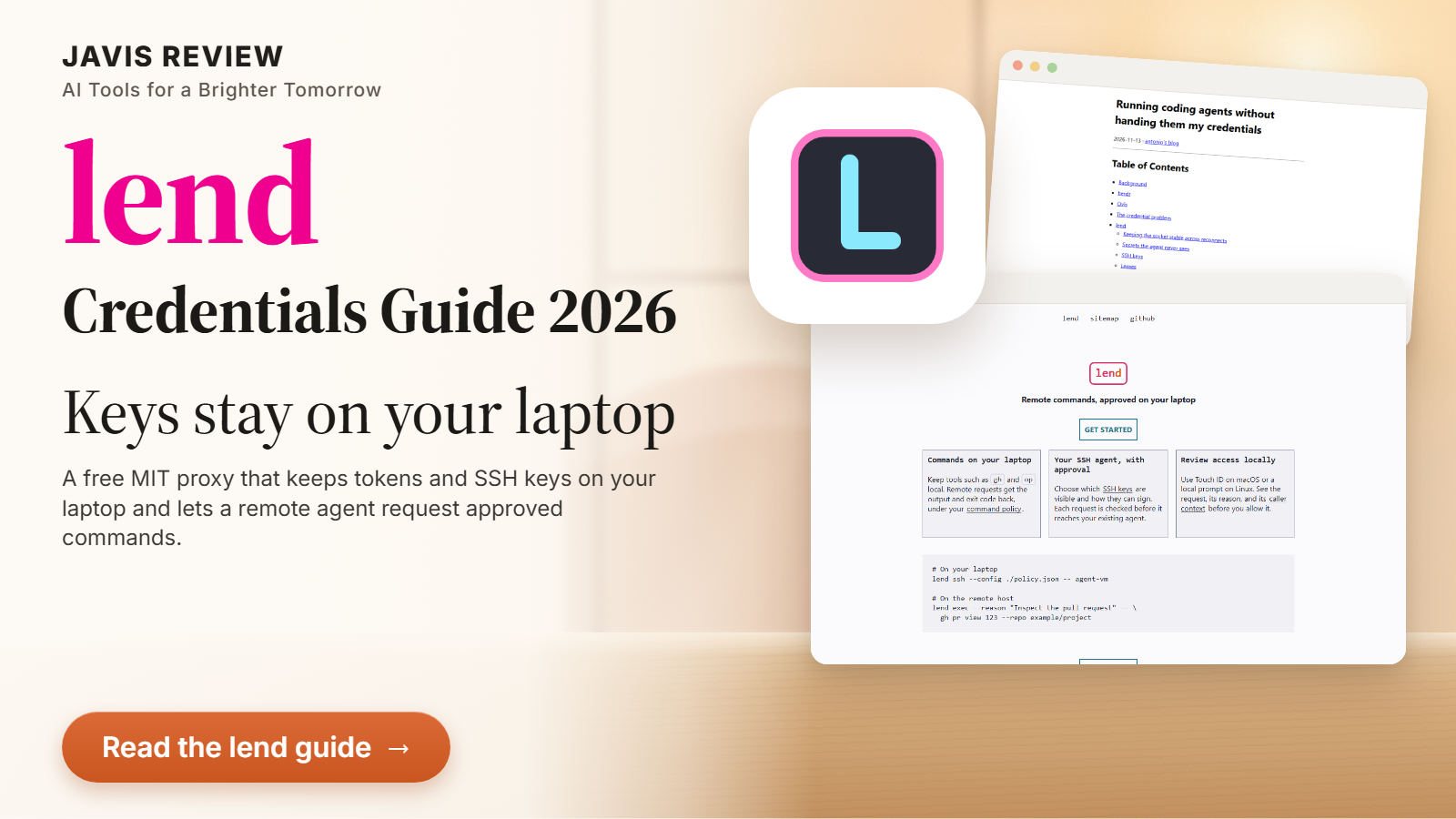
A new open-source tool called lend keeps your SSH keys and logged-in tools on your laptop while an agent works on a remote machine. This guide explains how it works, what a policy looks like, what Hacker News objected to, and where it stops.
There are no affiliate links in this guide.
| Made by | Antonio Mika |
| Price | Free, MIT |
| Runs on | macOS, Linux |
| Catch | Early; approval is not isolation |
| Evidence | README, docs, post, Hacker News |
lend is a smart, small idea: keep tokens and keys on your laptop and let a remote agent ask for the result. It is two weeks old, so treat it as a promising tool, not a security boundary you can trust blindly.
The author's own summary of the goal: credentials stay on the laptop, and the commands that need them run there too.
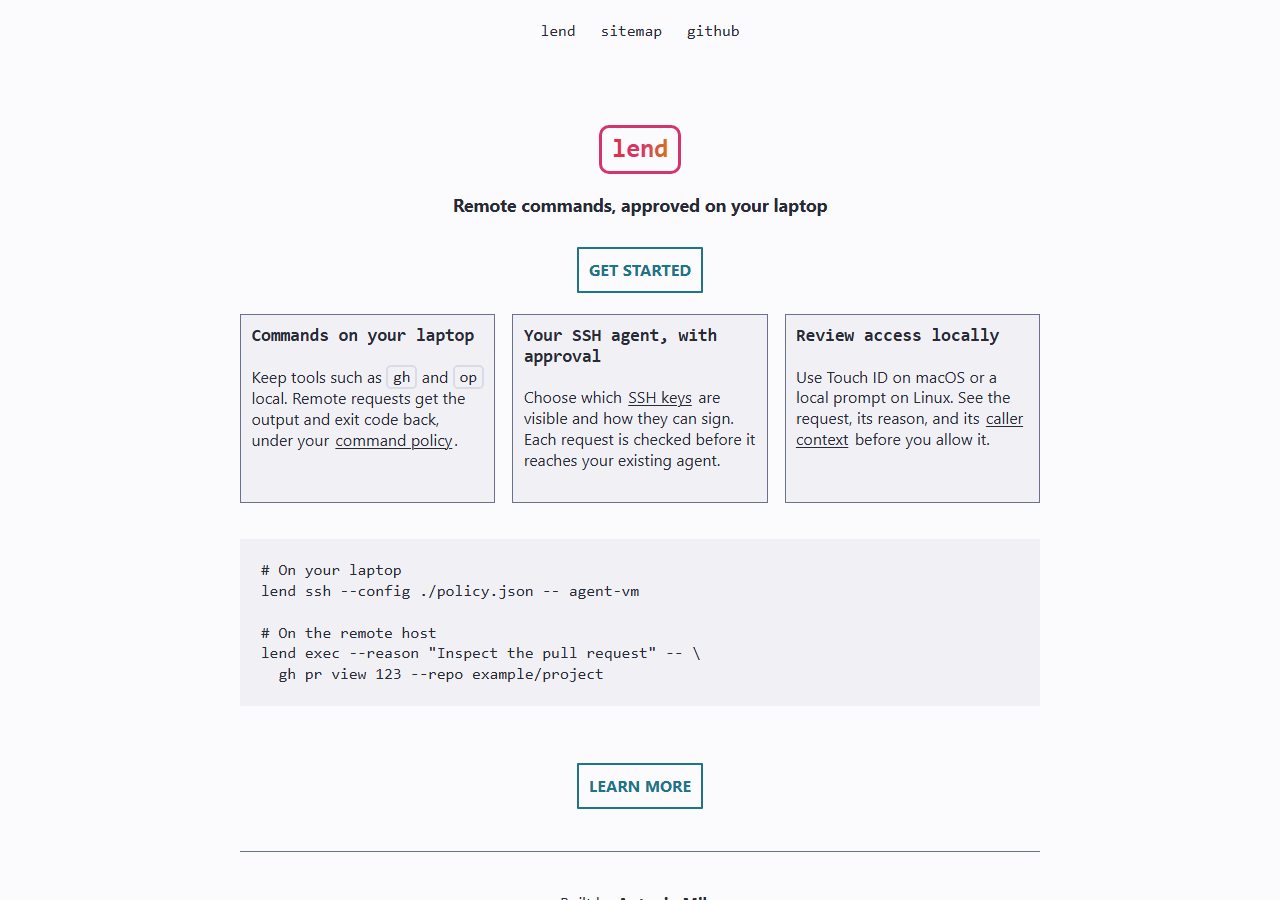
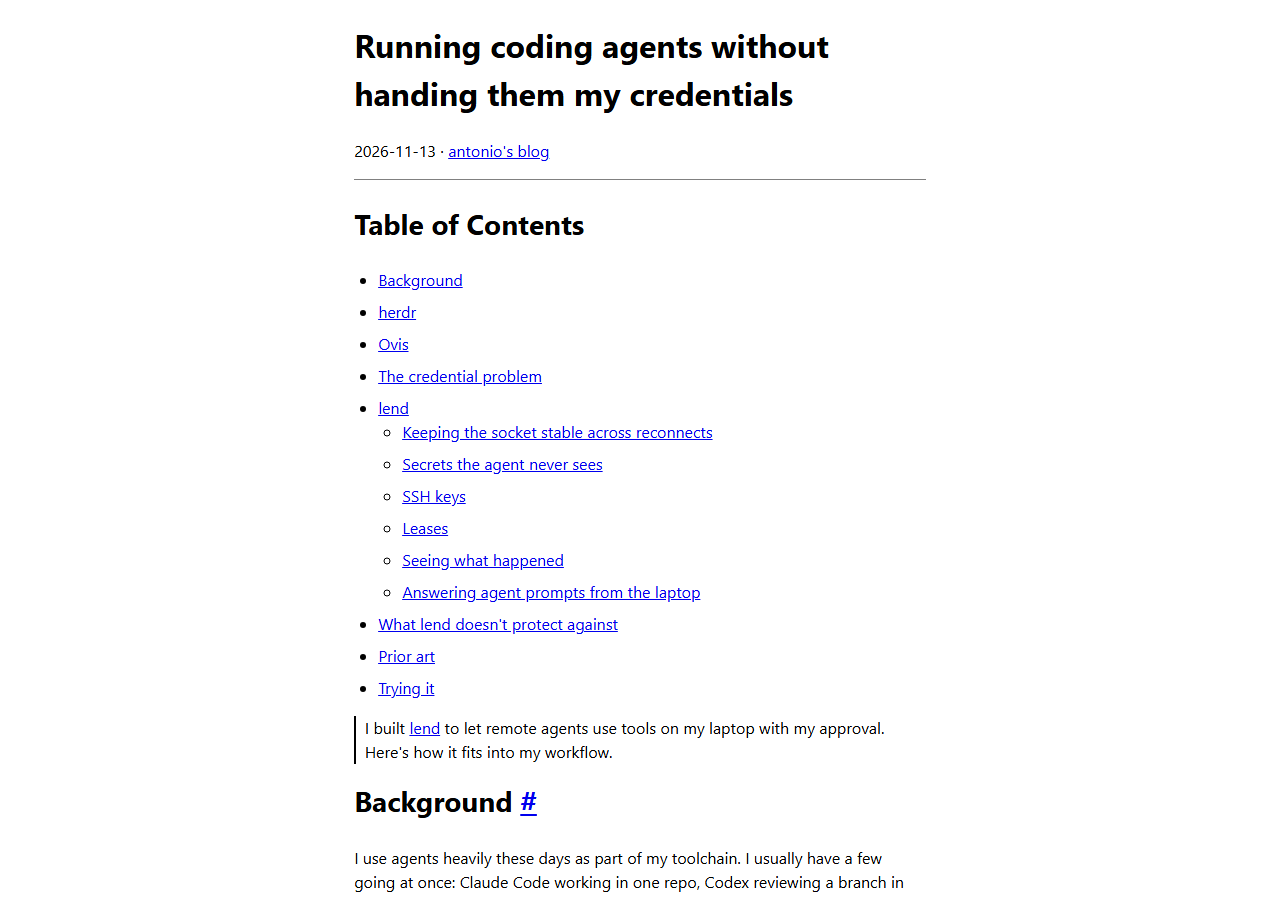
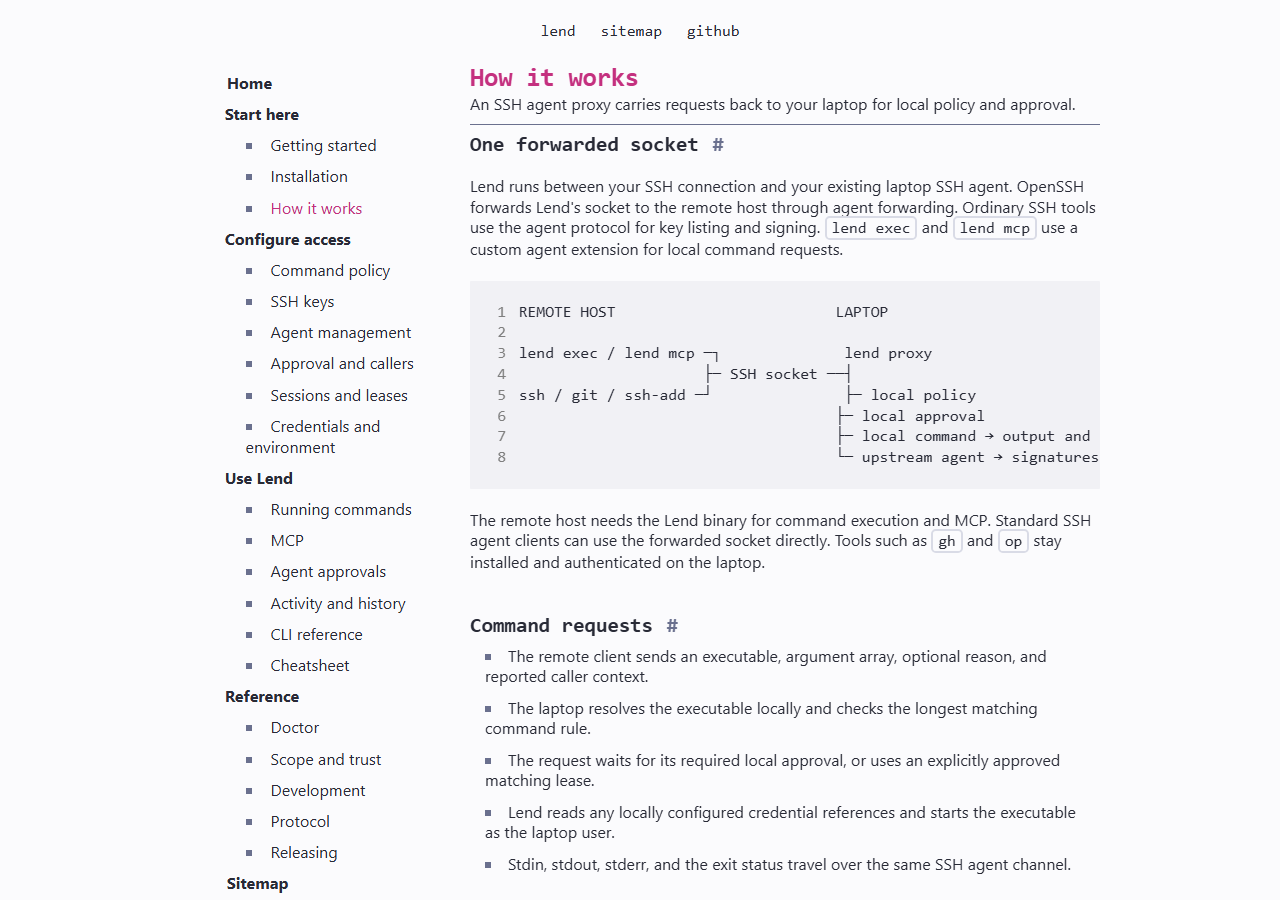
What it is. lend is a free, MIT-licensed proxy that sits in front of your SSH agent. You forward its socket to the machine where your coding agent runs. When the agent needs something that lives on your laptop, such as a logged-in gh or a password-manager lookup, it asks through lend. A policy on the laptop decides what may be asked, and you approve each request before anything runs. The agent gets the output, not the token.
Why it matters now. Antonio Mika published the tool and a walk-through on Nov 13, 2026, and the post reached 134 points on Hacker News by Nov 20, 2026 (story 50526152). The problem it targets is real: the two usual fixes are copying a token onto the remote machine, where every process can read it, or forwarding your whole SSH agent, which lets the remote side use every key without asking.
The catch. Approval is not a sandbox. If you approve a shell, the agent has your laptop. The repository is new (created Nov 13, 2026, 17 commits, about 27 stars, one contributor), the latest release is v0.0.6, and a Hacker News reader argued that tapping approve on a dialog does not give an informed choice. Both points are covered below.
Not a hands-on test: JAVIS has not installed lend or run any command in this guide. It is built from the project README, the documentation site, the author's blog post and the Hacker News thread, all as of Nov 20, 2026. Config snippets are copied or adapted from the README and are untested by us.
What you need to know in thirty seconds.
The request path has four stops. The agent runs lend exec or calls an MCP tool; the call rides the forwarded SSH agent socket; lend on the laptop checks its policy and asks you; then it runs the approved command or asks your original SSH agent to sign. Unlisted commands and keys are denied by default.
Two common ways to give a remote agent your access, and why the author disliked both.
The author runs several agents on throwaway virtual machines and keeps his SSH keys, password vault and logged-in command-line tools on his laptop. His post names two usual options.
A token in a config file on the remote machine can be read by every process there, including the agent and anything it runs, for as long as the token is valid.
The private keys stay on the laptop, but the remote machine can use every key in the agent without asking and without a record. It also only covers SSH keys.
lend keeps both on the laptop and makes each use a request that you approve. A Hacker News reader described one benefit plainly: the credential never lands in the chat transcript (comment 50526867). A reply noted that transcripts are often written to disk anyway.
The setup in five steps, as the project documents it.
Install lend on both the laptop and the remote machine. The README offers Homebrew or an install script that checks the archive's SHA256 checksum, and says it uses no sudo.
brew install antoniomika/tap/lend
lend versiongh pr view with a prompt and op read with biometrics.lend doctor --config ./policy.json
lend doctor --remote # on the remote hostlend ssh --config ./policy.json -- agent-vmlend exec --reason "Inspect the pull request" -- \
gh pr view 123 --repo example/projectlend mcp, an MCP server with one tool, run_local_command, which takes the command and a required reason.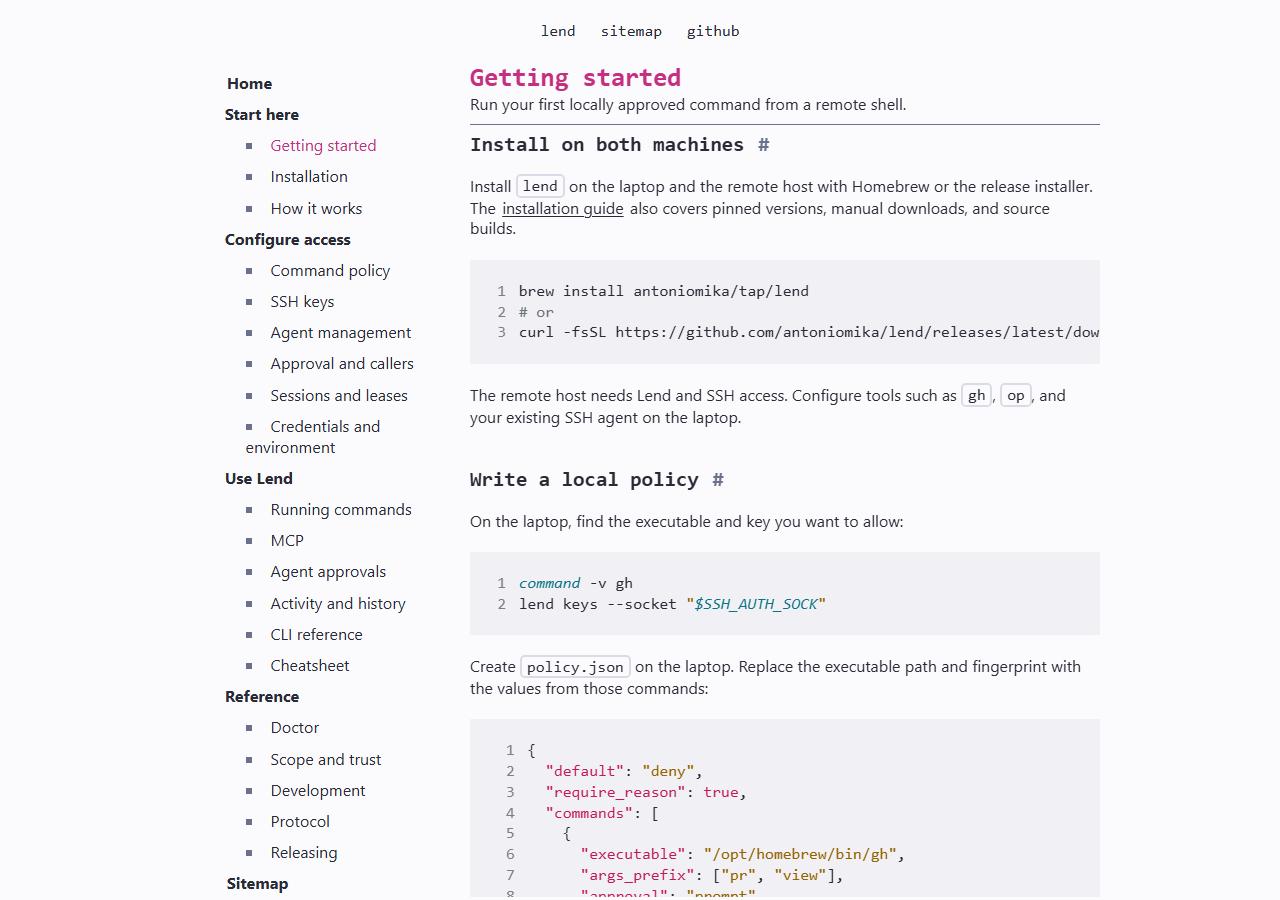
| Result | Exit code |
|---|---|
| Command finished normally | The command's own exit code |
| Command ended by a signal | 128 plus the signal number |
| Approval, transport or startup failure | 125 |
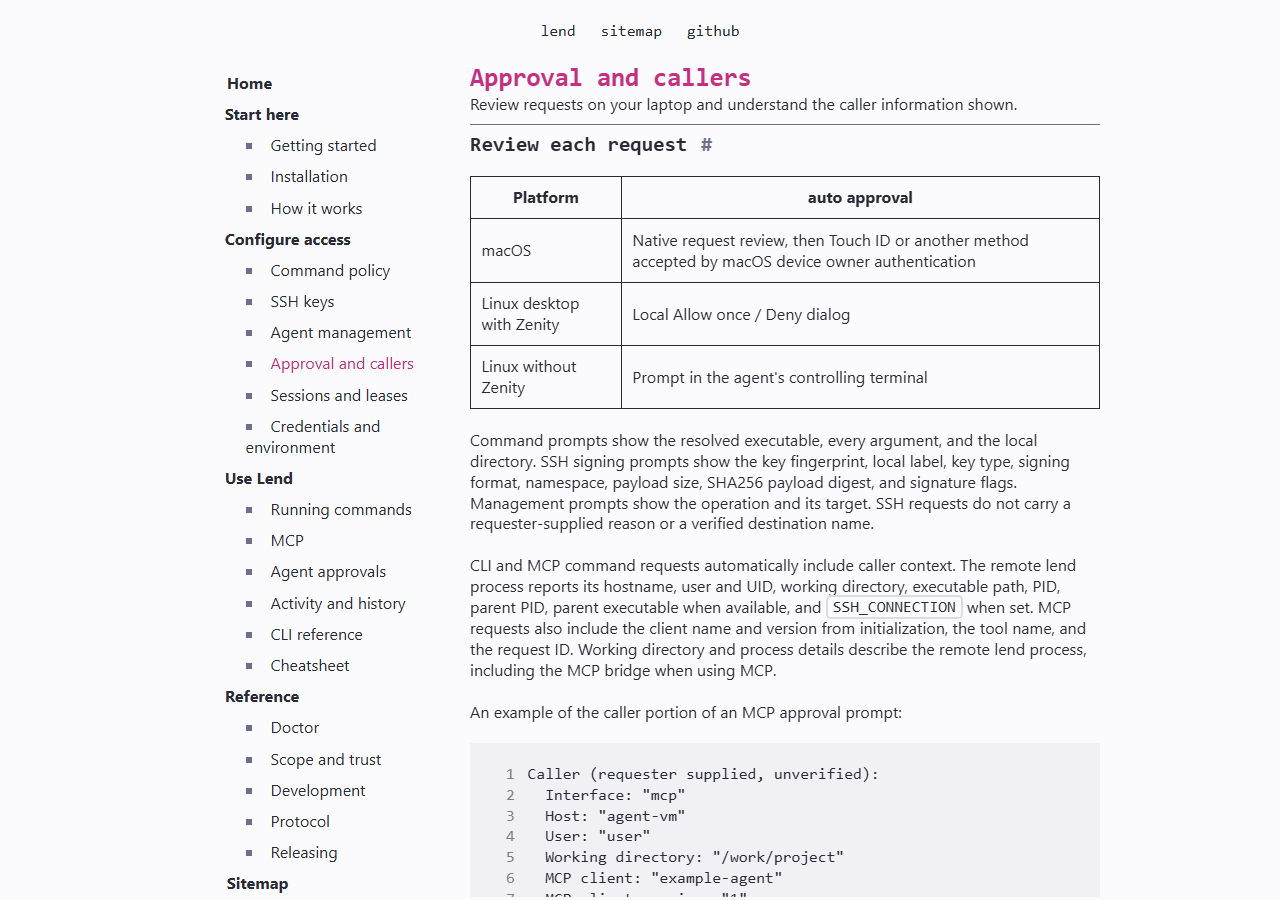
The command runs on the laptop with your privileges. Output and exit code stream back. A command ended by a signal returns 128 plus the signal number, and approval or transport failures return 125.
The part that decides how safe this is: a short allow list.
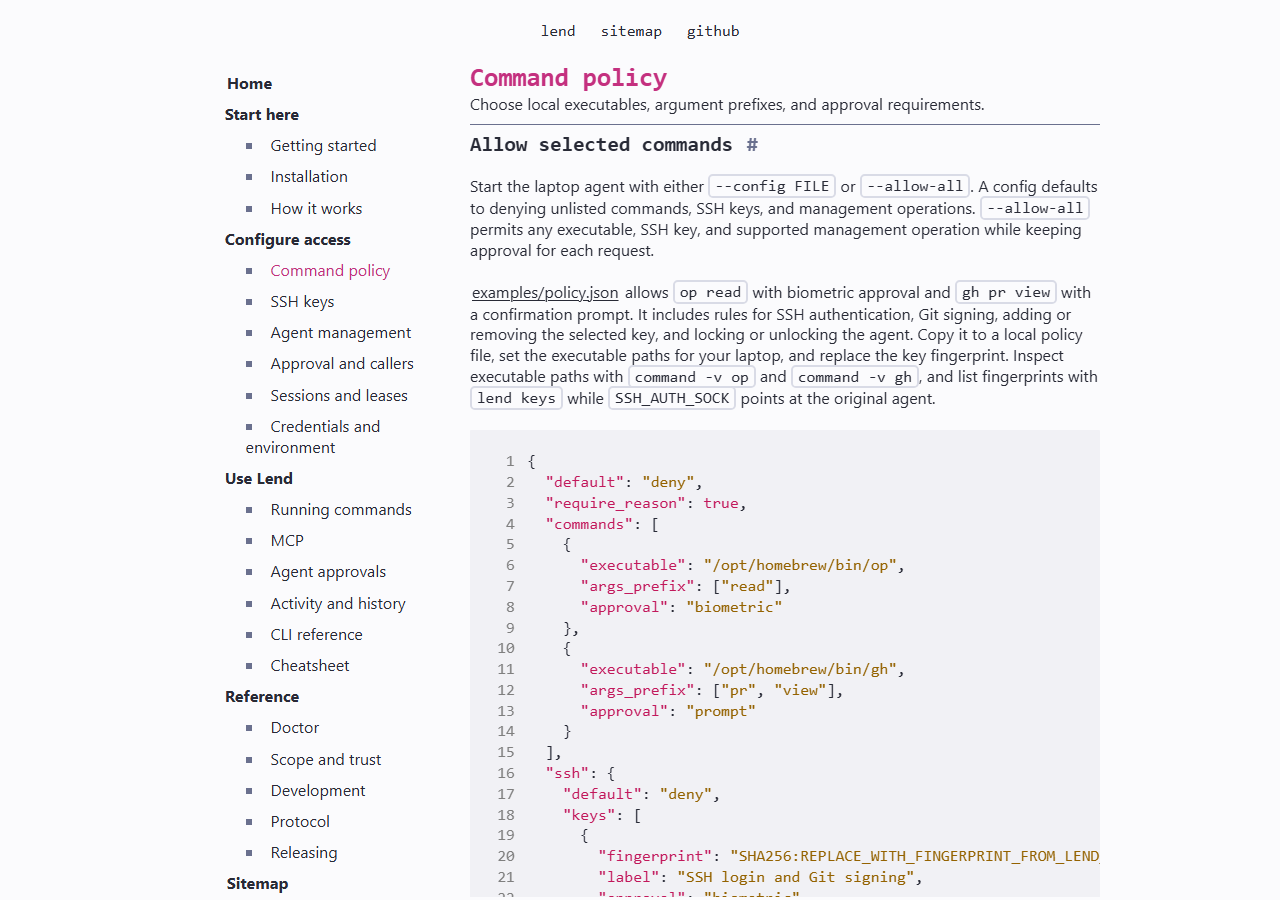
This is the policy shape from the README, trimmed. Everything not listed is denied.
{
  "default": "deny",
  "require_reason": true,
  "commands": [
    {"executable": "/opt/homebrew/bin/gh",
     "args_prefix": ["pr", "view"],
     "approval": "prompt"}
  ],
  "ssh": {"default": "deny", "keys": [
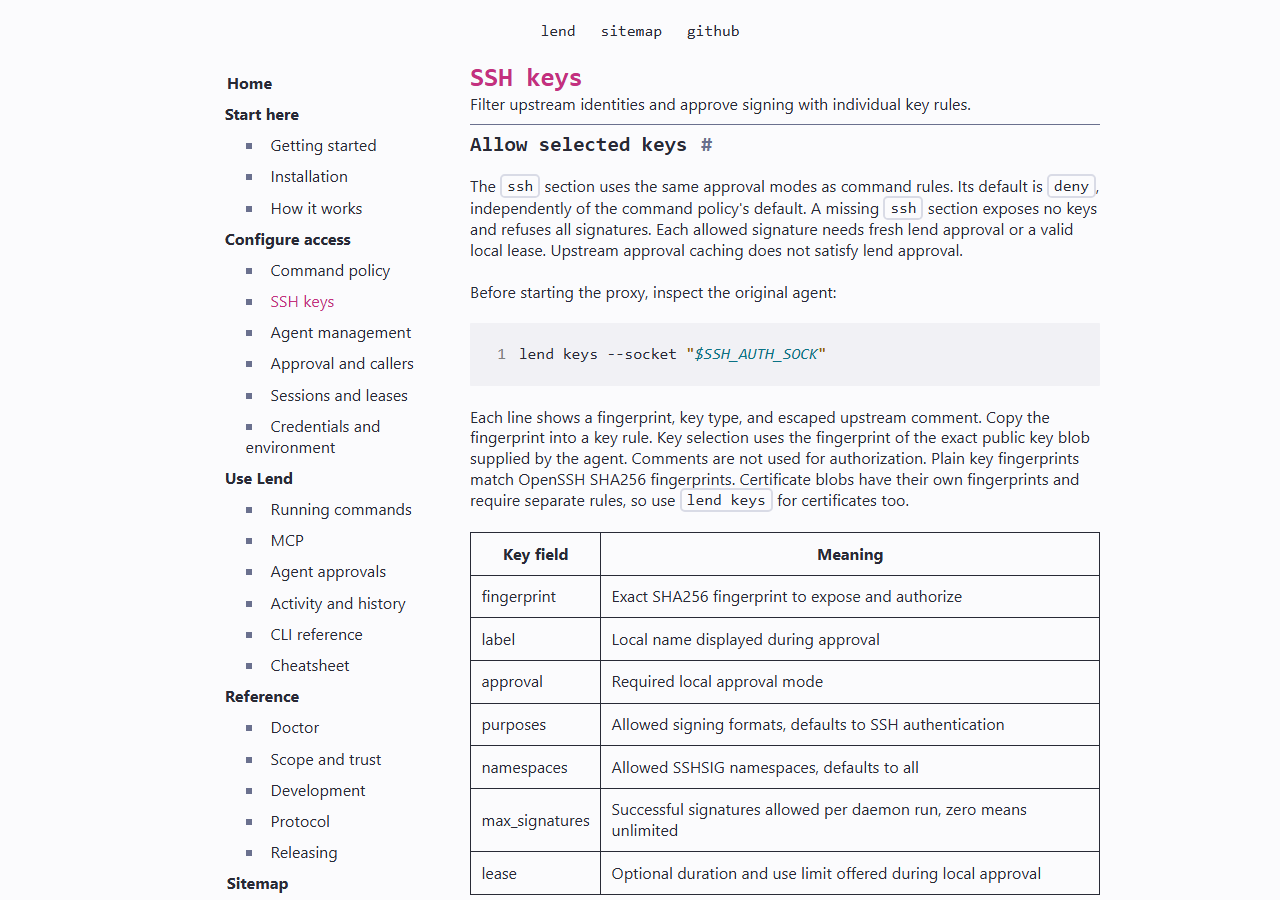
    {"fingerprint": "SHA256:...", "purposes": ["sshsig"],
     "namespaces": ["git"], "max_signatures": 10}
  ]}
}| Approval mode | What it asks for |
|---|---|
| prompt | Explicit local confirmation |
| authenticate | macOS device owner authentication, which can use a password |
| biometric | macOS biometrics, no password fallback |
| none | No approval; the request runs once policy admits it |
gh pr view is far safer than allowing sh or env.Biometric and authenticate modes fail on Linux, so Linux users rely on a prompt (a Zenity dialog or terminal). Policy changes take effect after the agent restarts.
| Safer to allow | Treat as handing over the laptop |
|---|---|
| gh pr view with a prefix | sh, bash or any shell |
| A named read-only CLI call | env, or anything that prints the environment |
| One SSH key for git signing only | Every upstream key |
| op read for one named item, if you accept the output reaching the agent | op read with no limit on which item |
Tokens injected at run time, keys filtered, signatures capped.
Injected secrets. A command rule can name a secret reader, such as op read --no-newline, and map environment variables to references like op://Development/github/token. lend reads the value after approval and passes it to the approved command only. The remote request cannot choose the variables or the references. The catch from the README: output still goes back to the requester, so a command that prints its environment hands the value over.
SSH keys. Keys you do not list are hidden from the remote machine. Listed keys can be limited by purpose (ssh, sshsig, raw), by signing namespace, and by max_signatures. The counters live in memory and reset when lend restarts.
Leases. A rule can offer "allow for five minutes or three uses". Leases exist only inside lend ssh sessions, match the exact command and arguments, and end when the session ends or the desktop locks. Management actions on your agent never use leases.
Visibility. lend status --all --watch shows live requests, lend pause --all cancels work and refuses new requests, and lend history keeps a record that leaves out arguments, output and secrets unless you opt in to logging arguments.
A concrete case: let an agent watch your pull requests without a GitHub token on the VM.
Illustration, not a test. Say your remote VM runs a coding agent and you want it to read pull request status. With the policy above, the agent runs lend exec --reason "Check CI on PR 123" -- gh pr view 123 --repo your/repo. Your laptop shows the full path, every argument, the reason and what the remote process said about itself. You confirm; gh runs with your login on the laptop; the VM gets text back and never holds a GH_TOKEN.
What the policy does not stop: the agent could ask for a different PR, a different repo, or gh pr view flags that print more than you expected, and you would be approving each one. The reason text is written by the remote side and is shown as unverified, so read the arguments, not the reason.
Hacker News: some interest, one sharp objection, and a pile of alternatives. The sample is small.
The thread (story 50526152) had 134 points and 115 comments on Nov 20, 2026. A few comments worth acting on:
The objection: the design gives the agent direct access to what the keys enable and adds a layer of ceremony, and the alert may not allow an informed choice.
Asked whether this could work for HTTP requests, with secrets injected automatically. The author replied that injecting credentials into a simple HTTP proxy is easy and he may add direct support (50527217).
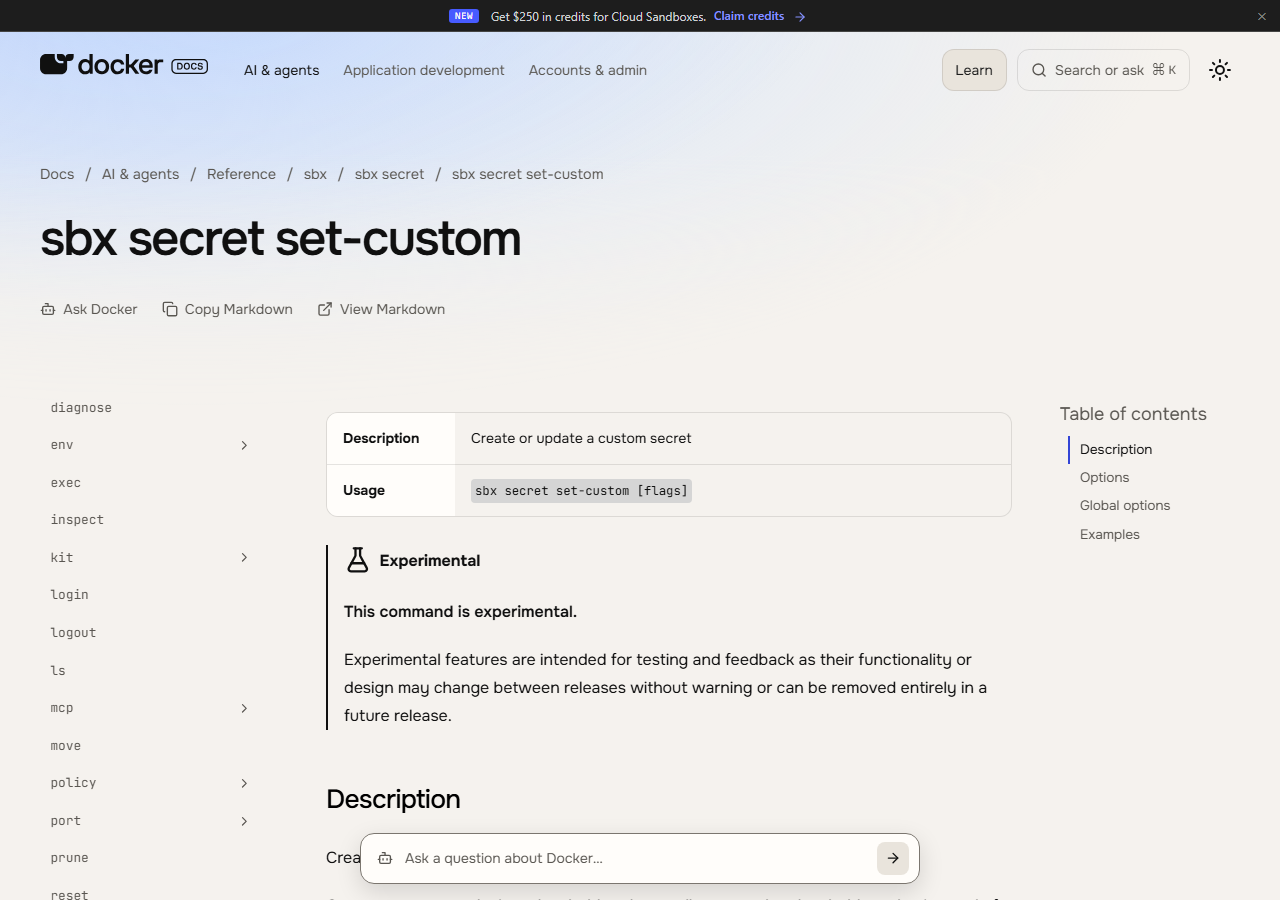
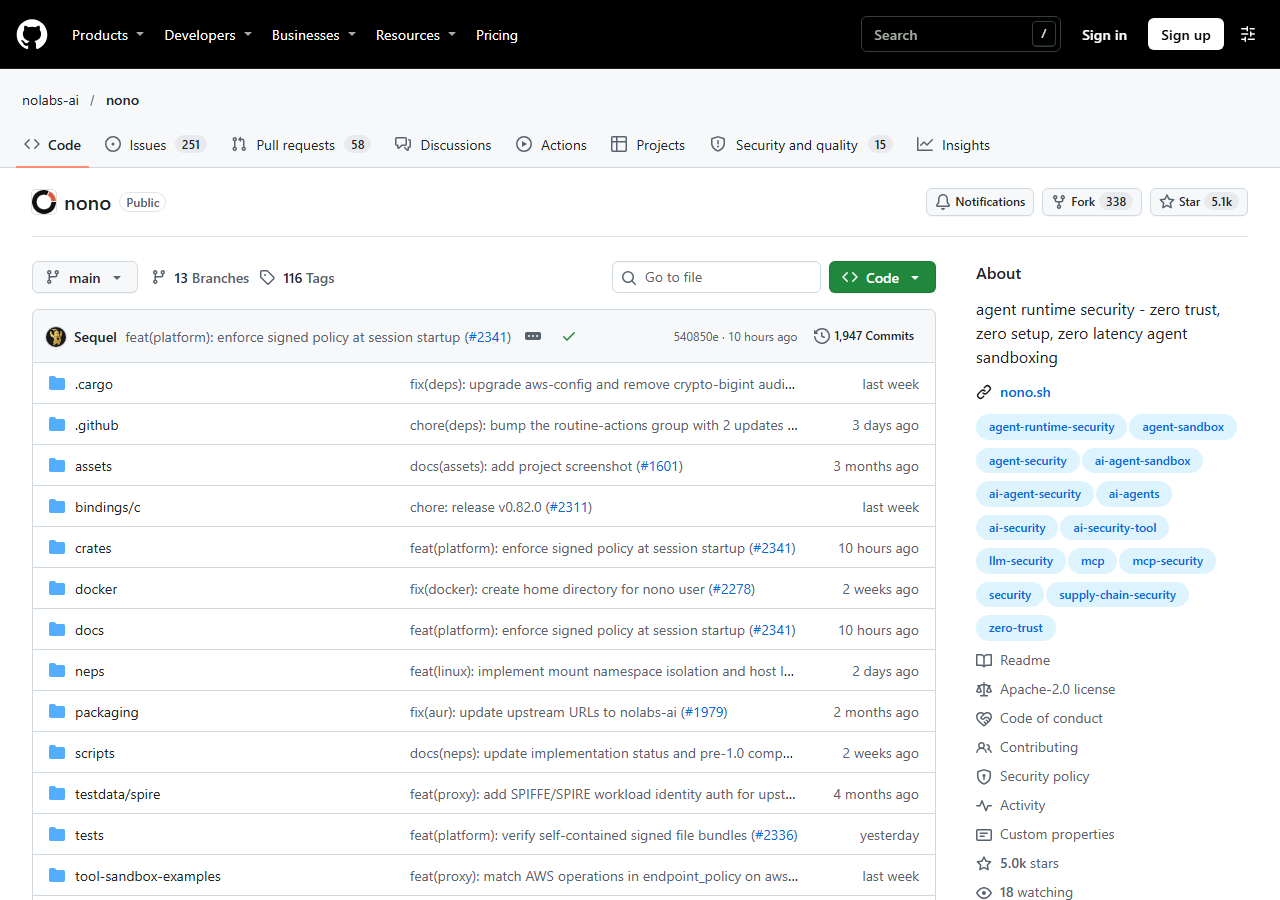
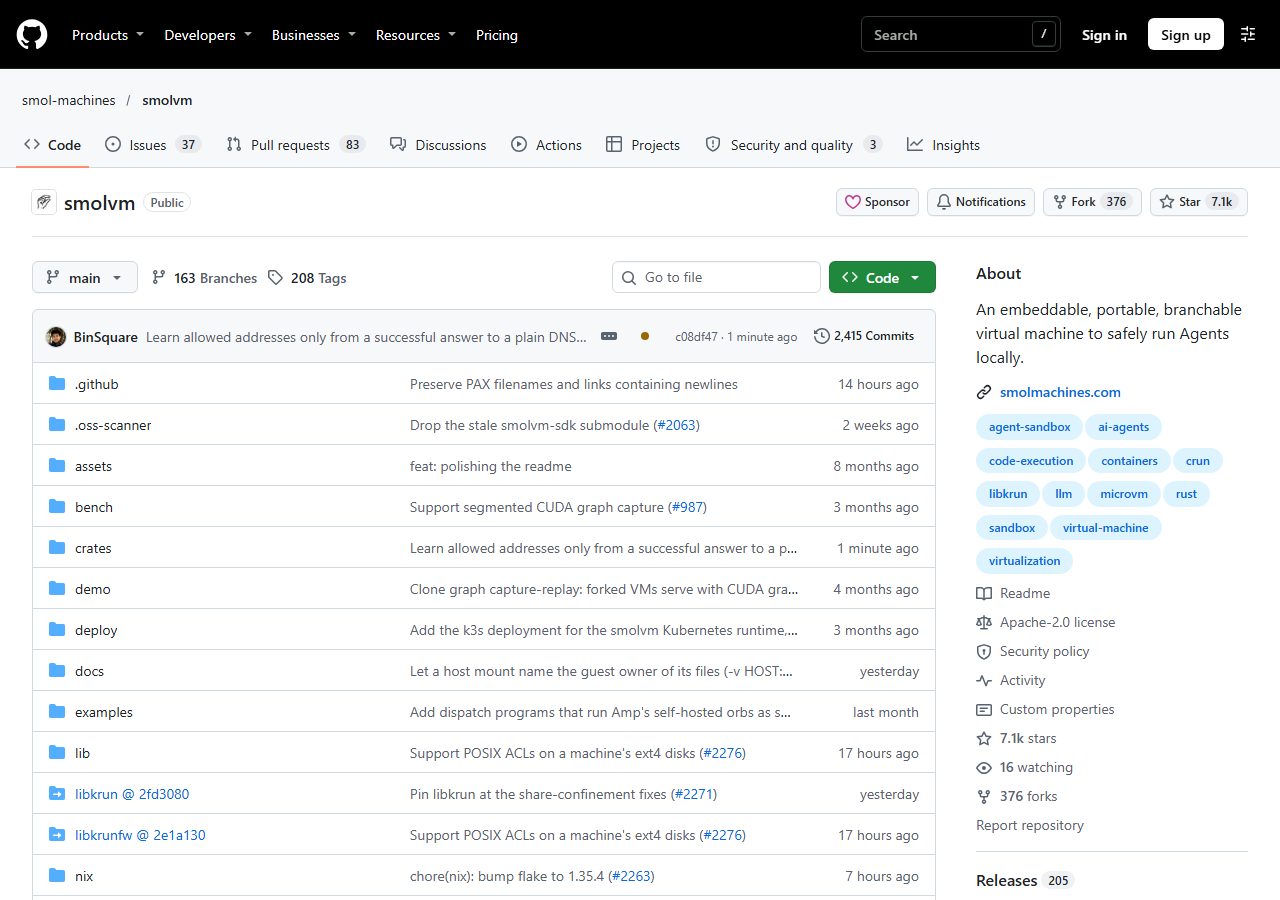
Pointed to Docker's sandboxes, which support secret injection. Other readers named nono and smolvm as similar approaches.
The first point is the honest weakness: approval is a human checkpoint, and a human can approve the wrong thing. The author's own post says what lend does not protect against: an approved command runs as you and can touch your files, so approving a shell, an interpreter or anything reading instructions from stdin is close to approving anything.
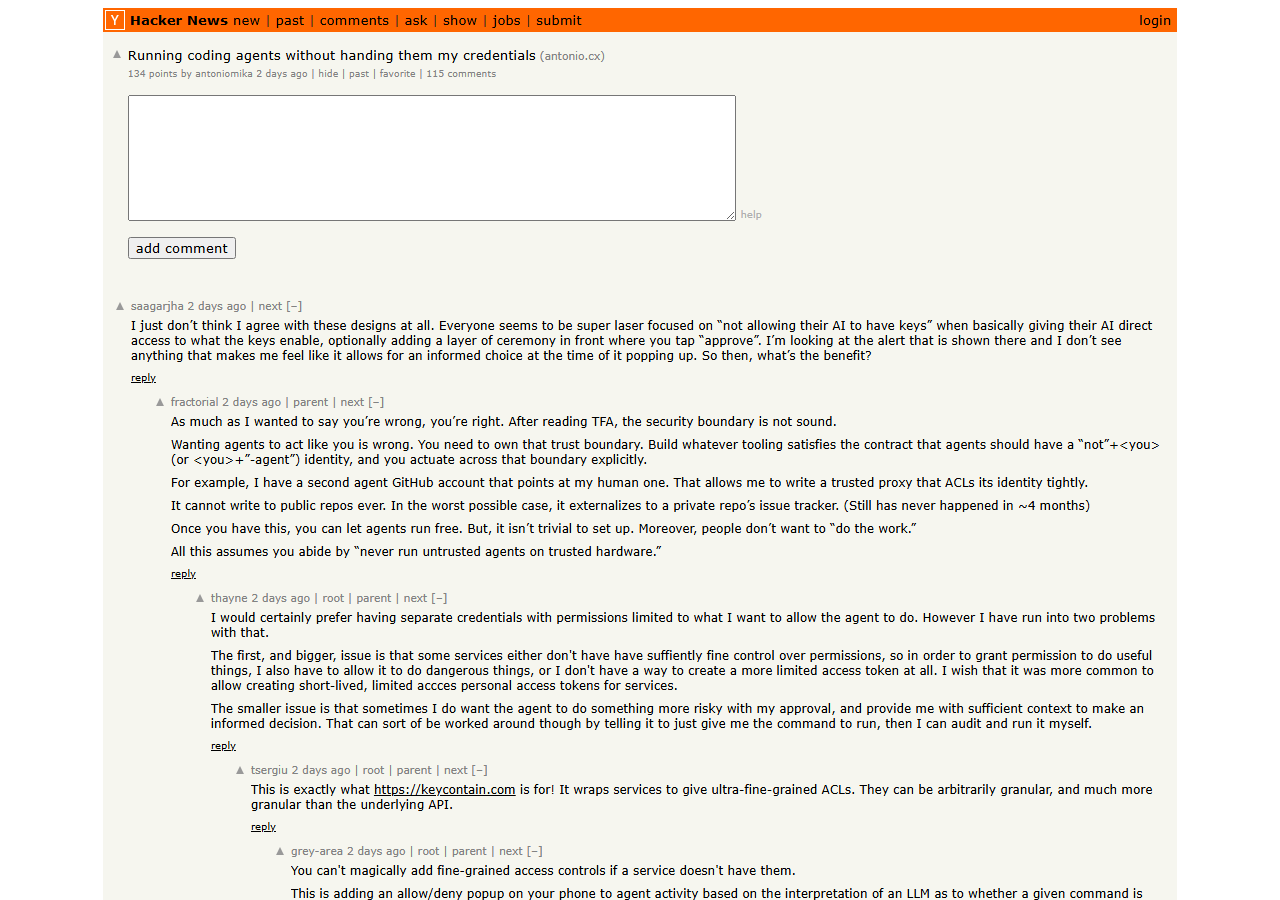
Where lend stops.
Created Nov 13, 2026; v0.0.6 on Nov 17, 2026; 17 commits and one contributor on Nov 20, 2026. We know of no independent security audit.
The author says lend does not allocate a PTY, so interactive programs will not work through it.
Requests fail while disconnected. Reconnecting starts a new session with fresh approvals and leases, and agents already running keep the old socket path unless you use a stable symlink.
Biometric approval is macOS only. Linux uses a dialog or terminal prompt.
Anyone who can reach the forwarded socket on the remote machine, root included, can make requests while the session is open. The policy still limits what they can ask for, and each request still needs approval.
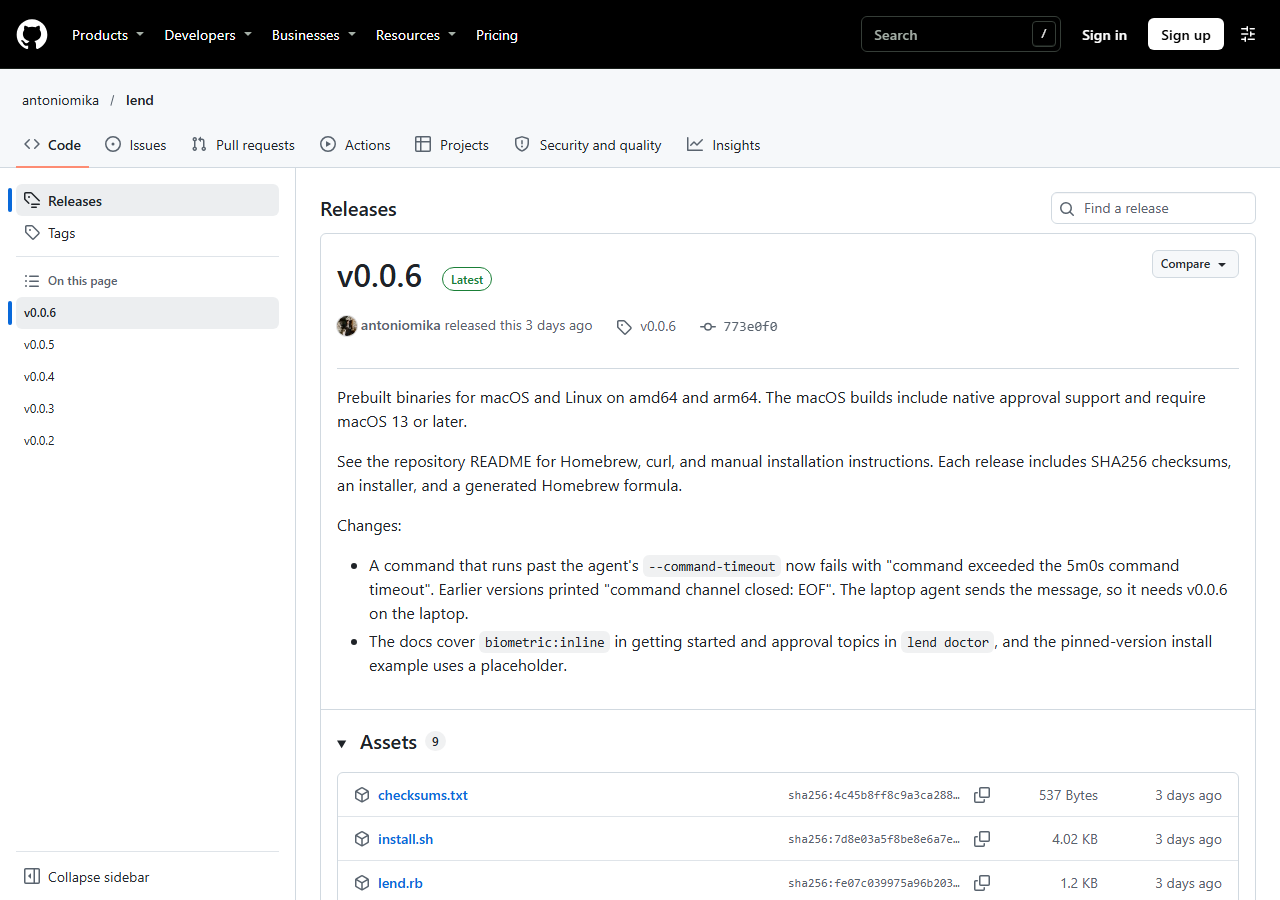
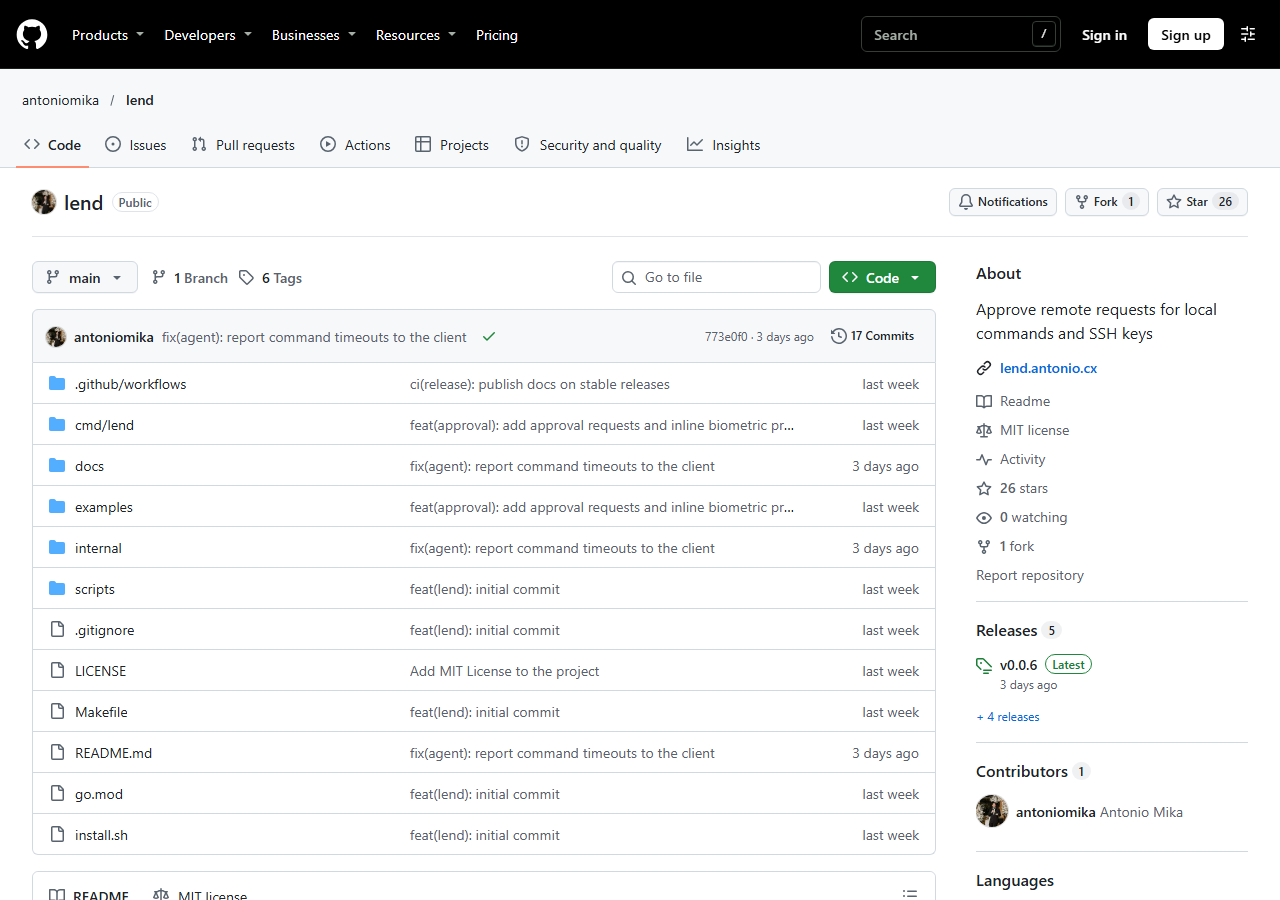
Other ways to keep credentials away from an agent. Different designs, not drop-in swaps.
Swipe sideways to see every column.
| Option | Idea | Verified facts (Nov 20, 2026) |
|---|---|---|
| lend | Laptop approves each command or signature | MIT, free, v0.0.6 |
| Docker Sandboxes (sbx secret) | Sandbox sees a placeholder; a proxy swaps in the real secret on requests to a chosen host | Documented in Docker's CLI reference; page marked experimental |
| nono | Agent sandbox with credential proxy, per commenters | Apache-2.0, about 5,050 stars on GitHub |
| smolvm | Branchable local VM to run agents | Apache-2.0, about 7,100 stars on GitHub |
| Infisical Agent Vault | HTTP credential proxy and vault for agents | About 2,500 stars; license field not detected by GitHub |
| Plain ssh -A | Forward the agent socket | Remote side can use every key without asking |
The main difference: Docker, nono and Agent Vault style tools swap secrets into network requests, which fits API requests. lend runs whole commands on your laptop and also mediates SSH signing, which fits tools like gh that are already logged in there. No benchmark or head-to-head test was run, and JAVIS has not used any of these.
A short decision list.
You run agents on disposable VMs, keep logged-in CLIs and keys on a Mac or Linux laptop, and are willing to read each approval prompt.
You need Windows support, interactive terminals, unattended runs with no human present, or an audited security product.
If you only need API requests, a network-level secret proxy may be simpler. If you want strong isolation, run the agent in a VM or sandbox first and use lend only for the few things that must come from the laptop.
Five actions.
gh pr view, not a shell.Free, with no affiliate links.
lend is free under the MIT license. JAVIS has no affiliate relationship with it or with any tool named here, and every outside link goes to the project, its documentation, Hacker News or a vendor page.
Locking down an agent? Read these next.

Questions people ask about lend.
Does the agent ever see my token?
Not for commands like gh that are already logged in on the laptop. For injected secrets the value goes to the approved command, and its output returns to the agent, so a command that prints its environment leaks it.
Is lend a sandbox?
No. The author says approval decides what runs and lend does not sandbox it.
Does it work on Windows?
The project documents macOS and Linux only.
Can the remote side change the policy?
The README says the remote caller cannot pick a weaker approval and the policy lives on the laptop. Management operations on your SSH agent are denied unless you allow them.
Can I use it with Claude Code?
The author describes Claude Code calling lend through lend mcp and also a lend approve hook that sends Claude Code permission questions to the laptop dialog.
Is it audited?
We know of no independent audit. It is early software from one maintainer.
Where this came from, and when.
Project: github.com/antoniomika/lend (README, license, releases through v0.0.6, 17 commits), documentation at lend.antonio.cx, as of Nov 20, 2026.
Author post: blog.antonio.cx/running-agents-with-lend, dated Nov 13, 2026, last updated Nov 17, 2026.
Hacker News: story 50526152 with comments 50526326, 50526637, 50527217, 50526727, 50526854, 50526867 and 50527661, as of Nov 20, 2026.
Alternatives: Docker CLI reference for sbx secret set-custom; GitHub pages for nolabs-ai/nono, smol-machines/smolvm and Infisical/agent-vault, as of Nov 20, 2026.
Images: screenshots taken by JAVIS on Nov 20, 2026; diagram drawn by JAVIS. JAVIS Fit Score is editorial judgment, not a benchmark.
Not covered: hands-on tests, a code audit, Windows, and any comparison by measurement.