
Quickchat AI Review 2026: A Free Plan, Credit Tiers From $9, and Competitor Claims That Need a Second Look
Quickchat AI builds no-code AI agents that answer from your own documents, call your systems, hand over to people and run on a website widget, WhatsApp, Instagram, Zendesk, Intercom and more. It sells a free plan, five credit plans from $9 to $999 a month and per-resolution Enterprise pricing. This review works out what those plans cost for four realistic workloads, sets Quickchat's price claims against Intercom's and Zendesk's own pages, and shows how little independent user evidence exists.
There are no affiliate links in this review. Every Quickchat AI link goes straight to quickchat.ai.
| Made by | Incentivai Inc. (Quickchat AI), founded 2018 per its About page |
| What it is | No-code AI agents for support, sales and internal help, grounded in your knowledge base |
| Paid plans | Starter $9/mo; Basic $29; Essential $99; Professional $299; Business $999 |
| Enterprise | From $0.50 per resolution, from 2,000 resolutions a month |
| Free | $0, personal and non-commercial use, 50 credits a month |
Cheap and clear for a small site, but the per-reply meter, the hard stop at zero and the dated competitor math decide whether it fits.
“Pay only for results. At $0.50 per resolution, we're 50% cheaper than Intercom Fin and 75% cheaper than Agentforce.” That is Quickchat AI's own home-page line. The Fin half holds on price per unit; the rest of the comparison needs the caveats below.
Quickchat AI lets you build an AI agent that answers from your own documents, takes actions through APIs and MCP tools, hands over to a person when it should, and runs on a website widget, WhatsApp, Instagram, Slack, Zendesk, Intercom and more. The plans are easy to read: Free, then $9, $29, $99, $299 and $999 a month, then Enterprise from $0.50 per resolution. Usage is metered in AI credits: one credit per reply on the standard model and up to four on the premium ones.
Who should buy: a small business or a support team of one to three people with predictable chat volume, which can test on the Free plan first. In our worked examples a store with 600 five-reply chats a month pays $99 on Essential, about $0.28 per resolved chat at a 60% resolution rate, against $355.90 for Fin on its own helpdesk plan. Who should not: anyone who needs a SOC 2 report now, conversation export or API access under $999 a month, or a way to buy extra credits on the website widget when a busy month runs the allowance dry.
Three catches. First, a credit is a reply, not a conversation, and at zero credits the agent stops answering until the month resets or you upgrade; buying top-up credits is offered only on Discord agents. Second, Quickchat's competitor figures match the competitors' pricing pages, but those pages are not the whole story: Fin bills “per outcome”, which is broader than a resolution, and Zendesk's own help center describes a newer dollar-based resolution allowance that its pricing page does not show. Third, independent evidence is close to nil: one five-star review on the Shopify App Store, no ratings on the WordPress plugin, and 33 Hacker News posts in the past year, every one submitted by Quickchat's own co-founder.
Not a hands-on test: JAVIS has not signed up for, used or paid for Quickchat AI for this review. It is built from Quickchat's website, pricing page, documentation, legal pages and videos, from Intercom, Zendesk, Chatbase and Tidio's own pricing and help pages, and from the Shopify App Store, WordPress.org and Hacker News, all as of 21 Oct 2026.
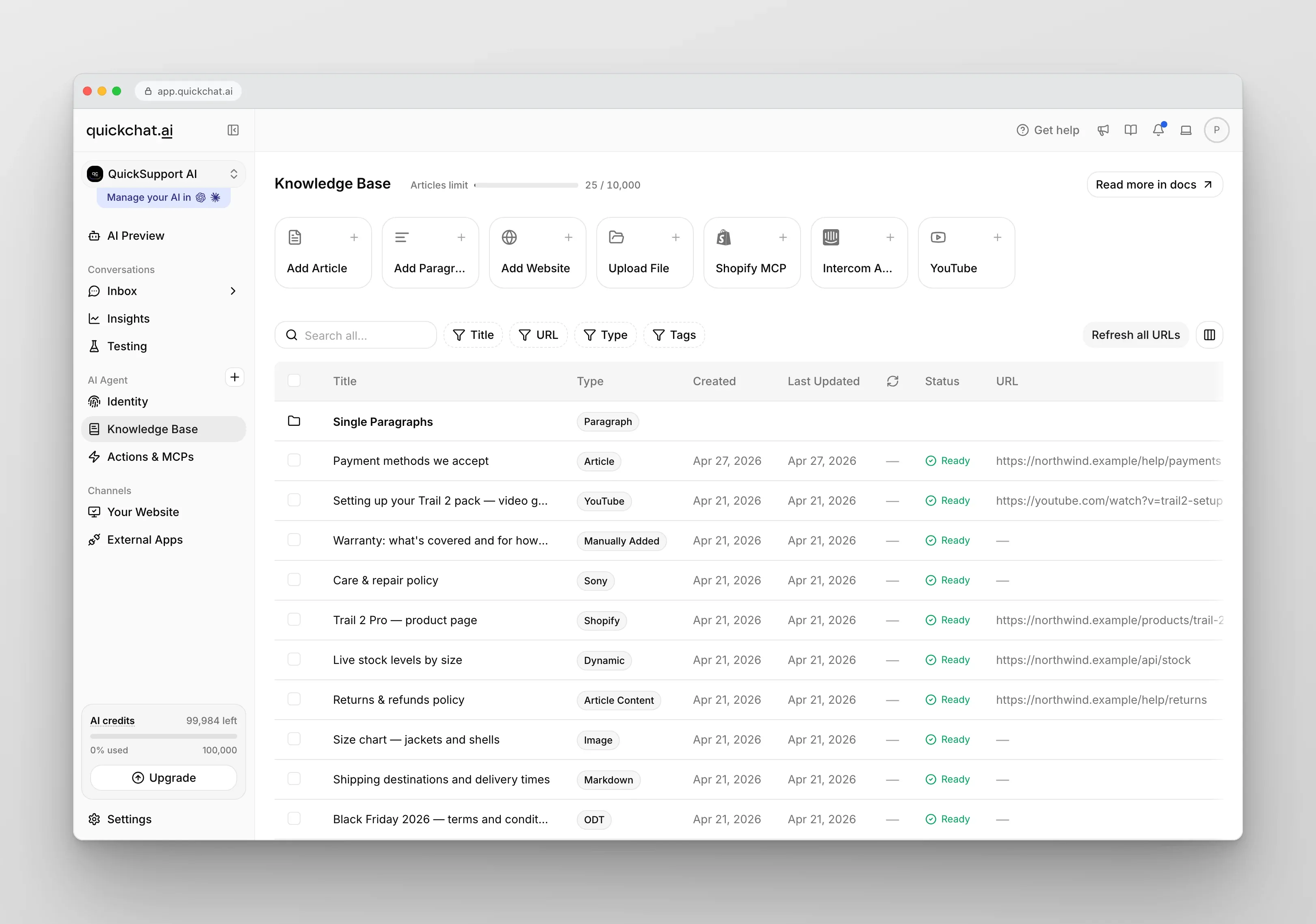
Describe an agent, feed it knowledge, let it act, hand off to a person, then read the analytics.
The platform page splits the product into six modules. This is how they fit together and what is metered.
An older player in a crowded category, with vendor-only numbers for scale.
About page: “year when company was founded”.
Vendor claim on the About page.
Vendor claim, a different number on another page.
9 Jul to 8 Oct 2026; none newer as of 21 Oct.
Quickchat describes itself as AI-first, “not a helpdesk or a live chat software with an AI wrapper”. The About page names Dominik Posmyk as co-founder and CEO and Piotr Grudzień as co-founder and CTO; the site footer shows Y Combinator under “Backed by” and OpenAI and Google Cloud under “Powered by”. The legal entity is Incentivai Inc., with a registered office in Wilmington, Delaware, per the Terms. The two agent counts above cannot both describe the same thing and the pages do not explain the difference, so treat both as marketing. Quickchat publishes no revenue, customer count or funding amount.
| When | What happened | Source |
|---|---|---|
| 2018 | Company founded | About page |
| Oct 2020 | Show HN post of an early GPT-3 chat bot demo, 70 points | Hacker News |
| Jan to Mar 2023 | The three published customer case studies appear | Case studies |
| 11 Aug 2025 | Shopify app launched | Shopify App Store |
| 29 May 2026 | Official WordPress plugin added to WordPress.org | WordPress.org |
| Jul to Oct 2026 | 23 release-note entries: MCP both ways, email channel, Instagram DMs, a 240-service MCP catalogue | Release notes |
| Oct 2026 | Tax added on top of listed prices; a credit estimator added to the pricing page | Plans docs, pricing page |
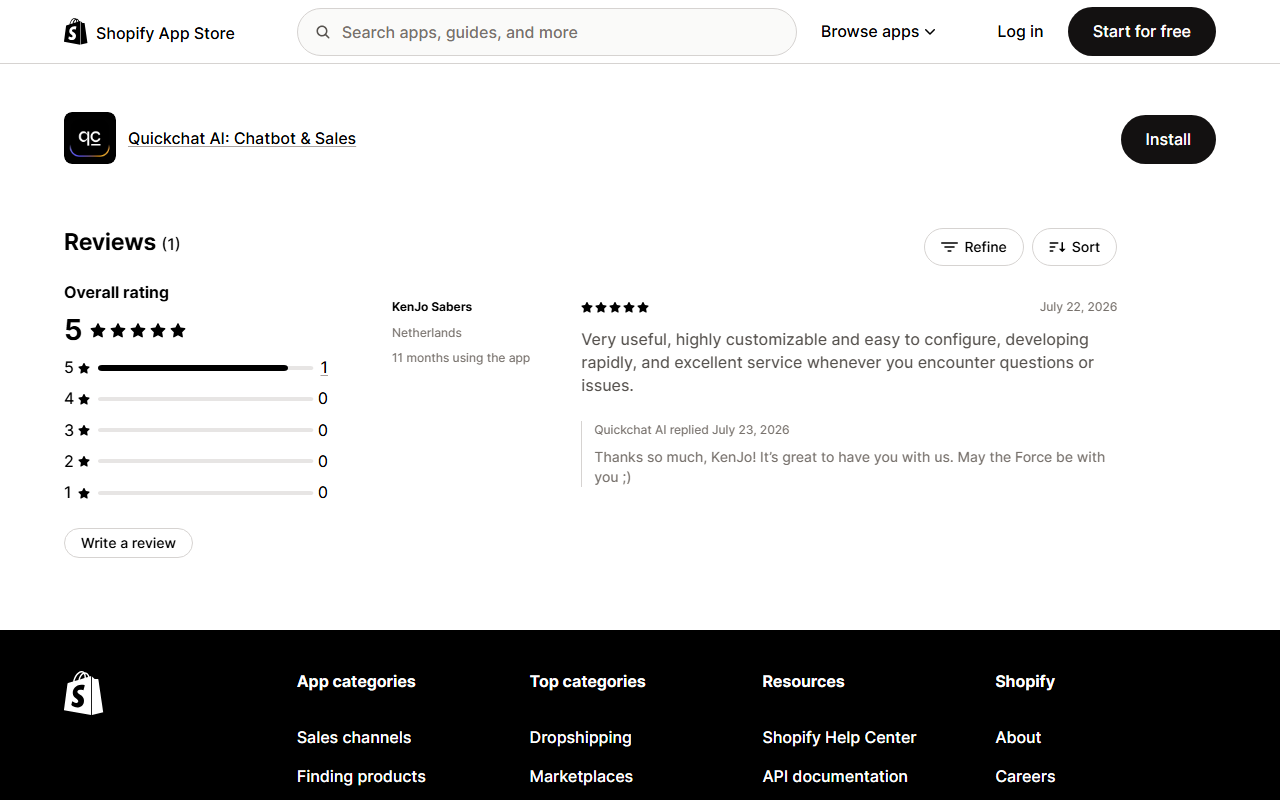
One five-star Shopify review is the entire public rating record, so the Free plan is your evidence.
The only independent star rating we can cite is on the Shopify App Store, where Quickchat's app has a single review: five stars on 22 Jul 2026 from a store in the Netherlands, “11 months using the app”, calling it “Very useful, highly customizable and easy to configure” with “excellent service”. One review is an anecdote, not a rating. The same Shopify page lists three similar apps, and the gap in review volume is the real finding:
Hacker News, sized honestly. Since 1 Oct 2025 there are 33 Hacker News stories linking to quickchat.ai, and all 33 were submitted by Quickchat co-founder Piotr Grudzień. The median story got 2 points, only 3 drew any comments (20 comments in total as of 22 Oct 2026), and the most discussed one, “I'm Too Lazy to Check Datadog Every Morning, So I Made AI Do It” (item 47392052, 30 points, 16 comments, 15 Mar 2026), is an engineering blog post whose comments argue about monitoring practice, not about Quickchat's product. In other words, there is no independent customer discussion on Hacker News in the past year.
Open-source and channel signals. Quickchat's GitHub organisation (github.com/quickchatai) has two public repositories as of 22 Oct 2026. The self-hosted MCP server, quickchat-ai-mcp (MIT), has 24 stars and 11 forks; its last commit is dated 29 Apr 2025, and six pull requests and one issue are open, the oldest from June 2025, with nothing merged since. Its PyPI package, quickchat-ai-mcp, is still at version 0.0.11 (29 Apr 2025) and was downloaded 118 times in the last month, per pypistats. The newer quickchat-claude-plugin (created 25 Aug 2026, updated 16 Oct 2026) has 1 star. On YouTube, the official @Quickchat channel lists 3.32K subscribers and 57 videos; the ChatGPT MCP walkthrough embedded below (27 Jul 2026) shows 6,724 views and the WhatsApp setup video (9 Sep 2026) 423. Read together: a small, active vendor whose hosted product moves fast, while the open-source MCP package has not kept up, so use the hosted MCP server described in the docs rather than the old package.
The one real discussion is older: a 2020 Show HN post of an early GPT-3 chat bot demo (item 24695710, 70 points, 79 comments). The demo answered questions about a sample site, and several people caught it contradicting that site's own pages. It is six years old and a different generation of product, but it shows exactly the failure a buyer should test for today.
Pointed out that the demo bot said only an email address is taken, while the site's privacy page lists more personal data, and asked who is responsible when the chatbot is wrong.
Reported the bot first denying third-party tracking, then saying Google Analytics was in use, then denying it again.
Argued that bots like this are fine for fun suggestions but may not be practical where answers are legally important, such as questions about a product.
Pattern: all three 2020 comments are about confident answers that conflict with the company's own documents. Quickchat's current pitch, answers grounded in your knowledge base with a source for every reply, is aimed at exactly this. Whether it fixes it is something your own test questions will show.
The home page carries three testimonials. Two are named customers, Novuskills and Contact North, and both match case studies from early 2023. The third is attributed to a “Fortune 500 company” with no name. The case studies report 1,000 interactions at 98% satisfaction (Novuskills), 2,000 interactions at 100% satisfaction (Contact North) and 600+ inquiries a day with 93% handled by the AI (Maybe* Tech). These are the vendor's numbers, from before the current models and pricing. We quote no Trustpilot, G2 or Capterra rating for Quickchat AI because we have none we can cite, and we found no Quickchat AI app in the US App Store.
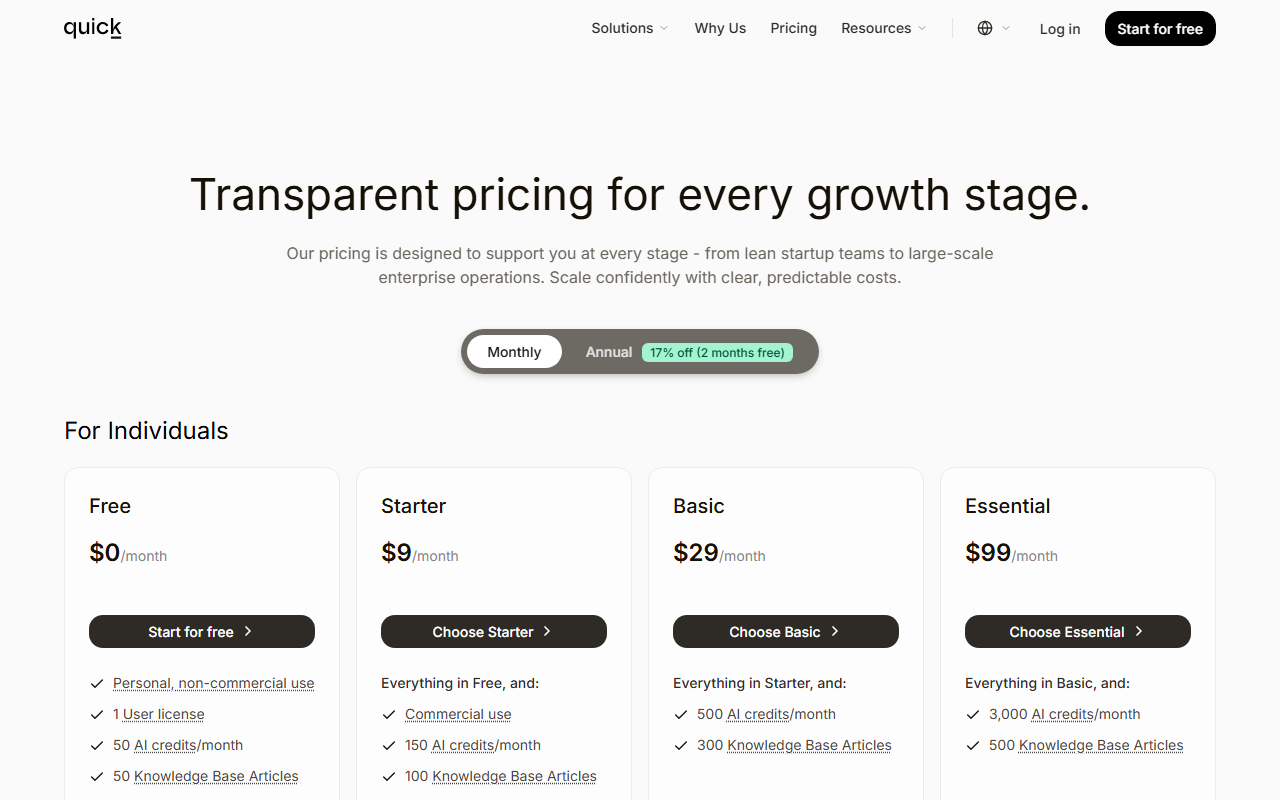
Five paid plans from $9 to $999 a month, plus Enterprise billed per resolved conversation.
Free
Personal, non-commercial use
- 50 AI credits a month
- 50 Knowledge Base articles
- 1 user, standard model
Starter
$90 a year
- 150 credits, 100 articles
- Commercial use
- Advanced models, auto-refresh, voice input
Basic
$290 a year
- 500 credits
- 300 articles
- 1 user
Essential
$990 a year
- 3,000 credits
- 500 articles
- 1 user
Professional
$2,990 a year
- 9,000 credits, 1,000 articles
- 3 users
- Hide Quickchat branding
Business
$9,990 a year
- 30,000 credits, 2,000 articles
- 10 users
- REST API access, export conversations
Enterprise
per resolution, from 2,000 resolutions a month
- Custom seats and terms
- DPA and SLA options
- Dedicated account manager
Swipe the table sideways to see every column.
| Plan | Per month | Per year | AI credits a month | KB articles | Users |
|---|---|---|---|---|---|
| Free | $0 | $0 | 50 | 50 | 1 |
| Starter | $9 | $90 | 150 | 100 | 1 |
| Basic | $29 | $290 | 500 | 300 | 1 |
| Essential | $99 | $990 | 3,000 | 500 | 1 |
| Professional | $299 | $2,990 | 9,000 | 1,000 | 3 |
| Business | $999 | $9,990 | 30,000 | 2,000 | 10 |
| Enterprise | From $0.50 per resolution | Custom | Not credit-based | Custom | Custom |
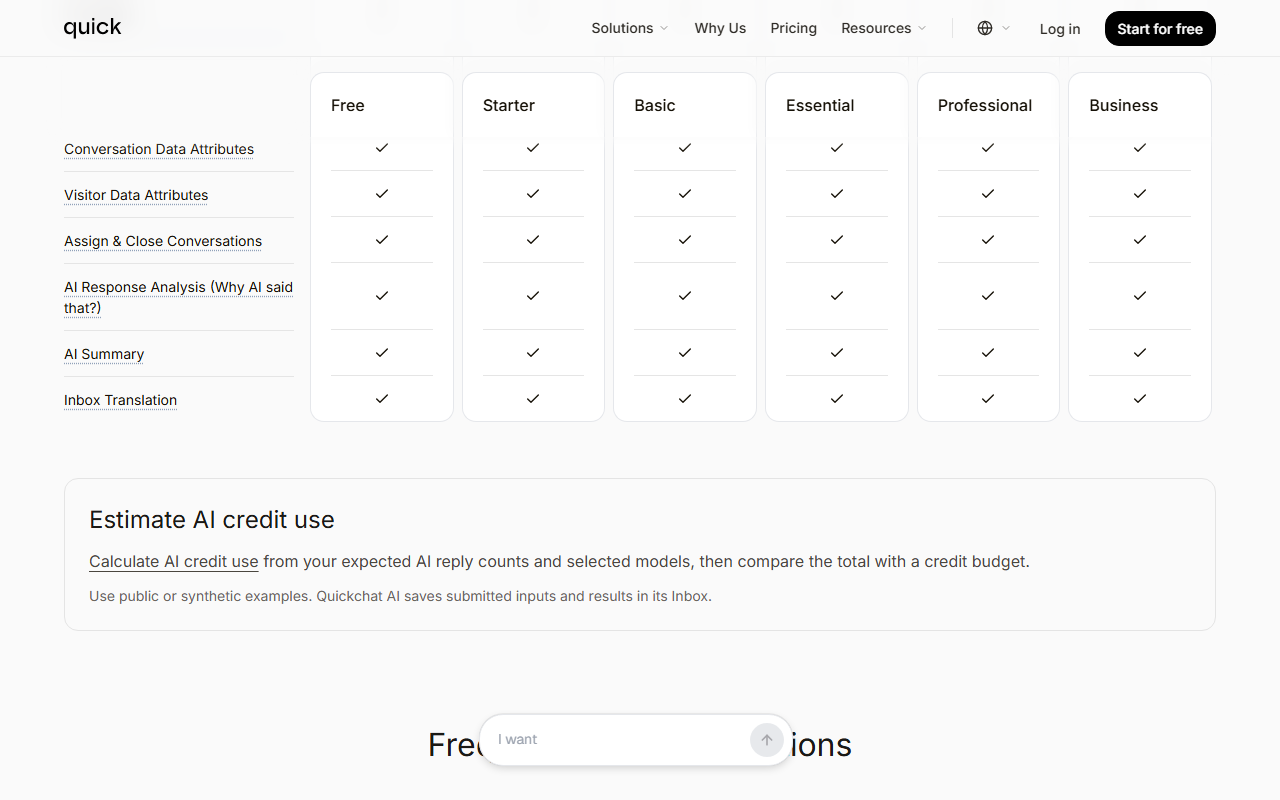
| Feature | First plan that includes it |
|---|---|
| MCP, unlimited AI Actions, human handoff, all channels, Insights | Every plan, including Free |
| Commercial use, advanced models, auto-refresh URLs, voice input, widget translations | Starter, $9 |
| More than one user (3), hide Quickchat branding | Professional, $299 |
| 10 users, REST API, export conversations | Business, $999 |
Not an affiliate link. It opens Quickchat AI's official website.
One credit is one AI reply on the standard model, and the better models cost two to four times as much.
The unit you buy is the credit, and the docs are blunt about it: a credit is spent “per AI reply, not per user question and not per conversation”. A conversation with five replies spends five credits on the standard model. Visitor messages, replies typed by your own team, knowledge imports, running an Action and Insights analysis do not spend credits. Replies in the AI Preview while you build, and Testing runs, do.
| Model | Tier (docs) | Credits per reply |
|---|---|---|
| GPT-5.1 | Standard (default) | 1 |
| GPT-5.6 Luna | Fast | 1 |
| GPT-5.4 | Advanced | 2 |
| GPT-5.6 Terra | Advanced | 2 |
| GPT-5.5 | Premium | 4 |
| GPT-5.6 Sol | Premium | 4 |
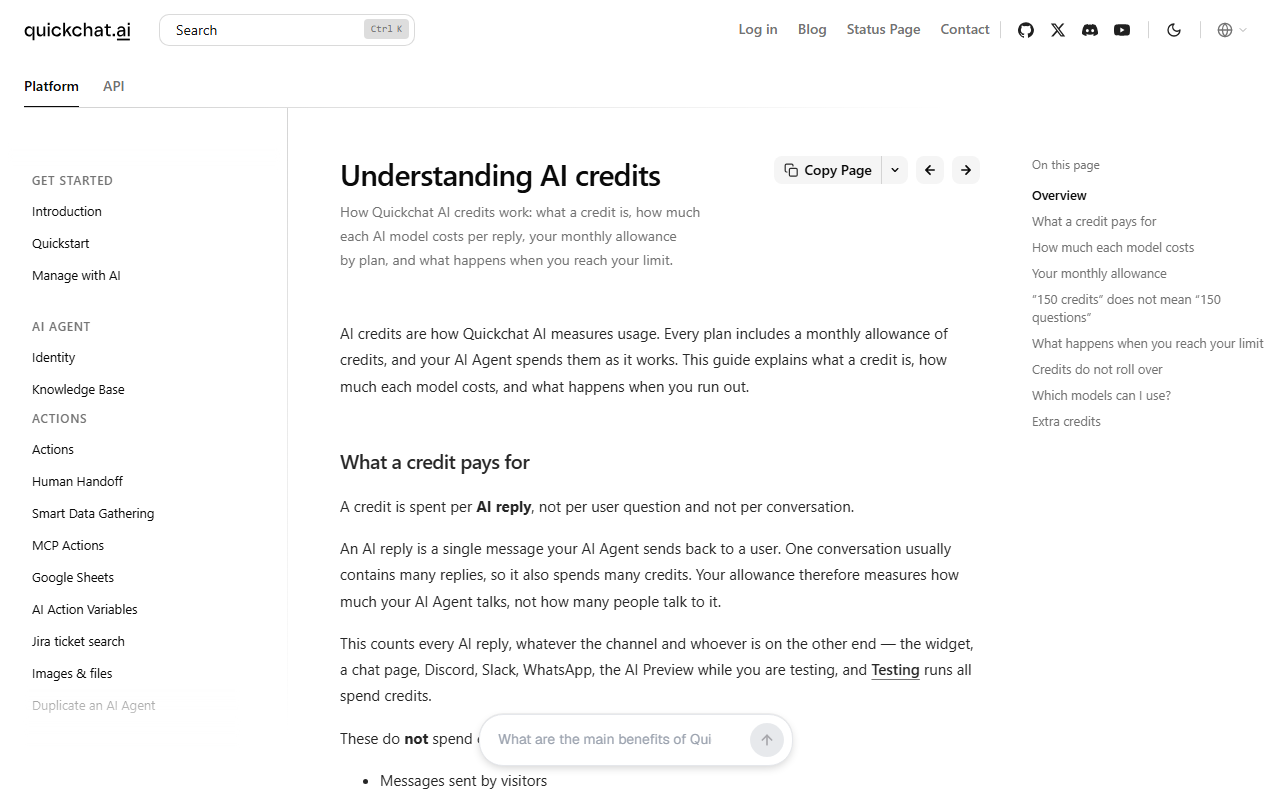
That last point is the biggest practical difference from rivals. Chatbase, which also stops its agents when message credits run out, sells auto-recharge credits at $40 per 1,000 that do not expire. Zendesk lets an admin choose between paying overage per resolution or pausing the AI agent. Fin lets you set usage alerts and a hard limit. Quickchat's design gives you a hard budget ceiling for free, at the price of silence when the month is busier than planned.
Auto-renewing plans, no refunds by default, and downgrades that wait for the period to end.
| Topic | What the pages say | What it means |
|---|---|---|
| Free plan | “without a credit card” (pricing FAQ) | You can try the product without paying, for personal use only |
| Renewal | “your Subscription will automatically renew under the exact same conditions unless you cancel it” (Terms, last modified Jan 23, 2026) | Cancel before the cycle ends |
| Cancelling | Through your account or by emailing contact@quickchat.ai | No phone or chat route is listed |
| Refunds | “Except when required by law, paid Subscription fees are non-refundable.” | Try Free first; a yearly plan is a real commitment |
| Downgrades | Take effect at period end, “no proration and no partial refund” | You keep the higher limits until then |
| Upgrades | Take effect immediately | The only way to restore replies mid-month on most channels |
| Tax | Prices exclude VAT; Stripe adds tax at checkout; a VAT number can be entered | Budget the tax for your billing country |
Two details are easy to miss. The pricing page does not say “excl. VAT” next to the numbers, but the plans docs do. And the pricing page lists no free trial of a paid plan: Free is the trial, and it is limited to non-commercial use.
New on the pricing page this month is an “Estimate AI credit use” tool. Its note reads: “Use public or synthetic examples. Quickchat AI saves submitted inputs and results in its Inbox.” Do not type real customer volumes or confidential figures into it; the arithmetic in the next section does the same job.
Four worked examples: what Quickchat costs, when the plan runs out, and what Fin would charge for the same month.
Prices are from quickchat.ai/pricing, Fin's help article on outcome pricing (dated 17 Sep 2026) and intercom.com/pricing, all as of 21 Oct 2026, before VAT. The workloads are illustrative, not customer data. Where we compare per resolution we assume 60% of conversations end resolved, and that every Fin outcome is a resolution. Change the inputs to your own numbers; the method stays the same.
The curve flattens at Essential. Past it, a reply costs the same $0.033 whether you pay $99, $299 or $999; the higher plans sell seats, branding removal, the API and headroom, not cheaper replies.
Starter would go silent around the 38th chat, so the honest plan is Basic at $29 (500 credits, 340 to spare), or $0.73 per chat (29 ÷ 40). For comparison, Fin on your own helpdesk has a monthly minimum: $49 with 50 resolutions included per Fin's help center, or 50 outcomes ($49.50) per the FAQ on intercom.com/pricing, so it costs at least about $49; Fin inside Intercom costs one Essential seat ($29 a month billed annually, $19 for new customers) plus $0.99 per outcome: 29 + 24 × 0.99 = $52.76 at 24 resolved chats.
Essential costs $99 if traffic never spikes; with a buffer the plan is Professional at $299. At 60% resolved (360 resolutions) that is $99 ÷ 360 = $0.275 or $299 ÷ 360 = $0.83 per resolution. Fin on your own helpdesk: 49 + (360 − 50) × 0.99 = 49 + 306.90 = $355.90, not counting the helpdesk you already pay for. Fin inside Intercom with two Essential seats: 2 × 29 + 360 × 0.99 = 58 + 356.40 = $414.40.
Switching the model is one setting, and it can move the bill from $99 to $999, about 10 times, for the same conversations. Pick the model before you pick the plan.
At 60% resolved (1,500 resolutions) Business works out to $999 ÷ 1,500 = $0.67 per resolution. Enterprise would cost at least its floor, 2,000 × $0.50 = $1,000, even though you resolve only 1,500. Fin on your own helpdesk: 49 + (1,500 − 50) × 0.99 = 49 + 1,435.50 = $1,484.50.
On each plan one limit runs out before the others. Know which, and what the next step costs.
Every plan meters four things at once: AI replies (credits), Knowledge Base articles (with a matching cap on pages per website import), user seats, and features such as the API. AI Actions are unlimited on every plan and running one spends no credits, though the AI reply that goes with it still spends one as usual. These are our calculations from the pricing page and plans docs, 21 Oct 2026.
Credits: 500 ÷ 5 = 100 five-reply chats a month. A 50-message test set run 4 times spends 200 credits, 40% of the month, before a customer writes in.
Articles: 300. A 400-page help center leaves 100 pages out; the next tier with room is Essential (500).
Next step: Essential, +$70 a month.
Credits: 3,000 = 600 five-reply chats on the standard model, 300 on a 2-credit model, 150 on a 4-credit model.
Seats: 1. The day a second person needs to log in, the only option is Professional at $299, +$200 a month for one colleague (3 seats).
Articles: 500.
Credits: 30,000 = 6,000 five-reply chats, or 1,500 on a premium model.
Seats: 10. An 11th user means Enterprise.
Articles: 2,000. A documentation site larger than 2,000 pages does not fit, and Enterprise starts at $1,000 a month.
The practical order for most small teams: on Basic the credits run out first, on Essential the single seat bites first, and on Business the seat or article cap comes before the credits on the standard model. Check all three against your own numbers before you upgrade for the wrong reason.
Pick the plan from your reply count and your risk of a busy month, not from the feature list.
Free to test (non-commercial only), then Starter ($9). Starter's 150 credits cover about 37 four-reply chats. If the chats happen mostly on WhatsApp or Instagram, compare our Chatfuel review.
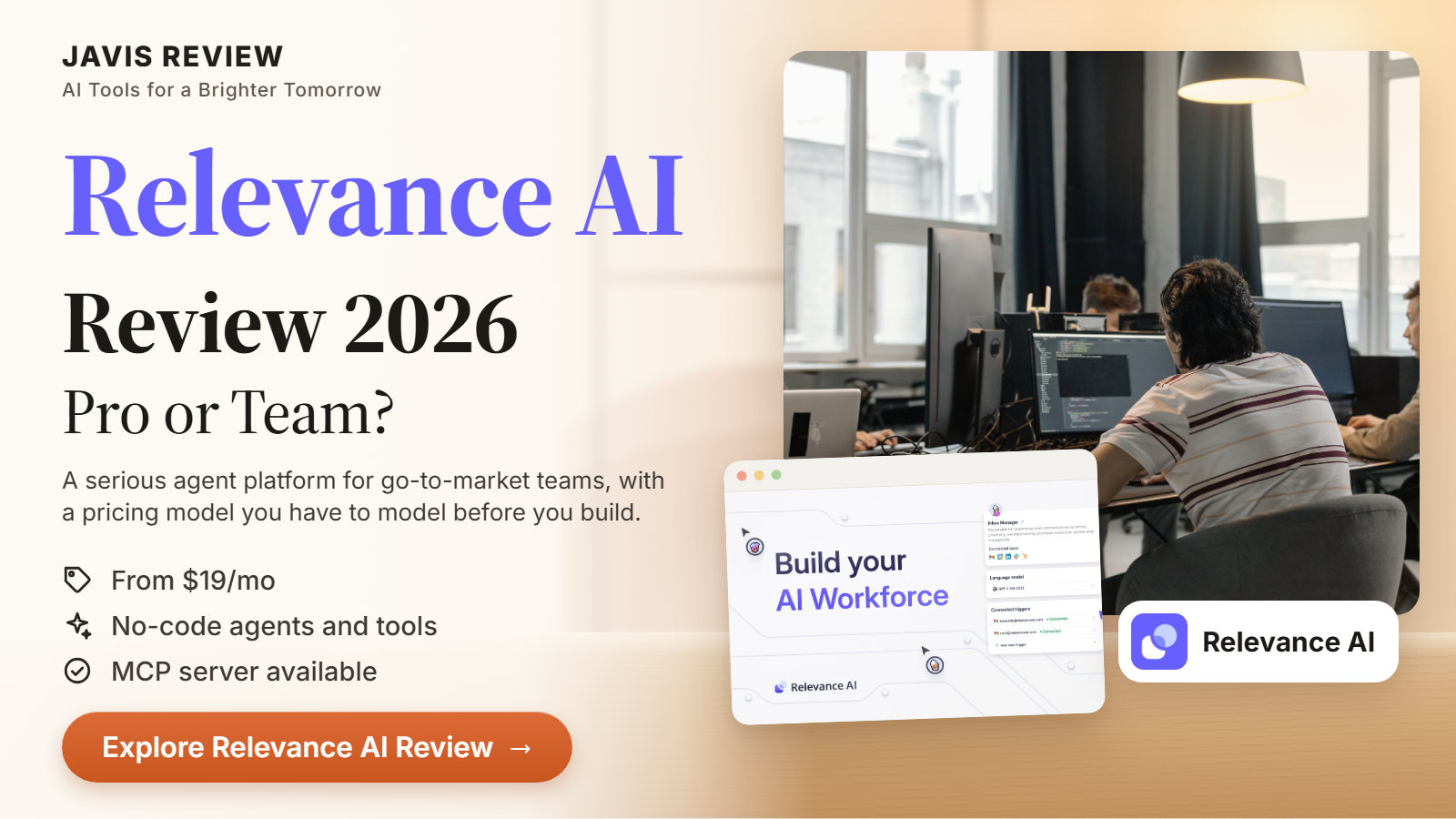
Essential ($99, 3,000 credits) is where a reply is cheapest. Keep your busiest month under about 2,400 replies (80%) so a spike does not silence the widget; above that, budget for Professional. To compare another credit-metered agent platform, see our Relevance AI review.
Professional ($299): 3 users and hidden branding. There is no add-on seat below it. For a credit-priced agent builder aimed at teams, see our Lindy review.
Business ($999). Nothing cheaper includes the API or export. If you mainly need an API-driven agent, our n8n review covers building one yourself.
Ask Quickchat about Enterprise (from $0.50 per resolution, $1,000 floor), and ask how its AI decides a resolution and whether model choice changes the rate. At that volume a self-hosted stack with no per-reply meter is worth pricing: see our AnythingLLM review.
Price Fin ($0.99 per outcome) or Zendesk's AI agents (allowance included per seat) first; see Alternatives. Quickchat can run inside either if the numbers favour it. JAVIS has no Fin or Zendesk review yet; to connect a helpdesk to AI steps without a new agent platform, see our Zapier review.
you need a SOC 2 report today (Quickchat lists it as in progress), or you cannot accept an agent that stops replying at zero credits on a website or WhatsApp channel. To keep data on your own servers instead, see our AnythingLLM and n8n reviews.
Budget check: credits are replies, premium models cost four credits per reply, credits do not roll over, and prices exclude tax.
Import your content, keep it fresh, and see which source produced each reply.
Quickchat's central claim is grounding: the agent retrieves facts from your own content before it answers. Its Legal FAQ calls this retrieval-augmented generation with “proprietary RAG and reranking systems”, and says administrators can restrict an agent to connected sources, so that when no verified answer exists it can ask a clarifying question, escalate to a human or return a “no answer found” response. That is a description of the design, not a measured accuracy figure.
| Source | What the docs say | Limit to know |
|---|---|---|
| Website pages | Single page, list of pages, sitemap or site-wide crawl | Each page is one article; a crawl of 400 pages uses 400 articles |
| Files | PDF, Word, PowerPoint, Excel and CSV; scanned images are OCR-processed | 32 MB per file, 1 MB for plain-text files |
| Shopify, Intercom, YouTube | Live product catalog through Shopify MCP, Intercom Help Center articles, YouTube transcripts | Intercom must be connected first |
| Typed articles | Full control over exact wording | Counts toward the article limit |
| Auto-refresh | URL articles re-pull once a day on paid plans | Manual refresh only on Free |
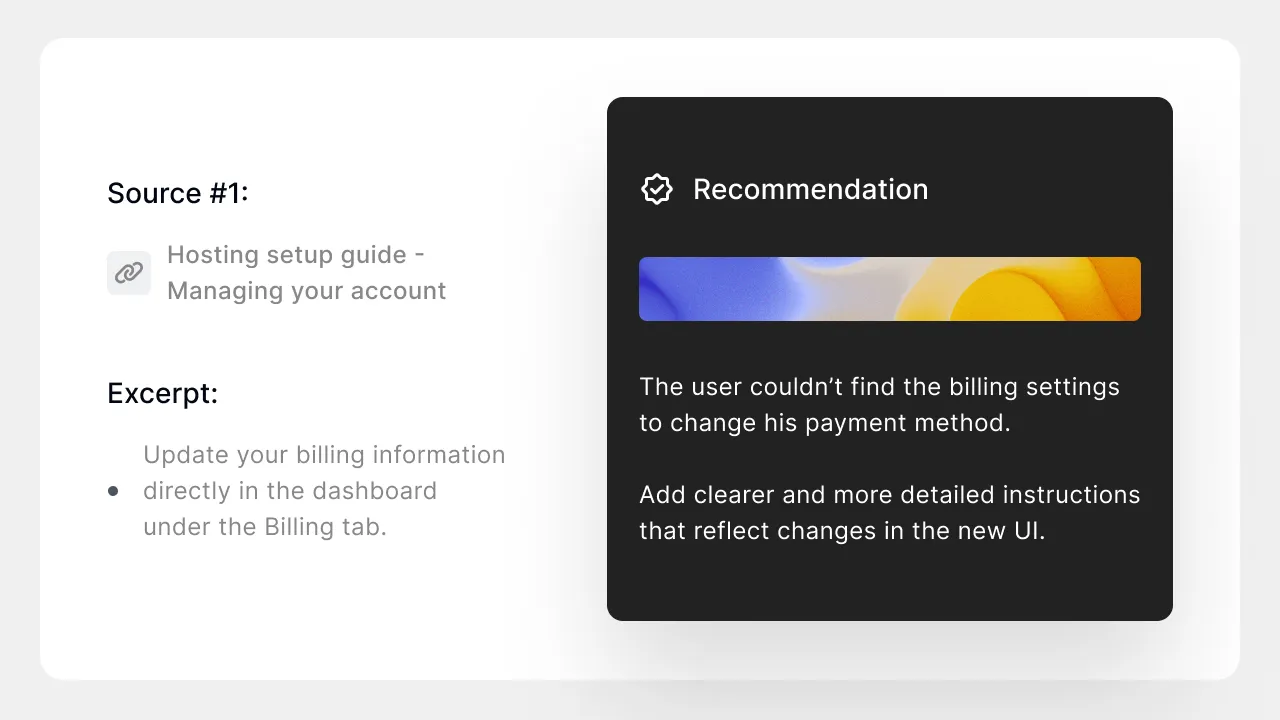
The Inbox keeps that trace for every conversation, with the knowledge sources and the reasoning behind the reply, and the Insights tab has an Article Usage view that shows which articles the agent leans on most. The release note for that view adds a fair caveat: the numbers come from a sample of analysed replies, so treat the shares as reliable and the totals as a sample. For a support team this is the feature that makes mistakes fixable: you see which article misled the agent and edit it.
What to test on Free: import your real help pages, then ask the ten questions where a wrong answer would cost you money, including one the pages do not cover. Watch whether the agent refuses, asks, or invents. Fifty credits is about ten five-reply test chats, so plan the questions before you start.
From a website URL to a live widget in an afternoon.
This is an illustrative workflow built from the quickstart in the docs. It is not a customer case.
The quickstart says a first assistant can go live in under 15 minutes, and Quickchat's home FAQ says a minimal deployment can go live the same day while production setups with custom Actions and helpdesk handoff “typically go live within two weeks”. Both are vendor estimates. You can also set the agent up from ChatGPT or Claude through a Quickchat connector, which edits the same account.
Agents that call your systems, stop when told to, and pass the chat to a person with a summary.
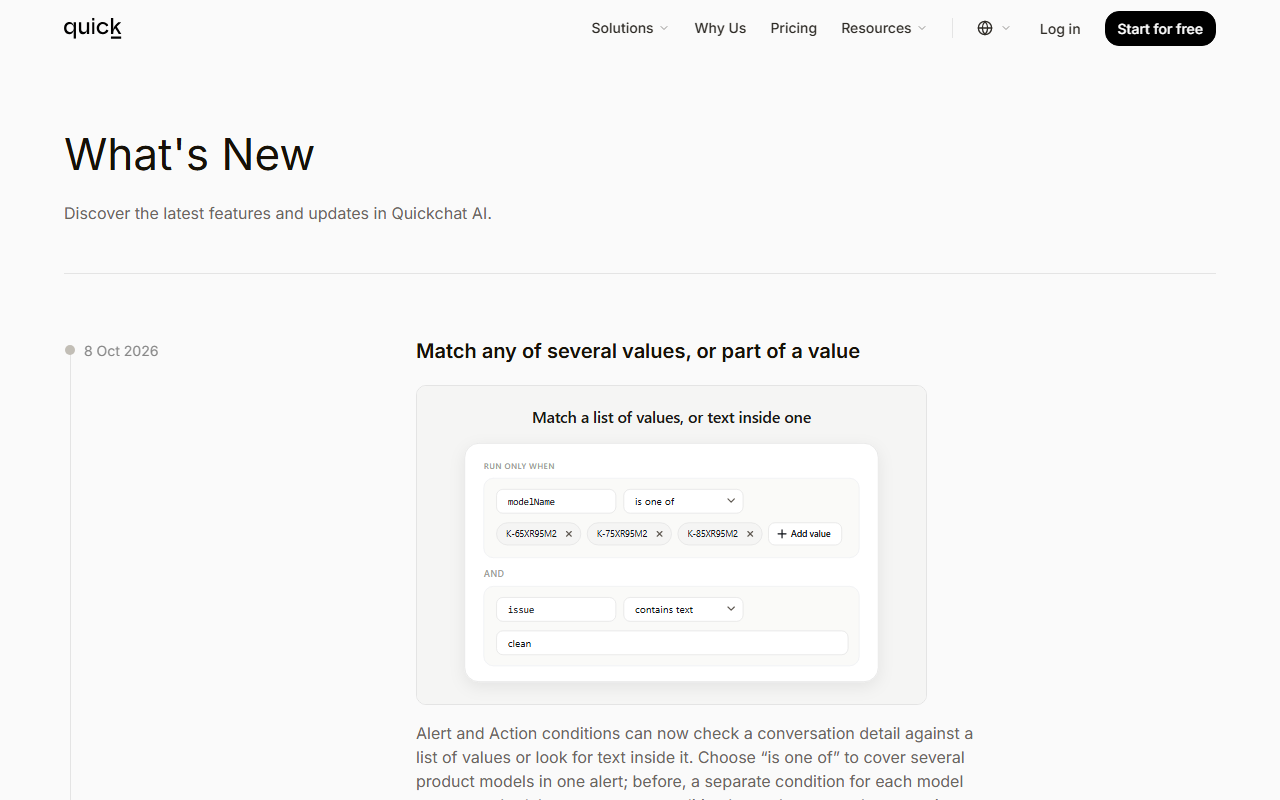
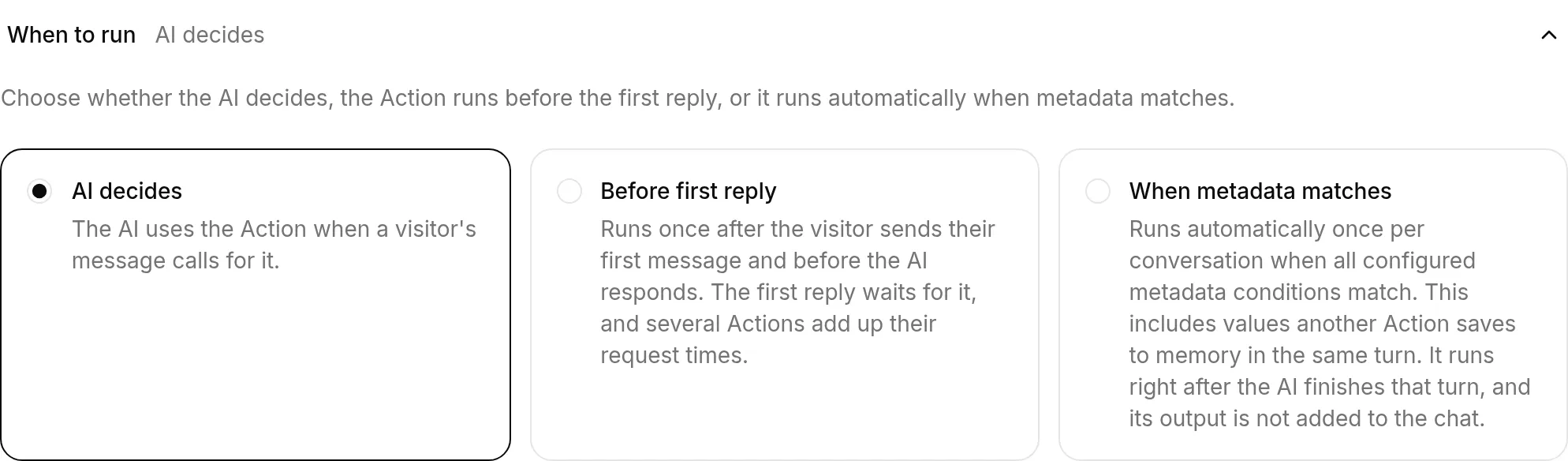
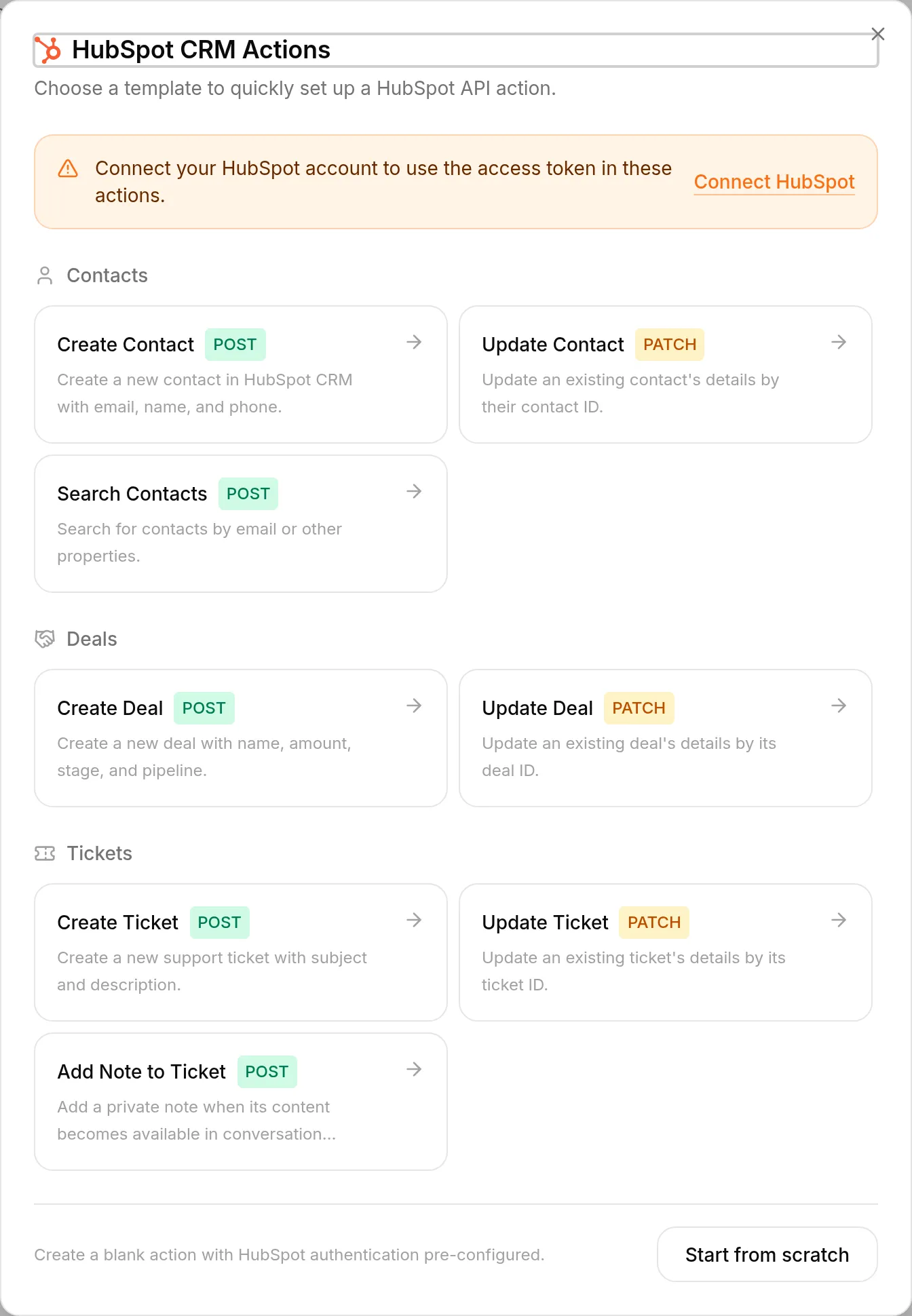
Actions let the agent call any HTTP API or MCP tool, query Shopify, collect lead details or escalate. The docs describe three modes for when an Action runs: the AI decides, before the first reply, or automatically when conversation details match conditions you set. The pricing page says AI Actions are unlimited on every plan, and the credits docs say running an Action does not spend credits. Since July 2026 the Add Action flow includes a catalogue of more than 240 MCP services, per the release notes.
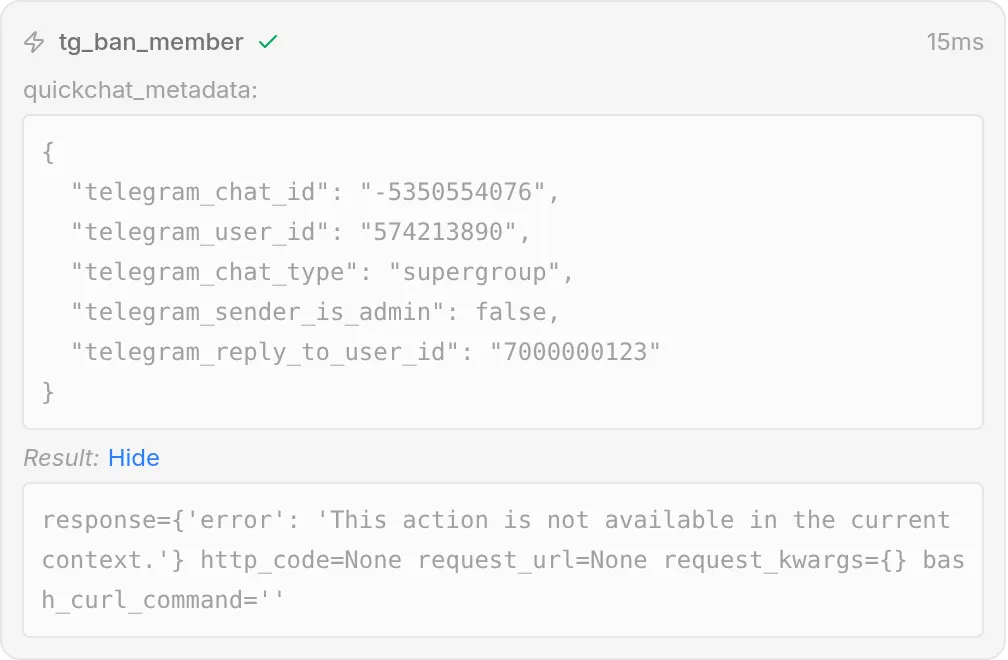
Handoff is where the agent stops. The docs list five default handoff rules: a media message the AI cannot process, user frustration, the agent having suggested contacting support, an admitted lack of knowledge, and repeated unhelpful advice. You can add your own rules and keywords that always force a handoff, such as “lawsuit” or “chargeback”, set working hours with a time zone and an out-of-hours message, and a person takes over in the Inbox with an AI summary. Handoff matters for cost as well as quality: under Quickchat's resolution definition a conversation handed to a human is not an assumed resolution.


For quality control there is a Testing tab: you build a dataset of user messages, write one grading rubric, and run it so an AI judge gives each reply an AI Score from 1 to 5 with a one-line justification, then compare runs after you change the prompt or knowledge. The docs say the rubric is passed to the judge “as one prompt and scored once per response”, and the credits docs say Testing runs spend credits, so a 50-message dataset run four times costs about 200 credits on the standard model.
One agent on many channels, and MCP in both directions.
The pricing page says every plan includes the website widget, embed and chat page plus native connections to Discord, Drupal, Facebook Messenger, HubSpot, Instagram, Intercom, Shopify, Slack, Telegram, WhatsApp, WordPress and Zendesk. The docs add email as a channel. The plans docs warn that a channel may need its own provider account, such as a Meta Business account for WhatsApp, an Instagram Professional account or an Intercom subscription, and “Those services are billed by their providers.” We have not priced those provider charges here; check them on the provider's own pages.
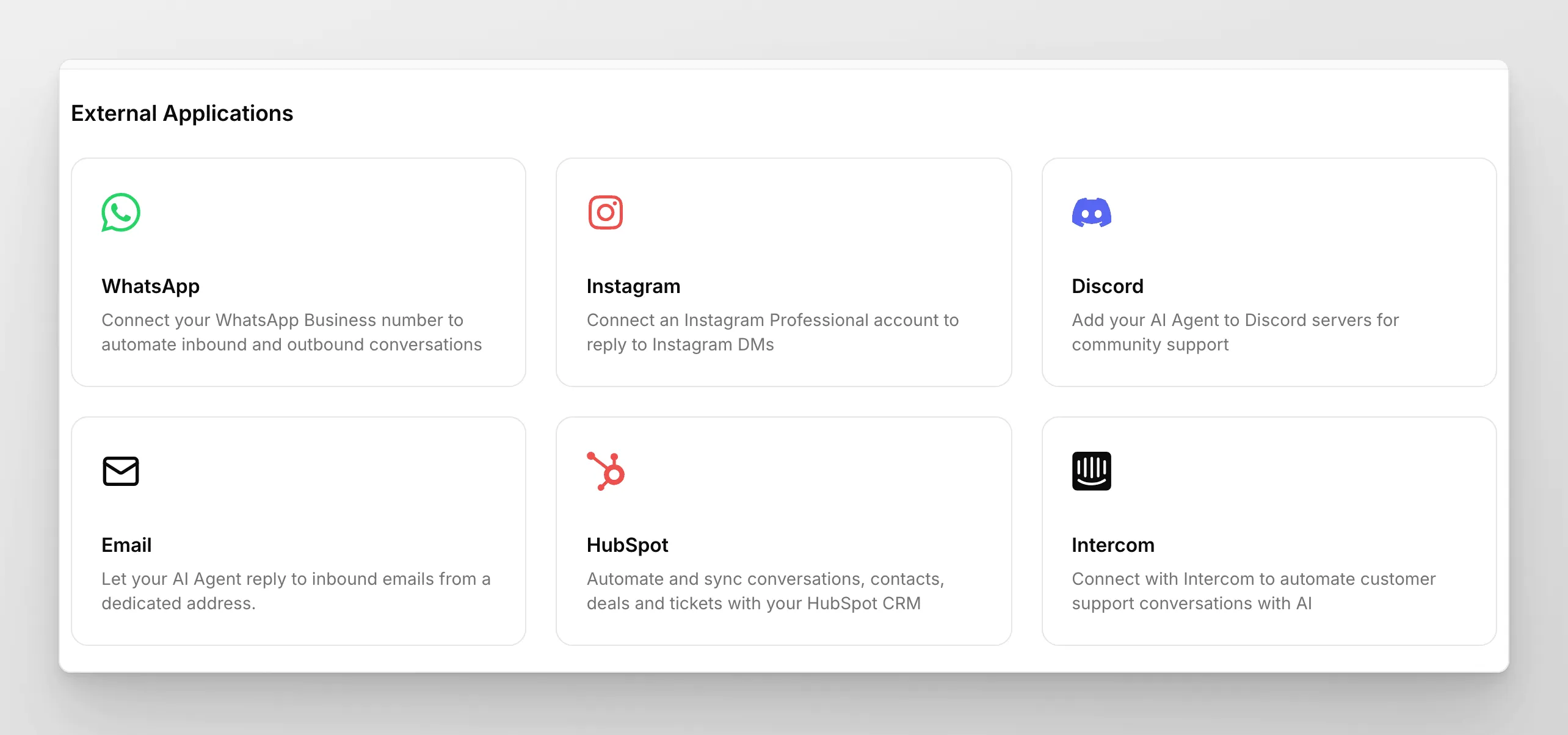
| Channel or tool | What the docs say | Watch for |
|---|---|---|
| Website widget, chat page, iframe | Every plan; AI widget translation and voice input from Starter | Branding hidden only from Professional |
| Official guide: a new number, or one not on WhatsApp Messenger; Meta sign-in flow | No verified path yet for a number already on the WhatsApp Business App; the docs say email support first and do not disconnect it | |
| Instagram, Messenger | Answer DMs; Messenger now takes photos and voice notes (6 Oct 2026) | Instagram needs a Professional account |
| Zendesk, Intercom, HubSpot | Connect help centers and hand off inside the tool you already use | You still pay that tool's own subscription |
| Forward a support address; AI replies can be held up to 20 minutes for review | Release notes, Aug 27, 2026 | |
| REST API | Query your agent from your own front end | Business plan only |
MCP appears twice. Every agent has its own hosted MCP server, so Claude, ChatGPT, Cursor or another MCP app can ask your agent questions. It is private by default; if you switch off sign-in it becomes public, and the docs warn that the messages are billed to you and that an agent with Actions is not read-only. Separately, you can connect your Quickchat account to ChatGPT, Claude, Cursor or Codex and manage agents in plain language, with one sign-in and no API key. If you plan to use that from Claude, our Claude MCP connectors guide covers how to keep a connector's access narrow.
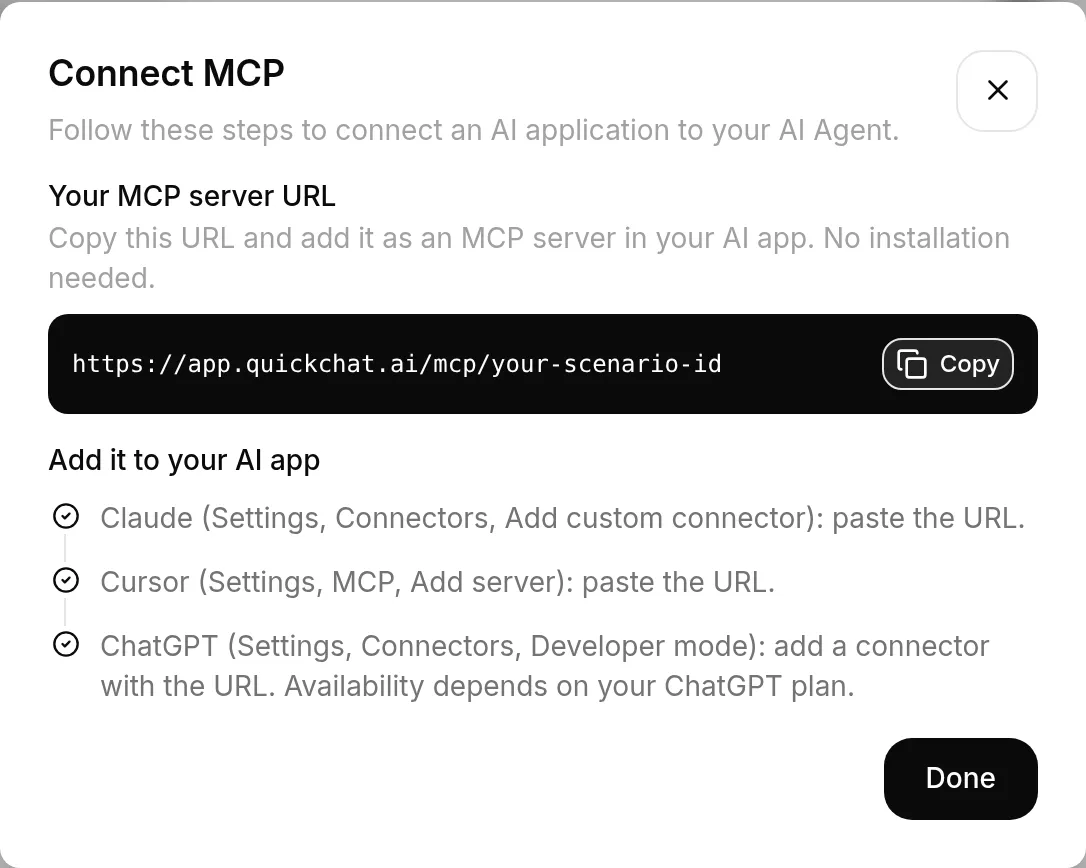
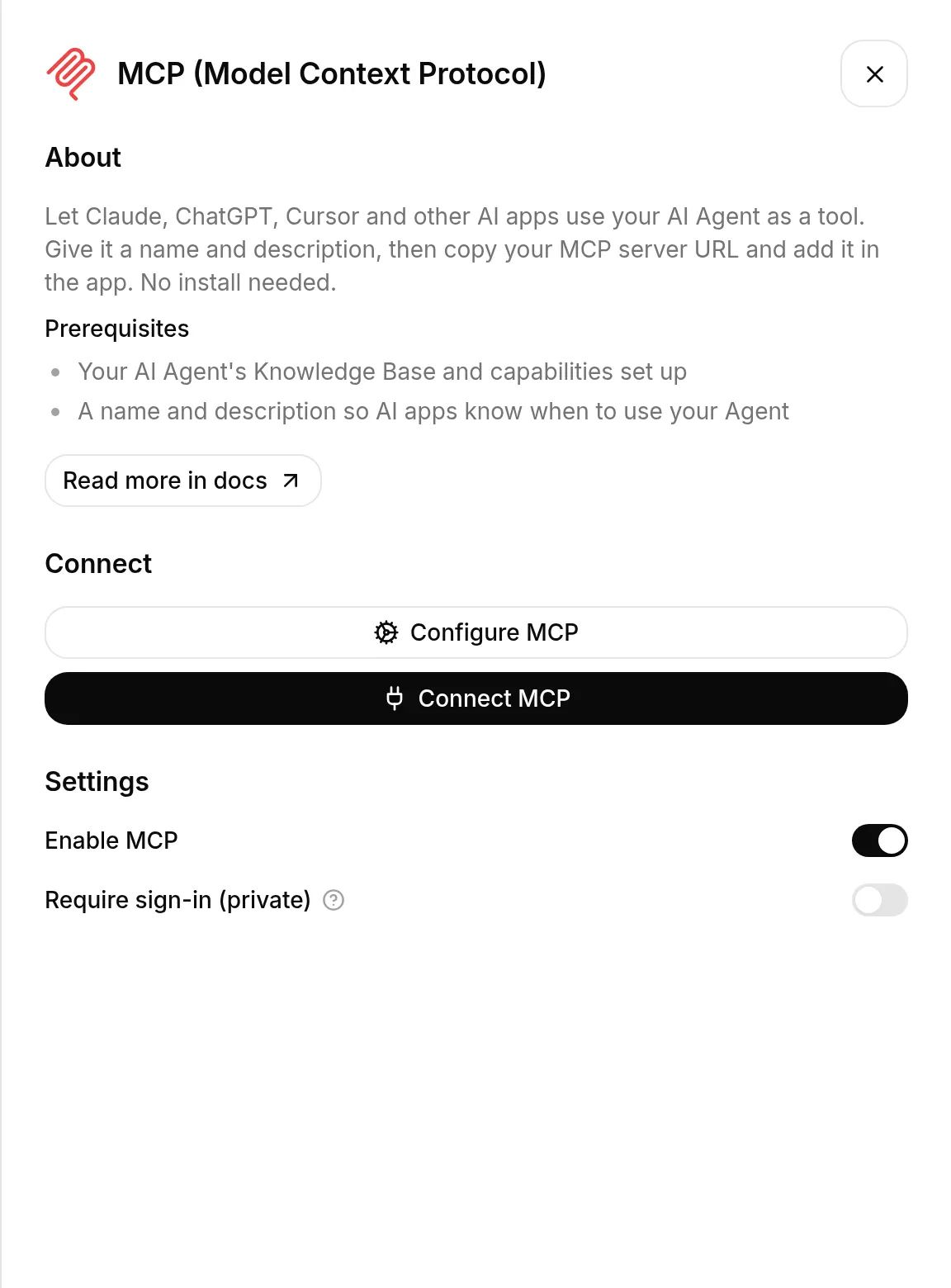
Quickchat's walkthrough of managing an agent from ChatGPT. It is marketing, and it shows the vendor's own demo data.
The Fin and Zendesk prices match those vendors' pricing pages, the fine print differs, and the resolution rates are the vendor's own.
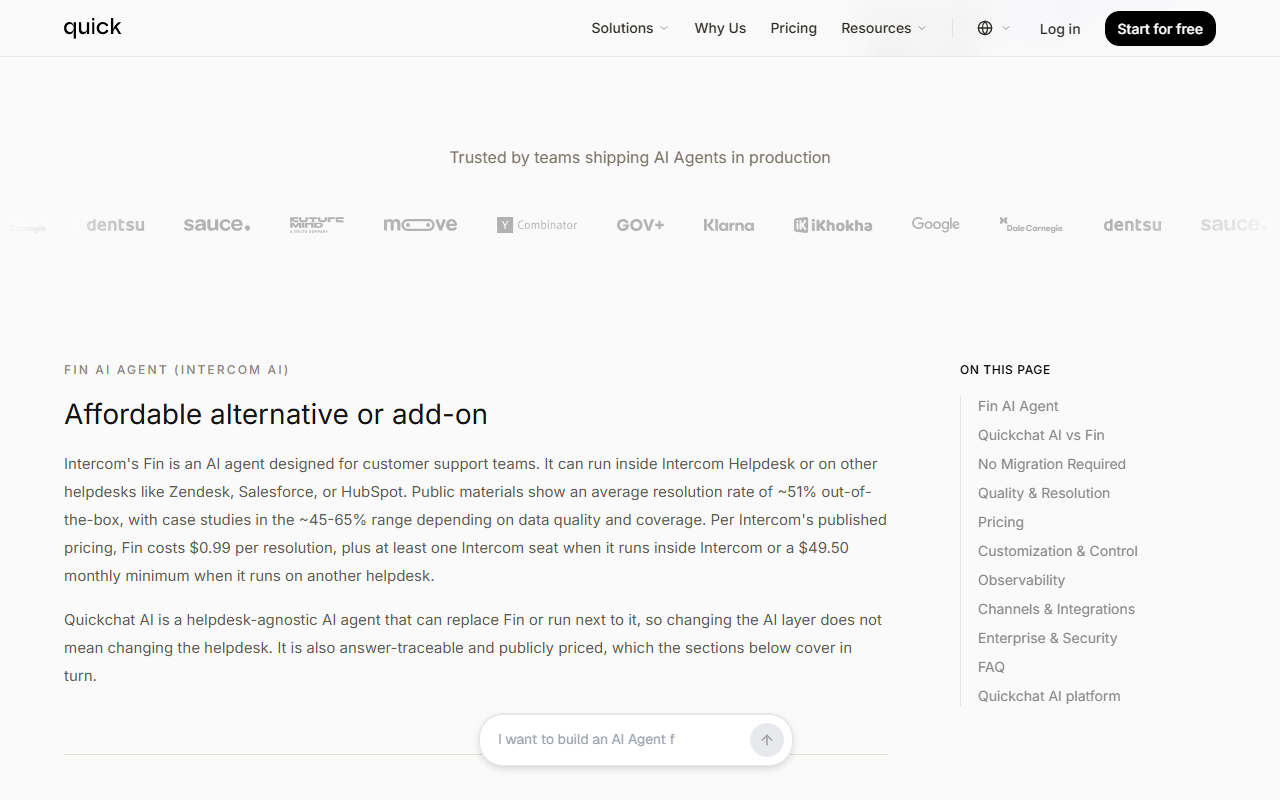
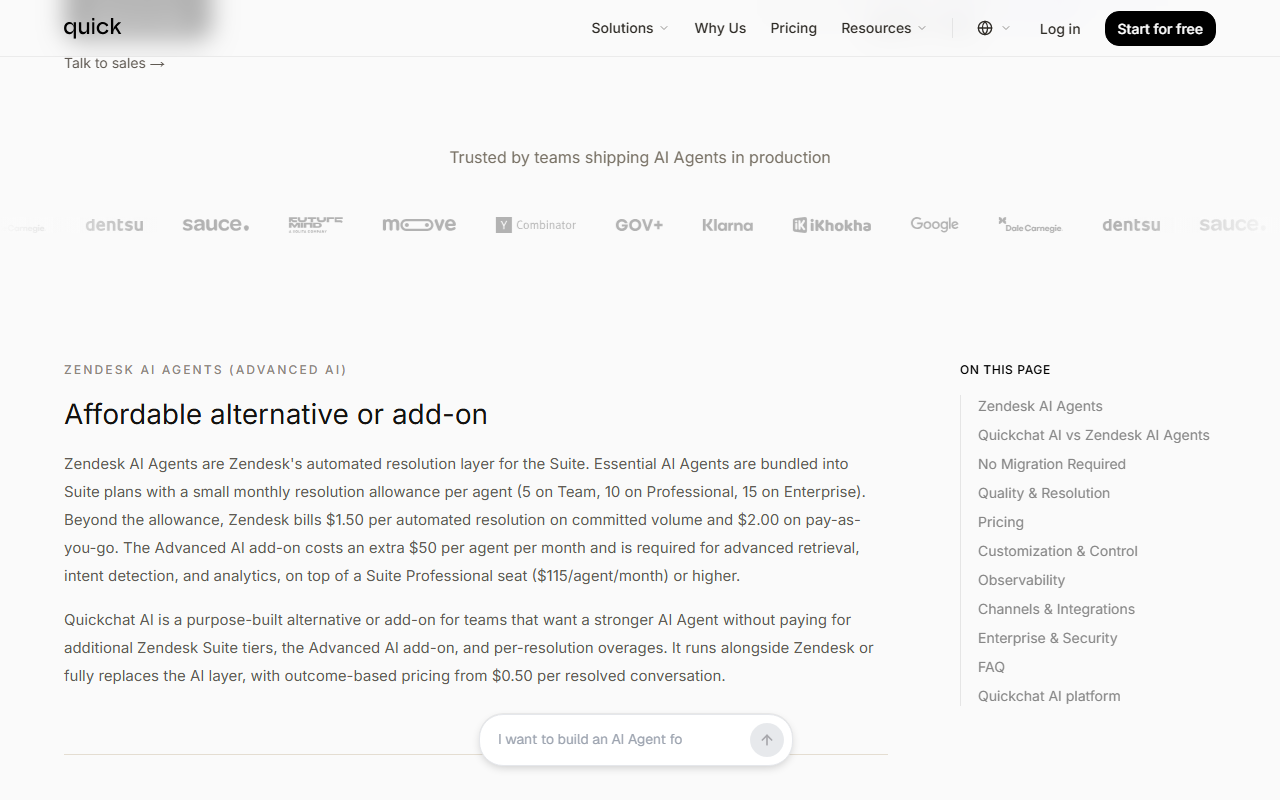
The home page states a resolution rate above 80% against an industry average of about 70%, and $0.50 per resolution against Intercom Fin at $0.99 and Agentforce at $2.00. Its footnote says pricing is “based on publicly listed competitor rates” and the resolution rate was “measured across real customer deployments versus published industry benchmarks, as of June 2026”. We set each price claim against the competitor's own page on 21 Oct 2026.
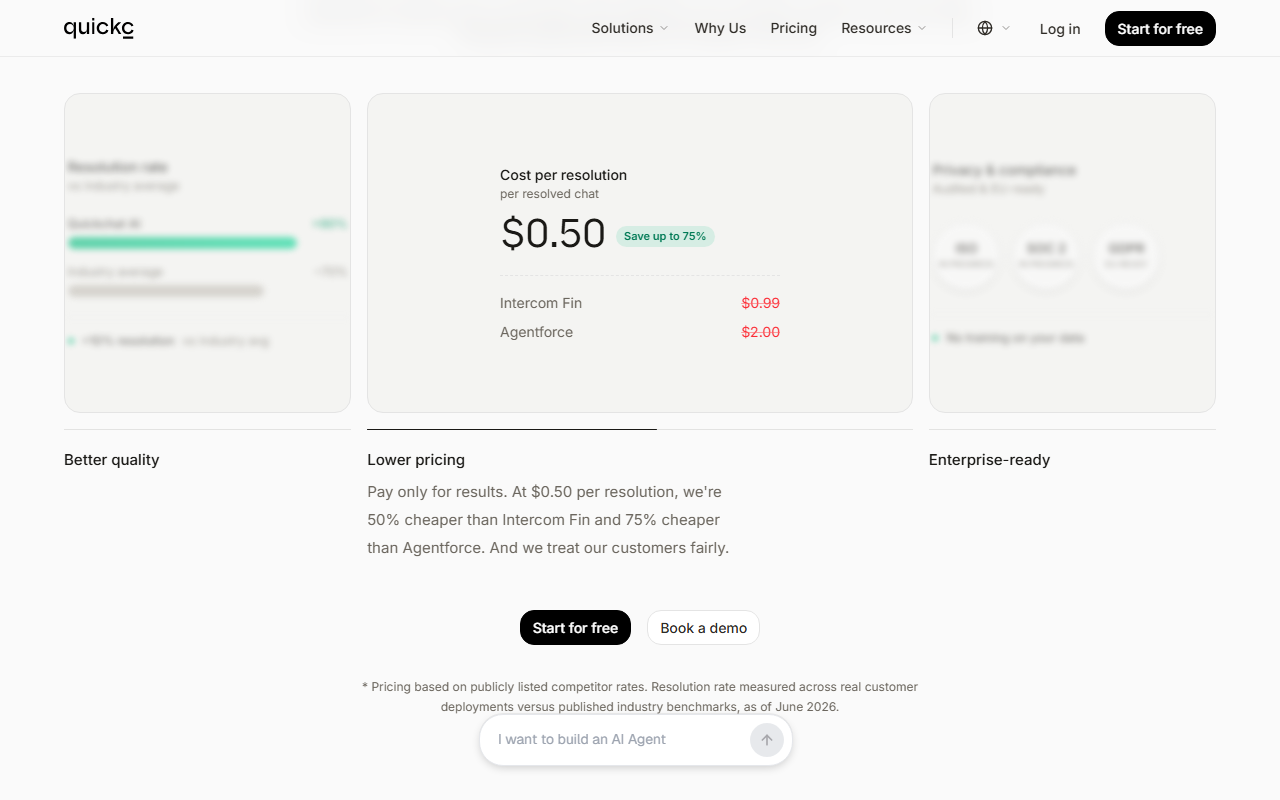
| Quickchat says | The primary page says (21 to 22 Oct 2026) | Our read |
|---|---|---|
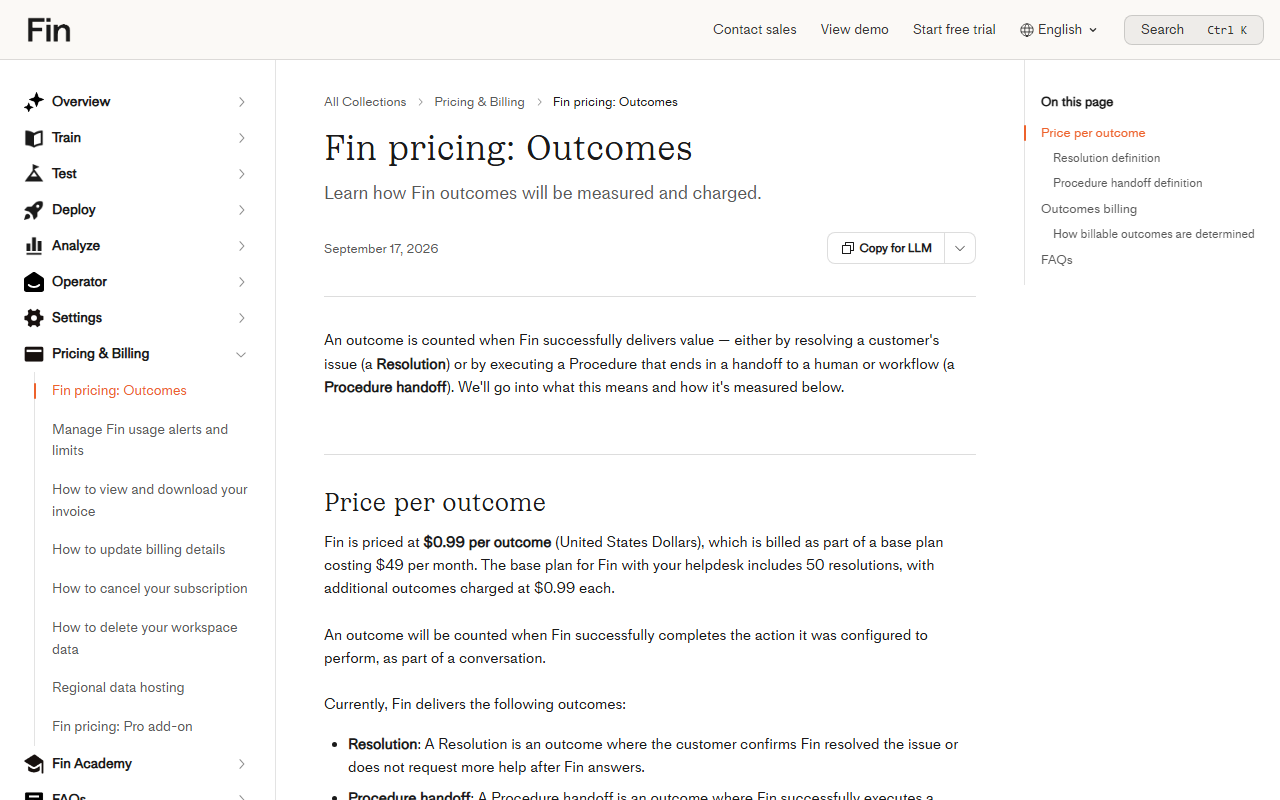
| Fin costs $0.99 per resolution, plus a $49.50 monthly minimum on another helpdesk (Fin comparison page) | Fin's help center: “$0.99 per outcome”, billed within “a base plan costing $49 per month” that includes 50 resolutions; an outcome is a resolution or a Procedure handoff, charged at most once per conversation | Unit price right. The $49.50 matches the FAQ on Intercom's pricing page (“Minimum monthly commitment applies (e.g. 50 outcomes)”, 50 × $0.99); Fin's own two pages differ by 50 cents. “Outcome” is broader than “resolution” |
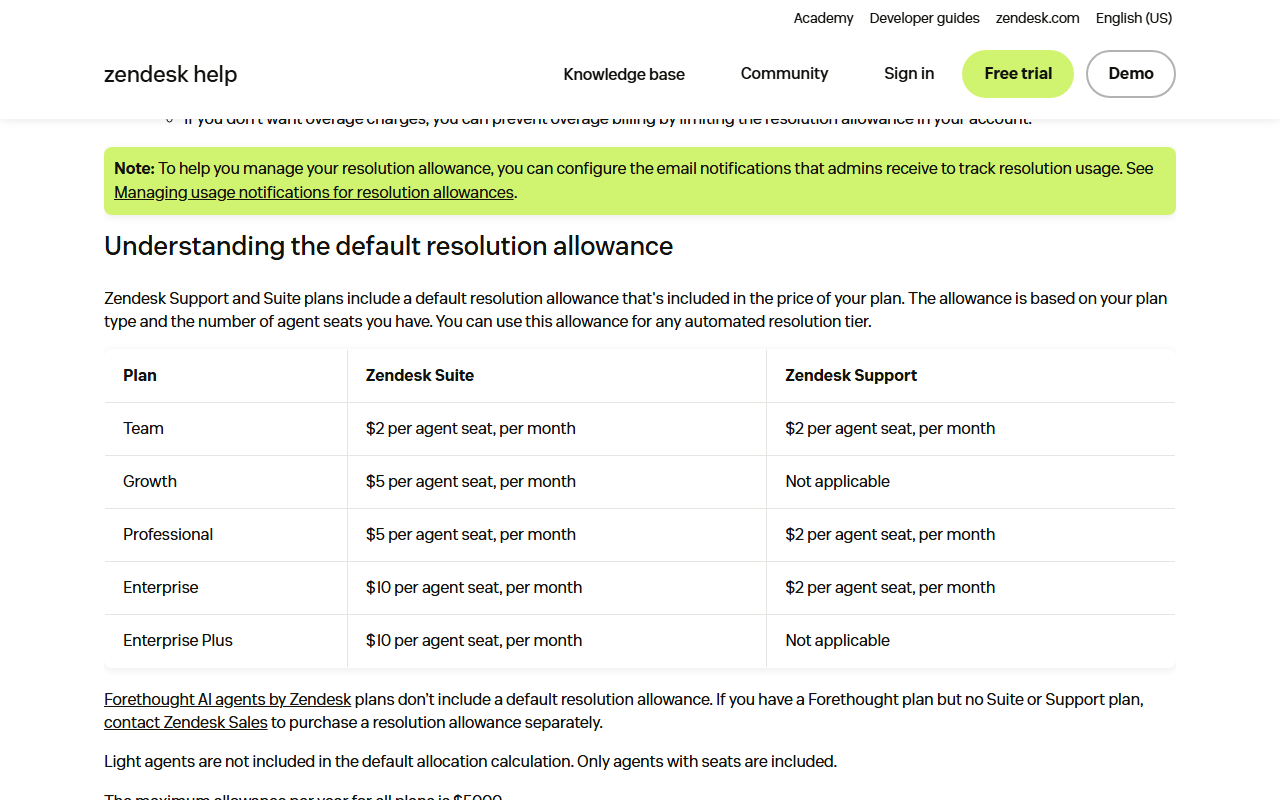
| Zendesk includes 5, 10 or 15 resolutions per agent a month, then $1.50 committed or $2.00 pay-as-you-go (Zendesk comparison page) | Zendesk's pricing page (modified 9 Oct 2026): “Included automated resolutions (up to 10k per year)” of 5 per agent a month on Support Team and Suite Team and 10 on Suite Professional (up to 15 on higher plans); “Committed automated resolutions” $1.50; “Pay-as-you-go resolutions” $2.00. Zendesk's help center describes a different model for accounts on resolution tiers (introduced 18 May 2026): an allowance of $2, $5 or $10 per agent seat a month, capped at $5,000 a year | Matches Zendesk's pricing page. Zendesk's own pricing page and help center disagree, so ask Zendesk which model your account is on |
| Zendesk needs Suite Professional ($115) plus a $50 Advanced AI add-on | Zendesk's pricing page: Suite Professional $115 per agent a month paid yearly; Copilot add-on $50; AI agents are included in every Suite and Support plan | Seat price right; Zendesk's FAQ says AI agents are included in every Suite and Support plan |
| Agentforce $2.00 per resolution (home page) | Not verified for this review | Quickchat's figure only |
| Resolution rate above 80% (home) and 74% (both comparison pages) | No independent measurement exists | Two different vendor numbers; ask which definition and period each uses |
No training on your data and EU hosting are stated, but SOC 2 and ISO are still in progress.
Quickchat publishes a Legal and Security FAQ, Terms (last modified Jan 23, 2026), a Privacy Policy (last modified Oct 2, 2026), a Data Processing Agreement (last modified May 16, 2024) and a GDPR Statement. JAVIS did not run a security test, and these are the vendor's statements, not an audit.
| Topic | What the vendor pages say | What to do |
|---|---|---|
| Data location | Legal FAQ: customer data on Google Cloud Platform in Belgium, Europe. The GDPR Statement says the storage location “is not provided in this statement” and that enterprise clients can choose a dedicated server location | Confirm the region in writing |
| Model training | “Quickchat AI does not use customer knowledge base content, chat logs, or proprietary data to train any Large Language Models” | Good; confirm in the DPA |
| AI providers | Docs: runs on OpenAI GPT models, six selectable; “You do not bring your own model or your own API key.” Legal FAQ: may use OpenAI, Anthropic, Gemini or Groq for inference | Read the provider list before sending customer data |
| Subprocessors | Google Analytics, Google Cloud Platform, Datadog, PostHog and HubSpot (Legal FAQ) | Review the list for your policy |
| Certifications | Home page: ISO and SOC 2 in progress. Legal FAQ: “actively pursuing SOC 2 compliance” | Do not assume a report exists; ask |
| Audits | Legal FAQ: periodic third-party assessments and penetration tests. GDPR Statement: “The vendor has not performed a Data Privacy compliance assessment or audit” | Ask which audits exist and for the pen test report |
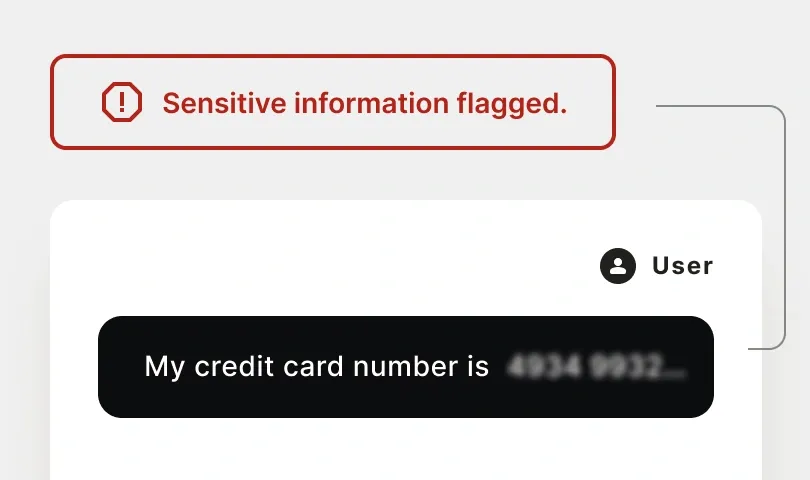
| Personal data | Legal FAQ: conversations can be scrubbed of PII before LLM processing on request | Ask for it if you handle personal data |
| Retention and export | Retained only as long as needed; deletion on request; conversation export is Business only | Plan your own export before you need it |
| Breach notice | DPA: notify “not later than within 48 (forty eight) hours of detection” | Check it fits your own obligations |
| Meta channels | Privacy Policy: disconnecting a Meta channel “does not by itself delete historical conversations” | Request deletion separately |
What the contract actually says
The self-serve plans run on the Terms of Service at quickchat.ai/terms (last modified 23 Jan 2026); the Data Processing Agreement at quickchat.ai/dpa is concluded with the customer that signs it. Four clauses matter most, quoted as of 21 Oct 2026:
Terms, section 19: “IF THERE IS LIABILITY FOUND ON THE PART OF COMPANY, IT WILL BE LIMITED TO THE AMOUNT PAID FOR THE SERVICES”. The same section says the company “shall not be liable for any breaks in the operation of the Service” and “shall not be liable to the customers of the User”, and that the AI “may be mistaken and you cannot rely on its answers or advice”. If your agent tells a customer something wrong, the risk sits with you.
Terms, section 23: the company “may terminate or suspend your Account and ban access to Service immediately, without prior notice or liability”. Section 24 puts the Terms under “the laws of State of California”. Fee changes take effect “at the end of the then-current Billing Cycle” after “reasonable prior notice”.
DPA 4.9: Quickchat may use a sub-processor if it signs terms “not worse than the terms of this Agreement”, and under 4.10 stays “fully liable” for it. The named list (Google Analytics, Google Cloud Platform, Datadog, PostHog, HubSpot) is on the Legal FAQ, with hosting on Google Cloud in Belgium. At termination the DPA (7.2) requires Quickchat to “delete all Personal Data” or return it.
Privacy Policy, section 7: personal data is kept “only for as long as is necessary”; no number of days is given. Legal FAQ: customer content is not used “to train any Large Language Models”, and retention “does not exceed” the consent period, the contract duration and applicable limitation periods.
What is not published: no uptime percentage or service credit for self-serve plans (the Legal FAQ says only that “Enterprise agreements may include” SLAs); no notice period or right to object when a sub-processor is added (the DPA clause we quote has none); no retention period in days; no SOC 2 or ISO report. If any of these matter, they are Enterprise contract questions.
Best for small teams with steady volume that want a no-code agent and can live inside a monthly reply budget.
A solo founder or small shop with a help center: Free to test, Basic or Essential to run, widget, WhatsApp and Shopify included. In Example 2 Essential works out at about $0.28 per resolved chat.
A support team of two or three already on Zendesk or Intercom: Quickchat runs inside both and hands off there. Compare its $299 Professional plan with the allowance your helpdesk already includes.
A regulated buyer that needs a SOC 2 report now, a developer who needs the API below $999, or a site with spiky traffic that cannot accept a silent widget when credits run out.
Nine limits, each traced to a line on Quickchat's own pages or a competitor's.
The agent stops replying until the monthly reset or an upgrade. Top-up credits are sold only for Discord agents, unlike Chatbase's $40 per 1,000 auto-recharge.
GPT-5.5 and GPT-5.6 Sol cost 4 credits per reply, so the same 3,000 replies need Business ($999) instead of Essential ($99).
Personal, non-commercial use and the standard model only, with 50 credits and 50 articles.
Hiding the Quickchat branding starts at Professional ($299). REST API access and conversation export are Business only ($999).
One user until Professional, 3 there, 10 on Business. Enterprise lists a 2,000-resolution minimum, $1,000 a month at $0.50.
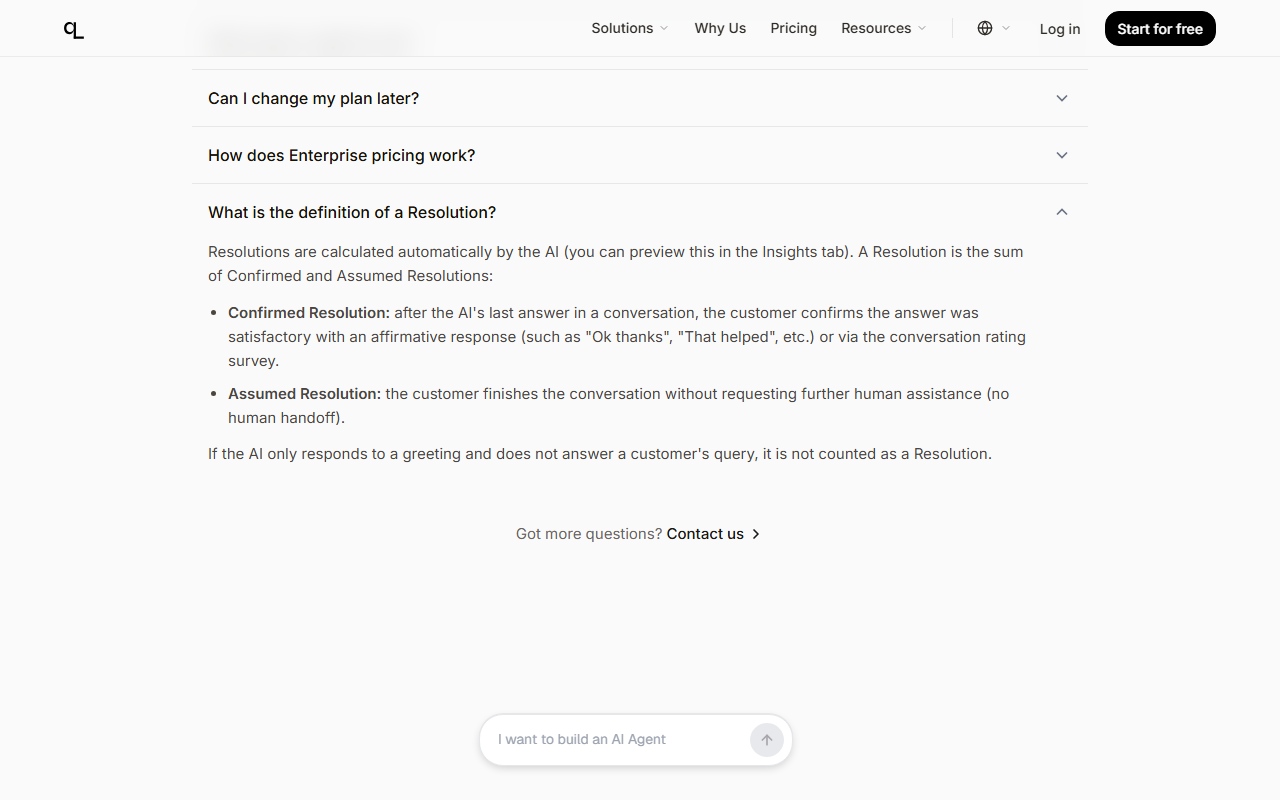
Assumed resolutions count when a customer leaves without asking for a human; the pages give no time window or reopen rule.
The Fin and Zendesk prices match their pricing pages, but Quickchat compares its resolution with Fin's broader “outcome” and does not mention the dollar-based allowance Zendesk's help center describes.
One Shopify review, no WordPress ratings, case studies from 2023, and two different resolution claims (above 80% and 74%).
Paid fees are non-refundable except where the law requires, and since October 2026 tax is added on top of listed prices.
The plan ladder is public and clear, Free needs no card, every answer can be traced to its sources, MCP works both ways, and the release notes show 23 dated entries between 9 July and 8 October 2026.
Helpdesk-native AI agents bill per outcome; standalone builders sell credits. Prices from each vendor's own page.
The plans below are not like-for-like: Fin and Zendesk bill per outcome or resolution on top of helpdesk seats, while Quickchat, Chatbase and Tidio sell monthly allowances in different units. All prices as of 21 Oct 2026, before tax.
| Product | Listed price, 21 Oct 2026 | How AI usage is billed |
|---|---|---|
| Quickchat AI | Free; $9 to $999 a month; Enterprise from $0.50 per resolution | Credits per reply; stops at zero |
| Intercom with Fin | Seats $29 ($19 for new customers), $85, $132 a month, billed annually | $0.99 per Fin outcome, at most once per conversation |
| Fin on your own helpdesk | $49 a month base plan, 50 resolutions included | $0.99 per extra outcome; usage alerts and a hard limit |
| Zendesk AI agents | Suite Team $55, Suite Professional $115 per agent a month, paid yearly | Pricing page: 5 to 15 included resolutions per agent a month, then $1.50 committed or $2.00 pay-as-you-go; help center: $2 to $10 per-seat allowance on resolution tiers; overage or pause |
| Chatbase | $32, $120, $400 a month billed yearly | 700, 4,000 or 15,000 message credits; $40 per extra 1,000 |
| Tidio (Lyro) | Starter $24.17, Growth from $49.17 a month billed annually | Lyro AI conversations priced by volume; 50 included one-off |
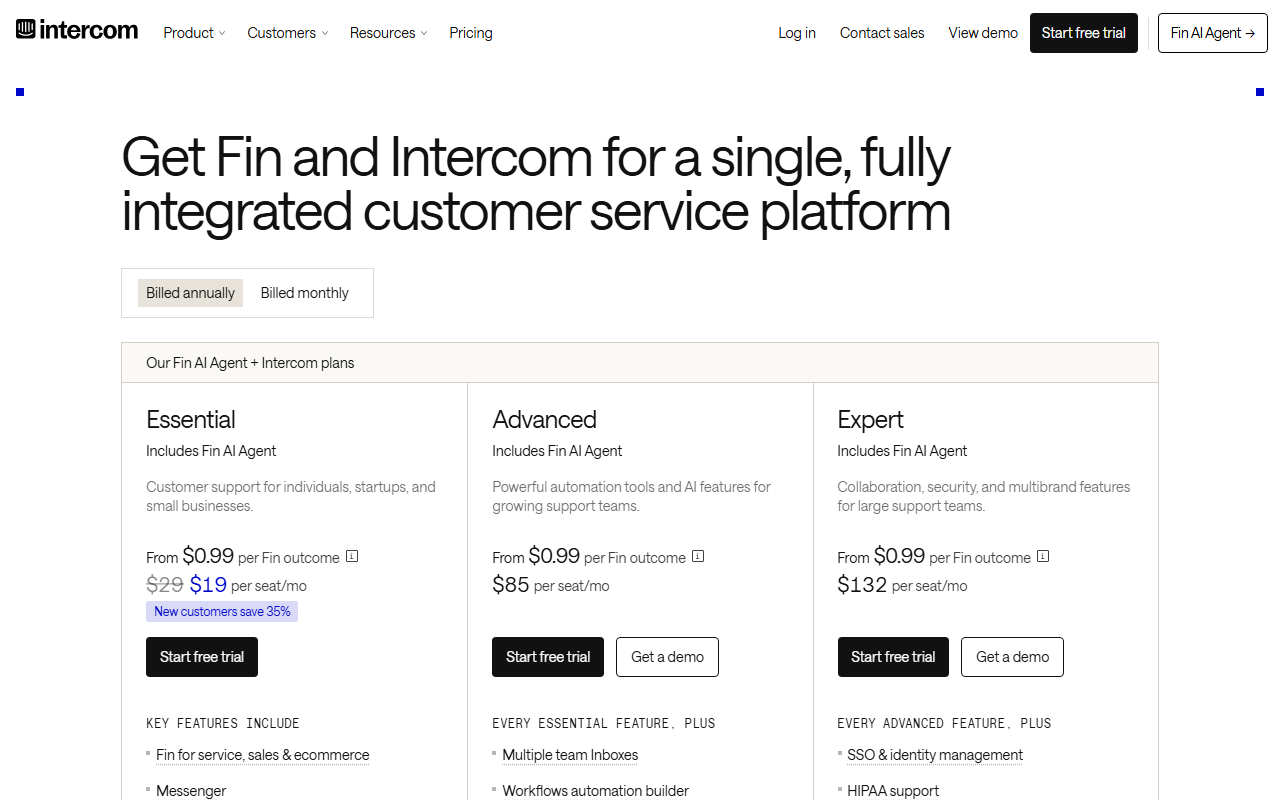
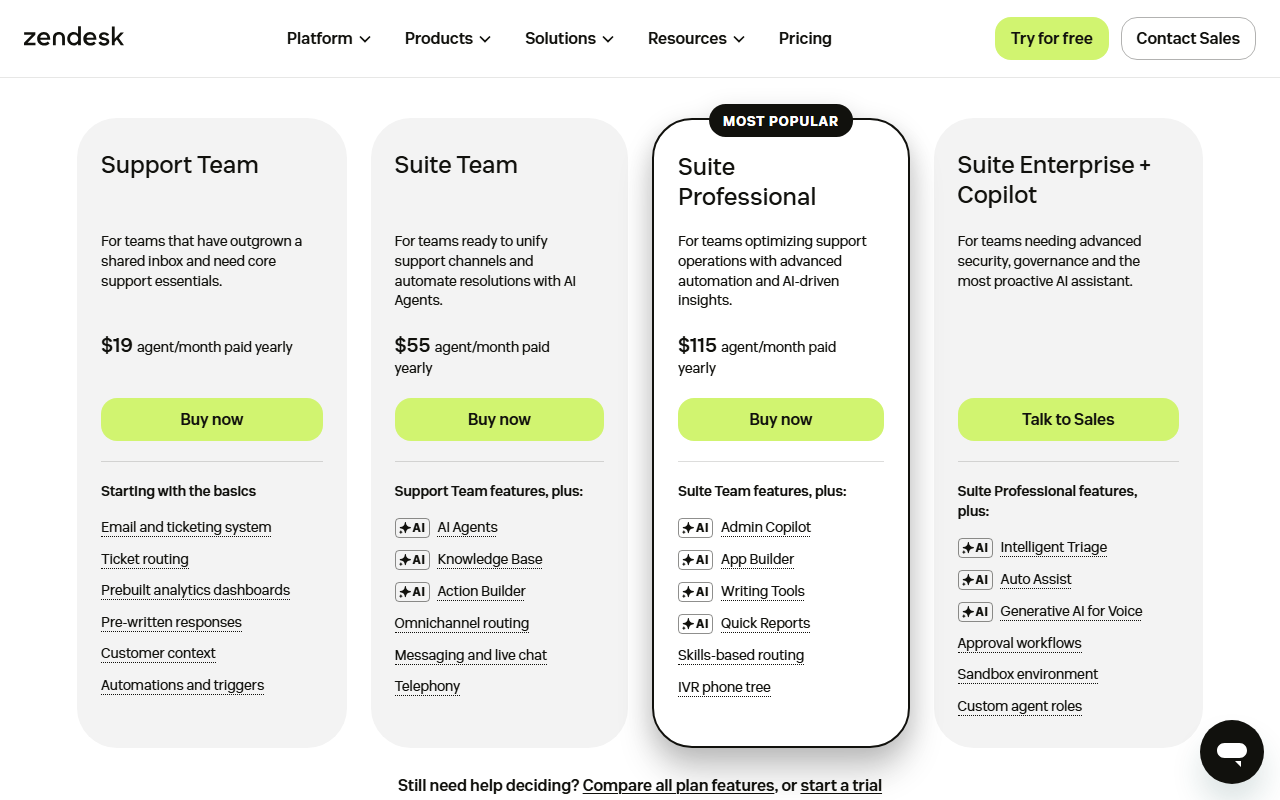
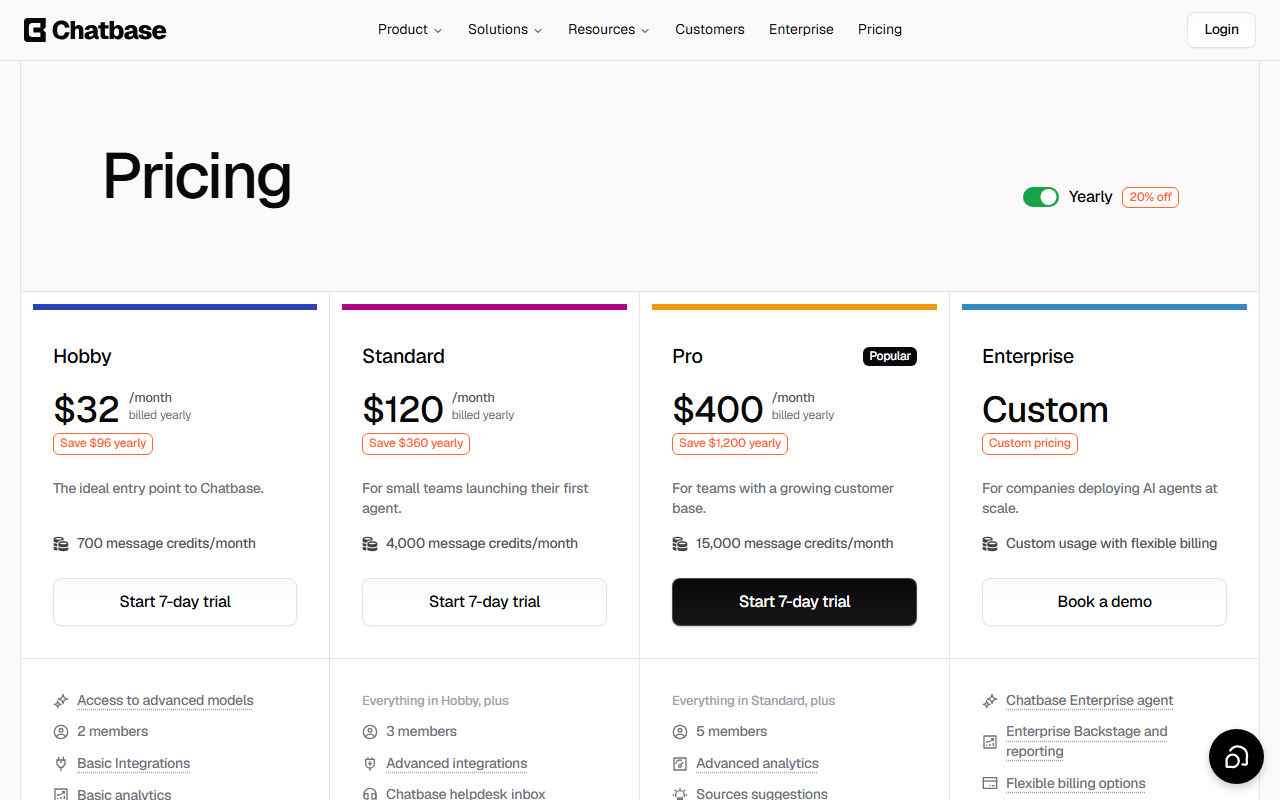
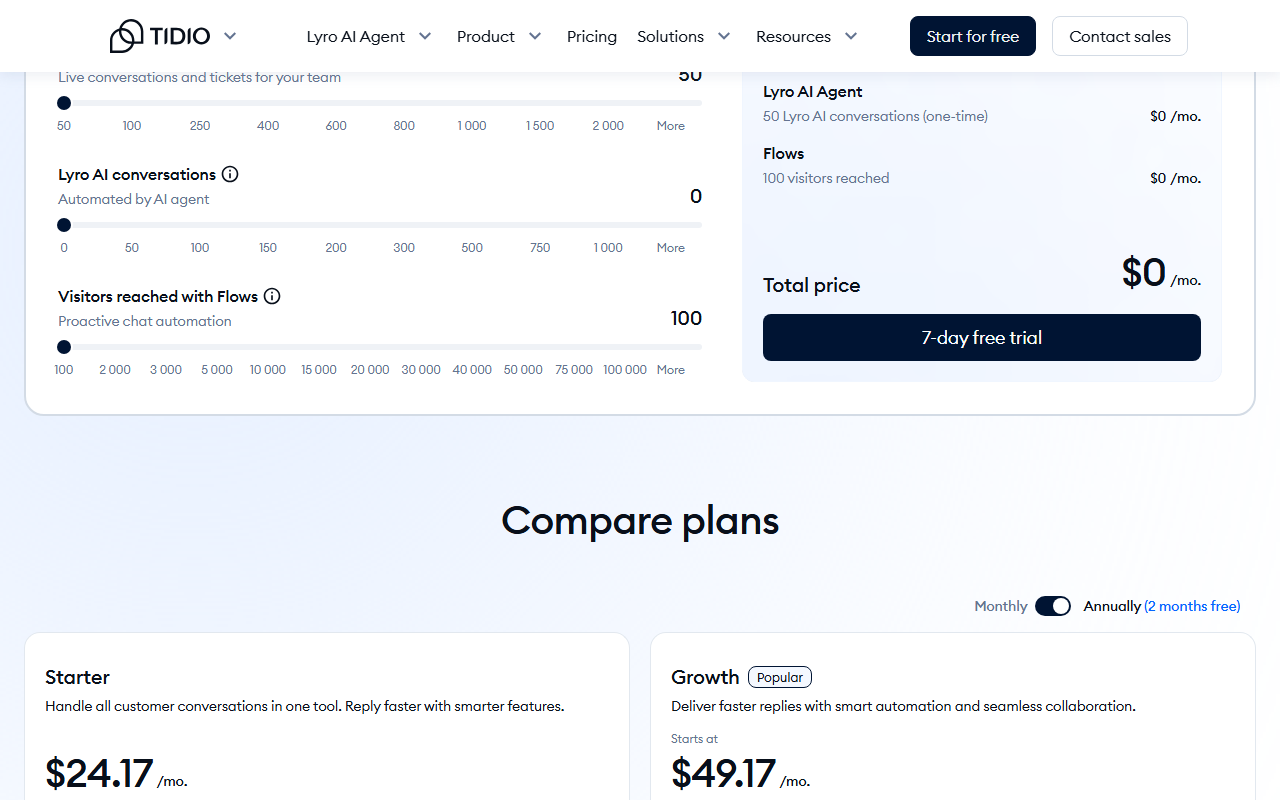
How to choose between them. If you already pay for Intercom seats, Fin's $0.99 per outcome sits inside the tool your team uses, and Quickchat only wins on price at low volume (Example 2: $99 to $299 against $414.40). If you run Zendesk Suite, you already get included automated resolutions (5 to 15 per agent a month on the pricing page, or a $2 to $10 per-seat dollar allowance on the newer resolution tiers in Zendesk's help center), so price Quickchat against what that allowance leaves uncovered. Chatbase is the closest like-for-like credit builder; its yearly Standard plan ($120, 4,000 credits) includes API access, which Quickchat keeps for $999 Business, but its credit cost varies by model, so compare on your own model choice. Tidio suits Shopify stores that want live chat and AI in one inbox, with far more Shopify reviews behind it.
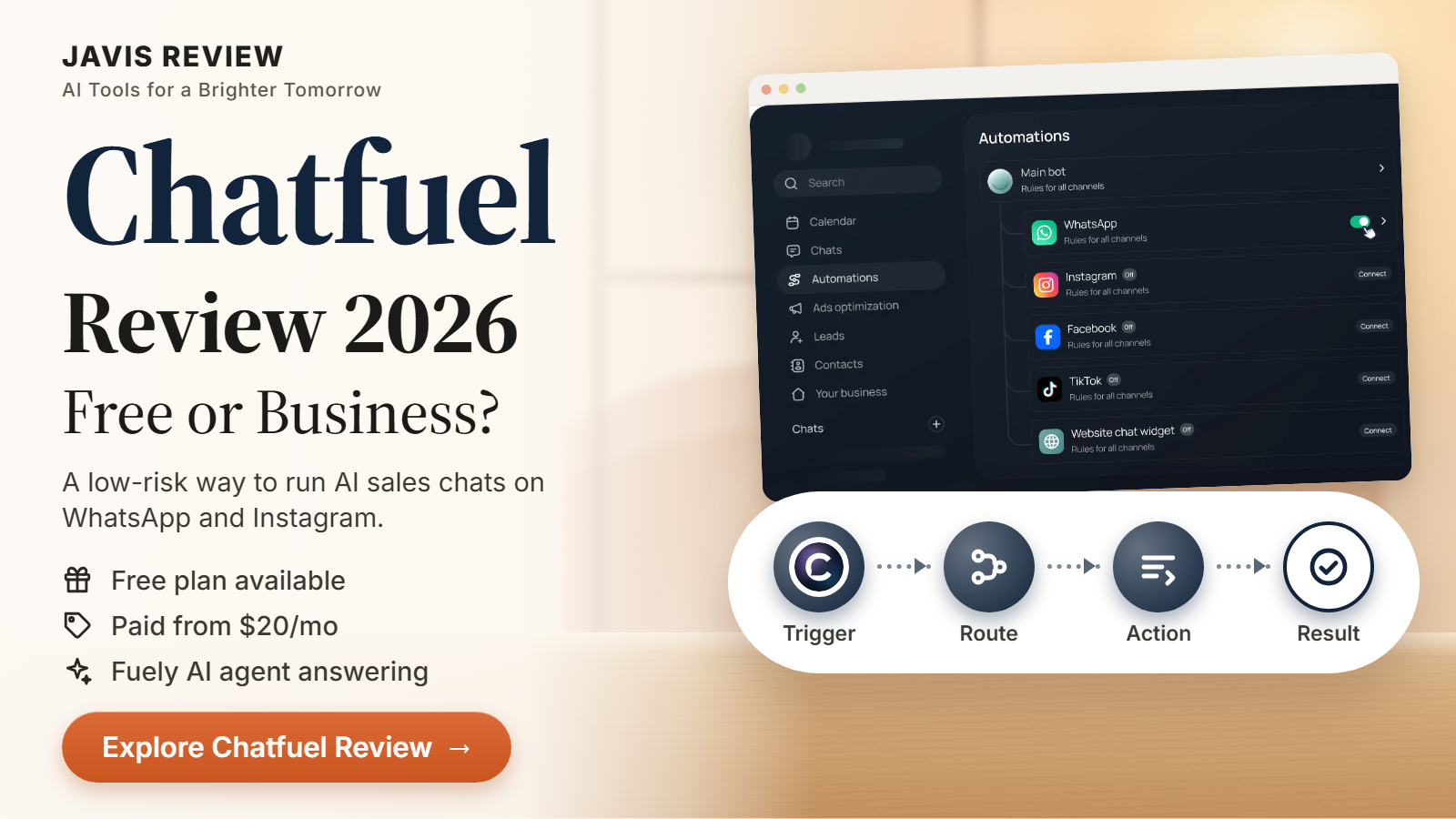
Other JAVIS reviews cover different routes to the same job: Chatfuel for WhatsApp and Instagram chatbots, Relevance AI for broader agent workflows, and AnythingLLM or n8n if you would rather self-host a chat agent and pay for hosting and model usage instead of credits. Not covered here: Sierra, Agentforce and HubSpot Breeze, which Quickchat names in its marketing.
This review has no affiliate links, and Quickchat AI did not see it.
Every Quickchat link in this article goes straight to quickchat.ai, with no tracking parameters from JAVIS. Quickchat runs a public affiliate program; JAVIS is not part of it. The limits, the cost math and the claim checks are written for the reader.
Hands-on status: JAVIS has not signed up for, used or paid for Quickchat AI for this review. Facts come from Quickchat's own pages, documentation, screenshots and videos, from competitors' own pricing and help pages, and from the Shopify App Store, WordPress.org and Hacker News, all as of 21 Oct 2026. Screenshots marked “captured on 21 Oct 2026” are of public pages, not of a signed-in account.
Start on the Free plan with your real help pages and your ten hardest questions.
Open quickchat.aiThe plan tables and the cost math come from the pricing page and the plans docs.
Open the pricing pageComparing AI agents and chat tools? These reviews cover the nearest ground.
Each card opens a published JAVIS review.

Questions people actually ask before paying
How much does Quickchat AI cost in October 2026?
Per quickchat.ai/pricing on 21 Oct 2026: Free $0, Starter $9, Basic $29, Essential $99, Professional $299 and Business $999 a month, with annual billing at ten months for twelve. Enterprise is from $0.50 per resolution with a 2,000-resolution monthly minimum. The docs say prices exclude VAT.
What is an AI credit, and how many chats does a plan cover?
One AI reply on the standard model (GPT-5.1 or GPT-5.6 Luna); 2 credits on GPT-5.4 or GPT-5.6 Terra; 4 on GPT-5.5 or GPT-5.6 Sol. At five replies a chat on the standard model, Starter covers 30 chats, Basic 100, Essential 600, Professional 1,800 and Business 6,000.
What happens when credits run out?
The agent stops generating replies and shows visitors a short unavailable notice until the allowance resets or you upgrade. Conversations still arrive in the Inbox. Extra credits are sold only for Discord agents.
Is Quickchat really half the price of Intercom Fin?
Per resolution at Enterprise, $0.50 against Fin's $0.99 per outcome, yes. But Enterprise has a $1,000 monthly floor, and on the self-serve plans the price depends on replies, not resolutions: in our Example 2 Essential costs $99 against $355.90 for Fin on its own helpdesk plan.
Does Quickchat train models on my data?
Its Legal FAQ says no: customer knowledge base content, chat logs and proprietary data are not used to train any large language model.
Does it work with Claude or ChatGPT through MCP?
Yes, two ways: your agent can be exposed as an MCP server, and you can manage your Quickchat account from ChatGPT, Claude, Cursor or Codex.
Are there independent reviews of Quickchat AI?
Barely. The Shopify app has one five-star review (22 Jul 2026), the WordPress plugin has no ratings, and the Hacker News posts of the past year were all submitted by the co-founder. Test it on the Free plan.
Is Quickchat AI an affiliate product here?
No. This review has no affiliate links.
Where this came from, and when.
Pricing and plans: quickchat.ai/pricing, including its FAQ, feature comparison and credit estimator note, and docs.quickchat.ai pages on plans and limits (updated Oct 6, 2026) and AI credits (updated Oct 5, 2026), 21 Oct 2026.
Company, product and claims: quickchat.ai home, Why Us, About us, Platform, Enterprise, comparison pages for Intercom Fin and Zendesk, case studies, release notes and status page, 21 Oct 2026.
Legal and security: Legal and Security FAQ, Terms of Service (last modified Jan 23, 2026), Privacy Policy (last modified Oct 2, 2026), Data Processing Agreement (last modified May 16, 2024) and GDPR Statement, 21 Oct 2026.
Documentation: docs.quickchat.ai pages on the introduction, Knowledge Base, Actions, Human Handoff, Testing, Insights, Inbox, channels, MCP, Manage with AI and the quickstart, 21 Oct 2026.
Competitors: fin.ai/pricing and the Fin help article “Fin pricing: Outcomes” (dated 17 Sep 2026); intercom.com/pricing; zendesk.com/pricing (22 Oct 2026, page modified 9 Oct) and Zendesk help articles on resolution allowances and on the automated resolutions platform before 18 May 2026; chatbase.co/pricing and Chatbase's usage docs; tidio.com/pricing; all 21 Oct 2026. Agentforce's price is not verified here.
User evidence: Shopify App Store listing and reviews page for “Quickchat AI: Chatbot & Sales” (1 review, 5.0); WordPress.org listing for the official plugin (10+ installs, 0 ratings); Hacker News stories linking to quickchat.ai since 1 Oct 2025 (33, all by one submitter) and the 2020 Show HN thread (79 comments); all 21 Oct 2026. No Trustpilot, G2 or Capterra rating is quoted, and we found no Quickchat AI app in the US App Store. Open-source and channel signals: the quickchatai GitHub organisation, the quickchat-ai-mcp PyPI package and pypistats downloads, and view counts on the official YouTube channel, all 22 Oct 2026. Quickchat's own testimonials and case studies are labelled as vendor material.
Images: screenshots of public web pages captured on 21 Oct 2026 and labelled as such, screenshots from Quickchat's documentation (sample data), and illustrations from its own site, labelled as such. No screenshot shows a signed-in Quickchat account.
Video: two videos on the official Quickchat AI YouTube channel (@Quickchat), linked from its documentation.
JAVIS Fit Score (70/100): an editorial composite scored out of 20 on five criteria. Price clarity 16: a public ladder, but credits versus resolutions and tax on top add steps. Capability breadth 17: knowledge, actions, handoff, analytics, many channels and MCP. Independent evidence 8: one Shopify review, no other ratings, 2023 case studies. Security and data control 14: stated no-training policy and EU hosting, but SOC 2 and ISO in progress. Cost control and fit 15: cheap entry and a hard budget ceiling, but silence at zero credits and AI-judged resolutions. It is judgment, not a measurement.
What this review does not cover: answer accuracy, real resolution rates, performance under load, a technical security review, the REST API in depth, channel provider charges (Meta, Intercom, Zendesk subscriptions), and Agentforce, Sierra or HubSpot Breeze pricing.