Wispr Flow Review 2026: AI Dictation That Writes Like You Type, If You Accept the Cloud
Wispr Flow turns speech into polished text in any app on Mac, Windows, iPhone and Android: it removes filler words, catches self-corrections, learns your names and jargon, and formats for the app you're in. A Notetaker for meetings now sits alongside it. The free plan has a weekly word cap; Pro costs $15 a month or $12 billed yearly. The trade-offs are clear in Wispr's own docs: dictation is processed in the cloud, and for Free and Pro users both "Improve the model" and "Context Awareness", which can send on-screen text with your dictation, are on by default. This review checks Wispr Flow's pricing page and help center as of Oct 4, 2026.
.jpg)
| Made by | Wispr AI Inc |
| Platforms | Mac, Windows, iPhone, Android |
| Free plan | Weekly word cap, 100+ languages |
| Cheapest paid | $15/mo Pro, or $12 billed yearly |
| App ratings (US) | 4.8 App Store (16,635) · 4.4 Google Play (10.2K) |
The most polished way to talk instead of type across every app. Check two privacy switches before you dictate anything sensitive.
"If you write a lot of email, chat or prompts, Wispr Flow can change how you work, and the free plan shows you quickly. Turn off model improvement and review Context Awareness first if your text is confidential; or use Growth or Enterprise, where training is off."
Here is how I read it. Wispr Flow's job is simple and hard: you hold a key, speak naturally, and clean, formatted text appears where your cursor is. It strips "um"s, applies your corrections, learns vocabulary, and reads the app around you so an email sounds like an email. Users rate the iPhone app highly and developers on Hacker News call it more robust than built-in dictation. The costs are not just money: it needs an internet connection, processes audio in Wispr's cloud, and on Free and Pro uses your content to improve its models unless you opt out. Some users also report it rephrasing too aggressively. This is an editorial review based on Wispr Flow's official pricing page and help center (as of Oct 4, 2026) and public user reviews; it is not a hands-on test.
Speak anywhere you can type; Flow cleans it up and pastes it in.
Wispr Flow runs as a desktop app (Mac and Windows) and as a keyboard on iPhone and Android. You press a shortcut or tap the Flow button, speak, and Flow transcribes in the cloud, cleans the text and pastes it into the focused field. Extra features include a personal dictionary, voice snippets (saved text you trigger by voice), tone styling, and the Notetaker for meetings and voice memos.

Map built from Wispr Flow's pricing page and help center, Oct 4, 2026.
A leading AI dictation app, now pushing into meetings and teams.
"Wispr Flow: AI Voice Keyboard" by Wispr AI Inc, Oct 4, 2026.
10.2K reviews, US storefront, Oct 4, 2026.
Per Wispr's pricing page; HIPAA-ready with a signed BAA.
Accuracy strongest in widely spoken languages, per Wispr.
| Option | Where it runs | Strength | Trade-off |
|---|---|---|---|
| Wispr Flow | Cloud | Cleanup, formatting, context, cross-platform | Needs internet; data-use defaults |
| Built-in OS dictation | Device or cloud | Free, already installed | Less cleanup and formatting, per HN users |
| Local open-source dictation | Your device | Private, free | Fewer features; setup effort |
| Meeting note-takers | Cloud | Meetings first | No dictation in every app |
Fans say it beats built-in dictation; critics question the price, the cloud and recent quality.
One developer said it "feels so much more robust than anything out there", with the dictation built into iOS and macOS 26 "pretty poor in comparison" (Jul 14). Another spent a long time on the free tier without hitting its limits before paying (Jun 12). A third said plain speech-to-text "falls way short" because it lacks context awareness and formatting (Jul 13).
One user who tests Wispr on the same 525 clips monthly reported its word error rate rising from 9.0% to 11.2% between May and June, on a single American-accented voice (Jun 15). Others note that audio goes to Wispr's cloud (Jul 29), question paying when local models do most of the job (Aug 9), and wish for a Linux version (Jun 7).
On the US storefront, one reviewer said Flow finally replaced the often wrong speech-to-text in Gboard (Sep 2). Another called the overlay bubble helpful and said no dictation was ever lost, even when processing failed (Sep 7). A third liked it on PC but found Android annoying because text sometimes goes to the clipboard instead of being inserted (Sep 12). A review shown on a non-US storefront said Flow now "rephrases the text so aggressively" that the meaning can change (Sep 9).
Free with a weekly cap; paid plans are per user, with admin and security features on top.
Free
Weekly word cap.
- Dictation on all four platforms, 100+ languages
- Dictionary and snippets
- Limited Notetaker
Pro
$12/mo billed annually ($144 a year).
- Unlimited dictation
- Longer Notetaker history
- Shared dictionary, team billing, priority support
Growth
$18/mo billed annually.
- SSO with SAML, HIPAA with a BAA
- Admin control over training (off)
- Usage reporting by member
Enterprise
Talk to sales.
- Training locked off; SCIM, MDM, audit logs
- Domain capture, free IT admin seats
- Invoicing, premium support
Swipe the table sideways to see every column.
| Plan | Monthly | Annual (per month) | Dictation | Notetaker meetings |
|---|---|---|---|---|
| Free | $0 | $0 | Weekly cap | Weekly limit (pricing) vs "isn't limited" (help center) |
| Student | $0 | $0 | Unlimited (Pro features) | As Pro |
| Pro | $15 | $12 | Unlimited | Higher limits |
| Growth | $23 | $18 | Unlimited | Unlimited (add-on, per comparison table) |
| Enterprise | Custom | Custom | Unlimited | Unlimited (add-on) |
| Check you can do | Result (JAVIS arithmetic) |
|---|---|
| Pro annual discount | $144 vs $180 a year: 20% off |
| Growth annual discount | $18 vs $23: about 22% off |
| Free desktop cap | 2,000 words a week, about 8,600 a month, per the pricing page |
| When Free runs out | Resets Sunday 12 a.m. PT; unused words don't carry over |
| Trial | Standard Pro trial is 14 days; access reverts after a 3-day grace period |
Decide by how much you write and how sensitive it is.
The free plan's weekly cap may be enough.
Pro, annual once you're sure.
Check the free student plan with Pro features.
Turn off model improvement and Context Awareness, or use Growth/Enterprise; HIPAA needs a signed BAA.
No native Linux app and dictation needs internet; consider local tools.
Compare Notetaker's limits with dedicated note-takers.
Speak messily, get clean text, without integrations.
Flow transcribes in the cloud, then cleans grammar, punctuation and filler words, keeps the meaning of self-corrections, and pastes the result. Context Awareness, on by default, reads the app and text near your cursor so it can match formatting and spell names it sees on screen. A personal dictionary and snippets cover recurring terms and phrases. Wispr says accuracy is strongest in widely spoken languages, that each dictation records one dominant language, and that mixed speech such as Hinglish is cleaned without being translated.
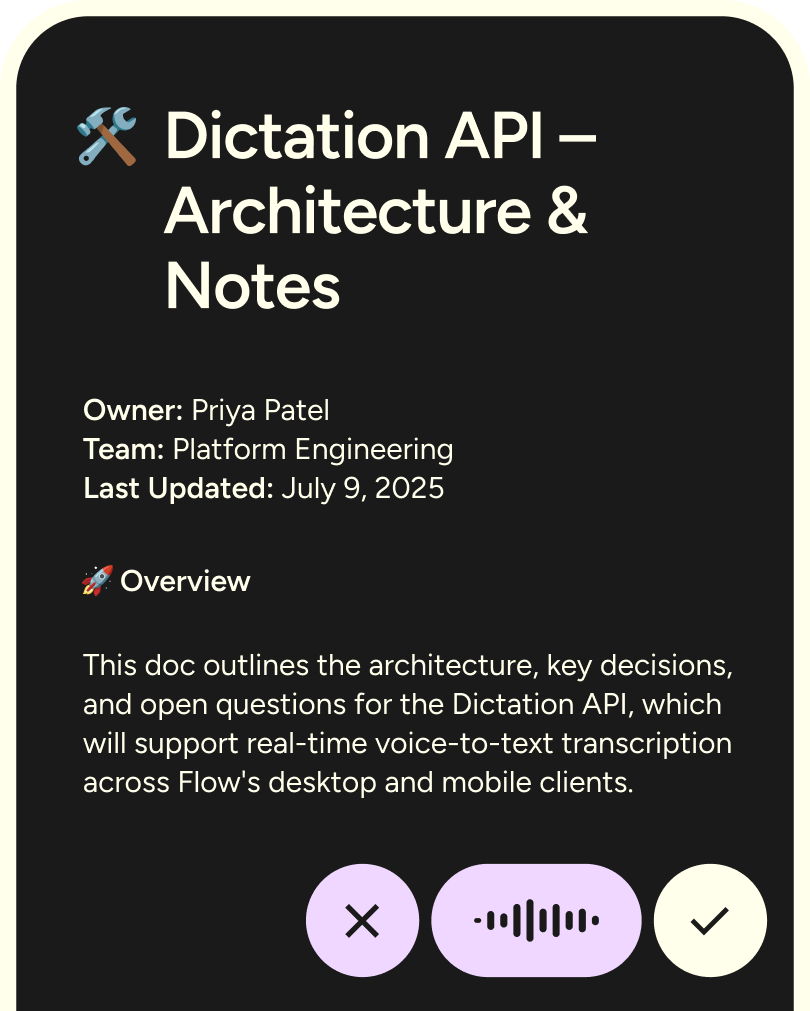
Wispr's own introduction to dictation that turns speech into polished writing. Published Oct 1, 2025.
From the official Wispr Flow YouTube channel (youtube.com/@wisprflow). Vendor video, so it shows the best case.
- Works in any app without integrations.
- Learns names and jargon you add.
- Long dictations finish in parts rather than being cut off, per Wispr.
- Internet required; no offline dictation.
- Cleanup can rephrase more than you want.
- One user's monthly tests showed accuracy dipping between May and June 2026.
Hold, speak, release, check.
On desktop, Flow pastes through the clipboard and restores your previous clipboard about half a second later, per its help center, so very slow apps can occasionally receive the old clipboard content. Paste Last Transcript (Cmd+Ctrl+V on Mac, Shift+Alt+Z on Windows by default) recovers a missed paste.
Meetings and voice memos, with notes you can use inside Claude and ChatGPT.
Notetaker records meetings and voice memos on Mac and Windows, identifies speakers and lets you ask questions across meetings. Wispr's pricing page says your meeting notes can be used in Claude, ChatGPT and other AI tools through MCP. On Free, the pricing page says "Limited Notetaker access" with a weekly meeting limit, while the help center says Notetaker "isn't limited" on Free; Pro has higher limits, and unlimited meetings are an add-on on Growth and Enterprise per the comparison table. Notetaker transcripts and summaries are always stored in Wispr's cloud; meeting audio is kept for 7 days for troubleshooting, per the security FAQ.
Wispr's launch video for Notetaker. Published Aug 5, 2026.
From the official Wispr Flow YouTube channel. Vendor video.
| Notetaker detail | What Wispr says |
|---|---|
| Platforms | Mac and Windows only for now |
| Windows requirement | 16 GB RAM and 2 GB free storage |
| Features | Meetings and memos, speaker identification, questions across meetings, MCP access from AI tools |
| Storage | Transcripts and summaries in Wispr's cloud; no customer opt-out of that storage |
| Meeting audio | Kept 7 days from upload for troubleshooting and speaker attribution |
| Audits | Notetaker launched after the SOC 2 and ISO 27001 audit periods and was not assessed in them |
| BAA accounts | Notetaker and Scratchpad disabled |
Four platforms, no Linux, and an internet connection every time.
| Platform | Requirement | Notes |
|---|---|---|
| Mac | macOS 12 or later, Apple Silicon or Intel; 8 GB RAM recommended | Accessibility permission needed for Context Awareness |
| Windows | Windows 10 or 11, x64; 8 GB RAM recommended | Notetaker needs 16 GB RAM |
| iPhone | iOS 18.3 or later; iPhone only | Keyboard extension |
| Android | Android 13 or newer; 6 GB RAM recommended | Dictation sessions are time-limited |
| Linux | No native app | From Mac or Windows, WSL windows, Linux VMs and SSH sessions get no direct paste; use Paste last transcript |
For developers, Wispr highlights dictation inside Cursor, Windsurf and VS Code, where Flow remembers file names it sees and can tag files. Our Cursor review covers the editor side.
Wispr's demo of dictation for coding. Published Jun 6, 2026.
From the official Wispr Flow YouTube channel. Vendor video.
Where you bought it decides where you cancel it.
| Bought through | Where to manage or cancel |
|---|---|
| Desktop or web (individual Pro) | Settings, Plans and Billing, opens Stripe's billing portal |
| Team, Growth or Enterprise | Admin portal, Billing, Manage Subscription (authorized admin) |
| Apple App Store | iPhone Settings, your name, Subscriptions, Wispr Flow |
| Google Play | Play Store, Payments and subscriptions |
| After cancelling | Access continues to the period end, then Free; account and data are kept; no automatic prorated refund |
| Changing currency | Cancels and replaces the subscription with a prorated refund |
Good certifications and controls, with defaults that favor Wispr on Free and Pro.
| Setting or fact | What Wispr says |
|---|---|
| Improve the model for everyone | On by default for Free and Pro (shown at onboarding, can be turned off); off and locked on Growth and Enterprise |
| Context Awareness | On by default; can include app info, text around the cursor, on-screen text, names and file names. Standard macOS password fields are excluded, but custom or web-based password fields "may be read like normal text fields"; banking and financial apps are skipped entirely; turn off in Data and Privacy |
| Cloud processing | Dictation is processed in the cloud; encrypted in transit and at rest; not end-to-end encrypted |
| Dictation Cloud Storage | Separate setting; signing out resets it to on |
| Third-party AI providers | Cannot use your data to train their models |
| Certifications | SOC 2 Type II and ISO 27001; HIPAA-ready with a signed BAA. Dictation is the in-scope system; Meeting Notetaker launched after those audit periods and was not assessed |
| Your data | Export dictations, meetings, notes and settings as a ZIP; Wispr says it does not sell your data |
Best for heavy writers on Mac, Windows and iPhone who are comfortable with cloud processing.
| Situation | Why Wispr Flow fits or not | Likely plan |
|---|---|---|
| Founder or manager living in email and Slack | Context-aware formatting saves the most time | Pro |
| Developer prompting AI coding tools | File-name awareness in Cursor, Windsurf, VS Code | Pro |
| Student | Free student plan with Pro features | Student |
| Healthcare or legal team | BAA, SSO, training off | Growth or Enterprise |
| Linux user or offline worker | No native Linux; needs internet | Look elsewhere |
| Strict on-device privacy | Cloud processing by design | Local dictation tools |
Six real gaps, not manufactured ones.
Model improvement and Context Awareness are both on by default for Free and Pro.
All dictation is processed in the cloud.
Linux users must rely on community repackaging or other tools.
Some reviewers say cleanup can change meaning.
Free mobile caps, Growth vs Business naming and Notetaker limits differ across Wispr's pages.
Android dictation sessions are time-limited, with a warning before auto-submit.
Wispr Flow wins on polish across apps. Others win on privacy, price or a single job.
| If you mostly need... | Compare Wispr Flow with... |
|---|---|
| Writing help on typed text | Grammarly review |
| Notes and docs with AI built in | Notion AI review |
| Talking to an AI assistant directly | ChatGPT review |
| Free on-device dictation | Built-in OS dictation or local open-source tools (no JAVIS review) |
| Dedicated meeting notes | Otter, Fireflies or Granola (no JAVIS review yet) |
We may earn a commission. It does not change the facts above.
JAVIS has an approved affiliate relationship with Wispr Flow. If you subscribe through the "Try Wispr Flow" or "See Wispr Flow plans" links on this page, JAVIS may earn a commission at no extra cost to you. The pricing, privacy defaults, user criticism and alternatives here come from Wispr's own pages and public reviews, and would read the same without that relationship.
Start free and check the Data and Privacy settings first.
Open Wispr FlowRead the alternative that matches your real question.
Choose the next articleWispr Flow sits between writing tools, AI assistants and coding tools.


Questions people are actually asking
Is Wispr Flow free?
Yes, with a weekly word cap: 2,000 words on desktop and 1,000 on mobile per the pricing page. Eligible students can get Pro features free.
How much does Wispr Flow cost in October 2026?
Pro is $15 per user a month or $12 billed annually ($144 a year). Growth is $23 or $18 annually. Enterprise is custom.
Does Wispr Flow work offline?
No. Dictation is transcribed in the cloud and needs an internet connection.
Does Wispr Flow train on my voice and text?
On Free and Pro, "Improve the model for everyone" is on by default and can be turned off. It is off and locked on Growth and Enterprise. Wispr says its third-party AI providers cannot train on your data.
What is Context Awareness?
A feature, on by default, that reads your app and nearby text, including on-screen names, to format and spell correctly. It skips banking apps and standard macOS password fields, but custom or web-based password fields may be read, so turn it off before typing secrets.
Is there a Linux version?
No native Linux app. From Mac or Windows, Flow transcribes for WSL windows and Linux VMs, but you must use Paste last transcript instead of direct paste.
How do I cancel Wispr Flow?
Where you bought it: Stripe portal from desktop for individual Pro, the admin portal for teams, or Apple or Google subscription settings for store purchases. Access lasts to the end of the period.
What are the best Wispr Flow alternatives?
Built-in OS dictation or local open-source tools for privacy and price; Grammarly for typed writing help; dedicated meeting note-takers for meetings.
Where this came from, and when it was checked.
Pricing and plans: wisprflow.ai/pricing (monthly and annual views, comparison table) and Wispr Flow help center "Flow plans and what's included" and "Free tier weekly word cap and bonus words", as of Oct 4, 2026.
Billing: help center "Manage billing, invoices and cancellation".
Product and privacy: help center "Security and privacy overview", "Manage data sharing, cloud storage and local history", "Context Awareness", "What to expect from Flow: accuracy and known limitations", "Supported devices and system requirements" and "Using Flow with Linux, WSL, and Terminal Applications".
Users: Apple App Store listing (4.84 from 16,635 ratings, US) and Google Play listing, US storefront (4.4 from 10.2K reviews, 1M+ downloads, reviews Sep 2026), as of Oct 4, 2026; Hacker News comments 48902514, 48499341, 48896578, 48548002, 49100131, 49234652 and 48436738 (2026).
Official videos: youtube.com/watch?v=x6XJIbRksgI, PeJHTI2QiyQ and 3coBYE4QQM8, all from the official Wispr Flow channel.
JAVIS Fit Score (78/100): editorial composite of dictation quality and cleanup (strong), cross-platform reach (strong), free tier and price (good), privacy defaults on Free and Pro (weak), offline and Linux support (weak), security certifications and team controls (strong). Weighted by editorial judgement.