
Notion AI Review 2026: AI Bundled at $20 a Seat, Agents on a Credit Meter, and Security You Should Read Before You Switch Web Search On
Notion AI is no longer an add-on. Since the pricing page changed, full AI (Agent, AI Meeting Notes, Enterprise Search) comes with the Business plan at $20 a member billed annually, Free and Plus get only a trial, and the autonomous Custom Agents, launched Feb 24, run on credits at $10 per 1,000 since May 4. This review checks what is true today against Notion's own pages, adds what real users say, and covers two prompt-injection disclosures from the past year.

| Ownership | Independent private company |
| Free tier | Real for Notion, AI is a limited trial |
| Cheapest paid plan | $20/mo (Business, annual) for full AI |
| Users (Notion-stated) | 100 million+ (Sept 2024) |
| Trustpilot record | 2.2/5, 436 reviews |
The best AI is the one that already sits next to your documents. Notion AI is that for teams already living in Notion, and the bill now depends on how much you let the agents run.
"Notion stopped selling AI as a $10 add-on and made it the reason to buy the Business plan. Then, in May, it started metering the interesting part, Custom Agents, in credits. So there are really two products inside one name: a chat-and-write assistant that is bundled and fairly priced, and an autonomous agent layer where you can overspend without noticing. The first is easy to recommend. The second needs a budget and a human watching the first month."
My honest read: if your company's notes, wikis, projects and meeting records already live in Notion, Notion AI is the lowest-friction way to put an assistant over that data, and the Business plan at $20 a member (billed annually) is a fair entry ticket. If you only use Notion as a personal notebook, the Free and Plus plans give you a limited AI trial and nothing more, so you are not really buying AI at all. And if your content lives in Google Docs or Microsoft 365, the pitch weakens fast. This is a VERIFIED EDITORIAL REVIEW: Notion's own pricing page (including the price data embedded in it), help center, release notes and security pages were checked on Oct 3, 2026, alongside press, researcher disclosures and published user sentiment. I did not run a controlled hands-on test.
One workspace, four AI jobs: answer, write, capture meetings, and do recurring work on its own.
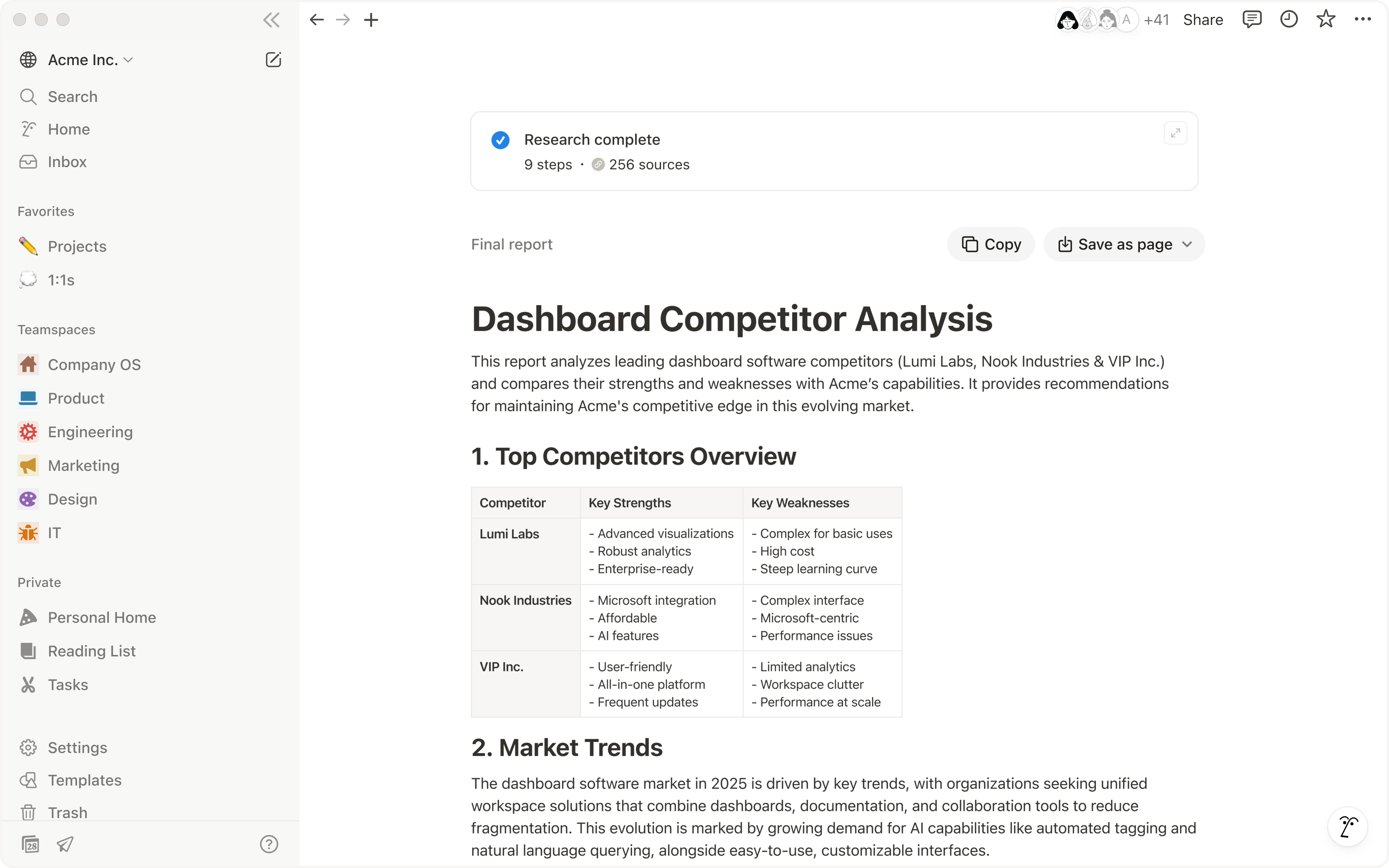
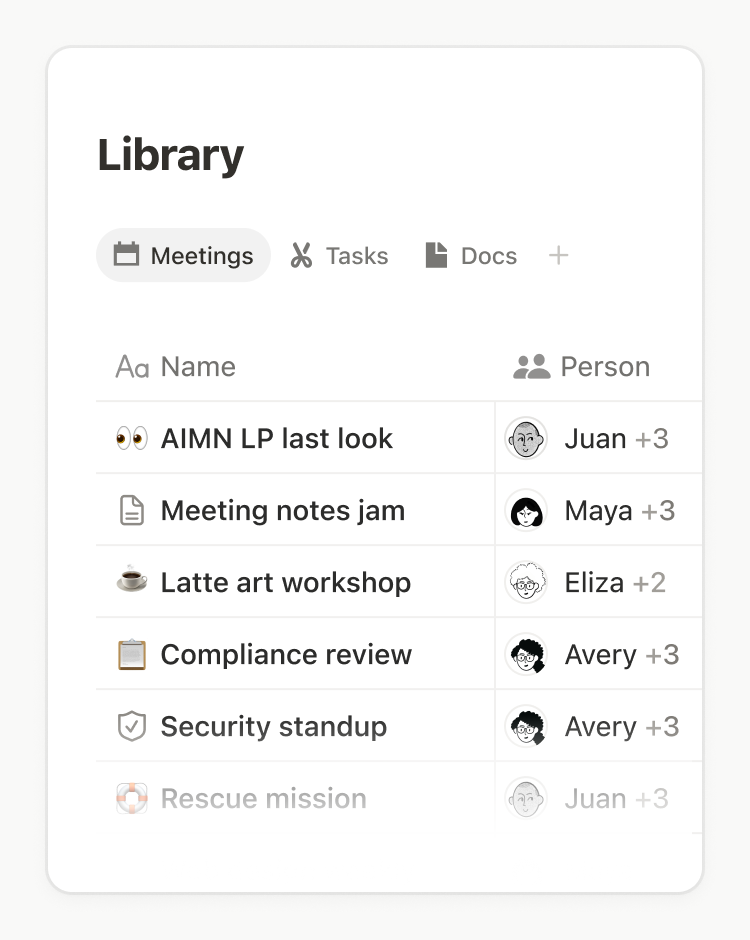
Strip away the names and Notion AI does four things. Notion Agent is the chat-and-edit assistant: it answers questions from your workspace, drafts and rewrites pages, and fills database properties. AI Meeting Notes transcribes and summarises calls without a bot joining (Notion's pricing page says "no bot needed"). Enterprise Search looks across Notion plus connected tools such as Slack, GitHub and Google Drive. And Custom Agents, launched Feb 24, 2026, are the autonomous layer: you give an agent a job, a schedule or a trigger, and it works without being prompted. Everything sits on Notion's own pages and databases, which is the real advantage: the AI reads and writes the same objects your team already uses.

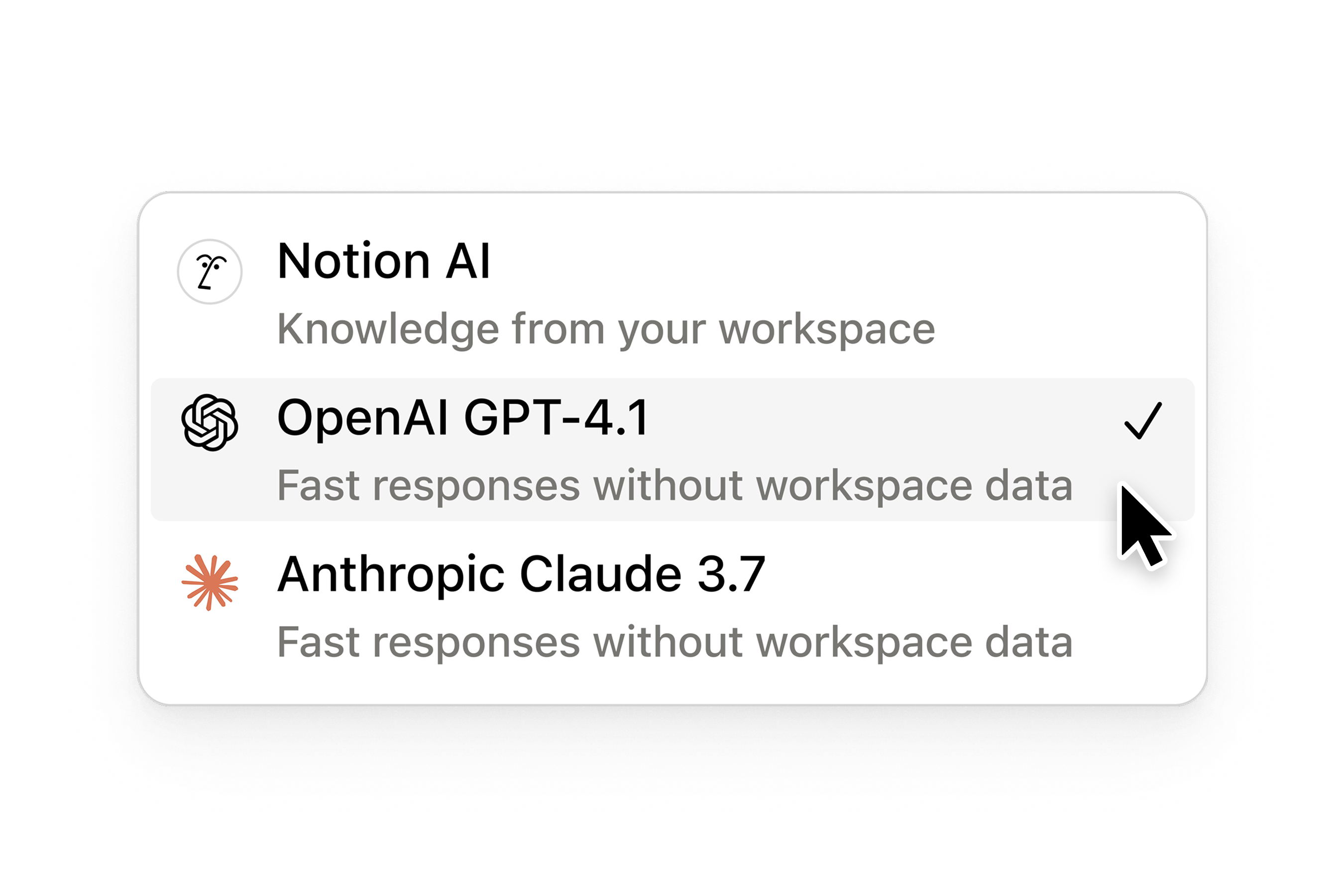
Ownership: Notion Labs, Inc. is an independent private company; I found no acquisition or ownership change in the sources I read. It names OpenAI, Figma, Ramp and Nvidia on its AI page as customers, and says it is "model agnostic", with its security page naming Anthropic and OpenAI as LLM providers alongside models hosted by Notion itself.
One of the few productivity platforms that is both mass-market and growing fast in the AI era, with most revenue numbers still third-party.
Notion blog by Ivan Zhao, Sept 3, 2024: "Last month, Notion passed 100M users!" A people count, not paying customers, and it is two years old. No newer official figure found.
CNBC headline, Sept 18, 2025, at the Notion 3.0 agent launch. I could read only the headline and search snippet, so treat it as reported, not audited.
Sacra, Aug 10, 2026: its own estimate, growth about 82% year over year. Not a Notion statement.
From a $270M tender offer, as summarised by Sacra. A secondary-market valuation, not a priced funding round.
| Date | Event | Source |
|---|---|---|
| 2024-09-03 | Notion says it passed 100M users in August 2024 | Notion blog |
| 2025-09-18 | Notion 3.0 launches Agents; press reports $500M+ annual revenue | CNBC; Ivan Zhao post |
| 2025-09-22 | After researchers show Agent data-theft via a malicious PDF, Notion adds injection detection, link approvals and an admin switch to disable web access | The Decoder (CodeIntegrity findings) |
| 2026-01-07/08 | PromptArmor discloses a second prompt-injection issue (AI edits saved before approval); researchers say the fix reached production on Jan 8 | PromptArmor |
| 2026-02-24 | Notion 3.3 launches Custom Agents (free to try until May 3) | Notion release notes |
| 2026-05-04 | Custom Agents start consuming Notion credits, $10 per 1,000 | Notion credits help page |
| 2026-07-31 to 09-15 | Meeting Notes can trigger Custom Agents; Workers join the credits dashboard; model picker redesigned; admins can restrict models; Agents propose edits for approval; Notion 3.7 ships team Skills | Notion release notes |
What I weigh most is the shape of the move, not the number. In under a year Notion went from selling an AI add-on to shipping agents, then to charging for them by usage. That is the same arc as most of the category, and it explains why the pricing page now has two separate AI price systems: a per-seat plan with an opaque usage allowance, and a credit meter for the autonomous work.
People who live in Notion rate it highly. The loudest complaints are price, credits, support, and a sense that AI is being pushed into the workspace.
TrustScore 2.2 out of 5, with 110 reviews in the last 12 months. Praise: "My most used tool in building my business" (Sept 22, 2026). Complaints: the app "not loading" (Sept 28), charges after account deletion, hard-to-cancel subscriptions, support with 1-3 day replies (Sept 14), and one reviewer who objected that proprietary data goes to OpenAI. Trustpilot rates Notion as a whole, not Notion AI.
Quotes G2 users: "I'd like if Notion AI could be part of the Pro plan... the extra is way more expensive than the Pro plan itself" and "I wish I could opt out of the AI aspect... less secure with AI hovering over my shoulder". It also reports G2 at 4.6/5 across 11,434 reviews. Quotes were second-hand: I could not open G2 directly.
Says one team "consumed 150,000 credits in a single month", which at $10 per 1,000 is $1,500. The post gives no source for the story, so I treat it as an illustration of how metering can run away, not as evidence of typical cost.
Free, Plus, Business, Enterprise. The AI lives on Business and up, and the autonomous part is a separate credit bill.
Free
Personal organising with a limited AI trial.
- "Trial AI capabilities" and "Trial of Notion AI"
- Agent and Meeting Notes: limited trial
- Page history 7 days
- Up to 10 guests
Plus
$12 billed monthly. Same limited AI trial as Free.
- Unlimited blocks and file uploads
- Page history 30 days
- Custom forms and sites
- AI: trial only
Business
$24 billed monthly. Notion AI is included.
- Notion Agent, AI Meeting Notes, Enterprise Search (beta)
- Usage allowance for Agent, images, translation
- Custom Agents on credits
- SAML SSO, private teamspaces, page history 90 days
Enterprise
Sales-quoted.
- Zero data retention with LLM providers
- SCIM, audit log, DLP and SIEM connections
- Advanced connections
- Customer success manager
| Item | Price | Billing | What it covers |
|---|---|---|---|
| Plus | $10 / member / mo | Annual ($120 a year); $12 billed monthly | Notion itself; AI is a limited trial |
| Business | $20 / member / mo | Annual ($240 a year); $24 billed monthly | Notion AI: Agent, Meeting Notes, Enterprise Search (beta) |
| Enterprise | Custom | Sales | Everything in Business plus zero data retention, SCIM, audit log |
| Notion credits, monthly | $10 per 1,000 | Billed monthly with the subscription; reset each month, no rollover | Custom Agents, Workers, premium models, AI use past the allowance |
| Notion credits, annual | $13 per 1,000 | Paid upfront; expire at renewal, no rollover | Same uses, usable flexibly through the year |
| Custom domain for a Site | $8 / domain / mo annual, $10 monthly | Per domain | Not an AI cost; shown for completeness |
Arithmetic you can check: a 10-person team on Business annual is 10 x $20 = $200 a month ($240 on monthly billing). One thousand credits is $10 whether or not you use them, and they reset monthly. Notion's credits help page gives bulk rates but no per-run price. A third-party guide by Notion consultant Matthias Frank (last edited Oct 2, 2026) lists the cost drivers as how much an agent reads, how many tools and steps it uses, how often it runs, which model it uses and its Effort setting, so I cannot give a per-run price.
Decide by where your knowledge lives and how much autonomy you want.
Stay on Free or Plus. You get an AI trial only, so do not expect a daily assistant.
Business at $20 a member annual. Start with Notion Agent and Meeting Notes before touching credits.
Business includes AI Meeting Notes. If you need the bot approach, richer CRM sync or speaker analytics, compare Otter or Fireflies.
Custom Agents on Business or Enterprise, with a monthly credit budget and an admin watching usage.
Notion AI will not read it as natively. Look at the AI built into those suites, or ChatGPT or Claude with connectors.
Enterprise, for zero data retention, SCIM and audit log. Read the Security section first.
The AI works on your real pages and databases. That is the product.
Notion Agent is a chat-and-edit assistant that Notion describes as completing "complex, multi-step tasks using context from Notion, your connected apps, and the web". In practice that means three things I would actually use. First, ask: query your workspace in plain language and get an answer drawn from pages you can access. Second, write: generate or revise pages, and since Aug 28, 2026 ask the agent to suggest edits you approve rather than apply. Third, autofill: have an AI property populate a database column such as a summary, a category or a translation. Research mode adds longer reports. Notion says it "uses deep reasoning to produce detailed reports using info across your Notion workspace, connected tools, and current info from the web".
| Capability | Free | Plus | Business | Enterprise |
|---|---|---|---|---|
| Notion Agent (chat, generate, autofill, translate) | Limited trial | Limited trial | Included, with usage allowance | Included |
| AI Meeting Notes | Limited trial | Limited trial | Included (not covered by the usage allowance) | Included |
| Enterprise Search | No | No | Included, beta | Included |
| Custom Agents | No | No | Credits at $10 per 1,000 | Credits at $10 per 1,000 |
| Data retention at LLM providers | 30 days | 30 days | 30 days | Zero retention |
| Premium models | No | No | Spend credits (admin must enable) | Spend credits (admin must enable) |
- The assistant sees your real pages, databases and permissions, so answers are grounded in your own material.
- "Suggest edits" mode (Aug 28, 2026) keeps a human approval step on line-level changes.
- Admins can restrict which models Agent and Custom Agents may use (Sep 9, 2026).
- No numeric usage allowance is published: "access to some AI features may temporarily pause" when it runs low.
- The allowance resets across a six-hour window and a monthly window, which is hard to plan around.
- Quality depends on the model and on how tidy your workspace is; messy wikis give messy answers.
Keep the knowledge in Notion, let the agent read it, and keep a person on the approval step.
The human-review step is the one I would never skip with agents. Notion's own help center says creators set access as "Full access", "Can edit" or "Can interact", that agents have activity logs for debugging, and that Slack visibility can differ from the underlying database access. That last point is easy to miss: an agent posting into a channel can surface information to people who could not open the source page.
Notion's own overview of the AI workspace. It is the primary-source orientation for the Product-in-One-Screen and Core Feature sections above.
Published by the official "Notion" YouTube channel (youtube.com/@Notion). Vendor demo, so it shows the best case.
Custom Agents are the real upgrade, and the part to budget for.
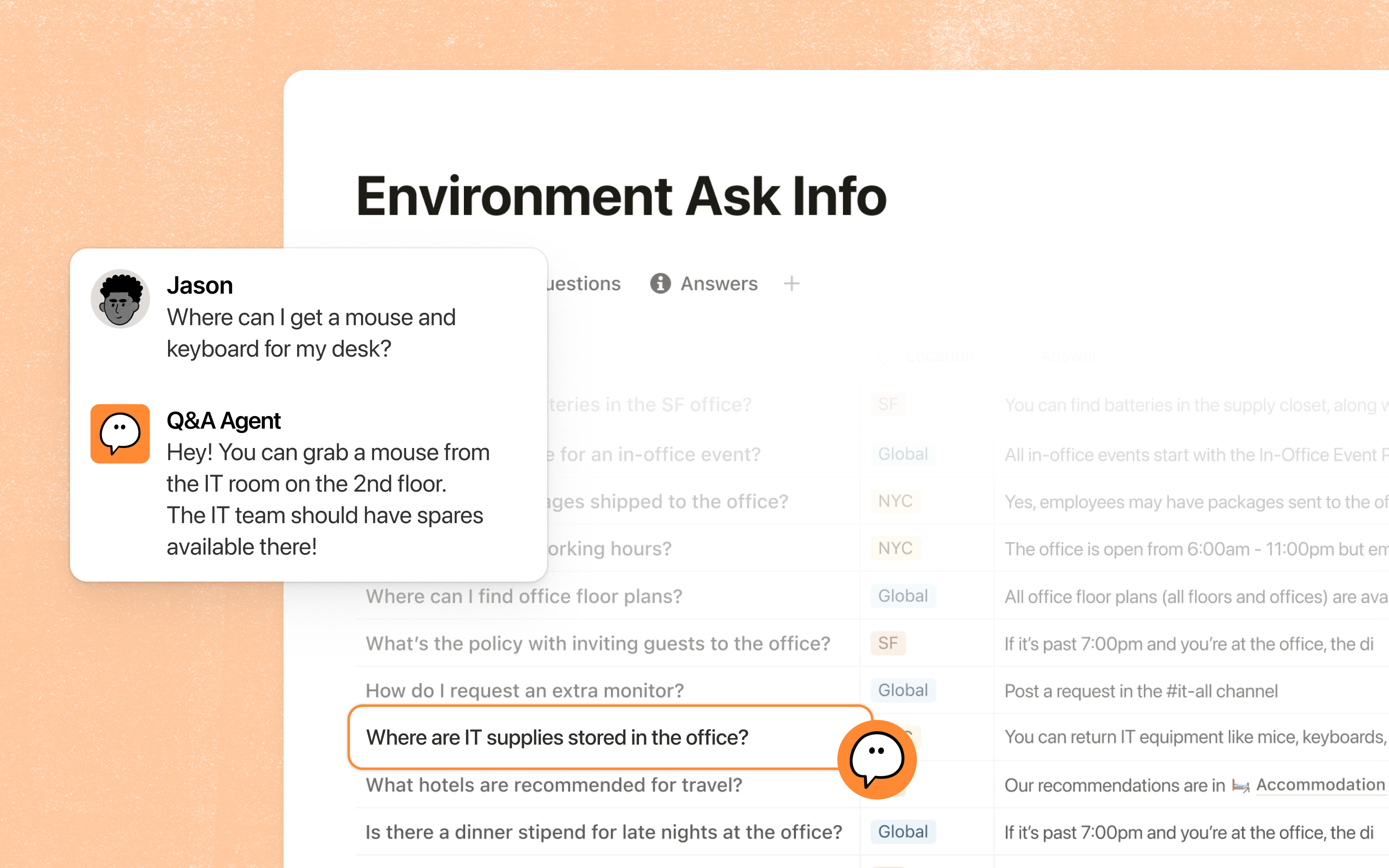
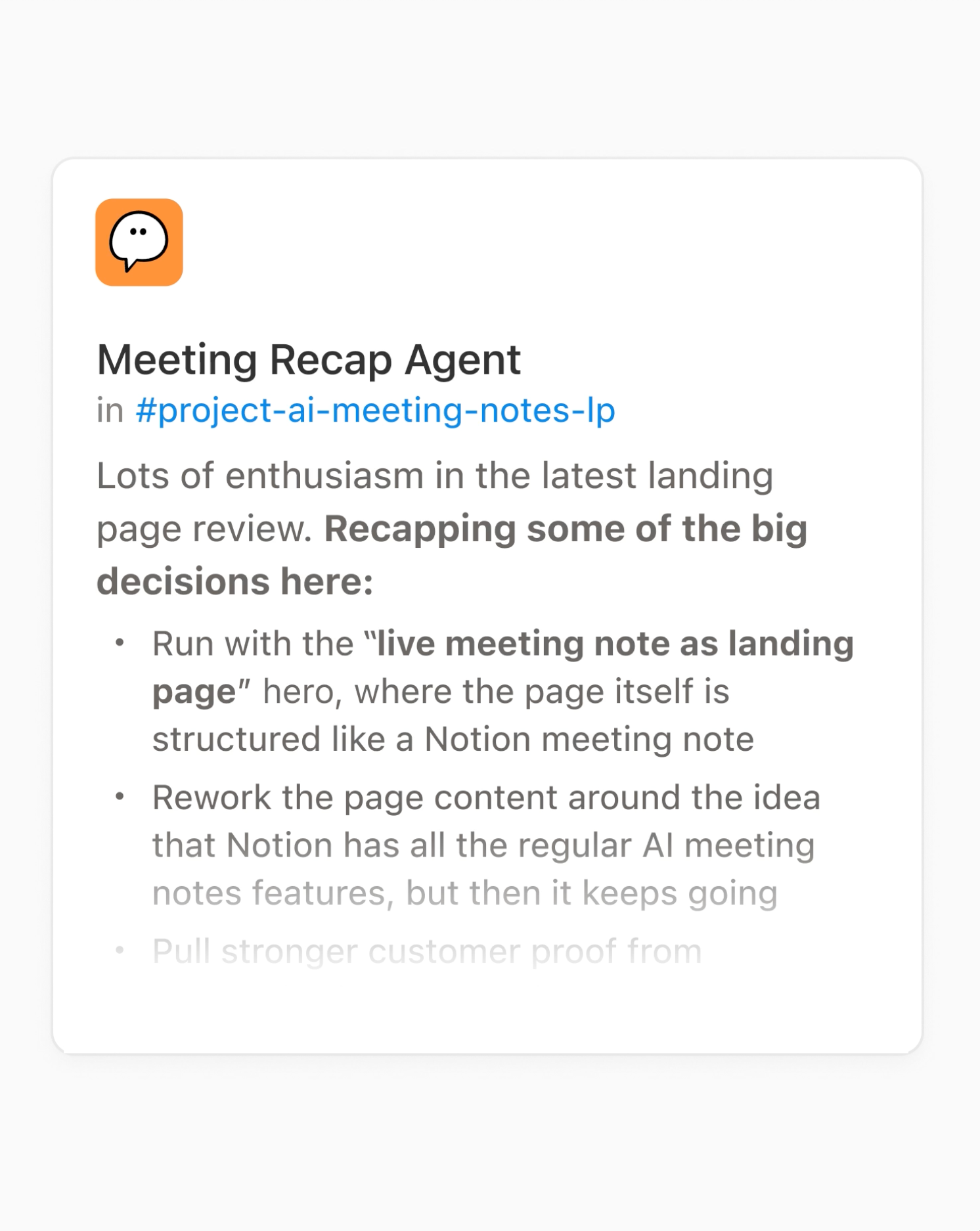
Custom Agents (Notion 3.3, Feb 24, 2026) are agents you create for a team: a job description, a trigger or schedule, and the access they need. Notion lists triggers as scheduled runs, database or page watches, Slack channel connections and external app integrations. Examples from Notion's own pages include task triage, internal Q&A, standups, status reports and inbox management. Since July 31, 2026, AI Meeting Notes can trigger a Custom Agent after a call to post a Slack recap, update a status or create a ticket. They were free to try until May 3; since May 4 they consume credits.
| Agent job | Trigger Notion lists | Where output goes | What to watch |
|---|---|---|---|
| Q&A / enablement answers | Slack channel connection | Slack reply drawn from your pages | Slack readers may not have access to the source page |
| Weekly status report | Schedule | A Notion page or Slack post | Credits per run depend on model, tools and Effort |
| Task triage | Database watch | Assigns or tags incoming items | Wrong routing is quiet; sample the results |
| Meeting follow-up | AI Meeting Notes trigger (Jul 31, 2026) | Slack recap, ticket, status update | Check the transcript before anyone acts on it |
| Tool-using agent (Linear, Figma, HubSpot) | MCP connections | Updates in the connected tool | Third-party actions need explicit permission design |
- Repetitive, well-defined internal work: answering the same onboarding or IT questions, weekly roll-ups, routing requests.
- Teams that want agents inside the tool where the data and permissions already are.
- Credits reset monthly with no rollover and the first bill is a guess.
- Notion 3.7 Skills let any member create reusable instructions; govern who can publish them.
- Agent actions in third-party tools are as safe as the permissions you grant.
Notion's own tutorial on triaging requests and publishing weekly project updates with a Custom Agent. It shows the workflow behind the Agents section above.
Published by the official "Notion" YouTube channel (youtube.com/@Notion). A vendor tutorial, so it does not show credit costs.
Notion reads other apps, and other AI tools can read Notion.
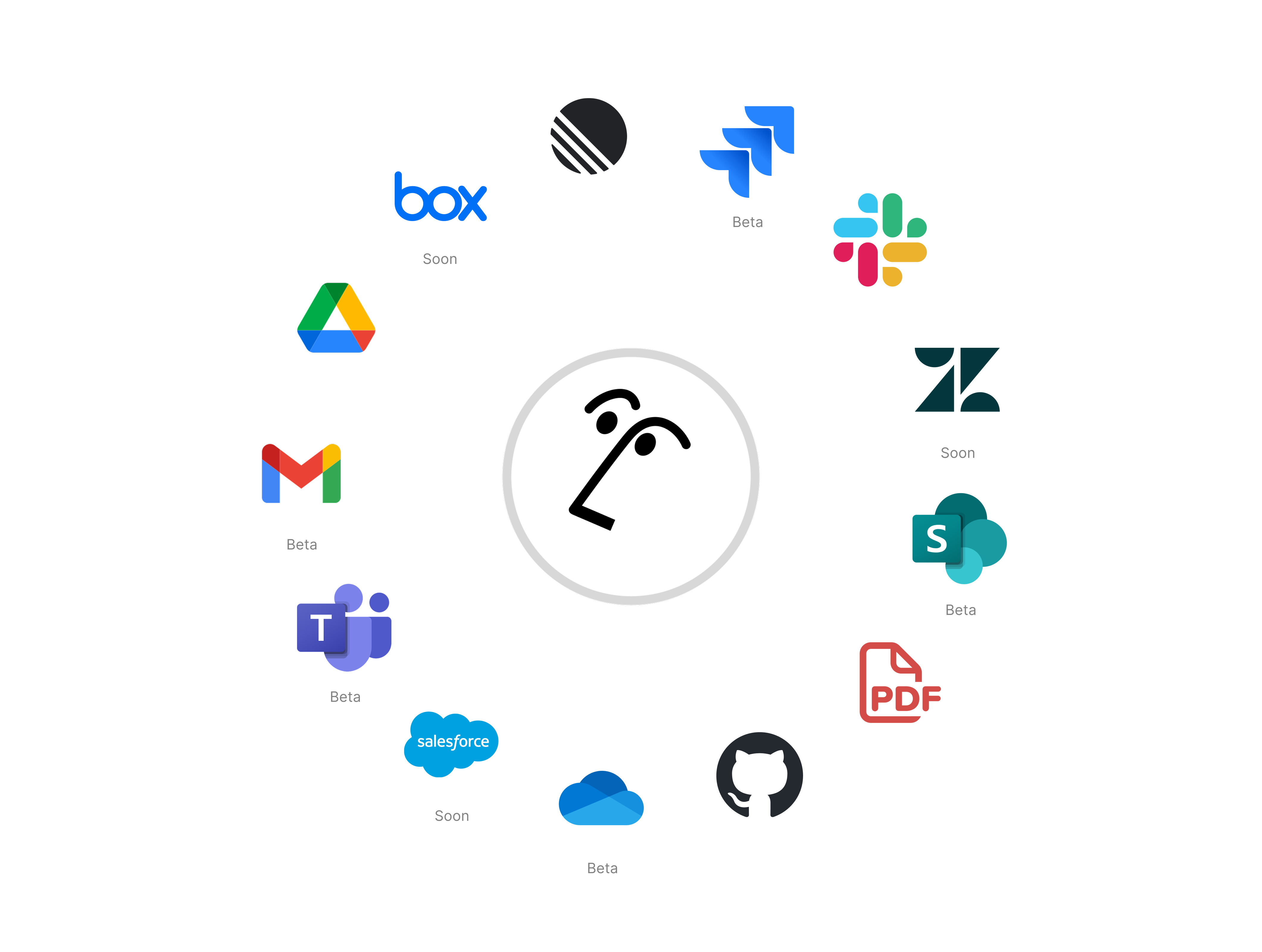
Two directions matter. Inbound: Enterprise Search and agents connect to apps such as Slack, Microsoft Teams, GitHub and Google Drive, with Jira, Box, OneDrive, Salesforce and Asana listed as beta on the pricing page. Outbound: Notion hosts a remote MCP server so other assistants can read and update your workspace. Notion's developer docs name Claude Code, Cursor and Codex as clients, require OAuth, and let workspace owners list and revoke connections under Settings, Connections. Custom Agents can also use MCP connections to tools such as Linear, Figma and HubSpot, and Skills can be downloaded to Claude Code or Cursor.
| Integration | What it does | Plan / status |
|---|---|---|
| Enterprise Search connections | Search Slack, Teams, GitHub, Drive and more from Notion | Business and up; Jira, Box, OneDrive, Salesforce, Asana in beta |
| Notion MCP server (hosted by Notion) | Claude Code, Cursor, Codex and other MCP clients read, create and update pages and databases | OAuth; docs do not state plan limits; owners can revoke connections |
| MCP connections for Custom Agents | Agents act in Linear, Figma, HubSpot and similar tools | Business and Enterprise (Custom Agents need credits) |
| Skills library (Notion 3.7) | Reusable team instructions; downloadable to Claude Code or Cursor | Plan availability not stated in the release note |
| Workers (beta) | Custom code that extends agents and syncs external data | Credits; CLI and developer portal |
If you want to understand what an MCP connector is before turning this on, JAVIS's Claude MCP and Connectors guide explains the idea, and the Zapier review covers the automation layer many Notion teams already pair with it.
A short official walkthrough of setting up a question-answering agent over your workspace, which is the cheapest agent job to try first.
Published by the official "Notion" YouTube channel (youtube.com/@Notion).
Price the seats first, then set a credit ceiling and look at it weekly.
| What you are doing | What you pay / hit |
|---|---|
| Trying Notion AI on a personal workspace | $0 on Free or $10 a month on Plus: a limited AI trial only |
| A 10-person team using Agent and Meeting Notes | 10 x $20 = $200 a month on annual billing; $240 on monthly billing (JAVIS arithmetic). The usage allowance is not priced separately |
| One Custom Agent budgeted at 3,000 credits a month | 3,000 / 1,000 x $10 = $30 a month at monthly credits (JAVIS arithmetic; actual use depends on the agent) |
| A team that burns 150,000 credits in a month | $1,500 at $10 per 1,000: the unsourced anecdote from the Fast.io review, shown only to size the downside |
| Buying credits annually | $13 per 1,000, paid upfront, expiring at renewal: more flexible, more expensive per credit |
| Premium models inside Notion | Spend credits; the admin must switch it on; Notion says it charges tokens at each provider's published rates, no markup |
| Image generation (beta) | Capped at 10 per 24 hours and 30 per 30 days on a rolling reset |
Good enterprise paperwork, and two real prompt-injection disclosures in the last year.

| Control | What Notion says |
|---|---|
| Compliance | SOC 2 Type 2 and ISO 27001 cover Notion AI; ISO 27701, 27017 and 27018; HIPAA with a BAA; BSI C5; GDPR program (notion.com/security) |
| Model training | "By default, Notion and its AI Subprocessors do not use Customer Data to train any models"; contracts with AI subprocessors prohibit it |
| LLM providers | Models hosted by Notion plus providers such as Anthropic and OpenAI; data sent over TLS 1.2 or greater |
| Retention | LLM providers retain data 30 days or fewer; Enterprise workspaces get zero data retention; embeddings deleted within 60 days of page or workspace deletion |
| Web search | Workspace owners can switch web search on or off and require confirmation before agents look at external sites |
| Admin | Restrict models (Sep 9, 2026), control whether members spend credits past the allowance, SAML SSO (Business), SCIM and audit log (Enterprise); an admin transcript auto-delete schedule is listed among the matrix's security rows (plan mapping not confirmed) |
| Date | What was reported | Notion response as I could verify |
|---|---|---|
| Sept 2025 | Researchers (CodeIntegrity, amplified by others) showed a malicious PDF could make a Notion 3.0 agent with web search and workspace access send data out: the "lethal trifecta" of private data, untrusted content and an outbound channel | Notion upgraded injection detection for file attachments, added approval for suspicious links and an admin policy to disable web access (The Decoder, Sept 22-23, 2025) |
| Dec 24, 2025 to Jan 8, 2026 | PromptArmor reported that AI document edits were saved before user approval, letting a poisoned resume exfiltrate hiring data. Notion first closed the HackerOne report as Not Applicable | Per the researchers, Notion contacted them Jan 7 and the remediation was in production by Jan 8, 2026. This is their account; I found no Notion statement |
| Aug 28, 2026 | Agents can now propose edits for approval instead of applying them | Notion release note |
The practical read: prompt injection is an industry-wide weakness of agents that mix private data with untrusted content, not a Notion-only flaw. What matters is that Notion has patched what was reported and given admins switches. For sensitive workspaces I would still turn web access off, keep agents on suggest-only for edits, and use Enterprise zero retention if you need it. This is not legal or security advice.
Best for teams who already run documentation, projects and meeting notes in Notion.
| Situation | Why Notion AI fits | Likely plan |
|---|---|---|
| A startup or team with its wiki and projects in Notion | Agent and search read the pages that already hold the answers | Business |
| Ops, IT or enablement teams answering repeat questions | A Q&A Custom Agent over the team wiki | Business plus a small credit budget |
| Teams that dislike meeting bots | AI Meeting Notes need no bot | Business |
| A solo user who wants a note app with AI sprinkled in | Only a limited trial on Free and Plus; consider a general assistant instead | Free or Plus, plus ChatGPT or Claude |
| Companies on Google Workspace or Microsoft 365 | Notion AI cannot see content that lives elsewhere unless it is connected | Look at the AI inside your suite first |
| Regulated or security-heavy organisations | Zero retention, SCIM and audit log are Enterprise-only | Enterprise |
Five real gaps, not manufactured ones.
Free and Plus get a trial. Real Notion AI starts at $20 a member (annual), and a G2 reviewer quoted by eesel called the extra cost "way more expensive than the Pro plan itself".
Custom Agents run on credits with no rollover, and the included allowance has no published number. Budgeting is guesswork until you have a month of data.
Two prompt-injection disclosures in a year (Sept 2025, Jan 2026), both reportedly fixed. The structural risk of private data plus untrusted content plus outbound access remains.
Trustpilot is 2.2/5 over 436 reviews, with recurring charges-after-cancellation and slow-support complaints. Trustpilot rates Notion generally, not the AI alone.
Fifth gap, smaller: it only knows what you give it. Content in Google Docs, email or other silos is invisible unless connected, and the beta connectors (Jira, Box, OneDrive, Salesforce, Asana) are still beta.
Notion is the best fit when the workspace is Notion. Others win on suite, price or specialty.
| If you mostly need... | Compare Notion AI with... |
|---|---|
| A project tool with AI priced per user | ClickUp (Unlimited $7, Business $12 billed yearly; Brain AI $9 per user a month, Everything AI $28, on its pricing page, Oct 3, 2026) |
| A docs workspace inside a writing and email suite | Superhuman Docs (formerly Coda; Coda's pricing URL now redirects to Superhuman; Pro $12 a member billed annually for the suite) |
| A general assistant to query documents and write | ChatGPT review, Claude review, Google Gemini review |
| Dedicated meeting transcription with a bot and CRM sync | Otter.ai review, Fireflies.ai review |
| Moving data between Notion and other tools | Zapier, n8n |
| Research with citations outside your workspace | Perplexity review |
| Entry point (verified Oct 3, 2026) | Notion | ClickUp | Superhuman (suite) |
|---|---|---|---|
| Free plan | Free with a limited AI trial | Free Forever; Brain AI Free with trial access | Free: chat, limited writing help, docs |
| Cheapest plan with real AI | Business $20 / member / mo annual | Unlimited $7 + Brain AI $9 listed per user a month (about $16 if both bill at those rates; the AI billing basis is not stated) | Pro $12 / member / mo annual |
| Monthly billing | Business $24 | Unlimited $10; Business $19 | Pro $15; Business $40 |
| Autonomous agents | Custom Agents: $10 per 1,000 credits | AI Super Credits add-on for agents and automations | Custom agents: limited / expanded / full by plan |
| Unit that runs out | Usage allowance, credits | Credit allowances | Prompts and usage credits (limited trial) |
No affiliate relationship shapes this review.
JAVIS has not established a publisher affiliate program with Notion. Every CTA in this article points to the official product. If that changes, the review's facts, limitations and alternatives will not.
Go to the official page.
Open NotionRead the alternative that matches your real question.
Choose the next articleNotion AI sits between the workspace and the assistant layer.
Every card below links to a published JAVIS review.
Card images are official assets from each product's own site.
Questions people are actually searching right now
How much does Notion AI cost in October 2026?
Notion AI is included in the Business plan at $20 per member per month billed annually ($24 monthly) and in Enterprise (custom). Free and Plus include only a limited AI trial. Custom Agents, Workers and premium models use Notion credits at $10 per 1,000 (monthly) or $13 per 1,000 (annual). Verified on notion.com, Oct 3, 2026.
Is Notion AI free?
Only as a trial. The Free and Plus plans list "Trial AI capabilities" and a "Trial of Notion AI" with limited access to Agent and Meeting Notes.
Is there still a separate Notion AI add-on?
The pricing page now presents AI inside Business and Enterprise rather than as a separate add-on. Third-party pricing trackers date the bundling to May 2025; I could not confirm the date on Notion's own pages.
What are Notion credits?
An add-on for Business and Enterprise shared across the workspace that pays for Custom Agents, Workers, premium models and AI use beyond the allowance. Monthly credits reset each month with no rollover; annual credits expire at renewal.
Does Notion AI use my data to train models?
Notion says it and its AI subprocessors do not use customer data to train models by default, and contractually prohibits it. LLM providers retain data for 30 days or fewer; Enterprise gets zero retention.
Can Notion AI join my meetings as a bot?
No: Notion says AI Meeting Notes need "no bot". It transcribes and summarises, and consent disclosures are mentioned on its page. If you need a visible notetaker, compare dedicated tools.
Has Notion AI had security problems?
Researchers disclosed prompt-injection data-exfiltration issues in September 2025 and January 2026. Notion shipped detection, link-approval and admin controls, and researchers say the January issue was fixed on Jan 8. Details are in the Security section.
What are the best Notion AI alternatives?
ClickUp or Superhuman Docs if you want AI in a different workspace, ChatGPT or Claude for a general assistant, and Otter or Fireflies for meeting capture. See Alternatives above.
Where this came from, and when it was checked.
Pricing and plans: notion.com/pricing, checked Oct 3, 2026, including the price data embedded in the page; notion.com/help/what-are-notion-credits for credit prices; notion.com/help/manage-your-usage-allowance-for-notion-ai.
Product and launches: notion.com/product/ai, /product/ai-meeting-notes, notion.com/releases (Feb 24, Jul 24, Jul 31, Aug 7, Aug 14, Aug 19, Aug 28, Sep 9 and Sep 15, 2026), Notion help center Custom Agents category, developers.notion.com MCP guide.
Security: notion.com/security and notion.com/help/notion-ai-security-practices (vendor statements); PromptArmor (Jan 7-8, 2026) and The Decoder (Sept 22-23, 2025) for researcher disclosures.
Market: Notion blog (100M users, Sept 3, 2024); CNBC headline (Sept 18, 2025; the page itself could not be read); Sacra (Aug 10, 2026; estimates). Valuation is as summarised by Sacra.
Real users: Trustpilot notion.so 2.2/5, 436 reviews; iOS App Store 4.77555 over 90,296 ratings from the App Store listing (Notion app overall); G2 4.6 from 11,434 reviews as quoted by eesel (G2 was not available to us); eesel and Fast.io reviews are from vendors of competing products. Reddit could not be read.
Alternatives: clickup.com/pricing, superhuman.com/plans, Oct 3, 2026.
Official videos: youtube.com/watch?v=_1ZIgz9FOno, fcfbAAczSJg and dLz0wCyxN9E; author "Notion" on YouTube.
JAVIS Fit Score (76/100): editorial composite of workspace integration and breadth (strong), bundled pricing and trial transparency (good), agent capability and MCP (good), credit metering and opaque allowance (weak), security track record (mixed: fixed, but two disclosures), support and billing sentiment (weak). Weighted by judgement; no automated test was run.