
JetBrains AI Assistant Review 2026: Four Coding Agents in One IDE Chat, Paid For in Credits
If you already live in IntelliJ IDEA, PyCharm, Rider or another JetBrains IDE, AI Assistant is the shortest path to AI help that understands your project. In October 2026 it is less a chat plugin and more a front door: Junie, Claude Agent, Codex and GitHub Copilot all run from the same AI Chat, with a free tier, $10 and $30 personal plans, and your own API keys or local models as an alternative. This review works from JetBrains' own documentation, pricing data and changelog as of Oct 4, 2026, then sets them against what users report on the JetBrains Marketplace and Hacker News, where the credit system and plugin stability draw most of the anger.
| Made by | JetBrains s.r.o., the company behind IntelliJ IDEA and PyCharm |
| Free tier | AI Free: 3 AI Credits every 30 days, plus unlimited code completion |
| Cheapest paid | $10/mo AI Pro for individuals ($100 a year) |
| Agents in chat | Junie, Claude Agent, Codex, GitHub Copilot, plus ACP agents |
| Marketplace votes | 1,434 star votes, 846 of them one-star |
The best reason to use JetBrains AI Assistant is that it already sits inside the IDE you trust. The best reason to hesitate is the credit meter.
"If you write Java, Kotlin, Python or .NET all day in a JetBrains IDE, start with the free tier and the bundled AI Pro you may already own. Move to Ultimate only after you have watched how fast agent work drains your credits."
Here is how I read it. AI Assistant is now three things in one plugin: in-editor help (completion from JetBrains' own Mellum model, next edit suggestions, explanations, tests, commit messages), an AI Chat that lets you pick from 41 cloud models, and an agent hub where Junie, Anthropic's Claude Agent, OpenAI's Codex and GitHub Copilot share one window, with more agents installable through the Agent Client Protocol. That breadth is real and documented. So is the catch: every cloud request spends AI Credits, one credit equals one US dollar, and agent work spends them fastest. The free tier gives you 3 credits a month. Users on the JetBrains Marketplace and Hacker News complain about quota burn, plugin breakage after updates and a pushy side panel, and those complaints are recent. This is a VERIFIED EDITORIAL REVIEW: it is built on JetBrains documentation, pricing data and Marketplace listings as of Oct 4, 2026, plus public user comments. No controlled hands-on test was run for this article.
One plugin, three layers: editor help, a model-picking chat, and a place where coding agents run.
JetBrains describes AI Assistant as "a collection of AI-powered features and coding agents integrated into JetBrains IDEs." It installs in CLion, DataGrip, DataSpell, GoLand, IntelliJ IDEA, PhpStorm, PyCharm, Rider, RubyMine, RustRover and WebStorm, and is also offered in Android Studio and ReSharper. The list still includes DataSpell, which JetBrains is retiring (no new subscriptions since May 28, 2026; eligible subscriptions converted to PyCharm Pro on Sep 1, 2026). It is not bundled with the IDE and stays off until you install and activate it, except in organizations, where it is enabled by default. You can run it on a JetBrains AI subscription, on your own API keys, on accounts you already have with agent providers, or on local models.
Map built from JetBrains' AI Assistant documentation (About, Agents, Supported models, Use third-party and local models), Oct 4, 2026.
Installed on a huge base of JetBrains users, rated harshly by the ones who bother to vote.
AI Assistant plugin on JetBrains Marketplace, Oct 4, 2026. Downloads include updates across IDEs. Not users, not customers.
846 one-star, 249 five-star. A simple average of the split is about 2.1 (JAVIS arithmetic). Marketplace data also lists a separate mean rating of 4.06; JetBrains does not explain how that figure is weighted and it cannot be reproduced from these vote counts, so this review relies on the split.
10 Claude, 9 Gemini, 21 OpenAI, 1 Grok on the Supported models page. A count, not a quality score.
Plus Android Studio and ReSharper, per JetBrains' About page.
Swipe the table sideways to see every column.
| When | What changed | Source |
|---|---|---|
| Apr 16, 2025 | AI Free tier launches with the 2025.1 IDEs: unlimited code completion, local models, credit-based cloud AI and Junie. All Products Pack and dotUltimate start including AI Pro. | JetBrains blog |
| 2025.2 release | Claude Agent becomes the first third-party agent built into the chat; Grok models added; quota tracking appears in the IDE. | JetBrains What's New page |
| 2025.3 release | ACP Agent Registry, native Codex, BYOK for chat and agents, Junie inside AI Chat, next edit suggestions generally available for Pro, Ultimate and Enterprise. | JetBrains What's New page |
| 2026.1.1 release | Skills Manager: install agent skills once and reuse them across supported agents and projects. | JetBrains What's New page |
| Jul 22, 2026 | Plans page lists AI Free, Pro, Ultimate and Enterprise, the 1-credit-equals-$1 rule and pooled credits for organizations on JetBrains Central. | JetBrains documentation |
| Oct 4, 2026 | Marketplace listing shows 230,048,870 downloads and 1,434 star votes. | JetBrains Marketplace |
What I weigh most is the strategy. JetBrains did not try to beat Anthropic, OpenAI or GitHub at agents. It opened the IDE to all of them, backed the open Agent Client Protocol (ACP) so other agents can plug in, and kept its own advantage: deep code intelligence plus its own completion model. That is a sensible bet for a company whose customers already pay for the IDE. It also means the quality of your agent work depends mostly on which agent and model you pick, not on JetBrains.
Developers like the IDE integration and the free choice of agents. The credit burn and update breakage get the angry reviews.
The newest reviews are mostly one-star and mostly about reliability: the plugin will not load or authenticate after an update, chat context disappears after an update, agents fail to launch under WSL. In September several reviewers objected that "Generate code" now goes through the agent, which they say is slower and uses more credits. Five-star reviews from the same weeks praise the integration, local Ollama support and Junie, and one says it is "much better than Claude Code or Codex" inside the IDE.
One developer on the $300-a-year plan wrote that they "quickly run out" of the 35 monthly credits and spend "$5-10/day" on top, mostly for Claude (Feb 5). Another listed JetBrains AI and Junie as "nice but quotas are quite limiting" (Mar 16). On the other side, one commenter called AI Assistant with Claude Agent "a much better harness for Claude" than the Claude Code CLI (Apr 9), and another found the integration "really useful" in large unfamiliar codebases (Apr 22).
A recurring thread is agent stability: one commenter reported "frequent agent crashes" and short outages in February, another saw a blank chat window while credits kept being spent. A May commenter felt results through JetBrains AI were "worse" and slower than using model providers directly. These are individual accounts, not measurements, but they point at the same weak spot as the Marketplace reviews.
You buy a monthly credit allowance. The price of the plan is the number of dollars of AI you get.
AI Free
Included with JetBrains IDEs from 2025.1.
- 3 AI Credits every 30 days
- Unlimited code completion and local models
- No top-ups, no next edit suggestions
- Not in Android Studio or Community Editions
AI Pro
$100 a year for individuals; $20 a month or $200 a year for organizations.
- 10 AI Credits every 30 days (20 for organizations)
- Top-ups available at $1 a credit
- Included with the All Products Pack and dotUltimate
AI Ultimate
$300 a year for individuals; $60 a month or $600 a year for organizations.
- 35 AI Credits every 30 days (70 for organizations)
- A "small bonus" over the price, per JetBrains
- Top-ups available
AI Enterprise
Organizations only, part of JetBrains IDE Services.
- Quota "on par with AI Ultimate quota, or higher"; exact number not disclosed
- Can run LLMs inside your own environment
- Top-ups not yet available
Swipe the table sideways to see every column.
| Plan | Individual | Organization | AI Credits per 30 days |
|---|---|---|---|
| AI Trial | Free, 30 days | Free | 10 (individual), 20 (organization) per trial |
| AI Free | $0 | $0 | 3 |
| AI Pro | $10 monthly, $100 yearly | $20 monthly, $200 yearly | 10 individual, 20 organization |
| AI Ultimate | $30 monthly, $300 yearly | $60 monthly, $600 yearly | 35 individual, 70 organization |
| AI Enterprise | Not offered | $60 | Ultimate level or higher, not disclosed |
| Top-up credits | $1 per credit, valid 12 months, used only after the monthly quota runs out | Not on AI Free; not yet on Enterprise | |
Swipe the table sideways to see every column.
| Check you can do | Result (JAVIS arithmetic) |
|---|---|
| Annual discount, AI Pro and AI Ultimate (individual) | $100 vs $120 and $300 vs $360: both 16.7% off, two months free |
| Effective price per credit | Pro $1.00; Ultimate $30 / 35 = about $0.86 |
| What 10 Pro credits buy, using JetBrains' rough rates | About 100 chat code generations, or 400 editor generations, or 1,400 commit messages |
| Hacker News user on Ultimate spending $5 to $10 a day in top-ups | About $150 to $300 a month on top of the $25 a month annual plan |
| All Products Pack owner | Individual: AI Pro included, 10 AI Credits per 30 days, anytime top-ups (jetbrains.com/ai-ides/buy). Organizations: JetBrains Central counts 20 credits a month per license toward the company pool |
Decide by how much agent work you will do, and by what you already pay JetBrains for.
You already have AI Pro. Use it for a month and watch the credit widget before buying anything.
AI Free covers unlimited completion. Three credits a month is enough to try chat, not to rely on it.
AI Pro at $10 a month, $100 a year. Expect to start new chats per task to stretch the credits.
AI Ultimate at $30 a month, or bring your own Anthropic or OpenAI key and pay the provider directly.
Sign in to that agent inside AI Chat or use BYOK; the chat and agents work without a JetBrains AI subscription.
AI Enterprise through JetBrains IDE Services, or JetBrains Central's pooled credits.
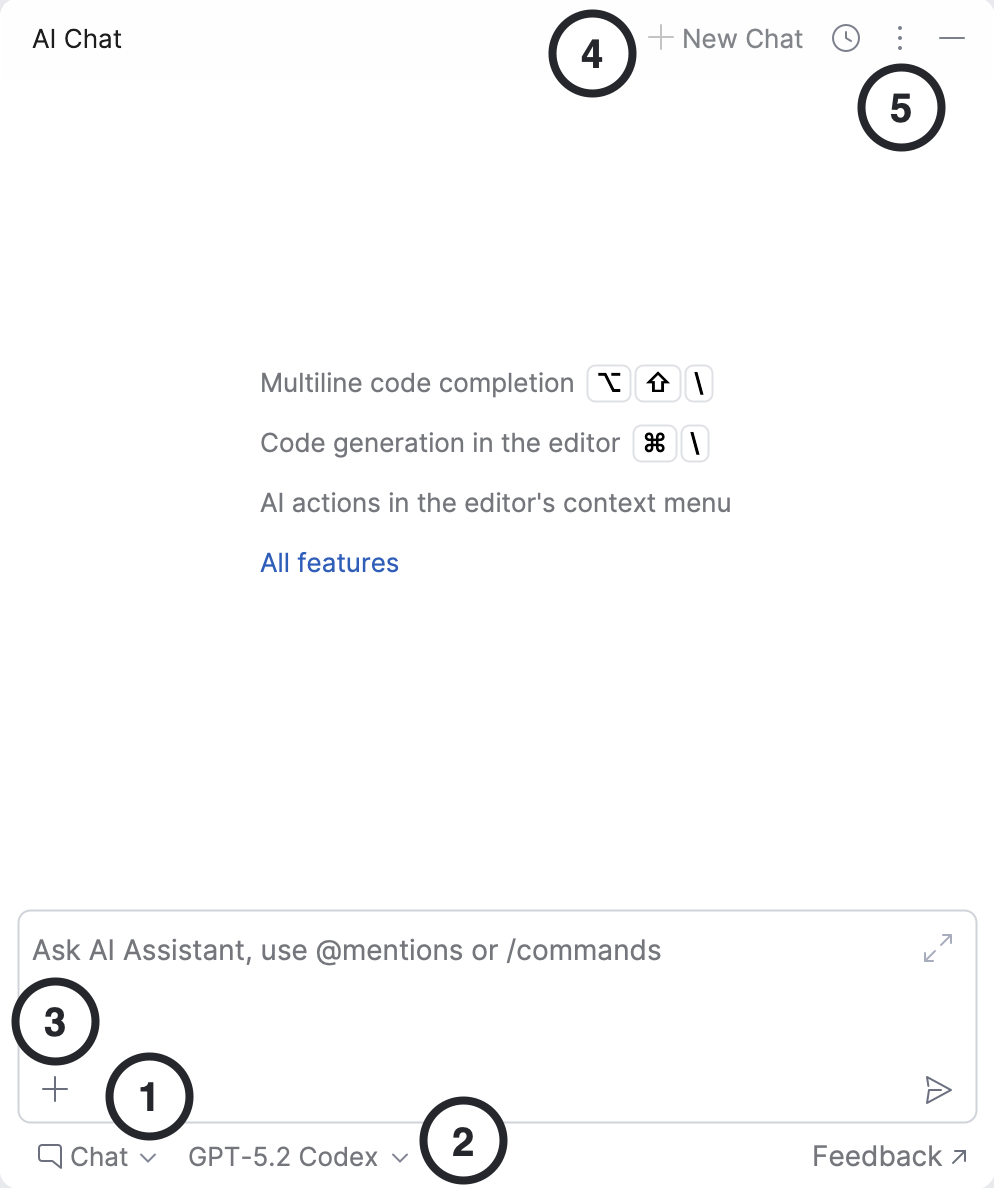
The headline change of the last year is that AI Chat became an agent switchboard, not just a chatbot.
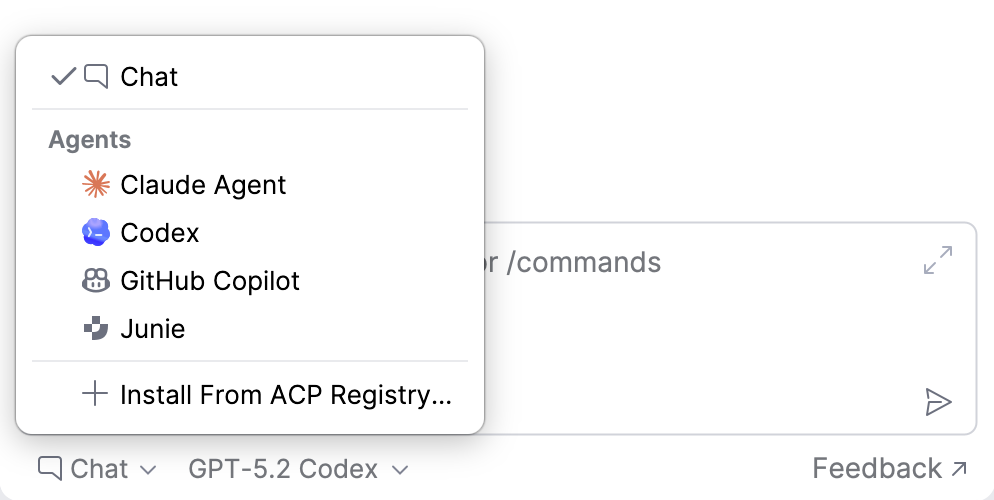
In AI Chat you choose between Chat mode, which suggests code you apply yourself, and Agents, which can edit several files, run commands and tests, and report progress for you to keep or roll back. JetBrains documents four built-in agents, and a "Recommended" pick that it chooses from its own benchmark runs and A/B tests with users. Agents that support the Agent Client Protocol can be installed from a registry in one click, and ACP agents work without a JetBrains AI subscription.
Swipe the table sideways to see every column.
| Agent | Who builds it | Modes JetBrains lists | Instructions file | Respects .aiignore |
|---|---|---|---|---|
| Junie | JetBrains | Brave mode, Debug mode | AGENTS.md | Yes |
| Claude Agent | Anthropic (built on Claude Code) | Auto, Default, Accept Edits, Plan, Don't Ask, Bypass | CLAUDE.md | No |
| Codex | OpenAI | Read-only, Agent, Agent (full access) | AGENTS.md | No |
| GitHub Copilot | GitHub | Agent, Plan, Autopilot | AGENTS.md, CLAUDE.md | No |
| ACP agents | Third parties | Depends on the agent | Depends on the agent | Not stated |
The detail I would not skip is the last column. Your .aiignore file, which tells AI features to stay out of certain files, is respected by Junie and, per JetBrains' table, not by Claude Agent, Codex or Copilot. If you rely on it to keep secrets or generated code out of the model's view, use Junie for that project or check each agent's own controls.
JetBrains' own round-up of what changed in its AI features, including the agents in AI Chat. Published Mar 2, 2026.
From the official "JetBrains" YouTube channel (youtube.com/@JetBrainsTV). Vendor overview, so it shows the best case.
- You can compare agents on the same task without leaving the IDE.
- Agents you already pay for elsewhere can sign in with your existing account.
- Junie has a Debug mode in IntelliJ IDEA Ultimate that works through the IDE debugger instead of editing code.
- Agent quality comes from the agent and model, not from JetBrains; try two on your own repository.
- Brave mode and "full access" modes run commands without asking; JetBrains itself warns this can lose data.
- ACP agents do not work under WSL, which several Marketplace reviewers hit.
Pick a mode and a model, give it context, let it propose, then you decide what stays.
Two habits come straight from JetBrains' own advice and save money. Start a new chat for each unrelated task, because a long thread grows the context and the cost of every message. And pick a cheaper model for routine work, because expensive models are marked in the picker and drain credits faster. With automatic context on, Junie attaches the active file and any selected text; other files you add yourself with @.
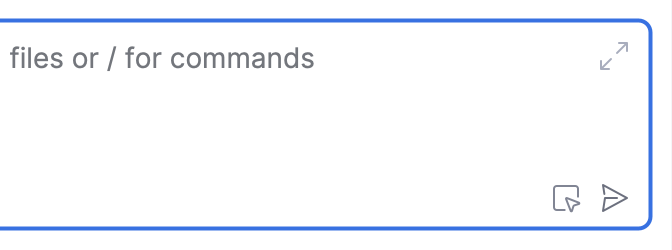
Completion is the part that costs nothing and that most users touch every minute.
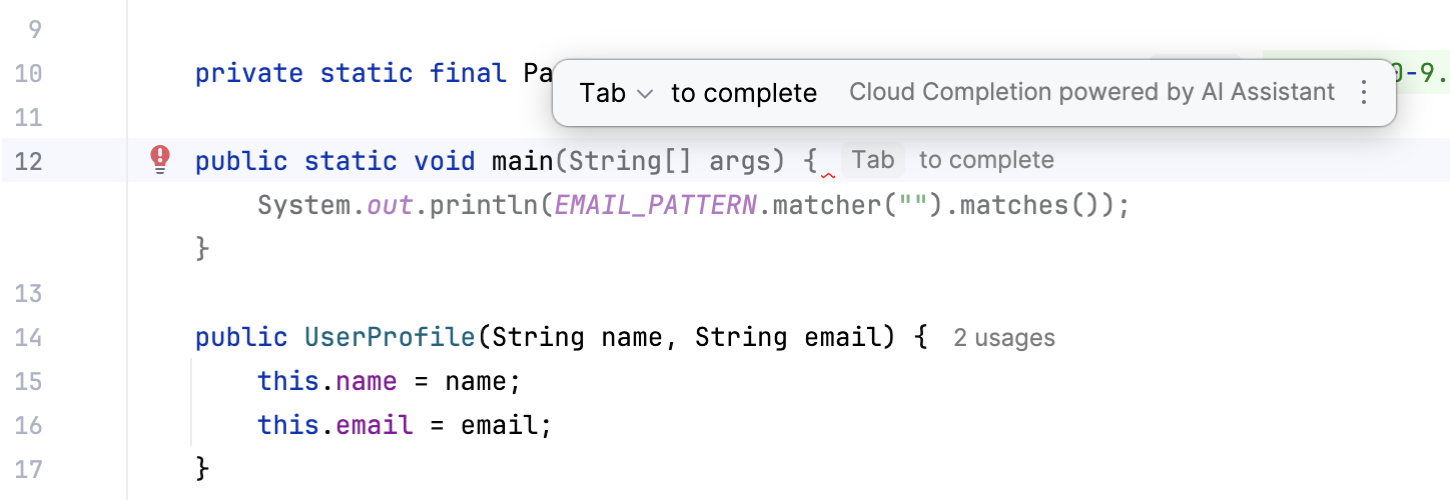
Cloud completion runs on Mellum, JetBrains' own model, and suggests single lines, blocks or whole functions; it also works in comments, in AI Chat and in commit messages. You can switch it to local only, cloud only, or both, and you can point it at your own model through an OpenAI-compatible endpoint. JetBrains' April 2025 announcement promised unlimited completion even on AI Free, and the Marketplace listing still says "Unlimited code completion powered by Mellum." Next edit suggestions, which predict the next place you will change and offer the edit, are on Pro, Ultimate and Enterprise, not on AI Free.
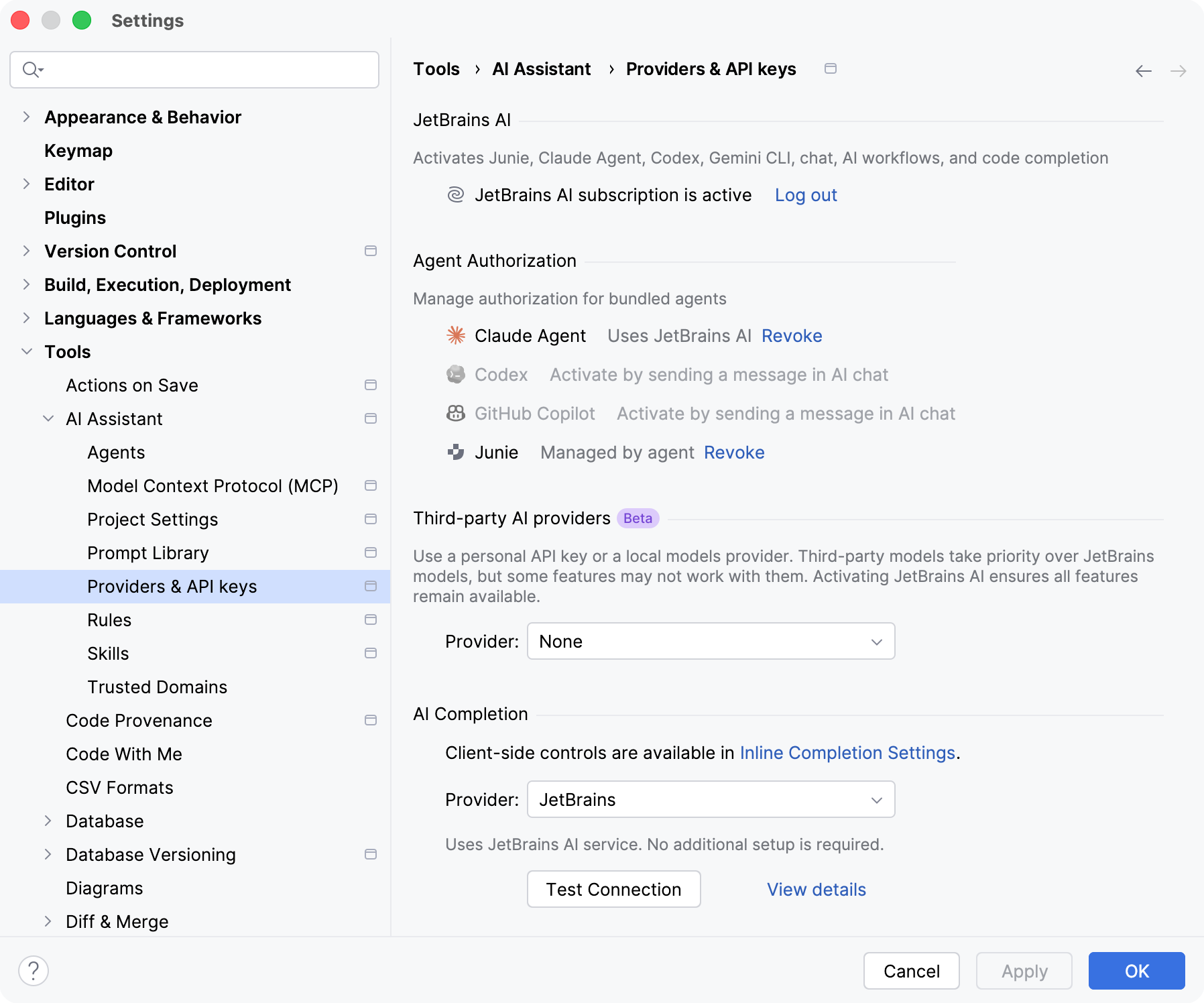
You can use JetBrains' credits, your own API keys, or models running on your machine, and add tools through MCP.
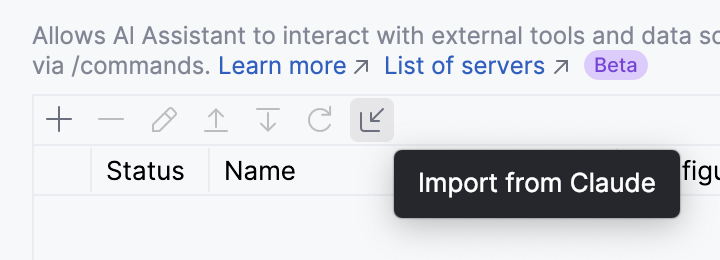
On a JetBrains AI subscription, AI Chat offers 41 cloud models from Anthropic, Google, OpenAI and xAI, with context windows up to one million tokens. Without a subscription you can bring your own keys for Anthropic, Google (Gemini API or Vertex AI) and OpenAI, connect any OpenAI-compatible service such as llama.cpp or LiteLLM, or run models locally with Ollama or LM Studio. BYOK covers AI Chat and the integrated agents. For external tools, AI Assistant connects to MCP servers over STDIO, Streamable HTTP or legacy SSE, and can import an existing Claude Desktop configuration in one click. If MCP is new to you, the JAVIS Claude MCP and Connectors guide explains it, and the Ollama review covers running local models.
Swipe the table sideways to see every column.
| Way to run models | Who you pay | Notes from the documentation |
|---|---|---|
| JetBrains AI service | JetBrains, in AI Credits | 41 cloud models: 10 Claude, 9 Gemini, 21 OpenAI GPT and o-series, 1 Grok |
| Your own API key (BYOK) | The model provider | Anthropic, Google, OpenAI; works for AI Chat and integrated agents without a JetBrains AI subscription |
| OpenAI-compatible endpoint | Whoever runs it | For example llama.cpp or LiteLLM; tool calling for MCP can be switched on or off |
| Local: Ollama or LM Studio | Your hardware | Default 64,000-token context; MCP tool calls are not supported with local models |
| Agent provider accounts | Your ChatGPT, Claude or GitHub plan | Codex, Claude Agent and Copilot can authorize with existing accounts |
JetBrains explains how Claude Agent in the IDE now stays on the latest version. Useful if Claude Agent is the agent you plan to use most. Published Apr 9, 2026.
From the official "JetBrains" YouTube channel (youtube.com/@JetBrainsTV). Vendor video.
The plan price is cheap. The cost driver is how much agent work you push through it.
Swipe the table sideways to see every column.
| What you do | What it costs or hits |
|---|---|
| Inline completion in enabled languages | Unlimited, per JetBrains; "All others" file types may use a small amount of quota |
| Chat questions and explanations | About 25 explanations or 10 chat code generations per credit, per JetBrains' rough guide |
| Commit messages and docs | About 140 commit messages or 280 documentation requests per credit |
| Agent runs (Junie, Claude Agent, Codex) | JetBrains: "extensive use of the agent mode leads to higher quota consumption" |
| Running out mid-month | Wait for the 30-day reset, buy $1 top-ups, switch license, upgrade, or switch to your own keys |
| Organizations on JetBrains Central | Credits pooled across the company; admins set per-user limits and auto-purchase schedules |
Your code goes to the model provider. Training on your data is opt-in, and admins can lock providers, agents and MCP servers.
Swipe the table sideways to see every column.
| Control | What JetBrains says |
|---|---|
| What is sent | Your prompts, pieces of your code and context such as file types and frameworks go to the LLM provider |
| Training on your data | Detailed data collection, including the full conversation, is opt-in and can be used "for product improvement and training AI models"; the "Send detailed code-related data" setting is off by default |
| Seeing what left the IDE | Prompts sent to the provider are logged in a local ai-assistant-requests.md file you can open and clear |
| Off by default | The plugin is not bundled and does not access code until installed, activated and terms accepted; organizations get it enabled by default |
| Admin control | Through IDE Services or JetBrains Central, admins can set the provider, block personal API keys, preconfigure MCP servers and limit which agents appear |
| Databases | In DataGrip, AI Assistant does not share or access data in your database |
| Regions | Usage is limited to territories allowed by the model providers; AI Free, AI Ultimate and top-ups are not available in Mainland China |
.aiignore, a secrets file you hid from AI can still be read by the other agents unless you protect it another way.Best for developers who are staying in JetBrains IDEs and want one place to try several agents.
Swipe the table sideways to see every column.
| Situation | Why AI Assistant fits | Likely plan |
|---|---|---|
| All Products Pack or dotUltimate subscriber | AI Pro is already included | Bundled AI Pro |
| Java or Kotlin developer in IntelliJ IDEA | Mellum completion, next edits, Junie with Debug mode in Ultimate | AI Pro |
| Developer comparing Claude, Codex and Copilot | All in one chat, signing in with existing accounts | AI Free plus your own accounts |
| Heavy daily agent user | Biggest monthly credit pool, or pay the provider via BYOK | AI Ultimate or BYOK |
| Privacy-sensitive team | Local models, admin control, self-hosted LLMs on Enterprise | AI Enterprise |
| VS Code or Cursor user | No reason to switch IDE for this plugin | Look at the alternatives |
| Windows developer working inside WSL | ACP agents are not supported under WSL | Check first |
Six real gaps, not manufactured ones.
Three credits on Free and ten on Pro go quickly once agents run. JetBrains' own FAQ lists agent mode, long threads and expensive models as the causes.
The newest Marketplace reviews describe the plugin failing to load, failing to authenticate or losing chat context after updates.
Reviewers complain the AI panel keeps appearing; organizations get AI Assistant enabled by default.
Only Junie respects it, according to JetBrains' own agents table.
ACP agents do not work in WSL. AI Free is missing from Android Studio and Community Editions. Next edit suggestions skip AI Free.
JetBrains says it cannot disclose the Enterprise credit number yet because it is "still rethinking the AI quota model".
AI Assistant wins when you stay in a JetBrains IDE. Others win if you are open to a different editor or one agent everywhere.
Swipe the table sideways to see every column.
| If you mostly need... | Compare AI Assistant with... |
|---|---|
| One assistant across VS Code, JetBrains and GitHub | GitHub Copilot review (Copilot also runs as an agent inside AI Chat) |
| An AI-first editor instead of a plugin | Cursor review |
| OpenAI's agent with a ChatGPT plan you already have | OpenAI Codex review |
| A fast editor built around agents and ACP | Zed review |
| Fully local models | Ollama review, connected to AI Assistant or used on its own |
Swipe the table sideways to see every column.
| Ways in (verified Oct 4, 2026) | What you pay | What you get |
|---|---|---|
| AI Free | $0 | Unlimited completion, local models, 3 cloud credits a month |
| Bundled AI Pro | Included with All Products Pack and dotUltimate | Individual: 10 AI Credits per 30 days, anytime top-ups, next edit suggestions. Organizations: 20 a month per license to the JetBrains Central pool |
| BYOK or agent sign-in | Your provider's prices | AI Chat and agents without a JetBrains AI subscription |
| AI Ultimate | $30 a month, $300 a year | 35 credits a month, top-ups |
No affiliate relationship shapes this review.
JAVIS has no affiliate arrangement with JetBrains for AI Assistant. Every call to action in this article points to JetBrains' official site. If that ever changes, the facts, limitations and alternatives here will not.
Install it from the official page; new users get a 30-day AI Pro trial.
Open JetBrains AIRead the alternative that matches your real question.
Choose the next articleAI Assistant sits between IDE plugins, AI editors and coding agents.
Every card below links to a published JAVIS review.


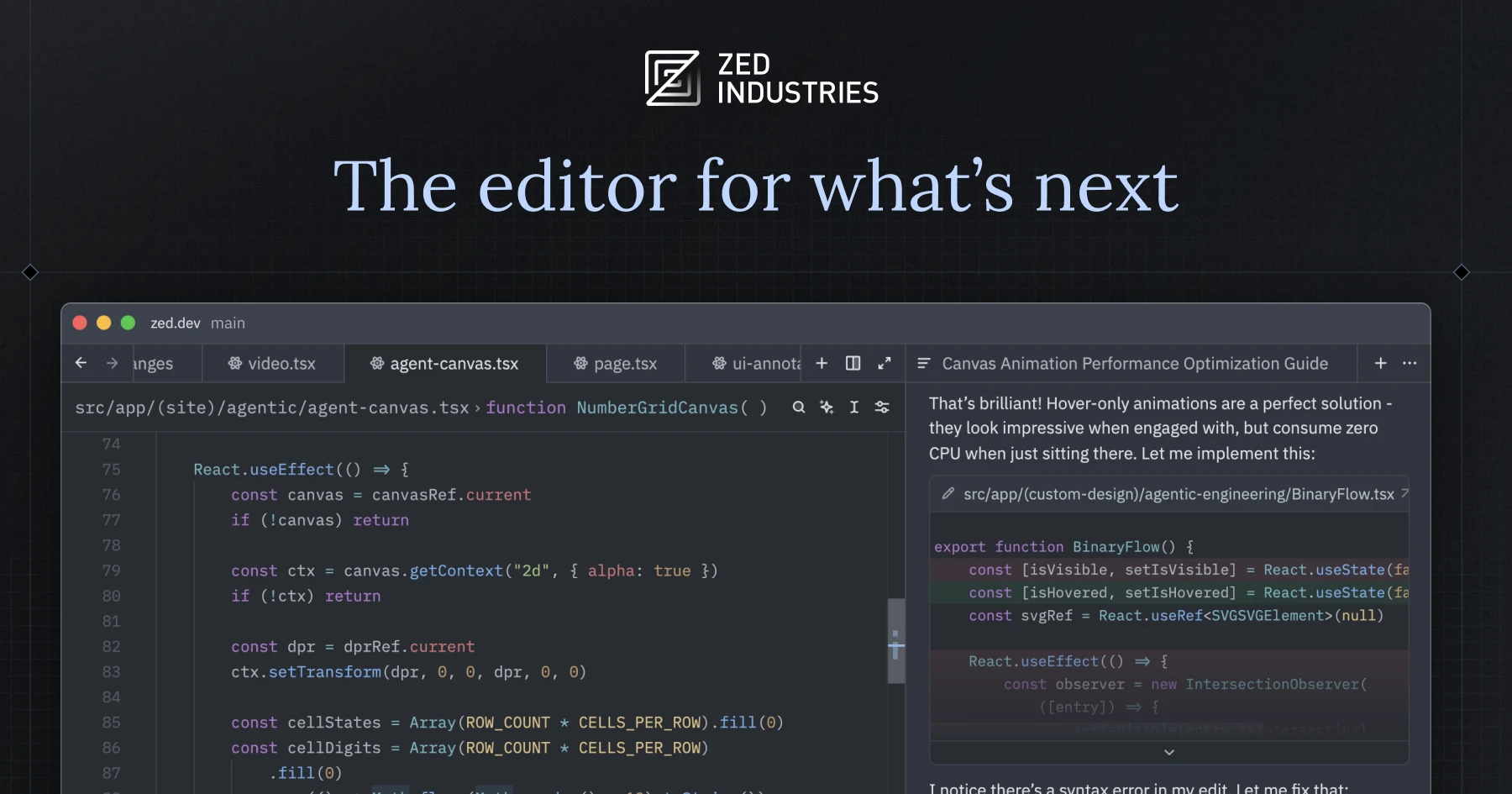

Card images come from each product's own site.
Questions people are actually asking
Is JetBrains AI Assistant free?
Partly. AI Free gives unlimited code completion, local models and 3 AI Credits every 30 days for cloud features, in JetBrains IDEs from 2025.1. It is not available in Android Studio or the Community Editions of PyCharm and IntelliJ IDEA. New users also get a 30-day AI Pro trial.
How much does JetBrains AI cost in October 2026?
For individuals, AI Pro is $10 a month or $100 a year and AI Ultimate is $30 a month or $300 a year. For organizations, Pro is $20 a month and Ultimate $60 a month, and AI Enterprise is $60. AI Pro is included with the All Products Pack and dotUltimate. DataSpell also bundled AI Pro, but JetBrains is retiring DataSpell and converted eligible subscriptions to PyCharm Pro on Sep 1, 2026.
What is an AI Credit?
The unit JetBrains uses to meter cloud AI. One credit equals $1 USD. JetBrains' rough guide is about 10 chat code generations or 140 commit messages per credit, but actual use depends on tokens and model.
Can I use my own OpenAI or Anthropic key?
Yes. BYOK works for AI Chat and the integrated agents without a JetBrains AI subscription. You can also connect OpenAI-compatible services and local models through Ollama or LM Studio.
What is the difference between AI Assistant and Junie?
AI Assistant is the plugin and the AI Chat. Junie is JetBrains' own coding agent, one of four agents you can pick inside AI Chat alongside Claude Agent, Codex and GitHub Copilot.
Does JetBrains train AI models on my code?
JetBrains says detailed data collection, which can be used for training AI models, is opt-in and off by default. Your prompts and code snippets are still sent to the model provider to answer each request.
Why do my credits run out so fast?
JetBrains names three causes: long chat threads, expensive models and agent mode. Start a new chat per task, pick cheaper models for routine work, or use your own key for heavy agent use.
What are the best JetBrains AI Assistant alternatives?
GitHub Copilot for one assistant across editors, Cursor for an AI-first editor, OpenAI Codex if you already pay for ChatGPT, Zed for a fast agent-centric editor, and Ollama for local models.
Where this came from, and when it was checked.
Pricing and plans: JetBrains AI plans and usage documentation (page dated Jul 22, 2026) and the price data published on jetbrains.com/ai-ides/buy, both as of Oct 4, 2026.
Product and features: JetBrains AI Assistant documentation for 2026.2: About AI Assistant (Aug 5, 2026), AI Chat (Sep 3, 2026), Agents (Aug 3, 2026), Junie (Aug 5, 2026), ACP (Jul 22, 2026), Install AI Assistant (Sep 3, 2026), Code completion (Sep 3, 2026), Next edit suggestions, Supported models, BYOK (Aug 4, 2026), Use third-party and local models, MCP; the AI What's New page; the JetBrains blog post of Apr 16, 2025 on the free tier; and the JetBrains DataSpell blog post of May 2026 on the sunset of DataSpell.
Security: JetBrains documentation on Data handling (Aug 12, 2026), installation, MCP and ACP pages (vendor statements).
Market and users: the JetBrains Marketplace listing for the AI Assistant plugin (downloads, star votes and reviews, Oct 4, 2026); Hacker News comments 46906213, 47397114, 47705478, 47858793, 48185919 and 46885362 (2026).
Official videos: youtube.com/watch?v=reWEzFVSWzg and mgCpvZrNeoU, both from the official JetBrains channel.
JAVIS Fit Score (74/100): editorial composite of IDE integration and agent choice (strong), free tier and bundled Pro (strong), model flexibility with BYOK and local models (strong), credit transparency (mixed), plugin stability and user sentiment (weak), data controls and admin options (good). Weighted by editorial judgement.