Relevance AI Review 2026: The "AI Workforce" Platform, and What Actions and Vendor Credits Really Cost
Relevance AI is a low-code and no-code platform for building AI agents, giving them tools, and wiring several of them into a "Workforce" that runs on triggers, with human approvals where you want them. This review is for ops, RevOps and sales leaders deciding whether to build their agents here. It covers the two meters you pay on (Actions and Vendor Credits), what happens when either runs out, bring-your-own-key, seats, MCP in both directions, the security claims in Relevance's own words, and how it compares with Lindy, n8n, Gumloop, Zapier Agents and CrewAI.
There are no affiliate links in this review. Every Relevance AI link goes straight to relevanceai.com or its documentation.
| Made by | OnSearch Pty Ltd, trading as Relevance AI (Sydney and San Francisco) |
| What it is | No-code agents, tools and multi-agent Workforces, plus Chat, Invent and an MCP server |
| Self-serve | Pro $19/mo annual ($29 monthly); Team $234/mo annual ($349 monthly) |
| Meters | Actions (each tool run) + Vendor Credits (model and tool costs, no markup) |
| Free tier | None. Enterprise is quote-only |
A serious agent platform for go-to-market teams, with a pricing model you have to model before you build.
"Relevance AI is one of the more complete no-code agent stacks for sales and ops work: agents, tools, multi-agent Workforces, approvals, evals and MCP in both directions. The catch is money and access: there is no free plan anymore, the public pricing page only says 'Talk to sales', and every tool run is an Action, even when it fails."
Here is how I read it in October 2026. Relevance has moved from a builder tool you could try for free to a paid platform with a sales-led front door. Its public pricing page at relevanceai.com/pricing now shows a single Enterprise card. The self-serve plans still exist, but you find them in the documentation: Pro from $19 a month and Team from $234 a month on annual billing. The docs also say plainly that "The Free plan is retired for new signups and existing accounts." If you read a 2025 review that tells you to start on the free tier, that advice is out of date.
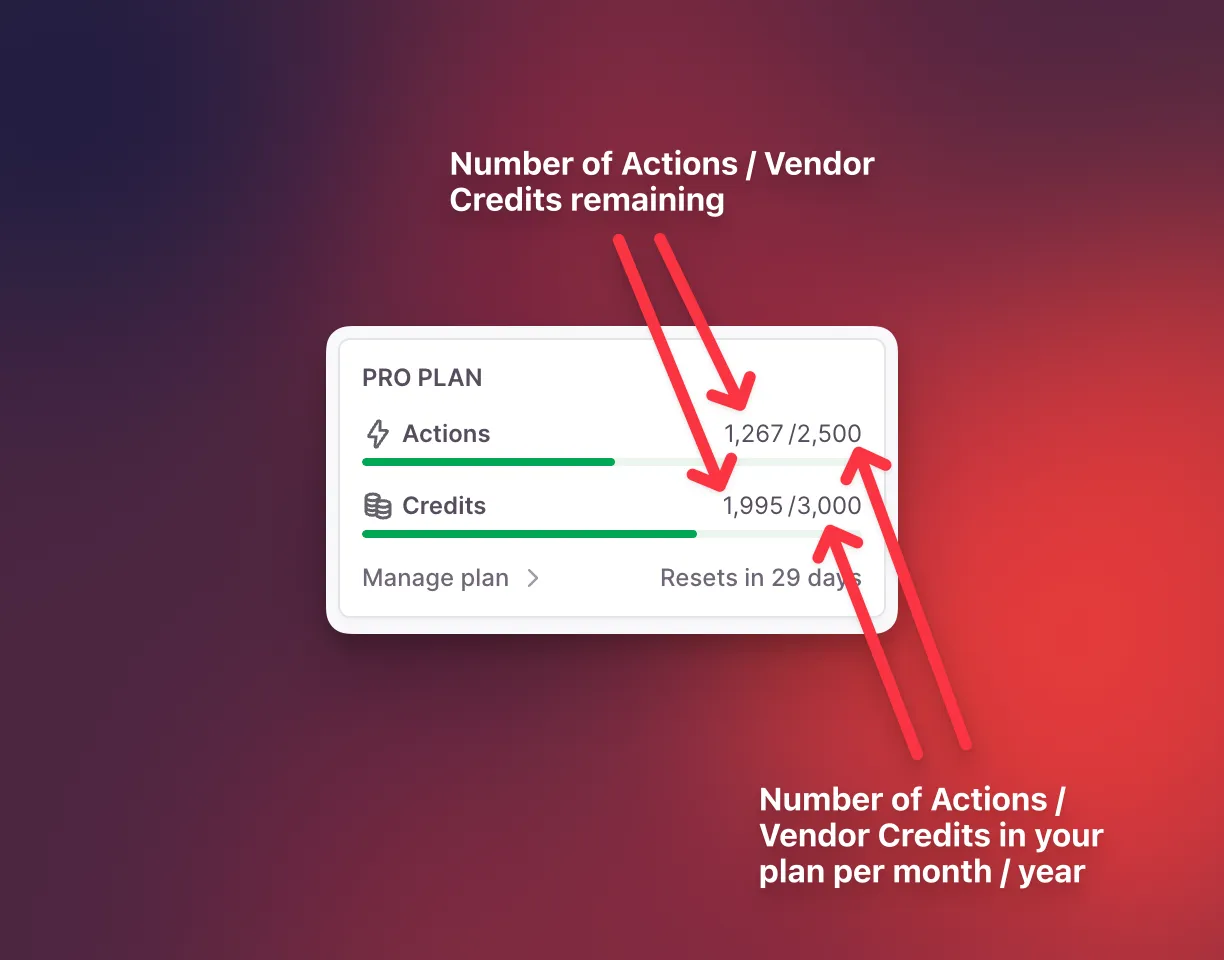
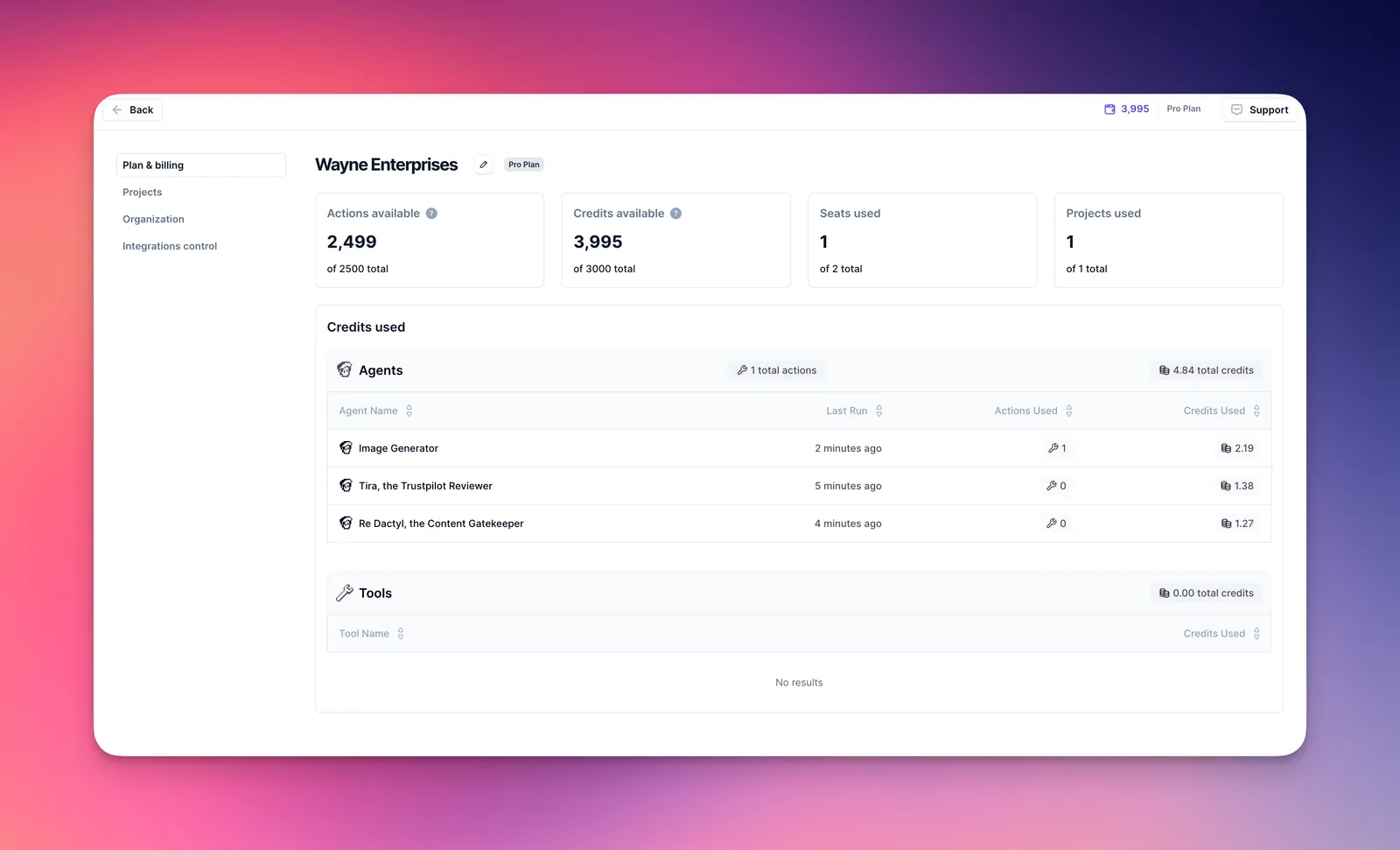
The billing model changed too. Since September 8, 2025, Relevance charges on two meters: Actions, one for each tool run, and Vendor Credits, which cover model and tool costs "at wholesale, with no markup." That split is genuinely fairer than a single opaque credit, and you can bring your own model keys to skip Vendor Credits. But Actions are the part you cannot bring your own key for, and extra Actions cost $80 per 1,000.
Not a hands-on test: JAVIS did not sign up for, build on or pay for Relevance AI for this review. It is built from Relevance's pricing page and pricing documentation, help docs, changelog, terms, security overview and Trust Center, its official YouTube channel, competitors' pricing pages, and public reviews on G2, Trustpilot, Product Hunt and Hacker News, all as of Oct 4, 2026.
Agents use Tools, Workforces connect Agents, and two meters count everything they do.
Relevance's docs describe the product as "a low/no-code platform where you can build AI agents and multi-agent teams that autonomously complete tasks, much like human employees." Under the marketing, it is a set of building blocks. The map below shows how they fit and which meter each one touches.
A venture-backed Australian player that now sells "AI Workforce" deployments to enterprises first.
Led by Bessemer Venture Partners, with King River Capital, Insight Partners and Peak XV, per Relevance's own announcement.
Relevance's figure for agents created that month. A creation count, not active agents or customers.
As stated in the May 2025 funding post, with offices in Sydney and San Francisco.
21 on G2, 2 on Trustpilot, 2 on Product Hunt (Oct 4, 2026). Too few to read as market share.
Relevance positions itself against both automation tools and the new wave of model-vendor agent products. Its own comparison pages, linked from every page footer, cover Clay, Claude Managed Agents, OpenAI Codex, Gemini Enterprise, Microsoft Copilot Studio, Gumloop and Dust. The homepage leads with "Invent 2.0," described as "Your 24/7 AI solutions engineer," and with an "embedded deployment team" that maps use cases in weeks 1 to 2 and deploys a first team of agents from week 3. That is an enterprise sales motion, and it explains why the pricing page now only says "Talk to sales."
| Where you look (Oct 4, 2026) | What it shows | What that means for you |
|---|---|---|
| relevanceai.com/ | One Enterprise card with "Talk to sales," and an FAQ answer: "Talk to our sales team to find the right plan for your team." | No public price on the main site |
| Pricing documentation (relevanceai.com/ | Pro, Team and Enterprise, with prices, allowances, a full feature table and top-up prices | The real self-serve offer lives here |
| Same documentation, FAQ | "The Free plan is retired for both new signups and existing accounts, so every Organization now needs a paid plan." | No free way to try it; budget at least one month of Pro |
| Older third-party pricing guides | Still list a free tier with 200 Actions | Outdated; trust the docs |
| When | What happened | Source |
|---|---|---|
| May 6, 2025 | $24M Series B led by Bessemer; the post presents Workforce (a no-code multi-agent canvas) and Invent (text-to-agent) | Relevance blog |
| Sep 8, 2025 | Credits split into Actions and Vendor Credits; Business plan sunset; "Prices will be slightly higher" | Pricing and packaging changes page |
| Dec 1, 2025 | Existing paid customers move to the new model at their first renewal on or after this date | Same page |
| Undated | Free plan retired for new and existing accounts | Pricing documentation |
| May 29, 2026 | Timeline charts for the Approvals, Escalated and Errors tabs on the Tasks page | Changelog |
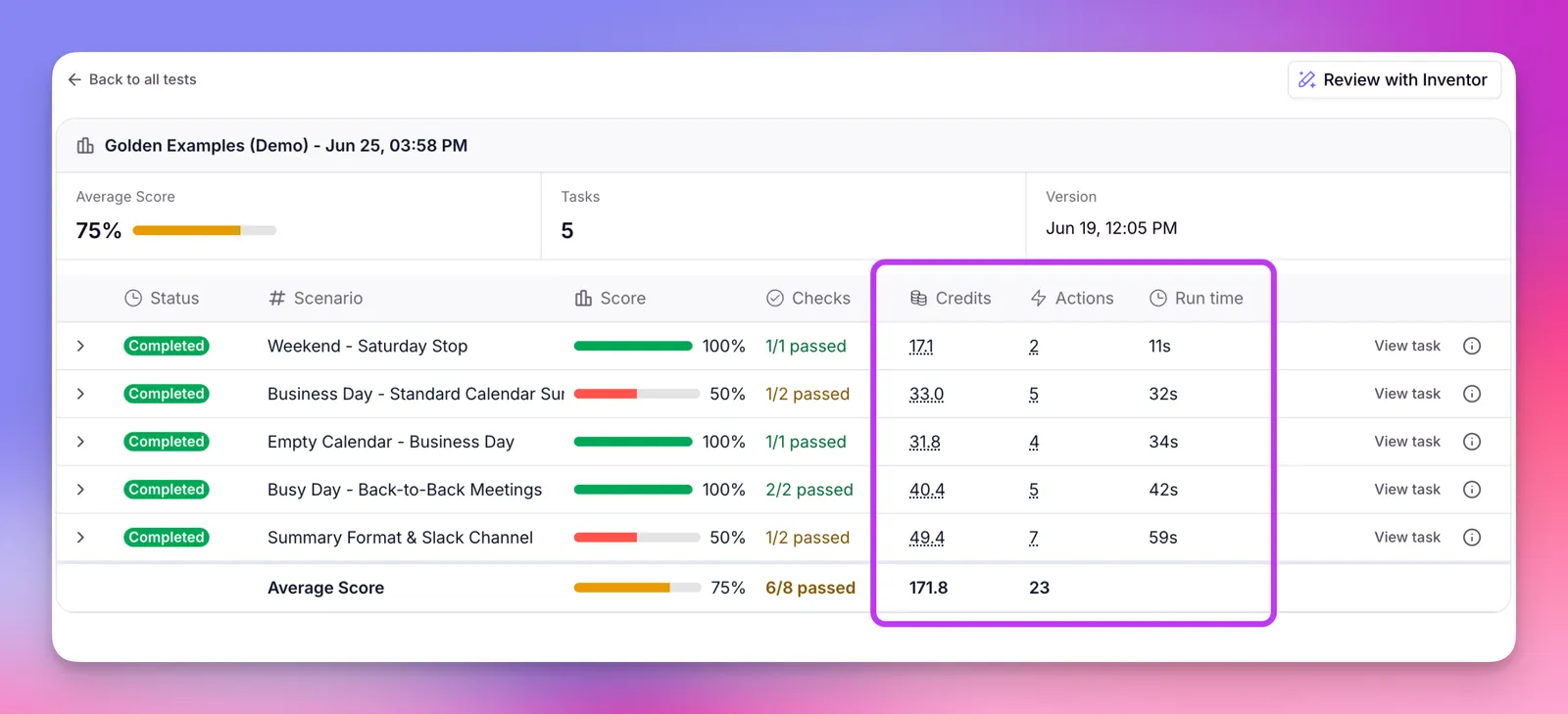
| Jun 29, 2026 | Eval runs get itemized cost breakdowns; each Check costs 1 Action per run | Changelog |
| Jul 22, 2026 | Concurrency charts show queued runs and per-project slot use | Changelog |
| Sep 3, 2026 | "Meet the new Invent": Invent can create and edit Agents, Tools, Workforces, Knowledge, Triggers and Evals | Changelog; "Meet Invent 2.0" video, Oct 2, 2026 |
Customer results on Relevance's homepage ("Qualified generated $7M pipeline with 35+ AI agents," "Send Payments saves 40 hours weekly," "Zembl drives 30% more customer conversions") are the vendor's own case-study claims, not independent measurements.
Builders like how fast it is to stand up agents. The complaints are about cost at scale, support and change.
Each source is reported on its own, as shown on Oct 4, 2026; nothing is blended. Trustpilot shows a 3.1 TrustScore for its two reviews (Trustpilot's score is not a simple average). For G2 we report its listed average and the themes in G2's own pros-and-cons summary; we did not review the individual G2 reviews. We did not include Reddit or Capterra.
Built "a video summarization pipeline in a few days that would've taken me weeks otherwise," but warns "the credit model sounds fair until you're running multi-step agent chains."
"It used to be awesome but not so much anymore. Being able to add steps in tools like the old version was the best part."
"There is 0 customer support service whenever you have questions to ask."
| Pattern | Where it shows up | What it means for a buyer |
|---|---|---|
| Easy to set up agents without much code | G2 summary (top praise); Product Hunt | Ops people can build, not only engineers |
| Cost, and cost at scale | G2 summary ("high cost"); Product Hunt (multi-step chains) | Model Actions per record before you commit |
| Interface complexity during onboarding and when workflows error | G2 summary | Budget build and debugging time |
| Missing governance and admin controls; integrations like BigQuery | G2 summary | Many controls are Enterprise-only (see Security) |
| Fewer native integrations than n8n or Zapier; manual API bridges | Product Hunt | Check your exact apps first |
| Product changes removed a favorite workflow; support hard to reach | Trustpilot (both reviews, 2026) | Two reviews only; see support hours below |
Two self-serve plans, one sales plan, and two meters inside each.
Pro
Billed annually. $29 a month on monthly billing.
- 2,500 Actions a month (30,000 a year)
- $20 of Vendor Credits a month (10,000 credits)
- 2 Build Users, 1 Project
- BYOK, unlimited agents, tools and Workforces
Team
Billed annually. $349 a month on monthly billing.
- 7,000 Actions a month (84,000 a year)
- $70 of Vendor Credits a month (35,000 credits)
- 5 Build Users, 45 End Users, 5 Shared Projects
- Calling and Meeting agents, Analytics, Priority Support
Enterprise
Quote only, through sales.
- Custom Actions and Vendor Credits
- SSO, RBAC, audit logs, Evals
- Salesforce, Snowflake, Zendesk triggers
- Dedicated account manager, implementation
Swipe the table sideways to see every column.
| Plan | Annual billing | Monthly billing | Actions | Vendor Credits | People and projects |
|---|---|---|---|---|---|
| Pro | $19/mo | $29/mo | 2,500/mo | 10,000/mo ($20) | 2 Build Users; 1 Project |
| Team | $234/mo | $349/mo | 7,000/mo | 35,000/mo ($70) | 5 Build + 45 End Users; 5 Projects |
| Enterprise | Custom | Custom | Custom | Custom | Unlimited |
| Extra Actions | $80 per 1,000, in steps of 1,000, any paid plan | Top-ups roll to next cycle | Plan Actions reset at each renewal | ||
| Extra Vendor Credits | $20 per 10,000, in steps of 10,000, any paid plan | All Vendor Credits roll over indefinitely while subscribed (Pro and Team) | |||
| Feature (pricing documentation) | Pro | Team | Enterprise |
|---|---|---|---|
| Chat mode, scheduled tasks, escalations | Yes | Yes | Yes |
| 2,000+ apps, custom API integrations, 1,000+ app triggers | Yes | Yes | Yes |
| Premium triggers (WhatsApp, LinkedIn, Telegram) | Yes | Yes | Yes |
| Calling and Meeting agents | No | Yes | Yes |
| Analytics dashboard, priority support | No | Yes | Yes |
| Salesforce, Snowflake, Zendesk triggers | No | No | Yes |
| Agent Evaluations, Work Hour Controls | No | No | Yes |
| SSO (SAML), RBAC, audit logs, multi-org | No | No | Yes |
| Concurrent agent tasks | Standard | More | Custom |
| Task history | 90 days | 90 days | Custom |
Not an affiliate link. It opens Relevance AI's own documentation.
Agents stop working, unless you set an auto-recharge. And a failed tool still costs an Action.
Relevance's troubleshooting guide is direct: "If your agent is failing, the most common cause is running out of credits or actions." The docs do not describe a grace period or a soft overage. Your options are to buy a top-up, set automatic top-ups, bring your own model keys (which only helps with Vendor Credits), or upgrade. Here are the rules that matter, in Relevance's words.
| Rule | Exact wording (source) | What it means |
|---|---|---|
| What counts as an Action | "Actions are charged when you run a Tool, or when your Agent / Workforce runs a Tool. If the Tool fails, this will still count as one Action." (Plans and credits) | Retries and broken tools burn your allowance |
| Plan Actions at renewal | "Plan Actions reset at each renewal to your plan's default amount." (Pricing docs) | Unused plan Actions are lost each cycle |
| Top-up Actions | "Action top-ups roll over to the next billing cycle" (Pricing docs) | One cycle of carry-over |
| Vendor Credits | "Vendor Credits roll over indefinitely while you're subscribed" (Pricing docs) | Bank them, as long as you stay subscribed |
| On cancellation | "Any unused Actions or Vendor Credits will automatically expire upon the effective date of cancellation or termination of an Active Subscription, and are non-refundable." (Terms, clause 4(b)) | Banked credits vanish when you leave |
| Refunds | "Our Fees are non-refundable for change of mind." (Terms, 3.4) | No trial refund to fall back on |
| Hard stop | "Usage limits allow you to hard stop usage when you reach a specified limit." Set per calendar month, on all plans. (Usage limits) | Your safety net against a runaway agent |
| Cancelling | "Your Subscription will end in the then current billing cycle, and you will be charged for that billing cycle." (Terms, 4(a)) | No pro-rata refund when you cancel |
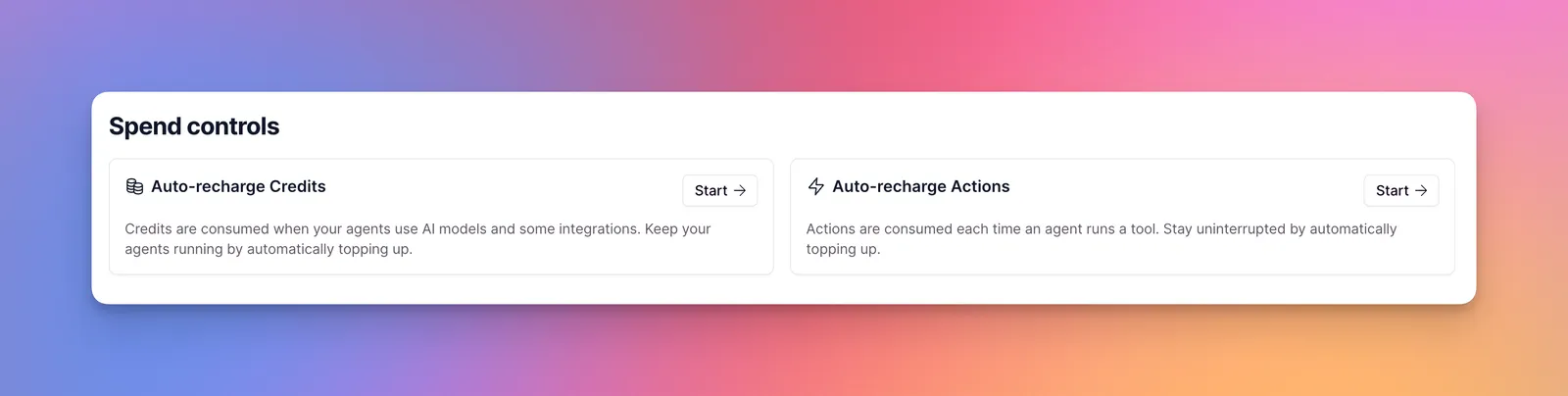
Read the auto-recharge rule carefully. When your balance drops below your minimum threshold, Relevance charges you "to bring your balance up to your minimum threshold + top-up amount." Its own example: with 1,000 credits left, a 10,000 threshold and a 1,000 top-up, "you'll be charged for 10000 credits to bring your balance to 11000." There is "no limit to the number of automatic top-ups," and if a card payment fails, "your account may be temporarily limited." So pair auto-recharge with a monthly usage limit.
Actions decide which plan you need. Here is the arithmetic for a typical sales-ops agent.
Take an inbound-lead agent that, for each lead, runs three tools: enrich the company, search the web, update the CRM. That is 3 Actions per lead. Model costs come on top as Vendor Credits (or on your own provider bill with BYOK), so the table below covers the plan and Actions only.
| Leads a month (3 Actions each) | Cheapest monthly-billed option | Monthly cost before model spend |
|---|---|---|
| 500 leads = 1,500 Actions | Pro, within its 2,500 | $29 |
| 1,000 leads = 3,000 Actions | Pro + one 1,000-Action top-up (500 carry over) | $109 in month one; about $69 a month averaged over two months |
| 2,000 leads = 6,000 Actions | Pro + four top-ups ($349) or Team ($349) | $349 either way; Team adds seats, calling agents and $50 more Vendor Credits |
| 2,300 leads = 6,900 Actions | Team | $349 (Pro + five top-ups would be $429) |
| 4,000 leads = 12,000 Actions | Team + five top-ups | $749 |
| Where an Action comes from | Implied price per Action | How we got there |
|---|---|---|
| Team, monthly | About $0.04 | ($349 minus $70 of included Vendor Credits) / 7,000 |
| Team, annual | About $0.023 | ($234 minus $70) / 7,000 |
| Pro, monthly | About $0.004 | ($29 minus $20) / 2,500 |
| Top-up | $0.08 | $80 / 1,000 |
Decide by who builds, how many tool runs you need, and which systems must trigger the agents.
Pro. Start on monthly billing ($29) until you know your Actions per month.
Team. Pro allows only 2 Build Users and no End Users or Calling agents.
Enterprise. Those are not available on Pro or Team.
Not possible on Relevance since the Free plan was retired. Lindy, Zapier Agents and CrewAI have free entry points; n8n has a free self-hosted edition and Gumloop a 14-day trial.
Look at CrewAI or n8n first, or use Relevance through its MCP server and SDK if the business team needs the no-code side too.
Agents are instructions plus tools plus triggers. Invent is an AI builder that writes them for you.
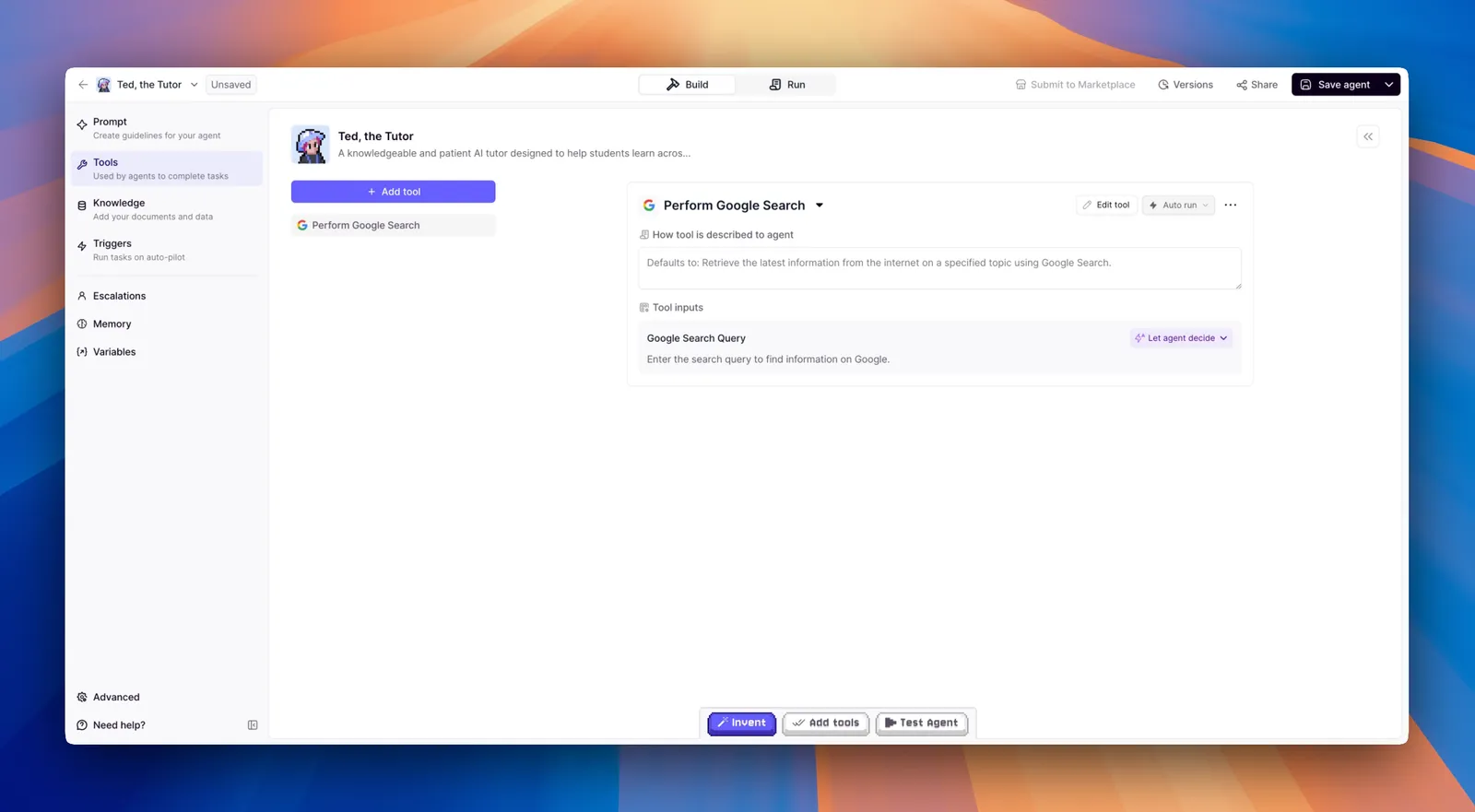
An agent in Relevance has a prompt, a model, a list of Tools, optional Knowledge, Triggers, Escalations and memory. Tools are the no-code workflows agents call, chaining LLM prompts, requests to other services and custom code steps, plus 2,000+ app integrations. For each tool on an agent you choose how its inputs are filled ("Let agent decide" or fixed) and whether it auto-runs or waits for approval.
Relevance's launch video for the new Invent, published Oct 2, 2026 on the channel linked from relevanceai.com. It shows the pitch: describe the work, let Invent build and adjust the agents.
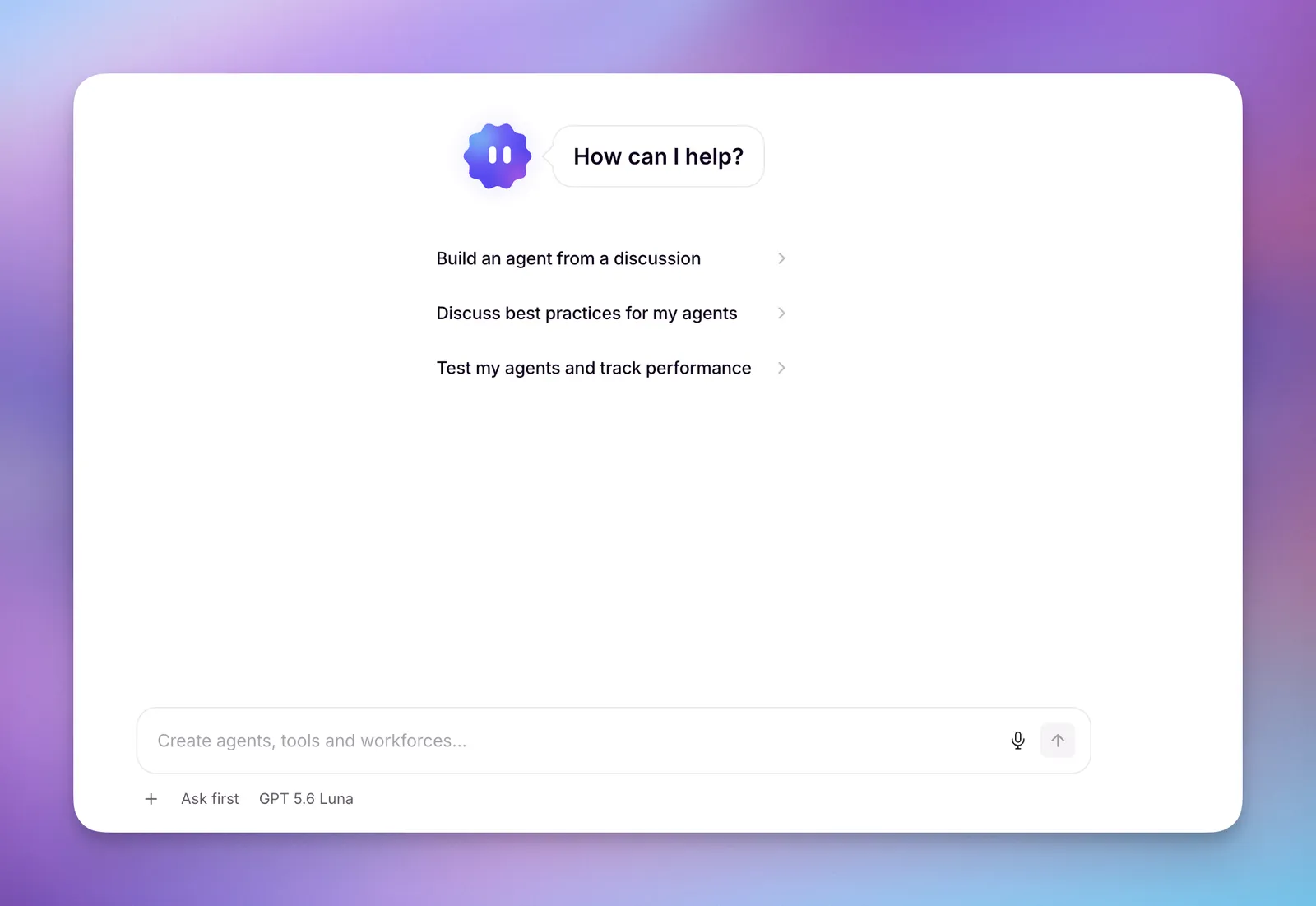
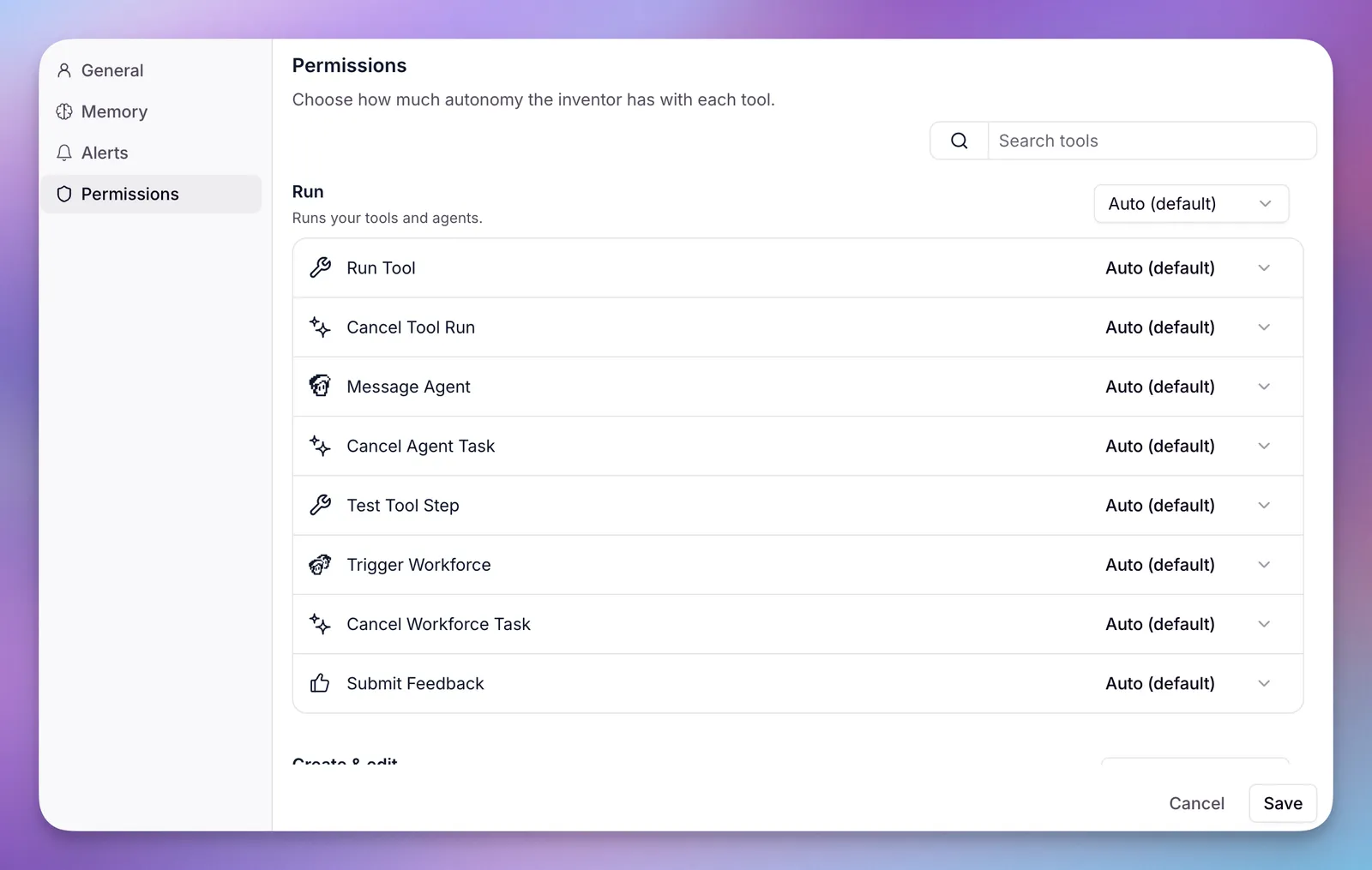
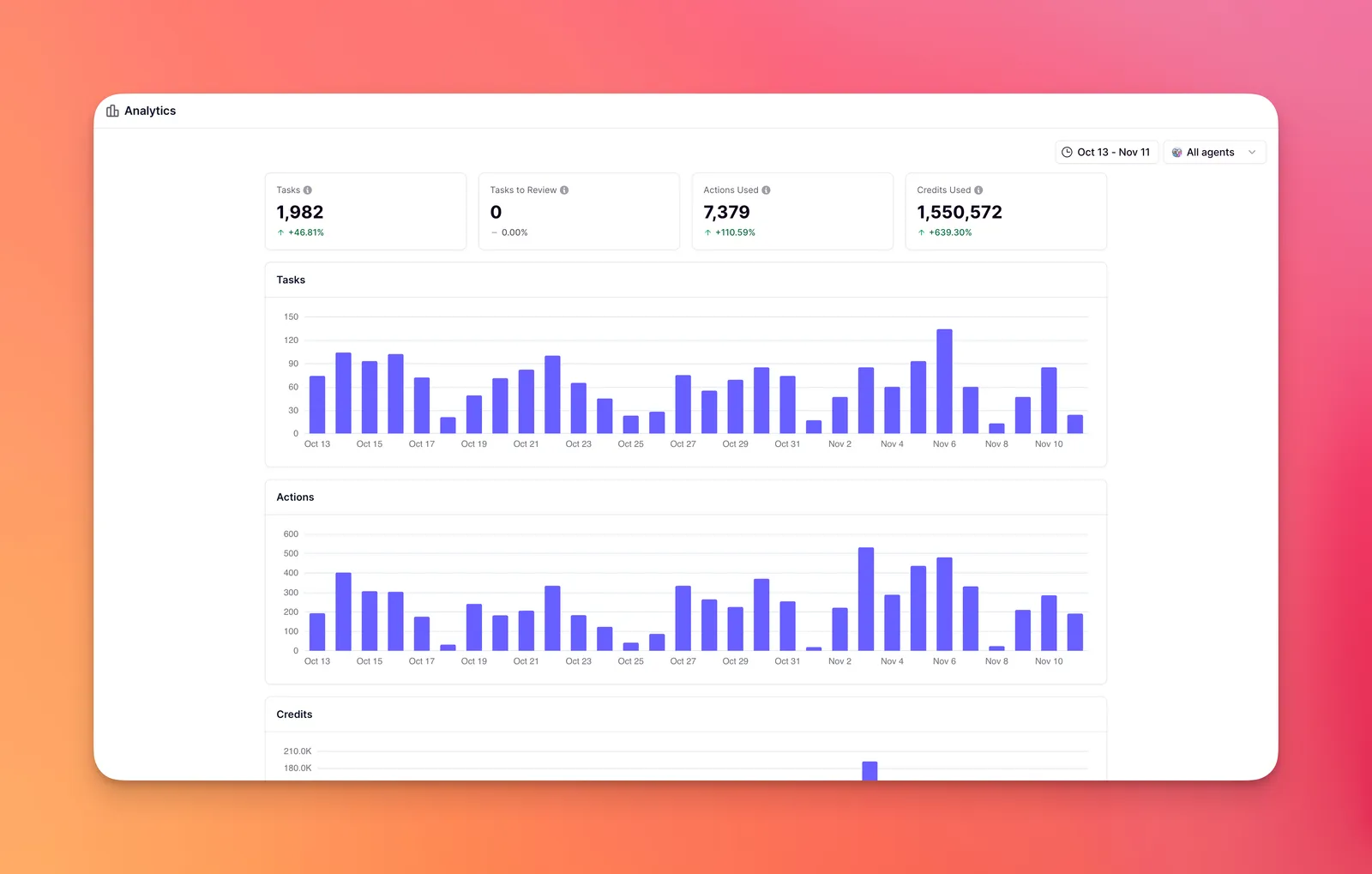
Invent is the part Relevance is betting on in 2026. The Sep 3, 2026 changelog says it "can create and edit Agents, Tools, Workforces, Knowledge tables, Triggers, and Evals, run tasks, pull your analytics, and much, much more." An organization admin turns it on per project. Its permissions screen lets you choose, per capability, whether Invent acts on its own or asks first. Budget for it: the Invent docs warn that "Invent is expensive to run and consumes significant credits," and show a live credit counter for each session.
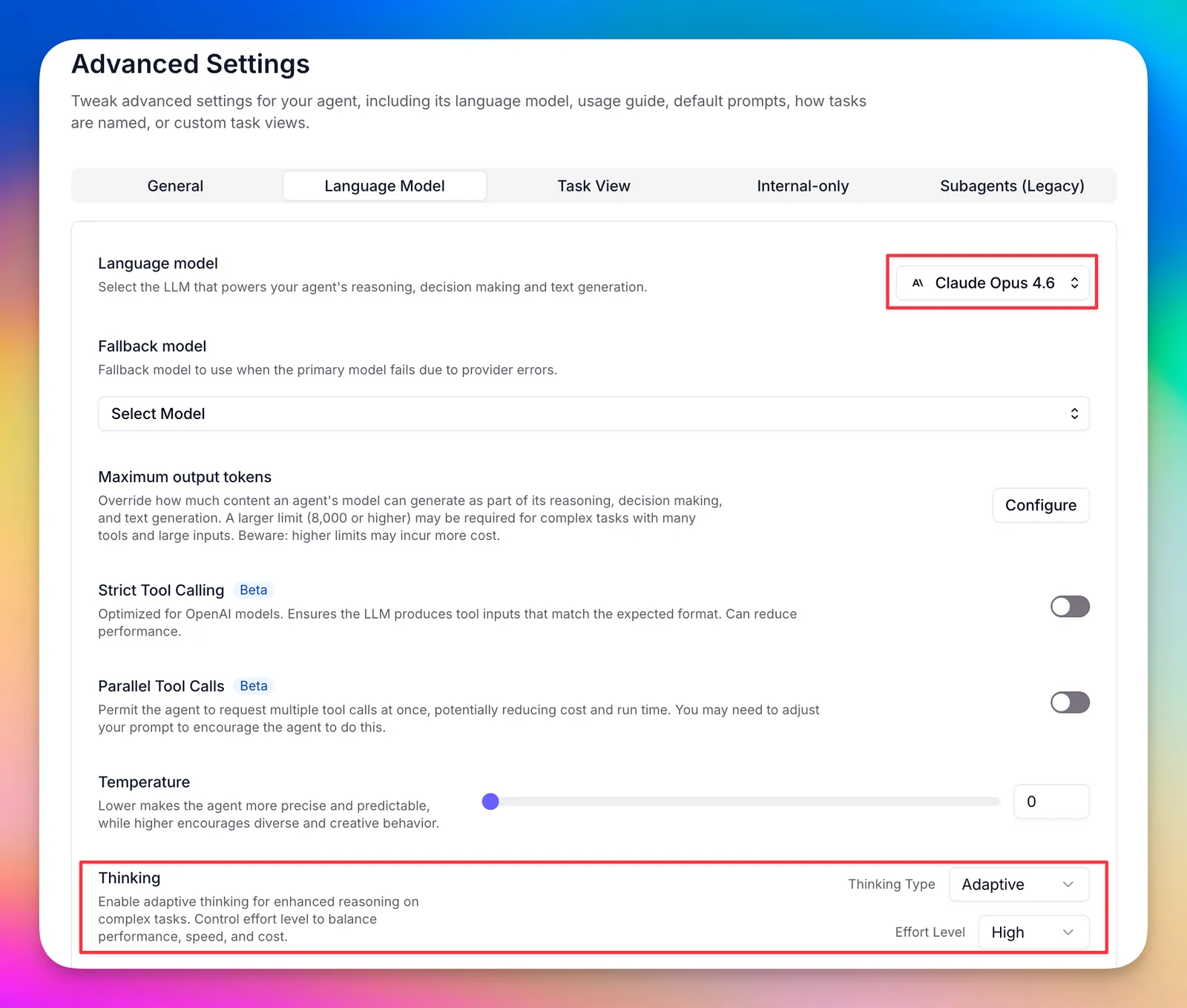
| Model setting (agent > Advanced > Language Model) | What Relevance's docs say | Cost effect |
|---|---|---|
| Language model | Pick per agent; "If you're just getting started, stick with the default model." | Model choice drives Vendor Credits |
| Fallback model | Retries a failed task "one time" on a second model; pick a different provider | A retry can add model spend |
| Maximum output tokens | "Higher limits may incur more cost" | More output, more credits |
| Thinking (Claude Opus 4.6 to 4.8, Sonnet 4.6) | "Thinking tokens count as output tokens, not a separate category, so enabling reasoning increases your cost." | Effort level High raises cost |
| Parallel tool calls (beta) | Runs independent tools at once to cut run time | Same Actions, faster |
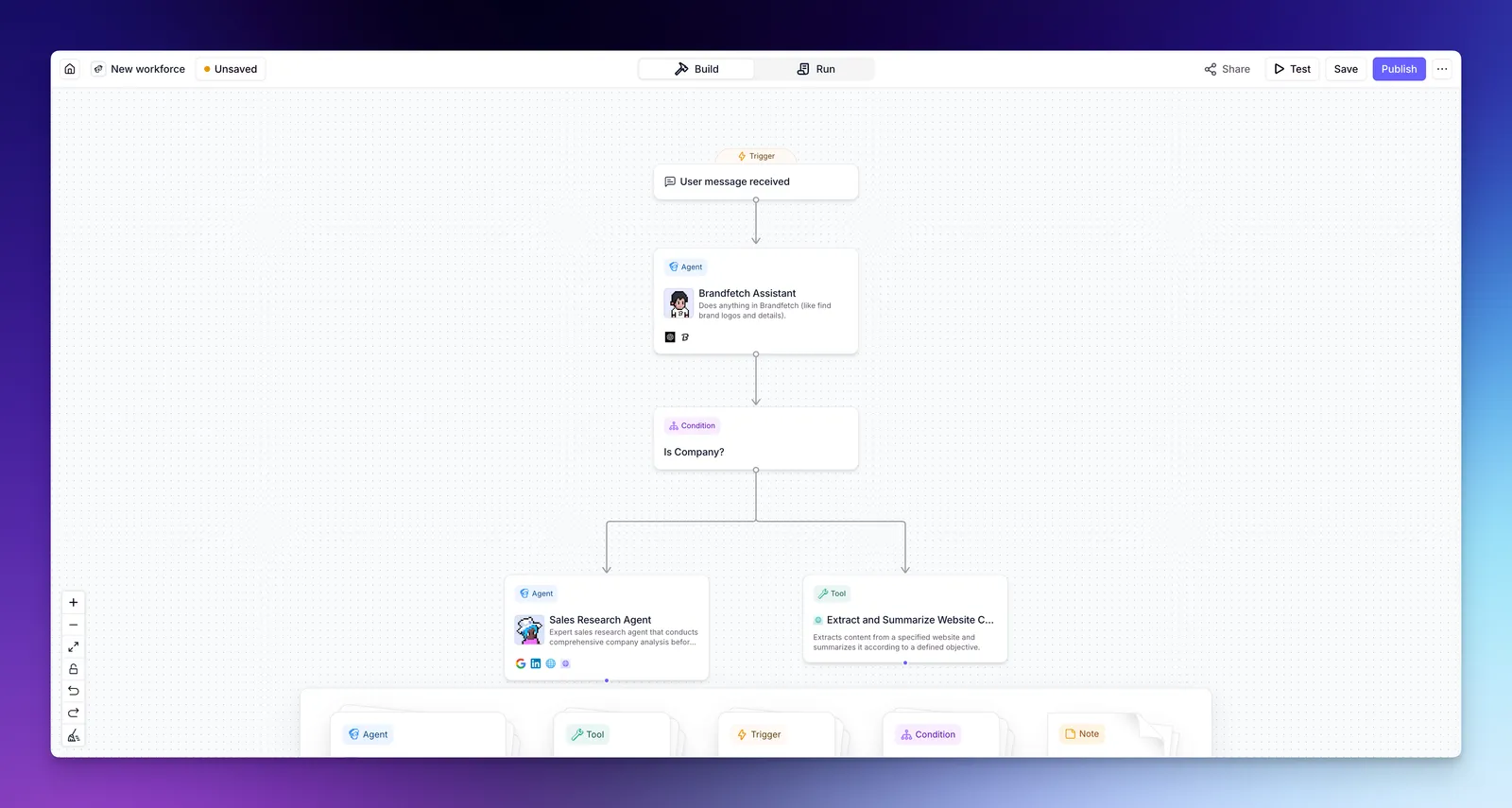
From a trigger to a reviewed CRM update: where the agents act and where a person signs off.
A Workforce is a canvas of nodes: Triggers, Agents, Tools, Conditions and Notes. Agents can hand work to other agents, and every connection (an "edge") carries its own behavior setting. That per-edge control is the most useful thing in the product for ops teams, because it lets you automate research freely while forcing a human to approve the step that emails a prospect or writes to the CRM.
| Edge behavior | What Relevance says it does | Use it for |
|---|---|---|
| Auto run | "the agent will execute actions automatically without requiring approval"; optional "Max auto runs" cap | Research, enrichment, internal summaries |
| Approval required | "The agent will now draft its intended action and wait for human approval before proceeding" | Sending email, CRM writes, anything customer-facing |
| Let agent decide | The agent requests approval "when facing uncertainty or high-risk situations," guided by your instructions | Only after you trust the agent on that task |
| Unanswered approval | "The task will remain in a pending state until approved or rejected." | Staff the Approvals tab, or work stalls |
A Relevance session building an outbound sales agent step by step, published Apr 16, 2026. Useful for seeing how many tools a realistic GTM agent calls, which is your Action count.
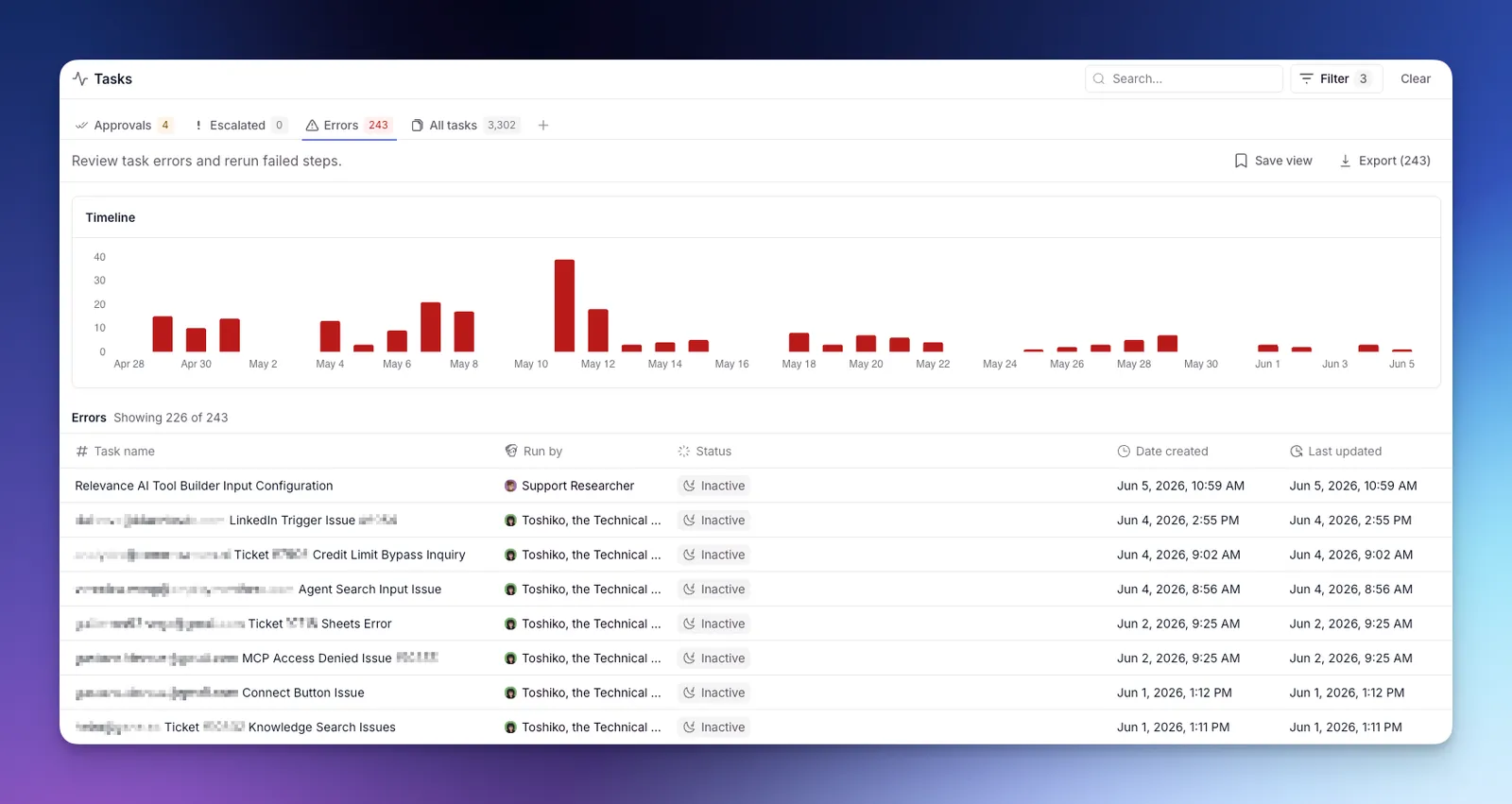
Agents run on triggers and schedules, and every run lands as a Task you can audit.
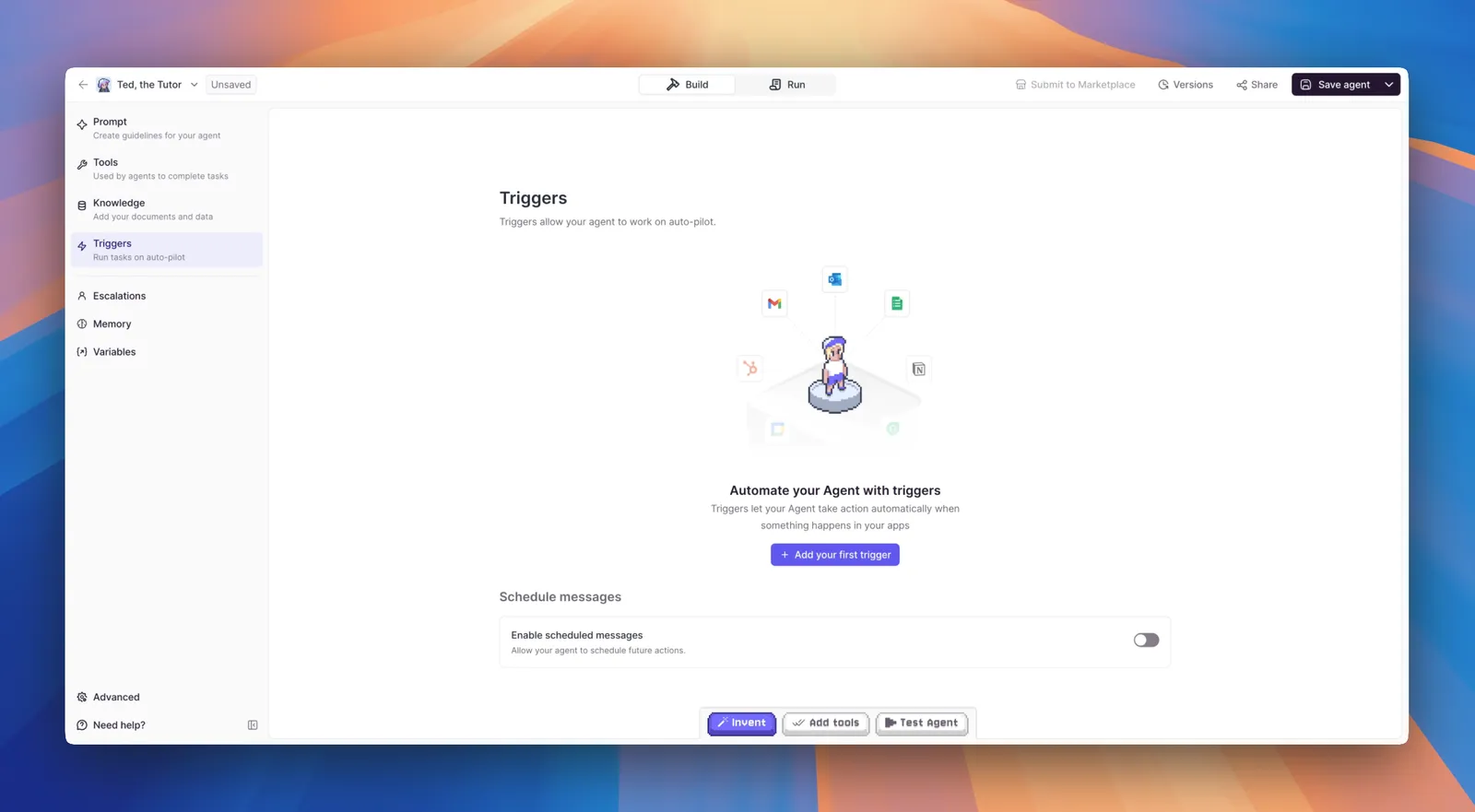
Triggers start agents without anyone typing: app events from 1,000+ integrations, schedules, webhooks, API requests, or another tool. Premium triggers (WhatsApp, LinkedIn, Telegram) are on every paid plan; Salesforce, Snowflake and Zendesk triggers are Enterprise-only. Relevance's 2025 pricing change made that explicit: "New Salesforce triggers will require the Enterprise plan," although existing connections keep working.
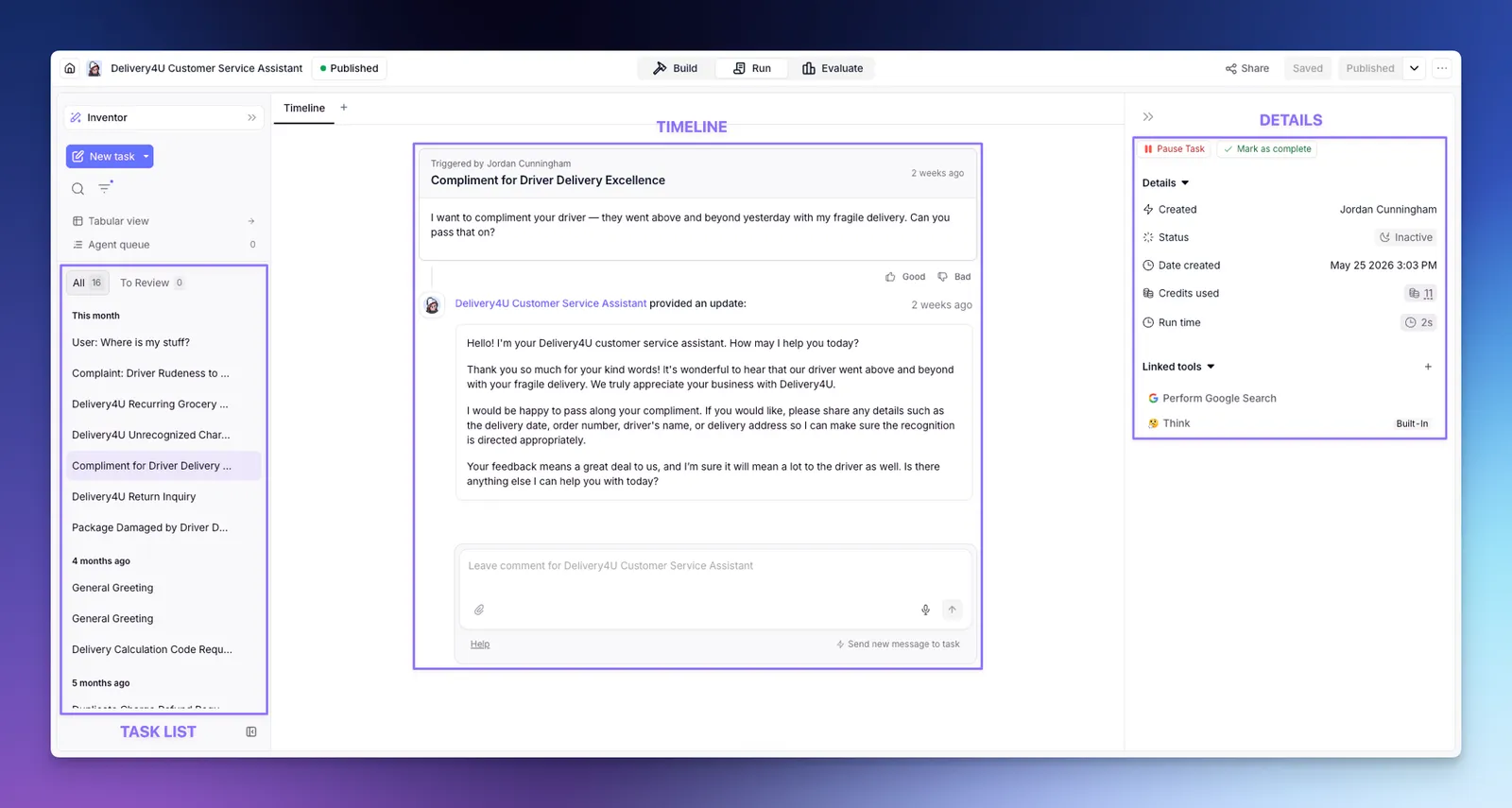
| System quota | Limit |
|---|---|
| Upload size | 100 MB per file; CSV up to 50K rows; raw text as knowledge up to 10 MB |
| Tool run time | 15 minutes, or 24 hours for long-running tools |
| Agent time after each user action | 15 minutes |
| Bulk run | 24 hours |
| Concurrent tasks | Set by plan (Standard, More, Custom); extra tasks are queued, not dropped |
| Task history | 90 days on Pro and Team |
Browser work is possible through integrations such as Airtop (page interaction and extraction) and Firecrawl, which bill on their own accounts and still count Actions in Relevance.
MCP in both directions: run Relevance from Claude or Cursor, and give Relevance agents other companies' MCP tools.
Relevance supports the Model Context Protocol two ways. As a server, at https://mcp.relevanceai.com/, it lets AI clients such as Claude Desktop, Claude on the web, ChatGPT (Developer Mode), Cursor, VS Code, Windsurf, Codex, Zed and v0 build and run your Relevance agents. As a client, it lets your Relevance agents call tools on remote MCP servers such as Notion, Canva, Atlassian, Linear or GitHub. There is also a Claude Code plugin; our Claude Code setup guide covers that side.
| Question | Relevance's answer |
|---|---|
| Does the MCP server cost extra? | "The MCP server and Claude Code plugin are free. You will be billed for any Relevance AI usage (agent runs, tool executions, etc.) according to your plan." |
| What can a connected client do? | "your AI client gets full access to your Relevance AI project": create agents, build tools, set up Workforces, run and troubleshoot them |
| How do I restrict it? | "Run-Only mode is the primary way to restrict MCP access." Viewer and Chat roles are forced into restricted modes; others can opt in on the consent screen |
| Can my agents use local MCP servers? | "No. Relevance AI only supports remote MCP servers accessible via a public URL." |
| Who can create an API key for a client? | Editor role or above; on Enterprise, Members can create their own keys |
Model costs are passed through "with no markup." Here is exactly what Relevance says, and one place its example does not add up.
Because model spend is often the larger bill, these are quoted word for word from Relevance's own pages (checked Oct 4, 2026):
| Relevance page | Exact wording |
|---|---|
| Pricing docs, FAQ | "Vendor Credits cover LLM and tool usage costs at wholesale, with no markup. They roll over indefinitely while you're subscribed, and you can bring your own API keys to bypass them entirely." |
| Pricing docs, top-up card | "$20 per 10,000 Vendor Credits" ... "More AI model and tool usage, passed through at wholesale with no markup." |
| Plans and credits | BYOK "lets you skip Vendor Credits while still having them available as a fallback." |
| OpenAI models page | "Credits charged per 1,000 tokens used for prompts + replies if you do not connect your own OpenAI API key / account." and "Relevance AI passes through OpenAI's exact pricing, including all caching discounts. We do not add any markup to Vendor Credits." |
| Anthropic models page | "Credits charged per 1,000 tokens processed if you do not connect your AWS Bedrock account." Claude can also run on your Google Cloud Vertex AI account. |
| Terms, clause 3.7 | "Vendor Credits are charged at cost and we do not apply any markup or surcharge. We do not guarantee the continued availability or pricing of any third-party model. Where you choose to connect your own API keys, you are responsible for all fees charged by the third-party provider, and we accept no liability in relation to those fees." |
| Terms, BYOK clause | "your Fees payable to us will not be reduced or refunded in relation to such usage." |
Checking the pass-through against OpenAI's own price list. Relevance prices Vendor Credits at $20 per 10,000, which is $0.002 a credit. Its OpenAI page gives a GPT-4o worked example. Converting OpenAI's own list price for GPT-4o (developers.openai.com pricing, Oct 4, 2026: $2.50 per million input tokens, $1.25 cached, $10.00 output) at $0.002 a credit gives the comparison below.
| GPT-4o, per 1,000 tokens | Relevance docs example | OpenAI list price in credits | Match? |
|---|---|---|---|
| Uncached input | 0.63 credits | 1.25 credits ($0.0025) | No, about half |
| Cached input | 0.063 credits ("90% less") | 0.625 credits ($0.00125, 50% less) | No |
| Output | 5 credits | 5 credits ($0.01) | Yes |
SOC 2 Type II and GDPR on every plan. SSO, RBAC and audit logs only on Enterprise. ISO 27001 is an engagement letter, not a certificate.
Here are Relevance's security and compliance claims in its own words, with the source, so you can hand them to your security reviewer.
| Claim | Exact wording | Source |
|---|---|---|
| SOC 2 | "Relevance AI is SOC2 Type II compliant, and we operate in a multi-region environment. As part of SOC2, only executive management has any kind of visibility into your customer data." | Security overview (docs) |
| Confidentiality | "Your Project Information is confidential, even from Relevance AI. We are SOC 2 Type II compliant." | Pricing page FAQ |
| GDPR | "Relevance AI is compliant with the General Data Protection Regulation (GDPR) and other relevant data protection laws." | Security overview |
| Training on your data | "We do not use your data to train our models or improve our services unless you have a specific partnership agreement with us" | Security overview |
| Encryption | "TLS 1.2+ for data in transit and AES 256 for data at rest" | Security overview |
| Data region | "Data is stored in Australia, the US, or the EU/UK, based on your selection at signup." The region "cannot be changed after your organization is created." | Security overview |
| Tenancy | Multi-tenant with logical separation; "Single-tenant options are currently in the works" | Security overview |
| Audit reports | "Reports are available to Enterprise customers under NDA." | Security overview |
| Trust Center listings | Compliance: "SOC 2 Type II," "GDPR." Resources: "SOC 2 Type II 2025," "Penetration Test Report 2025," "ISO 27001:2022 Engagement Letter" | trust. |
| Control | Pro and Team | Enterprise |
|---|---|---|
| SSO (SAML or OIDC), MFA via your identity provider | No | Yes |
| Role-based access control, fine-grained asset controls | No | Yes |
| Audit logs and event streaming (OpenTelemetry) | No | Yes |
| Prompt injection detection on inputs | Base controls only | Optional detection, recorded on traces |
| Automatic data-retention policies | No (logs kept until you delete them) | Yes, enabled by Relevance |
| Organization- and project-level API keys | No | Yes |
| Security questionnaire, compliance documents | No | "upon request under NDA" |
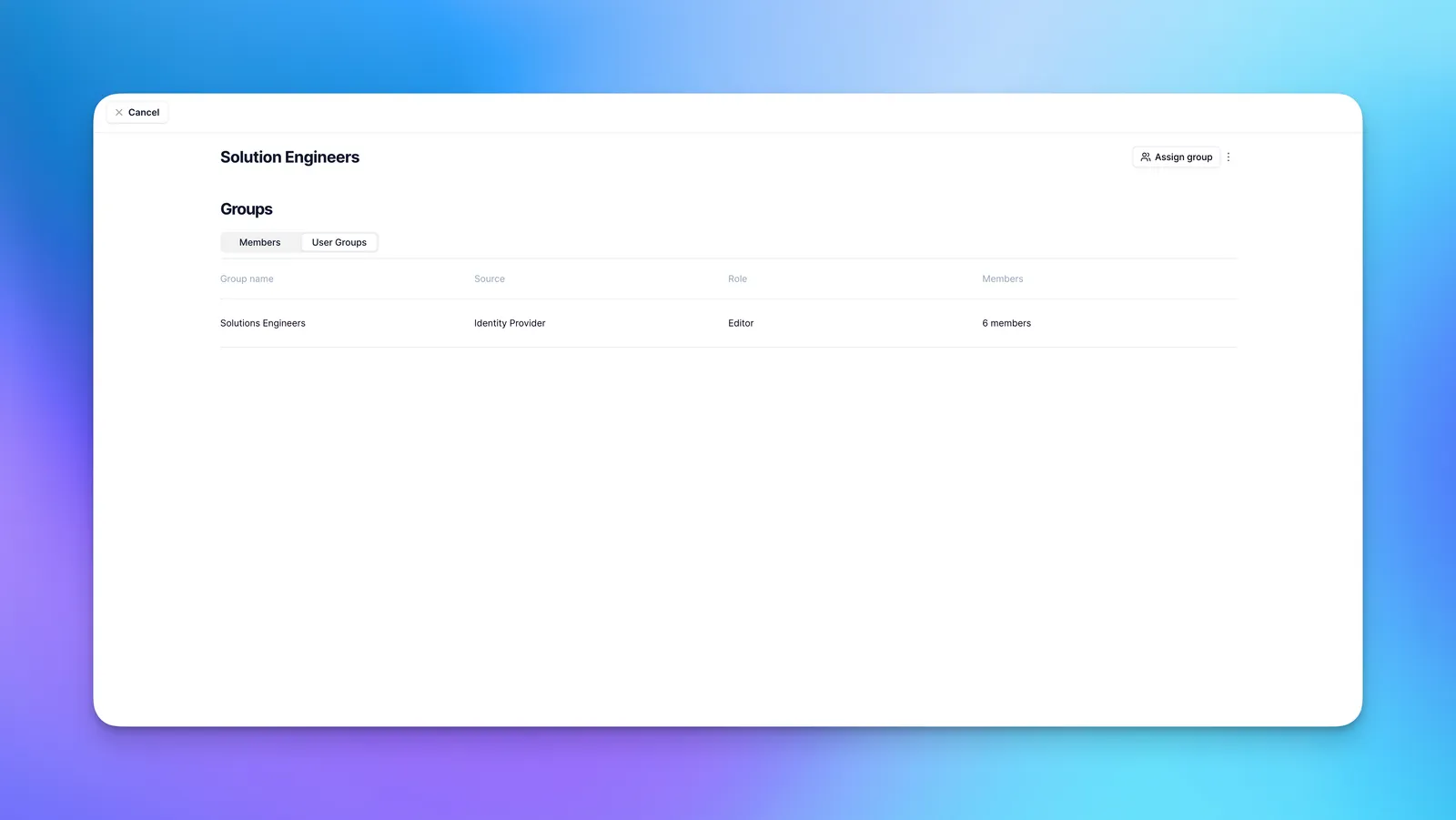
The risk inside a project: shared keys. Custom API keys you store are encrypted and redacted from logs, but Relevance warns that "Custom API Key access is project-wide, regardless of who created the key," and that "Other builders in the project can use those keys to gain elevated access to downstream resources." On Pro and Team, without RBAC, keep production credentials in a project only trusted builders can open, and give each key the narrowest scope your CRM or email system allows.
| Risk for a sales-ops agent | Relevance control | What you still need to do |
|---|---|---|
| Agent emails a prospect something wrong | "Approval required" edges; Approvals tab | Someone must clear approvals daily |
| Runaway loop drains the month | Usage limits (hard stop), "Max auto runs" | Set them before going live |
| A builder misuses a stored CRM key | Redaction; RBAC on Enterprise | Scope keys narrowly; limit project access |
| Prompt injection from an inbound email | "prompt management, escalation, and parameterized inputs"; detection on Enterprise | Keep write actions behind approval |
| Data residency rules | US, EU (London) or AU region at signup | Pick correctly; it cannot be changed later |
Scope note: we have not reviewed Relevance AI's full privacy policy or Data Processing Addendum for this article; read both, and request the SOC 2 report under NDA, before you connect production CRM or customer data.
Best for GTM and ops teams that want business users building agents, with approvals and a budget owner.
| Team and job | Why Relevance fits or not | Likely plan |
|---|---|---|
| RevOps or sales-ops lead automating lead research and routing | Core use case; per-edge approvals; scheduled and app triggers | Pro to start, Team when Actions pass about 6,500 a month |
| Sales team wanting meeting-prep and call agents | Calling and Meeting agents are Team and above | Team |
| Customer-support ops with Zendesk or Salesforce as the source | Those triggers are Enterprise-only | Enterprise |
| Company with SSO and audit requirements | SSO, RBAC and audit logs are Enterprise-only | Enterprise |
| Engineering team that prefers code and self-hosting | Relevance is hosted only; an SDK and MCP exist, but the model is no-code first | Consider CrewAI or n8n |
| Solo founder trying agents for the first time | No free plan; Actions add up | Try Lindy or Zapier Agents free first |
Eight real drawbacks, each traced to a Relevance page or a user report.
The Free plan is retired, and relevanceai.com/pricing shows only "Talk to sales." Self-serve prices live in the docs.
"If the Tool fails, this will still count as one Action." Buggy tools and retries cost money.
$80 per 1,000 Actions, roughly 2 to 20 times the implied per-Action price inside a plan.
Fees are "non-refundable for change of mind," and banked Vendor Credits expire when you cancel.
SSO, RBAC, audit logs, Evals and Salesforce, Snowflake and Zendesk triggers all need a sales contract.
Pro and Team support runs 9am to 5pm Sydney time on weekdays; first-response targets are 3 and 2 business days.
Old 3,000-credit screenshots, a GPT-4o example that does not match OpenAI's list price, and A/B testing listed both ways.
21 G2 reviews and two negative Trustpilot reviews in 2026 about removed features and support.
No markup on model costs, BYOK on every paid plan, Vendor Credits that roll over, hard usage limits on all plans, and per-edge approvals are better than many rivals offer.
Pick by who builds and how you want to be billed.
Swipe the table sideways to see every column.
| Product | Best when you need | Entry price (Oct 4, 2026) | How usage is metered | Our review |
|---|---|---|---|---|
| Lindy | A Slack-native AI teammate for individuals and small teams | $50 free credits; Plus $29.99 per user a month | 3,000 credits per user a month, pooled; "If the pool runs low, Lindy pauses and tells you." | Lindy review |
| n8n | Technical teams that want self-hosting and full control | Free self-hosted Community Edition; Starter €20 a month billed annually | Per workflow execution "regardless of complexity" (2,500 on Starter) | n8n review |
| Gumloop | No-code agents with unlimited seats and BYOK | 14-day trial; Pro from $37 a month | 20,000 credits a month that do not roll over, plus an 8% orchestration fee | Gumloop review |
| Zapier Agents | Agents on top of Zapier's 9,000+ app connections | Free 400 activities; Pro $33.33 a month billed annually | Activities (1,500 a month on Pro), separate from Zap tasks | Zapier review |
| CrewAI | Engineers coding multi-agent systems in Python | Open-source framework (MIT); platform Basic free | 50 workflow executions a month on Basic; Enterprise custom | CrewAI review |
The short version: Relevance sits between Lindy (simpler, per-seat, assistant-style) and n8n or CrewAI (more technical, cheaper at volume, self-hostable). Its advantage over Gumloop and Zapier Agents is the Workforce canvas with per-edge approvals and the Enterprise governance layer; its disadvantage is that it is the only one of the six with no free way in.
This review has no affiliate links. Relevance AI did not see it or pay for it.
There are no affiliate links in this article. Every Relevance AI link goes straight to relevanceai.com, its documentation or its YouTube channel, with no tracking parameters from JAVIS. The limitations, the cost arithmetic and the cheaper alternatives are written for the reader.
Hands-on status: JAVIS has not signed up for, built on or paid for Relevance AI for this review. Facts come from Relevance's pricing page, pricing and help documentation, changelog, terms, security overview and Trust Center, its official YouTube channel and its funding announcement; competitor prices from their own pricing pages; user sentiment from G2, Trustpilot, Product Hunt and Hacker News, all as of Oct 4, 2026.
There is no free plan. Start on Pro monthly, set a usage limit on day one, and count your Actions per record before you scale.
Open relevanceai.comSSO, RBAC, audit logs and CRM triggers are quote-only. Ask for the SOC 2 report and rollover terms in writing.
Book a demo with RelevanceComparing agent platforms? These reviews cover the main alternatives and the MCP layer.
Each card opens a published JAVIS review.



Questions people actually ask before paying
How much does Relevance AI cost in October 2026?
Per Relevance's pricing documentation on Oct 4, 2026: Pro is $19 a month billed annually or $29 monthly; Team is $234 a month billed annually or $349 monthly; Enterprise is a custom quote. The public pricing page shows only the Enterprise option.
Is there a free plan or free trial?
No free plan. Relevance's docs say "The Free plan is retired for new signups and existing accounts." We found no self-serve free trial in its documentation, and its terms say fees are "non-refundable for change of mind."
What is the difference between Actions and Vendor Credits?
An Action is counted each time a Tool runs, even if it fails. Vendor Credits pay for the AI model and paid tools at cost. Plan Actions reset at renewal; Vendor Credits roll over while you stay subscribed.
What happens if I run out?
Agents fail; Relevance calls this "the most common cause" of failing agents. Buy top-ups ($80 per 1,000 Actions, $20 per 10,000 Vendor Credits), set auto-recharge in Spend controls, bring your own model keys for model costs, or upgrade.
Can I use my own OpenAI or Anthropic key?
Yes, on every paid plan. For OpenAI you connect your own key; for Claude, Relevance's docs describe connecting your AWS Bedrock or Google Cloud Vertex AI account. Your provider then bills you directly, and Relevance still counts Actions.
Does Relevance AI support MCP?
Yes, both ways. Its MCP server at mcp.relevanceai.com works with Claude, ChatGPT, Cursor, VS Code and others, and is free apart from normal usage. Its agents can also connect to remote MCP servers over Streamable HTTP, but not to local ones.
Is Relevance AI SOC 2 and ISO 27001 certified?
Relevance says it is "SOC2 Type II compliant" and GDPR compliant, and lists a 2025 SOC 2 Type II report in its Trust Center. For ISO 27001, the Trust Center lists an "ISO 27001:2022 Engagement Letter," which is not the same as a certificate. Reports are shared with Enterprise customers under NDA.
Where this came from, and when.
Pricing and billing: relevanceai.com/pricing (Enterprise card and FAQ); relevanceai.com/docs/get-started/pricing (plans, feature table, top-ups, rollover, FAQ); "Plans and credits"; "Pricing and packaging changes" (Sep 8, 2025 model change); "Spend controls"; "Credit and action usage limits"; "Credit and action usage alerts"; "Troubleshooting agents not working"; "Contact support" (hours and SLAs); relevanceai.com/terms-and-conditions (clauses 3.1 to 3.8, 4, and the third-party key clause). All checked Oct 4, 2026.
Product: Relevance docs: Introduction, Agents, Tools, Workforces, Approvals and Escalations, Language Model, System quotas, Tasks, Task Operations, Build with Invent, Evals, Analytics, Integrations, API integration, MCP & Plugins, MCP server, MCP client, OpenAI and Anthropic model pages; changelog entries of May 29, Jun 29, Jul 22 and Sep 3, 2026; relevanceai.com homepage and /enterprise.
Security: relevanceai.com/docs/admin/security; RBAC, SSO, Data Retention and organization- and project-level API key docs; trust.relevanceai.com (compliance, resources, subprocessors). The privacy policy and DPA were not reviewed.
Videos: Relevance AI's official YouTube channel (@relevanceai, linked from relevanceai.com): Y5XfsWsYHC0 "Stop Building Agents: Meet Invent 2.0" (Oct 2, 2026) and BueZ9N21gkY "Building an Outbound Agent Live (Programmatic GTM Demo)" (Apr 16, 2026).
Market: Relevance AI blog, "The AI Workforce revolution: $24M Series B" (May 6, 2025); relevanceai.com homepage case-study claims (vendor-reported).
Model prices: developers.openai.com API pricing page (GPT-4o standard rates), Oct 4, 2026.
User sentiment: G2 listing for Relevance AI (average and pros-and-cons summary only); Trustpilot, trustpilot.com/review/relevanceai.com (2 reviews, Jan 21 and Mar 17, 2026); Product Hunt reviews of "Invent by Relevance AI" (2 reviews); Hacker News (comment 45264948, Sep 16, 2025, and little else). Reddit and Capterra not included.
Competitors: lindy.ai/pricing, n8n.io/pricing, gumloop.com/pricing, zapier.com/pricing (Agents), crewai.com/pricing, github.com/crewAIInc/crewAI, Oct 4, 2026.
JAVIS Fit Score (72/100): an editorial composite for an ops or sales team building production agents, weighing platform depth (strong: Workforces, per-edge approvals, triggers, MCP both ways, Invent), billing transparency (good: no model markup, BYOK, rollover, hard limits), cost risk (weak: Actions on failed tools, $80 top-ups, no refunds), access (weak: no free plan, sales-only pricing page, governance kept for Enterprise), support (weak: Sydney hours, multi-day SLAs) and thin public reviews (a deduction). It is judgment, not a measurement.
What this review does not cover: agent output quality, speed or reliability in practice, Relevance's SDK in depth, Marketplace economics for sellers, and the privacy policy and DPA.