
Adobe Firefly Review 2026: One Studio, Many Models — and a Credit Meter You Need to Watch
Correction, Oct 3, 2026: an earlier version dated Firefly's announcement to 2022 at Adobe MAX; Adobe unveiled Firefly on March 21, 2023. We also added Adobe's Sep 24, 2026 Claude plugin (80+ tools) and Gemini launch.
Adobe Firefly is Adobe’s generative AI studio for images, video, audio and vectors on the web and in iOS and Android apps. In 2026 it added partner models from Google, OpenAI, Runway, Kling, Luma and ElevenLabs, Custom Models, a free-to-try AI Assistant, audio tools for everyone, and connectors for Claude and ChatGPT, and Adobe closed its Topaz Labs deal on September 23. Paid plans run from $9.99 to $199.99 a month, with premium features metered in credits. This review checks that against Adobe’s own pages and sets it beside Trustpilot, the App Store and an independent hands-on.
| Free tier | Yes — limited daily generations |
| Cheapest paid plan | From $9.99/mo (Standard) |
| Models | Adobe + Google, OpenAI, Runway, Kling |
| App Store | 4.7/5 (about 10.4K) |
| Trustpilot | 1.8/5 (27 reviews) |
Firefly is the most complete creative AI studio for people who already live in Adobe’s world — as long as you treat credits and reliability as part of the price.
“Firefly stopped being ‘Adobe’s image generator’ during 2025. Today it is a web and mobile studio that puts Adobe’s own image, video, audio and vector models next to Google, OpenAI, FLUX, Runway, Kling, Luma, ElevenLabs and Topaz, then hands the result to Photoshop, Premiere and Express. The pitch is coherent and the range is real. The friction shows up on the receipts: credit math, error messages and cancellation complaints.”
This is a VERIFIED EDITORIAL REVIEW: Adobe’s plan, partner-model and custom-model pages, its blog and newsroom, Adobe’s own YouTube channel, Trustpilot, the Apple App Store and one independent hands-on from AppleInsider, all read on October 3, 2026. I did not generate anything in Firefly for this article, so I will not describe output quality as if I had judged it myself.
If you already pay for Creative Cloud, Firefly is the obvious place to try generative image, video and audio because the credits travel with you into the desktop apps. If you only want pictures from a prompt, price a standalone image generator first. If you work for a brand that worries about training data, read the security section: Adobe’s own models are the safe-by-design part, and the partner models are explicitly your call.
Generate, edit, plan and automate in one browser workspace, with Adobe and partner models behind a single model menu.
Adobe describes Firefly as “an AI-powered creative space” for images, video, audio and vectors, available as a web app and as iOS and Android apps. Inside it you will find Generate tools (image, video, speech, music, sound effects, text to vector), edit tools (Prompt to Edit, Generative Fill and Expand, remove background, upscale, a browser video editor), Firefly Boards (an infinite canvas for moodboards and storyboards), an AI Assistant in beta that chooses tools for you, and Custom Models in public beta that learn your style from your own images. The same generative credits are shared with Photoshop, Illustrator, Premiere, Lightroom and Express.
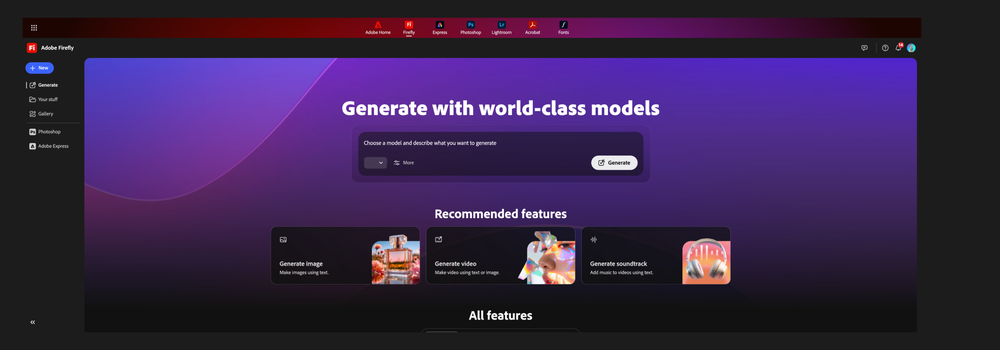
The line to remember is the last one. On every paid plan, Adobe says “standard” features such as Generate Image, Generative Fill, Generative Expand and Text to Vector Graphics are unlimited, while video, audio, translation and partner-model outputs draw from a monthly pile of credits that does not roll over.
A March 2023 debut, a billion-user parent company, an 18-billion-asset claim, and a fast 2026 of acquisitions and agents.
Adobe’s Firefly page says it has been used to generate over 18 billion assets. That counts outputs, not paying users.
Adobe’s newsroom cites 1 billion monthly active users across creativity and productivity products, not Firefly alone.
Firefly AI Video & Photo app page shows 4.7 from about 10K ratings; Apple’s lookup API gives 4.70 from 10,428, same figure.
Displayed TrustScore. The page’s own star bars (81% one-star, 0% five-star) average 1.3; the TrustScore is not a plain average.
| Date | Event | Source |
|---|---|---|
| Mar 21, 2023 | Adobe unveils Firefly, a family of creative generative AI models, and opens a beta of the first model | Adobe newsroom |
| Sep 24, 2025 | Firefly Boards launches globally | Adobe blog |
| Oct 28, 2025 | “New Adobe Firefly”: Firefly Image Model 5, Generate Soundtrack and Speech, browser video editor | Adobe blog; Wikipedia |
| Feb 2, 2026 | Unlimited image and video generations announced for subscribers on selected models | Adobe blog |
| Mar 19, 2026 | Custom Models public beta, more video and image editing | Adobe blog |
| Apr 27-28, 2026 | Firefly AI Assistant public beta; Adobe for creativity connector arrives in Claude | Adobe blog |
| Jun 18, 2026 | New assistant skills; Elements and Projects in a private-beta studio | Adobe blog |
| Aug 6, 2026 | Adobe plugin in ChatGPT (70+ tools) | Adobe blog |
| Aug 20, 2026 | Audio tools generally available; free AI Assistant tier with daily generations | Adobe blog |
| Sep 3, 2026 | Adobe says Anil Chakravarthy becomes President and CEO on Dec 1, 2026; Shantanu Narayen becomes Executive Chair | Adobe newsroom |
| Sep 23, 2026 | Topaz Labs acquisition completed (announced Jun 25, 2026) | Adobe blog; newsroom |
| Sep 24, 2026 | Claude connector becomes the Adobe for Claude plugin (80+ tools, now including Acrobat); Adobe in Gemini launches on all Gemini plans | Adobe blog |
App Store users are warm. Trustpilot reviewers are furious about errors, credits and cancellations.
Reviews from February to September 2026 repeat the same themes. One writes “Errors, delays loading, confusing interface” and says Nano Banana was easier and cheaper used directly (Sep 17). Another on Sep 11 reports that almost every generation ended in “Something went wrong,” and a Feb 15 review says 4,000 trial credits at 400 per generation left six of ten attempts useless. A 4-star reviewer calls it one of the best for editing flaws out of product photos, but warns the free credits are drawn from the same pool Photoshop uses.
The listing shows 4.7 out of 5 from about 10K ratings, seller Adobe Inc., free with in-app purchases. The sample of written reviews I read mixes enthusiastic five-stars with a written complaint (the page shows the date as Aug 26, without a year) that Firefly is “very erratic,” ignores directions and uses up credits without a new image. App Store reviews skew toward casual mobile users, not production teams.
A hands-on of the new AI Assistant in beta. The writer asked it to turn a clean subject into a vector and says it “really didn’t do what I wanted it to do,” producing block letters instead of the bubbly shape, then needing a second try. It is one writer, one task, and an early beta, but it matches the “ignores directions” theme elsewhere. A Hacker News submission of the article drew a single comment.
Free to try, $9.99 to start, and credits are the meter you will actually watch.
Verified on Adobe’s Firefly plans page and homepage, read through a reader service that returned the US storefront on October 3, 2026. US list prices per month: Standard $9.99, Pro $19.99, Pro Plus $49.99, Premium $199.99. Adobe shows individual plans as billed monthly, and the “for teams” licenses as annual billed monthly at the same list prices.
Free
Limited free daily generations across standard and premium features, on select image, video and audio models. Adobe says the free AI Assistant tier (Aug 20, 2026) also has daily generations.
Standard
2,000 monthly credits. Unlimited standard image features such as Generative Fill. Premium features and partner models use credits: about 20 five-second videos or 6 minutes of audio or video translation. Free trial offered.
Pro
4,000 credits, up to 40 five-second videos, 13 minutes of translation, 400 sound effects, 200 minutes of music. Adds Adobe Express Premium and full Photoshop on web and mobile. Free trial offered.
Pro Plus
10,000 credits, up to 100 five-second videos, 33 minutes of translation, 1,000 sound effects, 500 minutes of music, plus Express Premium and Photoshop on web and mobile.
Premium
50,000 credits and unlimited access to the Firefly Video Model, up to 166 minutes of translation, 5,000 sound effects and 2,500 minutes of music. Adobe positions it for teams and businesses; its compare table also shows Express Premium and Photoshop on web and mobile.
Teams, Creative Cloud, add-ons
Pro, Pro Plus and Premium also come as per-license team plans at the same list prices. Creative Cloud Pro is $69.99/mo and includes 4,000 credits and 20+ apps. Credit add-ons start at 2,000 credits.
| If you are... | What verified pricing means | Cheapest sensible path |
|---|---|---|
| Trying Firefly for fun | Free daily generations exist, but limits are Adobe’s to change | Free ($0) |
| Making social images and edits | Standard’s unlimited standard features cover image and Generative Fill | Standard, $9.99/mo |
| Making a few AI clips a month | About 40 five-second clips at 4,000 credits, by Adobe’s own table | Pro, $19.99/mo |
| Producing video most days | Pro Plus is built for about 100 clips; Premium for unlimited Firefly video | Pro Plus, $49.99/mo, or Premium |
| A Creative Cloud team | Team licenses and Creative Cloud Pro share credits across apps | Team plan or CC Pro, $69.99/mo |
Pricing verified Oct 3, 2026. No affiliate link or discount is implied. Regional prices differ; the US figures come from the US storefront text.
Where Firefly fits in 2026.
Firefly is the natural add-on; credits are shared across the apps.
Compare Midjourney and Ideogram first; Firefly is stronger on editing than on sheer style.
Firefly lists Nano Banana and GPT Image in its model menu. See the Gemini and ChatGPT reviews for the originals.
Firefly offers Adobe, Runway, Kling and Luma models, but check credits. Compare Runway directly.
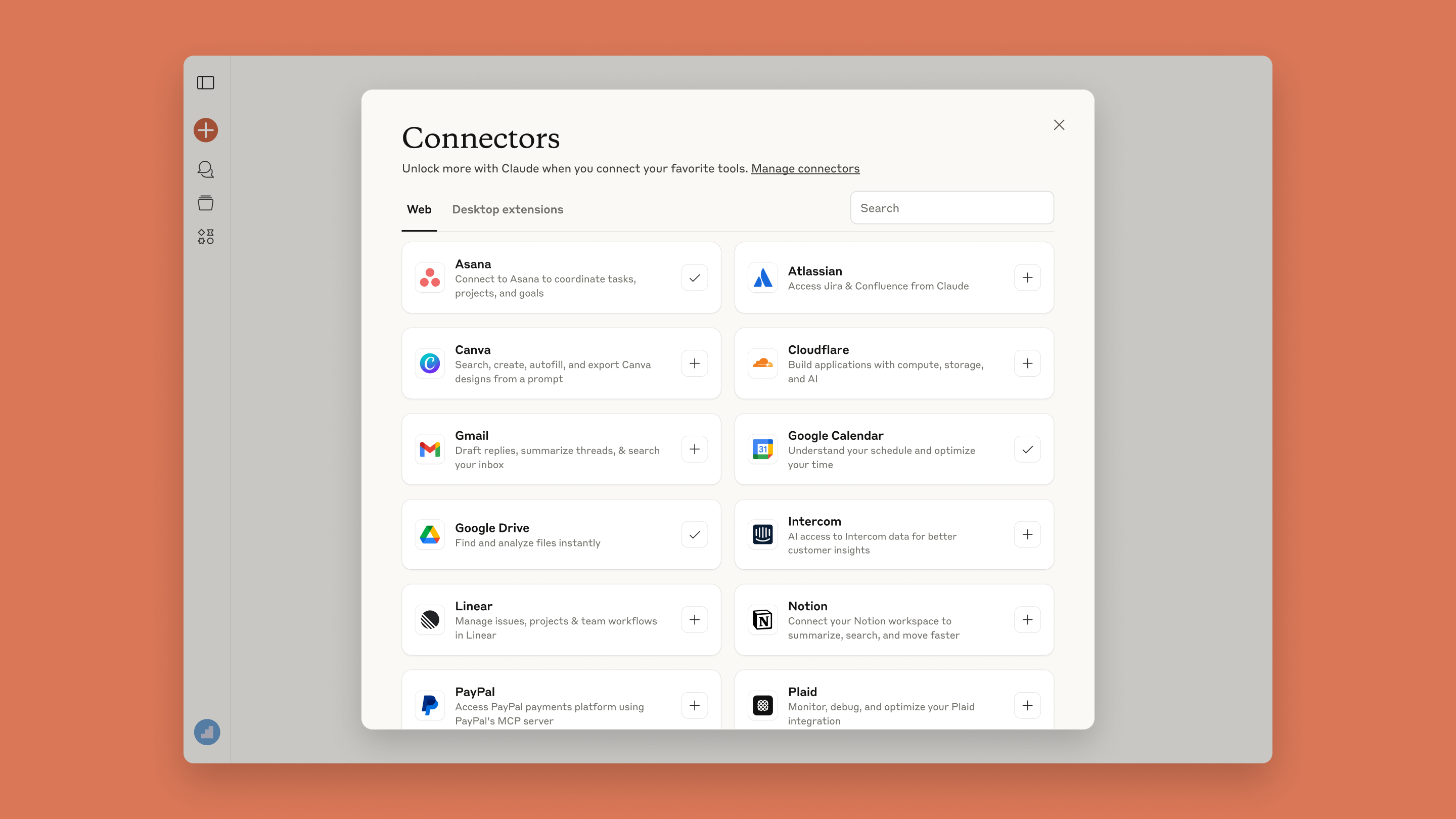
The Adobe for Claude plugin (80+ tools since Sep 24, 2026, including Acrobat) is live in Claude, and Adobe in Gemini launched the same day. See our Claude MCP & Connectors guide.
Pick the model for the job, compare on a board, then edit with plain language.
The reason to open Firefly instead of a single-model app is the Model dropdown. Adobe’s partner-model page shows the intended habit: choose Adobe’s Firefly models or a partner model, run the same prompt through several, and compare the results side by side in Firefly Boards, where each option is labeled by model. As of October 3, 2026 the homepage widget lists Firefly Image 5, Gemini 3.1 (Nano Banana 2), GPT Image and FLUX.2 [pro], and the partner page names Kling AI, Luma AI, Runway (Gen-4.5), ElevenLabs and Topaz, with Black Forest Labs and Google video models also mentioned.
Adobe frames the split plainly: GPT Image for photorealistic detail, Gemini Nano Banana for prompt accuracy and prompt-based editing, Kling for synchronized multishot video, Luma for cinematic video, ElevenLabs for voiceovers. That is Adobe’s marketing summary, not a benchmark, and I did not test any of it.

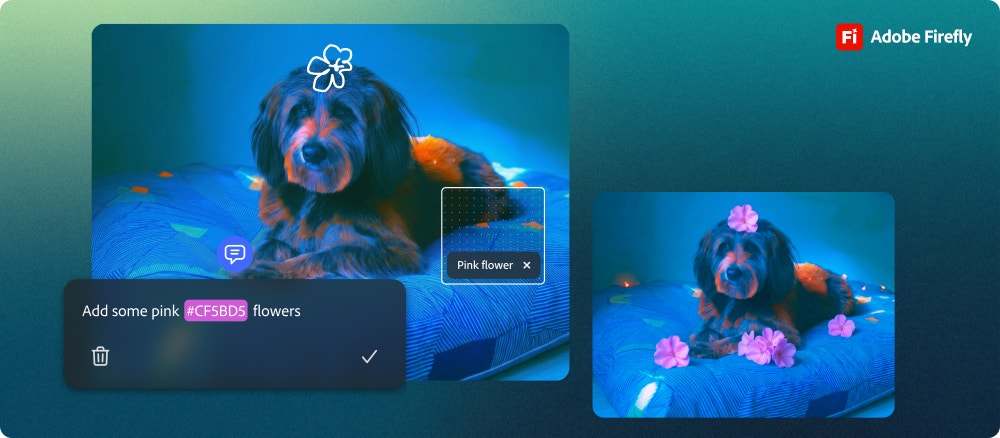
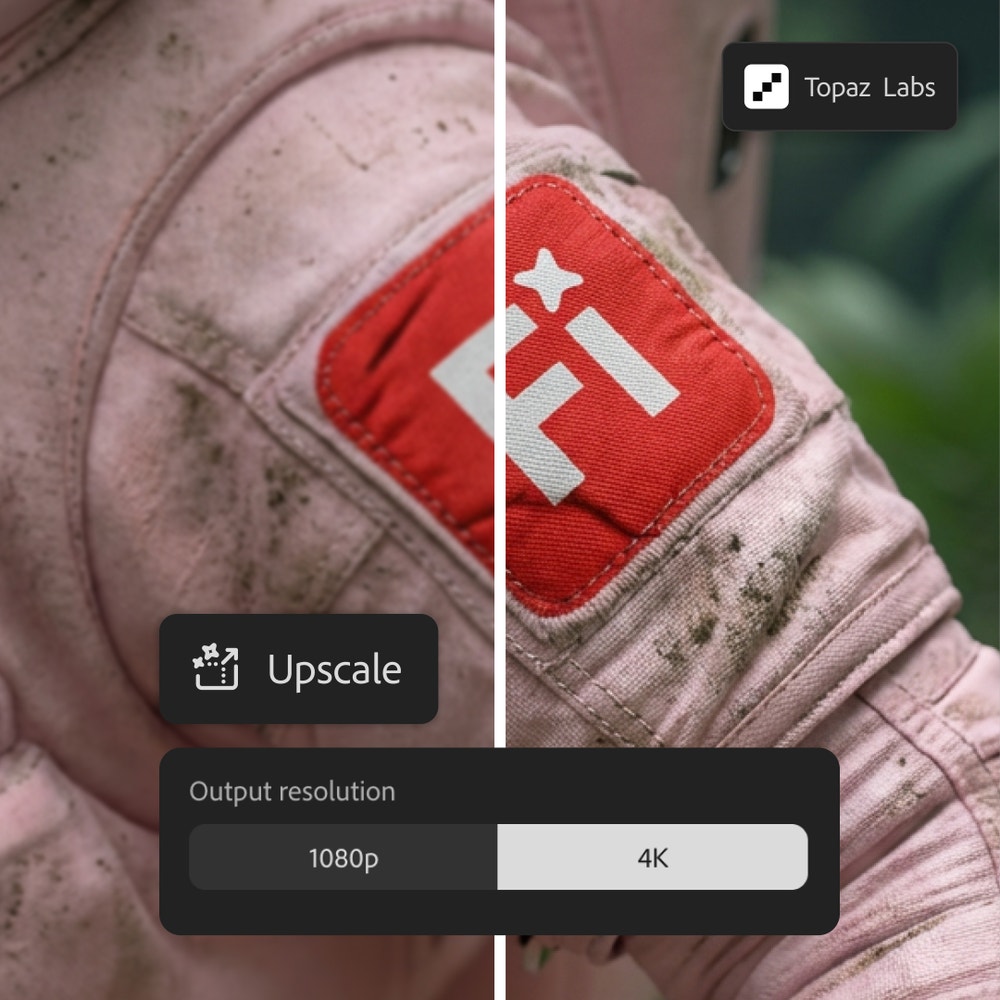
The editing half is where Adobe’s heritage shows. Prompt to Edit lets you describe a change (add or remove an object, swap a background, change the weather) in plain language; Adobe’s Apr 9, 2026 post is built around moving from “almost there” to “exactly right.” Generative Fill, Expand, remove background and Topaz-powered upscaling sit beside it, and finished work can go straight to Photoshop or Express.

Boards, for the thinking before the making
Firefly Boards launched globally on Sep 24, 2025 as an infinite canvas where you gather references, generate images and video, and arrange concepts into moodboards or storyboards, alone or with teammates. Adobe’s own tutorial on Boards is embedded below in the workflow section.
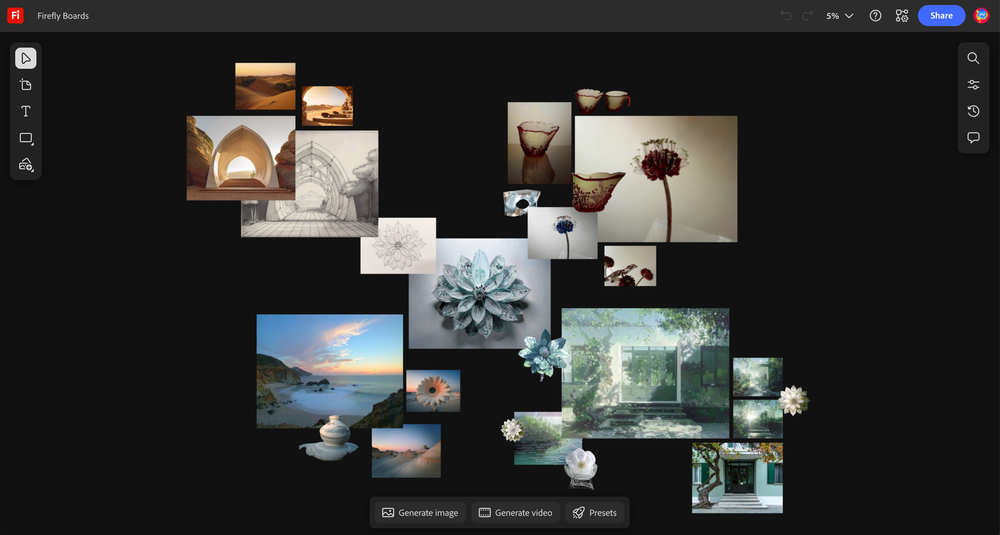
Custom Models, for staying on style
Custom Models (public beta since Mar 19, 2026) let you upload 10 to 30 JPG or PNG images, choose Illustration Style, Photographic Style or Character, train, and then pick your model in Firefly or Boards. Adobe says training takes minutes to hours, trained models cannot be retrained, your uploads stay yours and are not used to train Firefly’s foundation models, and it costs credits: 500 to train and 20 per image generated.

| Capability | What Adobe documents | What I could not verify |
|---|---|---|
| Model choice | Model dropdown with Adobe and partner models; compare on Boards | Which model is best for your brief; output quality |
| Prompt to Edit | Plain-language edits, Generative Fill and Expand, remove background, upscale | How often edits preserve what you wanted unchanged |
| Custom Models | 10-30 images; 500 credits to train, 20 per image; private by default | How faithfully a trained model holds a style or character |
| Audio | Music, speech and sound effects are generally available since Aug 20, 2026 | Voice and music quality |
| Video | Adobe and partner video models; browser video editor | Credits consumed per usable clip in real use |
Compare Adobe, Google, OpenAI and video models without leaving the studio
Photoshop, Premiere and Express sit one click away and share credits
Custom Models and Content Credentials give teams something to point to
Trustpilot reviewers say failed or ignored prompts still spent credits
Adobe says choosing a partner model is the creator’s responsibility
Assistant, Custom Models and the new studio are beta or private beta
Brief, board, generate, edit, finish in the desktop apps, export with Content Credentials.
A realistic loop, following Adobe’s own materials: you start on a Board with references, generate variations with two or three models, pick one, refine it with Prompt to Edit, upscale or extend it, add music or a voiceover if it is video, and move the file into Photoshop, Premiere or Express for the last polish. Adobe says Firefly outputs carry Content Credentials automatically.
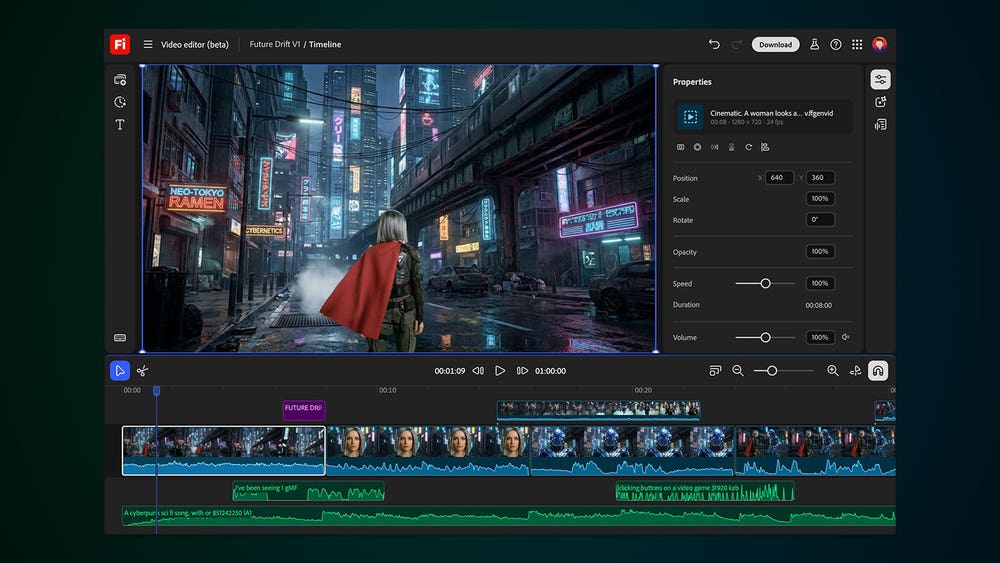
See it in Adobe’s own words
Official video from the Adobe Firefly YouTube channel (channel UCPoZs42STdjL0-HMjw-PIqA, channel name “Adobe Firefly”), published Jun 19, 2026, about 2 minutes 36 seconds. It walks through Boards features. It is a vendor tutorial, so treat it as a demo, not a test.
One prompt, several tools: the Assistant is the most ambitious part of Firefly and the least settled.
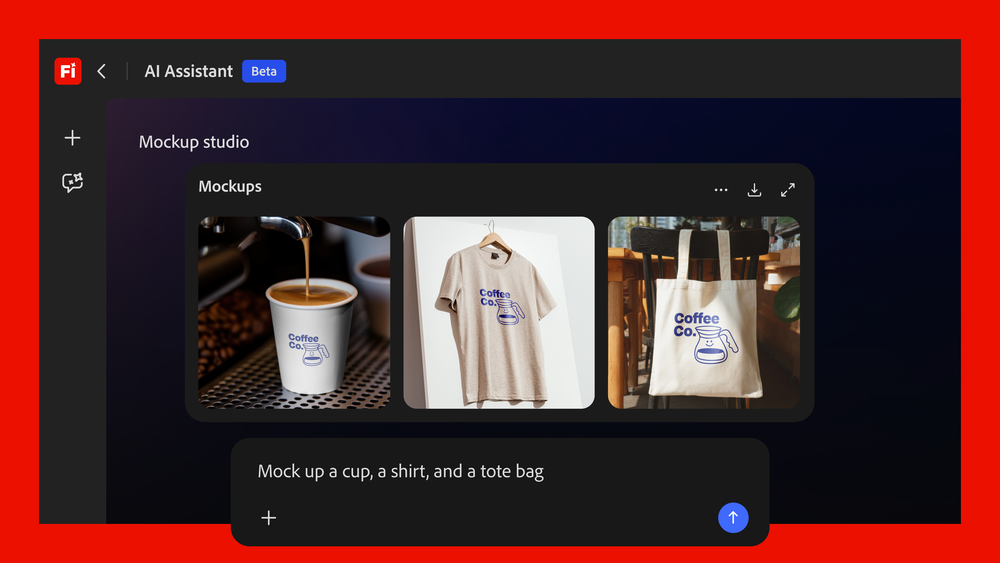
Firefly AI Assistant went into public beta on Apr 27, 2026. Adobe describes it as a creative agent: you describe an outcome and it chooses the tools and models, with no app switching. Its Jun 18, 2026 update added brand kit creation, short product videos from product photos, storyboards and video from storyboards, Quick Cut (assembling footage into a first cut), natural-language asset search and workflow preferences. Adobe’s Aug 20 post says Create Storyboard and Create Brand Kit are among the most used skills and adds a free experience with daily generations.

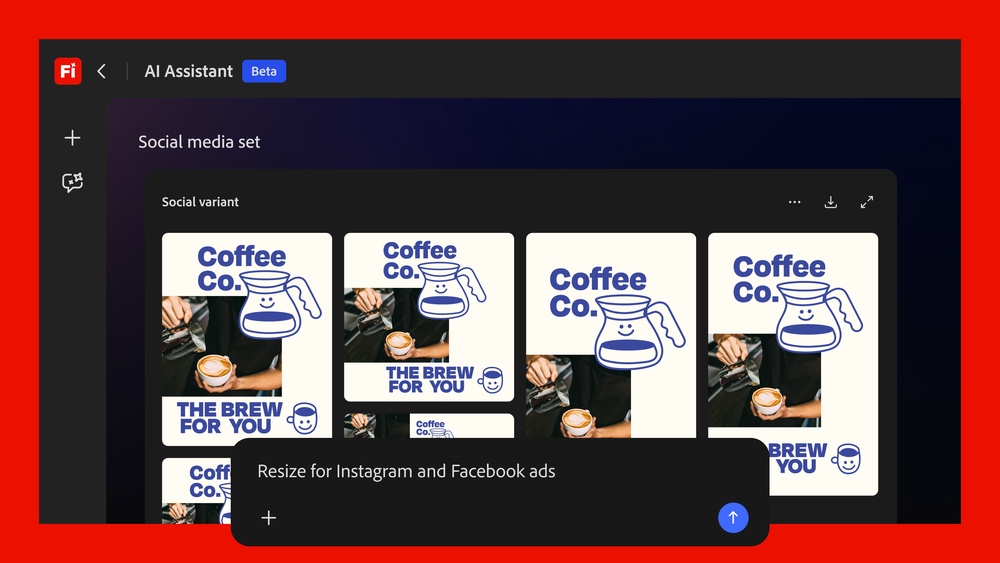
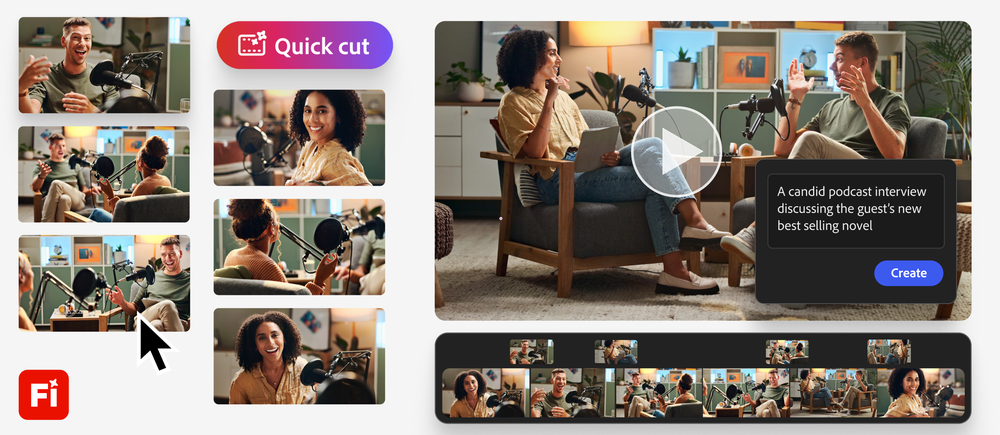

Adobe is bringing its tools into Claude, ChatGPT and Gemini instead of waiting for you to open Firefly.
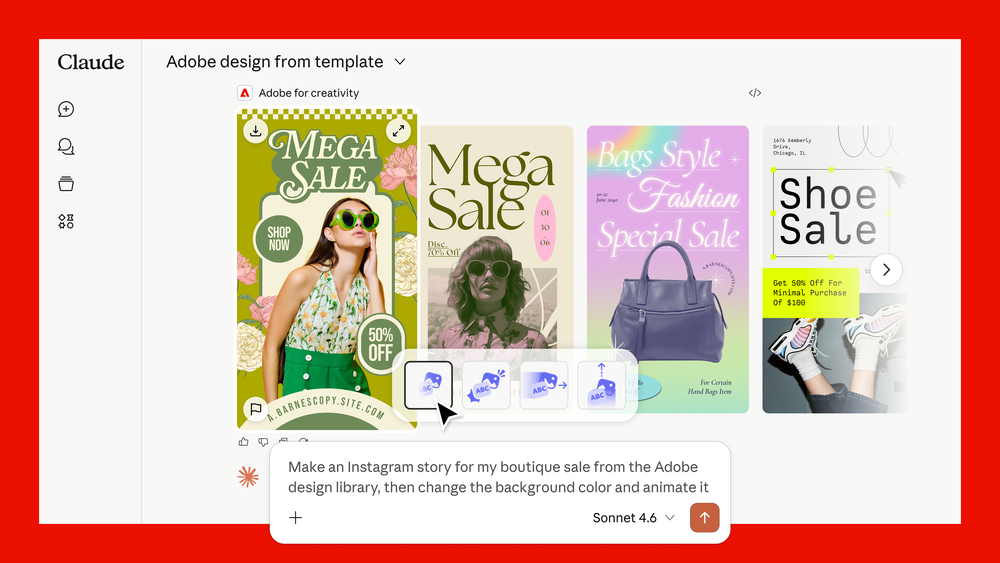
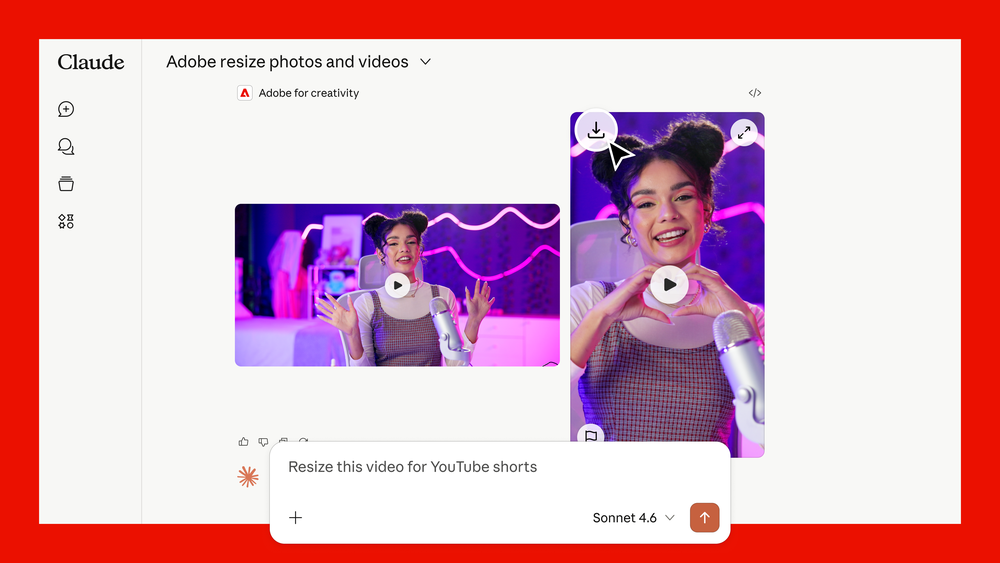
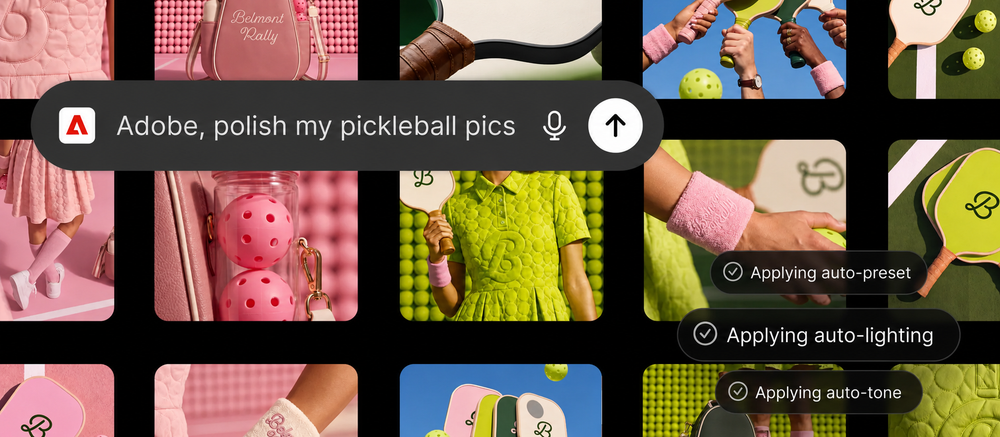
Three Adobe announcements matter here. On Apr 28, 2026 Adobe launched the Adobe for creativity connector for Claude, giving access to 50+ tools across Photoshop, Illustrator, Firefly, Express, Premiere, Lightroom, InDesign and Stock, with Adobe sign-in unlocking higher limits and saved work. On Aug 6, 2026 it launched the Adobe plugin in ChatGPT with more than 70 tools, working in ChatGPT Work and Codex. On Sep 24, 2026 the Claude connector became the Adobe for Claude plugin, with more than 80 tools across Acrobat, Express, Photoshop, Illustrator, Premiere, Lightroom, InDesign, Adobe Stock and more, rolling out in Claude and Claude Code on desktop, mobile and web; the same day Adobe launched Adobe in Gemini (Photoshop, Lightroom, Express and Firefly tools), rolling out globally on all Gemini plans. In both cases you describe the outcome and the tools are orchestrated behind the scenes; Adobe says you can continue in its apps for precision work.
| Integration path | Detail | Source |
|---|---|---|
| Creative Cloud apps | Credits are shared across Firefly web and mobile, Photoshop, Illustrator, Premiere, Lightroom and Express | adobe.com plans FAQ |
| Claude | Adobe for Claude plugin, 80+ tools including Acrobat, in Claude and Claude Code (began as the Adobe for creativity connector with 50+ tools on Apr 28, 2026) | Adobe blog, Sep 24, 2026; Apr 28, 2026 |
| Gemini | Adobe in Gemini: Photoshop, Lightroom, Express and Firefly tools, all Gemini plans | Adobe blog, Sep 24, 2026 |
| ChatGPT and Codex | Adobe plugin, 70+ tools across creative and productivity apps | Adobe blog, Aug 6, 2026 |
| Partner models | Google, OpenAI, Black Forest Labs, Runway, Luma, Kling, ElevenLabs, Topaz | adobe.com partner models page |
| Enterprise | Custom Models for Enterprise and IP indemnification for eligible customers; GenStudio and Express for marketing teams | adobe.com Firefly pages |
For how connectors behave in practice, see our Claude MCP & Connectors guide and the ChatGPT review.
Credits, not seats, decide what Firefly costs you.
Adobe’s own plan table lets you back into the rate. Standard’s 2,000 credits equal about 20 five-second videos, Pro’s 4,000 about 40, Pro Plus’s 10,000 about 100, which implies roughly 100 credits per five-second clip on the default video route. Custom Models cost 500 credits to train and 20 per generated image. Credits reset each billing cycle and do not roll over; add-ons start at 2,000 credits; standard image features stay unlimited on paid plans even at zero credits. One Trustpilot reviewer reports 400 credits per generation, which suggests some routes cost far more than the roughly 100 credits per clip implied by Adobe’s table.

| Meter | Standard | Pro | Pro Plus | Premium |
|---|---|---|---|---|
| Price per month (US) | $9.99 | $19.99 | $49.99 | $199.99 |
| Generative credits | 2,000 | 4,000 | 10,000 | 50,000 |
| 5-second videos (Adobe table) | Up to 20 | Up to 40 | Up to 100 | Unlimited Firefly Video Model |
| Translate audio or video | 6 min | 13 min | 33 min | 166 min |
| Sound effects | 200 | 400 | 1,000 | 5,000 |
| Music | 100 min | 200 min | 500 min | 2,500 min |
| Express Premium and Photoshop web/mobile | No | Yes | Yes | Yes |
The strongest part of the pitch is also the part with the most fine print.
Adobe says Firefly models are trained on licensed content such as Adobe Stock and on public-domain content, that it does not train Firefly or partner models on Creative Cloud subscribers’ personal content, that outputs carry Content Credentials, and that eligible enterprise customers can receive IP indemnification for select outputs. Adobe co-founded the Content Authenticity Initiative in 2019 and cites more than 3,300 members.
The fine print matters in three places. First, partner models are not covered by the same promise: Adobe says it is the creator’s responsibility to decide whether partner models suit a project, including whether they are safe for commercial use. Second, Wikipedia reports later press coverage that Firefly’s training data also included images generated by Midjourney and other AI tools, which complicated the licensed-only message; I only read that summary, not the original report. Third, indemnification is described for eligible enterprise customers, not for individual plans, on the pages I read.
| Question | What Adobe says | Caveat |
|---|---|---|
| Training data | Licensed Adobe Stock and public-domain content for Firefly models | Press reports on Midjourney-generated images in training data (via Wikipedia) |
| My content | Not used to train Firefly or partner models for Creative Cloud subscribers | Custom Models use your uploads for your model only, privately by default |
| Commercial use | Firefly model outputs are safe for commercial use | Partner-model outputs are the creator’s responsibility |
| Legal cover | IP indemnification for eligible enterprise customers on select outputs | Not described for individual plans |
| Transparency | Content Credentials attached to outputs | Credentials do not guarantee a model’s training provenance |
Creators and teams already inside Adobe’s tools.

| Your situation | Fit | Likely plan |
|---|---|---|
| Photographer or designer who already uses Photoshop or Express | Strong; credits travel into the apps | Pro or Creative Cloud Pro |
| Social creator making images, clips and voiceovers | Good; watch credit burn on video | Pro or Pro Plus |
| Agency comparing styles across models for clients | Strong; Boards labels each model | Pro Plus or team plans |
| Brand with a strict training-data policy | Good with Firefly models; partner models need review | Enterprise, for indemnification |
| Someone who only wants the cheapest image generator | Weak; credits and partner models add complexity | Free or Standard, or look elsewhere |
| Anyone who needs predictable, error-free generation today | Mixed; Trustpilot reviewers report failures | Test on Free first |
Seven real, current limitations.
Premium features use monthly credits that reset each cycle. A Trustpilot reviewer asks for rollover and refunds for failed prompts.
Trustpilot reviews from Feb, Jun and Sep 2026 describe error messages and credits spent without output. Adobe’s policy on refunds for errors is not stated on the pages I read.
Several Sep 2026 Trustpilot reviews describe near-constant “Something went wrong” errors. It is a small, self-selected sample, but it is recent.
Adobe leaves partner-model suitability to the creator.
Promotions differ by storefront and may be first-year offers; the US page I read did not show them.
AI Assistant, Custom Models and the new studio are not finished products, and an independent hands-on called the Assistant “not great.”
Reviewers describe losing the remainder of a month after cancelling and difficulty with refunds; these are individual accounts, not Adobe policy.
Map your reason for looking elsewhere to a tool.
| If you mostly need... | Compare with... |
|---|---|
| Stylized, art-first image generation | Midjourney — Midjourney review |
| Accurate text inside images and posters | Ideogram — Ideogram review |
| Image editing by chat with an assistant you already use | ChatGPT — ChatGPT review; Gemini — Gemini review |
| AI video as the main deliverable | Runway — Runway review |
| Templates and quick social design for non-designers | Canva — canva.com (official site) |
| Driving creative tools from a chat agent | Claude MCP & Connectors |
No affiliate relationship shapes this review.
JAVIS has no verified affiliate URL for Adobe Firefly, so every CTA points to Adobe’s official pages or to a live JAVIS review. If that changes, the facts, limitations and alternatives will not. This is a VERIFIED EDITORIAL REVIEW: I read official pages, blog posts and review sites; I did not generate content or run a controlled test.
Start on the free plan before paying.
Try Adobe FireflyAdobe’s own plans page.
adobe.com/products/firefly/plansFirefly makes most sense next to the image, video and assistant tools it competes with and plugs into.
If you’re deciding where to generate and edit visuals, these are the six reviews I’d read next.




Questions people are actually searching right now
Is Adobe Firefly free?
Partly. There is a free plan with limited daily generations on select image, video and audio models. Paid plans start at $9.99 a month (Standard), and some premium features, video and partner models use paid credits.
How much does Adobe Firefly cost?
US list prices per month: Standard $9.99 (2,000 credits), Pro $19.99 (4,000), Pro Plus $49.99 (10,000) and Premium $199.99 (50,000). Credit add-ons start at 2,000 credits, and Creative Cloud Pro is $69.99 a month with 4,000 credits and 20+ apps.
Are Firefly images safe for commercial use?
Adobe says outputs from its own Firefly models are safe for commercial use because they are trained on licensed and public-domain content. For partner models, Adobe says the creator must decide, and IP indemnification is described for eligible enterprise customers.
Does Adobe train Firefly on my content?
Adobe says it does not train Firefly or partner models on Creative Cloud subscribers’ personal content. Custom Models use only the images you upload, for your own model, private by default.
Which AI models can I use inside Firefly?
Adobe’s Firefly models plus partner models from Google (Nano Banana), OpenAI (GPT Image), Black Forest Labs (FLUX), Runway, Luma AI, Kling AI, ElevenLabs and Topaz, as listed on Adobe’s pages on Oct 3, 2026.
What is the Firefly AI Assistant?
An agent in Firefly that chooses tools for a described outcome. It entered public beta on Apr 27, 2026, gained brand kit, storyboard and Quick Cut skills on Jun 18, and has a free tier with daily generations since Aug 20.
Can I use Firefly from Claude, ChatGPT or Gemini?
Yes. In Claude, the Adobe for Claude plugin has 80+ tools including Acrobat (Sep 24, 2026; it began as the Adobe for creativity connector with 50+ tools on Apr 28, 2026). ChatGPT has the Adobe plugin (Aug 6, 2026, 70+ tools), and Adobe in Gemini launched on Sep 24, 2026 on all Gemini plans. Adobe says signing in unlocks higher limits.
What happened with Topaz Labs?
Adobe completed its acquisition of Topaz Labs on Sep 23, 2026. Topaz remains a standalone brand, and its enhancement models are available in Firefly and Photoshop.
Where this came from, and when it was checked.
Pricing and plans: adobe.com/products/firefly/plans (US storefront text via a reader service, Oct 3, 2026) and adobe.com/products/firefly; Turkey and Japan renderings for promotions, Oct 3, 2026.
Product: adobe.com Firefly home, partner models and Custom Models pages; Adobe blog posts of Sep 24 and Oct 28, 2025 and Feb 2, Feb 25, Mar 19, Apr 9, Apr 15, Apr 27, Apr 28, Jun 18, Aug 6, Aug 20, Sep 4 and Sep 23, 2026.
Company: news.adobe.com newsroom list (Sep 3, Jun 25, 2026); Adobe newsroom, Mar 21, 2023 (Firefly unveiled); Adobe blog, Sep 24, 2026 (Adobe for Claude plugin, Adobe in Gemini); Wikipedia, Adobe Firefly, for history and the training-data controversy summary.
Community: trustpilot.com/review/firefly.adobe.com (1.8, 27 reviews, star split as shown); apps.apple.com Firefly AI Video & Photo (4.7, about 10K); appleinsider.com, Apr 28, 2026; Hacker News item 47934852. G2, Capterra and Reddit ratings were not available to us and are not used.
Official video: Adobe Firefly channel, video UhwsXt3krDI (Jun 19, 2026).
Fit score method: JAVIS editorial composite of five 20-point criteria — creative range and editing controls 15, model breadth and Adobe-app integration 18, price and credit clarity 12, commercial-safety posture and trust 15, reliability and user sentiment 10 = 70. It is an opinion, not a benchmark.