
Napkin AI Review 2026: Editable Diagrams From Your Own Text, Paid in Credits, With a Refund Window Measured in Hours
Napkin turns a paragraph you select into a choice of editable diagrams, flowcharts, mind maps and charts, and now builds whole slide decks in beta. It is free to start with 500 AI credits a week, then $12 a month for Plus or $30 for Pro (or $9 and $22 a month paid yearly). The catches are the credit meter, a watermark on every free export, and a refund policy that closes 24 hours after a monthly purchase.
There are no affiliate links in this review. Every Napkin link goes straight to napkin.ai or its help center.
| Made by | Napkin AI, a product of Second Layer, Inc. |
| What it is | Text-to-visual editor for diagrams, charts and decks |
| Free | $0; 500 AI credits a week; watermark |
| Plus | $12 a month; $9 a month paid yearly |
| Pro | $30 a month; $22 a month paid yearly |
| Runs in | Browser; no visual generation on mobile yet |
Napkin is a quick way to turn writing into a diagram you can still edit. Budget the credits, and decide fast whether to keep a paid plan.
“Forget prompting, Napkin works directly from your text.” Napkin AI home page, Oct 29, 2026.
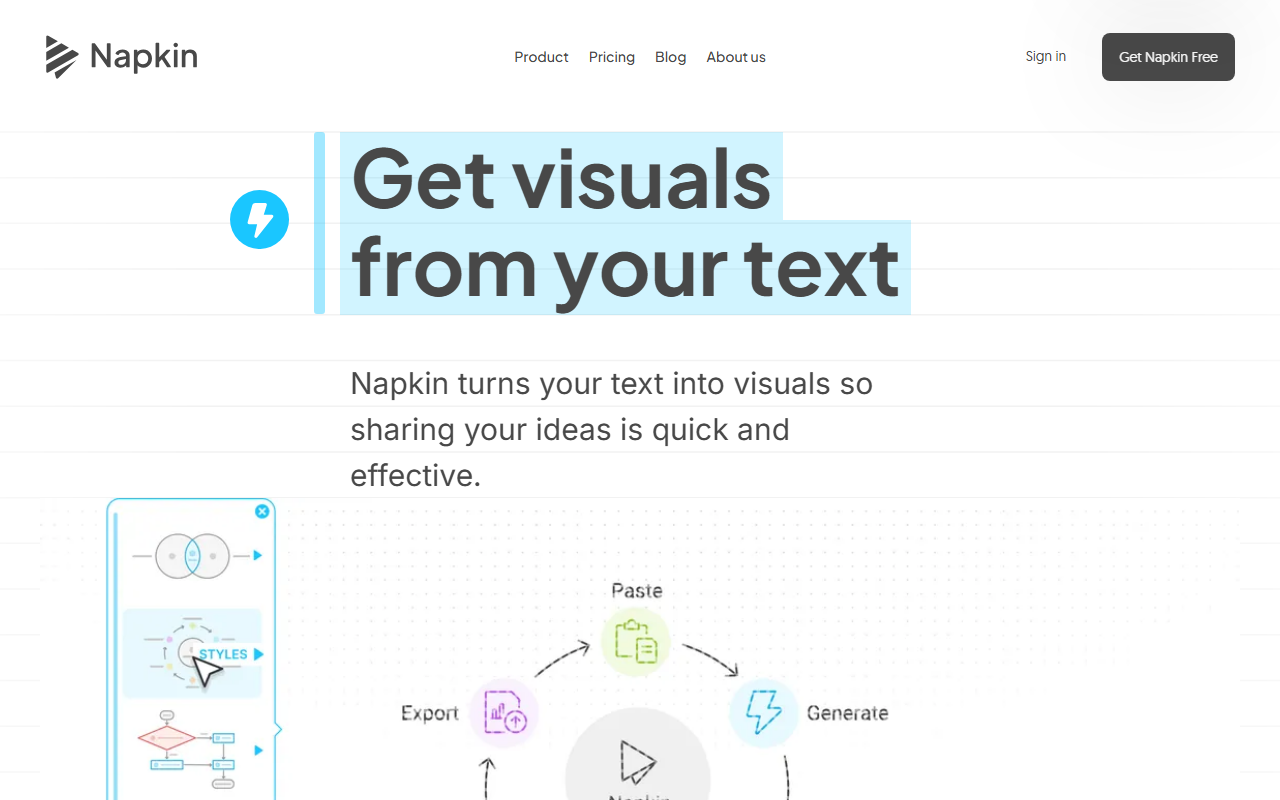
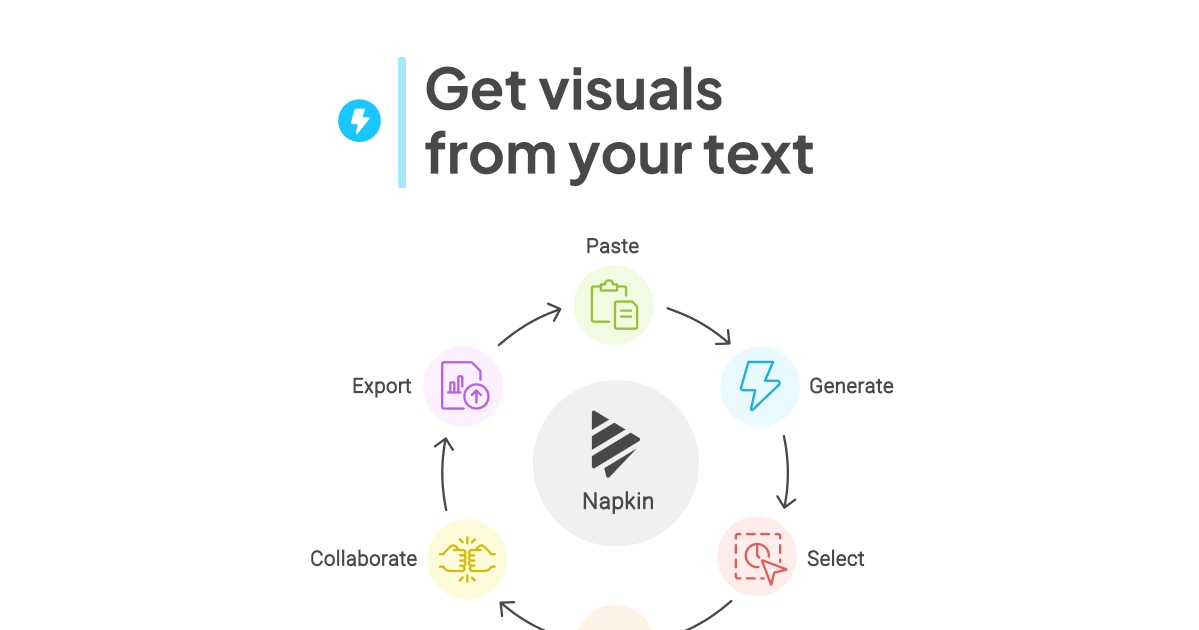
The idea is narrow and useful: you paste or import text, select a passage, click the Autospark icon and pick from several suggested visuals. Everything stays editable, from colors and icons to individual shapes, and editing never spends credits. You export to PNG, PDF, SVG, PowerPoint or Google Slides. Since Jul 22, 2026 the same subscription also covers Napkin Slides, an AI deck builder that Napkin still labels beta.
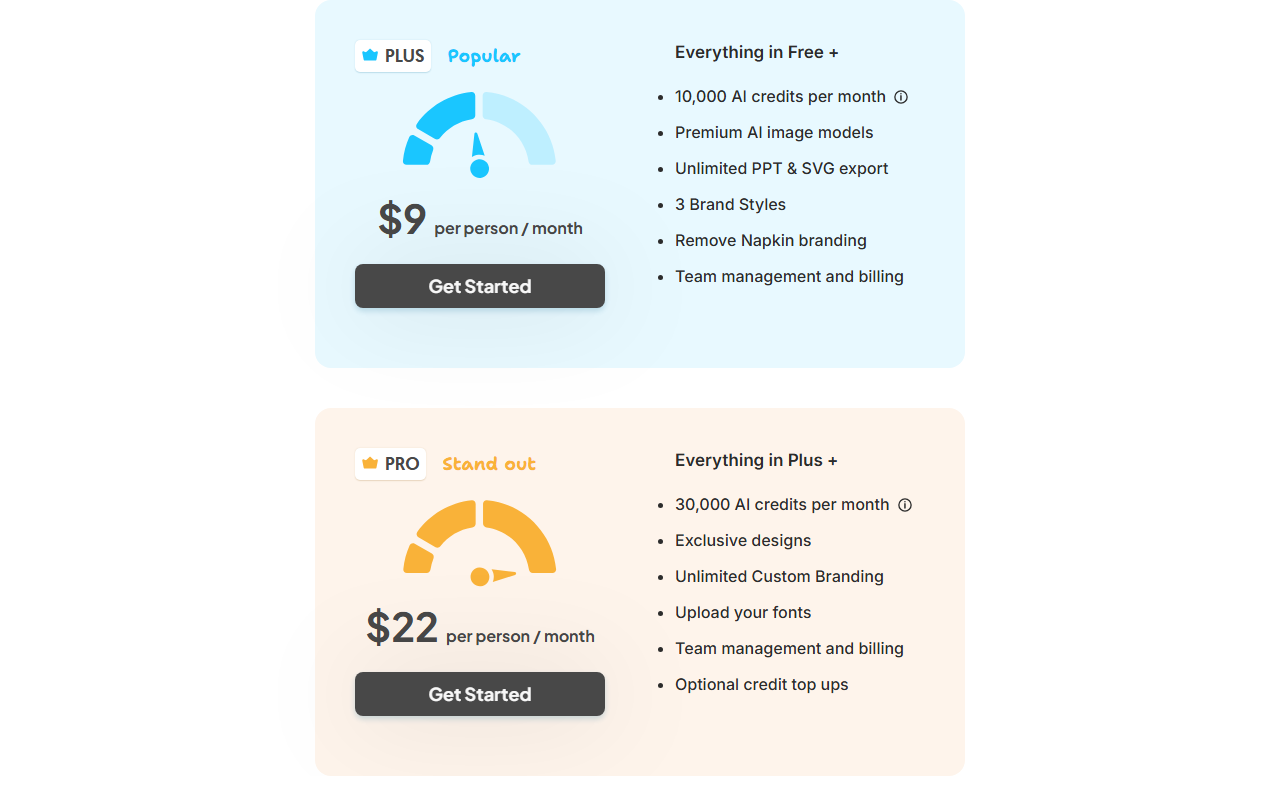
What it costs, in US prices as of Oct 29, 2026: Free has 500 AI credits a week, unlimited PNG and PDF exports and a Napkin watermark you cannot switch off. Plus is $12 a month or $108 a year with 10,000 credits a month and no watermark; Pro is $30 a month or $264 a year with 30,000 credits. Napkin says a generation costs about one credit per word you select, and an Effect up to 100 credits.
The catches: credits are a meter, regenerating costs again, and the refund policy is strict. A refund is possible only within 24 hours of a monthly purchase or 48 hours of a yearly one, only if no credits were used, once per account, with a fee of up to 10% where the law allows. Independent reviews are scarce: Napkin’s Trustpilot profile has no reviews, and its growth figures come from the company.
Not a hands-on test: JAVIS has not created a Napkin account or generated a visual. This review rests on Napkin’s pricing page, help center, terms, refund policy, privacy and AI notices, API documentation, official videos and blog, plus press coverage and public comments, all dated.
Write first, then let it propose the picture.
Napkin works in the browser at app.napkin.ai. A document holds your text; selecting part of it and clicking Autospark returns a set of visual options (infographics, flowcharts, mind maps, timelines, data charts) in a built-in or brand style. Per Napkin’s FAQ you can view work and edit presentations on a phone, but visual generation is not available on mobile yet. Visuals can be created in more than 60 languages; the interface itself is in six.
Seed-funded, fast-shipping, and short on independent ratings.
Accel and CRV, Aug 7, 2024
company figure, Feb 11, 2025
profile claimed Aug 2026
charts, editing, Effects, flowcharts, Slides
Napkin came out of stealth on Aug 7, 2024 with $10 million in seed funding from Accel and CRV, founded by former Google engineers Pramod Sharma and Jerome Scholler, who earlier founded the kids’ learning company Osmo. In February 2025 Sharma told VentureBeat Napkin had 2 million beta users, double the figure six weeks earlier, with a team of 12. Those are sign-ups reported by the company, not paying customers or active users, and no newer figure has been published that we cite.
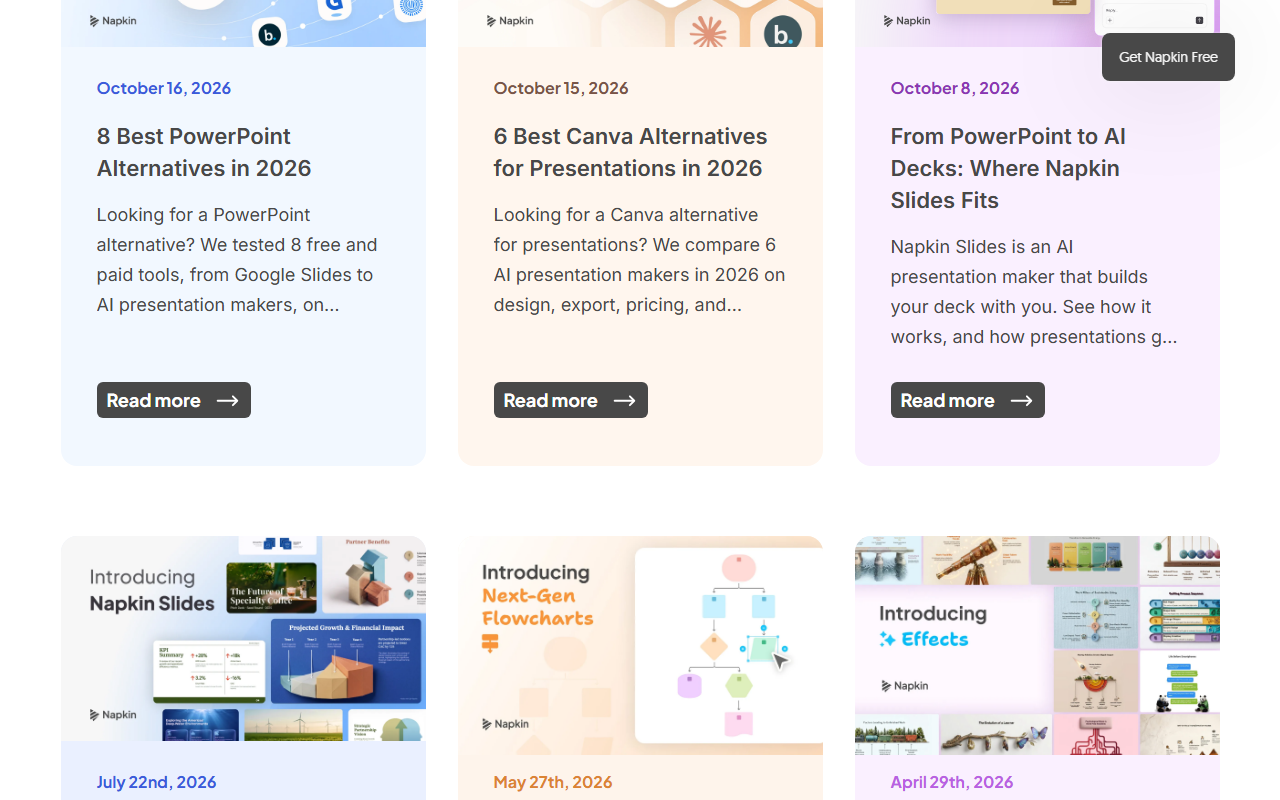
Product work has been steady through 2026: AI data charting (Feb 26), deeper editing (Apr 14), Effects (Apr 29), rebuilt flowcharts (May 27) and Napkin Slides in beta (Jul 22). One reader warning: searching “Napkin AI” on the US App Store returns apps from other developers that use the name, none sold by Second Layer, Inc.; Napkin itself says visual generation is not on mobile yet.
There is not much independent evidence yet, and we will not pretend otherwise.
As of Oct 29, 2026: Napkin’s Trustpilot profile shows no reviews, Hacker News has only a two-point launch-era post and passing mentions, and the glowing quotes on napkin.ai are chosen by Napkin. G2, Capterra, Product Hunt and Reddit are outside this review’s evidence. So read this section as the little that exists, not as a verdict on quality.
A software publisher, answering a reader who called parts of its site “AI slop”, says it mostly uses real screenshots and sometimes Napkin.ai for visual summaries. A real-world use, and a reminder that readers can spot generated visuals.
Advises another founder whose slides were text-heavy to turn text into illustrations with “something like napkin.ai”.
“I’ve literally been waiting years for a tool like Napkin.” Eric Layland, growth marketing leader. Shown by Napkin; not independent.
The launch-era Hacker News post (item 41300019, Aug 20, 2024) drew 2 points and no discussion. What the scarce evidence does tell you: people reach for Napkin to make summary graphics for articles and slides, which is exactly its pitch. What it does not tell you is how often the first suggestion is right, how the credit meter feels in a heavy month, or how support handles disputes. Try it on your own documents before paying.
Free with 500 credits a week; Plus $12 or $9 yearly; Pro $30 or $22 yearly.
Free
forever
- 500 AI credits a week
- Unlimited editing and file import
- Unlimited PNG and PDF export
- Limited PPT and SVG export; watermark
Plus
or $9 a month paid yearly ($108)
- 10,000 AI credits a month
- No watermark; unlimited PPT and SVG
- Premium AI image models
- 3 brand styles; team billing
Pro
or $22 a month paid yearly ($264)
- 30,000 AI credits a month
- Exclusive designs
- Unlimited custom branding, own fonts
- Optional credit top-ups
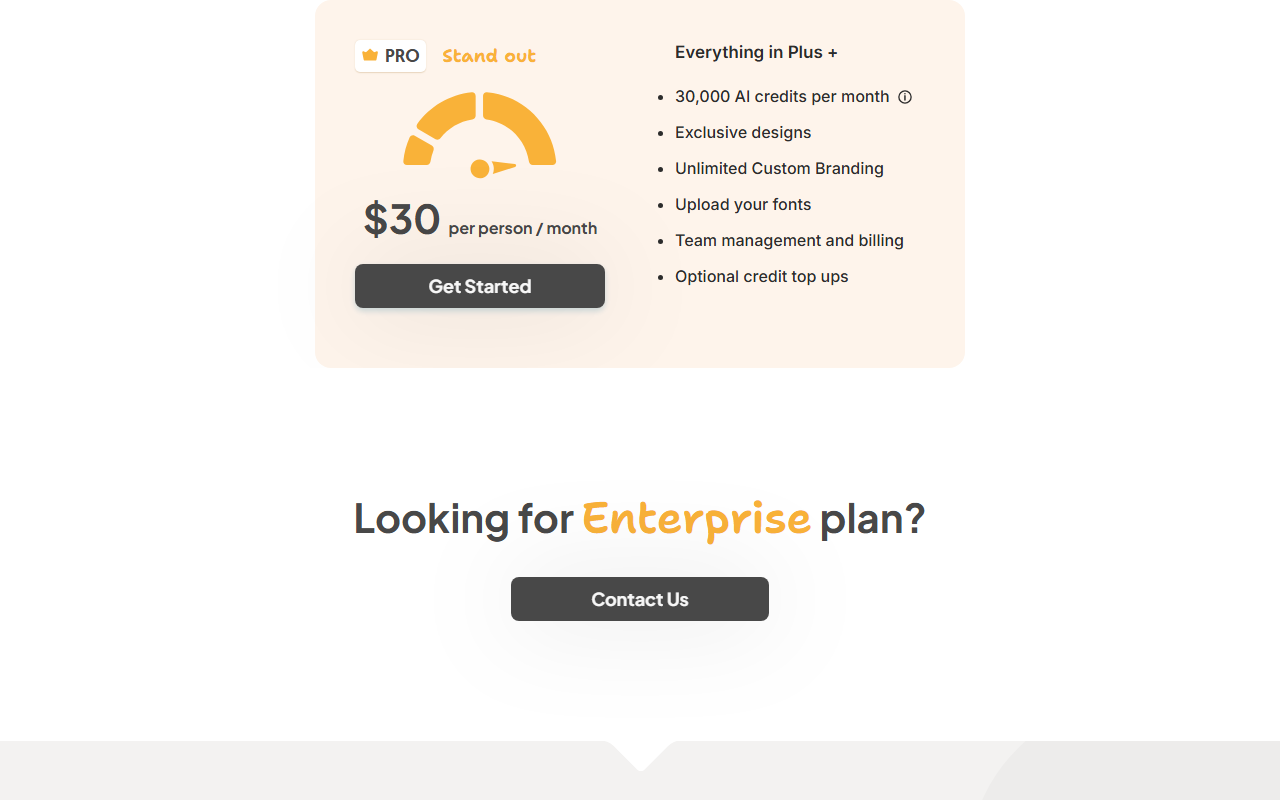
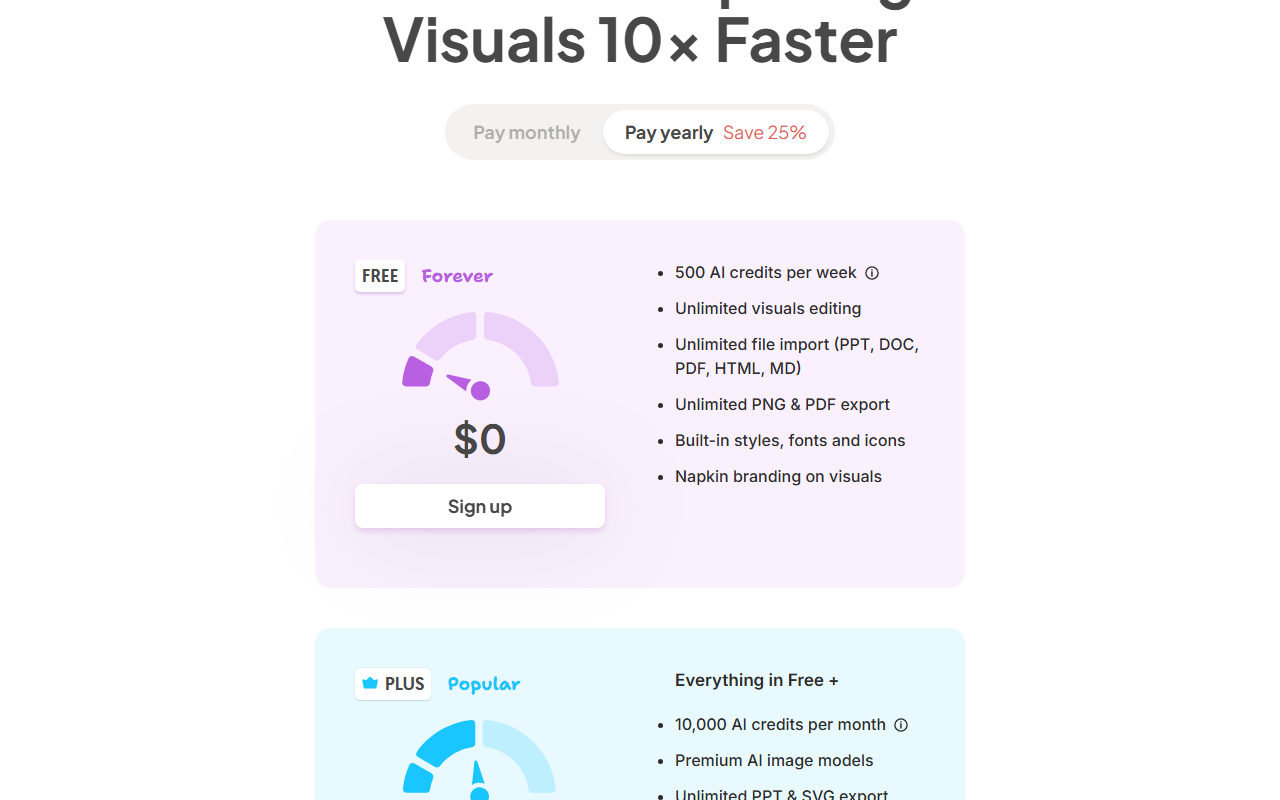
Payment rules worth quoting. Upgrades take effect immediately and are prorated; downgrades and cancellations take effect at the end of the billing period. If a payment fails, Napkin says it will retry “up to 8 times over the next month” before moving you to Free. Each Teamspace member who accepts an invite adds a prorated seat at the same rate.
What a credit buys, and what a year costs: $0 to $360 for one person.
All figures are US list prices as of Oct 29, 2026. Napkin says a generation costs “approximately one AI credit per word selected, subject to the minimum and maximum cost for a generation”; it does not publish that minimum or maximum, so the word estimates below are approximate.
| Scenario | Plan | Cost |
|---|---|---|
| A A few visuals a week from short passages | Free | $0; about 500 words selected a week, or 5 Effects |
| B One person, regular use, clean exports | Plus | $12 a month ($144 a year) or $108 a year |
| C One heavy user or brand-heavy work | Pro | $30 a month ($360 a year) or $264 a year |
| D Five people on Plus | Plus Teamspace | $60 a month ($720 a year) or $540 a year |
| E Five people on Pro | Pro Teamspace | $150 a month ($1,800 a year) or $1,320 a year |
Match your situation to one line.
Suggestions you can edit, brand styles, Effects, and now whole decks.
Generation and editing. Autospark proposes several visuals for the selected text; Custom Generation (Jun 2025) lets you ask for a layout first. Elastic Designs resize with your content, and text edits sync into the visual without regenerating. Since Apr 14, 2026 you can edit at the frame or element level or ungroup and rebuild. None of this editing spends credits.
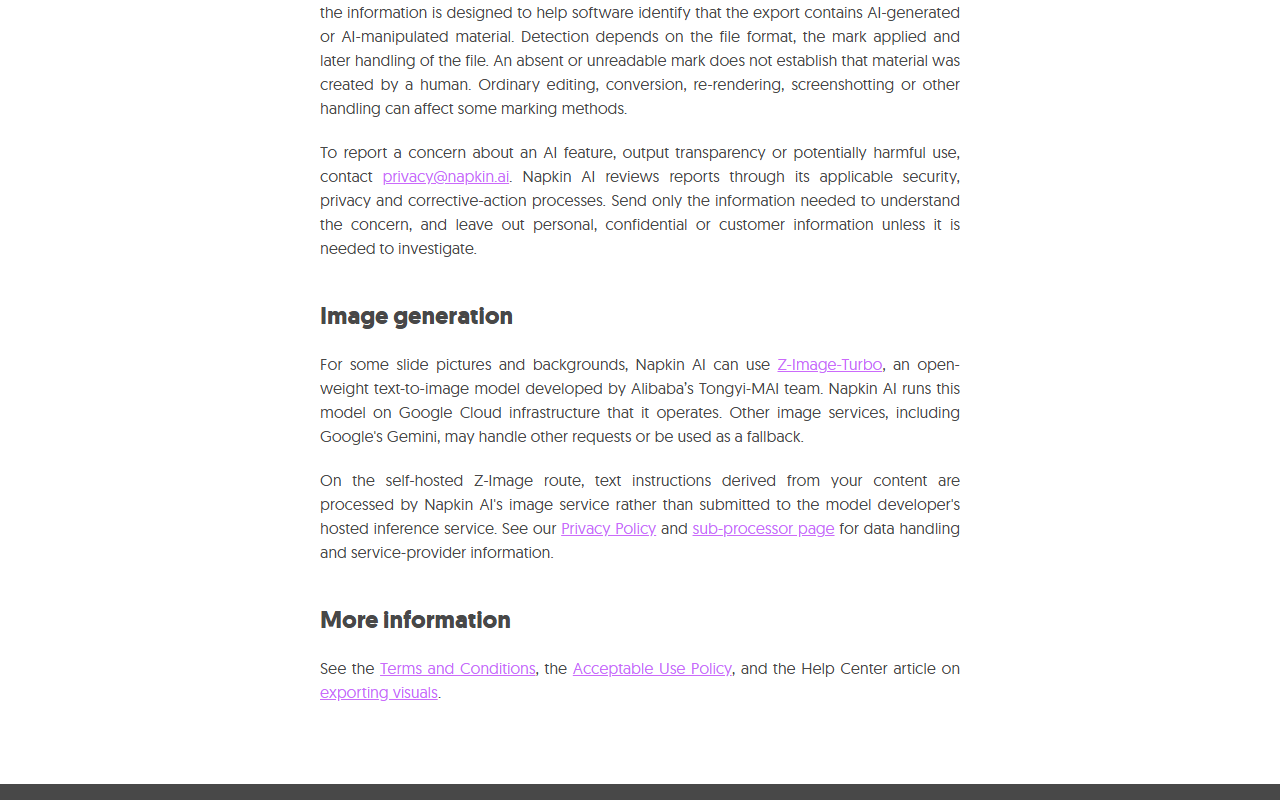
Effects. Launched Apr 29, 2026, Effects re-render a visual as a “studio-quality” image in a chosen aesthetic, keeping the content; each costs up to 100 credits. For some slide pictures Napkin uses Z-Image-Turbo, an open-weight model from Alibaba’s Tongyi-MAI team that it runs on Google Cloud, with Gemini as a fallback, per its AI transparency notice of Oct 15, 2026.
Exports. PNG, PDF, SVG, PowerPoint and Google Slides. Supported exports can carry machine-readable AI-origin information, and Napkin warns that editing or screenshotting can strip it. Per Napkin’s terms, generated output is not guaranteed to be unique.
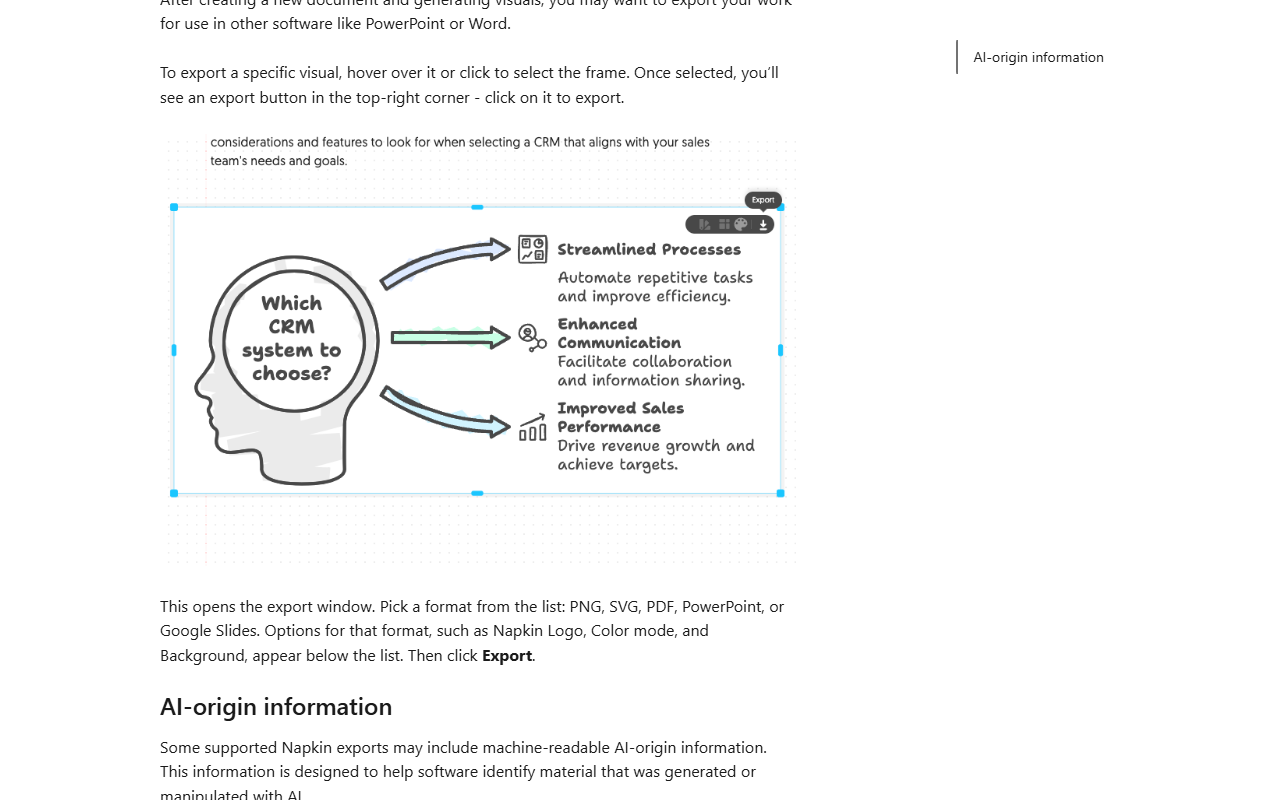
Napkin Slides. Included on Free, Plus and Pro with no separate subscription, using the same credits. Napkin calls it “live in beta” and warns of “rough edges”. If credits run out mid-deck, finished slides stay and you continue after a refresh or upgrade.
A careful first week on the free plan.
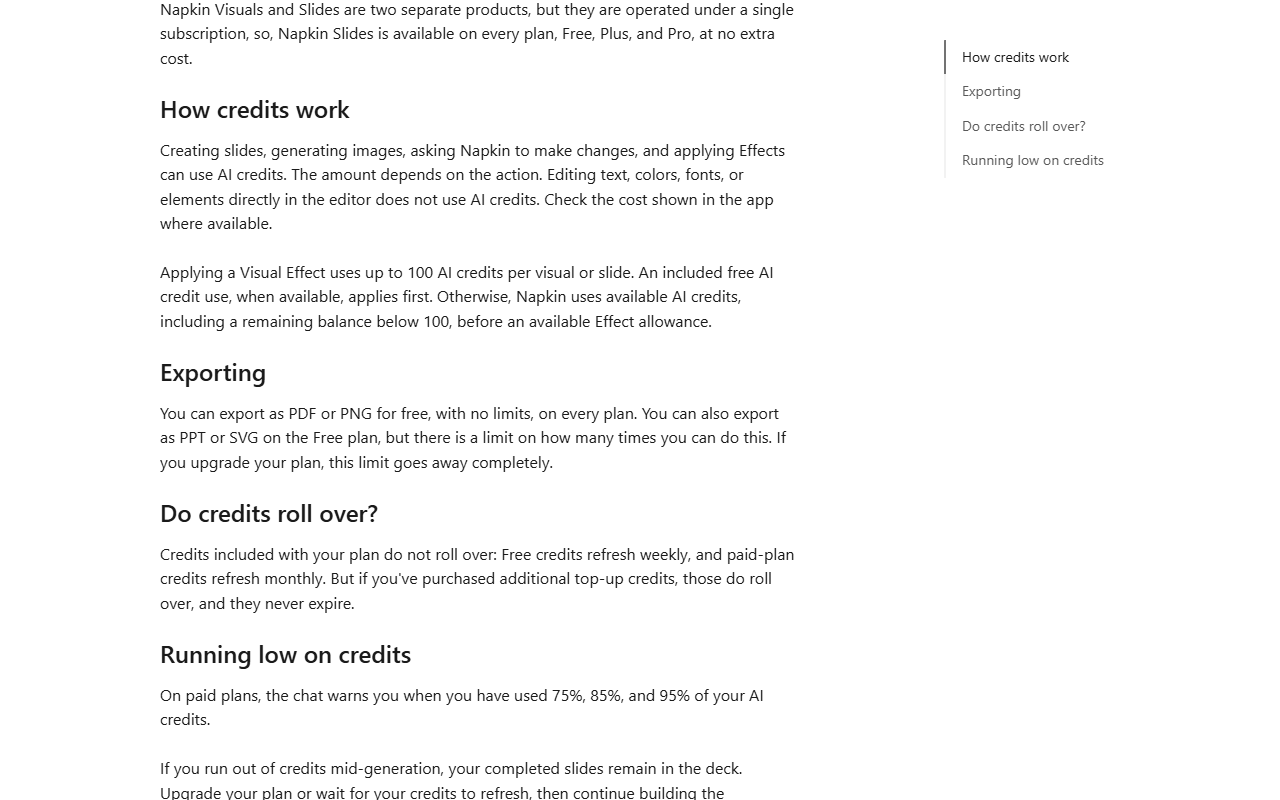
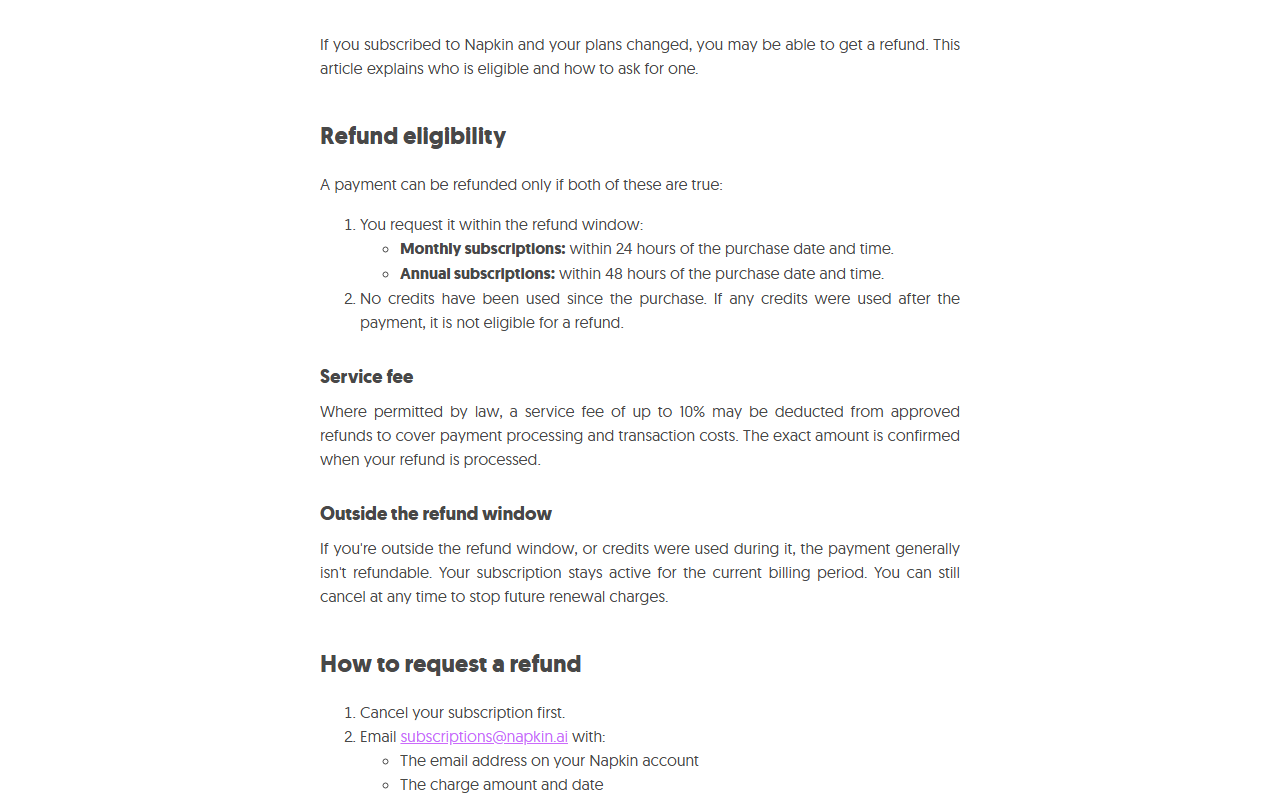
The refund window is 24 hours on monthly plans and 48 on yearly, and only if you have not used a credit.
Napkin’s refund policy (effective Sep 28, 2026) says a payment can be refunded “only if both of these are true”: you ask within 24 hours of a monthly purchase or 48 hours of an annual one, and “No credits have been used since the purchase”. Approved refunds may lose “a service fee of up to 10%” where the law allows. Each account gets one refund in its lifetime, only for the most recent billing cycle, and a Teamspace refund fails if any member used credits in the window. You must cancel first, then email subscriptions@napkin.ai; reviews take up to 7 business days. Consumers in the EU, UK and Turkey may have statutory withdrawal rights, which usually end once you spend credits.
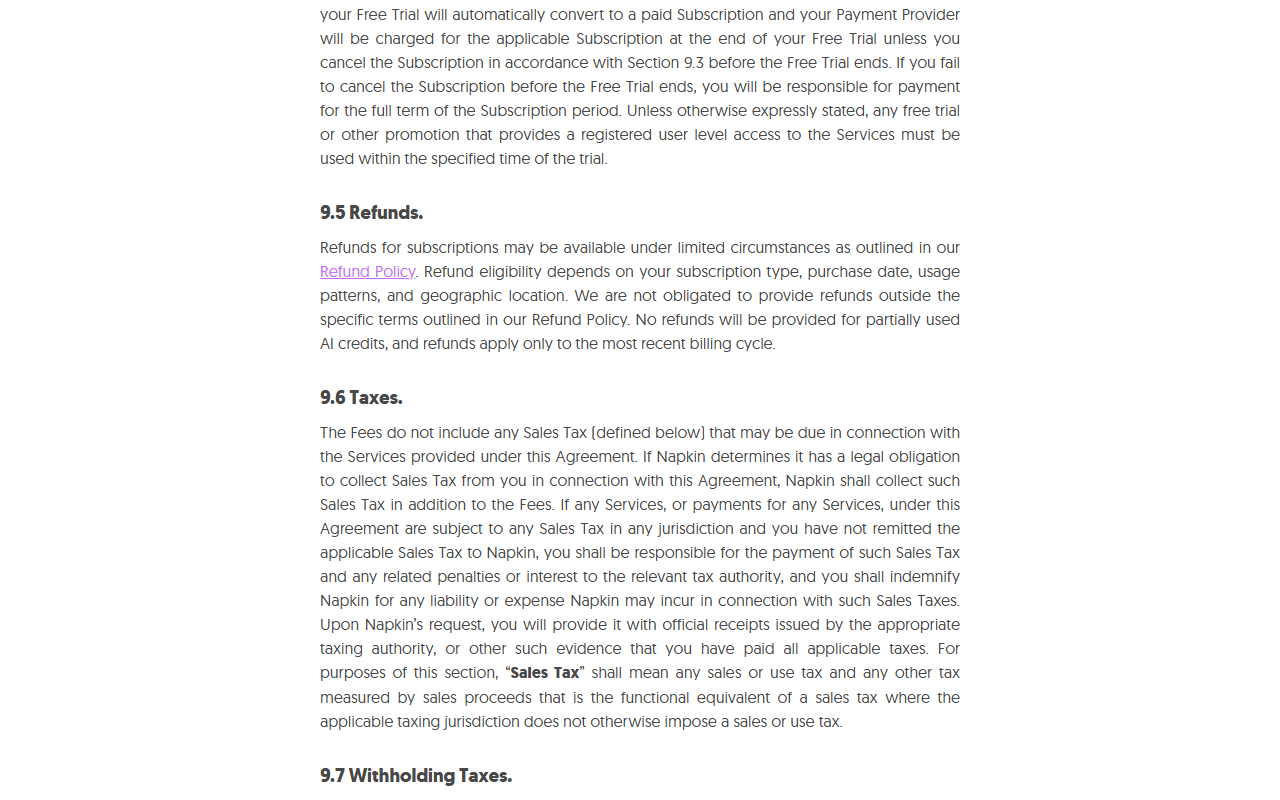
The Terms of Use (last updated Sep 14, 2026) add that cancelling does not earn a prorated refund and that “No refunds will be provided for partially used AI credits”. Practical reading: a yearly plan is a bet you cannot undo after two days, so prove the habit on Free or one month first.
The meter, the watermark and the betas.
Long selections, regenerations and Effects at up to 100 credits each add up; the minimum and maximum per generation are not published.
Free exports always carry the Napkin logo; the toggle is locked on.
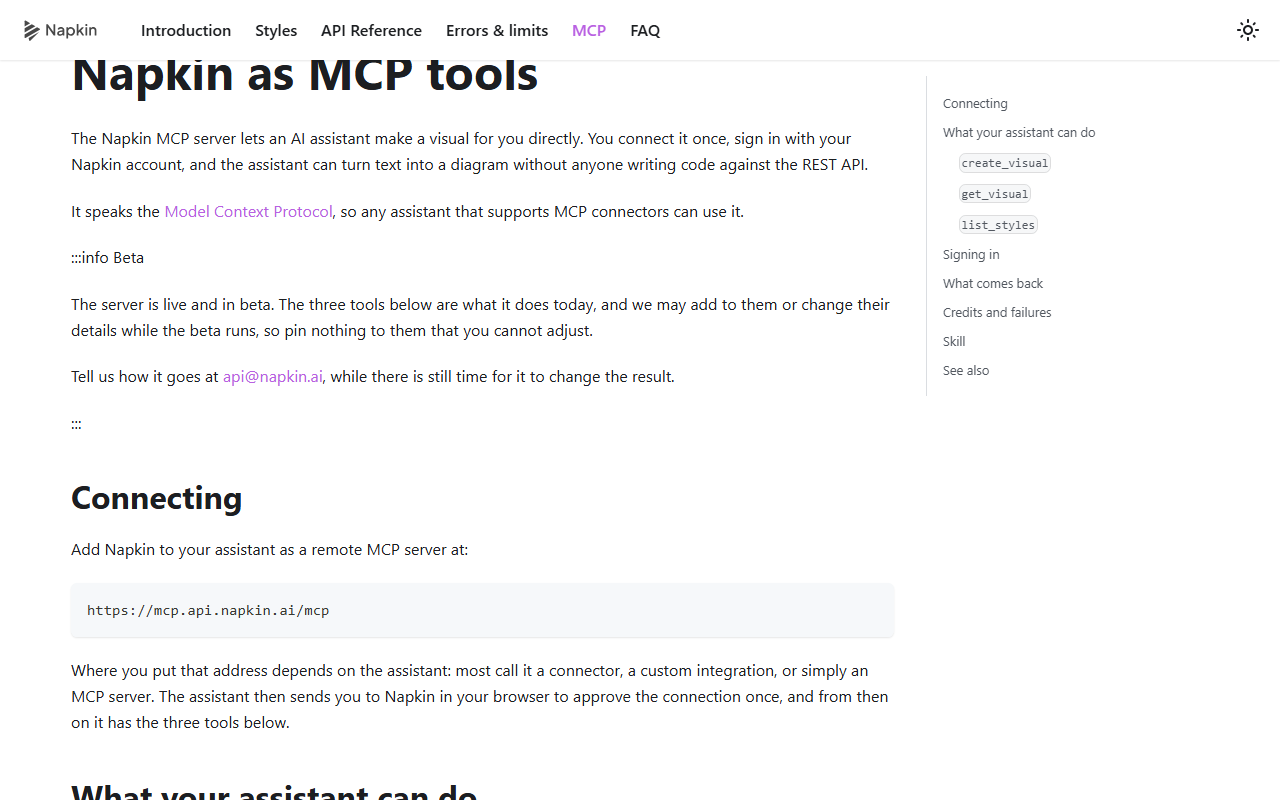
Slides and the MCP server are both labelled beta and may change.
Napkin’s own pages also disagree on one point: the FAQ on napkin.ai/api answers “Is there a Napkin MCP server for Claude?” with “No”, while the API documentation describes an official MCP server in beta. Trust the documentation, and expect details to move.
An API on every plan that spends the same credits, plus an MCP server in beta.
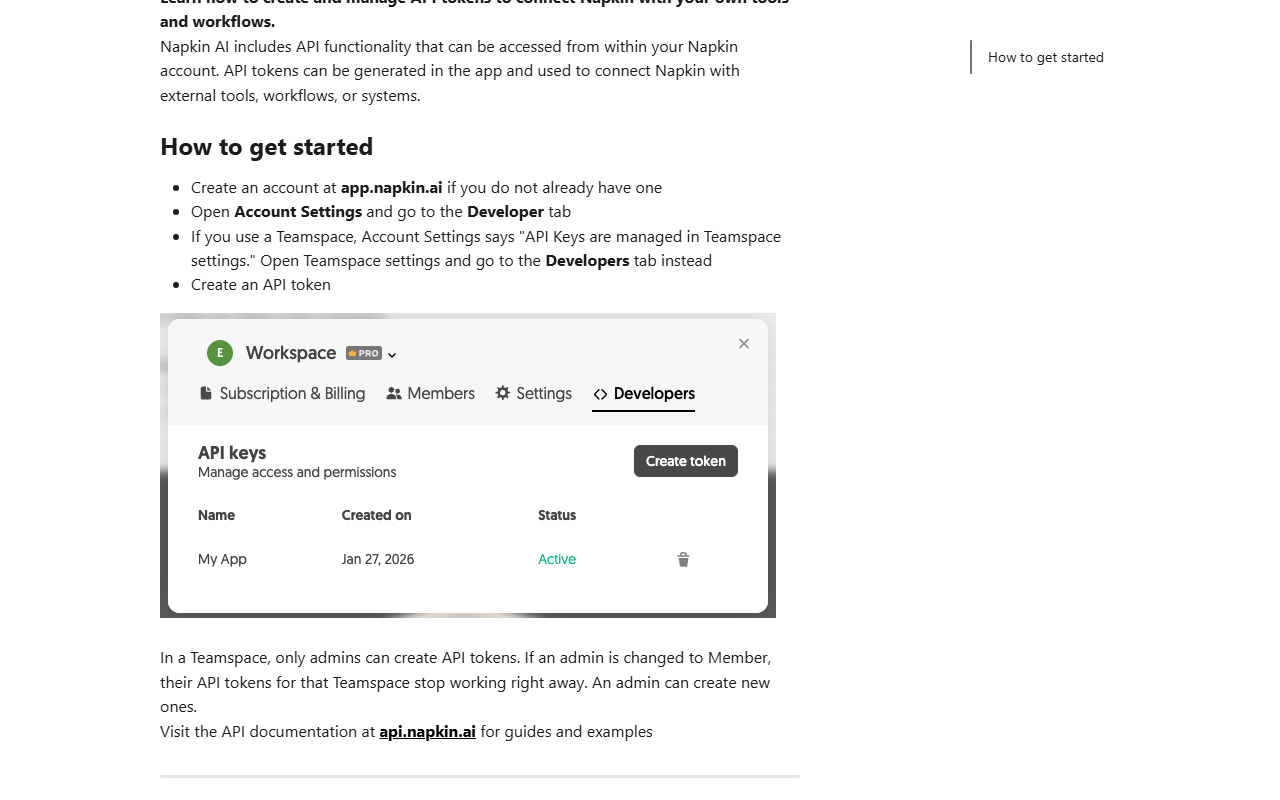
Per Napkin, any account can create an API token under Account Settings > Developer (Teamspace admins only, under Teamspace settings); plans differ in credits, rate limits and watermarks, not access. The API takes text only, returns SVG, PNG or PPT, offers 21 built-in styles plus brand styles and up to 4 variations per request, and reports rate limits in response headers. Its changelog shows steady fixes, including “Credits are charged once per visual request” on Sep 8, 2026. Napkin also points to Make and n8n for no-code automation.
The MCP server (https://mcp.api.napkin.ai/mcp) gives an assistant three tools: create_visual, get_visual and list_styles, with browser sign-in. Napkin’s own documentation warns that a slow generation can return an error that still carries a request id, that “the API has no idempotency key”, and that creating the visual again risks paying twice; generated files are deleted 30 minutes after the request completes. For how MCP connectors behave in Claude, see JAVIS’s Claude MCP and connectors guide.
SOC 2 and ISO 27001 claimed, a detailed sub-processor list, and training on anonymized data unless you opt out.
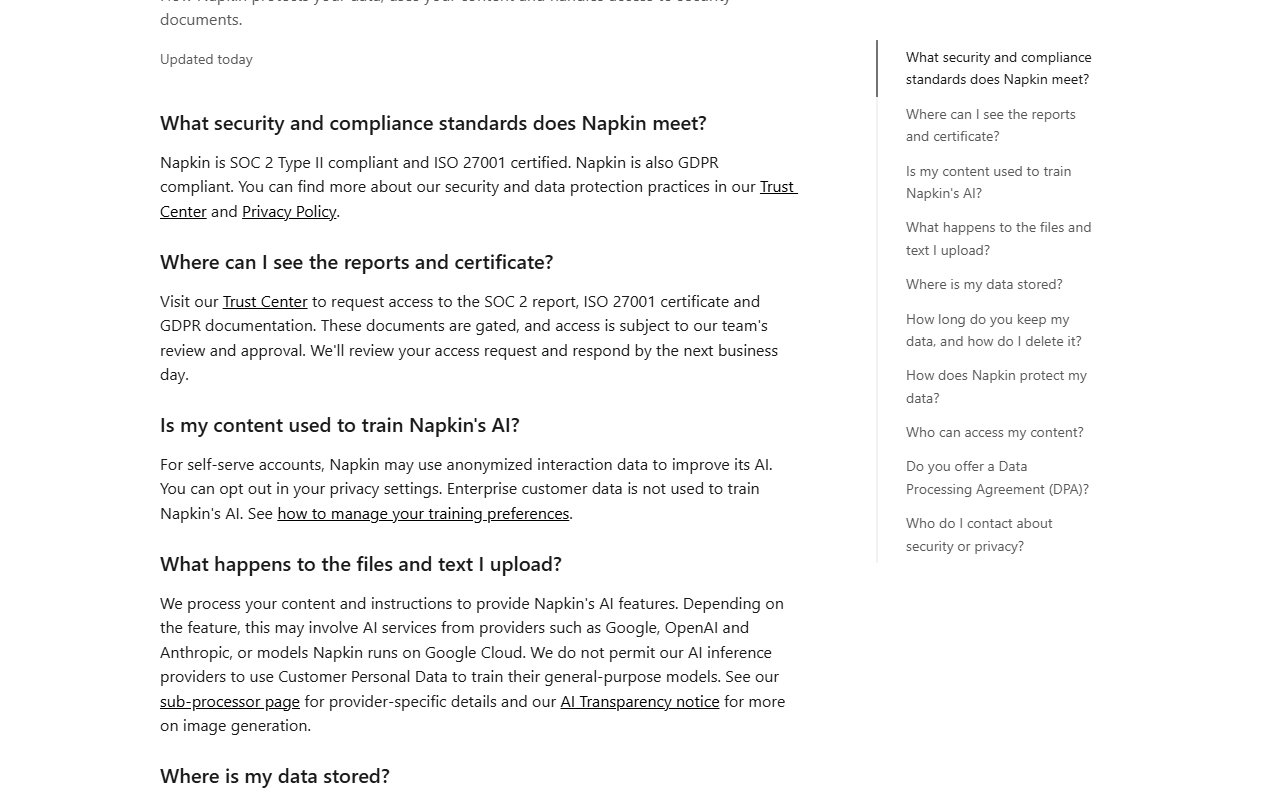
Certifications. Napkin’s help center says it is “SOC 2 Type II compliant and ISO 27001 certified” and GDPR compliant; the reports sit behind an access request in its Trust Center, which it says it answers by the next business day. Data is hosted on Google Cloud in the United States.
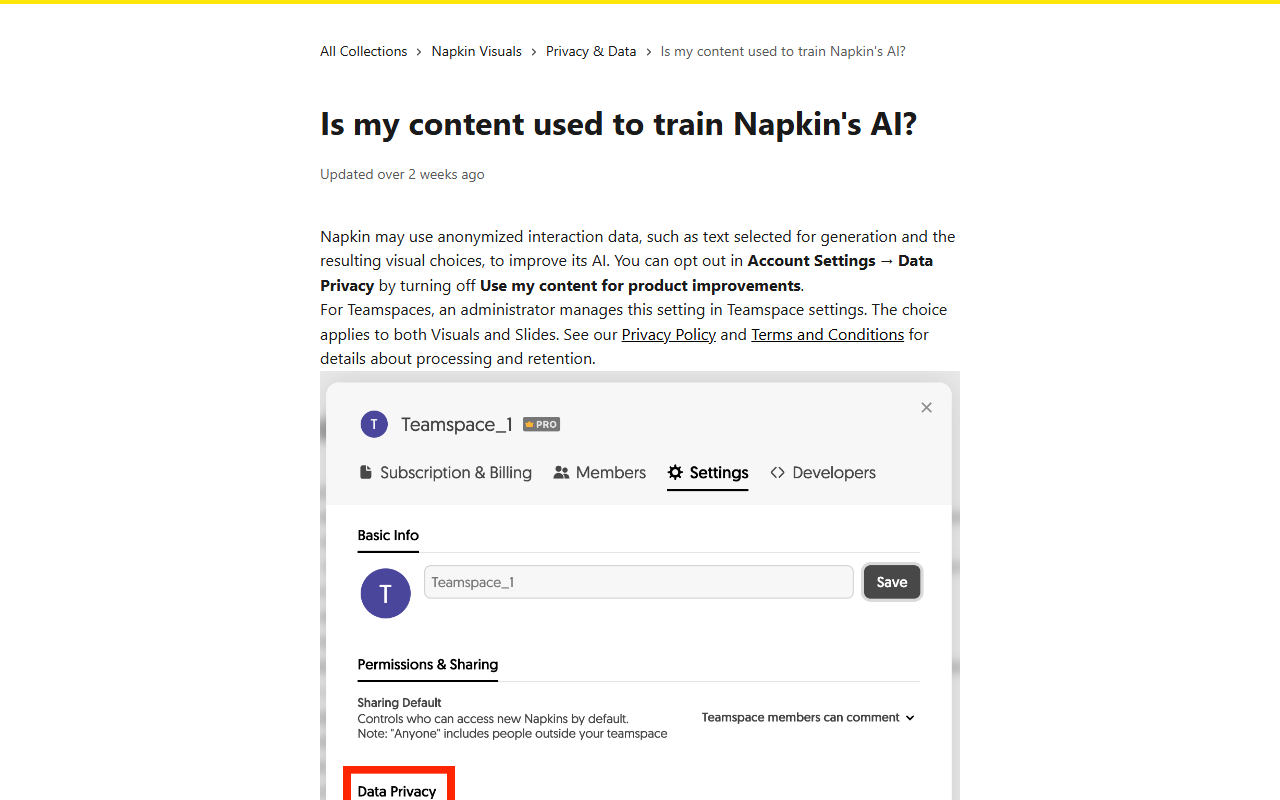
Training. For self-serve accounts, “Napkin may use anonymized interaction data, such as text selected for generation and the resulting visual choices, to improve its AI.” You opt out under Account Settings > Data Privacy; Teamspace admins control it for a team, and Enterprise customer data is not used for training. Napkin says it does not let its AI inference providers train general-purpose models on customer personal data.
Where your text goes. The sub-processor list (updated Oct 15, 2026) names Google, OpenAI and Anthropic (added Aug 31, 2026) for AI inference, and notes that OpenAI and Anthropic may keep API data for up to thirty days (for example for abuse monitoring). Napkin gives 10 days’ notice before adding a sub-processor.
Writers, teachers, consultants and marketers who already have the words and need the picture.
People who turn reports, posts, lessons or proposals into a few clear diagrams a week, want them editable and on-brand, and will drop them into PowerPoint, Google Slides or a doc.
Anyone who needs precise technical diagrams with exact semantics, heavy volume on a fixed budget, generation on a phone, or a refund safety net after the first day.
Eight things to check before relying on it.
About one credit per word selected; min and max per generation unpublished.
Plan credits reset weekly or monthly, even on yearly billing.
24 or 48 hours, unused, once per account, fee up to 10%.
Always on; PPT and SVG exports also capped on Free.
No Trustpilot reviews; growth figures are company-reported.
Slides and MCP server in beta; Napkin’s own pages disagree on MCP.
And same-name store apps from other developers.
Anonymized interaction data used unless you opt out.
Not like-for-like: Napkin meters AI credits per word; rivals also cap objects, documents or seats. Prices as of Oct 29, 2026.
| Tool | Entry paid plan | What it does differently |
|---|---|---|
| Napkin Plus | $12 monthly; $9 yearly | Diagrams generated from selected text; 10,000 credits a month |
| Whimsical Pro | $12 monthly; $10 yearly, per editor | Boards and docs with AI flowcharts and mind maps; Free capped at 50 board objects a month, watermark |
| Lucidchart Individual | $9 a month billed yearly | Full diagram editor for precise, technical charts; Free allows 3 editable documents |
| Gamma | See the JAVIS review | Whole AI decks and pages rather than single visuals |
| Canva AI | See the JAVIS review | General design suite with AI and templates |
This review has no affiliate links, and Napkin did not see it.
JAVIS has no Napkin affiliate link. Every Napkin link here goes to napkin.ai or its pricing page without tracking parameters.
Hands-on status: JAVIS has not created a Napkin account, generated visuals or tested exports, so suggestion quality, how fast credits drain in practice and support response are not tested here. Prices are US list prices from Napkin’s own pages as of Oct 29, 2026; the little user evidence that exists is cited by source.
Free needs no payment; switch off training and test on your own documents.
Open napkin.aiStart monthly; the refund window is short.
Open the pricing pageMaking slides, visuals or diagrams? These reviews cover the nearest ground.
Each card opens a published JAVIS review.

Questions people ask before committing
Is Napkin AI free?
Yes. Free gives 500 AI credits a week, unlimited editing and unlimited PNG and PDF exports, with a Napkin watermark and a cap on PPT and SVG exports.
How much does Napkin AI cost in 2026?
US prices: Plus $12 a month or $108 a year ($9 a month); Pro $30 a month or $264 a year ($22 a month). Enterprise is by contact.
How do Napkin credits work?
About one credit per word you select to generate from; regenerating costs again; editing is free; an Effect costs up to 100 credits. Plan credits do not roll over; top-up credits never expire.
Can I get a refund?
Only within 24 hours of a monthly purchase or 48 hours of a yearly one, if no credits were used, once per account, and a fee of up to 10% may apply.
Can I remove the watermark?
Only on Plus or Pro. On Free the Napkin Logo toggle is locked on.
Does Napkin train on my content?
It may use anonymized interaction data from self-serve accounts unless you opt out in Data Privacy settings. Enterprise data is not used.
Is there a Napkin API or MCP server?
Yes. Every plan can create API tokens, which spend the same credits; an official MCP server is in beta.
Is there a Napkin mobile app?
Napkin says you can view work and edit presentations on mobile, but visual generation is not available on mobile yet. Same-name App Store apps come from other developers.
Where this came from, and when.
Pricing and billing: napkin.ai/pricing (monthly and yearly views and FAQ) and Napkin’s US price list, the Refund Policy (effective Sep 28, 2026), Terms of Use (last updated Sep 14, 2026), and help articles on credits, watermarks, rollover, Teamspace billing and subscriptions, Oct 29, 2026. Product: napkin.ai home and FAQ, blog announcements, two videos from Napkin AI’s YouTube channel, help articles on export and Slides. Developers: api.napkin.ai introduction, MCP page, FAQ and changelog, and the napkin.ai/api page. Security: help article Security and privacy at Napkin, training article, sub-processor page (Oct 15, 2026), AI Transparency notice (Oct 15, 2026).
Market and users: Maginative (Aug 7, 2024), VentureBeat (Feb 11, 2025), Trustpilot listing (0 reviews), Hacker News items 41300019, 45300112 and 43467652, and a US App Store search, as of Oct 29, 2026. Competitors: Whimsical and Lucidchart pricing pages, Oct 29, 2026.
Score: price clarity 15 (clear plans; credit min and max unpublished, strict refunds), capability breadth 16, independent evidence 9 (almost none beyond company figures), security and data control 14 (certifications claimed, detailed sub-processor list, training opt-out), stability and fit 13 (two betas, conflicting MCP pages). Total 67. Editorial judgment, not a benchmark or hands-on test.
What this review does not cover: suggestion quality, real credit use per visual, Slides output, G2, Capterra, Product Hunt and Reddit sentiment, and current prices for Gamma and Canva.