
AnythingLLM Review 2026: Free, Open Source and Private by Default, With a Security Record Worth Reading
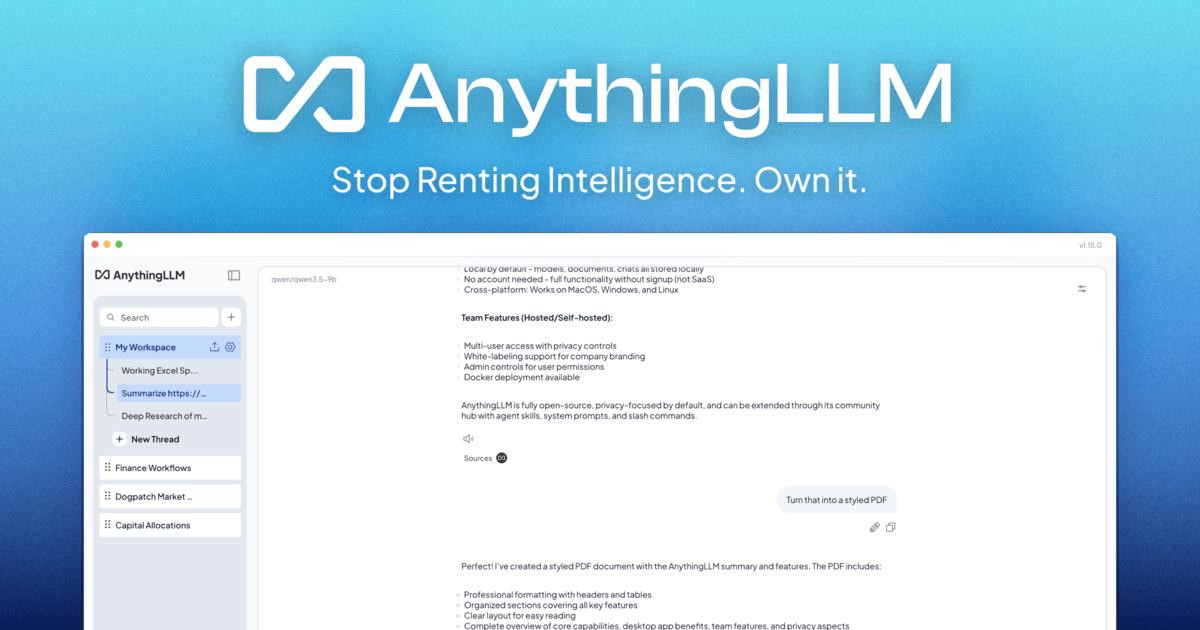
AnythingLLM is an all-in-one AI workspace from Mintplex Labs: chat with your documents, run agents and meeting notes on your own computer, or host it for a team. The desktop app and the Docker server are free and MIT licensed. This review covers what is free, what costs money, what the cloud plans leave out, what users say, and what GitHub's security advisories show.
There are no affiliate links in this review. Every AnythingLLM link goes straight to anythingllm.com.
| Made by | Mintplex Labs, Inc. (Y Combinator Summer 2022) |
| What it is | All-in-one AI workspace: desktop, Docker server, cloud, Android |
| Desktop and Docker | Free, MIT license |
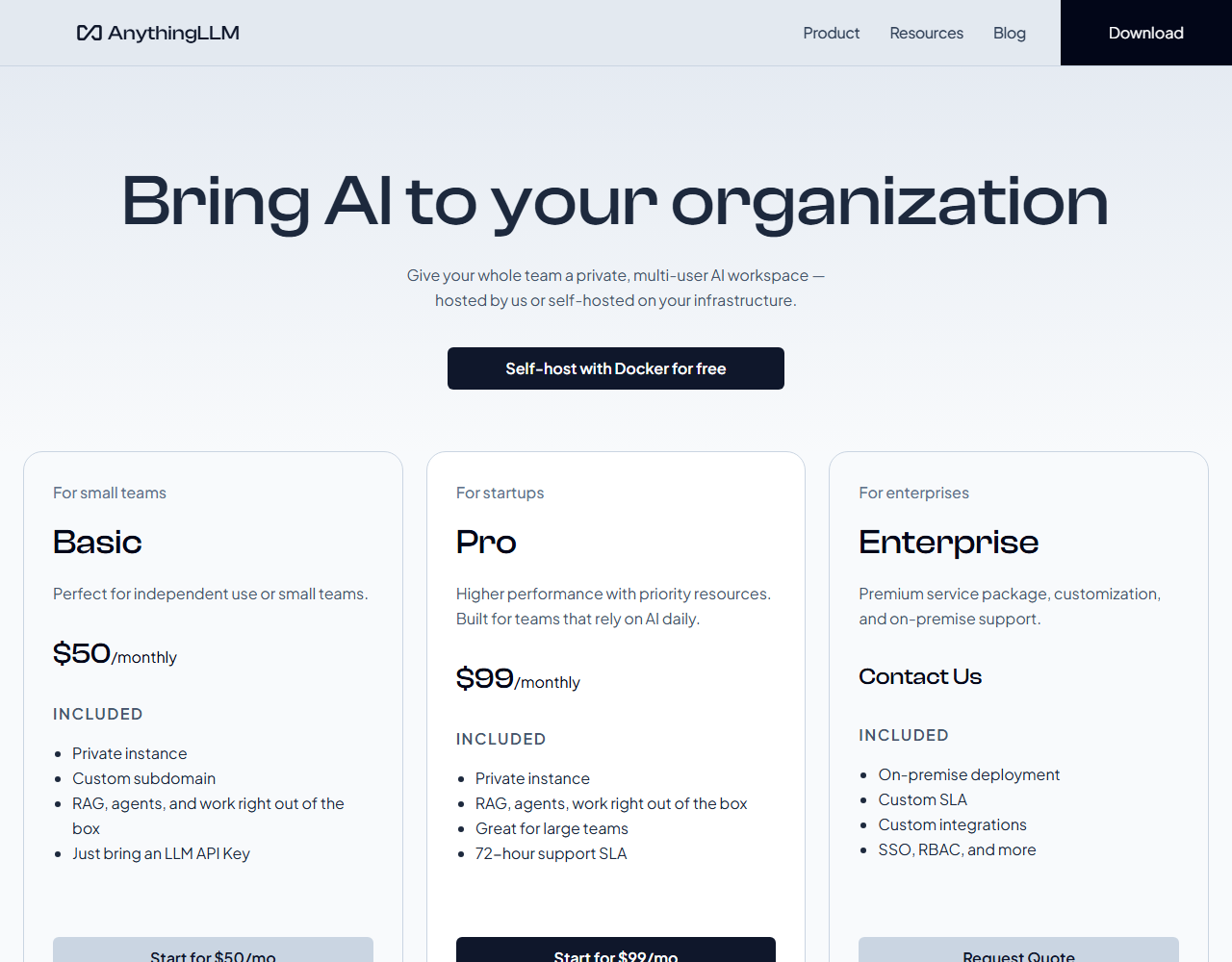
| Cloud | Basic $50/mo; Pro $99/mo |
| Optional | Pro key for Magic features; price not published |
A free, open-source AI workspace that really can run offline, with a paid cloud that is much narrower than the free app and a security history you should read before exposing it to other people.
“Own your intelligence.” That is the current home-page headline for a project that began as an open-source repository in June 2023.
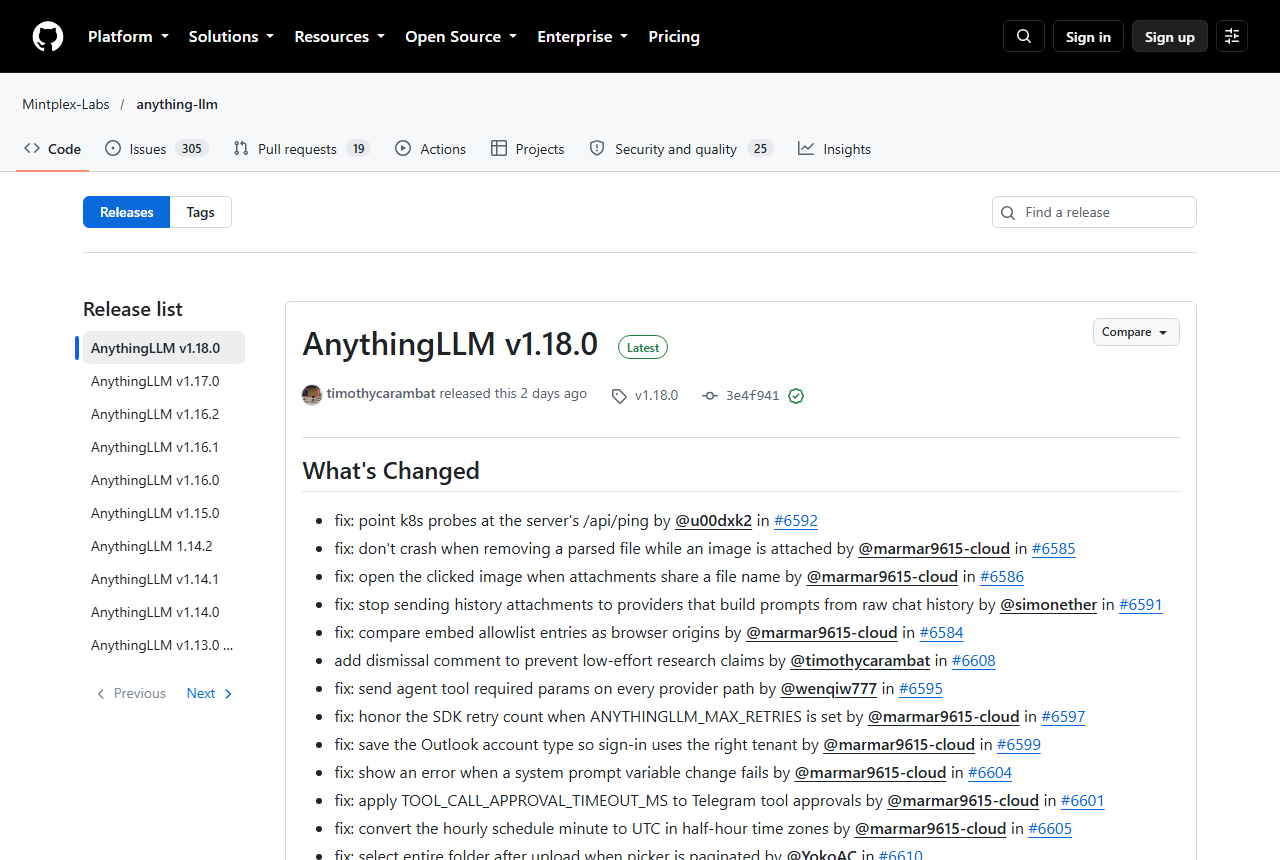
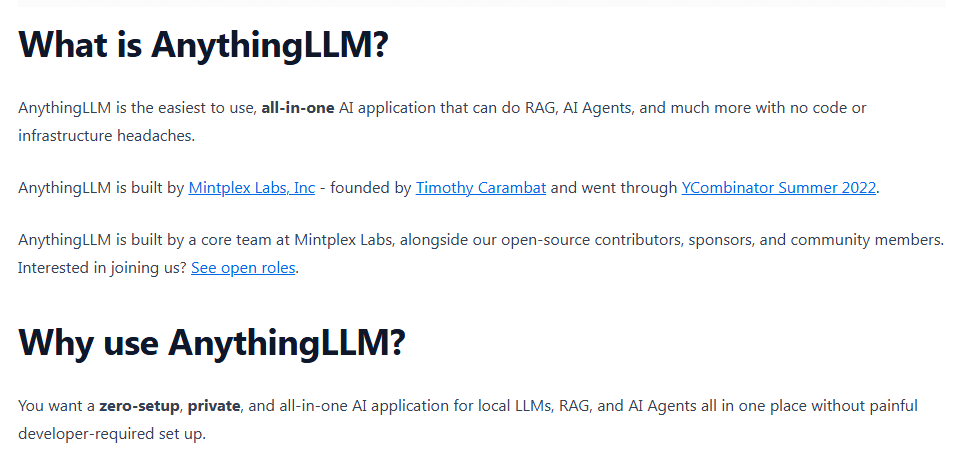
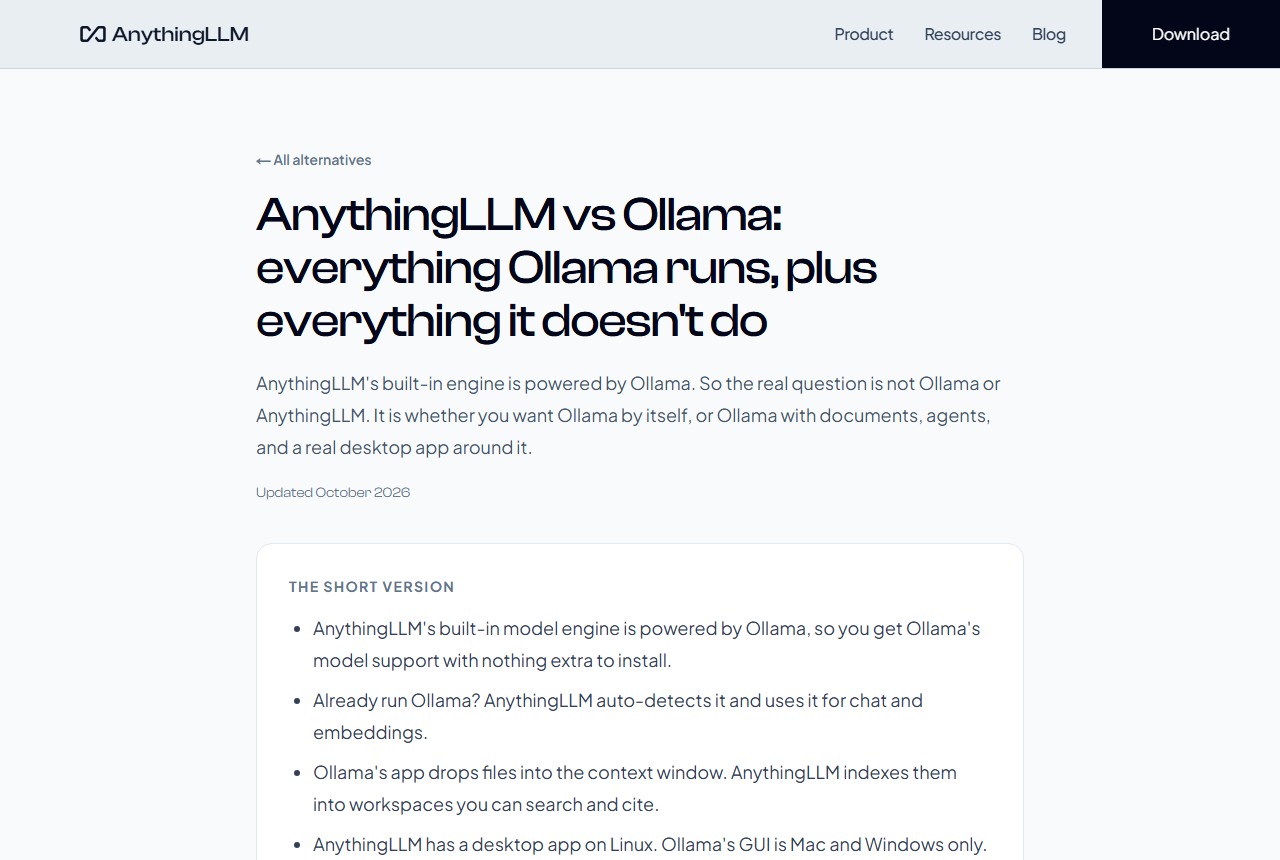
AnythingLLM bundles the parts of a private AI setup that people usually assemble by hand: a chat interface, a document index with citations, agent skills, a built-in model engine, and connections to a long list of local and cloud model providers. You can use it as a desktop app on Mac, Windows or Linux, as a Docker server for a team, as a hosted instance from Mintplex Labs, or as an Android app. Version 1.18.0, released on 13 Oct 2026, swapped the built-in engine from Ollama to AMD's Lemonade, so the product is moving quickly.
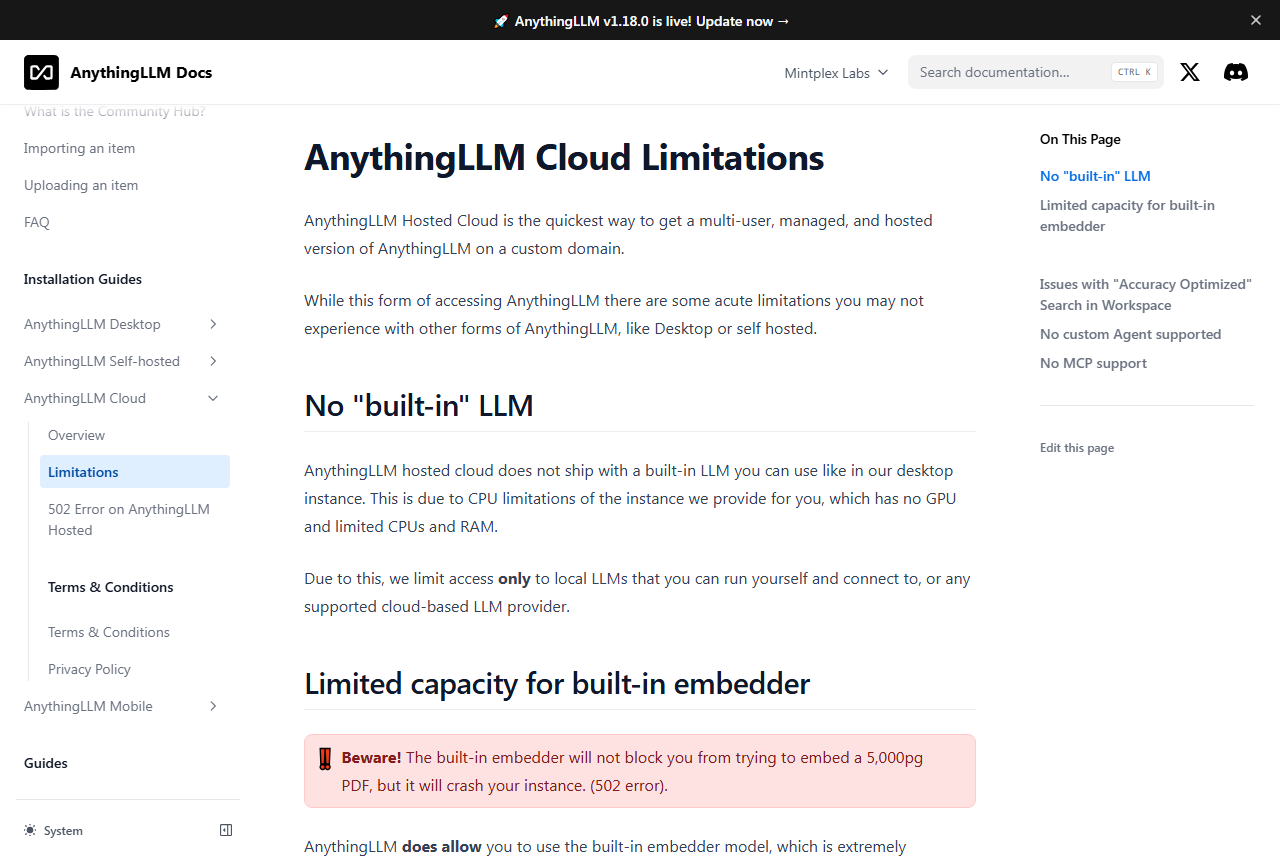
Three things temper the pitch. First, the cheap-looking hosted plans are not the free app in the cloud: per the vendor's own limitations page, the hosted version has no built-in model, no MCP and no custom agents, and a large document can crash it. Second, the repository lists 25 published security advisories, one critical, seven high, eleven medium and six low, 23 of them published in 2026. Most were fixed, and the project publishes them itself, but several concern the multi-user and embed features that teams rely on. Third, independent evidence is thin: there is no Trustpilot page, the Android app sits at 2.7 stars on the US Google Play listing, and the best single thread is a Hacker News launch from September 2024, backed by 2026 comments, one review-site write-up and GitHub issue data.
A fourth, quieter point is licensing. The source code is MIT licensed, but the free desktop app has its own Terms of Use that are narrower than MIT, covered in the security section. Check which one applies before you redistribute or white-label anything.
Not a hands-on test: JAVIS has not installed, run or paid for AnythingLLM for this review. It is built from AnythingLLM's own site, docs, blog and changelog, its GitHub repository, issues and advisories, the US Google Play listing, Hacker News, a review-site write-up, and competitors' own pages, all checked on 16 Oct 2026.
Four ways to run it, one optional paid key, and a model engine you can swap.
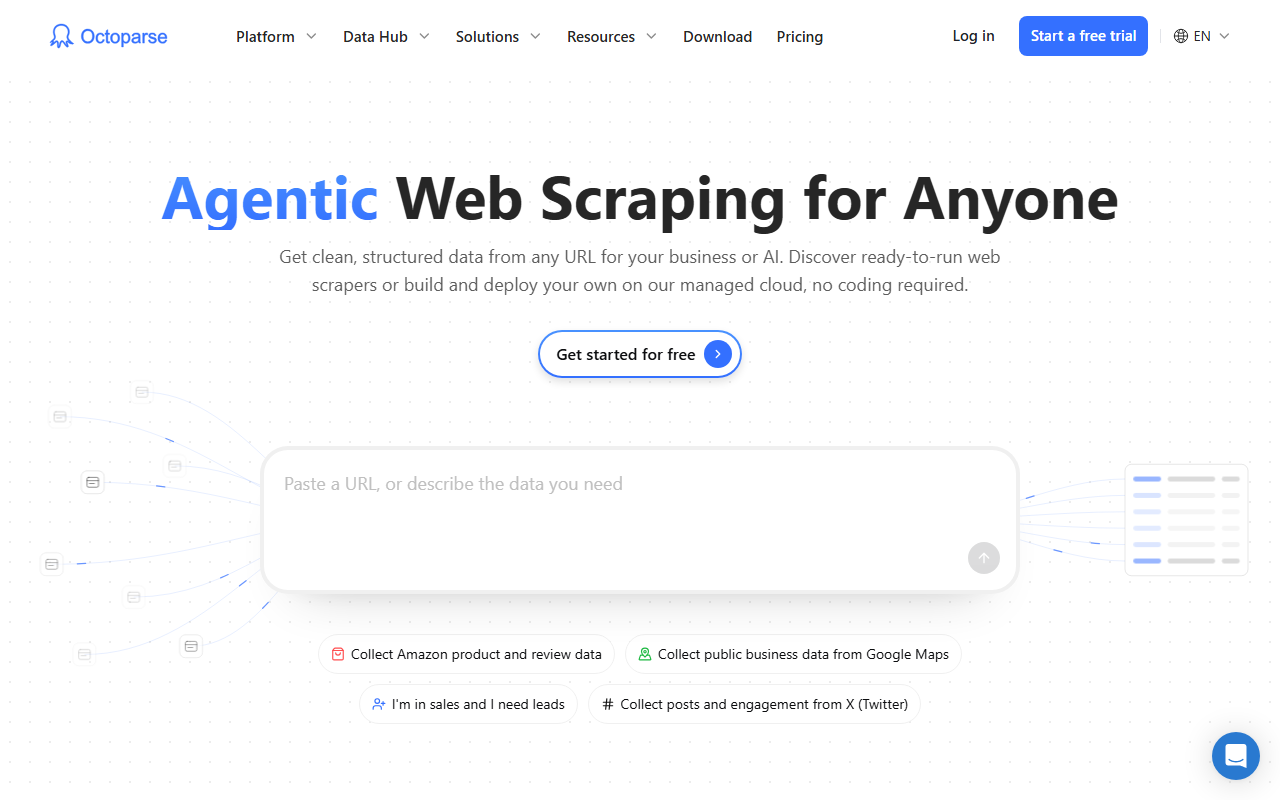
The product comes in four forms that share a name but not a feature set. The free desktop app and the free Docker server are the full product; the hosted cloud and the Android app are narrower in different ways, covered below.
Swipe sideways to read the full diagram.
One of the larger open-source AI apps on GitHub, from a company that went through Y Combinator, with adoption numbers that mostly come from the vendor.
GitHub, 16 Oct 2026.
GitHub, 16 Oct 2026.
GitHub contributor list. The home page says 200+.
GitHub issue search, 16 Oct 2026.
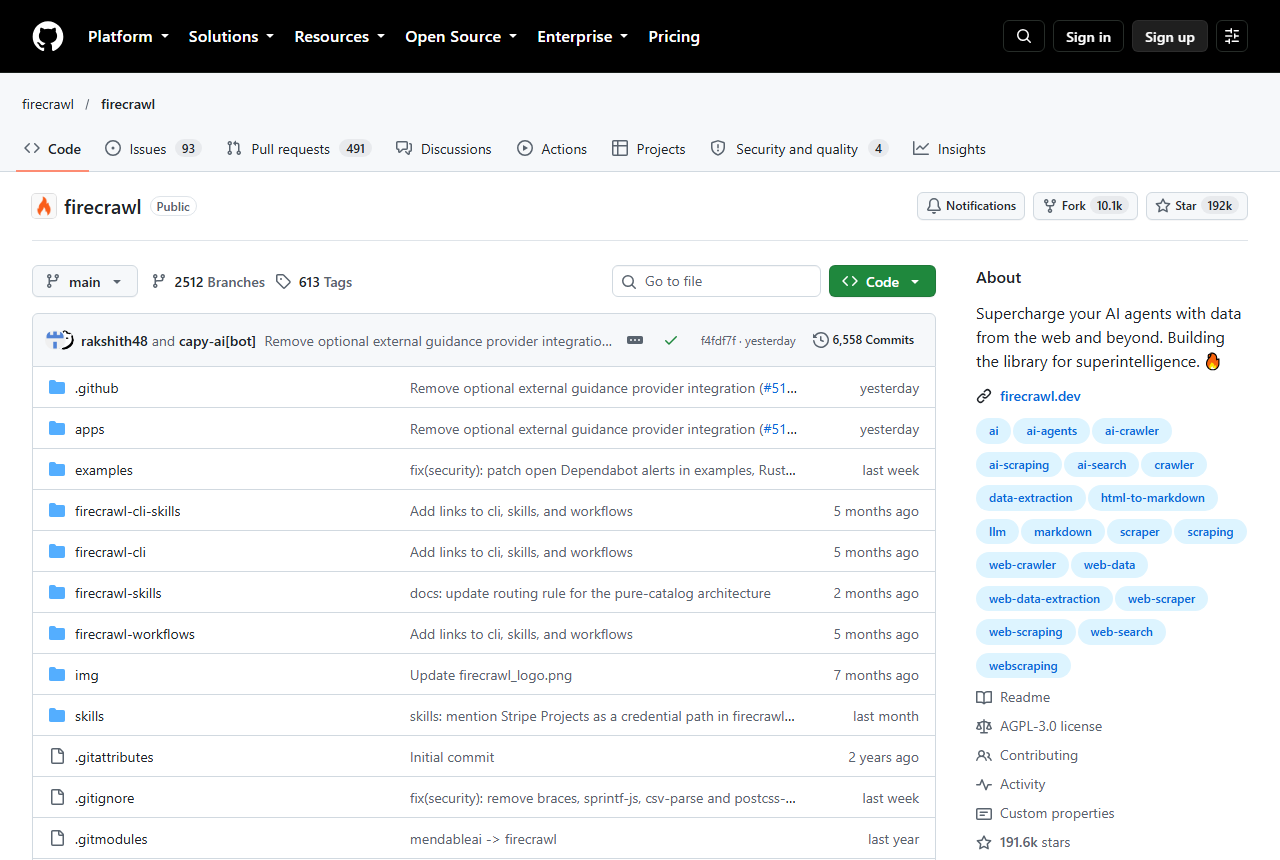
The docs say AnythingLLM is built by Mintplex Labs, Inc., founded by Timothy Carambat, and went through Y Combinator's Summer 2022 batch. The desktop privacy policy gives a Delaware corporation with an Anaheim, California address. The repository was created on 4 Jun 2023, is MIT licensed, and was last pushed to on 15 Oct 2026, the day before this review. No analyst market-size figure is quoted because no reliable public figure exists.
| When | What happened | Source |
|---|---|---|
| Summer 2022 | Mintplex Labs goes through Y Combinator | Docs introduction |
| 4 Jun 2023 | GitHub repository created | GitHub |
| 5 Sep 2024 | Show HN launch of the desktop app: 368 points, 77 comments | Hacker News |
| 14 Jul 2025 | Effective date of the current desktop privacy policy | Docs |
| 25 Jun 2026 | v1.15.0: Magic features and the optional Pro key arrive | GitHub release, changelog |
| 27 Aug 2026 | v1.16.1: Microsoft Foundry Local built in on Windows | GitHub release, blog |
| 1 Oct 2026 | v1.17.0: rebuilt Meeting Assistant, reasoning controls | GitHub release, blog, changelog |
| 13 Oct 2026 | v1.18.0: built-in engine moves from Ollama to Lemond (Lemonade) | GitHub release, changelog |
No Trustpilot page, a 2.7 Android rating, and a warm but older Hacker News launch thread.
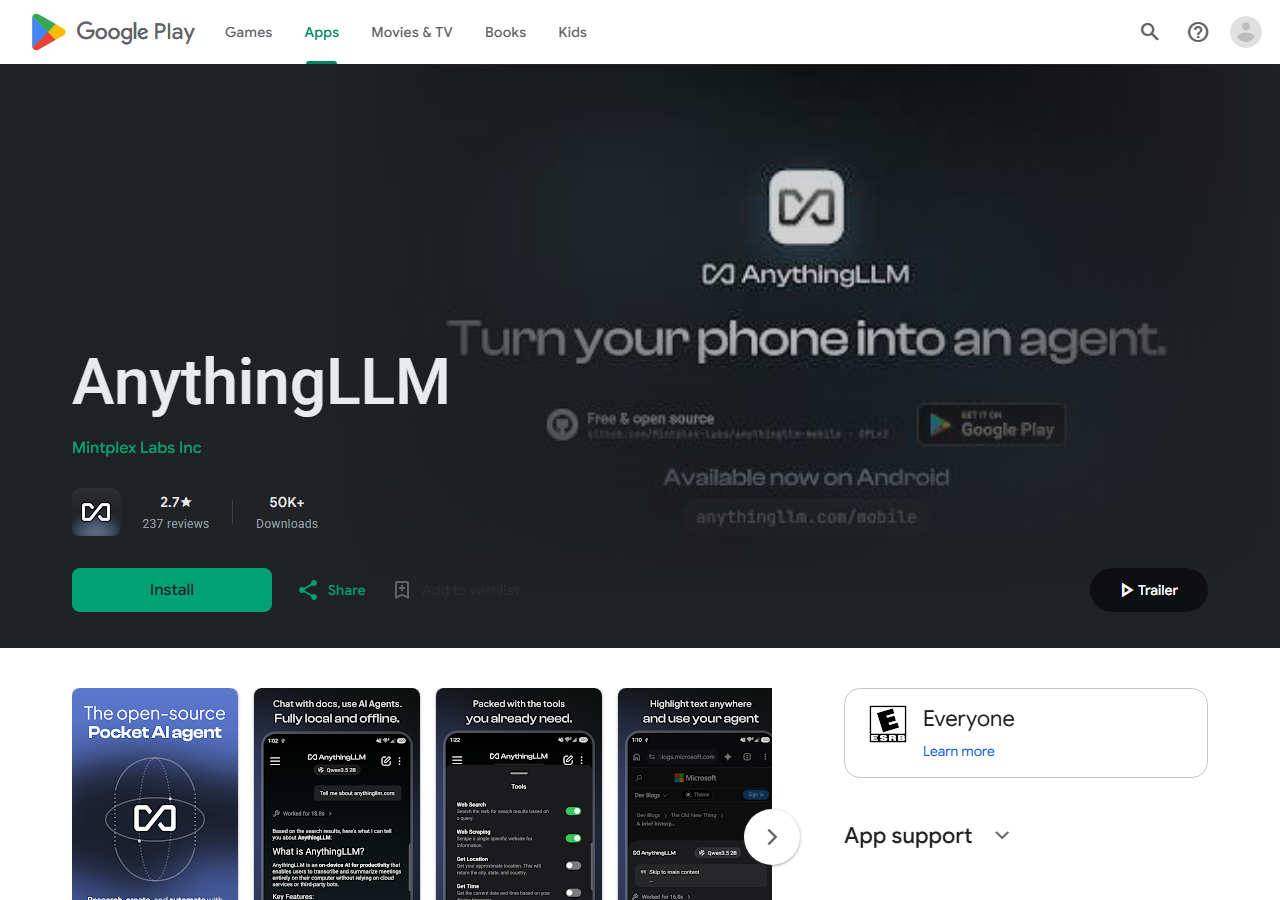
There is no Trustpilot page for anythingllm.com, and no G2 or Capterra star score is quoted because none could be confirmed. There is no iPhone app: the mobile page offers only Google Play and a direct APK download. The only store rating is the Android app's, on the US Google Play listing on 16 Oct 2026: 2.7 stars from 237 reviews and a 50K+ download band. The vendor's mobile page says 68.6K+ downloads on Google Play; the store itself shows a lower band, and the difference is not explained.
The three most visible written reviews are worth reading because the developer replied to two of them. Paraphrased, with dates and names as shown:
Said the app did not work with their desktop server when a prompt needed web search, looping on search variations, and failed with one 9B model over an image-token minimum. Mintplex Labs replied on 30 Sep 2026 that it swapped the on-device engine and added a Hugging Face model browser.
Said there seemed to be no way to link the phone app to desktop AnythingLLM although the interface claims it, and that search loops and time-outs made it unusable. The developer replied on 3 Oct 2026 that the app was overhauled and that a desktop 1.16.x network-address problem was fixed.
Said workspace sync is great if you already run AnythingLLM locally: connecting to Ollama took an address and a model, and syncing with the desktop took a QR code scan.
Hacker News has more, and mostly older, evidence. The Show HN thread of 5 Sep 2024 collected 368 points and 77 comments. Notable comments are below; two of the recent ones come from people promoting a rival or alternative project, which is noted on each card.
Called it a no-fuss way to use LLMs locally and through APIs, with a solid range of embedders and vector stores, and found the single-install desktop packaging slick.
Tried it on regulatory PDFs with GPT-4o: answers largely correct, but the citations window showed somewhat garbled content, and a search across old chats was requested. Two years old.
A non-technical user said it was the only offline AI tool they had managed to install and use on a standard office PC.
Ran AnythingLLM in Docker with a local model served by Lemonade and said the setup replaced over 90% of their AI use, taking under three hours including installing the operating system.
Said AnythingLLM needs about 2GB of RAM just to sit idle and is hard to run on low-end machines. The commenter was describing their own competing project, so treat it as an interested view. The Docker docs do list 2GB as the minimum.
Tried Open WebUI, SillyTavern and AnythingLLM and did not want a 500MB desktop app, a local web host or lots of settings just to chat. The commenter was introducing their own app.
Said they now search by running AnythingLLM with DuckDuckGo and a local model, because ordinary web search had become frustrating.
Uses AnythingLLM with a 14-billion-parameter local model to look for patterns in personal fitness data. The commenter also wrote the open-source tool that prepares those files for it, so this is an interested view.
Said AnythingLLM may make disagreeable interface choices but makes them with intention and direction, unlike AI companies whose chat apps are an afterthought.
GitHub issues add a different kind of evidence: what the people who file and vote on requests still want. On 16 Oct 2026 GitHub search counted 306 open issues. The six most-reacted open requests are below, and the top one, fine-grained access controls, has been open since June 2024, which matters for teams that plan to share a server.
| Open request | Opened | Reactions and comments |
|---|---|---|
| Fine-grained access controls | 28 Jun 2024 | 59 reactions, 27 comments |
| Choose the storage folder during installation | 1 Feb 2025 | 24 reactions, 19 comments |
| Observability integrations such as LangSmith or Langfuse | 23 May 2024 | 19 reactions, 1 comment |
| Single sign-on pass-through authentication | 3 Jan 2025 | 17 reactions, 8 comments |
| Gitea data connector | 30 Apr 2025 | 16 reactions, 7 comments |
| Agent skills that are specific to one workspace | 20 May 2025 | 16 reactions, 10 comments |
The issue tracker also shows how fast the project moves. The same search counted 3,708 closed issues on 16 Oct 2026, and from 16 Sep to 16 Oct 2026 it showed 177 issues opened and 168 closed; the counts move daily. The project's own “possible bug” label is on 11 open issues and 1,432 closed ones, and 256 open issues carry “feature request”. Labels are maintainers' triage, so this is not a defect rate. One open bug with eight reactions, opened on 12 Mar 2026, reports that switching to another thread while a reply is streaming can lose the final answer.
Independent write-ups exist, mostly from review sites with commercial links. RoboRhythms (1 May 2026, with an affiliate-commission disclosure, writing from its own testing) calls the desktop app one of the cleanest free chat-with-documents layers it has used, and argues that the word “local” misleads, because model inference needs a separate runtime such as Ollama or LM Studio. The app also ships its own built-in engine, per the vendor docs, so that second point is only partly true today. It also lists the lack of API rate limiting and of published retrieval-accuracy benchmarks as gaps. Its Cloud Basic limits (under 5 users, under 100 documents) are not on the vendor's Cloud page, so they are not repeated here.
Pattern: the praise is about low setup effort and a wide choice of model and vector-store back ends; the complaints are about the Android app's reliability, citation quality in 2024, resource weight and, in the written reviews, how much of the setup you still do yourself. About 226 Hacker News comments mention the name as of 16 Oct 2026, most of them in passing, so this is a sample, not a survey.
Free on your own computer or server; $50 or $99 a month if Mintplex hosts it; Enterprise by quote.
Desktop and Docker
You run it; MIT license
- Mac, Windows, Linux app
- Docker for multi-user
- Built-in engine on desktop
- MCP and custom agents
Basic
Small teams, hosted by Mintplex
- Private instance
- Custom subdomain
- RAG and agents out of the box
- No built-in model: connect your own LLM (per the Limitations page)
Pro
Priority resources
- Private instance
- Built for large teams
- 72-hour support SLA
- No built-in model: connect your own LLM (per the Limitations page)
Enterprise
Request a quote
- On-premise deployment
- Custom SLA
- Custom integrations
- SSO, RBAC and more
How the four forms differ in practice
The desktop app and the Docker server are free and run on your own hardware. Both can use the built-in model engine (on Docker it is optional and switched on with a setting), and both support MCP and custom agents. Cloud Basic at $50 a month and Cloud Pro at $99 a month run as a Mintplex-hosted instance on AWS with no built-in model, no MCP and no custom agents. The Android app is free and runs small on-device models; the sources do not say whether it supports agents. The docs name the cloud tiers Starter and Professional while the pricing page calls them Basic and Pro.
Sources: anythingllm.com/cloud, the cloud limitations page, the Docker quickstart and the mobile page, as of 16 Oct 2026.
A worked example: a team of four, three ways
Suppose four colleagues want one shared place to ask questions of their own documents.
Route 1, a Docker server you run. The licence is $0. The docs list t3.small on Amazon Web Services, e2-standard-2 on Google Cloud and B2ps v2 on Azure as the minimum instance sizes, and offer one-click templates for Railway and Render. Those providers bill you directly, and their prices are not included here. One independent review site, RoboRhythms, suggests a small server of about $10 a month; that is its own estimate and is not confirmed here.
Route 2, Cloud Basic. $50 x 12 = $600 a year, with no yearly discount shown on the pricing page. Cloud Pro is $99 x 12 = $1,188, which is $588 a year more than Basic. In both cases the model bill comes on top, because the plans include no model.
How big is that model bill? It depends on the provider you connect. Take an illustrative month of 5 million input tokens and 1 million output tokens (a volume picked for this example, not a measurement). Using each vendor's own pricing page on 16 Oct 2026, per million tokens:
- OpenAI gpt-6-luna, $0.10 in and $0.50 out: 5 x $0.10 + 1 x $0.50 = $1.00. OpenAI gpt-6.1-sol, $2.00 in and $10.00 out: 5 x $2.00 + 1 x $10.00 = $20.00 (short-context rates).
- Anthropic Claude Haiku 5.5, $0.10 in and $0.50 out: $1.00. Claude Sonnet 5.5, $2 in and $10 out: $20.00 (Haiku rates apply to prompts up to 100,000 tokens).
- Open-model price scale, from Ollama's pricing page: gpt-oss:20b at $0.07 in and $0.30 out gives 5 x $0.07 + 1 x $0.30 = $0.65; gpt-oss:120b at $0.15 and $0.60 gives $1.35; kimi-k3 at $3.00 and $15.00 gives $30.00. Whether AnythingLLM connects to that hosted service was not tested, so read these three only as a scale for open-model prices.
Over a year on Cloud Basic, $600 plus $12 for a $1.00 month is $612, and $600 plus $240 for a $20.00 month is $840. The hosting fee dominates with a cheap model; a mid-priced model at this volume adds about 40% on top.
Sources: anythingllm.com/cloud, the Docker cloud-deployment docs, platform.openai.com/docs/pricing, docs.anthropic.com pricing, ollama.com/pricing and roborhythms.com, as of 16 Oct 2026. Result (our calculation); hardware, server and electricity costs are not included.
Yearly cost for a team of four, by option
Text alternative: self-hosting has a $0 licence but you pay for the server; Cloud Basic is $600 a year and Cloud Pro $1,188 a year before any model bill. At the example volume the model bill is $7.80 to $360 a year, so Basic with a cheap model is $612, Basic with a $240 model is $840, and Pro with the same two models is $1,200 and $1,428.
Not an affiliate link. It opens AnythingLLM's official website.
Model costs, an optional Pro key with no published price, and hosted limits that the pricing cards do not show.
The cloud cards say “Just bring an LLM API Key”. That means the model bill comes from OpenAI, Anthropic or whichever provider you connect, on top of the plan. The limits below come from AnythingLLM's own docs.
Where each limit comes from
Hosted cloud. The hosted instance has no GPU and limited CPU and RAM, so it ships no built-in model: you connect a model you host yourself or a cloud provider. MCP and custom agents are not supported there, for security reasons. The built-in embedder cannot take arbitrarily large files, and the docs warn that a 5,000-page PDF can crash the instance with a 502 error, so use an external embedder for big files.
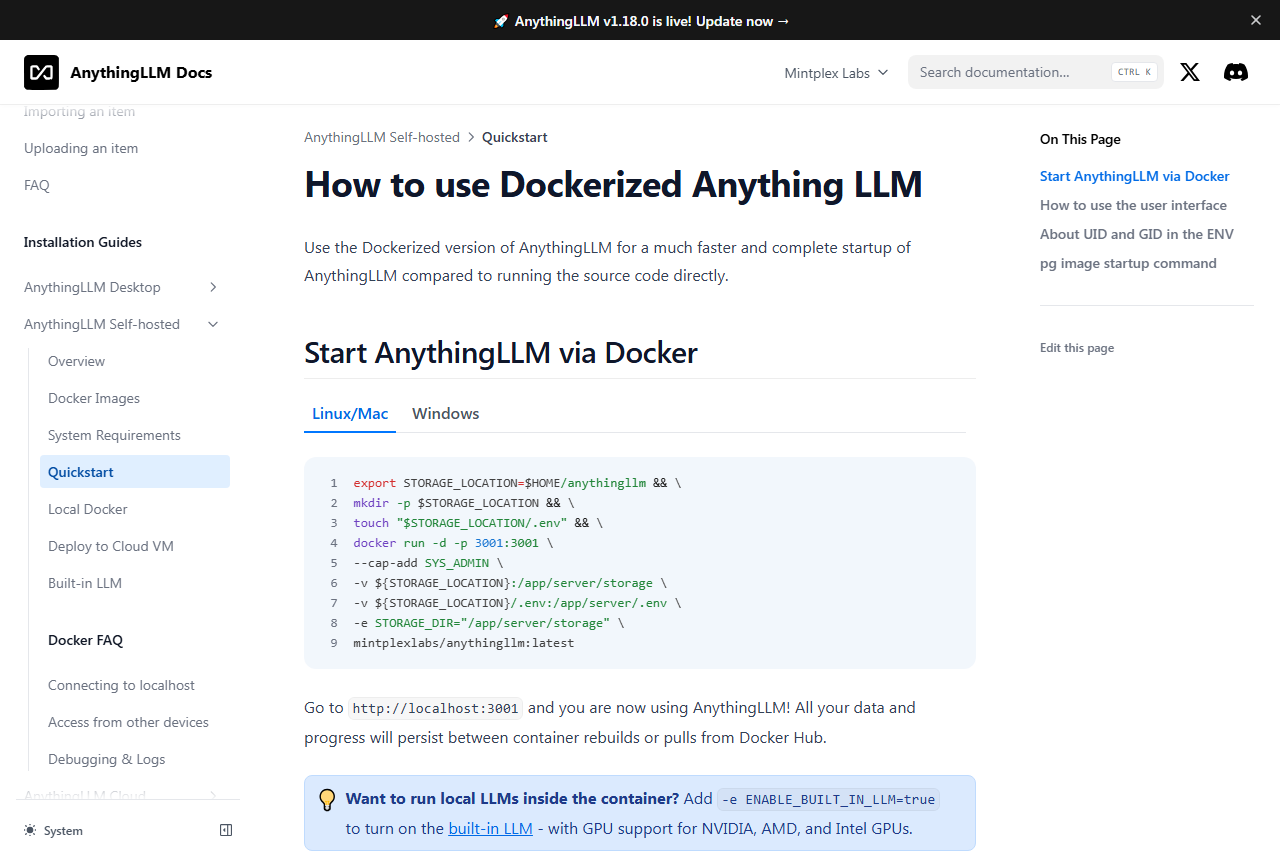
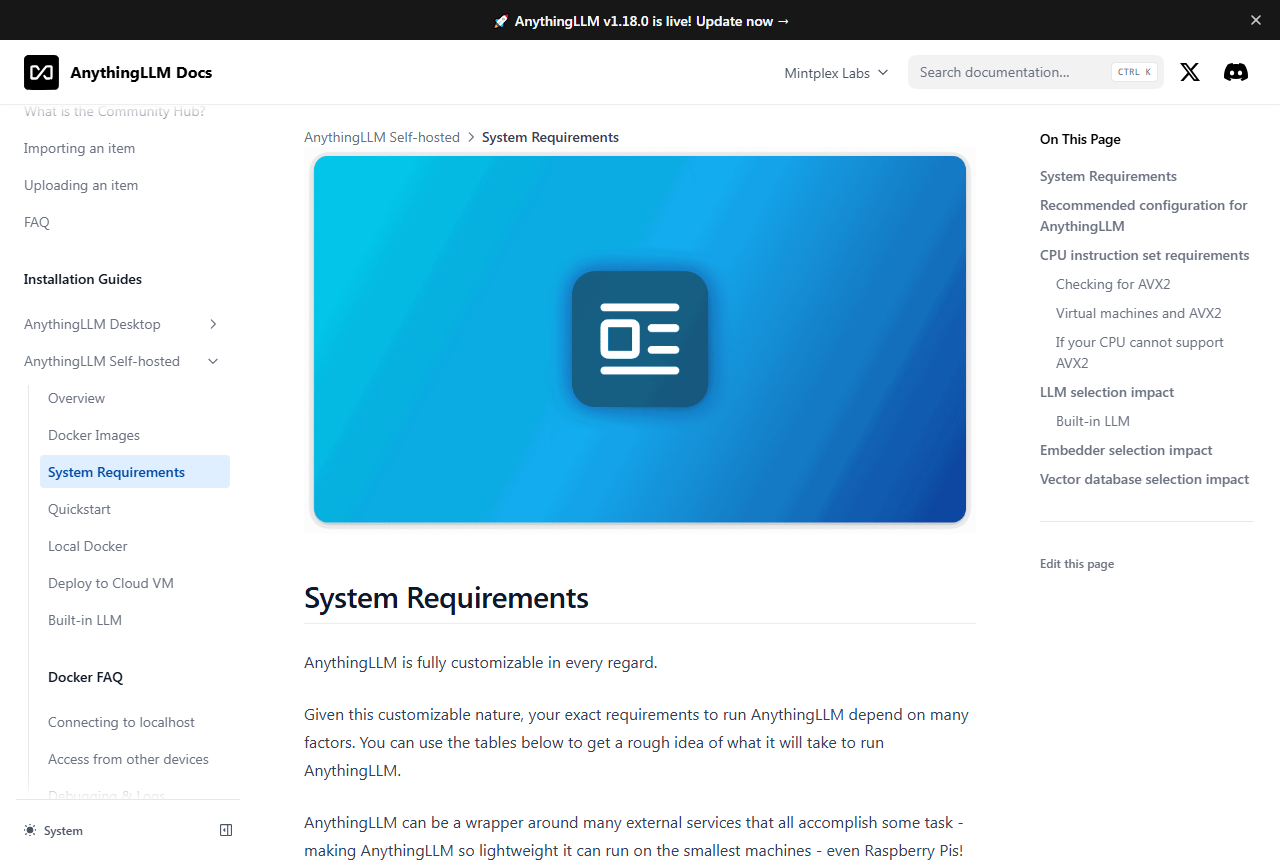
Your own machine. For local models the docs ask for 16GB of RAM and an 8-core CPU for a basic experience, and call 8 to 12GB or more of GPU memory great. The Docker server needs at least 2GB of RAM, a 2-core CPU with AVX2 and 5GB of storage; AVX2 is a hard requirement with the default vector database, so old CPUs and some virtual machines need a different one. Hardware is the real cost of going local.
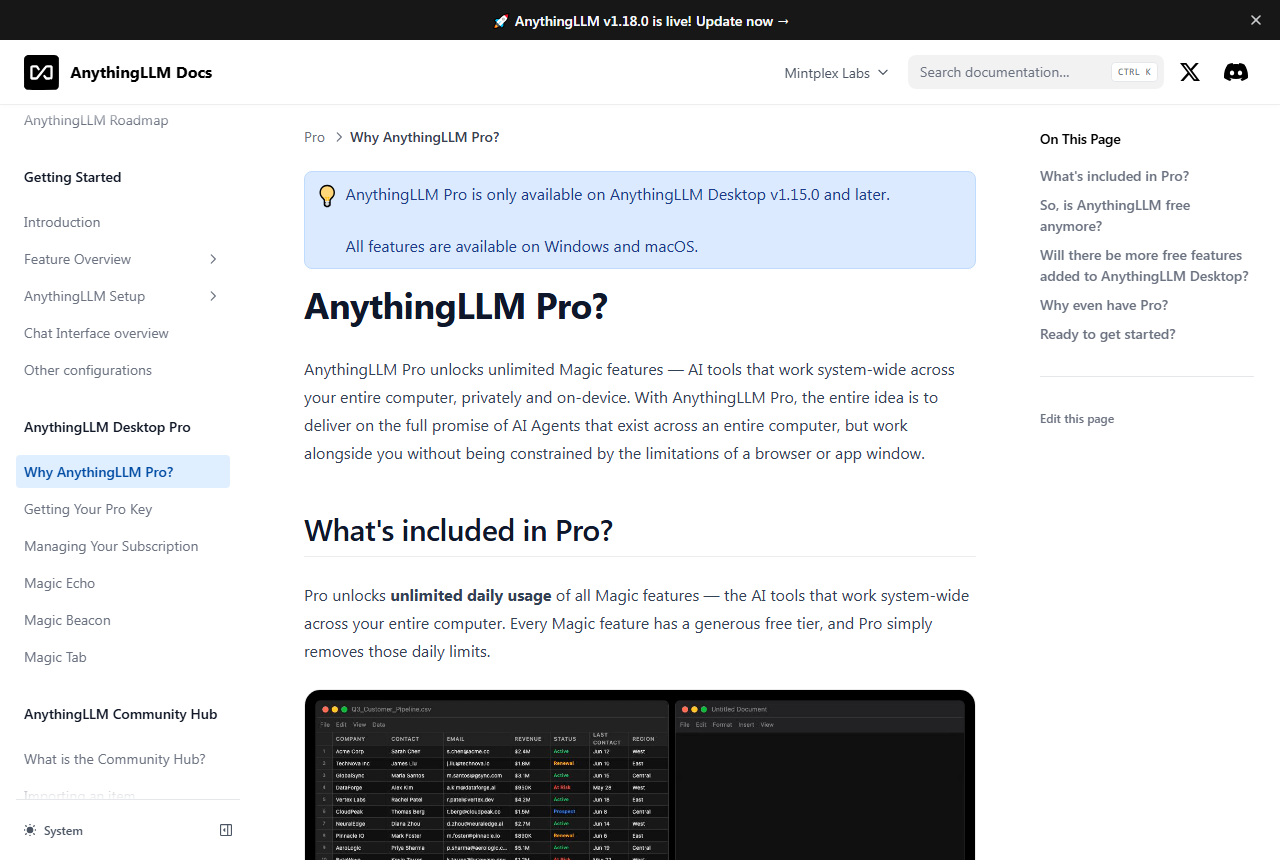
Pro key and web search. The optional Pro key removes the daily limits on Magic Echo, Beacon and Tab, but no price or free daily size appears on the docs pages. Web search defaults to You.com, with a daily per-network rate limit that you can lift by adding your own key, which also means search queries leave your device by default.
Sources: anythingllm.com/cloud, docs.anythingllm.com (cloud limitations, system requirements, Pro pages) and the Sep 2026 You.com blog post, as of 16 Oct 2026.
| Pro key question | Answer per the Pro docs |
|---|---|
| What does it unlock? | Unlimited daily use of Magic Echo (dictation), Magic Beacon (highlight and ask) and Magic Tab (autocomplete), plus watermark-free generated documents |
| Which platforms? | Windows and macOS, desktop v1.15.0 or later |
| Devices? | No device limit is enforced; keep the key secret |
| Offline use? | The key must be re-validated; offline for more than 48 continuous hours counts as invalid; air-gapped lifetime keys are available by email |
| If it lapses? | Features fall back to the free daily limits; nothing is removed |
| Price? | Not published on the docs pages; the key is bought through the vendor's checkout page. |
A prorated refund at the vendor's discretion, and cancelling deletes the instance for good.
Only the hosted cloud is a subscription with these terms. The text below is from the Cloud Terms and Conditions page, which states it was last updated on 1 Jul 2024.
Payment and outages. Fees apply, and you are expected to watch for failed payments through my.mintplexlabs.com or your contact email. If an instance goes offline, restarting it from the dashboard or contacting support is your responsibility, and there are no refunds or credits for downtime.
Refunds. In the terms' words, “If you request a refund, we will refund your subscription prorated for the time you have used the service during the current billing cycle.” No refunds are given for any other reason, at the sole discretion of Mintplex Labs. In practice you get unused days back, nothing more.
Cancelling and deletion. You can cancel any time through the dashboard or by email, and no lock-in period is described. But “Deletion of services is final and non-recoverable.” After cancelling, non-payment or termination, no information about your instance or data is retained, so export what you need first.
Vendor rights. Mintplex Labs may cancel a subscription or suspend access for any reason, at any time. Read that before putting a team's only copy of its work on the service.
docs.anythingllm.com Cloud Terms and Conditions, as of 16 Oct 2026. The Cloud privacy policy, last updated 1 Jul 2024, says data is stored on Amazon Web Services.
Start with the free desktop app, move to Docker for a team, and use the cloud only if you will not host anything.
Which form fits which case
Text alternative: the desktop app suits one person and has agents and MCP but sends anonymous usage data unless you opt out. The Docker server suits a team with an admin and keeps agents and MCP. Cloud Basic and Cloud Pro suit teams that want no server and need no custom agents or MCP, because the hosted cloud supports neither; Pro adds priority resources and a 72-hour support SLA.
Workspaces hold your files, chats and agent tools, and you choose the model, embedder and vector store behind them.
The docs describe AnythingLLM as an all-in-one app for RAG, AI agents and more without code or infrastructure work. You add documents to a workspace, they are split and embedded into a vector store (LanceDB by default; the docs also cover Chroma, Pinecone, Qdrant, Weaviate, Milvus, Zilliz and Astra DB), and chats retrieve and cite passages. The docs' LLM setup list names six local options (including LM Studio, Ollama and KoboldCPP) and 15 cloud providers, including Anthropic, OpenAI, Google Gemini, AWS Bedrock, Mistral, Groq and OpenRouter. The vendor's own comparison pages claim 40+ providers; the docs list is the smaller verified number.
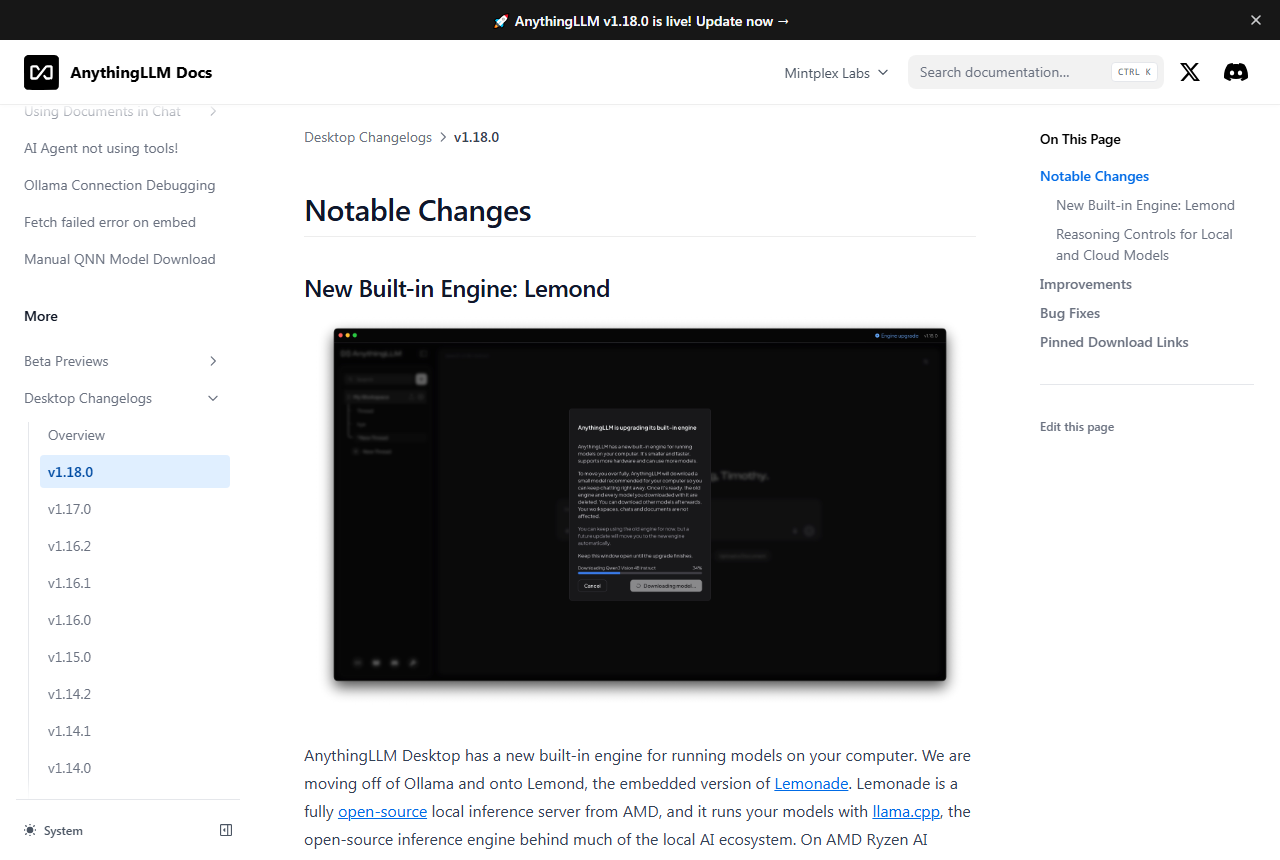
The recent releases show where the work is going. Version 1.17.0 added per-chat reasoning-effort controls for several providers and Hugging Face model deep links, and rebuilt the Meeting Assistant. Version 1.18.0 added reasoning controls for local and cloud models and a domain allowlist for embed widgets. The Meeting Assistant runs a speech model on your device, with no bot joining the call, but its summaries use whichever model you configured, so a cloud model means the transcript text goes to that provider.
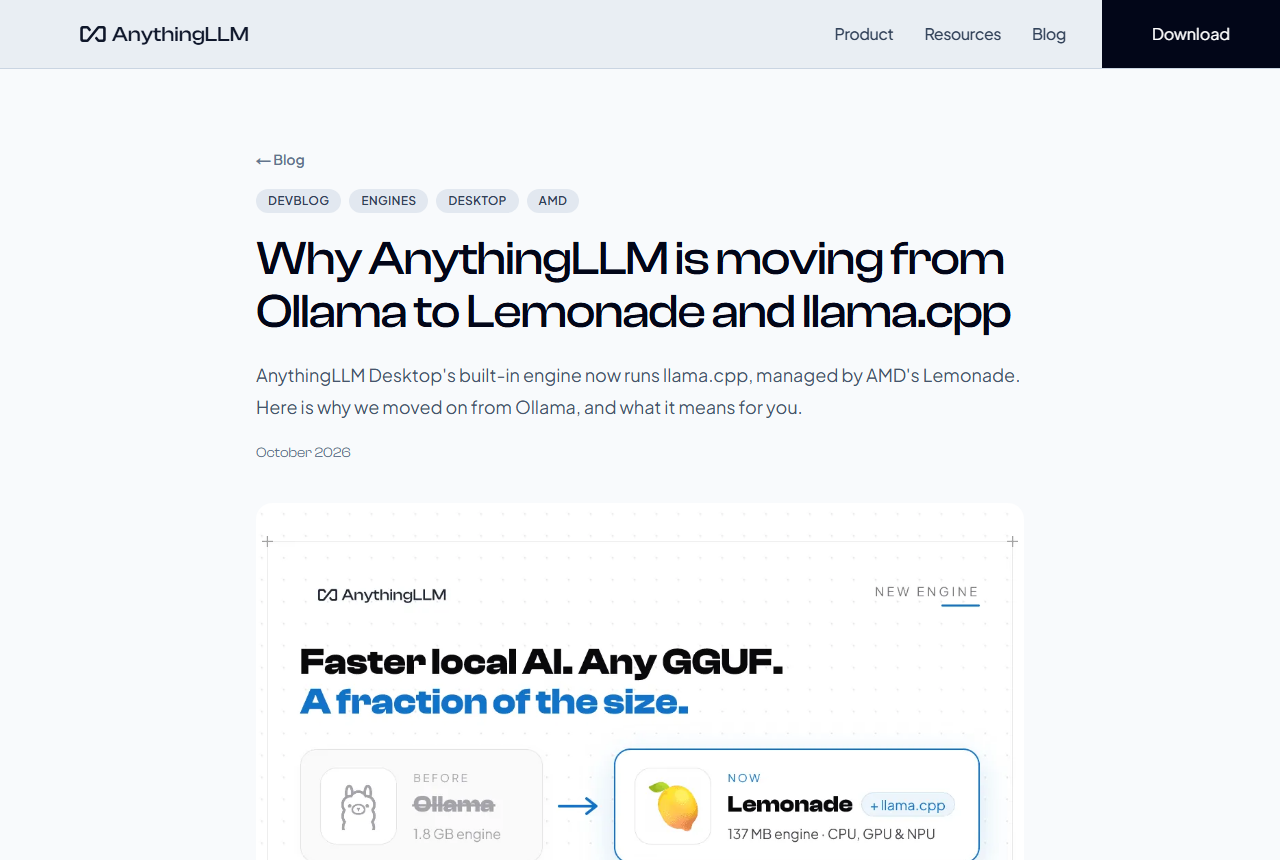
| Built-in engine | What changed | Source |
|---|---|---|
| Before v1.18.0 | A copy of Ollama shipped inside the desktop app | AnythingLLM blog, Oct 2026 |
| v1.18.0 (13 Oct 2026) | New installs use Lemond, the embedded form of AMD's Lemonade, running llama.cpp; NPU support on AMD Ryzen AI and Snapdragon | Changelog |
| Engine size | The blog says the old engine was about 1.8 GB on Windows and the new one about 137 MB on a typical PC without an NVIDIA card | Vendor blog, not independently measured |
| Existing users | An Engine upgrade prompt removes the old engine and the models downloaded with it; models must be downloaded again | Changelog |
| Your own Ollama | Still supported as a connection | Vendor blog |
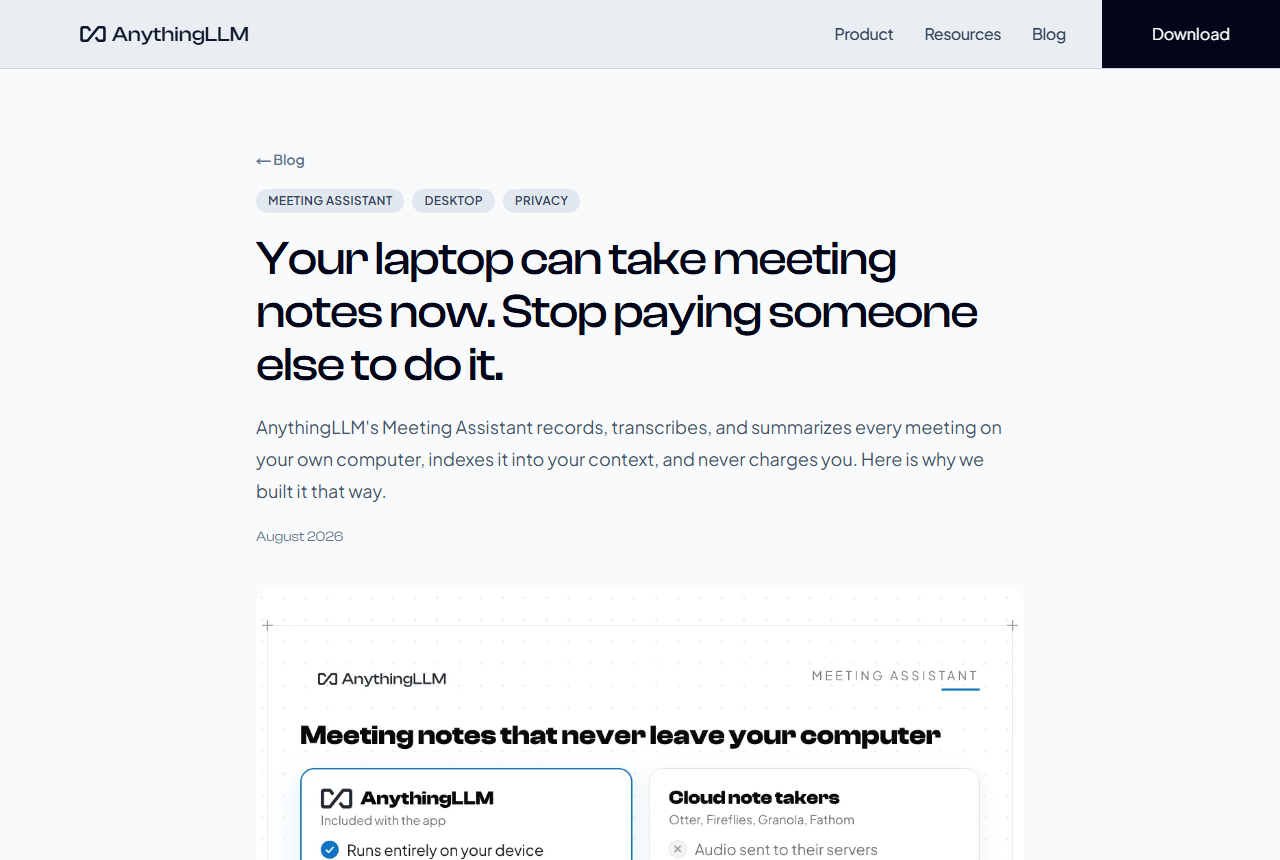
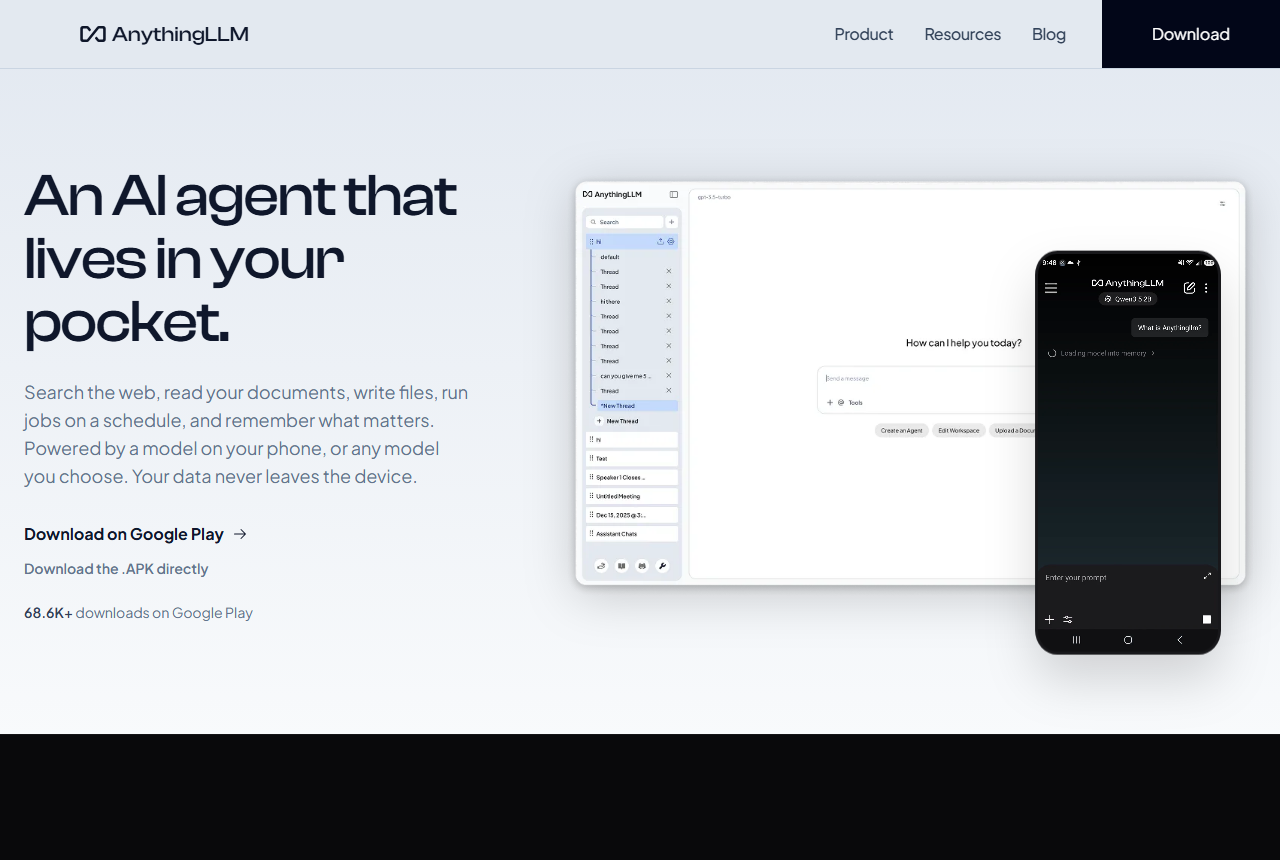
Install, pick a model, add documents, then decide whether web search and agents should be on.
An illustrative workflow built from the documented features, not a record of a JAVIS run.
A worked example from the vendor docs: why one question works and another does not
Say you drop a folder of recipe PDFs into a workspace. The docs describe the path in order. Uploading turns each file into text. Moving the file into the workspace splits that text into chunks, and each chunk becomes a vector stored in the vector database. When you ask a question, it is converted the same way, the nearest chunks are found, and chunks scoring under the similarity threshold (20% by default) are dropped. Only 4 to 6 chunks go to the model as context.
That explains a limit the docs spell out. A question such as “get me the title of the 3 high-calorie meals” across hundreds of recipes gets refused, because no handful of chunks can answer a question about the whole collection; the docs say that kind of job belongs to agents. A question whose answer sits inside one passage is where plain document chat works.
If answers come back empty or wrong, the docs suggest this order. First use Query mode, which answers only from your documents and says so when it finds nothing. If it reports no relevant information, set the similarity threshold to No restriction, or reword the question with the terms your document uses. Next try Accuracy Optimized search, which re-ranks more chunks and, per the vendor's own testing, adds about 100 to 500 milliseconds; it is available only with the default LanceDB store. As a last resort, pin a document so its full text goes into the context window, which gives better answers at the cost of speed and money and only works if the document fits.
One privacy detail from the same pages: embedding a document makes it available to every thread in the workspace, and in multi-user mode to every user who can open that workspace.
docs.anythingllm.com chat modes, Attaching vs RAG and the older RAG page (which the docs mark as legacy; its recipe example is still the clearest statement of the limit), last updated 9 Sep 2026, read 16 Oct 2026.
Agent skills, no-code flows, scheduled jobs and MCP work on Desktop and Docker; the hosted cloud gets none of the extensible parts.
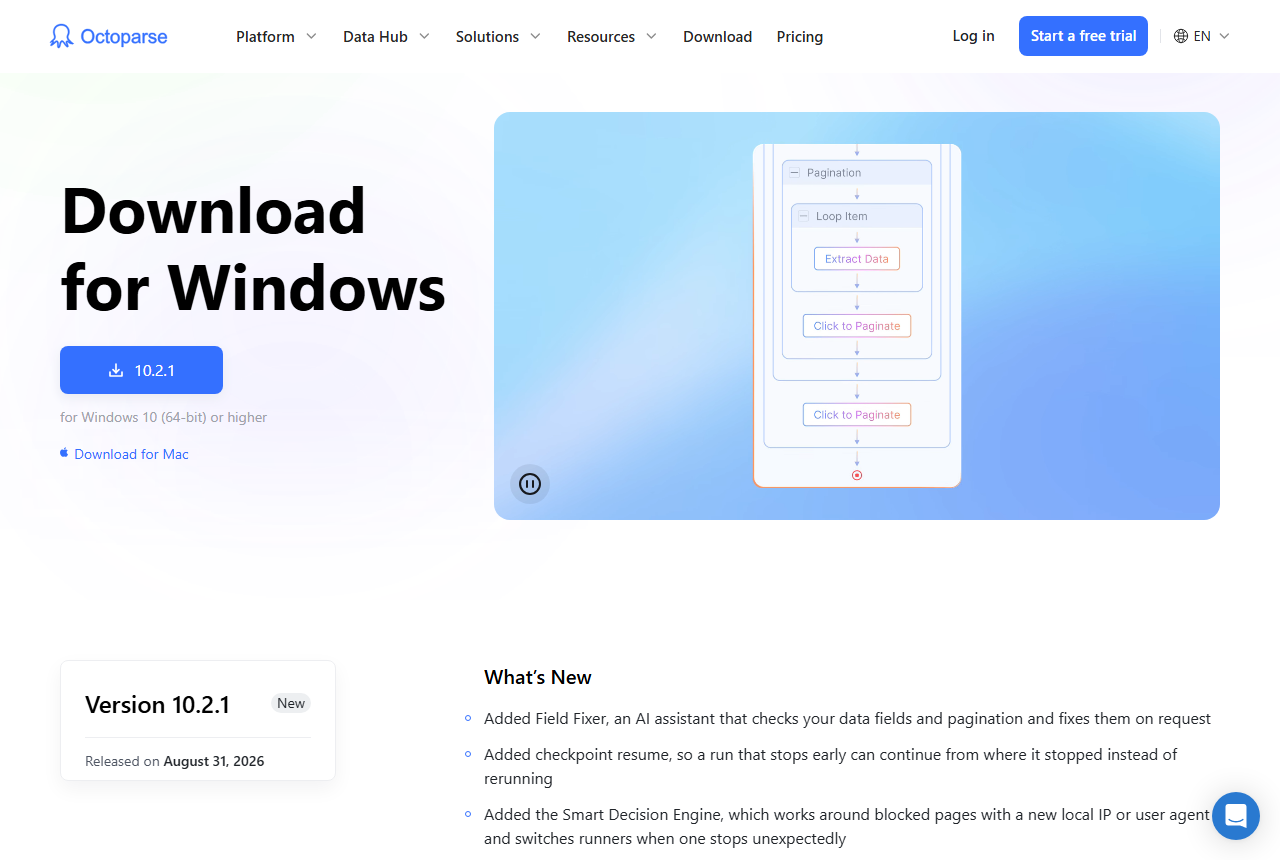
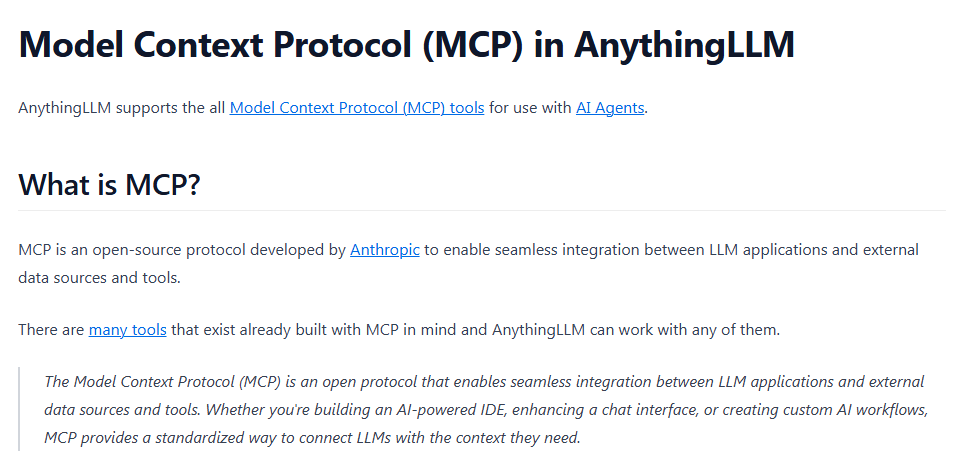
The docs list built-in agent skills for RAG search, web browsing and scraping, saving files, summarizing documents, charts, a SQL agent, a file-system agent, document generation, and Gmail, Google Calendar and Outlook agents. Agent Flows is a no-code builder with blocks such as web scraper, LLM instruction and file read and write. Scheduled jobs run an agent on a cron schedule. MCP servers are added through a configuration file or the in-app manager on Desktop and Docker, and the docs say it works with MCP tools generally.
Skills and flows. Built-in agent skills and your own custom skills (written with a developer guide) work on Desktop and Docker; custom agents are not supported on the hosted cloud. Agent Flows, the no-code chains of blocks, are also Desktop and Docker. MCP. Tools from MCP servers reach agents on Desktop and Docker, not on the hosted cloud. Scheduled jobs. Recurring agent runs with a cron builder are documented in the Desktop docs.
The docs also list a developer API, a browser extension, a Telegram channel and a Desktop Assistant overlay for talking to your agent; they are not covered in depth here.
docs.anythingllm.com (AI agents, MCP compatibility, scheduled jobs, cloud limitations), as of 16 Oct 2026.
Download and savings figures that only the vendor can check.
Home page, vendor figure.
Home page, vendor figure; no method given.
Home page, vendor figure; no method given.
Home page. Docker Hub lists about 4.76M for the main image.
The desktop privacy policy, effective 14 Jul 2025, says “over 1M people have downloaded the app”, and the home page gives no date for the 7M+ figure, so the two numbers cannot be compared directly. The savings and token counters have no stated method, and local tokens that were never billed cannot be audited from outside. Treat them as marketing.
25 published advisories in the repository, most fixed; local-first by design, but web search and usage telemetry are on by default.
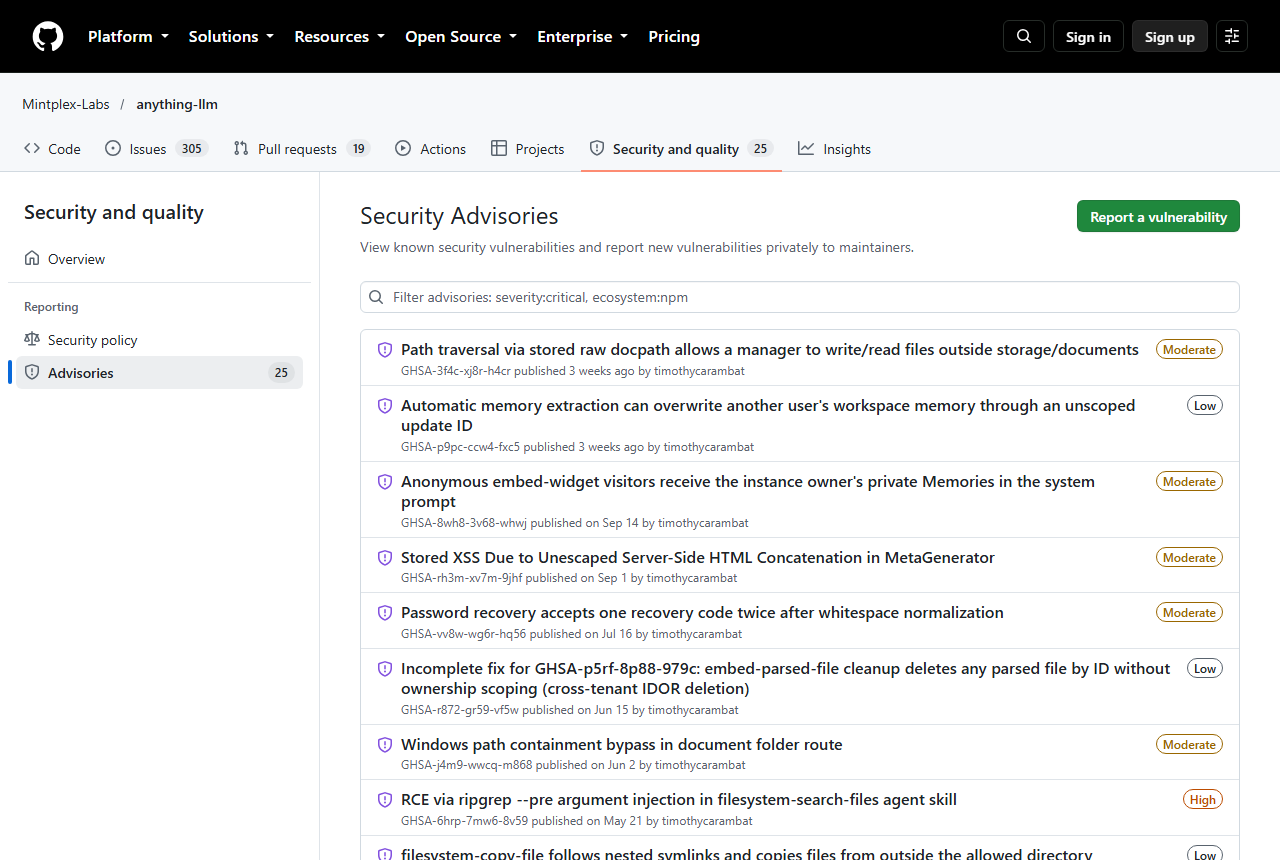
GitHub lists 25 published security advisories for the repository on 16 Oct 2026: 1 critical, 7 high, 11 medium and 6 low, 23 of them published in 2026. They are published by the project itself and carry fixes for most, which is a sign of an active disclosure process. It is also a lot of findings for a product that may hold a team's private documents, and several are about multi-user isolation and embed widgets. A few list no fixed version, so check the advisory for your version.
| Published | Severity | Advisory | Affected, per GitHub |
|---|---|---|---|
| 21 Sep 2026 | Medium | Path traversal via a stored document path lets a manager write or read files outside the documents folder | Up to 1.16.1 |
| 14 Sep 2026 | Medium | Anonymous embed-widget visitors receive the instance owner's private Memories in the system prompt | 1.13.0 to 1.16.1 |
| 21 May 2026 | High | Remote code execution through ripgrep argument injection in the file-system search agent skill | Up to 1.12.1 |
| 13 Mar 2026 | Critical | Streaming-phase XSS to remote code execution through an injected LLM response | Up to 1.11.1; fixed in 1.11.2 |
| 13 Mar 2026 | High | SQL injection in the built-in SQL agent plugin | Up to 1.11.1 |
| 12 Mar 2026 | High | Permissive CORS policy | 1.11.1 |
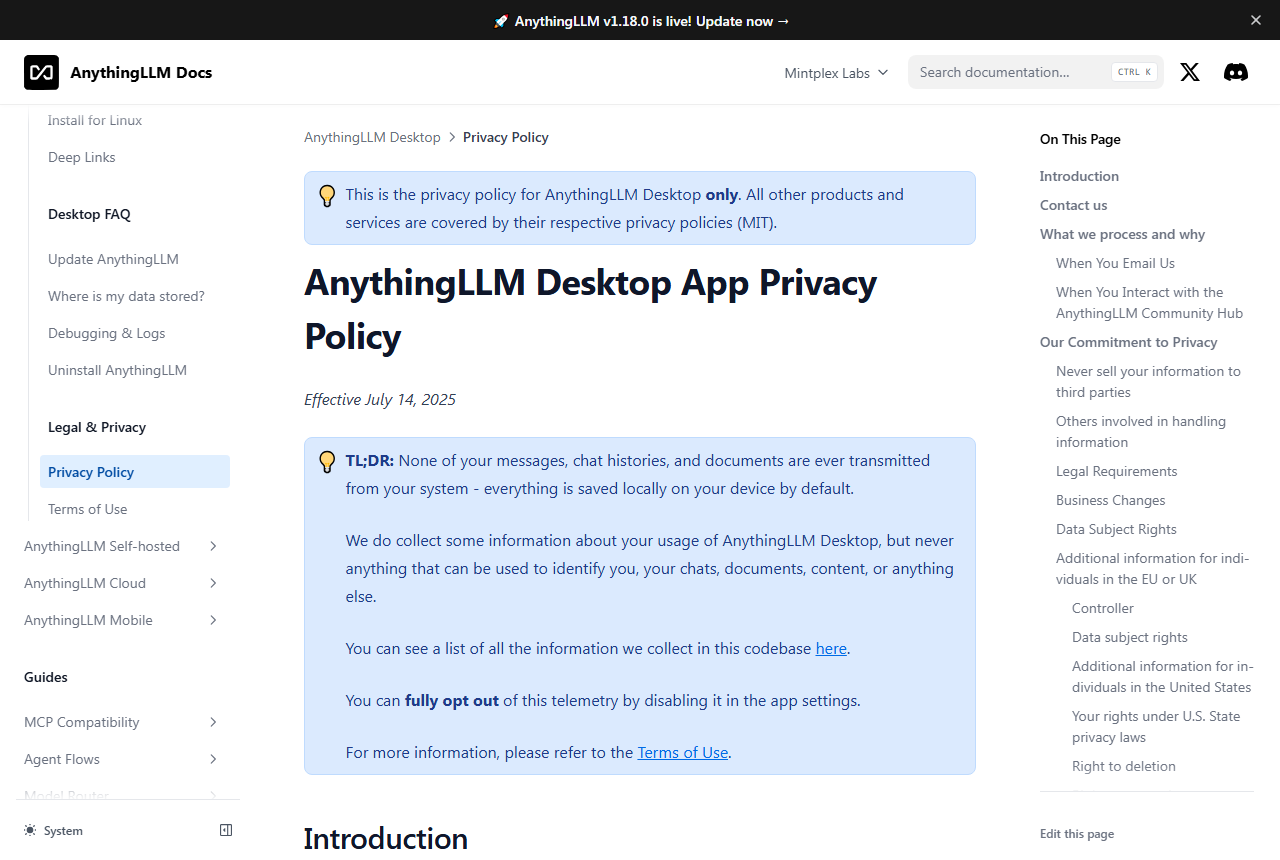
What leaves your device, and what does not
The app itself. The Desktop privacy policy says none of your messages, chat histories and documents are ever transmitted from your system and that everything is saved locally by default. It also says some anonymous usage data is collected, names PostHog as the telemetry service, and says you can opt out in the app settings.
Defaults that reach out. You.com is the default search provider on Desktop, Mobile and the server, and the vendor says its endpoint retains nothing. A cloud model provider you choose receives your text under that provider's policy, so use a local model for sensitive material. The Pro key is validated periodically against a vendor licence server, and more than 48 hours offline invalidates it; air-gapped licences are available by contacting the vendor.
Hosted cloud. Data is stored on Amazon Web Services and deleted on cancellation, under a policy last updated on 1 Jul 2024. Ask for current terms if you are regulated.
Licence. The Desktop Terms of Use (version of 14 Jul 2025) grant a non-exclusive, non-transferable licence for personal and internal business purposes, bar modifying the Software or creating derivative works, and cap aggregate liability at $50. The GitHub source is MIT licensed, so for redistribution or white-labelling use the MIT source or ask the vendor.
Android app. Google Play data safety says no data is shared with third parties; it may collect app activity and app info and performance, and data cannot be deleted. Read the listing before installing.
docs.anythingllm.com privacy, cloud and Pro pages, the Sep 2026 You.com blog post and the US Google Play listing, as of 16 Oct 2026. JAVIS is not a law firm; read the full Desktop terms before relying on this summary.
People and small teams who want private AI on hardware they control and can tolerate some tinkering.
- Individuals who want chat with documents on their own computer
- Technical teams who can run Docker and read advisories
- Anyone who wants to mix local and cloud models in one app
- Windows and Mac users who want local meeting notes at no extra charge
- Teams that need MCP or custom agents but want a hosted service
- Buyers who want a finished SaaS with independent review scores
- Low-end machines that cannot hold a local model
- Android users who need a polished, reliable phone app today
A narrow cloud, a long advisory list, an unpriced Pro key and thin independent evidence.
No built-in model, no MCP, no custom agents; a big document can crash it with a 502.
25 published advisories, 1 critical and 7 high, with several about multi-user isolation.
The docs describe Pro but publish no price or free daily allowance.
2.7 stars from 237 reviews on the US Google Play listing.
No Trustpilot page; no confirmed G2 or Capterra score; best thread is from 2024.
Web search and usage telemetry are on by default; cloud models send text out.
The v1.18.0 upgrade removes the old engine and its models, which must be downloaded again.
The docs suggest 16GB of RAM; Docker needs a CPU with AVX2.
MIT source, but the desktop app's terms limit use to personal or internal business purposes.
JAVIS did not install or run it for this review.
Other self-hosted chat front ends and local model apps.
| Product | Entry price and licence (16 Oct 2026) | JAVIS review |
|---|---|---|
| AnythingLLM | Free, MIT; cloud $50 and $99 a month | This article |
| Open WebUI | Free to run; BSD-3 up to v0.6.5, then a branding-protection licence | Open WebUI review |
| Ollama | Free $0 to run models locally; Pro $20 a month or $200 a year billed annually | Ollama review |
| n8n | Community Edition self-hosted; cloud Starter 20 euros a month billed annually | n8n review |
| LlamaIndex | LlamaParse cloud platform: Free $0 with 10K credits; Starter $50 a month | LlamaIndex review |
| Chroma | Cloud Starter $0 a month plus usage; Team $250 a month; open source | Chroma review |
| LM Studio | Free $0; Bionic+ $20 a month; Pro $100 a month | No live JAVIS review |
| Jan | Free; Apache 2.0 per the licence file in its repository | No live JAVIS review |
| LibreChat | Free; MIT | No live JAVIS review |
How they differ. Open WebUI has about 2.3 times AnythingLLM's GitHub stars (155,821 against 67,161) but changed its licence in April 2025, which matters if you plan to rebrand it for more than 50 users. LM Studio now sells hosted open-model plans at $20 and $100 a month alongside a free local app, and its home page is now titled LM Studio Bionic. AnythingLLM's hosted plans host the workspace and leave models to you. Jan lists 44,961 stars and LibreChat 45,763, and LibreChat's home banner says it is joining ClickHouse.
Ollama, which AnythingLLM stopped bundling in v1.18.0, has its own JAVIS review. Its pricing page shows that running models on your own machine is free and that paid plans are for its hosted cloud models. For jobs beyond what Agent Flows cover, n8n sells by workflow execution: its Starter plan lists 2.5k executions and Pro 10k. If you outgrow the default vector store, the docs list Chroma as an option, and LlamaIndex is the developer-side route when you would rather build the retrieval pipeline in code than use a finished app. AnythingLLM's own comparison pages are vendor material; competitor claims there count only where the competitor's own page confirms them.
This review has no affiliate links, and AnythingLLM did not see it.
JAVIS has no approved AnythingLLM affiliate link, so every AnythingLLM link in this article goes straight to anythingllm.com, with no tracking parameters.
Hands-on status: JAVIS has not installed, run or paid for AnythingLLM for this review. Facts come from AnythingLLM's own site, docs, blog and changelog, GitHub, the US Google Play listing and Hacker News, as of 16 Oct 2026. We have summarized the Desktop terms of use but are not a law firm, and the Pro price is not published.
Download the free desktop app and test it with one non-sensitive folder first.
Open anythingllm.comThe cloud prices come from the Cloud page.
Open the Cloud pageComparing self-hosted AI and agent tools? These reviews cover the nearest ground.
Each card opens a published JAVIS review.
Questions people actually ask before installing
Is AnythingLLM free?
Yes. The desktop app and the Docker server are free; the code is MIT licensed per GitHub. Optional paid items are the hosted cloud (Basic $50 and Pro $99 a month per anythingllm.com/cloud on 16 Oct 2026) and a Pro key for desktop Magic features, whose price is not published on the docs pages.
Does it run offline?
Yes, with the built-in engine or another local model, and the vendor says the desktop app can run entirely offline. Web search and any cloud model need a connection.
What does the cloud plan include?
A private hosted instance with a custom subdomain on Basic, priority resources and a 72-hour support SLA on Pro, with your own LLM API key. It has no built-in model, no MCP and no custom agents, per the vendor's limitations page.
Does it support MCP?
Yes, on Desktop and Docker. Not on the hosted cloud.
Is it open source?
The code on GitHub is MIT licensed. The downloadable desktop app also carries Terms of Use (version 14 Jul 2025) that limit it to personal and internal business use and bar derivative works, so redistribution needs care.
Is it secure?
GitHub lists 25 published advisories, 1 critical and 7 high, most with fixes. Keep the app updated, restrict access to a server, and read advisories that match your version.
Is there an iPhone app?
The mobile page offers Android only, through Google Play or a direct APK. The US Google Play listing shows 2.7 stars from 237 reviews.
Can I get a refund on the cloud?
The terms promise a refund prorated for the current billing cycle if you request it, at Mintplex Labs' discretion, and cancelling deletes the instance permanently.
What do users say?
The 2024 Show HN launch thread drew 368 points and mostly positive comments about easy setup, with some bug reports and feature requests; 2026 comments describe daily use with local models. A May 2026 review site praises the desktop app but warns that “local” still needs a separate model runtime. There is no Trustpilot page, and the Android app is rated 2.7 on Google Play.
Is AnythingLLM an affiliate product here?
No. This review has no affiliate links.
Where this came from, and when.
Pricing and plans: anythingllm.com/cloud and the download page, plus the Pro pages and cloud terms in docs.anythingllm.com, 16 Oct 2026. The Pro price and the free daily allowance for Magic features are not published on the official pages.
Product and claims: anythingllm.com home, mobile and blog pages; docs introduction, system requirements, MCP, agents, privacy and changelog pages (v1.15.0, v1.17.0, v1.18.0), 16 Oct 2026.
Independent evidence: GitHub repository, releases, 306 open issues and 25 security advisories as shown on 16 Oct 2026; the US Google Play listing on 16 Oct 2026; Hacker News comments dated 5 Sep 2024, 20 Mar 2026, 27 Apr 2026, 10 Jun 2026, 6 Jul 2026, 21 Aug 2026 and 15 Sep 2026; GitHub issue counts on 16 Oct 2026; the RoboRhythms review of 1 May 2026. There is no Trustpilot page, and no G2 or Capterra star score is quoted because none could be confirmed. Docker Hub's repository data lists 4,757,506 pulls for the main image.
Images: 19 photographs of public pages taken by JAVIS on 16 Oct 2026 (vendor site, docs, blog, GitHub and Google Play), plus the vendor's social image labelled as vendor material. Related cards use JAVIS's own featured images.
Video: one video from founder Tim Carambat's YouTube channel, embedded on the AnythingLLM docs introduction page.
Competitors: Open WebUI licence from docs.openwebui.com; Ollama, n8n, LlamaIndex and Chroma plans from each vendor's own pricing page; LM Studio plans from lmstudio.ai/pricing; Jan and LibreChat from their home pages and licence files; star counts from GitHub, all 16 Oct 2026. The cost example uses token prices from the OpenAI, Anthropic and Ollama pricing pages and an illustrative usage volume. Competitor claims come from the competitors' own pages.
Store ratings: Google Play, US storefront only. The mobile page links only to Google Play and an APK.
JAVIS Fit Score (73/100): an editorial composite scored out of 20 on five criteria. Price clarity 14: a free core and clear $50 and $99 cloud prices, but an unpublished Pro price and no yearly price. Capability breadth 18: documents, agents, flows, MCP, meetings, mobile and many providers. Independent evidence 12: a strong 2024 launch thread but no Trustpilot page, a 2.7 Android rating and no verified review-site score. Security and data control 13: local-first and MIT licensed, but 25 advisories and default web search and telemetry. Cost control and fit 16: free to run, with model and hardware costs on you. It is judgment, not a measurement.
What this review does not cover: real performance on any hardware, answer quality, a technical security audit, legal advice on the Desktop terms, the developer API and browser extension in depth, and competitor features beyond the headline facts.