Webflow Review 2026: Still the Designer's Website Builder, Now With a New Price Map and Fine Print Worth Reading
Webflow lets you design a real, responsive website visually, run it on a proper CMS and host it, without writing code. In 2026 it rebuilt its prices: a site costs $15 or $25 a month on yearly billing ($25 or $39 billed monthly), but seats, staging, AI credits, bandwidth and languages are billed separately, and the bandwidth add-ons on Premium cost about $0.40 per GB. Before you commit, know three rules: annual renewals are not refundable, two months over a usage limit triggers an automatic paid upgrade, and cancelling a site plan takes the site offline.
There are no affiliate links in this review. Every Webflow link goes straight to webflow.com or its help center.
| Made by | Webflow, Inc., San Francisco; founded 2013; CEO Linda Tong |
| What it is | Visual website designer, CMS, hosting, interactions, AI features and an MCP server in one closed SaaS |
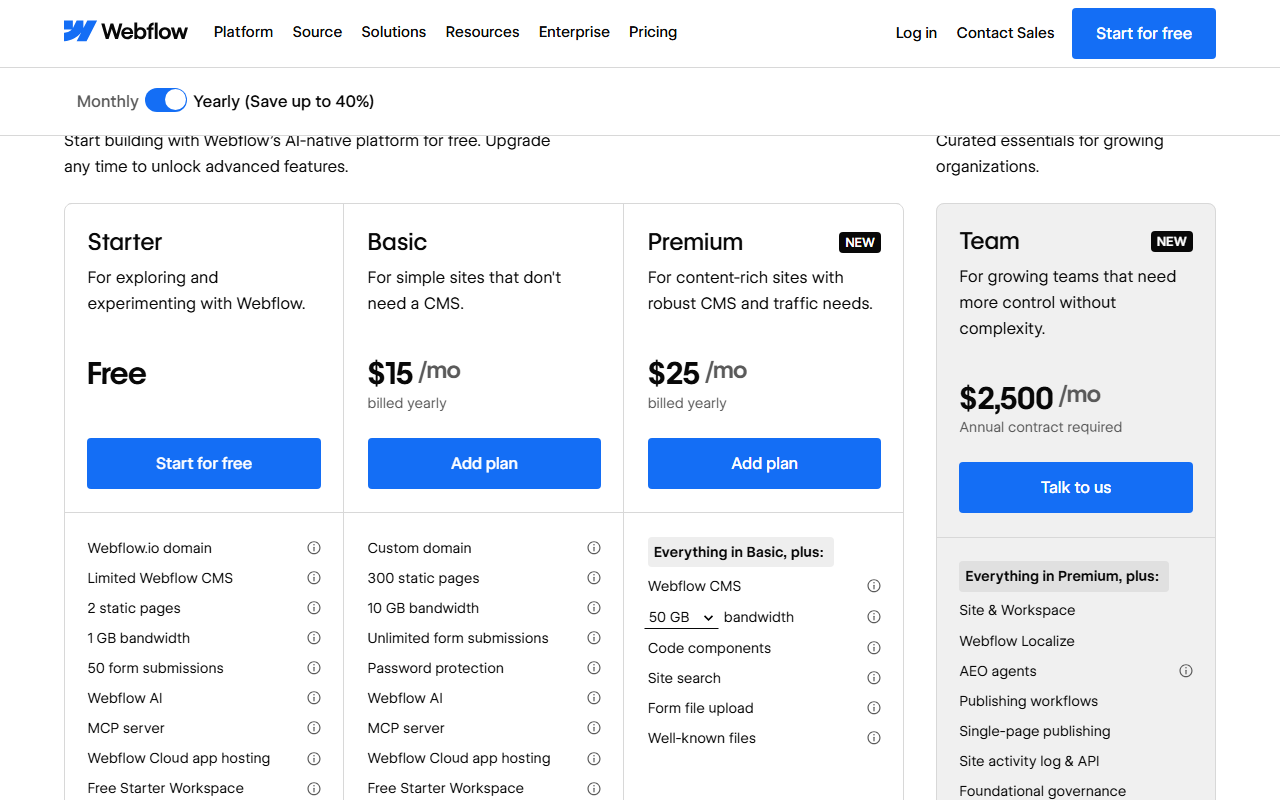
| Site plans | Starter free; Basic $15; Premium $25 a month yearly ($25 / $39 monthly) |
| Billed apart | Workspace plan, seats ($39 full, $15 limited), bandwidth, AI credits, Localize, Analyze, Optimize |
| Best for | Designers, agencies and marketing teams who want visual control and a real CMS |
If you design websites for a living, Webflow is still one of the best visual builders money can buy. If you just need a simple site, its own CEO says faster options now exist, and the 2026 price map makes that easier to believe.
“AI tools and lightweight builders are providing a faster path to launch for those with simple website requirements.”
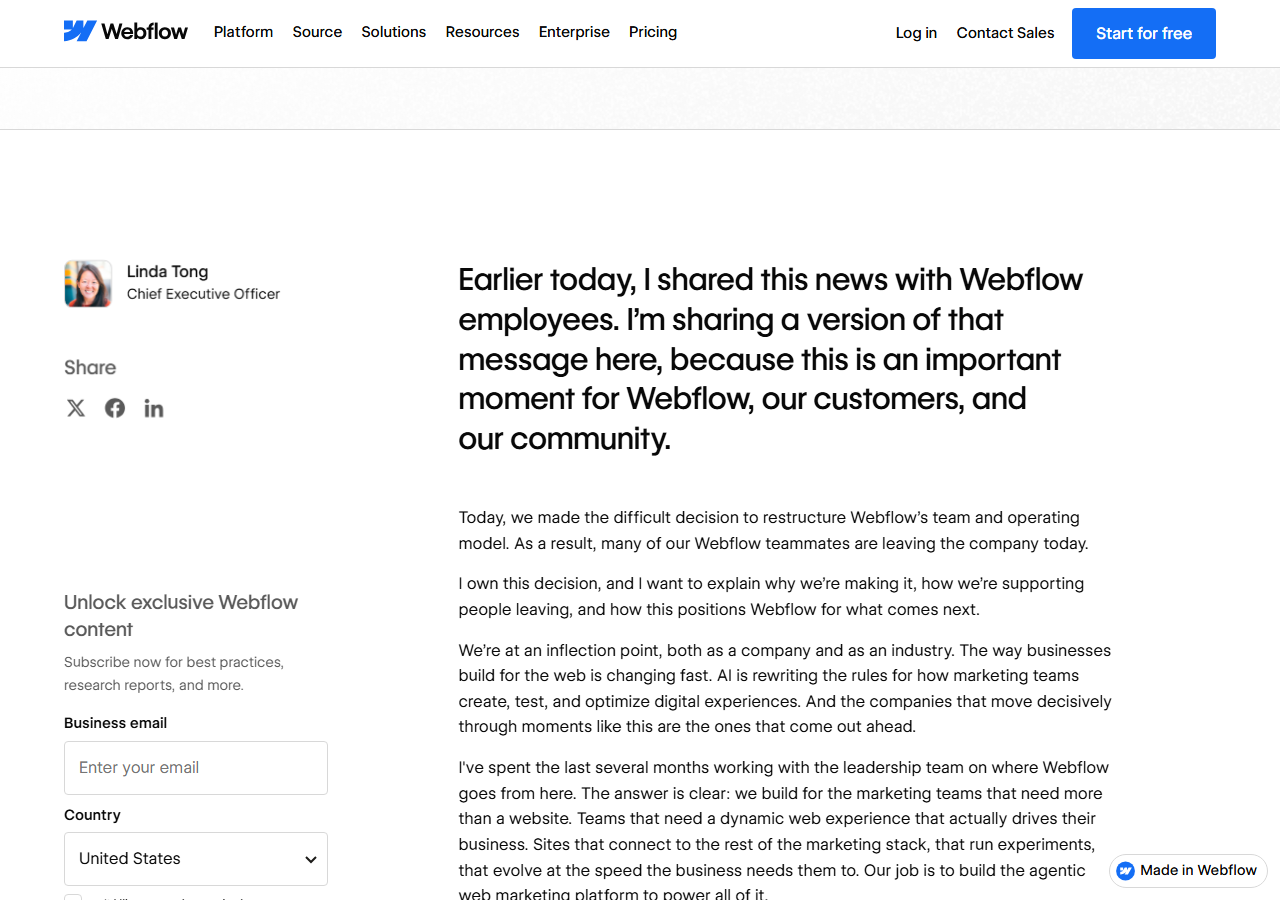
That line is not from a competitor. It is from Webflow CEO Linda Tong's post of May 27, 2026, the day the company announced it was restructuring its team, with “many of our Webflow teammates” leaving, and a refocus on “the marketing teams that need more than a website.” It is the most useful sentence a buyer can read about Webflow this year, because the rest of 2026 followed it: CMS and Business plans merged into one Premium plan, AI moved onto credits, a $2,500-a-month Team plan appeared, and in September Webflow previewed Source, a new code-first platform for marketing teams and AI agents.
What has not changed is the core. Webflow's Designer still gives you real control over layout, classes, components and GSAP-powered interactions, and the CMS is now generous on Premium (20,000 items, 40 collections). For a designer, a studio or an in-house marketing team that ships pages every week, that is worth paying for. Our concerns are about money and exits, not about the canvas: usage that grows into automatic upgrades, refund rules that disagree across Webflow's own pages, a code export that leaves your CMS behind, and a support promise of email replies “within 48 hours” unless you pay for a platform plan.
Every site lives in a Workspace, and you pay for the two separately, plus the people, the traffic and the extras.
Webflow's own FAQ explains it: “Every site built in Webflow automatically lives inside of a Workspace.” The Site plan pays for publishing and hosting one site (domain, pages, CMS, bandwidth). The Workspace plan pays for building and collaborating (staging sites, code export, Shared Libraries, roles). On top come seats for each extra person who designs or edits, AI credits pooled per Workspace, and add-ons per site for more bandwidth, analytics, A/B testing and translation. Each customer gets one free Workspace, and the pricing page notes that all prices are per site, in USD, plus applicable taxes.
New plans in May, a company restructuring the same month, a new code-first platform in September, and one more price deadline on November 16.
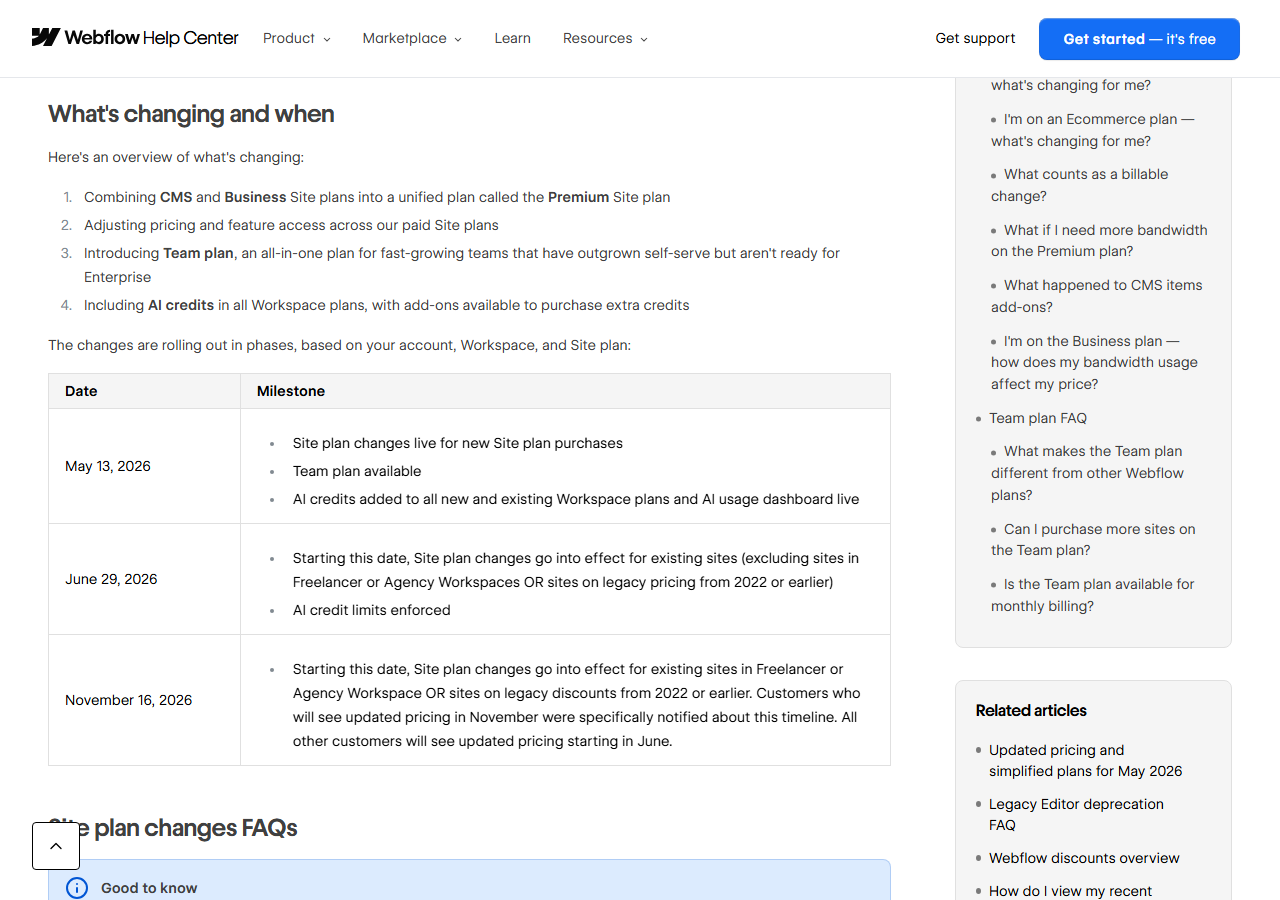
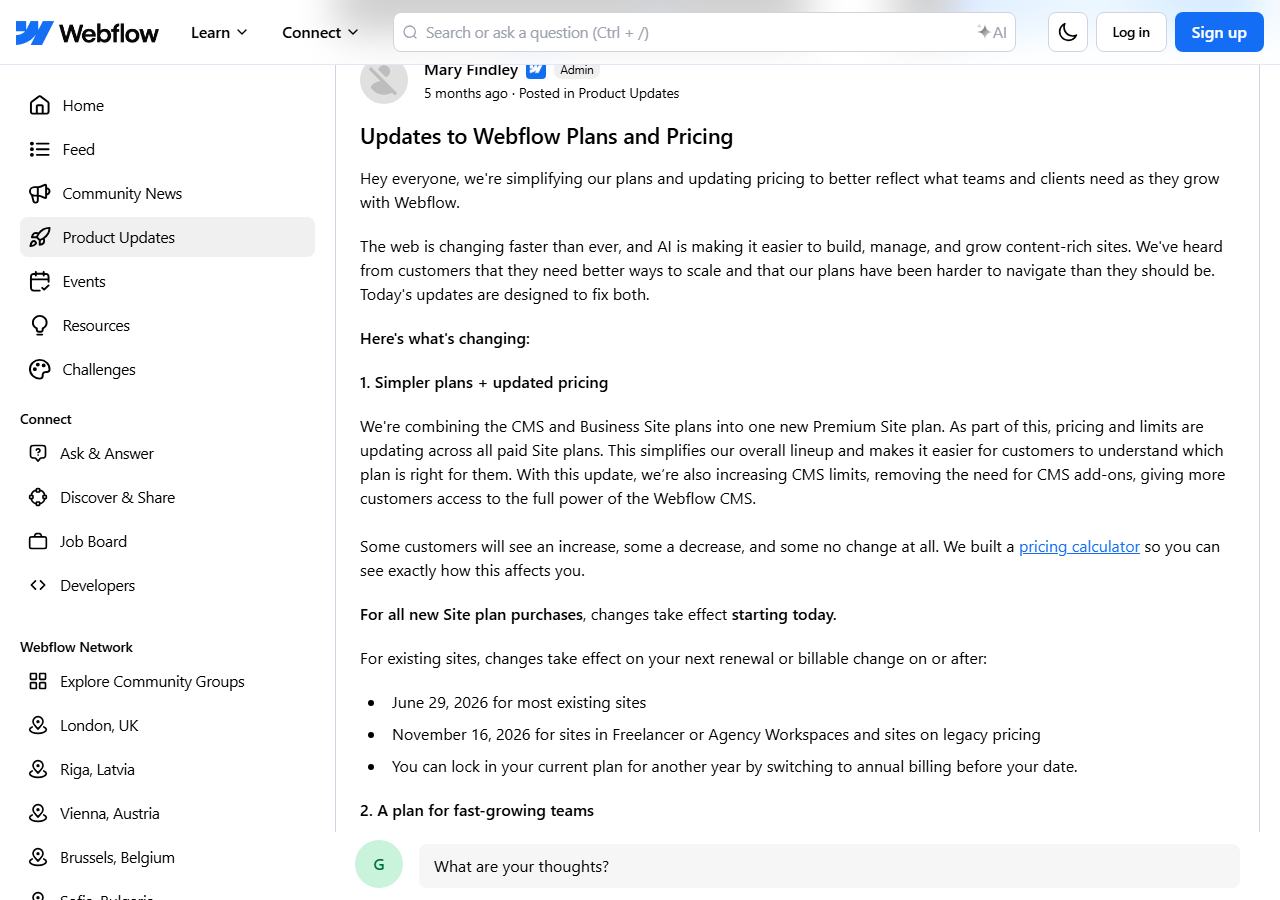
If you last looked at Webflow in 2025, most of what you remember about plans is out of date. The CMS plan and the Business plan no longer exist for new purchases; both became Premium on May 13, 2026. Existing sites move over at their first renewal or billable change on or after June 29, 2026, except sites in Freelancer or Agency Workspaces and sites on legacy pricing from 2022 or earlier, which move on or after November 16, 2026. Webflow's help center says you can “lock in your current plan for one more year” by switching from monthly to yearly billing before your date.
Who pays more? Webflow's own examples are honest about it. Former CMS customers pay a little more ($25 instead of the old yearly price) but get ten times the CMS items. Former Business customers pay less for the plan, but included bandwidth halves from 100 GB to 50 GB, and Webflow Cloud limits fall. The help center works through three Business-plan cases: a monthly site under 50 GB drops from $49 to $39; a yearly site at 500 GB stays at $199; a yearly site at 150 GB rises from $59 to $65. Basic customers pay more ($15 yearly or $25 monthly) and get 300 static pages instead of 150.

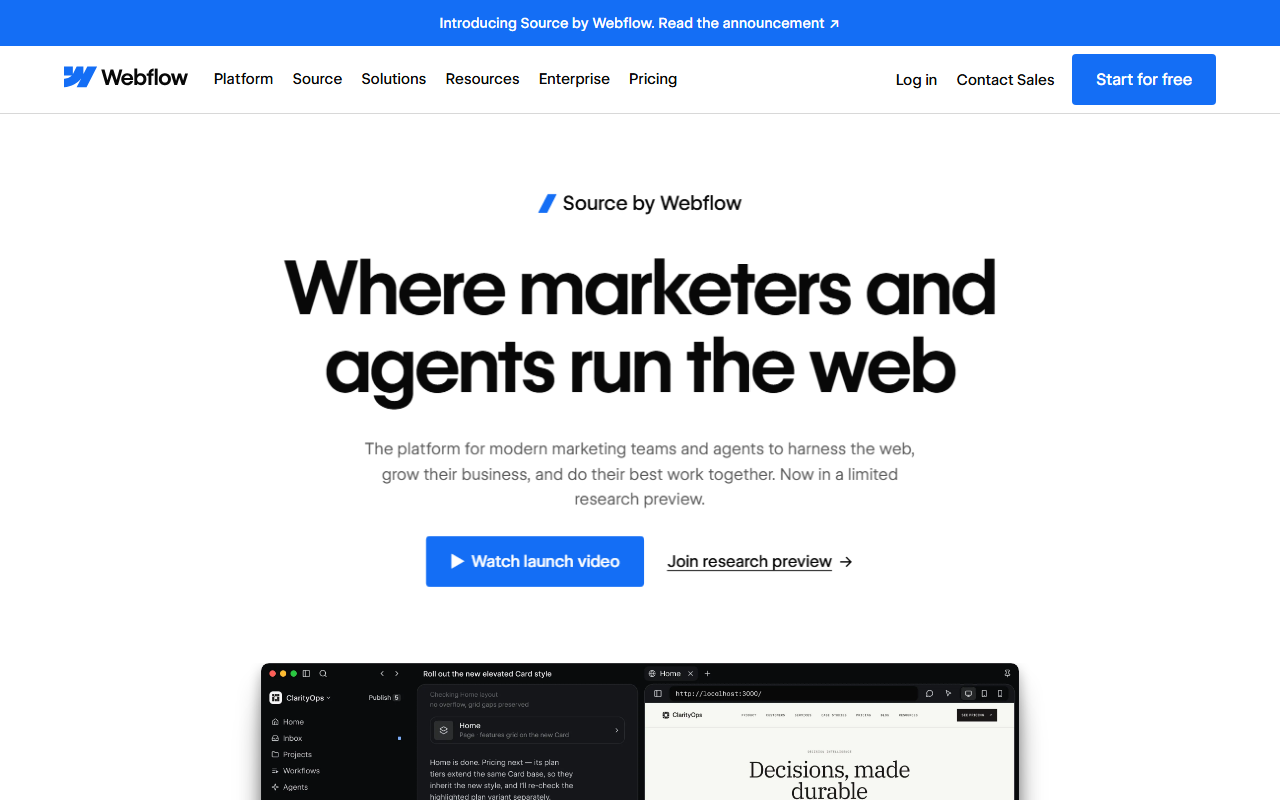
The pricing change came with a company change. On May 27, 2026 Webflow announced it had “made the difficult decision to restructure Webflow's team and operating model,” with many employees leaving the same day. The post does not give a number; it does describe 16 weeks of severance plus a week per year of service, and states “Webflow is financially strong.” Then, at Webflow Conf on September 2, 2026, the company introduced Source by Webflow, which “makes code the foundation for everything that ships on your site”, and is in a limited research preview with no published price or date. For current customers the Source post says: “Keep building on Webflow as you have been. When Source is ready for you, and if you choose to migrate to our new platform, we will provide a supported path.”
Webflow explains the pricing change itself in a short official video, linked from its May 13 announcement post:
“We're Updating Our Pricing and Simplifying Our Plans”, official Webflow YouTube channel (@Webflow), embedded in webflow.com/blog/simplified-plans-and-updated-pricing-2026.
A well-funded specialist with about one percent of the CMS market, priced above the mass-market builders.
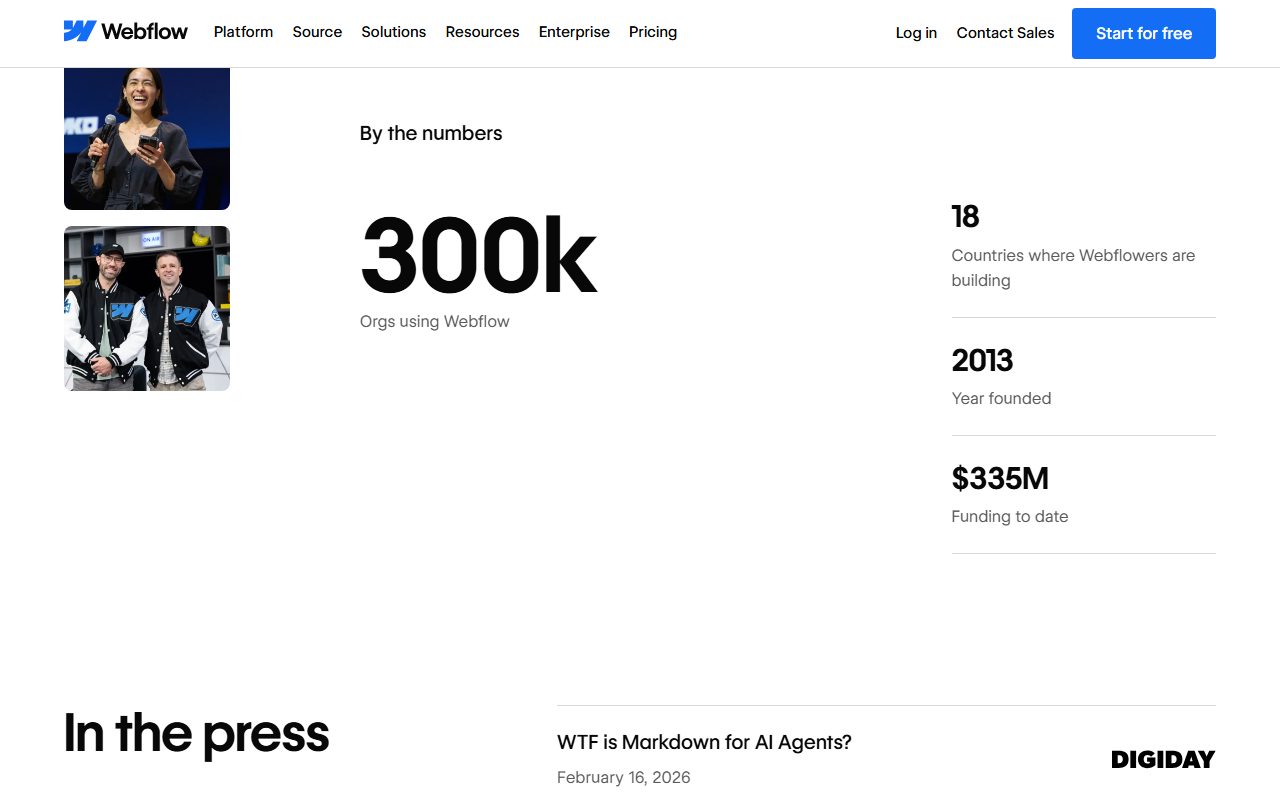
Webflow is not a mass-market tool, and the numbers show it. Its about page claims 300k organizations, $335M of funding and a 2013 founding year; those are the vendor's own counts, and “organizations using Webflow” is not the same as paying customers. The independent signal we use is W3Techs, which surveys which content management system websites run on. On Oct 26, 2026 it put Webflow on 1.2% of websites whose CMS it can identify (0.8% of all websites), against 6.2% for Wix, 3.6% for Squarespace and 0.3% for Framer. That is a share of websites, not of users or revenue, and it says nothing about site quality or size.
Two more market facts matter for buyers. There is no Webflow-published app in the US App Store or US Google Play search results; the phone apps that show up are third-party editors. And Webflow's AEO pitch rests on its own data: at Conf 2026 it said AEO customers get “70% more mentions and 120% more citations than non-Webflow brands,” with a footnote that the finding is directional and “does not specifically isolate AEO recommendations from other drivers of traffic.” Treat it as a marketing claim.
Designers still love the canvas; the anger in 2026 is about prices, bandwidth, support and the new direction.
Independent review data for Webflow is thin and skewed, so read it as a list of risks rather than a verdict. On Oct 26, 2026 the Trustpilot profile for webflow.com showed a TrustScore of 1.4 from 239 reviews, with 66% one-star and 13% five-star. Trustpilot adds two caveats of its own: the company has “No recent history of asking for reviews,” so reviews “may not be representative,” and it “Hasn't replied to negative reviews.” 239 reviews is a small sample for a platform claiming 300k organizations, and unhappy customers are the ones who go looking for a review site. G2 and Capterra are not quoted here.

The richer source is Webflow's own community forum. The admin post announcing the new plans had 210 replies on Oct 26, 2026, and the admin's answer was that the changes “are moving forward as announced.” We checked the most specific complaint against the pricing page and the arithmetic holds: Localize Essential for three languages costs $27 a month on yearly billing, a fourth language forces Localize Advanced at $116 ($29 per locale), and a former Business site at 400 GB goes from $39 to $165 a month ($25 Premium plus a $140 bandwidth add-on).
“That's an increase of $89/month just for adding one language.”
A Figma user who did not know HTML or CSS became “a fan of Webflow fully using classes and building pages”; the poster's fintech client values “accountability, no reliance on devs and speed to market.”
“The Webflow niche is why my organisation went all-in” but “at a certain point we won't be able to afford this place.”
“apparently, when you are on an annual billing the payments are not-refundable even if it was recently billed”
A package change for a client project “turned into a complete week-long ghost town from support.”
Pays “almost $5k/year for hosting/licenses” and is looking at maintaining the site with Claude or Codex instead; yet in the same thread: “webflow is far more featured and robust than Wix.” (item 48297430)
The patterns repeat across sources. Praise: the visual Designer gives real CSS-level control without code, clients can edit content safely, and teams ship without developer tickets. Frustration: price increases at renewal, bandwidth that runs out, add-ons that cost more than the plan, support that answers slowly by email, and features that were removed (Logic in 2025, User Accounts in January 2026). Churn trigger: agencies on the forum and on Hacker News (thread 48294549, 50 points, 28 comments) describe moving, or planning to move, sites to hand-built code maintained with AI coding agents. One Hacker News commenter who used to pitch Webflow to large companies (item 48299262) chose Framer for his newest site.
Free to build, $15 or $25 a month per site to publish, and up to 40% off if you pay a year up front.
Starter
- webflow.io address only
- 2 static pages, 50 CMS items
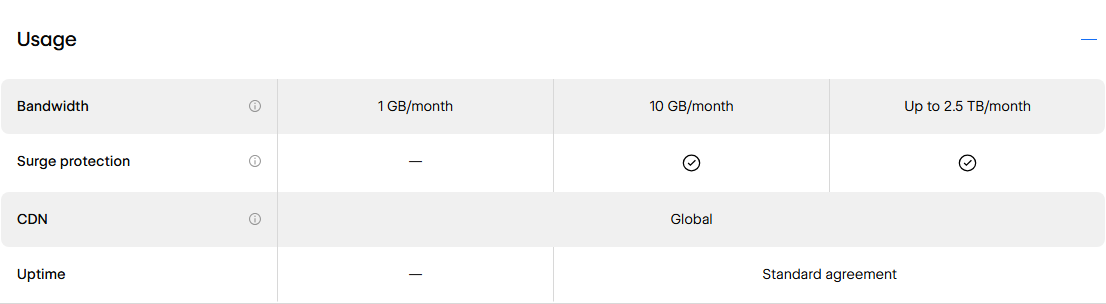
- 1 GB bandwidth, 50 form submissions
- Webflow AI, MCP server
Basic
a month billed yearly; $25 monthly
- Custom domain, 300 static pages
- 10 GB bandwidth
- Unlimited form submissions
- No CMS
Premium
a month billed yearly; $39 monthly
- CMS: 20,000 items, 40 collections
- 50 GB bandwidth, add-ons to 2.5 TB
- Site search, code components
- Form file uploads up to 10 MB
Team
a month, annual contract only
- 5 full + 5 limited seats
- Localize, AEO agents, page branching
- 100 CMS collections, up to 30 TB a year
- 24/7 priority support

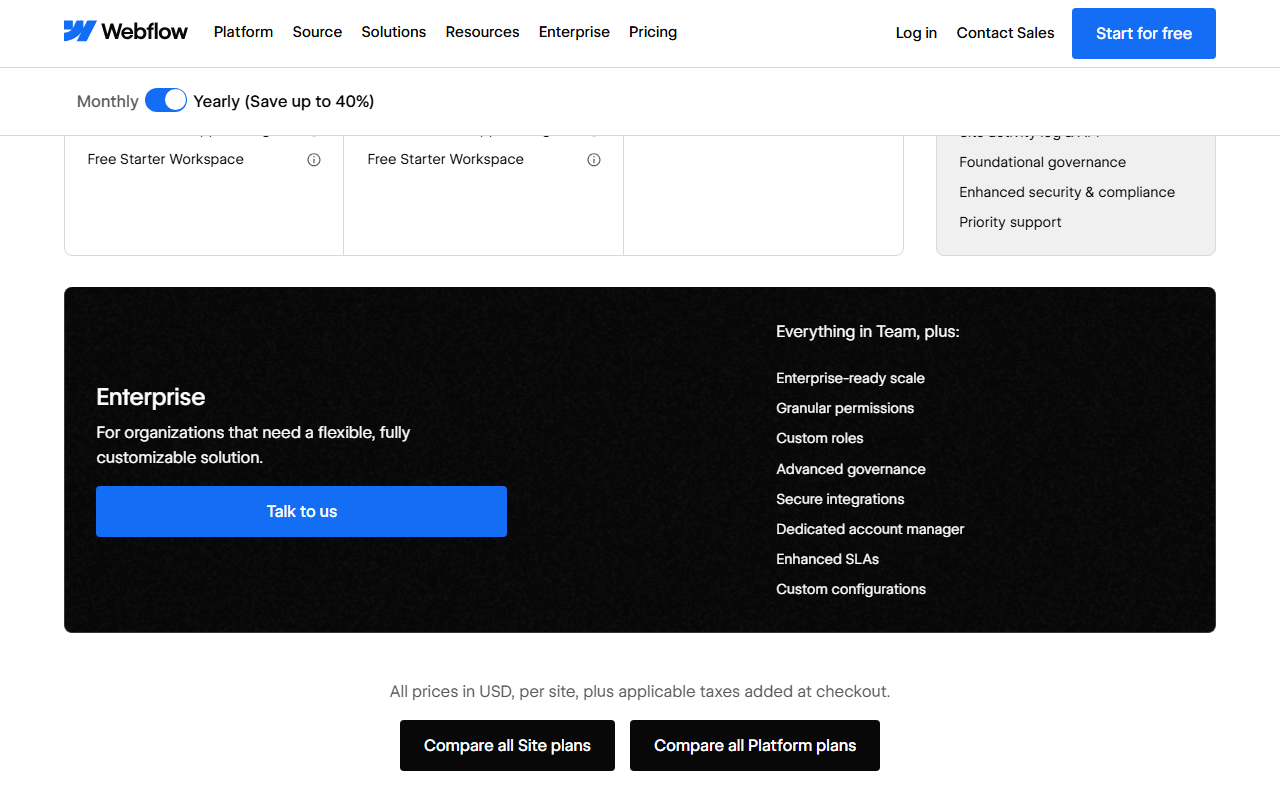
Below Team sits Enterprise (custom price) with SSO, SCIM, custom roles, design approvals, audit-log APIs and a 99.99% hosting uptime target. For comparison, the Team plan's compare table lists hosting uptime of 99.00% and major-incident response of 12 hours; Enterprise lists 1 hour.
The Workspace plan and seats are a second bill
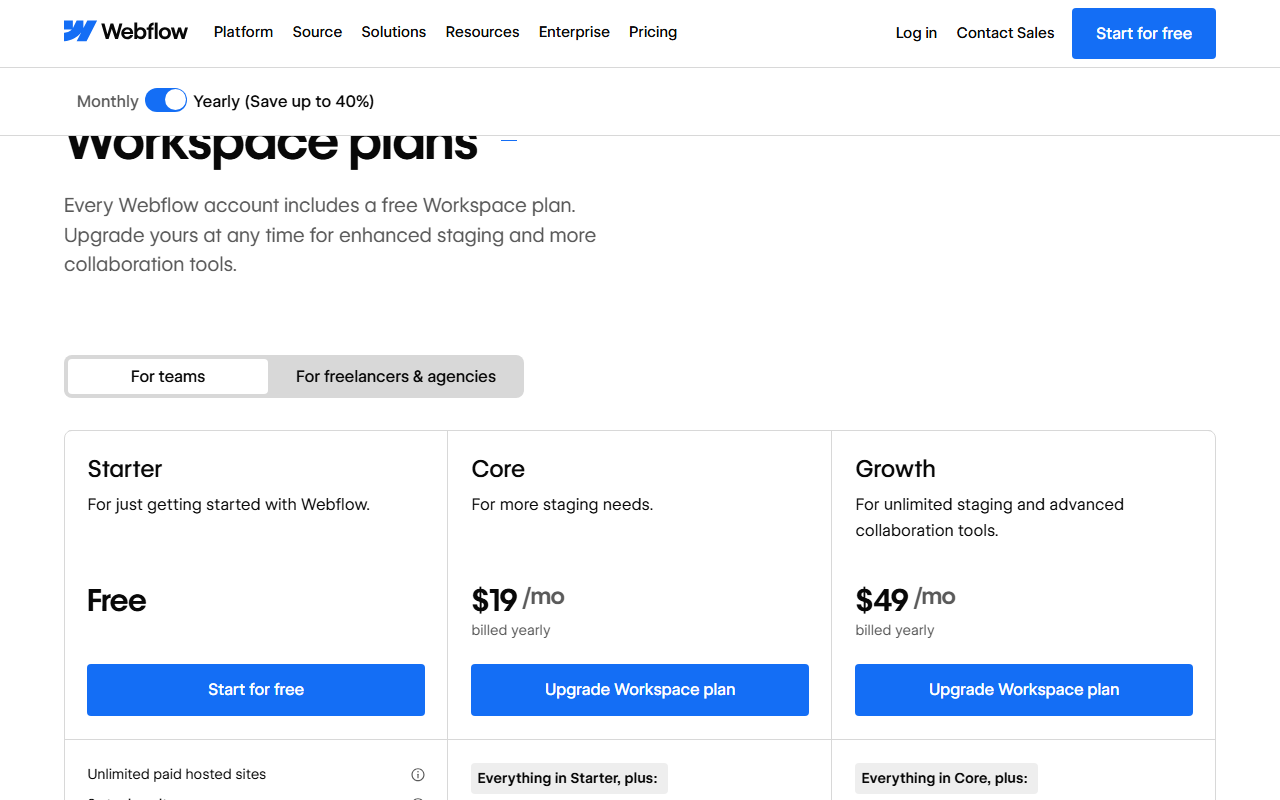
Every account gets a free Starter Workspace with one full seat, two staging sites and 200 AI credits a month. Code export, Shared Libraries and ten staging sites need Core; unlimited staging, password-protected staging, 301 redirects on staged sites and publishing permissions need Growth. Freelancers and agencies get their own track with free client seats and client billing. Each extra person costs a seat, billed per Workspace.
Swipe sideways to see every column.
| Workspace plan | Yearly | Monthly | Staging sites | AI credits / month |
|---|---|---|---|---|
| Starter | $0 | $0 | 2 (2 pages each) | 200 |
| Core | $19 | $28 | 10 (300 pages each) | 300 |
| Growth | $49 | $60 | Unlimited | 400 |
| Freelancer | $16 | $24 | 10 | 300 |
| Agency | $35 | $42 | Unlimited | 400 |
| Full seat | $39 | $45 | design and admin; one included | |
| Limited seat | $15 | $19 | edit content or build pages from components | |
| AI credit pack | $20 | $25 | +2,000 credits a month, up to 15 packs | |


Ecommerce plans did not change, and they have a quirk
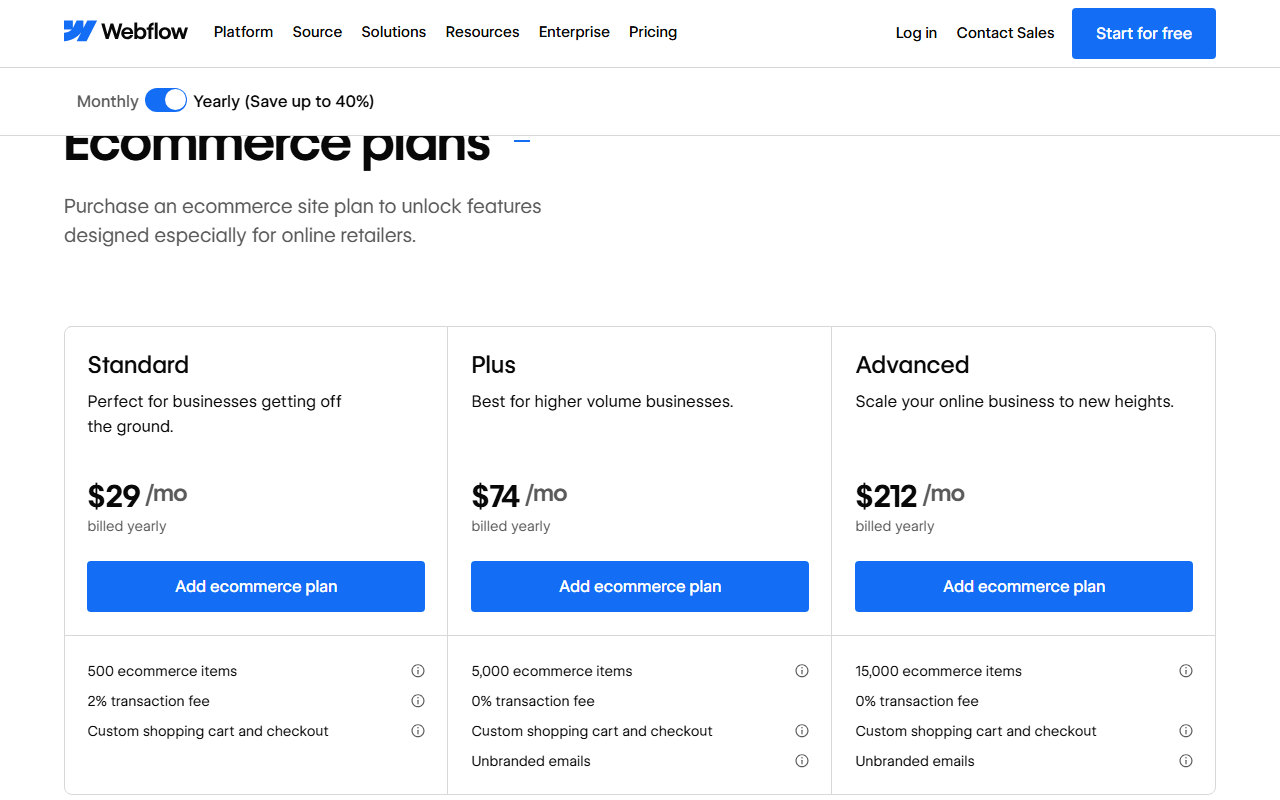
Ecommerce Site plans were left alone in May (“Nothing is changing for the Ecommerce Site plans at this time”, per the help center). Standard costs $29 a month yearly ($42 monthly) for 500 products and charges a 2% transaction fee on top of Stripe or PayPal processing; Plus ($74 / $84, 5,000 items) and Advanced ($212 / $235, 15,000 items) charge 0%. The quirk: the ecommerce compare table still lists 2,000 CMS items for Standard and up to 10,000 for Plus and Advanced, fewer than the $25 Premium plan's 20,000, and 50 to 100 GB of bandwidth.
Add-ons are priced per site and per unit
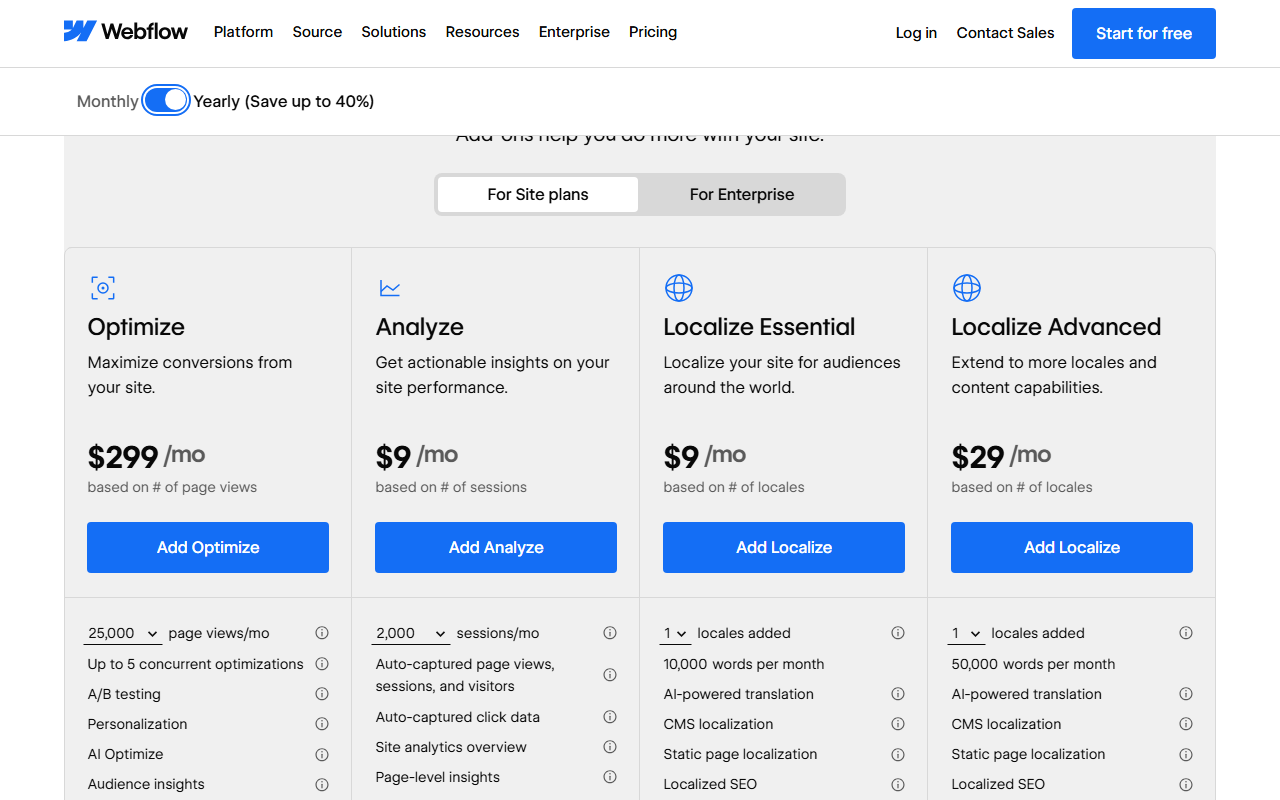
Analyze starts at $9 a month yearly for 2,000 sessions and reaches $229 for 500,000. Optimize (A/B tests and personalization) starts at $299 for 25,000 page views. Localize Essential is $9 per added language up to three (10,000 AI-translated words a month each); Localize Advanced is $29 per language up to ten, with localized URLs and automatic visitor routing. Webflow Campaigns, launched Oct 20, 2026 for landing pages and ads, starts “at $2k/mo.”
Four setups, priced line by line: Webflow is cheap for one simple site and climbs fast with traffic, people and languages.
These examples are arithmetic on Webflow's published prices on Oct 26, 2026, for invented but typical sites. They assume the free Starter Workspace unless noted (Webflow's legacy Editor FAQ says limited seats can be bought on all Workspace plans), and they exclude tax, domains and payment processing.
Swipe sideways to see every column.
| Setup | What you buy | Yearly billing | Monthly billing | Per year (yearly) |
|---|---|---|---|---|
| A. Solo portfolio, no blog, under 10 GB | Basic | $15 | $25 | $180 |
| B. Company blog, owner plus one editor, about 120 GB a month | Premium $25 + 150 GB tier $40 + Limited seat $15 | $80 | $118 ($39 + $60 + $19) | $960 |
| C. Busy content site, 400 GB, two extra languages, analytics | Premium $25 + 400 GB tier $140 + Localize Essential 2 locales $18 + Analyze 10,000 sessions $29 | $212 | $312 ($39 + $210 + $24 + $39) | $2,544 |
| D. Agency, ten client sites on Premium | 10 × Premium $25 + Agency Workspace $35 | $285 | $432 (10 × $39 + $42) | $3,420 |
What the numbers say. One simple site is cheap: $180 a year is in line with mass-market builders. The cost driver after that is bandwidth. Premium includes 50 GB; each step after that costs about $0.40 per GB on yearly billing, so a site that grows from 50 GB to 400 GB a month goes from $25 to $165, more than six times the plan price. On monthly billing the same 400 GB costs $249. Images and video are usually what consume it, so image compression is a budget item, not a nice-to-have. The second driver is people: a single Full seat ($39) costs more than the Premium plan. The third is languages: the jump from three to four locales moves you from $27 to $116 a month.
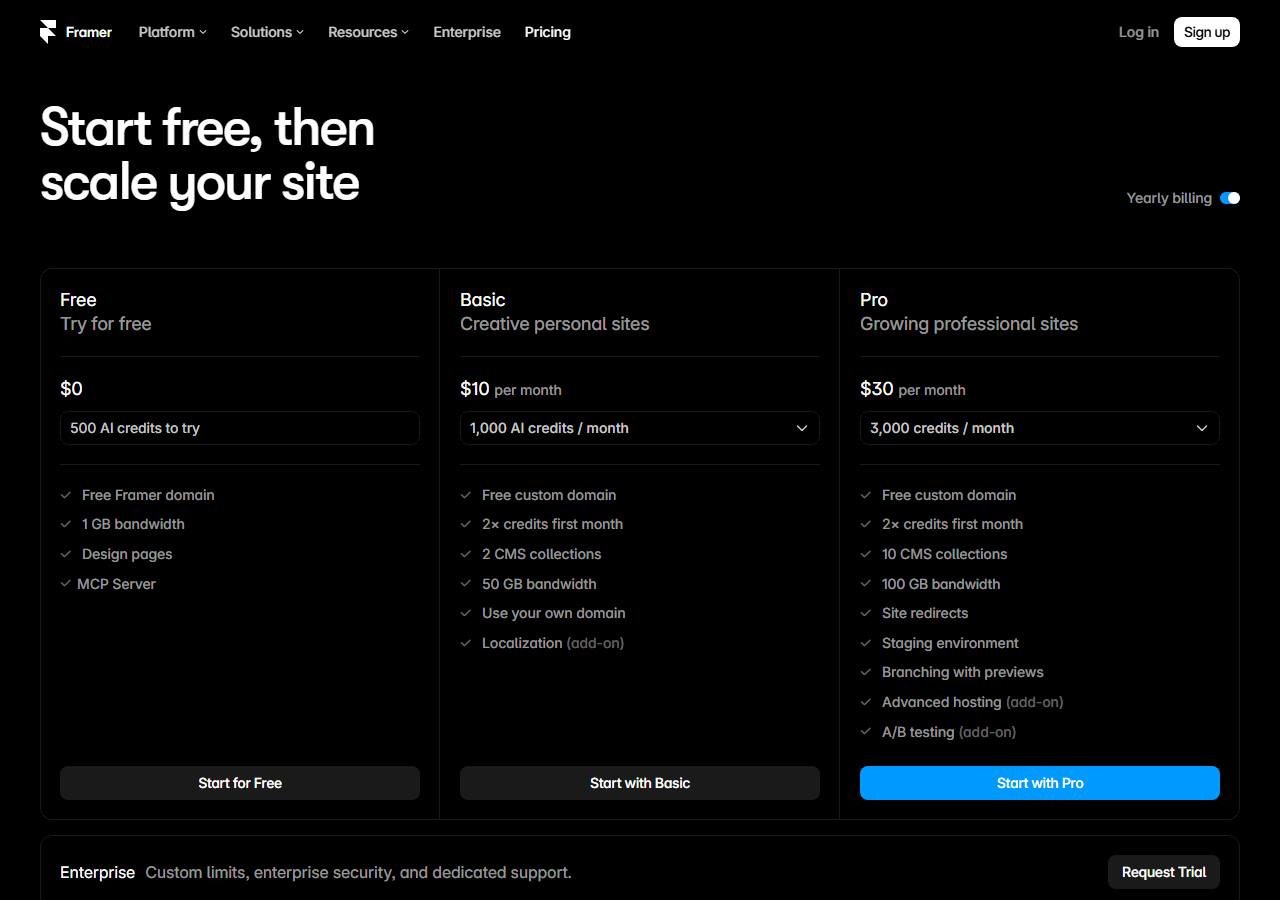
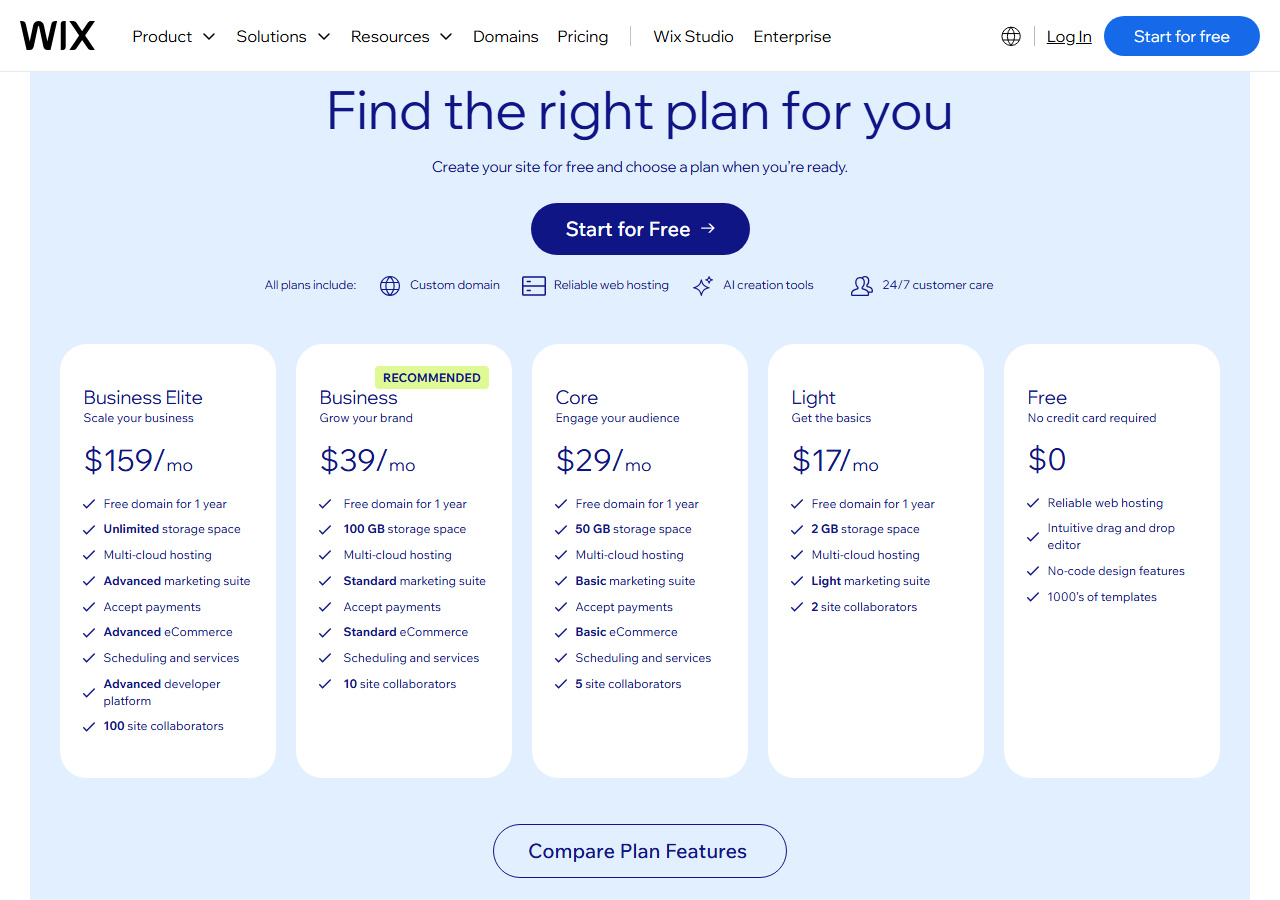
Against Framer, the closest design-led rival: setup B on Framer Pro ($30 a month yearly, 100 GB, 10 CMS collections, 2,500 CMS items) plus one extra editor ($20) and one extra 100 GB block ($40) comes to about $90 a month, against $80 on Webflow. Webflow is cheaper there and gives eight times the CMS items; Framer's Basic plan ($10 yearly) beats Webflow Basic for a tiny site and includes 50 GB rather than 10 GB. The plans count different things, so treat this as a direction, not a verdict. Wix's Light plan is $17 a month on yearly billing, with storage limits instead of a bandwidth meter.

Refund rules that disagree, upgrades that happen by themselves, and a cancel button that unpublishes your site.
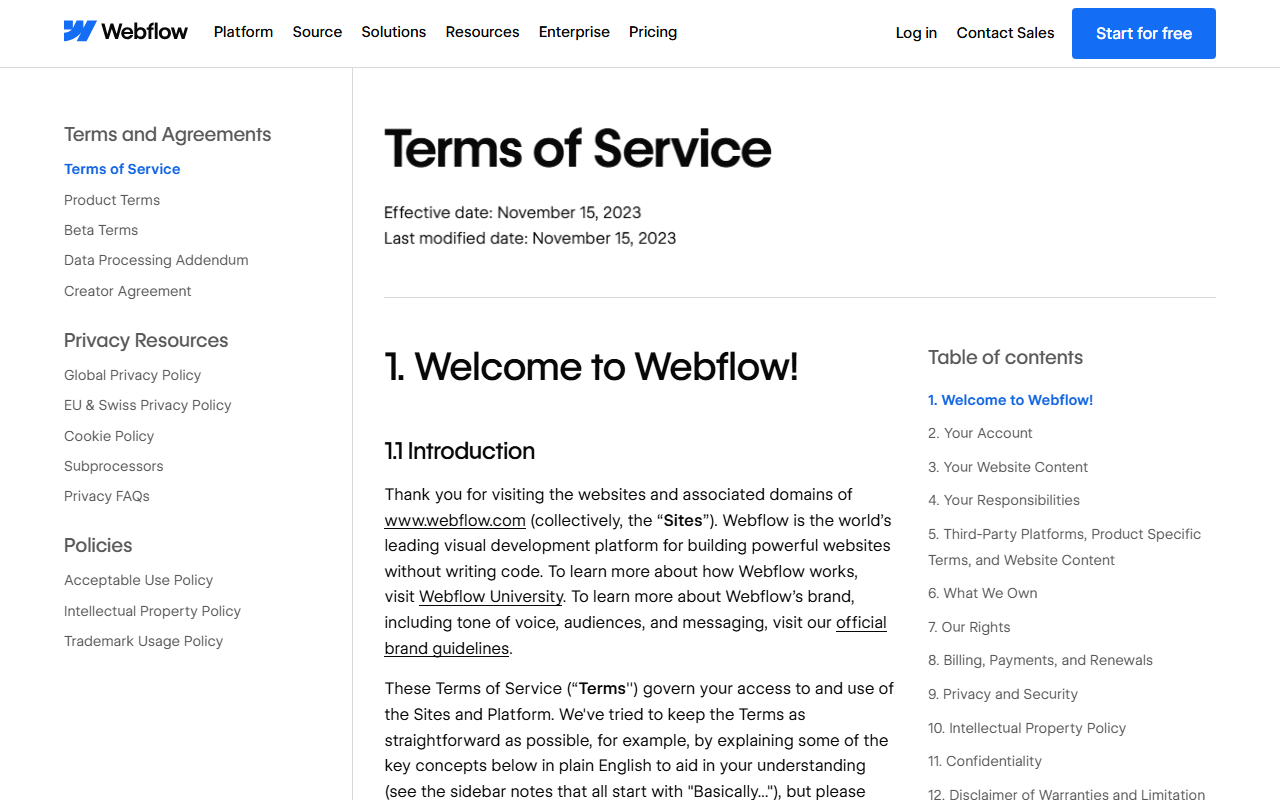
Read these before you pay, especially for a client. The Terms of Service shown on webflow.com are dated November 15, 2023 (effective and last modified); the help center articles below were updated in 2026.
1. Three pages, three refund stories
| Webflow page | What it says about refunds |
|---|---|
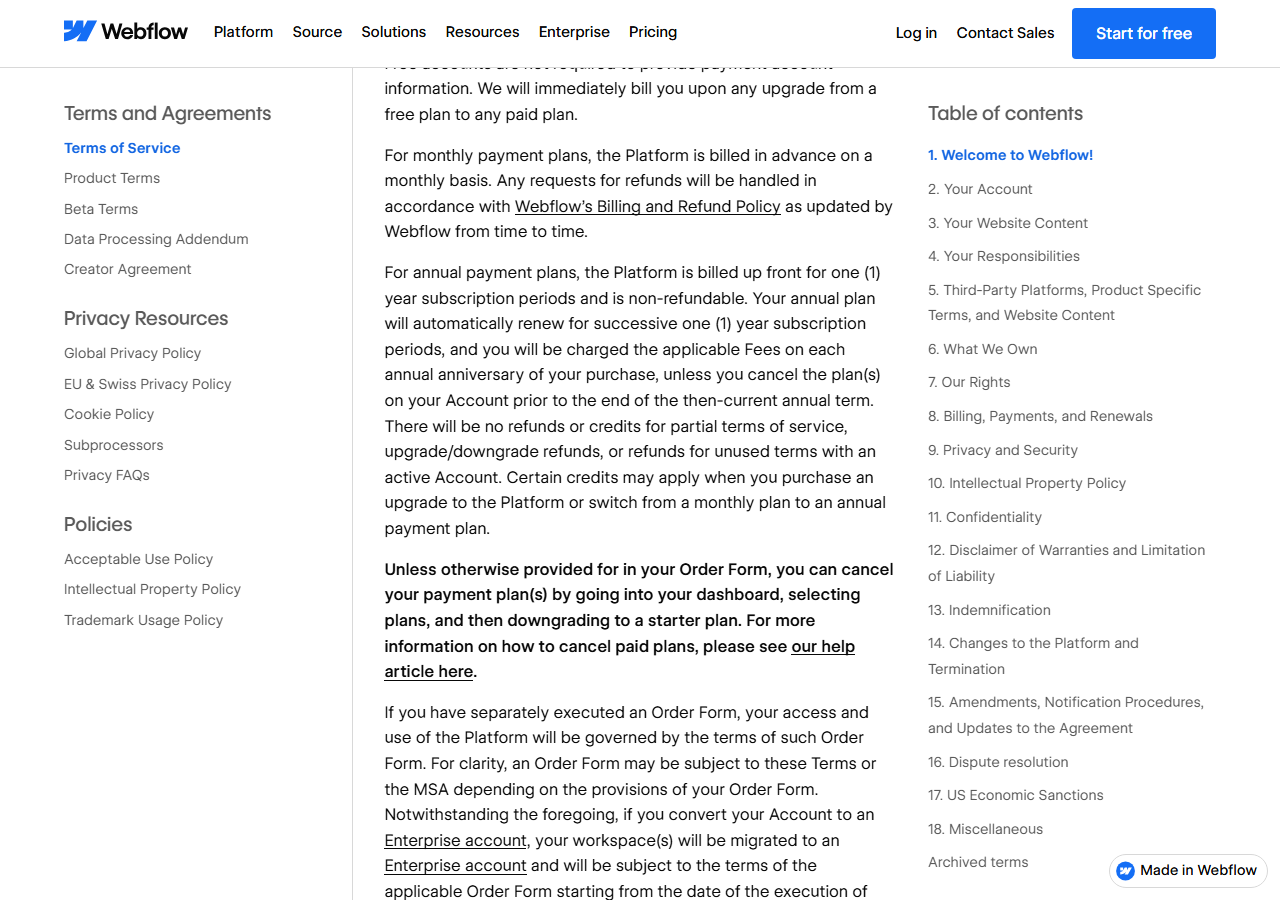
| Terms of Service, Section 8 (Nov 15, 2023) | Annual plans are “billed up front for one (1) year subscription periods and is non-refundable”, and renew automatically each anniversary. |
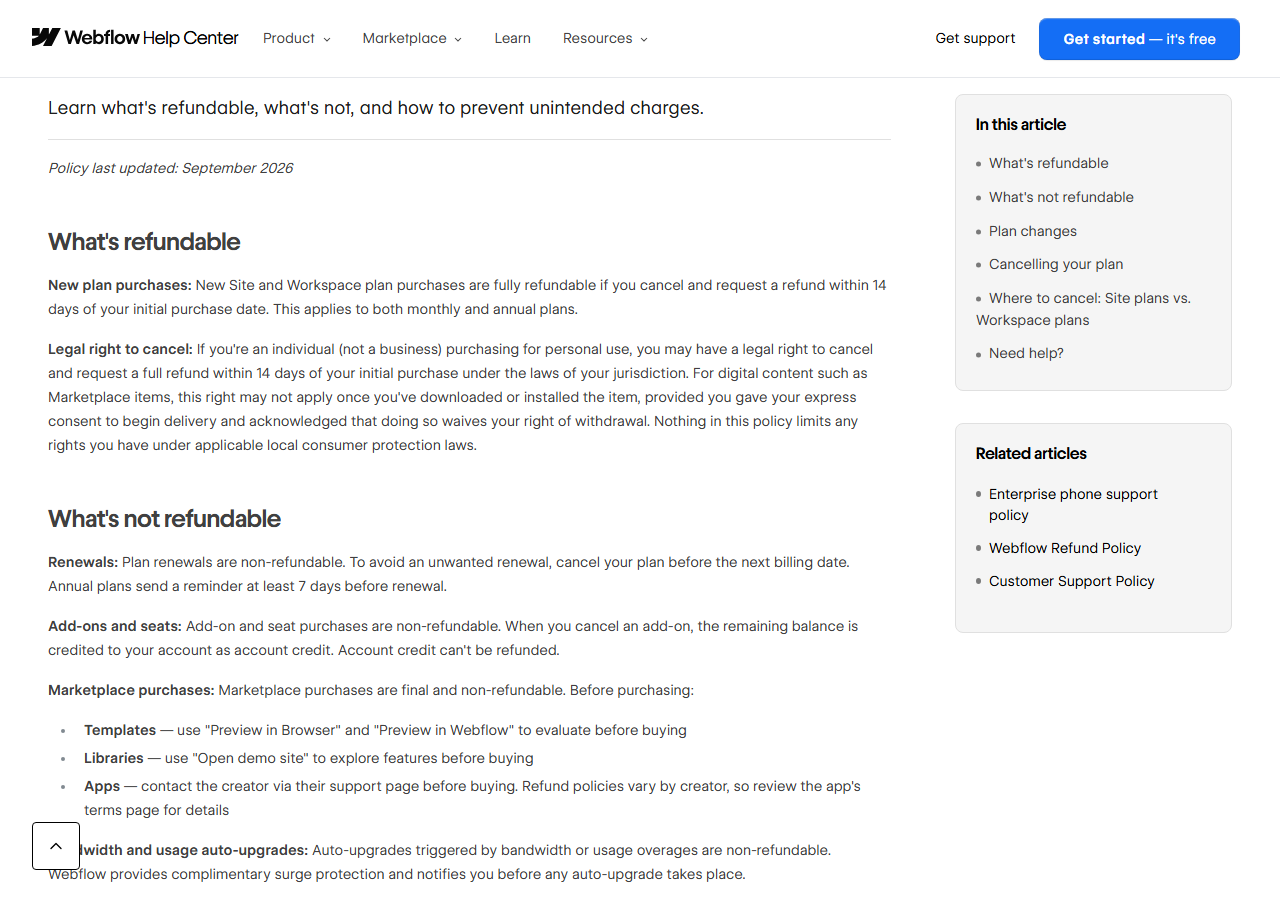
| Refund Policy (last updated September 2026) | “New Site and Workspace plan purchases are fully refundable if you cancel and request a refund within 14 days of your initial purchase date. This applies to both monthly and annual plans.” Renewals, add-ons, seats, AI credits and usage auto-upgrades are not refundable. |
| Downgrade or cancel your Site plan; Proration article | “Webflow purchases are nonrefundable, see our Refund policy for more details.” |
| Pricing page FAQ | You can cancel any time, “but you'll still pay the remainder of the term for the plan you signed up for.” |
Our reading: the September 2026 Refund Policy is the newest and most specific, so a new purchase has a 14-day refund window, monthly or annual. Everything after that is non-refundable, including the automatic yearly renewal. Webflow says annual plans send a reminder “at least 7 days before renewal.” If you want a refund on day 10, cite the Refund Policy by name; if a renewal surprises you, there is no policy to cite.
2. Two months over a limit means an automatic, non-refundable upgrade
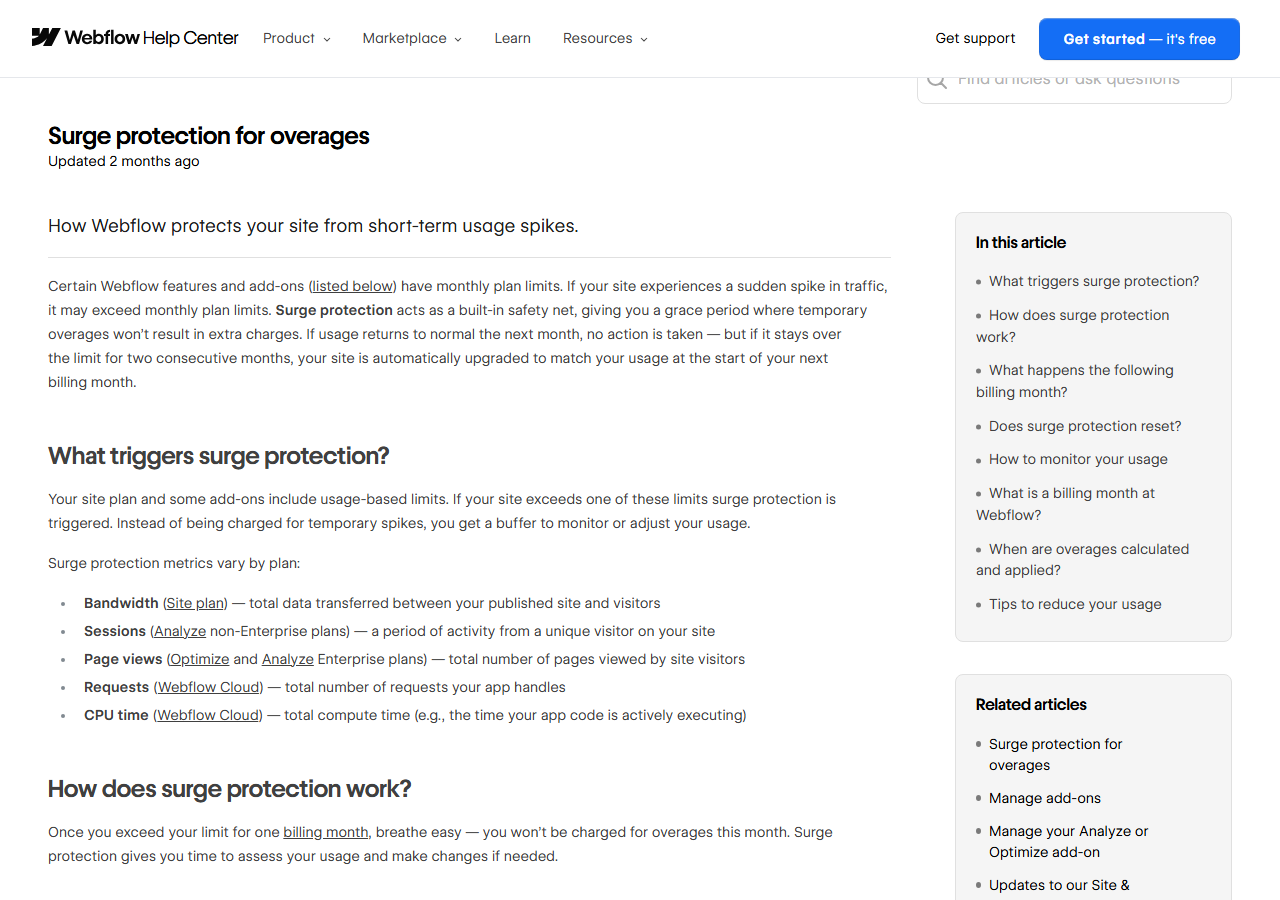
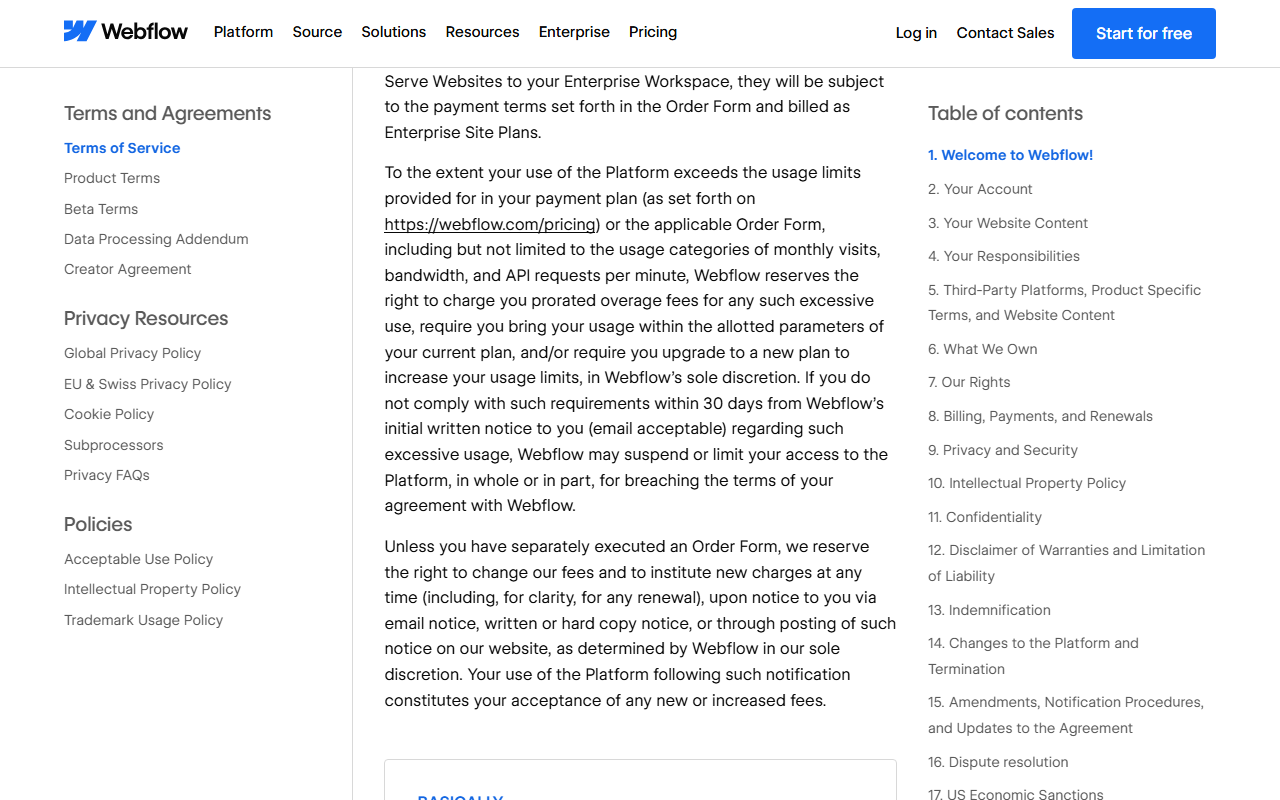
Webflow calls it surge protection. Bandwidth, Analyze sessions, Optimize page views and Webflow Cloud requests and CPU time all have monthly limits. The first month over is free. If you exceed “the same limit for two consecutive billing months,” your plan or add-on is “automatically upgraded to a higher tier” at the start of the next billing month, sized on “the lower usage metrics from your last two billing months.” Annual subscribers are tracked month by month too, and the upgrade is prorated over the rest of the year. The Refund Policy lists these auto-upgrades as non-refundable; the bandwidth article adds: “We are unable to issue refunds for bandwidth overages.”
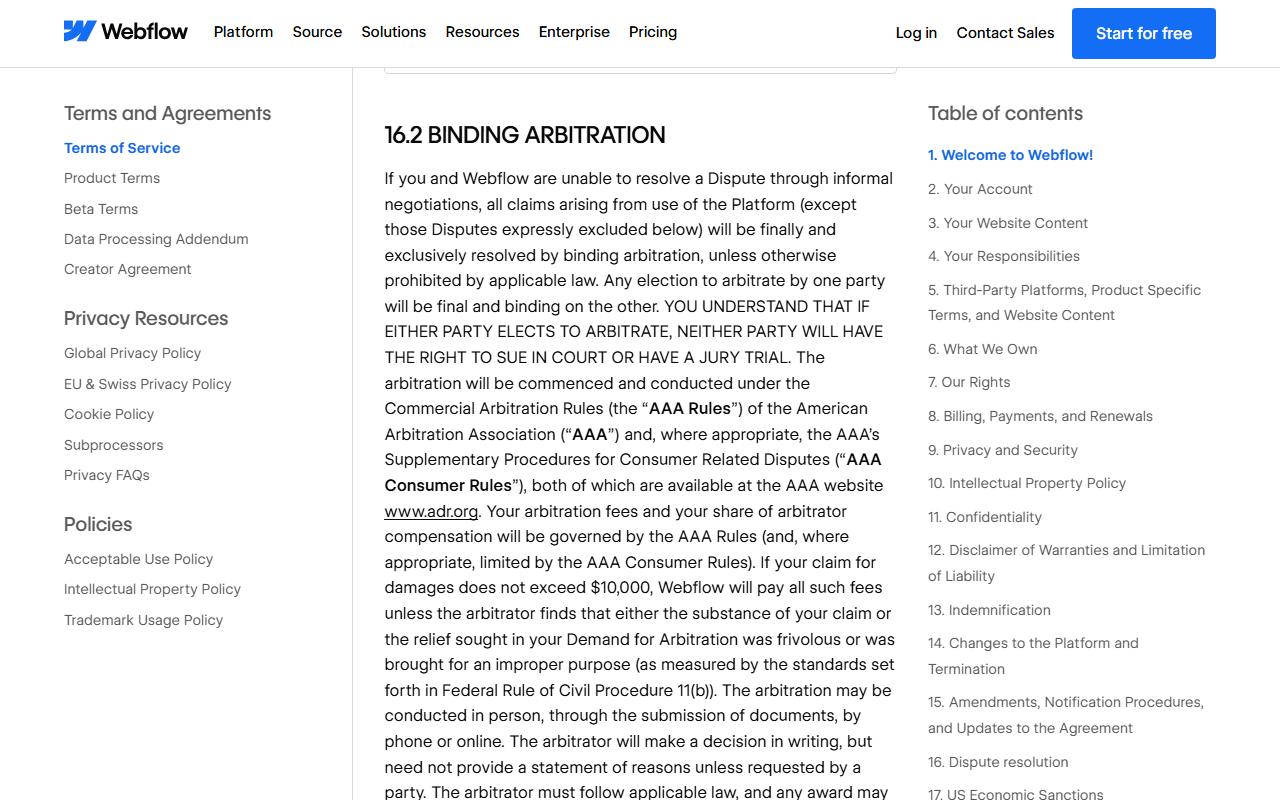
The Terms go further than the help center. Section 8 lets Webflow “charge you prorated overage fees” for exceeding limits, including “monthly visits, bandwidth, and API requests per minute,” or require an upgrade, and to “suspend or limit your access” if you do not comply within 30 days of written notice. Community threads also question how bandwidth is counted; we have not measured it and cannot judge those reports.
3. Cancelling a Site plan takes the site offline
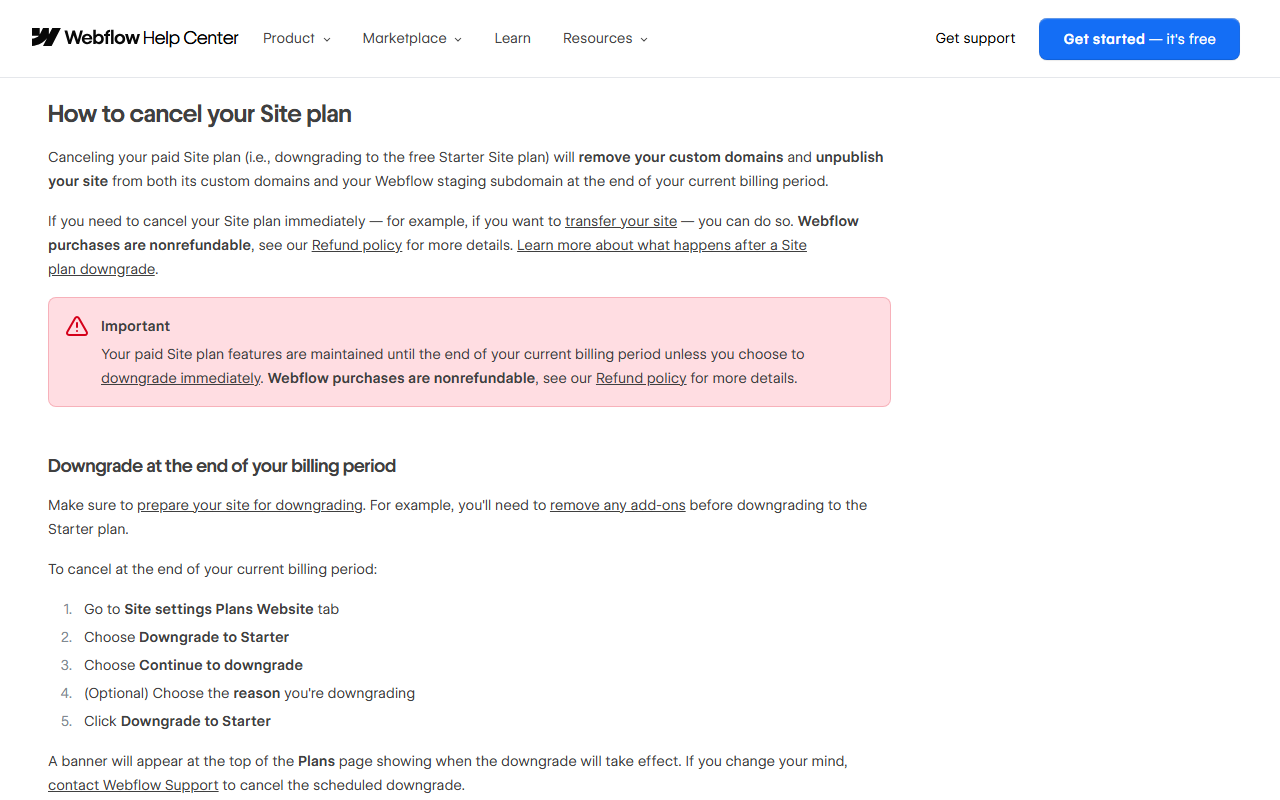
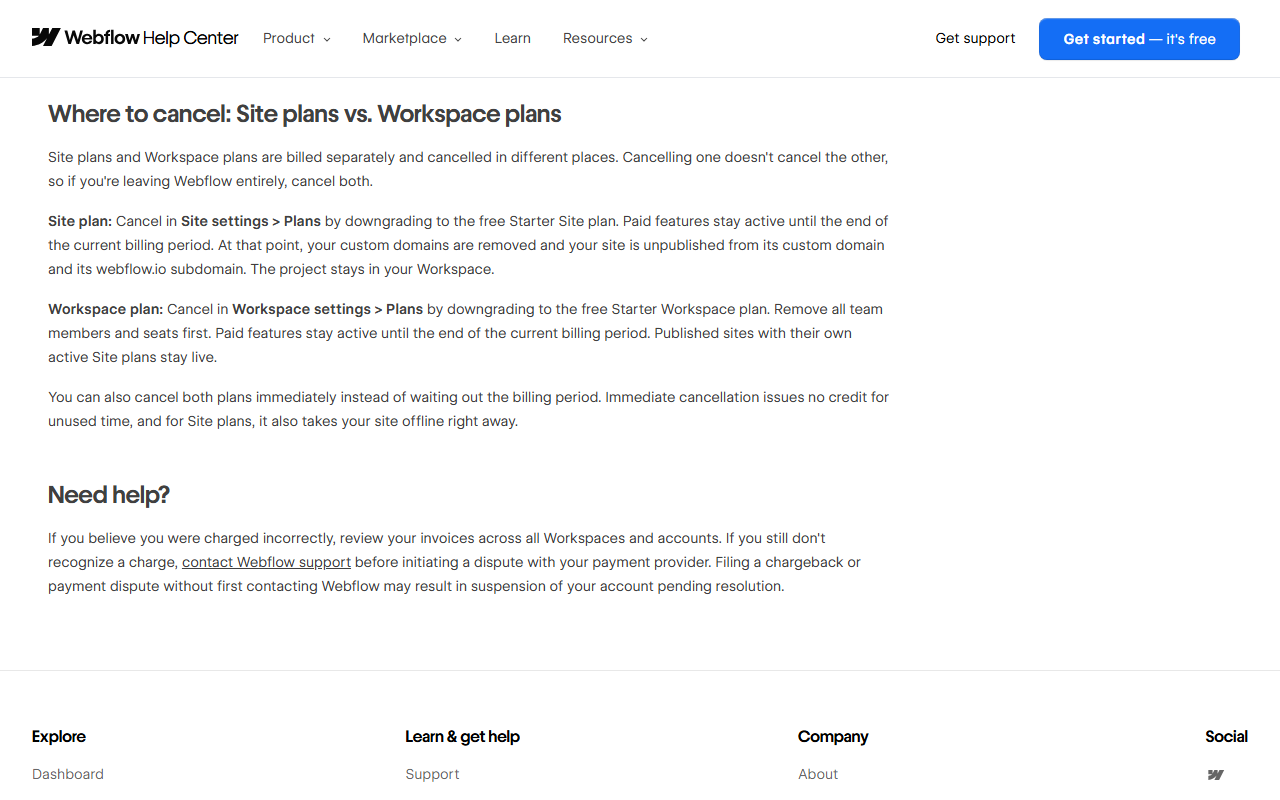
This catches people who expect a downgrade to the free plan to leave a basic site running. Per the Refund Policy and the cancel article, downgrading to Starter means “your custom domains are removed and your site is unpublished from its custom domain and its webflow.io subdomain” at the end of the billing period; “Downgrade now” does it immediately with no credit. Site plans and Workspace plans are cancelled in different places, and “Cancelling one doesn't cancel the other.” Filing a chargeback before contacting support “may result in suspension of your account.”
4. If your web designer disappears, so does your access
Section 2.7 of the Terms is blunt: if your website designer “passes away or becomes otherwise” impossible to contact, “Webflow will be unable to transfer their Account and/or export the Website Content in their Account's workspace to you.” You can only update billing to keep the site running. If you hire someone to build on Webflow, insist that the site sits in your Workspace, or that you are an owner on theirs.

5. A $100 liability cap and arbitration in San Francisco
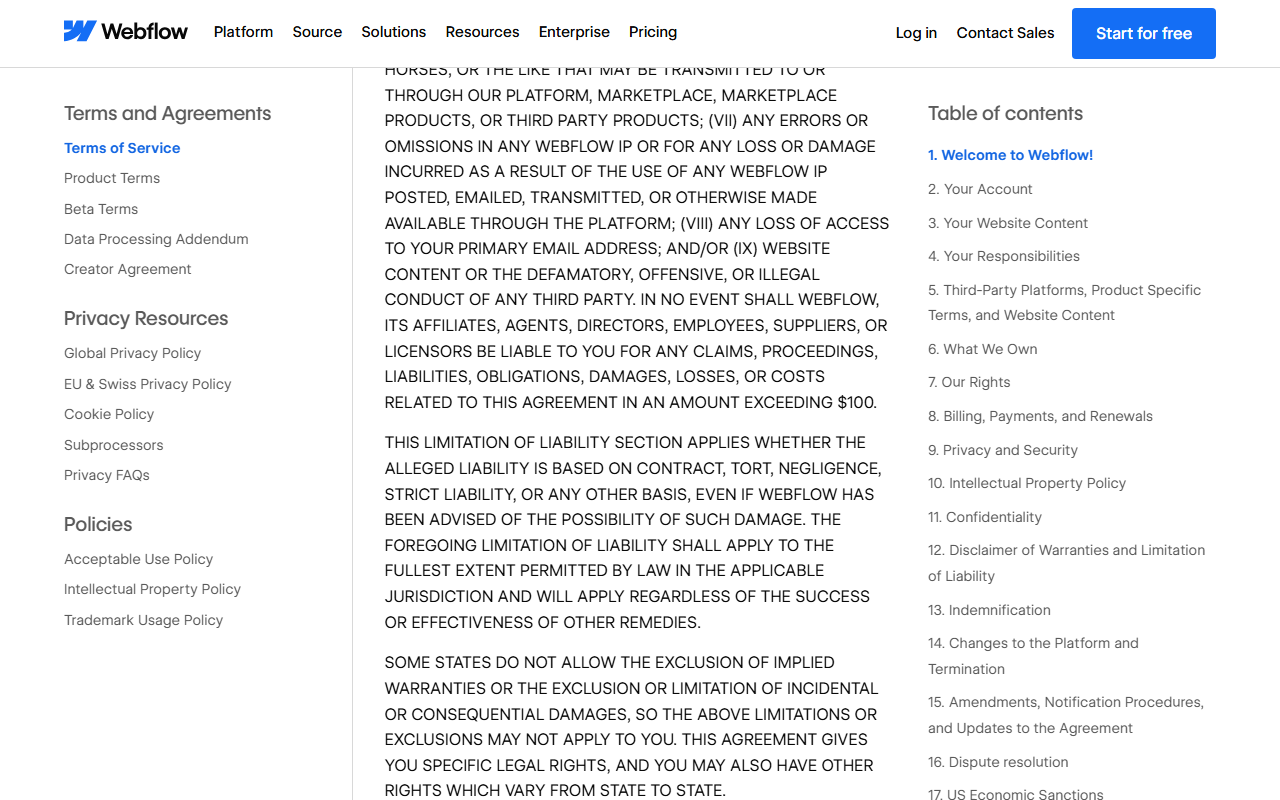
Webflow's total liability to you is capped at “AN AMOUNT EXCEEDING $100” (Section 12), and disputes go first to 30 days of informal negotiation, then binding arbitration under AAA rules in San Francisco with a class-action waiver (Section 16). Webflow pays arbitration fees on claims up to $10,000 unless the claim is frivolous. For a business whose revenue depends on its website, that is a reason to keep your own backups and a tested exit plan.
6. Features get retired
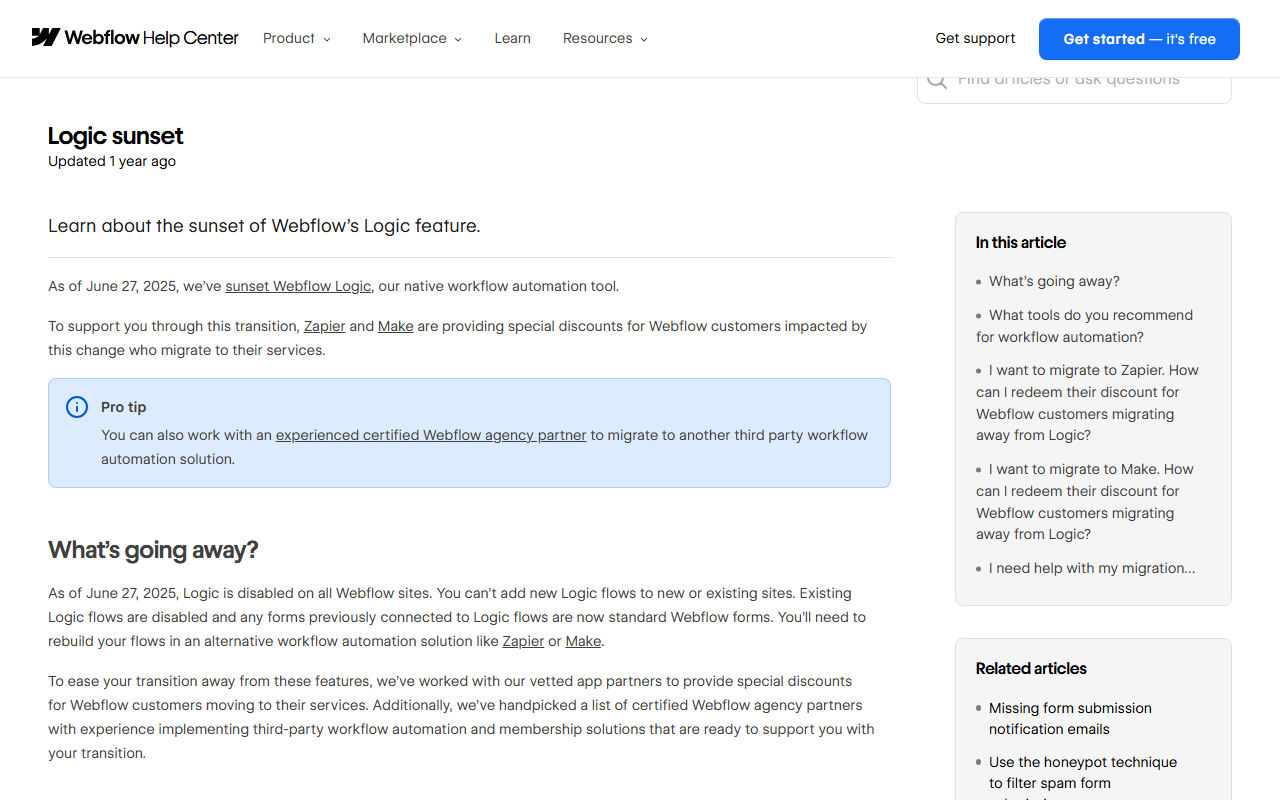
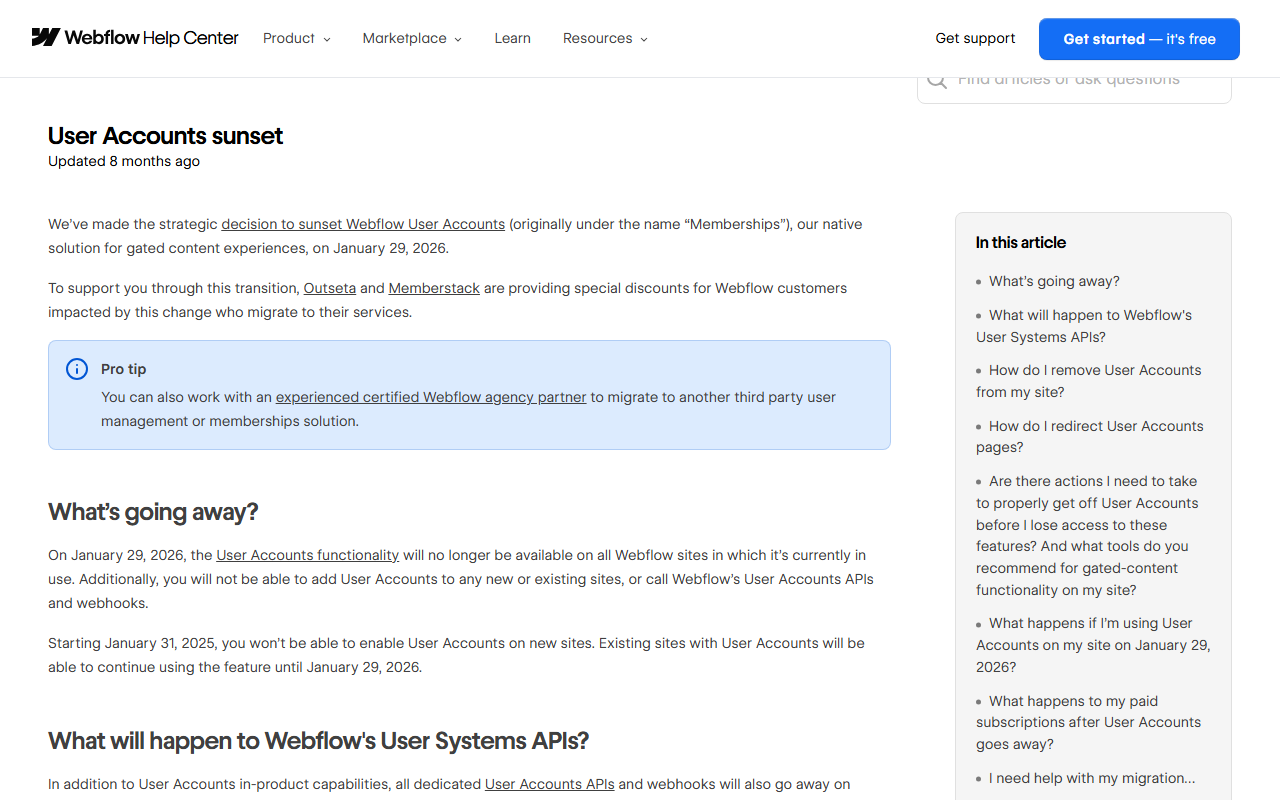
Webflow removed its Logic automation tool on June 27, 2025 (“You'll need to rebuild your flows in an alternative workflow automation solution like Zapier or Make”), switched off User Accounts, its memberships feature, on January 29, 2026, and fully retired the legacy Editor on October 5, 2026, replacing it with paid seats and free client seats. Each came with notice and partner discounts, but each forced work on customers. Build critical functions on parts you can move.
Match your situation to one line.
Visual control close to hand-written CSS, plus a CMS that is finally generous on the main paid plan.
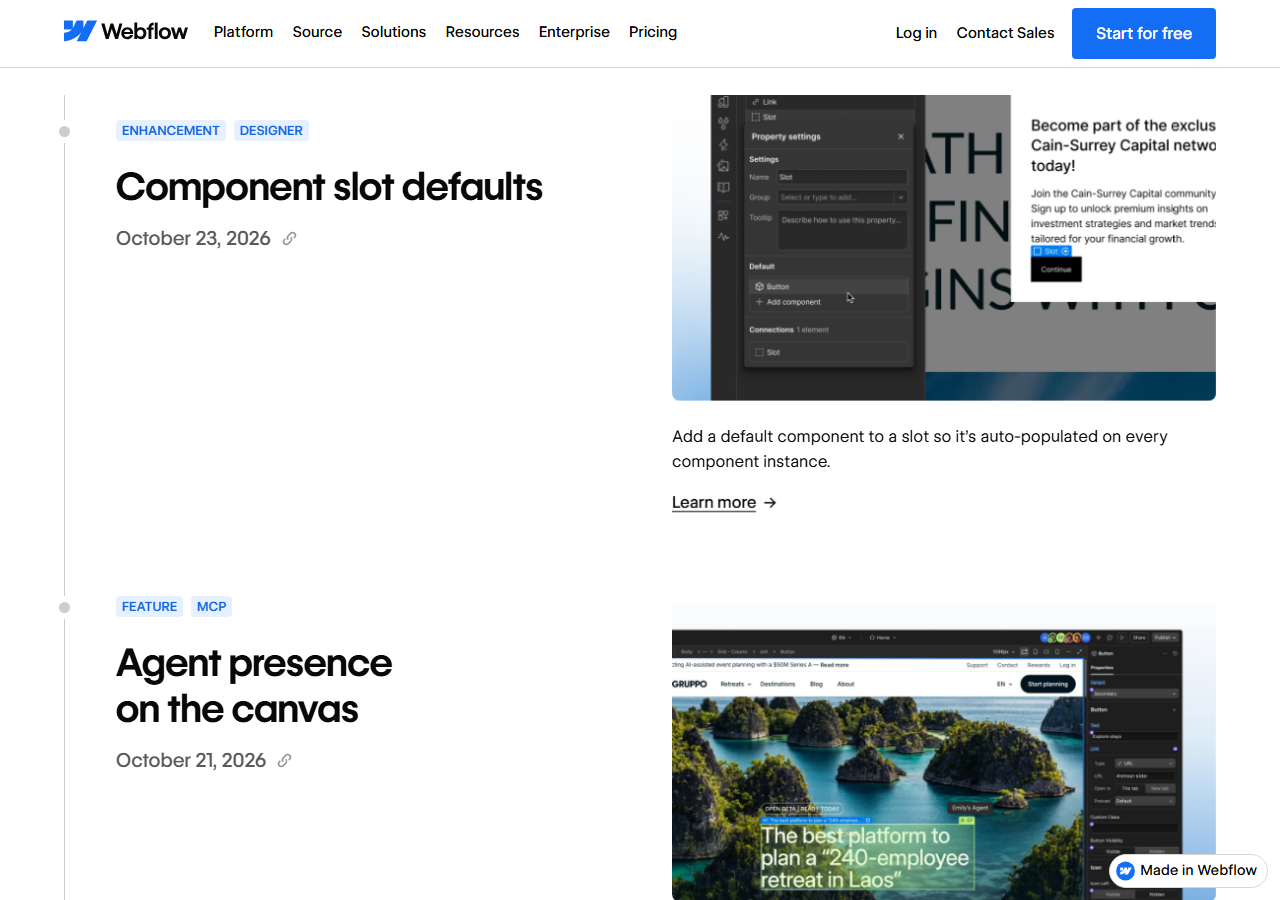
Webflow's reason to exist is the Designer: a visual canvas where you build with real HTML elements, classes, combo classes, components with props and slots, variables and breakpoints, rather than dragging pre-made blocks. October 2026 updates added a single Box element with “19 new global tag selectors” (Oct 13) and default components for slots (Oct 23). Animations come in two flavors: Classic Interactions and Interactions with GSAP, a timeline editor powered by the GSAP animation library. Non-designers work in the same tool with narrower roles: a Limited seat can edit content or build pages from approved components, and comment-only links let anyone review without an account.
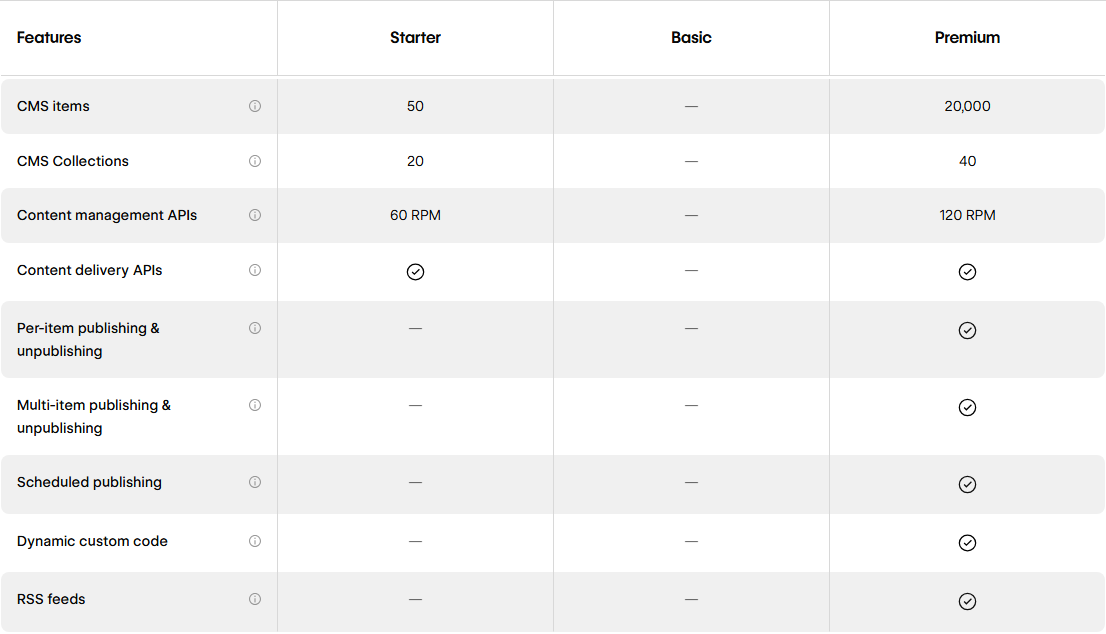
The CMS is where 2026 genuinely improved things. Premium includes 20,000 CMS items and 40 collections, per-item and scheduled publishing, RSS feeds, dynamic custom code and a content management API at 120 requests per minute. The free Starter plan gets 50 items for learning; Basic has no CMS at all. Search engine features (titles, meta, Open Graph, canonical tags, 301 redirects, sitemaps and schema markup support) are on paid plans; on a free Starter site several of them require a paid Workspace.
Webflow is also leaning into AI search. Its AEO tools audit pages for search and answer engines, and on Enterprise the AEO agents draft fixes and new content. This official demo shows the AEO dashboard; note that the AEO agents are a Team and Enterprise feature, not part of Basic or Premium:
“Demo of Webflow AEO”, official Webflow YouTube channel (@Webflow), embedded on webflow.com/feature/aeo.
Design once as components, let editors fill them, and publish deliberately.
An illustrative sequence built from Webflow's pricing tables, help center and product pages, Oct 26, 2026, not a record of a JAVIS build.
AI features now run on a monthly credit allowance with no public rate card; agents can work on your site through MCP.
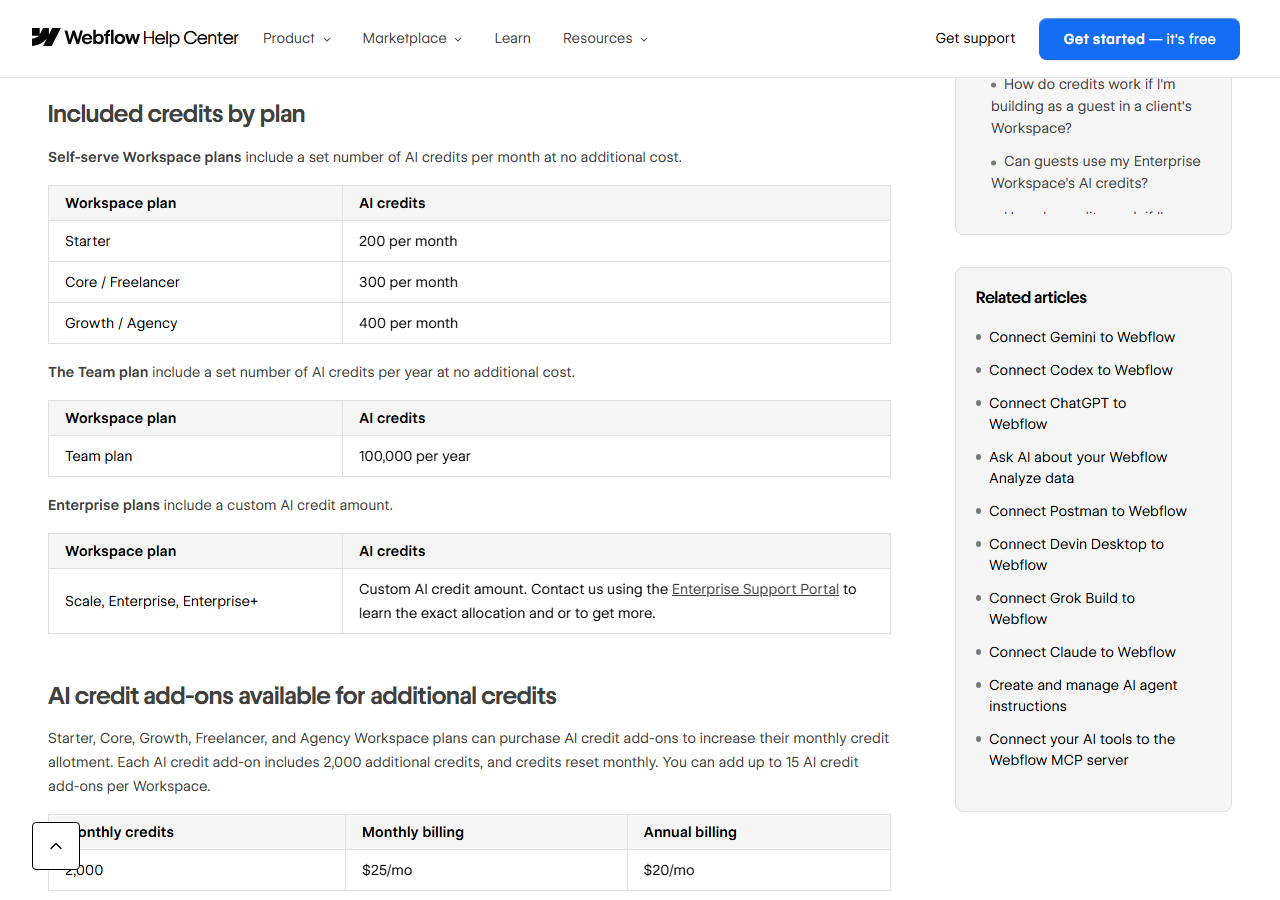
Since May 13, 2026 every Workspace gets AI credits: 200 a month on Starter, 300 on Core or Freelancer, 400 on Growth or Agency, and 100,000 a year on Team. Extra packs of 2,000 credits cost $20 a month yearly ($25 monthly), up to 15 packs. Credits are pooled across the Workspace and expire at the end of each period. The catch is that you cannot plan precisely: Webflow says credit usage is “dynamic”, with “no fixed rate per action”, and that it “doesn't publish a rate card.” The good news is that running out does not trigger an upgrade or a charge; a request that overshoots leaves a negative balance that is settled from your next allowance.
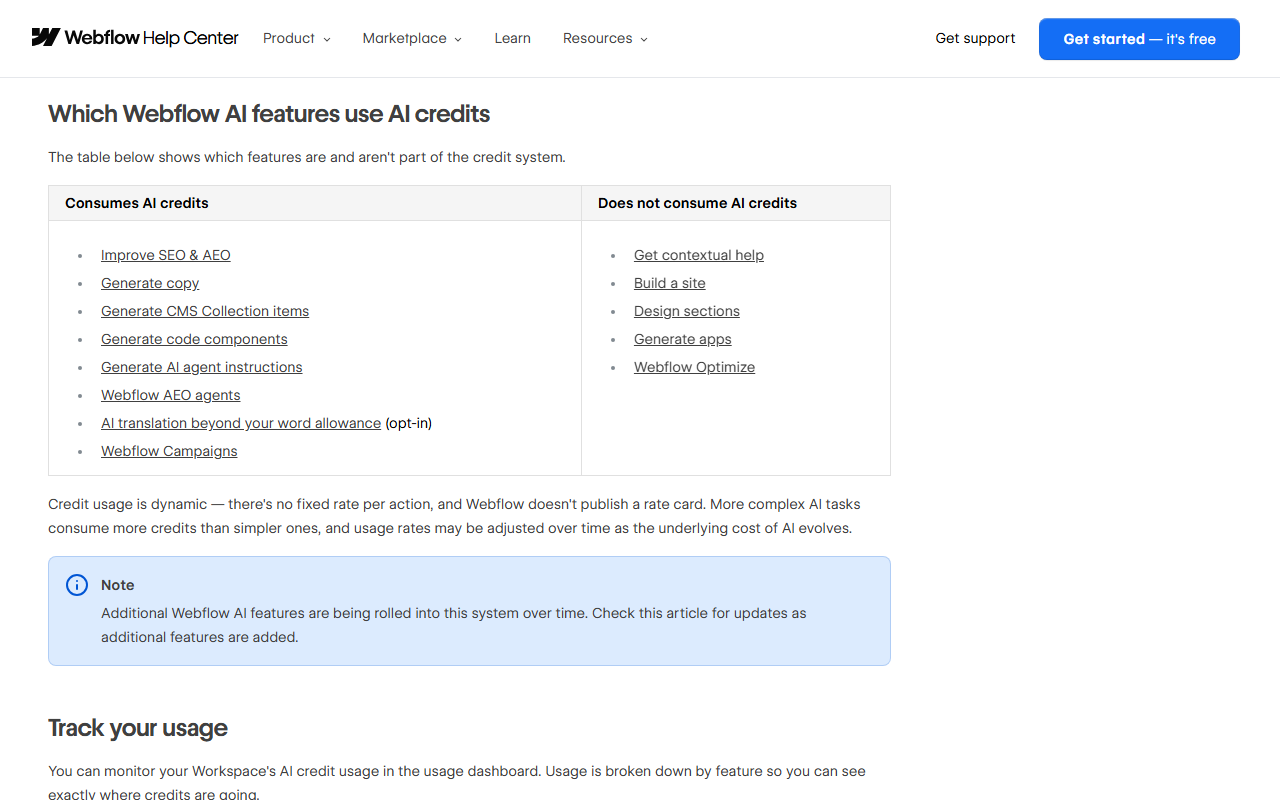
Which features use credits? Improve SEO and AEO, Generate copy, Generate CMS Collection items, Generate code components, Generate AI agent instructions, AEO agents and Campaigns do. Get contextual help, Build a site, Design sections, Generate apps and Optimize do not. If you work as a guest in a client's Workspace, the credits come from your Workspace, not the client's.
MCP: let Claude, ChatGPT or Cursor work on your site
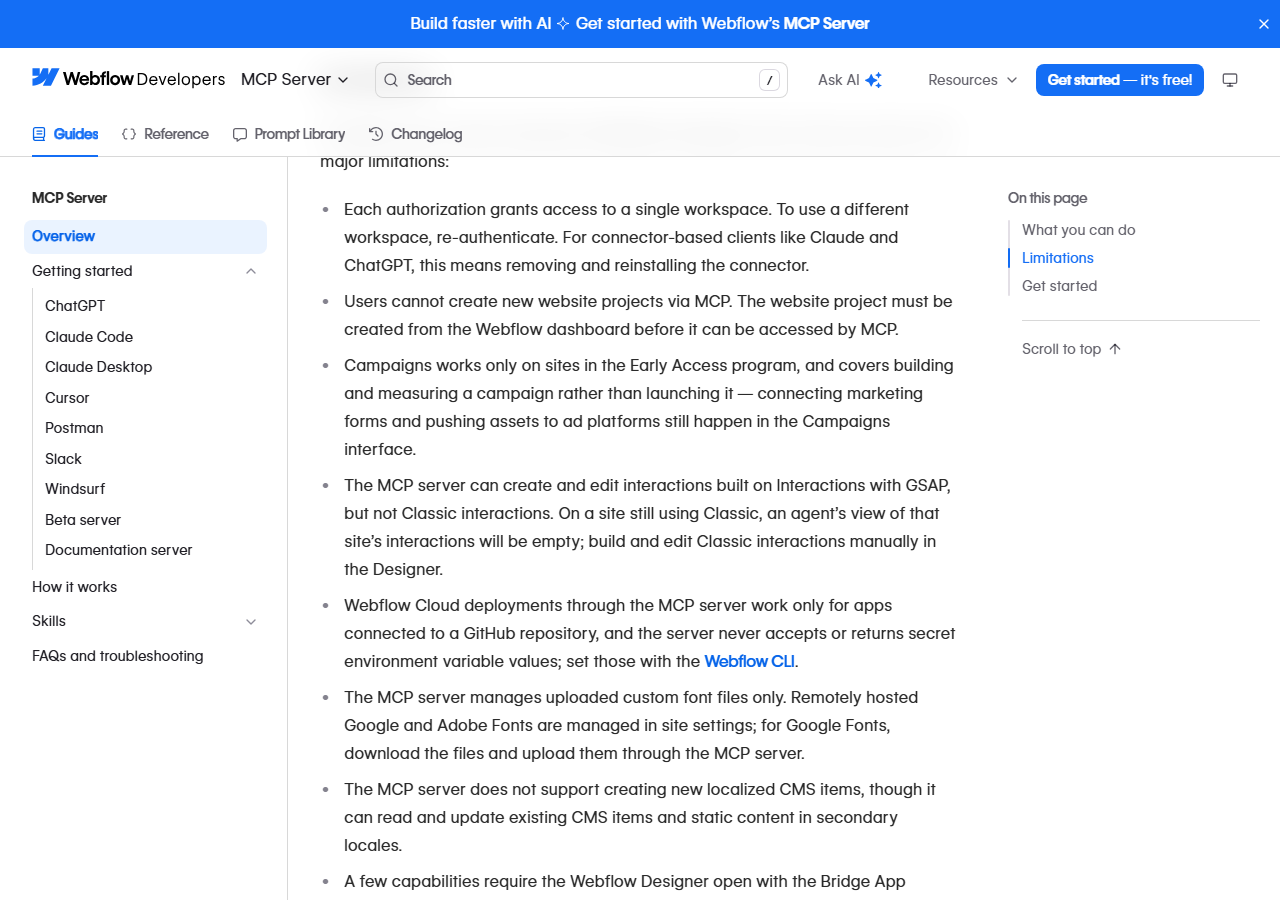
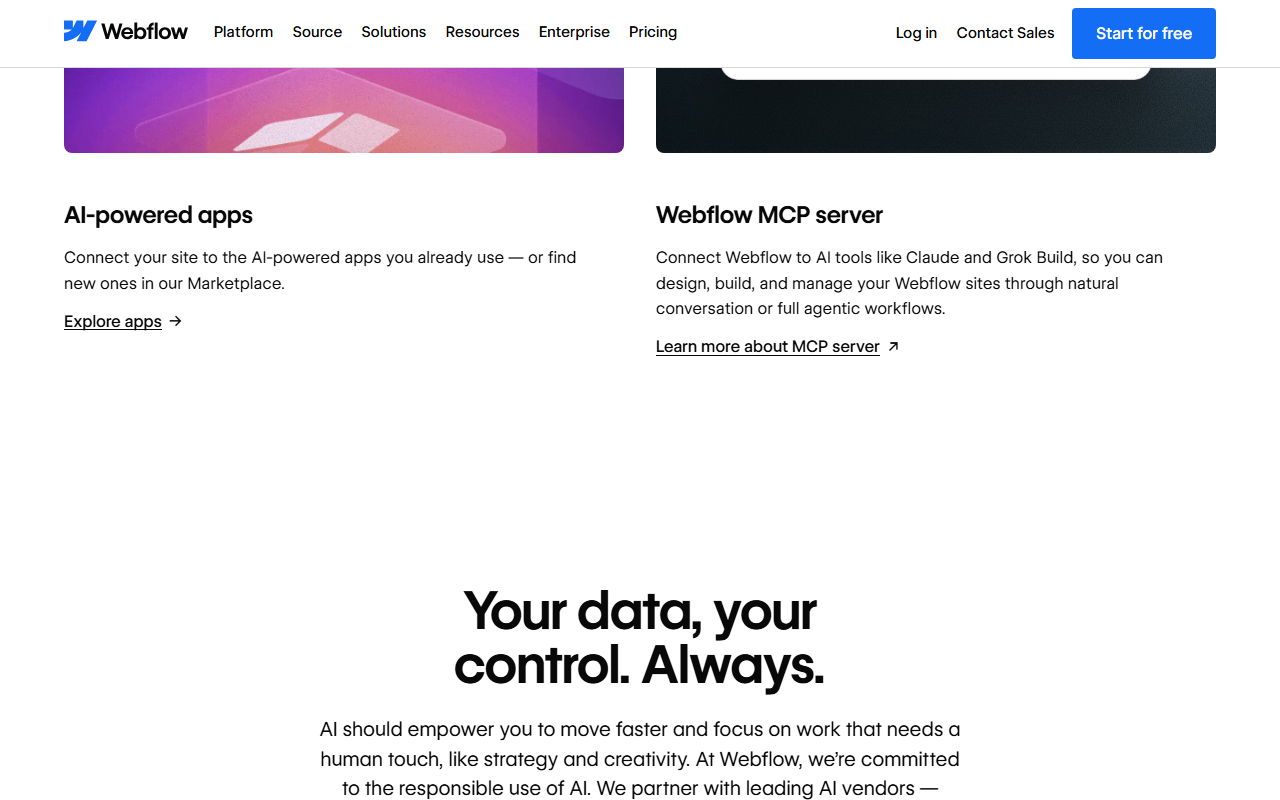
The Webflow MCP server connects AI assistants to your Workspace. The developer docs name Claude Code, Claude Desktop, ChatGPT, Codex and Cursor; Gemini was added on Oct 15, 2026. Agents can create elements, styles, components and variables, manage CMS collections, custom code and assets, build GSAP interactions and read analytics, and they work “within your existing Webflow permissions and roles.” If you use Claude, our Claude MCP connectors guide explains how connectors and their permissions work, and the Claude Code setup guide covers the terminal route.
The docs list real limits: each authorization covers one Workspace (for Claude or ChatGPT you remove and reinstall the connector to switch); the MCP server cannot create new site projects; it edits GSAP interactions but not Classic ones; it cannot create new localized CMS items; and managing page branches through MCP requires an Enterprise plan. Agents act with your permissions, so give them a role you would give a junior teammate, and review before publishing.
Source: the platform Webflow is building next
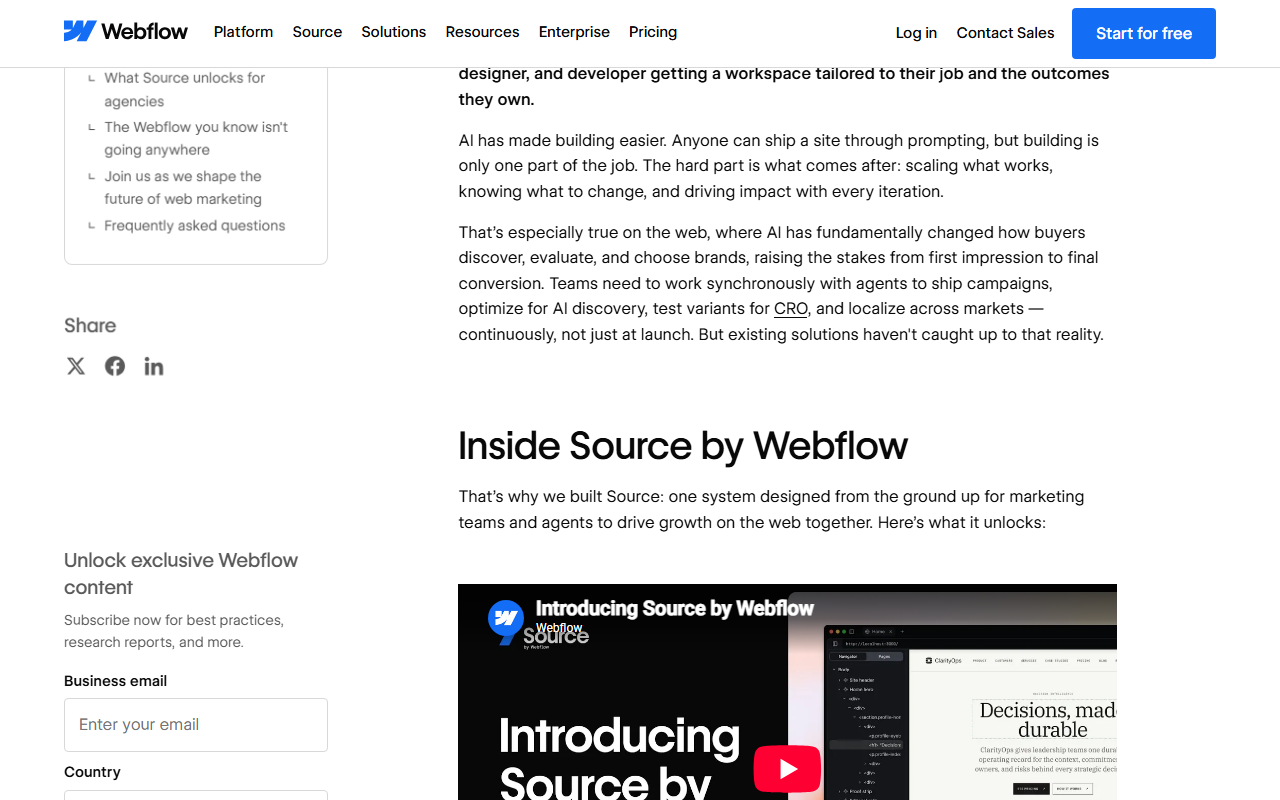
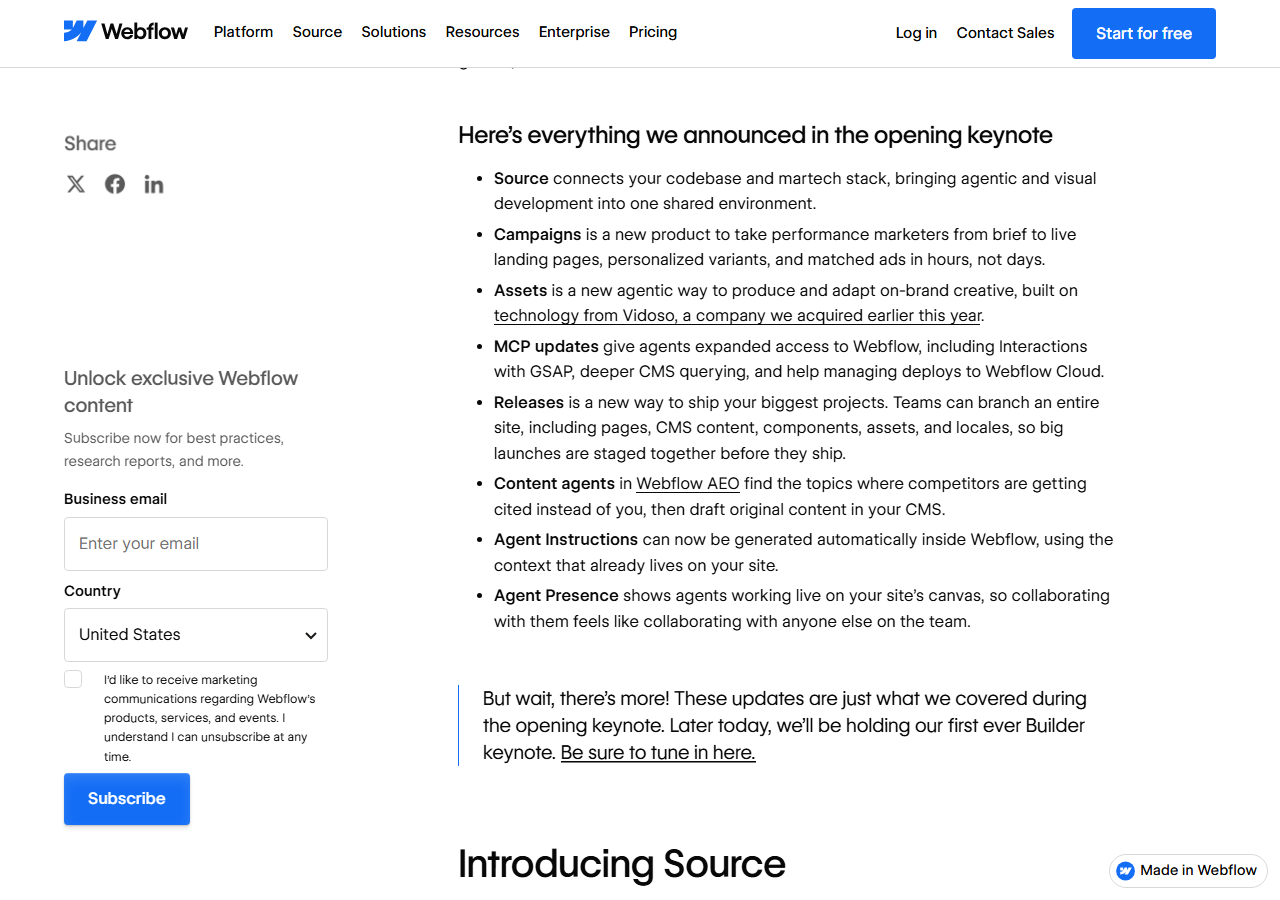
Source is not part of any plan you can buy today. Webflow describes it as connecting “your codebase and martech stack”, with agents that work directly on code and “Views” tailored to each role, and says it will enroll “select agency partners and customers in a phased approach over the coming months.” The decision point for buyers: Webflow is telling you its long-term architecture is code, and that moving to it will be optional and supported. That is reassuring for today's sites, and a reason not to over-invest in features that only exist in the current Designer.
“Introducing Source by Webflow”, official Webflow YouTube channel (@Webflow), linked from the webflow.com homepage and webflow.com/source.
A REST API with tight rate limits on self-serve plans, an apps marketplace, and app hosting metered like the site.
Since Logic was retired, form and workflow automation runs through outside tools; Webflow's own sunset notice points to Zapier and Make (our Zapier review and Make review price that glue). The CMS API allows 60 requests per minute on Starter and 120 on Premium; Team raises it to 600, which Webflow pitches as making large client migrations “significantly faster.” Ecommerce includes Stripe, PayPal, Apple Pay, automatic tax calculation, Google Shopping, Meta events and Mailchimp.
Webflow Cloud hosts web apps (for example a Next.js or Astro app) next to your site: 5 apps on Starter and Basic, 15 on Premium, with requests, CPU time and SQLite, key-value and object storage metered per plan. Premium includes 2 million requests and 30 CPU minutes a month, then $2 per million requests and $2 per five CPU hours; Webflow promises “at least 30 days notice before charging for overages” on storage. App bandwidth is pooled with the site's bandwidth, so a busy app eats into the same 50 GB.
| Limit | Starter / Basic | Premium |
|---|---|---|
| CMS API rate | 60 RPM / none | 120 RPM (Team 600) |
| Cloud apps | 5 | 15 |
| App requests a month | 1 million | 2 million, then $2 per million |
| App CPU a month | 15 minutes | 30 minutes, then $2 per 5 hours |
| Form submissions | 50 / unlimited | no cap, file uploads to 10 MB |
From the “Compare all Site plans” table on webflow.com/pricing, Oct 26, 2026.
Solid security credentials, email-only support on self-serve plans, and an export that leaves your CMS, forms and store behind.
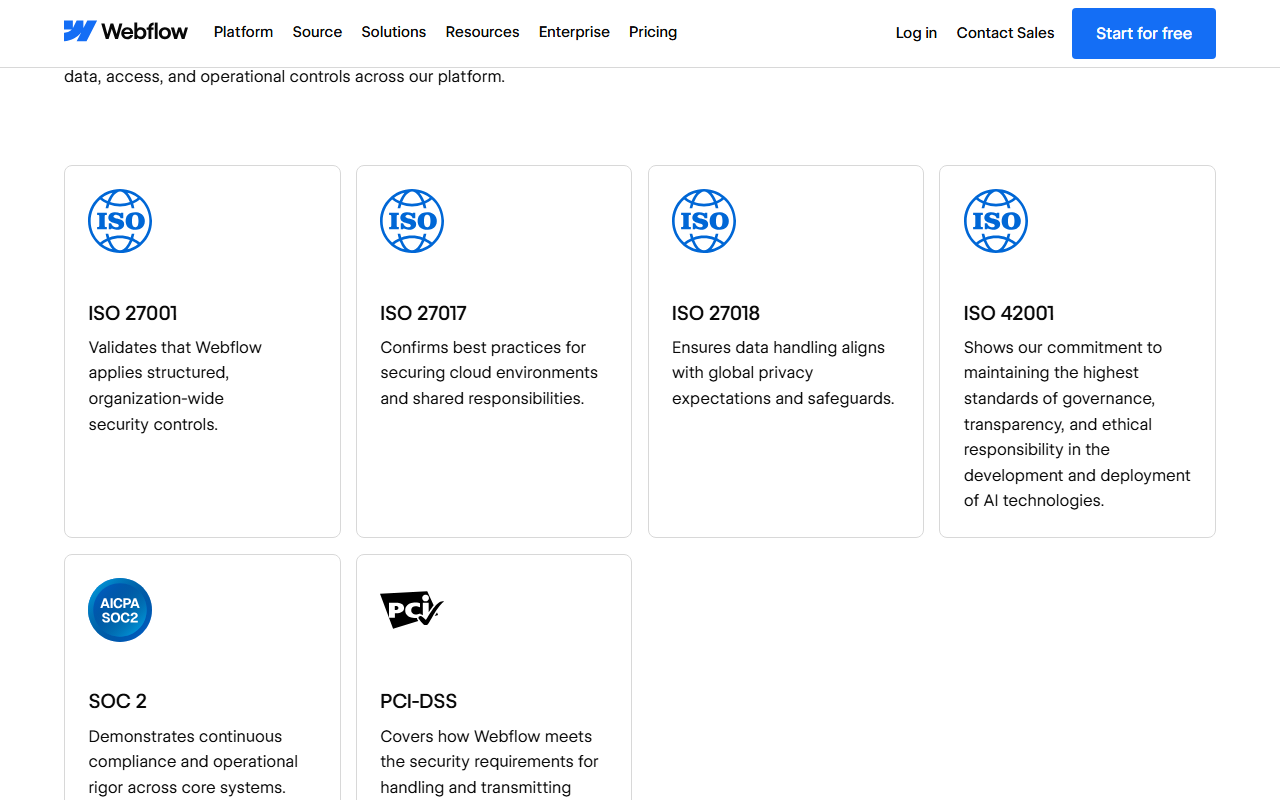
Webflow's security page lists ISO 27001, 27017, 27018 and 42001, SOC 2 and PCI-DSS, with TLS 1.2+ on every site, HSTS by default and DDoS protection through its CDN. The Terms say your personal information is processed in the United States. Two-factor authentication is on every plan; SSO and SCIM are Enterprise only.
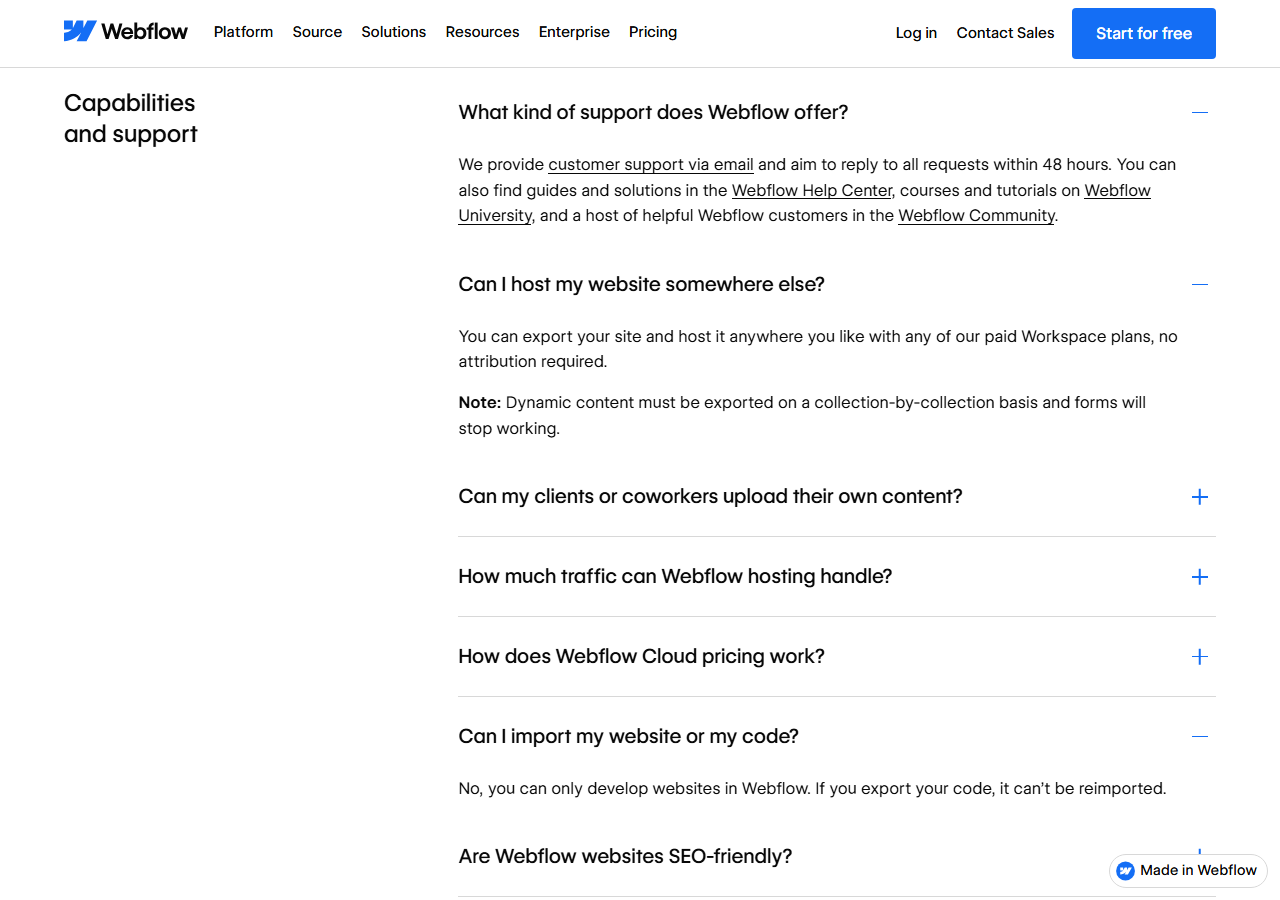
Support. The pricing FAQ says Webflow provides “customer support via email and aim[s] to reply to all requests within 48 hours.” 24/7 priority support starts with the $2,500 Team plan; phone support and a dedicated customer success manager are Enterprise options with a premium SLA. That gap matches the Trustpilot complaints.
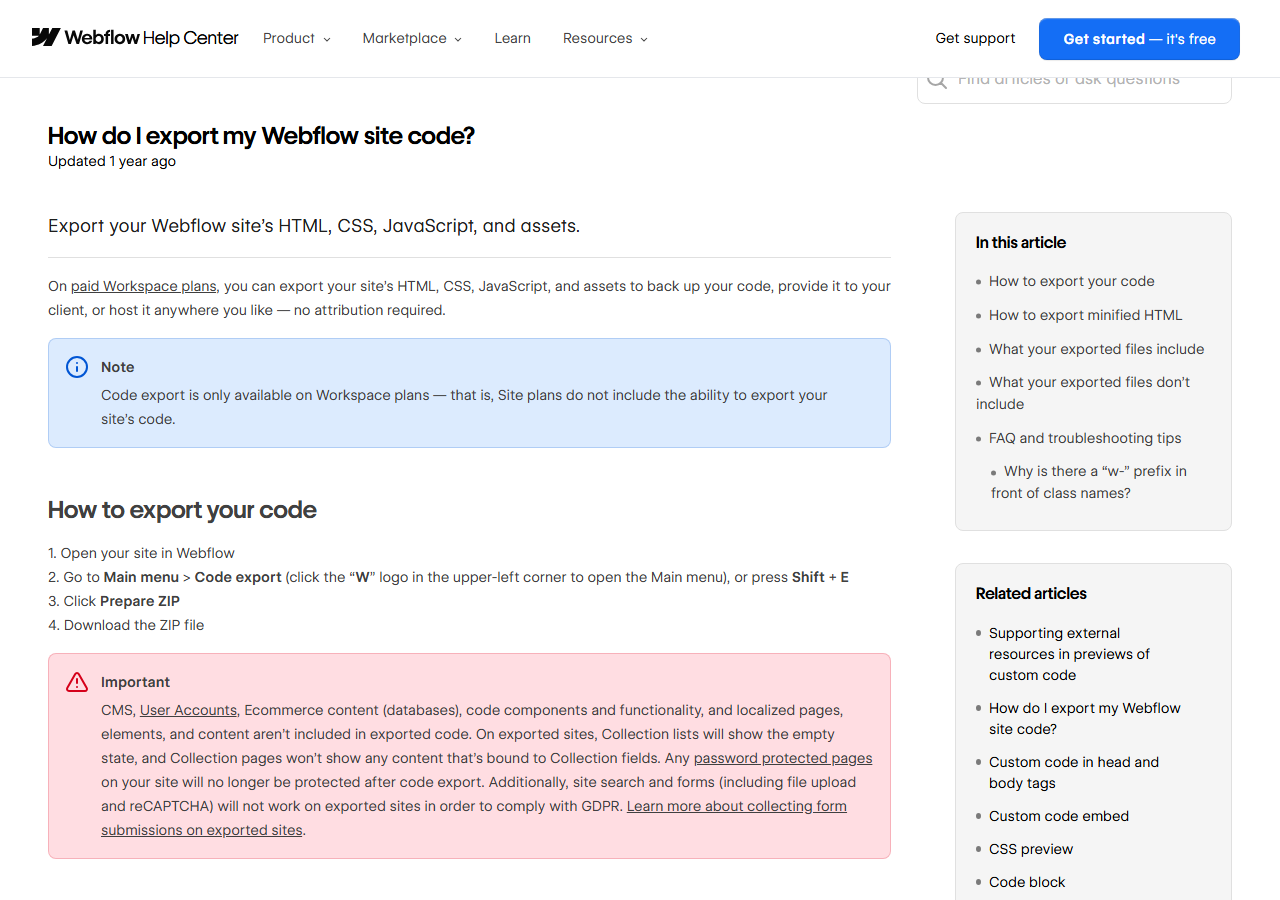
Exit. Code export needs a paid Workspace plan (Core at $19 a month yearly or above), not a Site plan. The ZIP contains HTML, CSS, JavaScript and images, but not CMS content, ecommerce, User Accounts, localized pages, code components, password protection, site search or form processing. CMS collections, products and users can be exported separately as CSV. And the pricing FAQ is clear that the road is one-way: “If you export your code, it can't be reimported.”
People who design for a living, and teams that publish often and can afford to grow into the meters.
- Web designers and studios who want CSS-level control without code
- Agencies managing many client sites with client seats and billing
- In-house marketing teams shipping landing pages and blogs weekly
- Content sites that need a real CMS with up to 20,000 items
- Teams that want AI agents to edit sites through MCP
- Companies that value ISO and SOC 2 paperwork
- One simple site on the lowest possible budget
- Anyone who needs phone or live chat support on a small plan
- Sites with heavy images or video and unpredictable traffic
- Stores with large catalogs or complex commerce
- Products that need logins, memberships or app logic
- Owners who want a full, re-importable export of everything
Likely plan by work pattern: a portfolio fits Basic; a company blog fits Premium with one or two Limited seats; a studio fits an Agency Workspace with Premium per client; a team of ten with approvals fits Team or Enterprise.
Nine things to check before you rely on it.
50 GB on Premium, then about $0.40 per GB; two months over means an automatic upgrade.
Terms, Refund Policy and help articles disagree; only new purchases get 14 days.
Site plan, Workspace plan, seats, credits and add-ons are all separate.
Email, aiming for 48 hours, unless you pay $2,500 a month or more.
Export needs a paid Workspace and leaves CMS, forms and store behind.
Downgrading to Starter unpublishes the site, even from webflow.io.
Logic, User Accounts and the legacy Editor were all removed since mid-2025.
A May 2026 restructuring, a marketing-team focus and a code-first platform in preview.
$100 liability cap, arbitration, fees changeable at renewal.
Priced from each vendor's page on Oct 26, 2026; the plans count different things, so they are not like-for-like.
Swipe sideways to see every column.
| If you need | Look at | Entry price | What you get | JAVIS review |
|---|---|---|---|---|
| Design control with a gentler price | Framer | $10 / $30 a month yearly ($15 / $45 monthly) | Basic: 30 pages, 1,000 CMS items, 50 GB. Pro: 150 pages, 2,500 items, 100 GB, staging; editors $20 a month | Not reviewed yet |
| Easiest all-round builder with support | Wix | $17 / $29 / $39 a month yearly | Light, Core, Business; storage-based limits, payments from Core, 24/7 customer care, 14-day money-back guarantee | Not reviewed yet |
| A site or app from a prompt, in code you own | Lovable, v0, Bolt.new | See reviews | AI app builders that generate real code; the “faster path” Webflow's CEO refers to | Lovable · v0 · Bolt.new |
| Logins, memberships and app logic | Bubble | See review | Visual app builder with a database and workflows | Bubble review |
| Maximum control, lowest running cost | Hand-built site (Next.js, Astro) with an AI coding agent | Hosting plus your time | Full ownership and export; you maintain it | Claude Code guide |
Webflow or code it yourself with an AI agent?
This is the comparison agencies on Webflow's forum are making in 2026. A hand-built landing page on a framework such as Next.js or Astro, maintained with an AI coding agent, has no per-seat or per-GB Webflow bill and exports completely, because it is already code. What you give up is the thing Webflow does best: a safe visual surface where a marketer can change a headline or publish a blog post without touching code, with roles and review. If the people editing the site are designers and marketers, Webflow still earns its price. If they are developers, the case is weaker every month, and Webflow's own Source plan points the same way.
| Question | Webflow | Hand-built with AI |
|---|---|---|
| Who can edit safely? | Designers, marketers, clients with roles | Mostly developers, unless you add a CMS |
| Running cost | Plan + seats + bandwidth + add-ons | Hosting, plus maintenance time |
| Leaving later | Partial export, no re-import | Already portable |
| Support | Email, about 48 hours on self-serve | Yourself and your agent |
This review has no affiliate links.
JAVIS has not joined a Webflow affiliate program, so every Webflow link here goes straight to webflow.com, its pricing page, its Terms of Service or its help center, without tracking parameters. The score and the drawbacks would be the same either way.
How this review was put together: Webflow's public pages, Terms, help articles, developer docs and official videos, competitor pricing pages, Trustpilot, Webflow's community forum, Hacker News and W3Techs, all as of Oct 26, 2026. JAVIS did not create a Webflow account or build a site, so nothing here describes editor speed, publishing reliability or support response times from our own use. Screenshots show public pages only.
Building a site with AI, or replacing what Webflow removed? These reviews cover the tools around it.
Each card opens a published JAVIS review, routed by where you are.



Questions people ask before committing
Is Webflow free?
You can build for free on the Starter plan, but only on a webflow.io address with 2 static pages, 1 GB of bandwidth and 50 form submissions. Publishing to your own domain needs a paid Site plan: Basic at $15 a month yearly or $25 monthly, or Premium at $25 or $39.
What happened to the CMS and Business plans?
They were merged into Premium on May 13, 2026. Existing sites move at renewal on or after June 29, 2026, or on or after November 16, 2026 for sites in Freelancer or Agency Workspaces and legacy pricing. Switching to yearly billing before your date keeps your current plan one more year.
Can I get a refund?
Per the Refund Policy (September 2026), new Site and Workspace plan purchases are refundable within 14 days, monthly or annual. Renewals, seats, add-ons, AI credits and automatic usage upgrades are not. The older Terms and some help articles still call purchases non-refundable, so quote the Refund Policy when you ask.
What happens if my site uses too much bandwidth?
The first month over is not charged. If you exceed the same limit two billing months in a row, Webflow upgrades your plan or bandwidth add-on automatically at the start of the next month, sized on the lower of the two months, and that charge is not refundable.
Can I move my Webflow site somewhere else?
Partly. With a paid Workspace plan you can export HTML, CSS, JavaScript and images; CMS content, products and users export as CSV, and forms, search, checkout and password protection stop working. Exported code cannot be imported back into Webflow.
Does Webflow have AI?
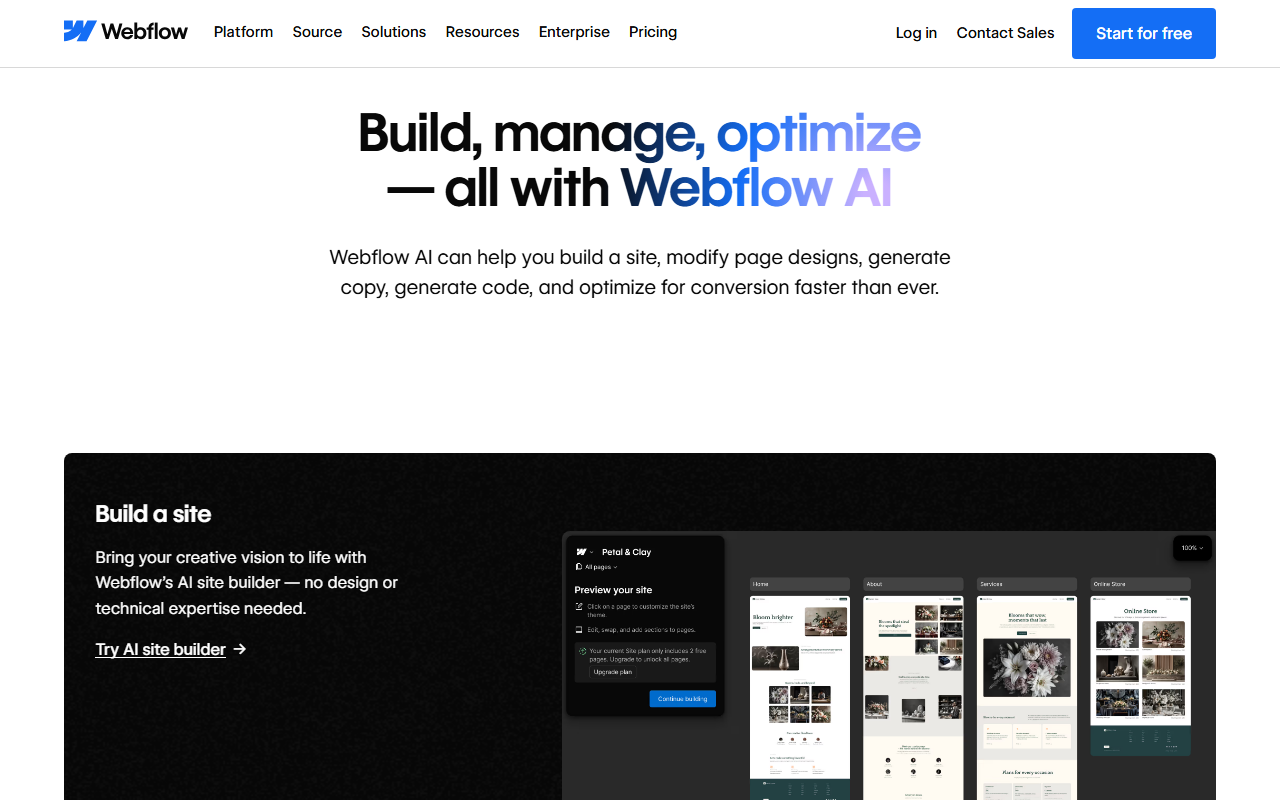
Yes: an AI site builder, section and code-component generation, copy and CMS generation, SEO and AEO audits, and an MCP server for Claude, ChatGPT, Cursor, Codex and Gemini. Some features use monthly AI credits (200 to 400 per Workspace), and Webflow does not publish how many credits each action costs.
What kind of support do I get?
Email support with a goal of replying within 48 hours on self-serve plans. 24/7 priority support comes with the Team plan; phone support and a dedicated success manager are Enterprise options.
Where this came from, and when.
Every price, limit, rule and rating in this review comes from the pages below, all as of Oct 26, 2026 unless another date is given. Expand for the full list, the scoring method and what the review does not cover.
Show sources, scoring method and scope
Pricing: webflow.com/pricing with yearly and monthly billing, the Site, Platform, Ecommerce and Workspace plan sections, the bandwidth, session, page-view and locale selectors, the “Compare all Site plans” and “Compare all Platform plans” tables and the FAQ, Oct 26, 2026. Pricing change calculator page.
Terms and policies: webflow.com/legal/terms (effective and last modified Nov 15, 2023), Sections 2.7, 8, 9, 12, 14 and 16; Webflow Refund Policy (policy last updated September 2026).
Help center: “Updated pricing and simplified plans for May 2026”, “Surge protection for overages”, “Why was I charged when my site exceeded its bandwidth limit?”, “Downgrade or cancel your Site plan”, “Proration and refunds on Workspace and Site plans”, “Webflow AI credits”, “How do I export my Webflow site code?”, “Legacy Editor deprecation FAQ”, “User Accounts sunset”, “Logic sunset” and “Updates to our pricing and product strategy for December 2024”, Oct 26, 2026.
Vendor pages and posts: webflow.com home, /company/about, /ai, /source, /security, /feature/hosting, /feature/cms, /feature/aeo, /updates; blog posts of May 13, 2026 (pricing), May 27, 2026 (restructuring), Sep 2, 2026 (Conf 2026 announcements; Introducing Source); Webflow Community admin post on plans and pricing (210 replies); developers.webflow.com MCP server overview.
Video: three videos from the official Webflow YouTube channel (@Webflow), each embedded on webflow.com: 0tCMU080Lq4 (pricing update, May 2026 blog post), aYC4SMVspD4 (Introducing Source, homepage and /source) and MDfVT3E3_so (Demo of Webflow AEO, /feature/aeo).
Independent evidence: Trustpilot profile for webflow.com (TrustScore 1.4, 239 reviews, star split, invitation and reply notes, recent reviews), Oct 26, 2026; Hacker News items 48294549, 48297383, 48297430 and 48299262; W3Techs technology pages for Webflow, WordPress, Wix, Squarespace and Framer; US App Store and US Google Play search results (no Webflow-published app). G2 and Capterra are not quoted.
Competitors: framer.com/pricing (yearly and monthly), wix.com/plans (yearly), Oct 26, 2026. Payment example from stripe.com/us/pricing, Oct 26, 2026.
Images: screenshots of public pages taken on Oct 26, 2026 at 1280 pixels wide. The Trustpilot screenshot was taken on Oct 26, 2026 at 949 by 949 pixels. JAVIS charts and diagrams are labelled as such and computed from the prices above. Related cards use JAVIS's own featured images.
JAVIS Fit Score (63/100): an editorial composite scored out of 20 on five criteria. Price clarity 11: every price is public, but a site needs a Site plan, a Workspace plan, seats and per-unit add-ons, AI credits have no rate card, and three Webflow pages disagree on refunds. Capability 18: a mature visual Designer, a generous CMS on Premium, GSAP interactions, hosting with strong security certificates, AI features and a capable MCP server; minus memberships and logic removed. Independent evidence 9: a 1.4 Trustpilot score from a small, self-selected sample, a 210-reply community thread dominated by pricing complaints, and positive designer testimony; no G2 or Capterra data quoted. Terms and data control 10: non-refundable renewals, automatic usage upgrades, a $100 liability cap, arbitration, fee changes allowed at renewal, partial export, cancellation unpublishes the site. Cost and fit 15: cheap for one simple site and competitive with Framer for a content site, but bandwidth, seats and languages escalate quickly. It is judgment, not a measurement.
What this review does not cover: Designer performance on large sites, real bandwidth counting accuracy, page speed of published sites, support response times, Webflow Cloud in production, Ecommerce checkout conversion, the Team plan contract terms, and Source, which is not generally available.